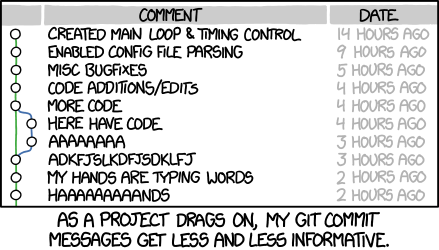
Git Crash Course
TrojanHacks Fall 2104

What is Git?
- Git is version control software
- Github is repository storage (the cloud)
- Version control tracks changes over time
- Great for collaboration
- Revert mistakes
- Branches
- Issues
- Website
Why use Git & Github?
- Keep your code organized and in once place
- Reverting mistakes is the best thing ever
-
Share code easily
- Show recruiters what you can actually do
- Others can learn from and reference your code
- You can contribute to things you actually use
Set Up
- Git
- Github
- Text editor
- Set up git
- Make a demo repository
Github Setup
Register for an account at github.com!
Text Editor
Sublime Text Editor 2 - http://www.sublimetext.com/
Notepad++ - http://notepad-plus-plus.org/
Atom - https://atom.io/
Hardcore: Vim, Emacs

Git Setup
http://bit.ly/githubhelp
Windows
- Download Git Bash
OS X
- Command Line Tools
- Homebrew
- http://brew.sh/
- Install git
$ brew install gitSet up git using github instructions
Terminal Commands
$ ls
  list the files in the current directory

$ cd dir
  move into this directory

$ cp src dst
  copy src into the dst directory

$ mv src dst
  move src into the dst directory

$ touch file
  make an empty document called file

$ mkdir dir
  make a directory called dir

$ rmdir dir
  remove the directory called dir

$ rm file
  remove file (permanently!)

$ less file
  print the contents of file out to console

. means the current directory
.. means one directory above the current directory
~ means the "home" directory
* wildcard
Terminal Commands Practice
$ cd ~
$ mkdir demo
$ cd demo
$ ls
$ touch fileA
$ ls
$ touch fileB
$ mkdir dirA
$ mkdir dirB
$ ls
$ mv fileB dirB
$ ls
$ cp fileA dirA
$ ls
$ ls dirA
$ ls dirB
$ rm dirB/fileB
$ ls dirB
$ rmdir dirB
$ ls
$ cd dirA
$ ls
$ cd ..
$ ls
$ cd ..
$ ls
What does any of this do? Let's use the terminal and find out!

Let's make a repo
http://bit.ly/githubrepo

Git Workflow
$ git pull
$ git add XYZ
$ git status
$ git commit -m "MESSAGE"
$ git push
Commit often!
Additional Resources
- Stack Overflow
- Github FAQ/Help