
Ryan Walls
@ryanwalls
Engineering Manager
Backcountry.com
What is Docker?




https://docs.docker.com/userguide
Details of Docker
Basics of Docker
Container
Image
Engine
Hub
Previously used LXC
Now uses https://github.com/docker/libcontainer
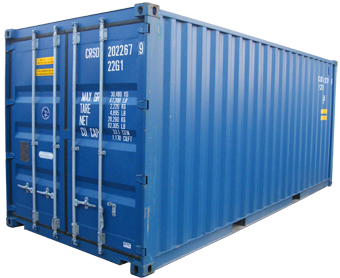
A container is a self contained execution environment that shares the kernel of the host system and which is (optionally) isolated from other containers in the system.
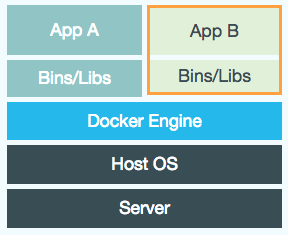
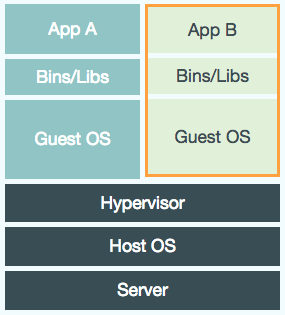
VM
Docker container
Large
Small
Consume significant CPU and memory
Basically zero memory and CPU overhead
Not easily portable between VM environments
Run in any linux environment
Hardware centric
Application centric
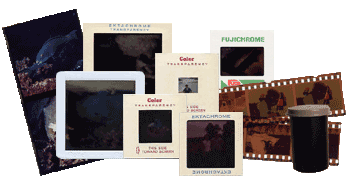
An image is the source of a docker container.
Imperfect analogy:
MyClass.java -> MyClass.class -> running instance of MyClass running in JVM
Dockerfile -> docker image -> docker container
Manages containers
Start/Stop
Status
Linking
etc

Store ready-made docker images
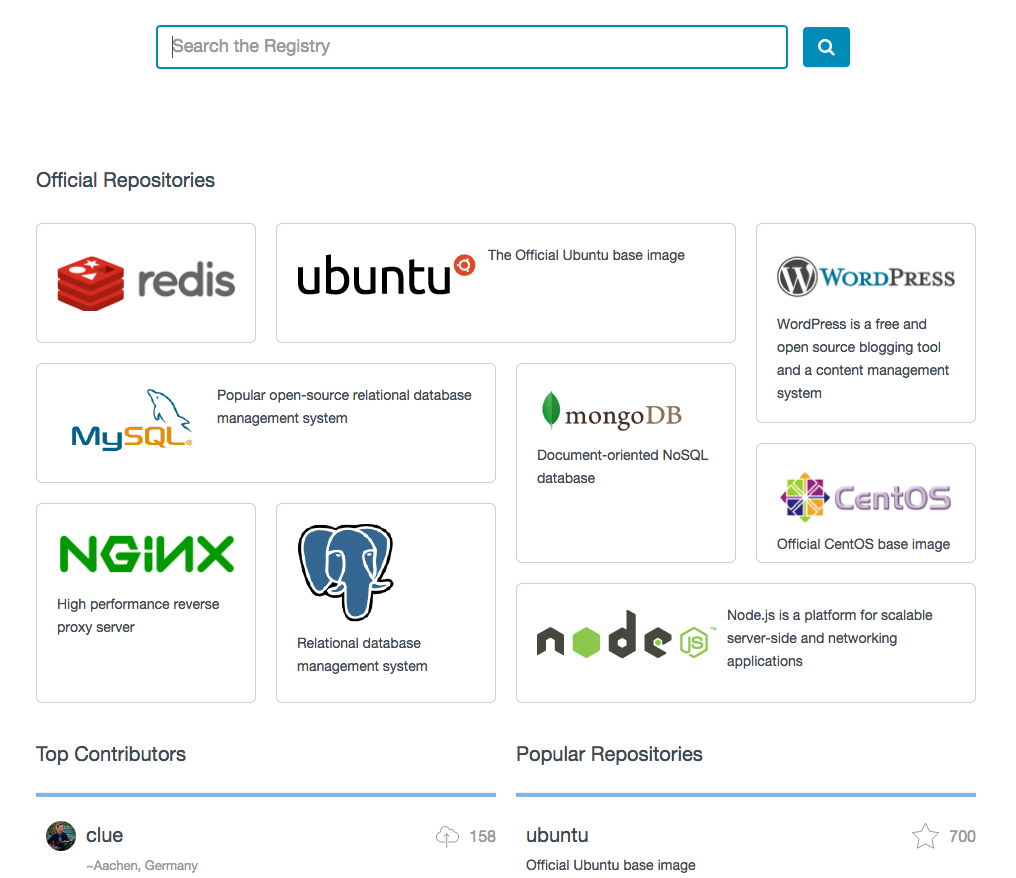
Getting Started

Not linux so no containers
Boot2Docker to the rescue
Dockerizing
Manually create
You can create a docker image by just running commands against a base image.
docker pull learn/tutorial
docker run learn/tutorial apt-get install -y ping
docker ps -l
docker commit <id from previous step> learn/ping
docker run learn/ping ping google.com
Dockerfile
Instead of running commands and saving, can create a Dockerfile that specifies all the commands to build an image.
e.g. Dockerfile for deploying a .war that we have archived in artifactory.
FROM tutum/tomcat

ADD <Artifactory url>/my-app-0.1-SNAPSHOT.war $CATALINA_HOME/webapps/my-app.war
Dockerfile
Build the Dockerfile into an image and tag the image
docker build -t="myname/mytomcatapp:v1" .Create a container by running the image
docker run -t -i myname/mytomcatapp:v1Problem
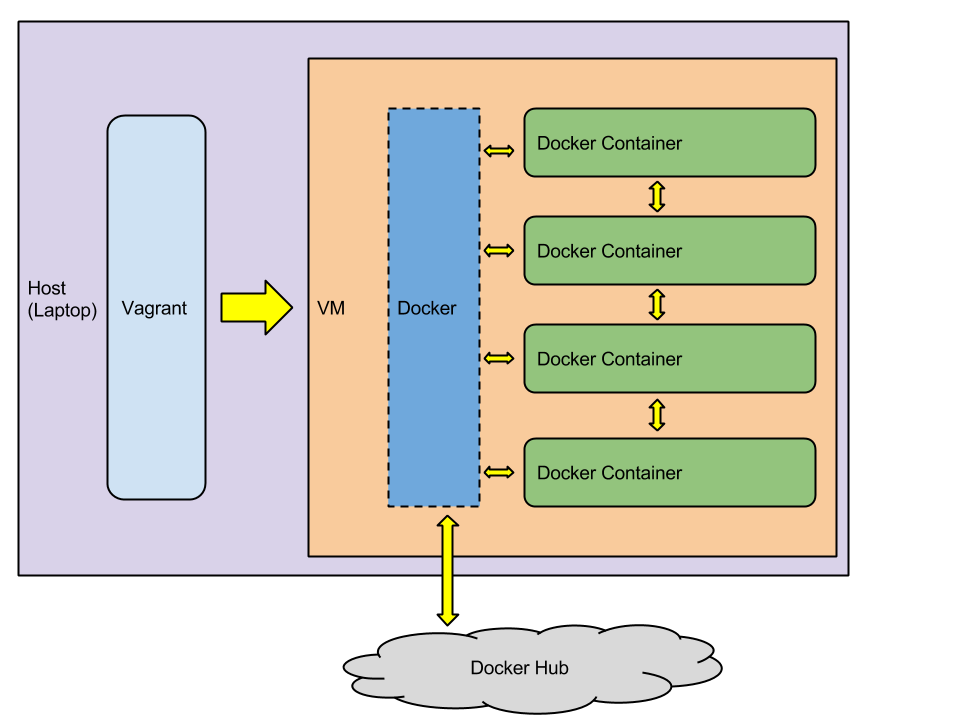
How to spin up multiple containers with one command and get them to talk to each other?
Solution: Vagrant
What is Vagrant?
# install homebrew -- for making installation easier
ruby -e "$(curl -fsSL https://raw.githubusercontent.com/Homebrew/install/master/install)"

# install cask -- for making installation easier
brew update
brew tap phinze/homebrew-cask
brew install brew-cask

# Install virtualbox -- need a VM tool
brew cask install virtualbox

# Install vagrant
brew cask install vagrant
Installing Vagrant
VAGRANTFILE_API_VERSION = "2"

Vagrant.configure(VAGRANTFILE_API_VERSION) do |config|
  config.vm.define "mongo" do |v|
    v.vm.provider "docker" do |d|
      d.vagrant_vagrantfile = "./docker/host-vm/Vagrantfile"
      d.build_dir = "docker/mongo"
      d.ports = ['27017:27017']
      d.name = "mongo"
    end
  end

  config.vm.define "my-app" do |v|
    v.vm.provider "docker" do |d|
      d.vagrant_vagrantfile = "./docker/host-vm/Vagrantfile"
      d.build_dir = "."
      d.ports = ['5000:5000']
      d.link("mongo:expected-mongo-host.net")
    end
  end
end
Specify VM to use to host Docker since we are on a Mac
Dockerfile location
Ports to forward
Container name
Linking creates a hosts file entry with the ip of the linked container. Also sets some env variables.
FROM dockerfile/mongodbDockerfile for mongo
FROM node:0.10.31-onbuild

EXPOSE 5000
Dockerfile for nodejs app "my-app"
Dockerfile is placed in root of "my-app"
VAGRANTFILE_API_VERSION = "2"

Vagrant.configure(VAGRANTFILE_API_VERSION) do |config|

  config.vm.box = "hashicorp/precise64"
  config.vm.provision "docker"
  config.vm.provision "shell", inline:
      "ps aux | grep 'sshd:' | awk '{print $2}' | xargs kill"

  config.vm.network :forwarded_port, guest: 5000, host: 5000
  config.vm.network :forwarded_port, guest: 27017, host: 27017
end
Vagrantfile for host VM
vagrant up --provider=docker --no-parallelNow whole environment can be run with one command
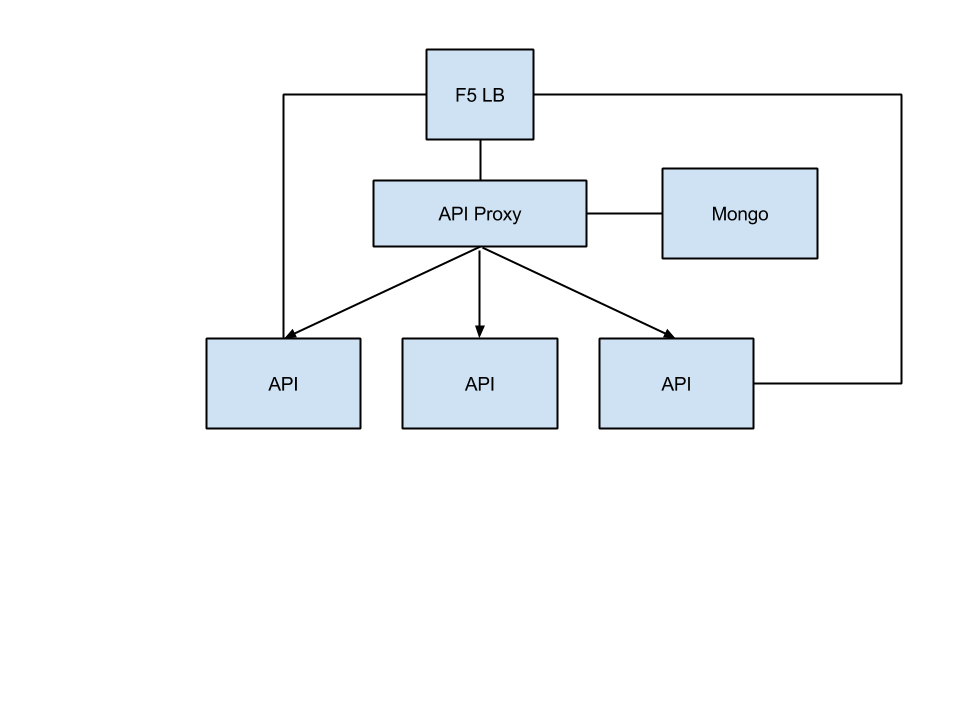
Sample App
What's next?
Use containers for production deployments
- Improved quality/stability/consistency. Configuration of app stack is versioned and committed.
- Less work for techops. Just provision bare linux machine
- Faster. Setting up applications in new server is as simple as "docker run"
- Reduce costs. Apps run in their own container, so each server could have many apps running in nearly complete isolation.
- Fast deployments. Docker uses diff file system for images. Any layers already run are cached.
Docker containers talking to each other across hosts
- Potentially create full environments with a single command (production, integration, DR, etc.)
- Could create these full environments on cloud commodity hardware.
- Still developing space but lots of players (e.g. Google Kubernetes, decking.io, etc)
- System should be pretty mature
- Can be a problem if you have monolithic dependencies
Challenges