Ryan Walls
@ryanwalls
Director of Software Engineering
3DSIM
101
0 to Real world use
Before we begin:
Download Docker for your OS
Wifi password: lucidguessed
So... Docker. What do you want to know?
What are solaris zones?
Agnostic build environment? Less setup.
Best practices on Dockerfiles?
Docker networking
Docker in AWS
Setup of a Safe environment
Questions
- Don't be shy
What is Docker?



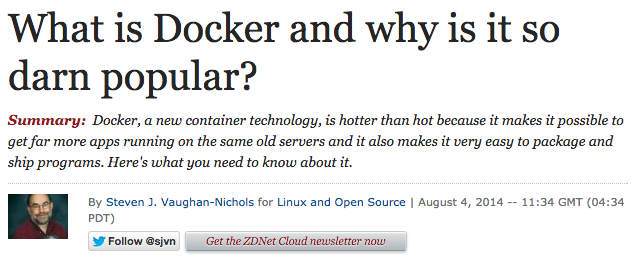

Details of Docker
Basics of Docker
Container
Image
Engine
Hub
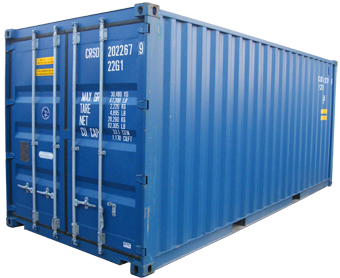
Uses open source container framework
https://github.com/containerd/containerd
containerd is an industry-standard container runtime with an emphasis on simplicity, robustness and portability. It is available as a daemon for Linux and Windows, which can manage the complete container lifecycle of its host system
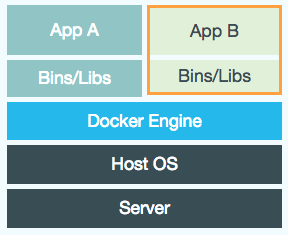
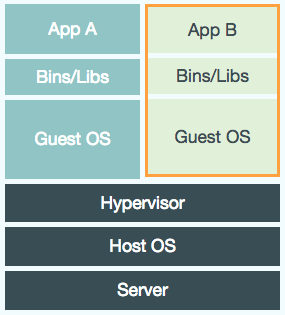
VM
Docker container
Large
Small
Consume significant CPU and memory
Basically zero memory and CPU overhead
Not easily portable between VM environments
Run in any linux environment
Hardware centric
Application centric
Lightweight
"...You may be able to run six to eight times as many containers as VMs on the same hardware."
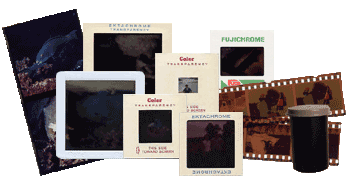
An image is the source of a docker container.
Imperfect analogy:
MyClass.java -> MyClass.class -> running instance of MyClass running in JVM
Dockerfile -> docker image -> running docker container in docker enginer
Manages containers
Start/Stop
Status
Linking
Networking
Storage
Client-server application with these major components:
A server
A REST API
A command line interface (CLI) client


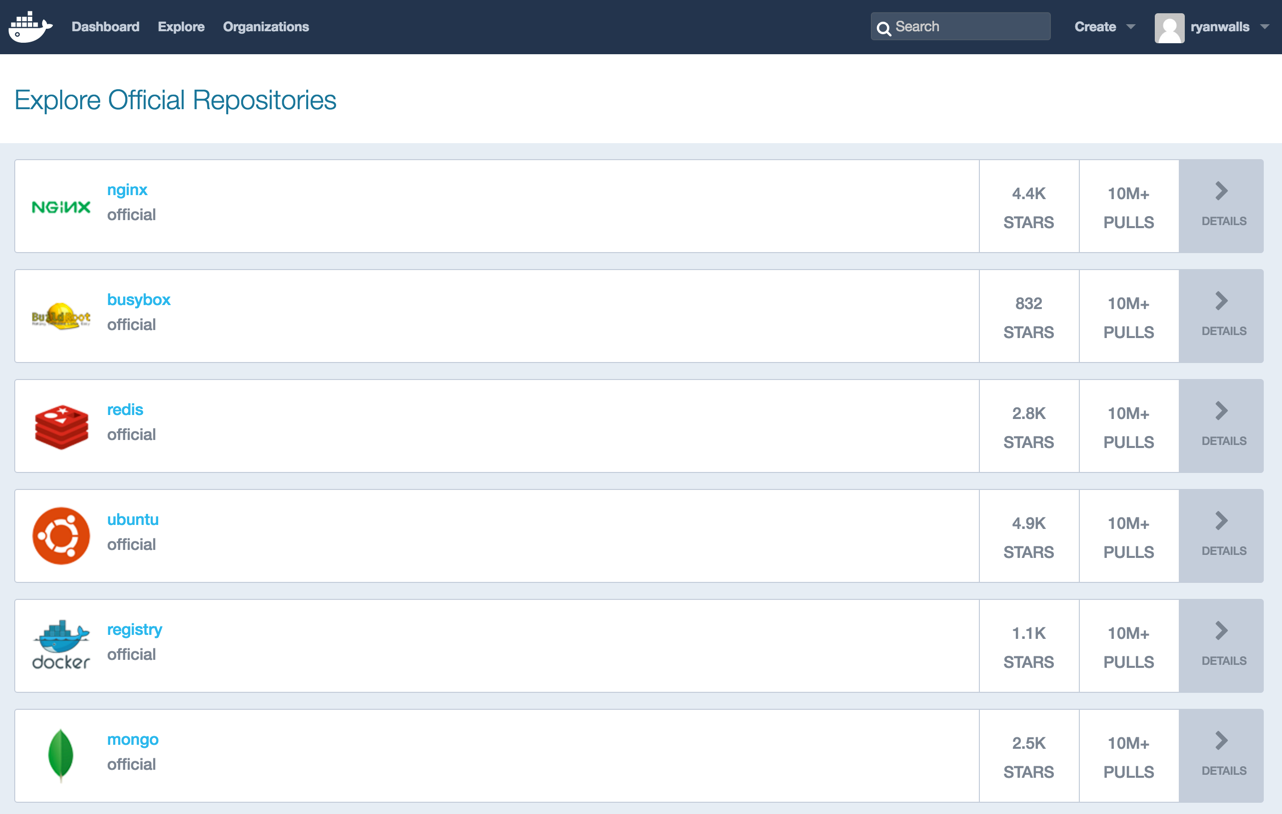
Store and browse ready-made docker images
Typical workflow for docker
- Dockerize your code and dependencies
- Write a Dockerfile that specifies the execution environment and pulls in your code.
- If your app depends on external applications (such as Redis, or MySQL), run them in Docker as well (usually using a premade image available on Docker Hub)
- Build, then run your containers as you develop.
Typical workflow for docker
- Configure networking and storage for your solution, if needed.
- Upload builds to a registry (docker's, yours, or your cloud provider’s), to collaborate with your team.
- If you’re gonna need to scale your solution across multiple hosts (VMs or physical machines), plan for how you’ll set up your cluster and scale it to meet demand.
Typical workflow for docker
- Finally, deploy to your preferred cloud provider (or, for redundancy, multiple cloud providers.)
Tonight
- Dockerize your code and dependencies
- Setup a build pipeline for the container
- Upload builds to a registry (docker's, yours, or your cloud provider’s), to collaborate with your team.
- (Future meetup) If you’re gonna need to scale your solution across multiple hosts (VMs or physical machines), plan for how you’ll set up your cluster and scale it to meet demand.
- (Future meetup) Finally, deploy to your preferred cloud provider (or, for redundancy, multiple cloud providers.)
- Hands on labs
Let's demo a little Docker first
Why Docker?

Let's see what it can do... then let's talk
I want to try it out. How do I run Docker locally?
Instant CI server
docker run -i -t -d --name neo4j --cap-add=SYS_RESOURCE \
-p 7474:7474 tpires/neo4j
Try out neo4j
docker run --name myjenkins -p 8080:8080 -v /var/jenkins_home jenkinsPlay around with nginx
docker run -p 7070:80 -v \
/path/to/some/sample-static-html:/usr/share/nginx/html:ro -d nginx
How about mongo?
docker run --name my-mongo -d mongoA developer's playground
Useful commands
https://github.com/wsargent/docker-cheat-sheet
How do I dockerize my app?
Manually create
You can create a docker image by just running commands against a base image.
docker pull learn/tutorial
docker run learn/tutorial apt-get install -y ping
docker ps -l
docker commit <id from previous step> learn/ping
docker run learn/ping ping google.com
Dockerfile
Instead of running commands and saving, can create a Dockerfile that specifies all the commands to build an image.
FROM maven:3.3-jdk-8-onbuild-alpine

RUN mvn test

EXPOSE 8080

CMD ["java", "-jar", "target/docker-for-java-developers-0.1.0.jar"]
Dockerfile
Build the Dockerfile into an image and tag the image
docker build -t="myname/mytomcatapp:v1" .Create a container by running the image
docker run -t -i myname/mytomcatapp:v1Demo Catweb
What about a real development pipeline?
Zero to Dockerized Image
- Fork/clone code
- Make changes, write tests
- Make sure container builds
- Submit PR
- Review/approve PR and merge
- Container build is kicked off automatically
- Once container built, deploy to QA
- One button push to production
Step 1: CI/CD
"Without continuous integration, we are nothing."
-- Anonymous
Demo full life cycle at 3dsim
What's next for my company?
Zero to Docker
- Use docker for prototyping on local machines
- Run your CI/CD environment in Docker
- Get some small applications into containers
- Deploy containers instead of binaries in dev, integration, prod environments
- Orchestrate deploying those containers with a fancy tool (swarm, fleet, kubernetes, rancher, etc) to a cluster of servers
- Rinse...Repeat
Back to... why Docker?
(They will ask.)
Why Docker in Development?
- Fast prototyping
- Can easily create standalone multi-app dev environments (see Docker Compose)
- Use same stack as production
- Easily spin up machines to test large complex environments (see Docker Machine)
Why Docker in Production?
- Improved quality/stability/consistency. Configuration of app stack is versioned and committed. Ideally even immutable.
- Less work for techops. Just provision bare linux machine
- Faster. Setting up applications in new server is as simple as "docker run"
- Reduce costs. Apps run in their own container, so each server could have many apps running in nearly complete isolation.
- Fast deployments. Docker uses diff file system for images. Any layers already run are cached.
Adoption and interest still climbing
- 100% increase in container usage in production since 2015 survey.
- 79% of companies surveyed use containers
https://clusterhq.com/assets/pdfs/state-of-container-usage-june-2016.pdf

More ammunition
What about clustering and microservices?
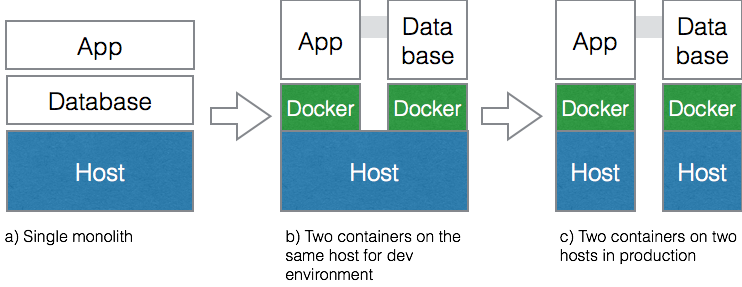
Lots of choices
- Docker Swarm
- Kubernetes
- Amazon ECS
- Rancher
- Mesos
- Fleet
- Etc, etc, etc...
It's complicated
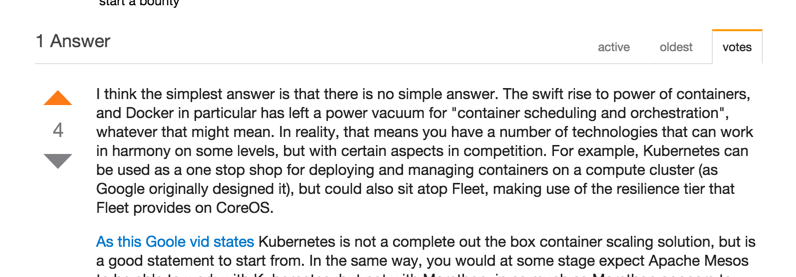
Best answer early 2015...
Best answer late 2017...
Depends... but Kubernetes (or its variants), ECS, or Swarm
Questions?
Hands on labs
- Setup
- Running your first container
- Webapps with Docker
- Deploying a Multi-Service App in Docker Swarm Mode
For those who don't have Docker installed, use the in browser tutorials here:
http://training.play-with-docker.com/dev-stage1
All this child's play? Check out all the tutorials: