How To Be Productive

keyboard shortcuts
EMMET
terminal aliases
misc
keyboard shortcuts increased my productivity by 42%

- Confucius
KEYBOARD SHORTCUTS: MAC
⌘ + Q
Quit the app completely
⌘ + Shift + 4
Take a Screenshot of Area and save to Desktop
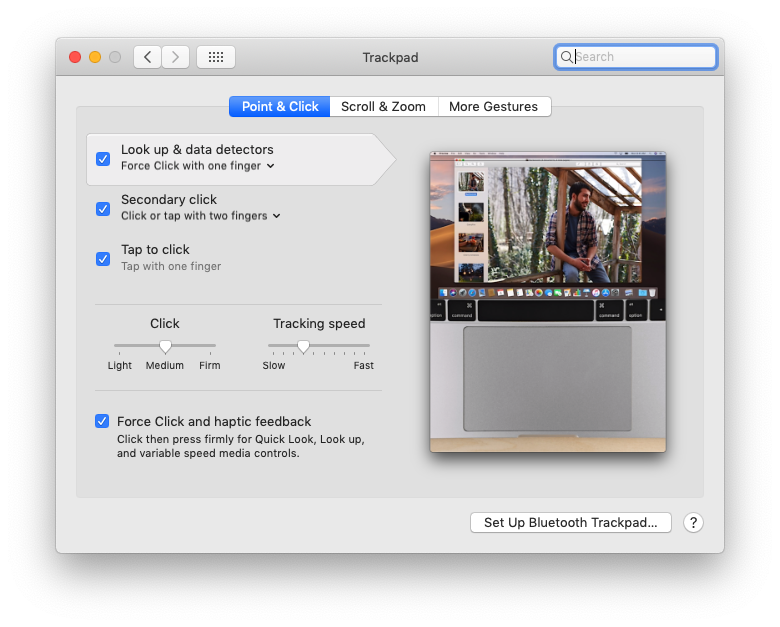
System Preferences => Trackpad => Configure Gestures
⌘ + `
Change window of same App

Finder Shortcuts
KEYBOARD SHORTCUTS: CHROMe
Highlight URL Bar
⌘ + Shift + T
Open recently closed Tab
⌘ + L
⌘ + Shift + N
Open new incognito window
⌘ + [
Previous page in the current tab
⌘ + ]
Next page in the current tab
⌘ + ⌥ + J
Open Developer Console
spreadsheet.new in URL bar opens new Google Spreadsheet
doc.new = new Google Doc
slides.new = new Google Slides
KEYBOARD SHORTCUTS: Slack
⌘ + T
Look for conversation with person or channel
⌘ + [ or ]
Previous conversation, next conversation
⌘ + F
Search messages

Slack Reminders

⌥ + shift + ↓ or ↑
Previous or Next unread channel or DM
⌘ + shift + M
Activity
KEYBOARD SHORTCUTS: Gitlab

shift + /
KEYBOARD SHORTCUTS: airtable

⌘ + /

KEYBOARD SHORTCUTS: JIRA

shift + /
KEYBOARD SHORTCUTS: GMAIL

shift + /
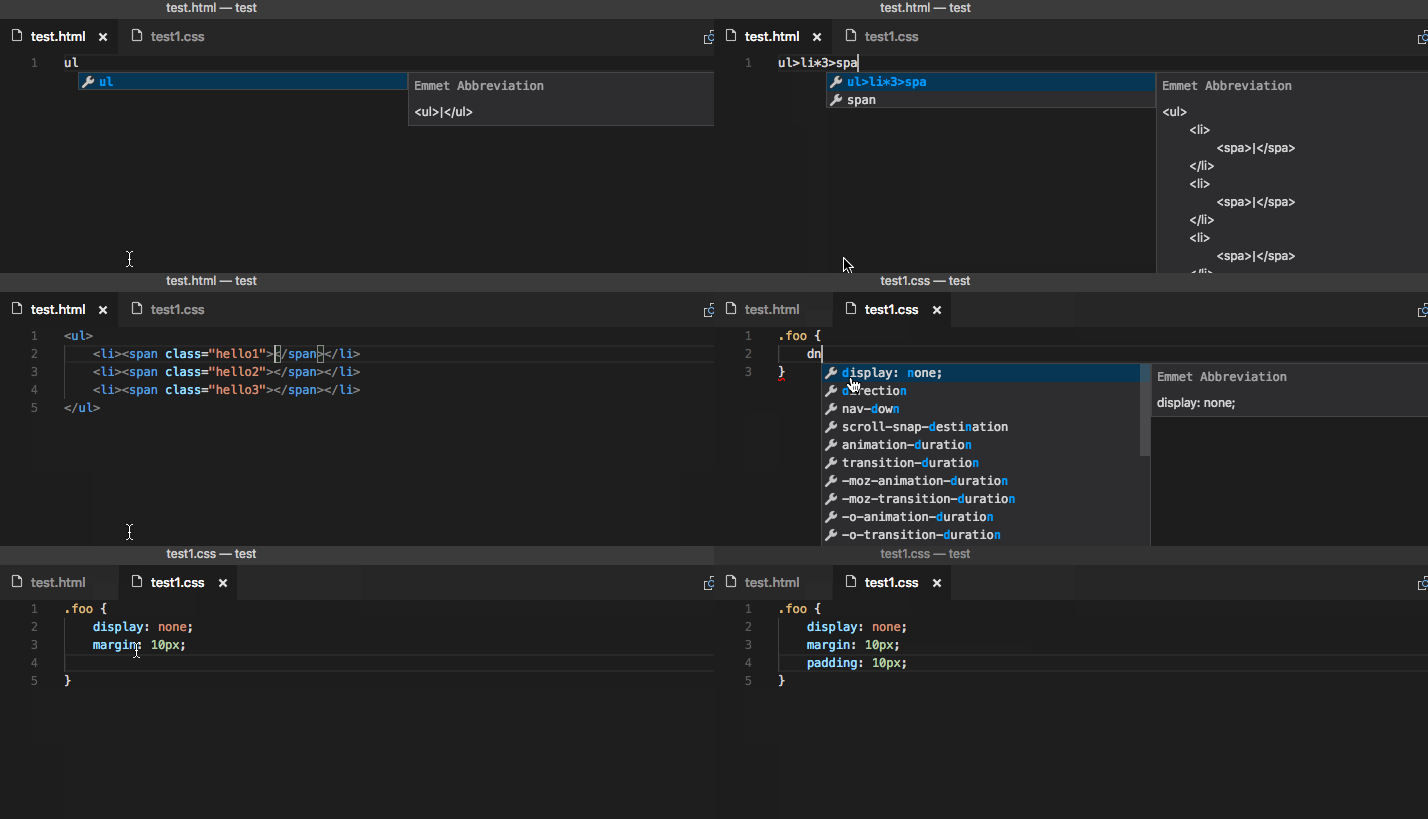
EMMET
terminal aliases

open ~/.zshrc in any text editor