C4: Session 1
HTML Foundations
Before we begin,
Welcome!
Introduction

Sharynne Azhar
- Based in Kansas City
- University of Kansas (Psych & CS)
- Senior Software Engineer
- Web/Mobile, React, Svelte, NodeJS
- Udacity
- Session Lead since 2020
- Mentor since 2016
Introduction
Best way to contact me
- Slack!
- All communication will be done via Slack. Please check at least twice a day !
- If you have an urgent or personal matter to discuss, feel free to DM me directly and I will respond as soon as I can!
- Email: sharynneazhar@gmail.com
- On occasion, emails will be used for session-wide announcements.
Concept:
Getting Started
Introduction
Weekly Schedule
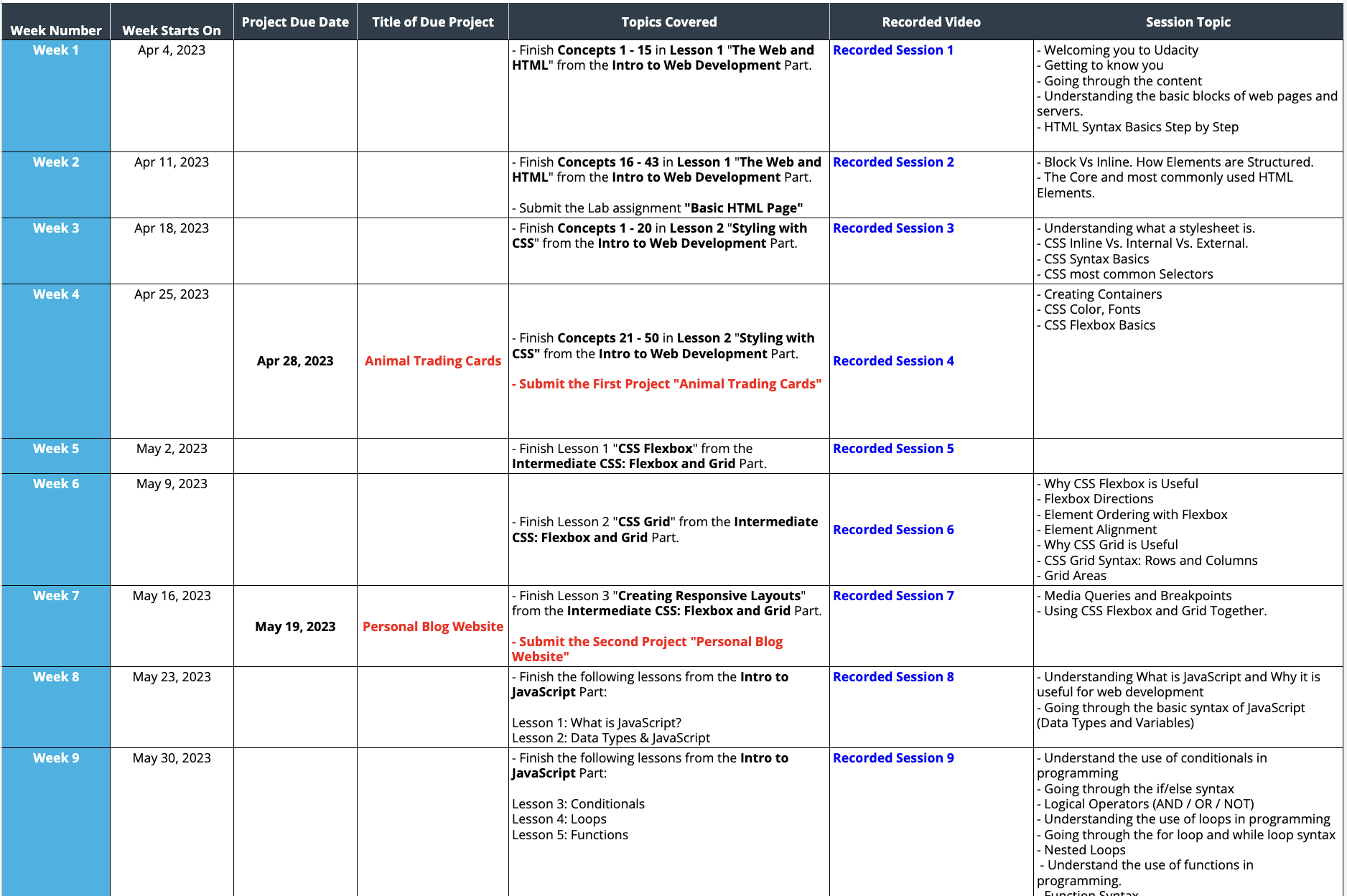
Introduction
Browser Setup
Introduction
Classroom Setup
- Link: classroom.udacity.com
- Walkthrough Demo
- Make sure to update your name under the Personal Information settings if you haven't already
- Going through the content
- Submitting projects
Introduction
Code Editor
Visual Studio Code - a code editor that allows you to write code
- Development features
- Intellisense
- File management
- Plugins and extensions
- ...and more!
Concept:
HTML Foundations
HTML Foundations
Web Pages
- The internet is a collection of different web pages hosted on servers around the world
- A browser is an engine that converts code into a view that users can see and interact with
- Web pages are made up of 3 components:
- HTML - content and structure
- CSS - element styling
- JavaScript - interaction and behavior
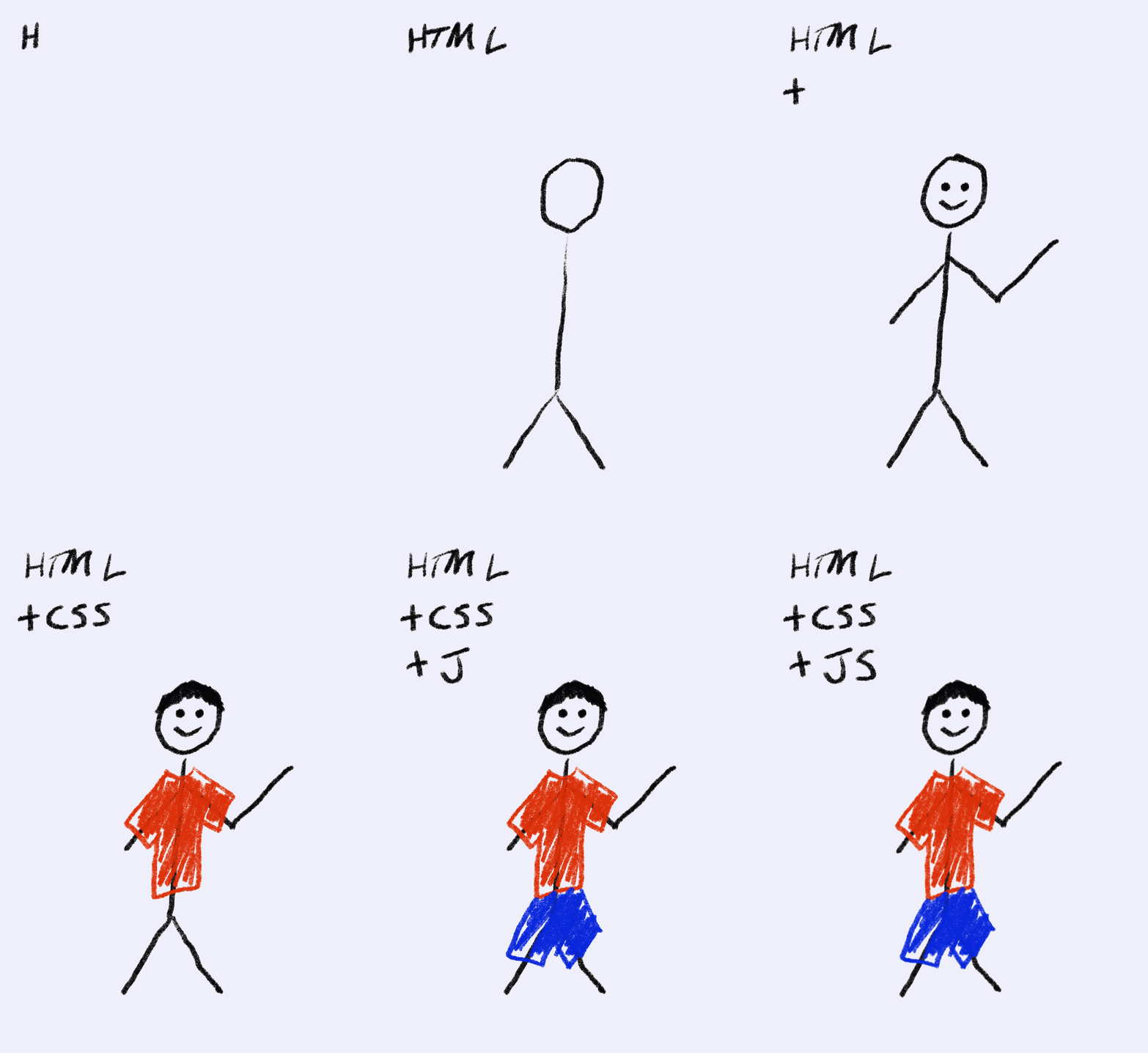
HTML Foundations
HTML
- Stands for HyperText Markup Language
- The standard language for creating web pages
- Elements are built into the language and carry specific formatting and attributes
-
<p>,<h1>,<img>,<a>and many more
-
- To create web pages, you can combine different HTML elements and write them in a file with a .html extension
- index.html
- about.html
HTML Foundations
HTML Syntax
Syntax means how code is written. It is the set of rules and standards that define the language.
<p>Hello World</p>HTML Foundations
HTML Syntax
Syntax means how code is written. It is the set of rules and standards that define the language.
<p>Hello World</p>

<h1>Level 1 Heading</h1>
HTML Foundations
HTML Syntax
Syntax means how code is written. It is the set of rules and standards that define the language.
<p>Hello World</p>

<h1>Level 1 Heading</h1>

<strong>Strong Text (Bolded)</strong>
HTML Foundations
HTML Syntax
Elements can be nested. The rule here is you must close the nested element first before closing the parent (outer) element.
<p>
  <strong>A strong paragraph text</strong>
  More text with regular paragraph format.
</p>
HTML Foundations
HTML Syntax
Some elements must be nested. Again, the nested element(s) must be closed first before the parent element.
<ul>
  <li>List Item 1</li>
  <li>List Item 2</li>
  <li>List Item 3</li>
</ul>
HTML Foundations
HTML Syntax
Other elements are defined using attributes.
<a href="https://www.youtube.com">Youtube Link</a>HTML Foundations
HTML Syntax
Other elements are defined using attributes.
<a href="https://www.youtube.com">Youtube Link</a>

<img src="image.jpg" alt="Union Station Building" />
HTML Foundations
HTML Syntax
Other elements are defined using attributes.
<a href="https://www.youtube.com">Youtube Link</a>

<img src="image.jpg" alt="Union Station Building" />
wait... where is the closing tag?
HTML Foundations
HTML Syntax
Other elements are defined using attributes.
<a href="https://www.youtube.com">Youtube Link</a>

<img src="image.jpg" alt="Union Station Building" />
Some elements like the <img> tag are self-closing. Since these elements don't typically hold any text context, they do not require a closing tag.
Concept Practice: HTML Foundations
Putting it all together
Let's practice using VS Code and creating HTML elements.
Resources
Extra Practice & Resources
- FreeCodeCamp's Beginner Frontend Developer Curriculum
- Highly recommend pairing the lessons in this track alongside what you are learning here through Udacity. The lessons are project-based and you learn each concept through hands-on exercises.
-
Frontend Developer Roadmap
- General roadmap to becoming a front-end developer. Not everything shown here is a must-know, but these are the popular tools and frameworks used in the industry!
Next Session
HTML File Structure
Understanding the File Tree and Paths
Basic HTML Page