Social media
communities and networks.
Web 2.0 Brief
Web 2.0 Concepts
- Authoring (ability to create and update)
- Tags (categorization)
- Signals (RSS)
Classification
potential Usage
- Raising Awareness
-
Social Marketing
-
Communication
- Relationship development
What is most Popular Networks?
Popular Networks
- Meetup - Meetups, and Conferences
- Facebook / LinkedIn
- Academia.edu
- Open Street Map - The Free Wiki World Map
- Quora / Ask.fm - The best answer to any question
- Twitter / Tumblr
- Pinterest / Flickr
- Instagram / 500px




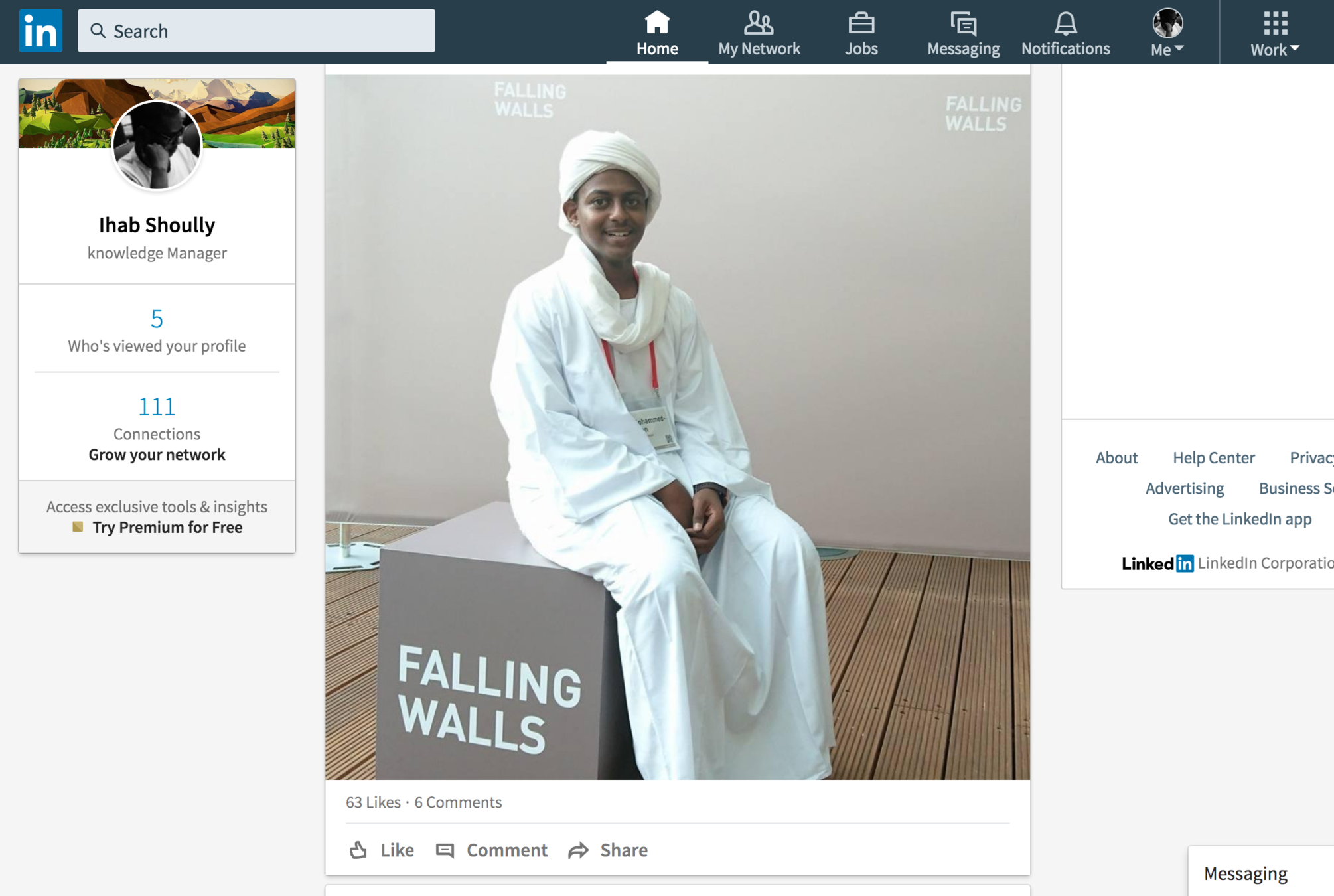
linkedin.com
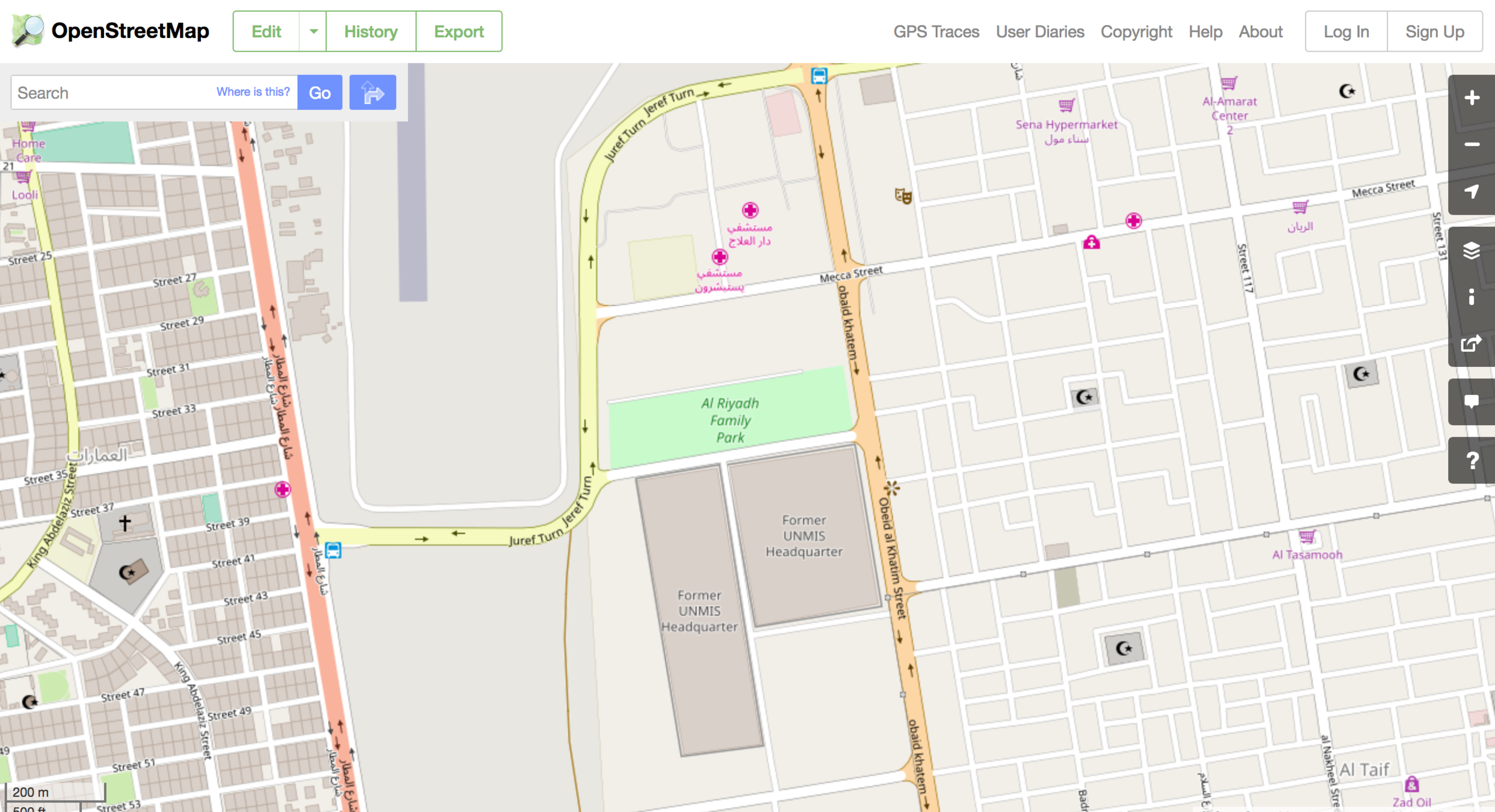
openstreetmap.org
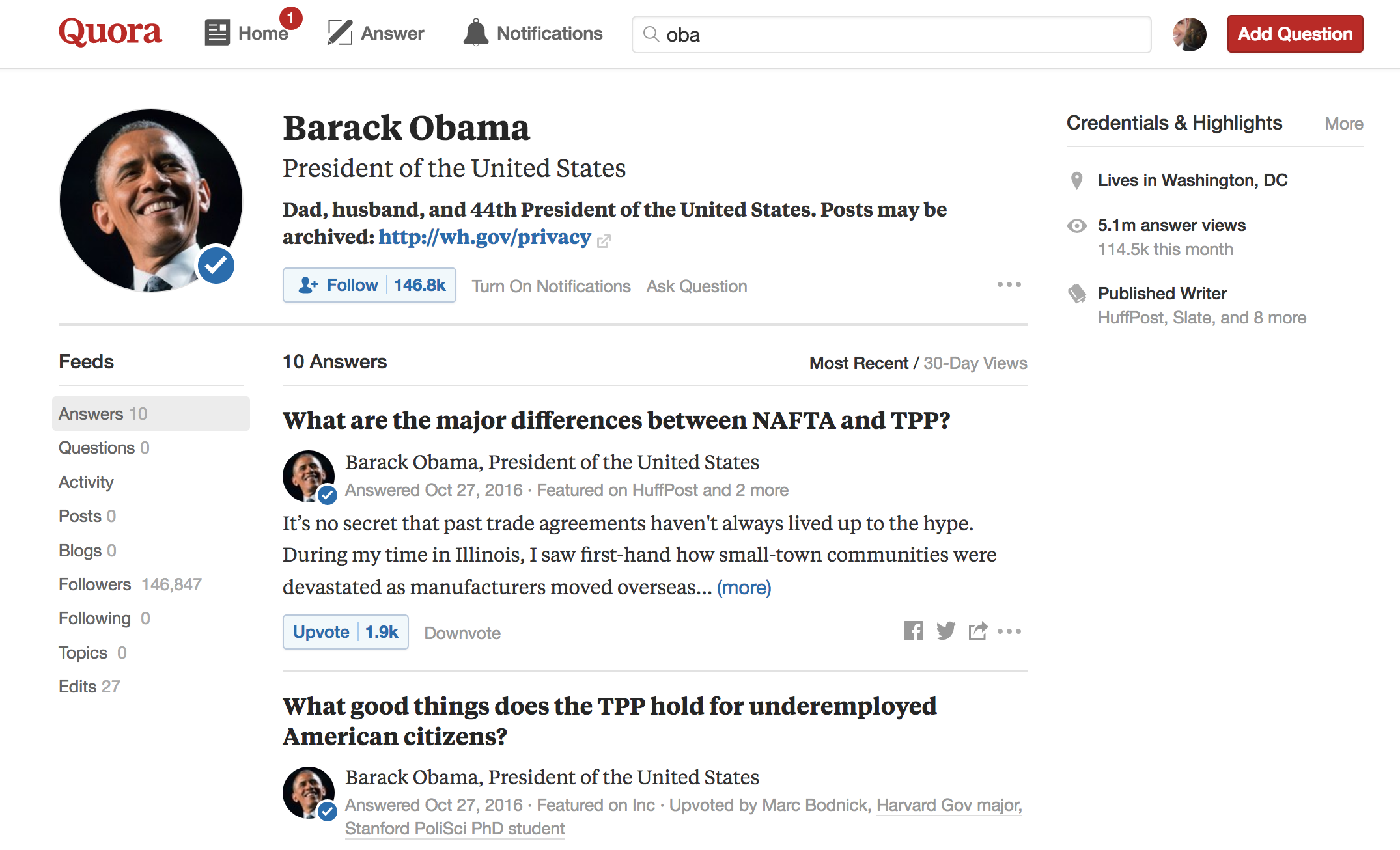
quora.com
social behaviors
⇢ Right arrow to skip to next slide
Positive Effects
Negative Effects(1)
How to be connected?
⇢ Right arrow to skip to next slide
Read it first

RSS
Instead of visiting all the Journals and Websites to read the new
content, you can subscribe by your email, mobile app, or desktop
software to read the news and content when it's published.

Flipboard Feedly.com
How to Publish your ideas?
⇢ Right arrow to skip to next slide
Blogs
A blog (a truncation of the expression web log)
Types of Blogs
- Personal blogs
- Microblogging
- Organizational blogs
- Or by genre/media type
vlog (for videos) - linklog - photoblog
Share your knowledge
Free publishing tools
WordPress "create a free website in seconds"
Blogger "free weblog publishing tool from Google"


Management Tips
⇢ Right arrow to skip to next slide
OTT Messaging(1)
- "Over-the-top" messaging provides an authentic experience
- Studies have shown that brands that engage with customers via messaging during the sales process can see conversion rates increase up to 100 percent.
- 62 percent of Millennials are more loyal to brands that engage via SMS/ OTT messaging
Authentic content
Schedule your posts
- Know your audience
- Be consistent
- Use scheduler tools to help you manage various social networks (HootSuite, CoSchedule, Sprout Social)
Schedule your posts
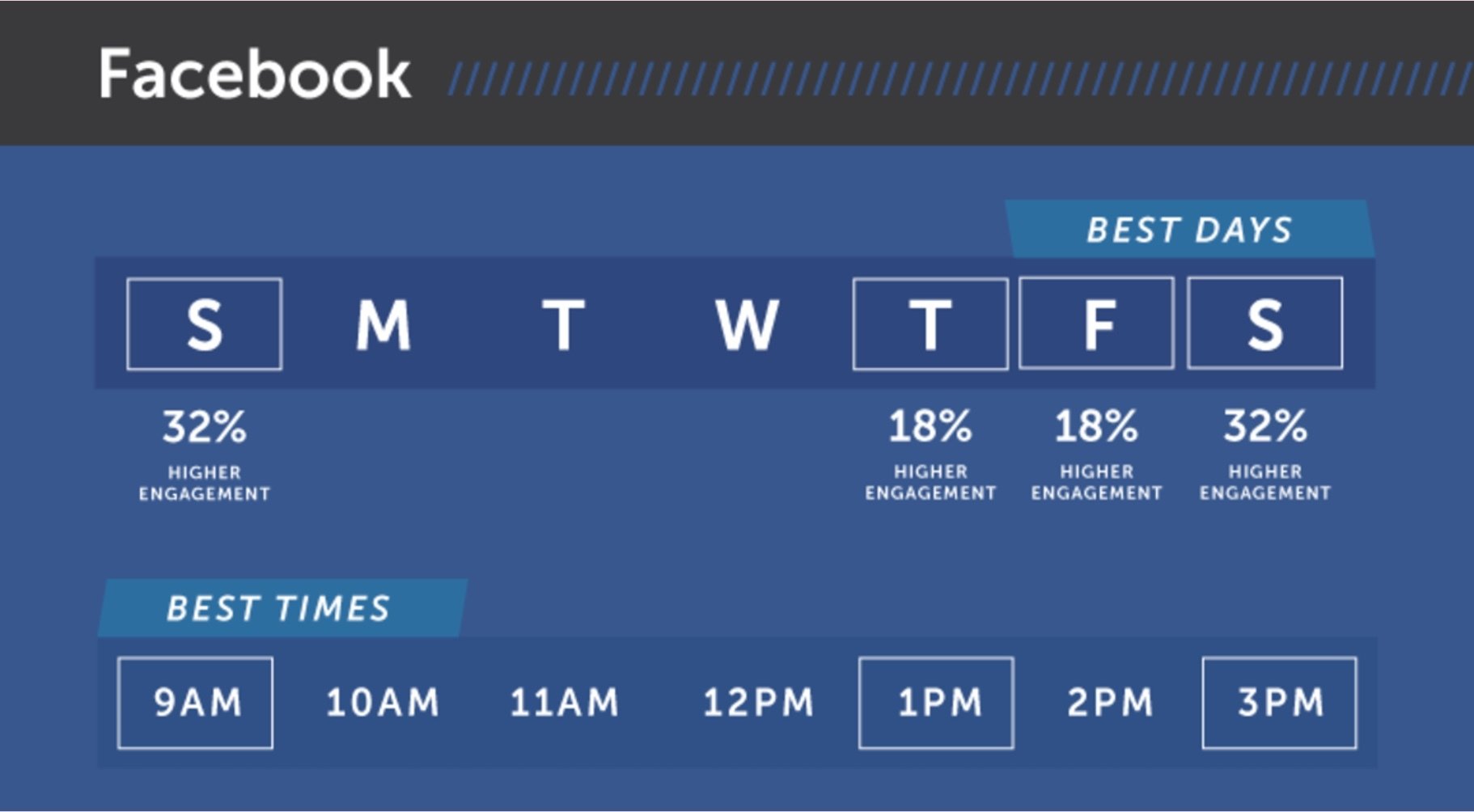
Schedule your posts
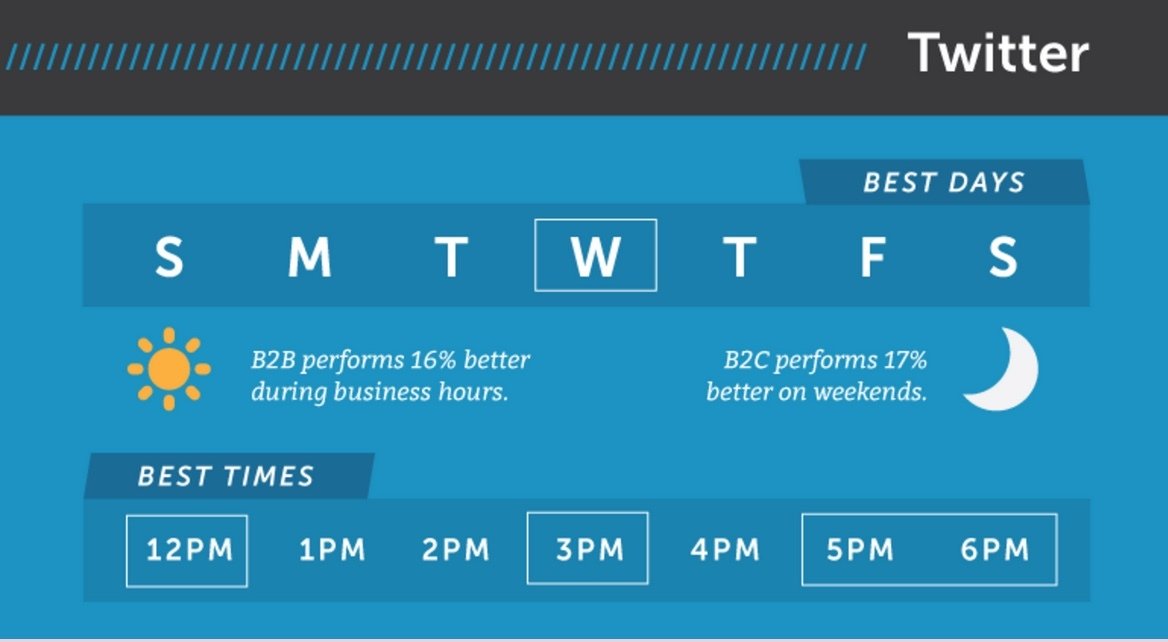
Schedule your posts
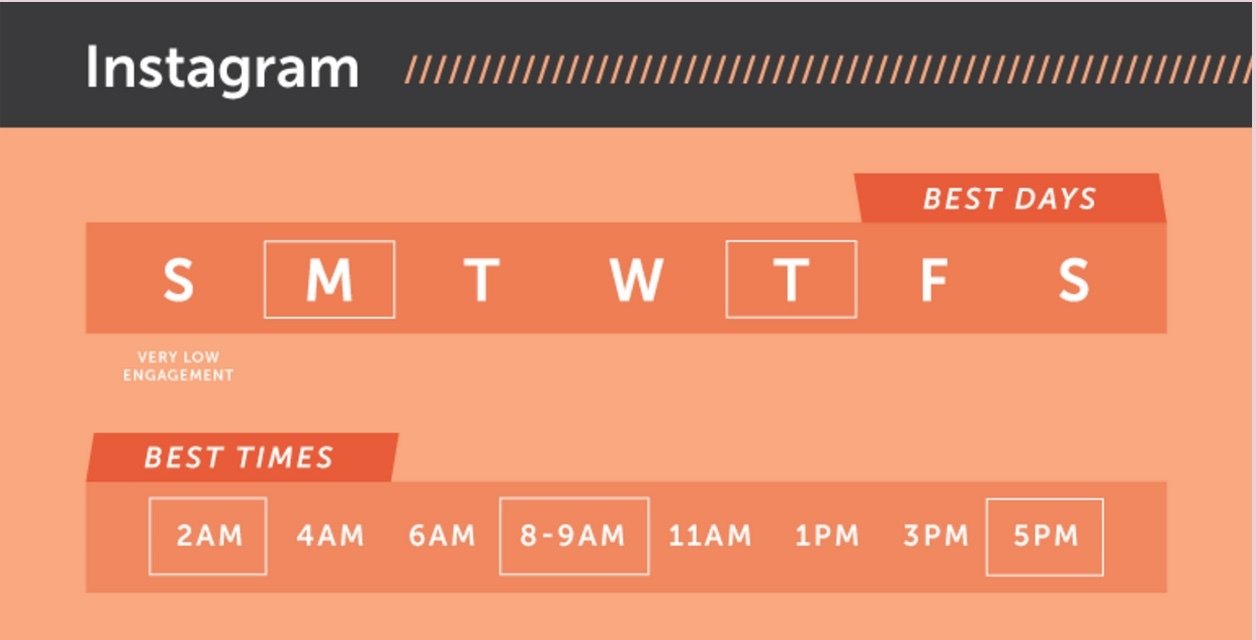
Advance Strategies
⇢ Right arrow to skip to next slide
Foundational Strategies
- Use images, gifs, videos, and emojis to increase engagement
- #hashtags
- Use infographics to convey your message
- Schedule your posts at the best times
- Share more often (platform-specific!!)
- Use social media analytics
Multimedia increases engagement
- Images, gifs, videos, and emojis all increase engagement on posts
- Tweets with images get 18% more click-throughs than those without.
- Tweets with animated GIFs get 167% more click-throughs than tweets with images.
- Facebook users alone watch 100 million hours of video every day - that's 57,142,857 movies!
- Make sure you add captions to your videos, both for accessibility and to capitalize on timeline auto-play
- 82% of Twitter users watch video on the platform
#Hashtags
- Tweets with hashtags have double the engagement rate
- Gain followers with a genuine interest in your content
- Get information - find relevant conversation, network
- Keep them concise, unique, and conversational
- Use hashtag finding tools to increase your reach - Hashtagify demo, Ritetag demo
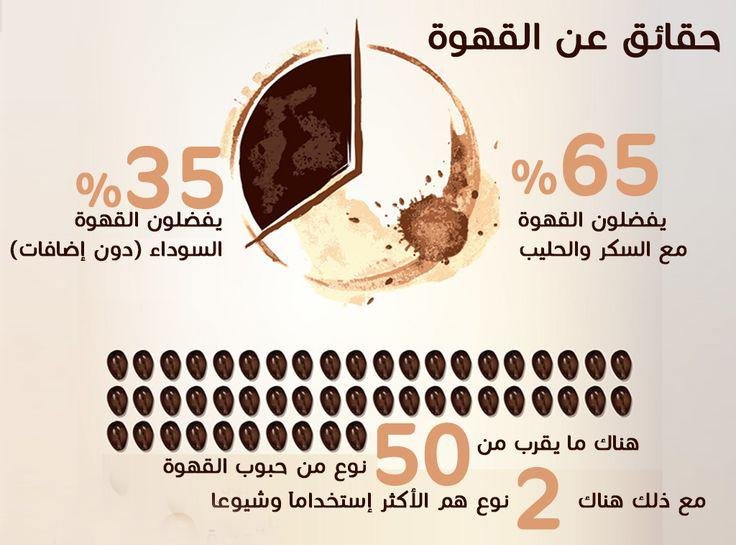
The power of Info-graphics
- Did you know? Info-graphics are the highest shared content type
- They use the power of visually appealing content to trick the brain into reading more about a topic
- Studies show that we understand content better when it’s paired with pictures
- Narrow and tall info-graphics have the best engagement rate
Social Media Analytics
- Great social media marketing is not just trial and error
- Quantify your reach and engagement with tools that analyze likes, unlikes, shares, comments, clickthroughs, and more
- Great starting point: Facebook Analytics, Twitter Analytics
- Countless other third-party analytics tools (including Watson Analytics for Social Media!)
Tools
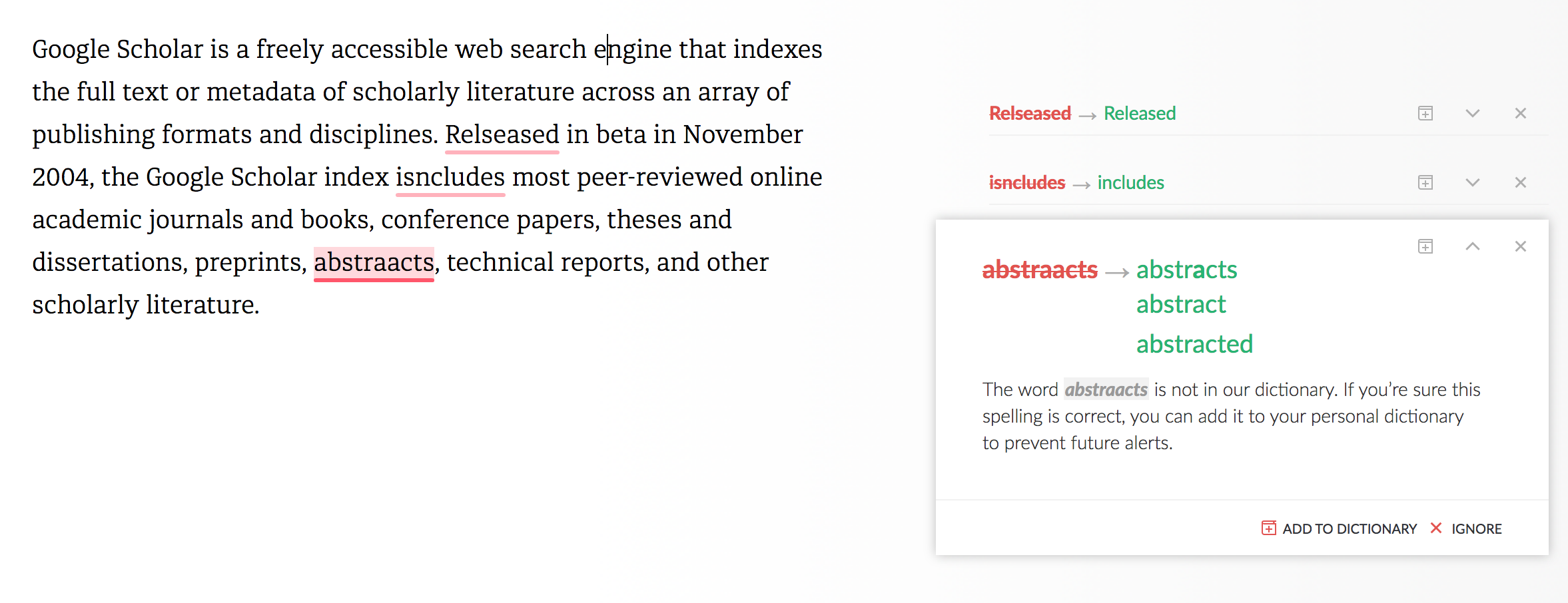
Checking Tool
Tools to check and review your grammar in a text, or if you forget to cite a quote:


⇢ Right arrow to skip to next slide
An example of a text grammar review by Grammarly
Gamification
and Quiz
A test of knowledge, especially a brief, informal
test given to students.
quiz & Questionnaire
Data collection remotely ..


Survey Monkey Google Forms
How to make an Infographic
⇢ Right arrow to skip to next slide
Sketch Your Idea
Use pen and paper
“The best infographics are ones where you grasp the
essence in 10 seconds, and could spend 30 minutes
being delighted by the cleverness of the detail”
- Avinash Kaushik
Gather Your Data
Infographic is collection of real data and numbers
Some data source
- Google.com/trends
- Google.com/publicdata
Find Your Inspiration
Plan to make an Infographic
- What are you trying to do?
- Establish an information source?
- Get more followers on social networks?
- Earn mentions in blogs?
Topic > Story > Objective
Infographics Social Preview
250x500 PX
"250 pixels high and 500 pixels wide" is
the best image size for preview.
1200x1200 PX
Optimizes the images without changing
their look or visual quality
Build Your Infographic
Get a designer
or use
- Venngage.com
- Visme.co
- Infogr.am
- Piktochart.com
Share Your Infographic
Make partnerships with some blogger
And share your work here:
Visual.ly
Infographic love
Infographics Archive
Pinterest
Data Collection
And analysis tools


⇢ Right arrow to skip to next slide
Collect



MacroStats cbs.gov.sd
Note tacking
Write - Search - Capture
Two-person and co-create and write a note together using their phone
or desktop, try to share one note with your colleague using SimpleNote.


Evernote SimpleNote
Office Lens
File Sharing
Helps you to Backup, Share, and Synchronize



Dropbox Google Drive OneDrive

Communication
Talk - Discuss - Ask



Book libraries
Read - Review 

Aldiko - Hindawi



Goodreads loc.gov Archive.org
Climate Action


Thank you ,,
Ihab Shoully
References ↓