
Staffconnect
APPLE DEVELOPMENT ACCOUNT
GUIDE
This guide is no longer monitored or updated - please visit the help tab of your StaffConnect login for more up to date support
GETTING STARTED
In 2018, Apple changed their review guidelines and now require mobile app owners to publish branded event apps to the App Store under their own Apple Developer Accounts.
Rest assured, StaffConnect will still handle submitting the event app under your account, but there are some steps that you'll need to take to get the ball rolling.
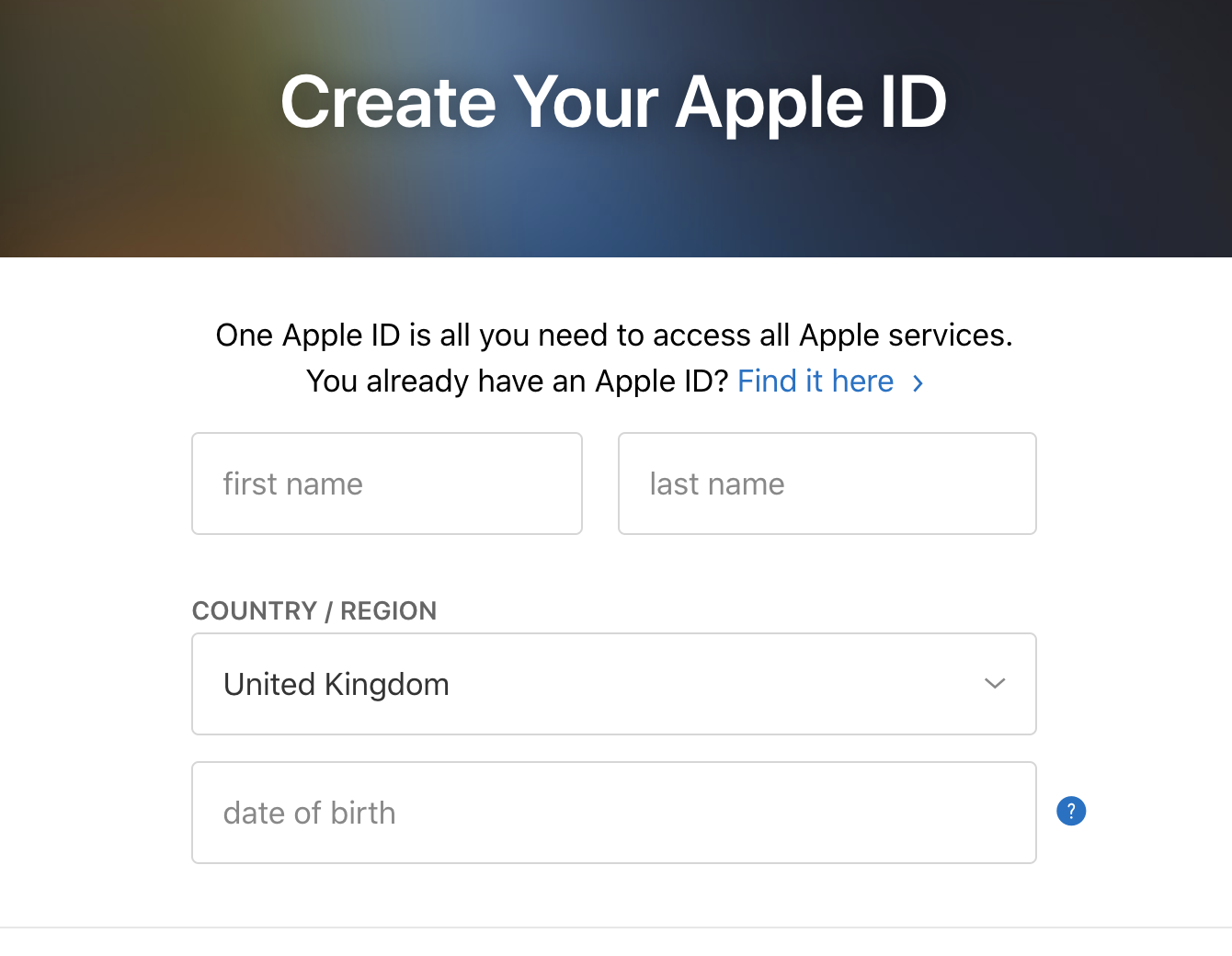
To get started: An Apple ID is required to use Apple Services. If you don't have an Apple ID, you can click here to create one. You will not be able to proceed until this step is done.
Please keep in mind the Apple Developer account costs around $99 per year. Some Nonprofit organizations qualify to have this fee waived by Apple. See if your Nonprofit is eligible here
ENROLL
To enroll in the Apple Developer Program as an organization, you’ll need your Apple ID as well as a
D-U-N-S number. You can acquire a D-U-N-S number here.
By joining the Apple Developer program you will enter into contracts with Apple, so you must have the ability to enter legal agreements on behalf of your organization.
Enroll in the Apple Developer Program.
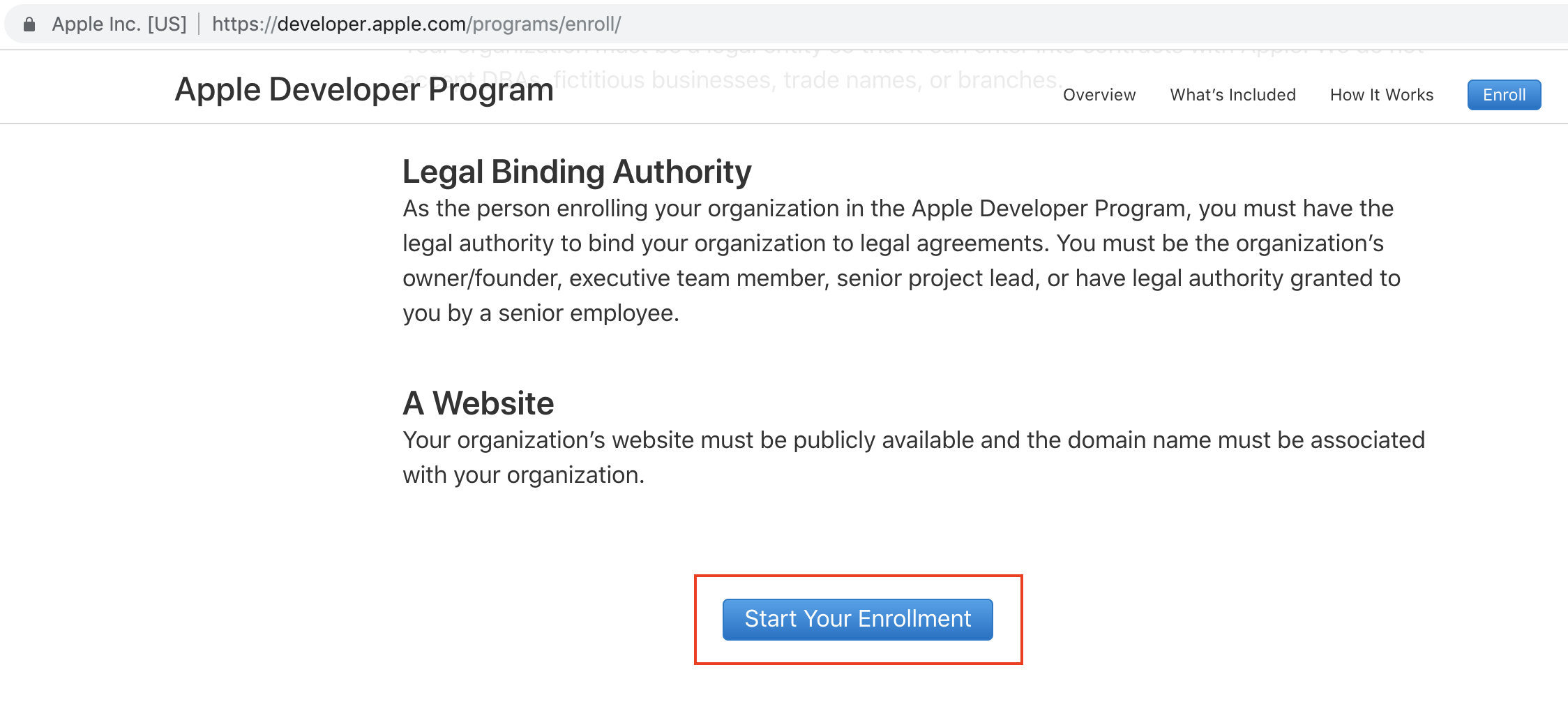
To start the enrollment for the Apple Developer Program, visit this page and select the “start your enrollment” option at the bottom of the page.
Login to the developer section with your Apple ID.
After logging in, you will be prompted to accept the Apple Developer Agreement in order to proceed.
Proceed to the next screen and page fill out your organization’s information, agree to the legal agreements and then select the purchase button.
That’s it! You now have a fully functioning Developer account with Apple!
INVITE STAFFCONNECT
An invitation is required to grant StaffConnect the access we need to publish an app on your behalf.
Invitation: App Store Connect Instructions
Navigate to https://appstoreconnect.apple.com and log in with your Apple ID credentials.
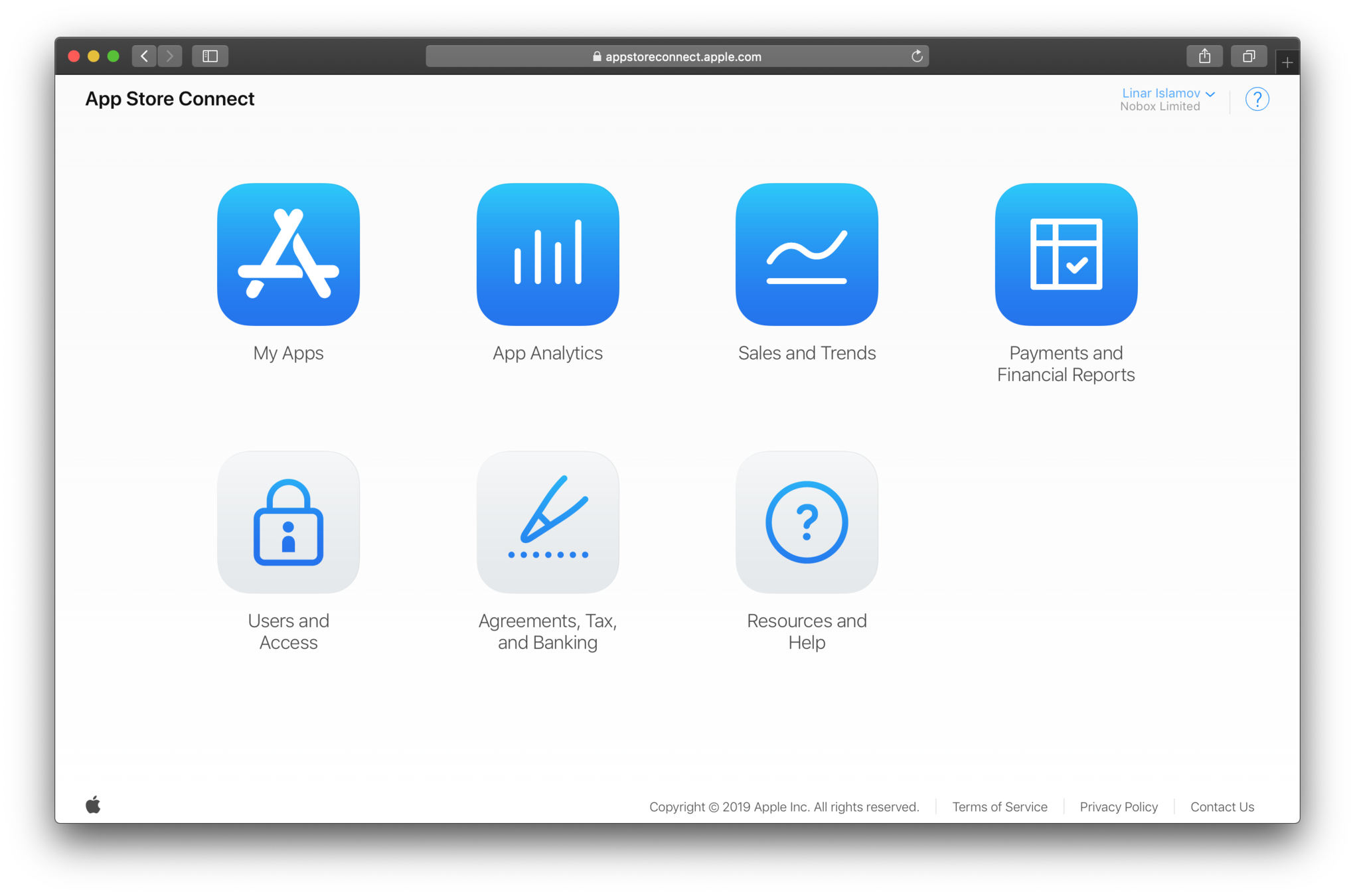
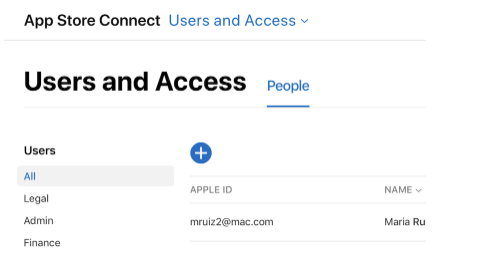
Once logged in, click on ‘Users and Access’.
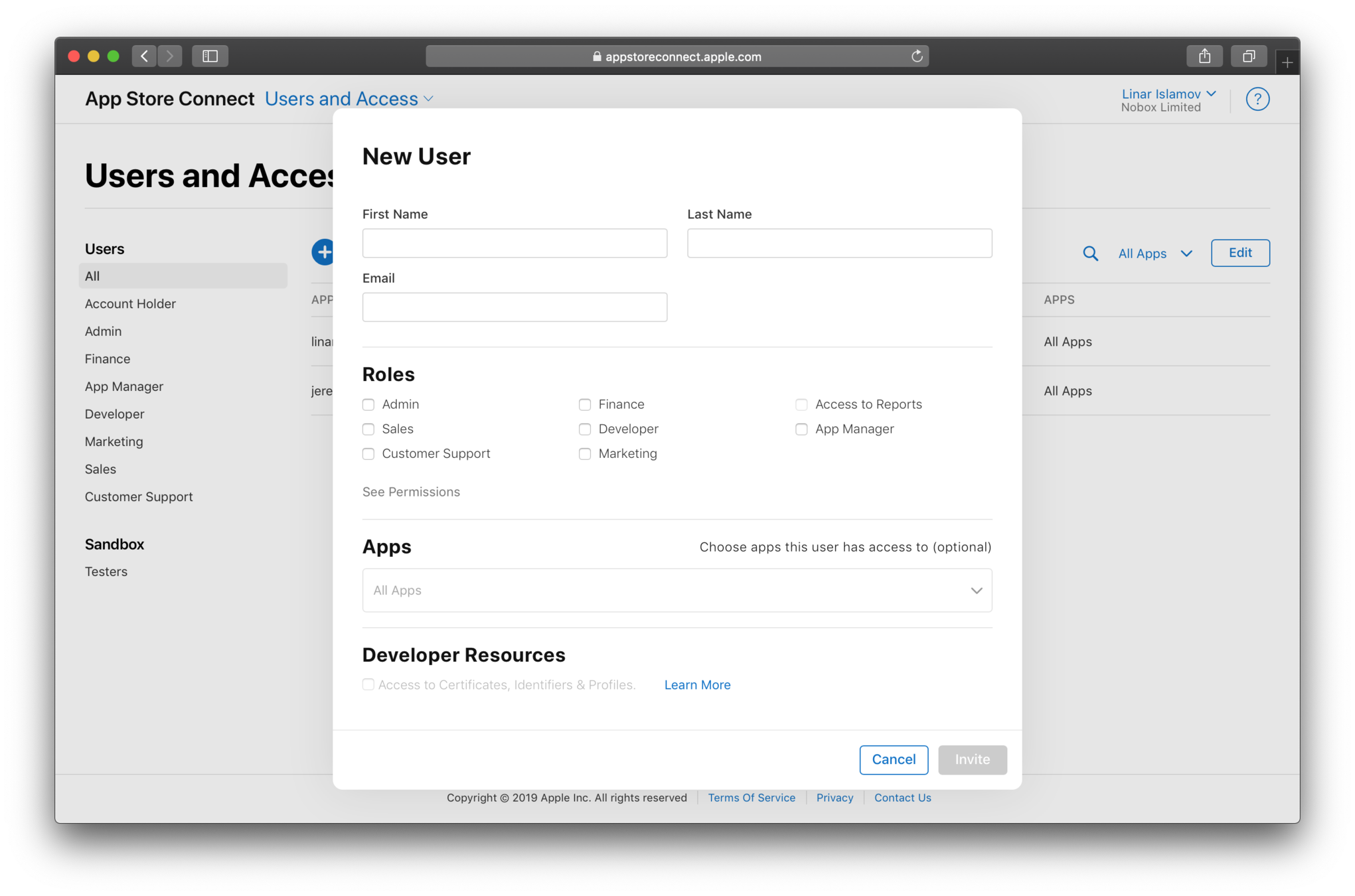
Under People, click the Add button (+)
GRANT ACCESS
Enter the user information for this new account:
First name: StaffConnect
Last Name: Team
Email: linar.islamov@gmail.com.
- Assign permissions to this new user. Select the Admin role by checking the box next to it. This permission will allow StaffConnect to publish the app on your behalf. The StaffConnect Team will not be able to publish the app for you without the Admin role assigned. Click Invite.
- Ensure that the Developer Resources checkbox is enabled.
- In the next section, you may be asked to edit the notification settings for this account. You can leave the default values as they are, then click Save.
- You will then be taken back to the Users overview. The email invitation has been sent to the StaffConnect Team email address you entered earlier. The invitation will be accepted by the StaffConnect Team.
STAFFCONNECT FORM
The last step is to complete StaffConnect's form with your account details so we can get to work on submitting your app for you.
Please click here to be taken to the form.
If you have any questions, please email support@staffconnect.net
We’ll take it from here!
A member of our team will be in touch to let you know as soon as your app is approved.
For additional technical support, please contact support@staffconnect.net