iOS 10 Rich Push Notifications
CoacoaheadsSKG
Dimitri James tsiflitzis
iOS 10 push notifications have new functionality. We can view photos, videos or gifs within the notification.
Tonight we'll go through some code snippets, examples and good practices so you could use them in your own apps.
Intro
Server Side
Server Side App
Opaque APNS
Devices
How they work
How they work
{
  aps: {
    alert: {
        “body”: “CocoaheadsSKG #10”,
        “title”: “Hello World!”
    }
    mutable-content: 1
    category: "rich-apns"
  }
  data: {
      attachment-url: "https://i.imgur.com/t4WGJQx.jpg"
  }
}
How they work
The mutable-content fields tells iOS that the notification has content that can be changed by a service extension before delivery, and the attachment-url field contains the URL for the content to be downloaded.
Client Side
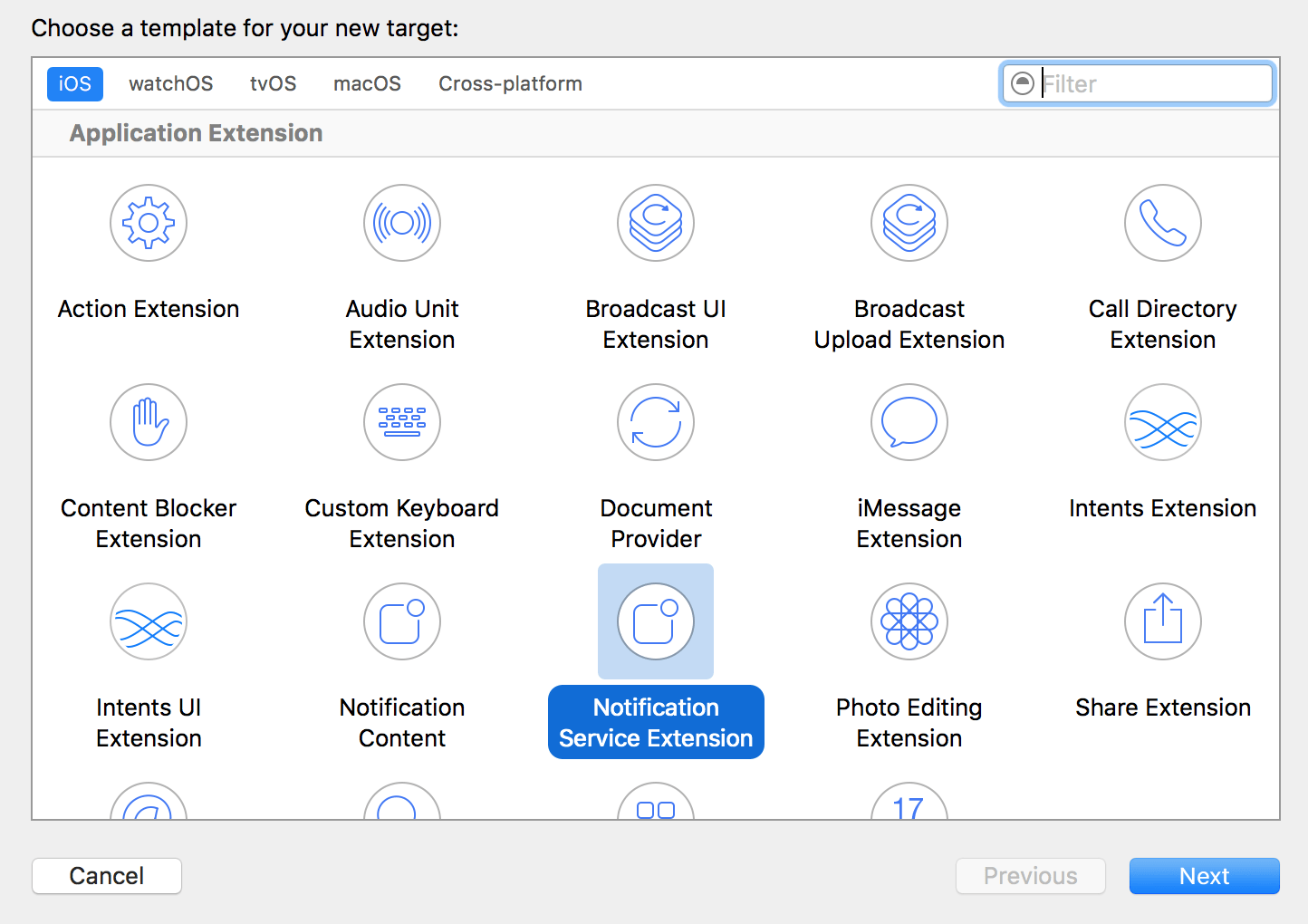
Create a Notification Service Extension
- Download the image
- Save the image to disk
- Add the path of the image to a UNNotificationAttachment
- Send back the edited notification
Steps to display the image in the notification
let center = UNUserNotificationCenter.current()
center.requestAuthorization(options: [.alert, .sound]) { (granted, error) in
	// actions based on whether notifications were authorized or not
}
application.registerForRemoteNotifications()
Registering for APN in iOS10
func application(_ application: UIApplication,
                 didRegisterForRemoteNotificationsWithDeviceToken deviceToken: Data) {

    let deviceTokenString = deviceToken.reduce("", {$0 + String(format: "%02X", $1)})
    print(deviceTokenString)

    /* send the device token to your server */
}
Obtaining the device token
func application(_ application: UIApplication,
                 didFailToRegisterForRemoteNotificationsWithError error: Error) {

        print("i am not available in simulator \(error)")

}
In case of error
UNUserNotificationCenter.current().getNotificationSettings(){ (setttings) in

            switch setttings.soundSetting{
            case .enabled:

                print("enabled sound setting")

            case .disabled:

                print("setting has been disabled")

            case .notSupported:
                print("something vital went wrong here")
            }
        }
If you need to know the permissions granted
In your Notification extension
In the following code, we are walking through the apns's payload for the dictionary named data that contains the key attachment-url. If it exists, we download the image from the URL which is the key's value.
The URLSession downloads the media to temporary storage and appends a .tmp file extension, which needs to be removed so that the application can infer the file type and display it. This is done by moving the temporary file to the device’s File Manager.
override func didReceive(_ request: UNNotificationRequest,
 withContentHandler contentHandler: @escaping (UNNotificationContent) -> Void) {

self.contentHandler     = contentHandler
self.bestAttemptContent = (request.content.mutableCopy() as? UNMutableNotificationContent)

/* Get the custom data from the notification payload */
if let notificationData = request.content.userInfo["data"] as? [String: String] {
    /* Grab the attachment */
    if let urlString = notificationData["attachment-url"], let fileUrl = URL(string: urlString) {
        /* Download the attachment */
        URLSession.shared.downloadTask(with: fileUrl) { (location, response, error) in
            if let location = location {
                /* Move temporary file to remove .tmp extension */
                let tmpDirectory = NSTemporaryDirectory()
                let tmpFile      = "file://".appending(tmpDirectory).appending(fileUrl.lastPathComponent)
                let tmpUrl       = URL(string: tmpFile)!
                try! FileManager.default.moveItem(at: location, to: tmpUrl)

                /* Add the attachment to the notification content */
                if let attachment = try? UNNotificationAttachment(identifier: "", url: tmpUrl) {
                    self.bestAttemptContent?.attachments = [attachment]
                }
            }
            /* Serve the notification content */
            self.contentHandler!(self.bestAttemptContent!)
            }.resume()
    }
}
In your Notification extension (Swift 3.0)
Adding a custom UI to your notification
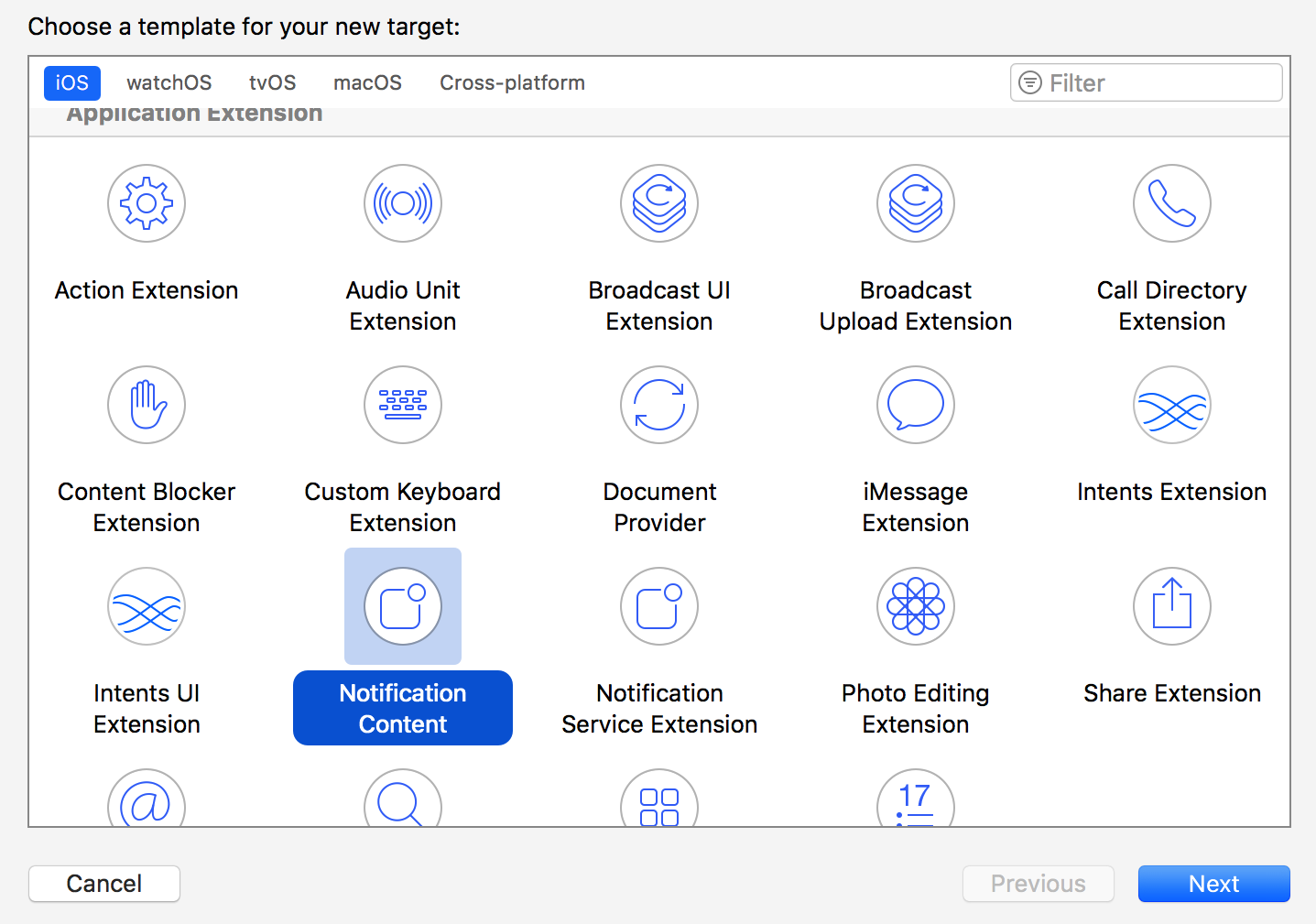
In your Notification extension
- The Content Extension uses a NotificationViewController, which is a subclass of UIViewController.
- When you created the Content Extension, Xcode created the NotificationViewController.swift file, a MainInterface.storyboard and a plist file.
- The UNNotificationExtensionCategory key value is the same as the category value set before. This tells iOS that the push notification you’re triggering is handled with a Content Extension. It should be set in the notification payload.
- In MainInterface.storyboard, create the UI that your push notifications will display, just like a regular UIViewController.
- In NotificationViewController.swift, declare any IBOutlets and connect them to the Storyboard file.
In action

Ευχαριστούμε