iOS Location Services for the rest of us
CocoaheadsSKG
Dimitri James Tsiflitzis
Core Location
- The Core Location framework lets you determine the current location or heading associated with a device.
- The framework uses the available hardware to determine the user’s position and heading.
- You can also use it to define geographic regions and monitor when the user crosses the boundaries of those regions.
Requesting Permission
if CLLocationManager.authorizationStatus() == .NotDetermined {
    manager.requestAlwaysAuthorization()
}

// OR

if CLLocationManager.authorizationStatus() == .NotDetermined {
    manager.requestWhenInUseAuthorization()
}
func locationManager(manager: CLLocationManager,
didChangeAuthorizationStatus status: CLAuthorizationStatus)
{
if status == .AuthorizedAlways || status == .AuthorizedWhenInUse {
manager.startUpdatingLocation()
// ...
}
}Technologies it uses
- GPS: Reads microwave for satellites to determine location
- Cell phone triangulation: Determine current location by calculation based on the cell towers currently in the phones range
- Wifi: IP + referencing a database of WiFi points. Who knows
Enabling in your app
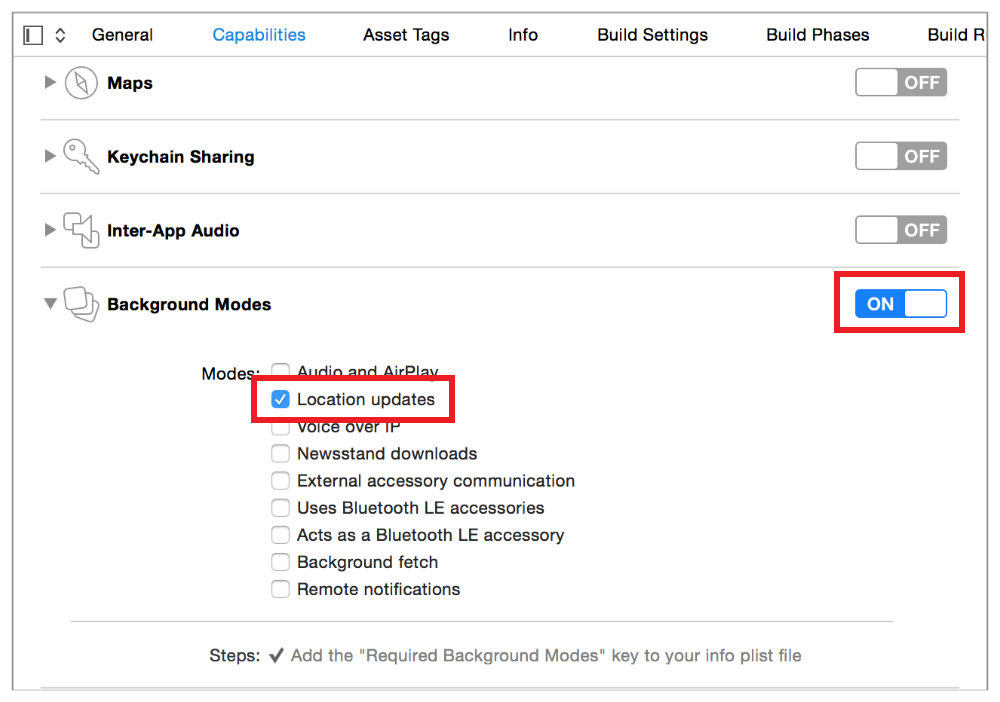
Initialisation
let manager = CLLocationManager()
if CLLocationManager.locationServicesEnabled() {
    manager.startUpdatingLocation()
}
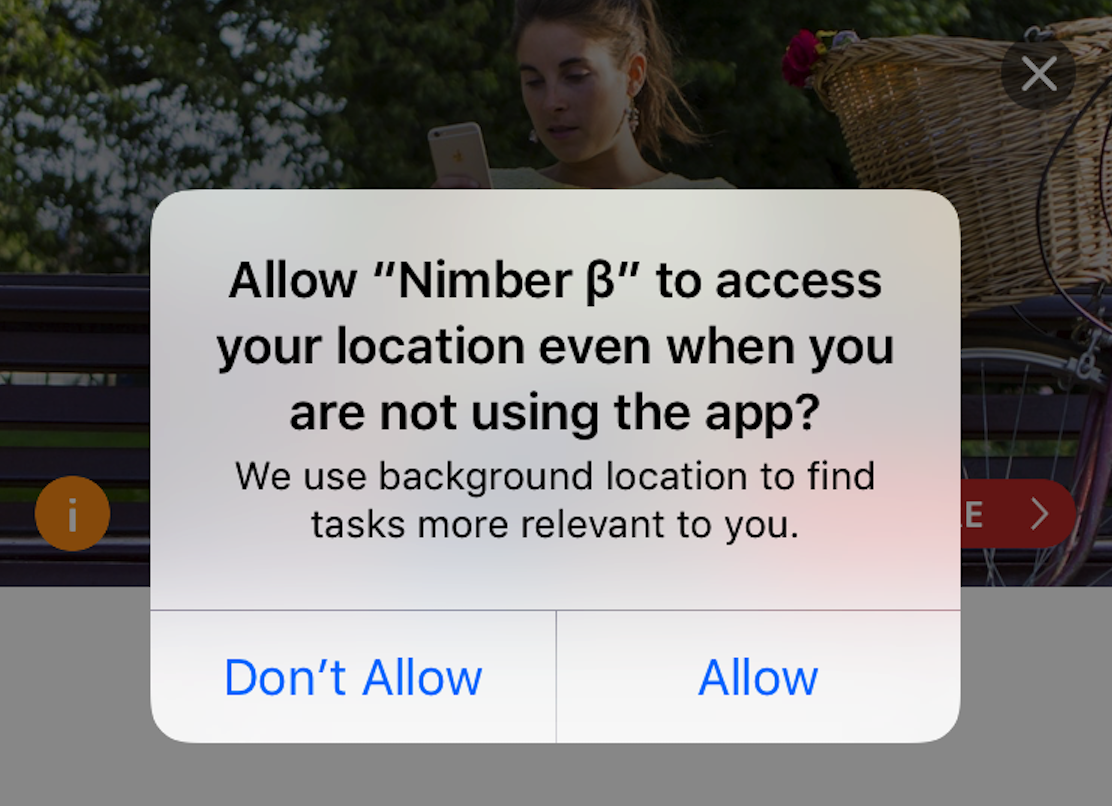
Descriptive String (rejection alert)
In your app .plist the values assigned to the
- NSLocationWhenInUseUsageDescription
- NSLocationAlwaysUsageDescription
These keys are now mandatory.
Descriptive String (rejection alert)
Requesting multiple permissions
switch CLLocationManager.authorizationStatus() {
    case .AuthorizedAlways:
        // ...
    case .NotDetermined:
        manager.requestAlwaysAuthorization()
    case .AuthorizedWhenInUse, .Restricted, .Denied:
        let alertController = UIAlertController(
            title: "Background Location Access Disabled",
            message: "Please open this app's settings and set location access to 'Always'.",
            preferredStyle: .Alert)

        let cancelAction = UIAlertAction(title: "Cancel", style: .Cancel, handler: nil)
        alertController.addAction(cancelAction)

        let openAction = UIAlertAction(title: "Open Settings", style: .Default) { (action) in
            if let url = NSURL(string:UIApplicationOpenSettingsURLString) {
                UIApplication.sharedApplication().openURL(url)
            }
        }
        alertController.addAction(openAction)

        self.presentViewController(alertController, animated: true, completion: nil)
}
Requesting multiple permissions
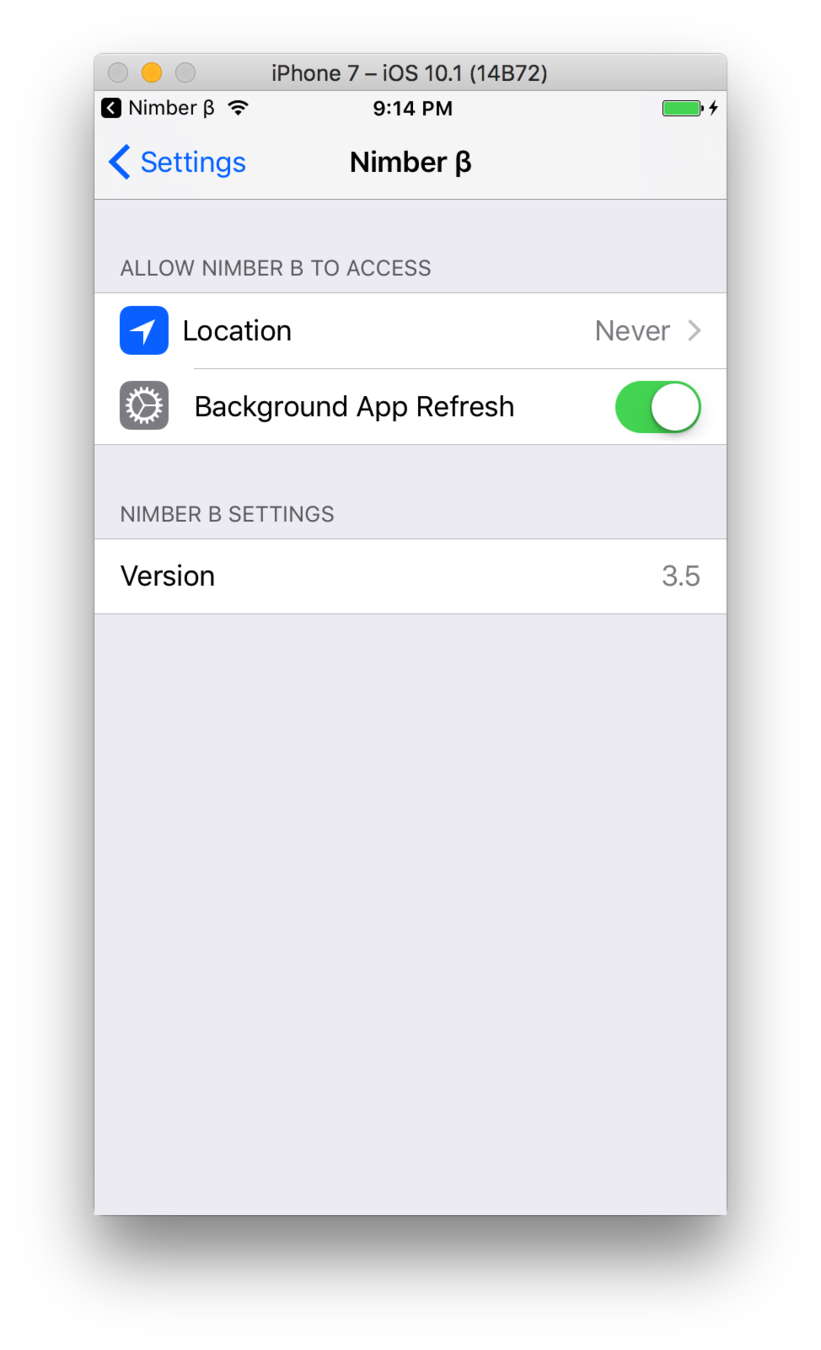
Backwards compatibility
This has been the location framework since iOS 8.0
tl;dr don't worry about it
Indoor location tracking
- The ground floor is 0
- A CLLocation object returned by a CLLocationManager may include a floor property
class CLFloor : NSObject {
    var level: Int { get }
}- A CLVisit object encapsulates information about interesting places that the user has been.
- Visit objects are created by the system and delivered by the CLLocationManager object to its delegate after you start the delivery of events.
- The visit includes the location where the visit occurred and information about the arrival and departure times as relevant.
- You do not create visit objects directly, nor should you subclass CLVisit
Handling visits
Handling visits
manager.startMonitoringVisits()

func locationManager(manager: CLLocationManager, didVisit visit: CLVisit!) {
    if visit.departureDate.isEqualToDate(NSDate.distantFuture()) {
        // User has arrived, but not left, the location
    } else {
        // The visit is complete
    }
}
func getQuickLocationUpdate() {
// Request location authorization
self.locationManager.requestWhenInUseAuthorization()
// Request a location update
self.locationManager.requestLocation()
// Note: requestLocation may timeout and produce an error if authorization has not yet been granted by the user
}
func locationManager(manager: CLLocationManager, didUpdateLocations locations: [CLLocation]) {
// Process the received location update
}Request Quick Location Updates for Energy Efficiency
func locationManager(manager: CLLocationManager, didUpdateLocations locations: [CLLocation]) {
    // Get a fix on the user's location
    ...

        // Stop location updates
        self.locationManager.stopUpdatingLocation()
}
Stop Location Services When You Aren’t Using Them
func getLocationUpdate() {
    // Create a location manager object
    self.locationManager = CLLocationManager()

    // Set the delegate
    self.locationManager.delegate = self

    // Request location authorization
    self.locationManager.requestWhenInUseAuthorization()

    // Set an accuracy level. The higher, the better for energy.
    self.locationManager.desiredAccuracy = kCLLocationAccuracyThreeKilometers

    // Start location updates
    self.locationManager.startUpdatingLocation()
}
Reduce Accuracy of Standard Location Updates Whenever Possible
extern const CLLocationAccuracy kCLLocationAccuracyBestForNavigation __OSX_AVAILABLE_STARTING(__MAC_10_7,__IPHONE_4_0);
extern const CLLocationAccuracy kCLLocationAccuracyBest;
extern const CLLocationAccuracy kCLLocationAccuracyNearestTenMeters;
extern const CLLocationAccuracy kCLLocationAccuracyHundredMeters;
extern const CLLocationAccuracy kCLLocationAccuracyKilometer;
extern const CLLocationAccuracy kCLLocationAccuracyThreeKilometers;
Reduce Accuracy of Standard Location Updates Whenever Possible
On devices with GPS hardware, you can let the location manager defer the delivery of location updates when your app is in the background.
Defer Location Updates When Running in the Background Energy Efficiency
func startHikeLocationUpdates() {
    // Create a location manager object
    self.locationManager = CLLocationManager()

    // Set the delegate
    self.locationManager.delegate = self

    // Request location authorization
    self.locationManager.requestWhenInUseAuthorization()

    // Specify the type of activity your app is currently performing
    self.locationManager.activityType = CLActivityTypeFitness

    // Start location updates
    self.locationManager.startUpdatingLocation()
}
Defer Location Updates When Running in the Background Energy Efficiency
func locationManager(manager: CLLocationManager, didUpdateLocations locations: [CLLocation]) {
    // Add the new locations to the hike
    self.hike.addLocations(locations)

    // Defer updates until the user hikes a certain distance or a period of time has passed
    if (!deferringUpdates) {
        distance: CLLocationDistance = hike.goal - hike.distance
        time: NSTimeInterval = nextUpdate.timeIntervalSinceNow()
        locationManager.allowDeferredLocationUpdatesUntilTraveled(distance, timeout:time)
        deferringUpdates = true;
    } }

func locationManager(manager: CLLocationManager, didFinishDeferredUpdatesWithError error: NSError!) {
    // Stop deferring updates
    self.deferringUpdates = false

    // Adjust for the next goal
}
Defer Location Updates When Running in the Background Energy Efficiency
NOTE
The monitoring techniques described below provide entry and exit notifications only. To determine the user’s actual location when a notification is received, you must call the requestLocation: or startUpdatingLocation: method of the location manager object. These monitoring techniques also require an authorization status of kCLAuthorizationStatusAuthorizedAlways.
Restrict Location Updates to Specific Regions or Locations
Restrict Location Updates to Specific Regions or Locations
let region = CLCircularRegion(center: CLLocationCoordinate2D(latitude: coordinate.latitude,
            longitude: coordinate.longitude), radius: regionRadius, identifier: title)
        locationManager.startMonitoringForRegion(region)


func locationManager(manager: CLLocationManager, didEnterRegion region: CLRegion) {
    showAlert("enter \(region.identifier)")
}

// 2. user exit region
func locationManager(manager: CLLocationManager, didExitRegion region: CLRegion) {
    showAlert("exit \(region.identifier)")
}
Significant location change monitoring
NOTE
These monitoring techniques also require an authorization status of kCLAuthorizationStatusAuthorizedAlways.
Significant location change monitoring
// Somewhere

[locationManager startMonitoringSignificantLocationChanges];

// didFinishLaunching

 if([launchOptions objectForKey:UIApplicationLaunchOptionsLocationKey]) {

        locationManager                                    = [[CLLocationManager alloc] init];
        locationManager.desiredAccuracy                    = kCLLocationAccuracyBestForNavigation;
        locationManager.activityType                       = CLActivityTypeAutomotiveNavigation;
        locationManager.allowsBackgroundLocationUpdates    = YES;
        locationManager.distanceFilter                     = kCLDistanceFilterNone;
        locationManager.pausesLocationUpdatesAutomatically = NO;
 }

// location manager delegate

-(void)locationManager:(CLLocationManager *)manager didUpdateLocations:(NSArray *)locations {

}
Significant location change monitoring
- Significant-change location updates wake the system and your app once every 15 minutes, at minimum, even if no location changes have occurred.
- Significant-change location updates run continuously, around the clock, until you stop them.
Significant location change monitoring
If GPS-level accuracy isn’t critical for your app, you don’t need continuous tracking, and region or visit monitoring isn’t more appropriate for your app, you can use the significant-change location service instead of the standard one.