TeamCity
Pluggable
Full Audit Log
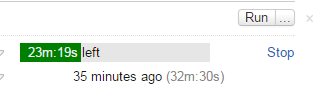
Run Time Estimatation
Browsable Tests
Reporting
Investigations
Build Process
Wait for a trigger
Trigger: Condition for starting a build. For example, VCS check-in, schedule, manual
Add to build queue, along with snapshot dependencies
Build Queue: A queue of builds awaiting execution
Snapshot dependency: A reference to a completed build at the same commit
Commission a build agent that matches the requirements
Build Agent: A process that performs a build. A machine can have multiple agents installed
Agent Requirements: Things that an agent needs to satisfy in order to receive a build
Copy artifact dependencies to working directory
Artifact Dependency: Reference some or all of the output of another build.
Working Directory: Usually C:\buildAgent\work
Check out sources from VCS Root(s) to working directory
VCS Roots: Path to root of source tree
Run each build step in series
Build Step: One part of the build
eg. "Update version number", "Run MSBuild", "Run tests"
If any artifacts specified, send to TeamCity
Artifact: Output of build that should be kept. Eg. NuGet packages, web deploy packages.
If any failure conditions are met, mark build as failed
Failure Condition: Eg. "Build process returns something other than 0", or "Number of tests has decreased by more than 5%", or "Tests took 5 minutes longer to run than last time"
Send the appropriate notifications
Projects
- Main organizational unit
- Sub-Projects
- Options
- Build Configurations
- Build Templates
Build Configurations
- VCS Settings
- Build Steps
- Triggers
- Dependencies
- Parameters
- Agent Requirements
Parameters
Customization of builds
Configuration
- Basic find/replace in most fields
- Specified by %ParameterName%
- Autocomplete!
System (system.Foo)
- As configuration, but more!
- Build runners can use these as the want
- Eg. MS Build passes parameters here as /p:Key=Value
- Useful to avoid putting big command line arguments in a little textbox
Environment (env.Foo)
- Like configuration, but more!
- Set as environment variable on any launched build process
- eg. Set env.IsTeamCity build to allow checking for team city in a unit test via Environment.GetVariable("IsTeamCity")
Defining Parameters
- Project
- Build Configuration
- Agent
- Environment Variables
- Custom build
Build Templates
Why repeat yourself?
Build Templates
Why repeat yourself?
Build Templates
- Just like a build configuration
- Cannot run on its own
- Build configurations can be based off it
- Parameters are not mandatory - configurations can fill it in or override.