K8S
Scaling K8S from 0 to hero
My (actual) tech journey
Contents
| # | Title | Time |
|---|---|---|
| 1 | Intro | 20' |
| 2 | Concepts | 20' |
| 3 | Multi containers design patterns | 20' |
| 4 | High availability | 20' |
| 5 | Ingress | 20' |
| 6 | Security | 20' |
| 7 | RBAC | 20' |
| 8 | Helm | 20' |
| 9 | Cloud Providers | 20' |
| 10 | Data Room | 20' |
1. Intro
- Short story
- Kubernetes intro
- GitOps ecosystem
- Starting with k8s
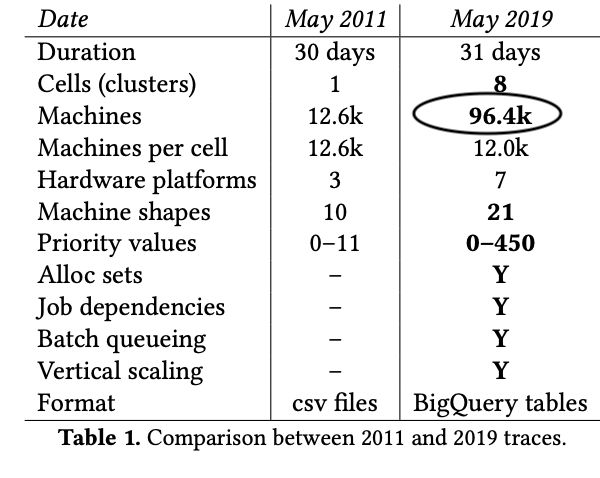
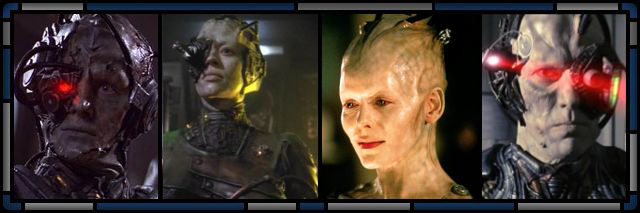
Paper https://dl.acm.org/doi/pdf/10.1145/3342195.3387517
Le fondamenta di Kubernetes
arrivano da casa Google.

it (1) hides the details of resource management and failure handling so
its users can focus on application development instead;
(2) operates with very high reliability and availability, and supports
applications that do the same;
(3) lets us run workloads across tens of thousands of machines
effectively


K8s, 8 stands for the number of letters between "K" and "s"
k8s meaning?
Grazie
Kubernetes, also known as K8s, is an open-source system for automating deployment, scaling, and management of containerized applications.
It groups containers that make up an application into logical units for easy management and discovery.
Ref. https://kubernetes.io/
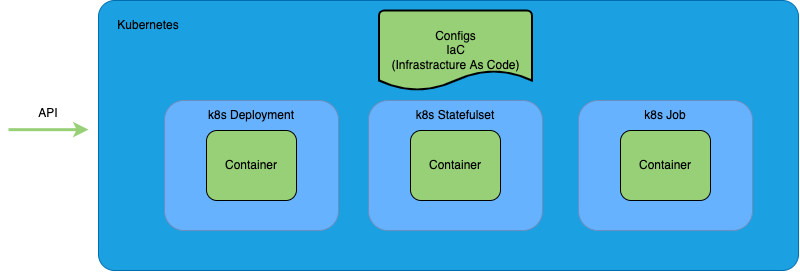
Kubernetes nature is declarative
One of the interesting features of the Kubernetes container orchestration technology is that it’s state-based.
Under Kubernetes, once you define how the various resources within a cluster of virtual or physical machines are supposed to be configured, Kubernetes ensures that configuration is always in force.
Facade
Facade
Features
Meanwhile in the kitchen...
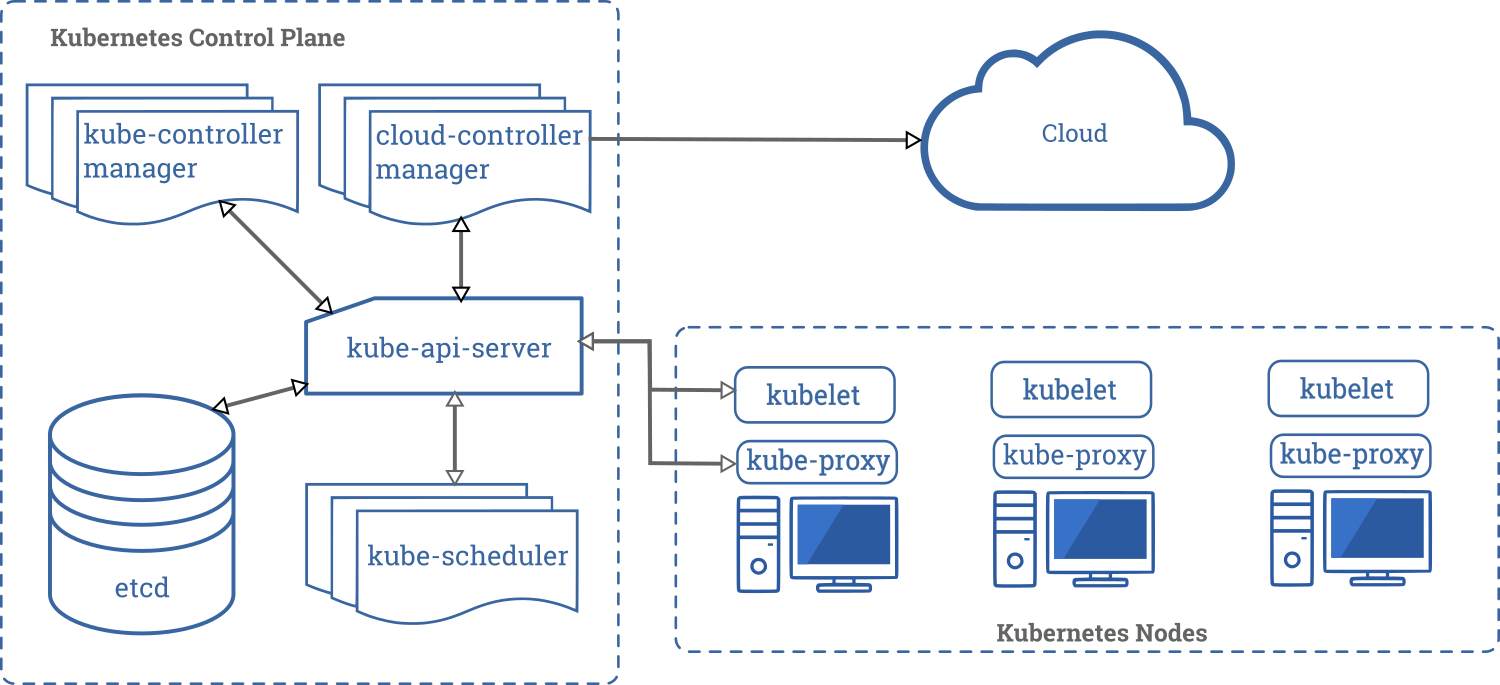
| Component | Role |
|---|---|
| etcd | k8s database |
| apiserver | k8s API (CRUD) |
| kube-scheduler | watcher, scheduling decision |
| kube-controller-manager | es. node watcher |
| cloud-controller-manager | interaction between cloud provider <-> k8s |
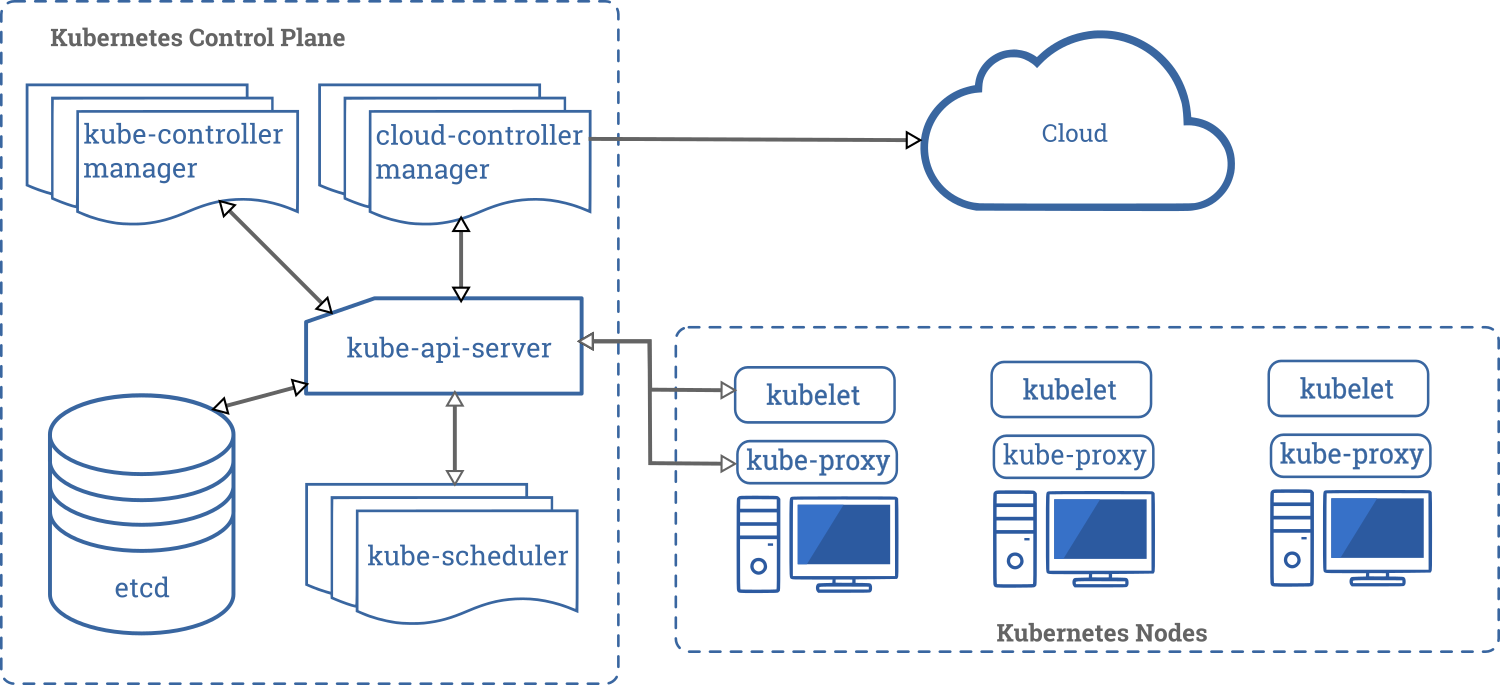
Control plane components
| Component | Role |
|---|---|
| kubelet | worker node damon (ex. check pod liveness/readiness) |
| kube-proxy | implementing k8s Service concept |
| kube-scheduler | watcher, scheduling decision |
Worker node components
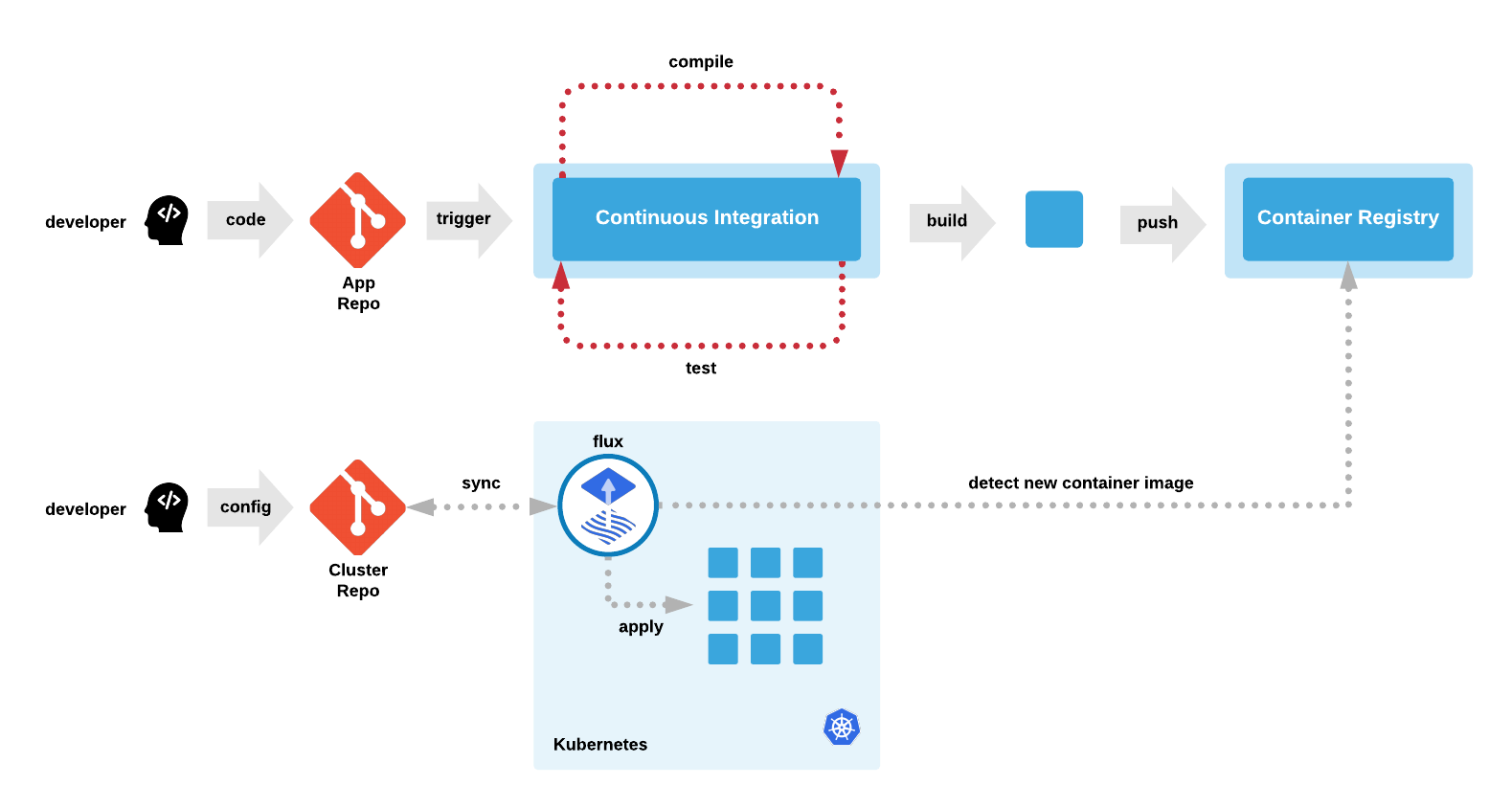
Ref. https://cloudacademy.com/course/introduction-gitops/gitops-architecture/
GitOps ecosystem
🚀
my-service.yaml
deployment.yaml
...
"Infrastracture" As Code
- Containers definition
- High Availability configuration
- Rollout Configuration
- App Configuration
- HTTP/TCP Rules
- Network Policies
my-service.yaml
deployment.yaml
...
kubectl apply -f .
Api Server
Supported clients --> https://kubernetes.io/docs/reference/generated/kubernetes-api/v1.24/
API REST
Idempotent
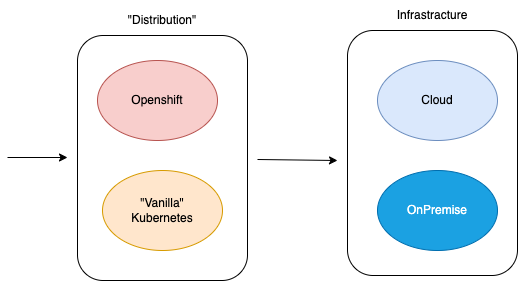
Starting with k8s
how much resource kubernetes consumes
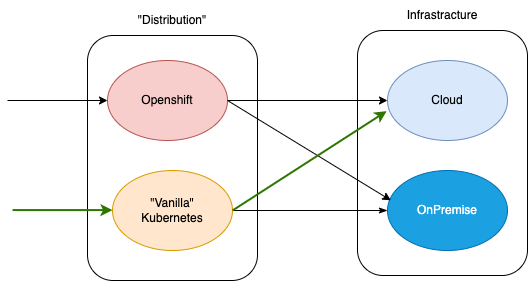
Most common path
2. Concepts
- Docker != Container
- Pod
- Namespace
- Configuration
- Resources
- Liveness/Readiness
Please stop using Docker as synonymous of Container
Docker != Container

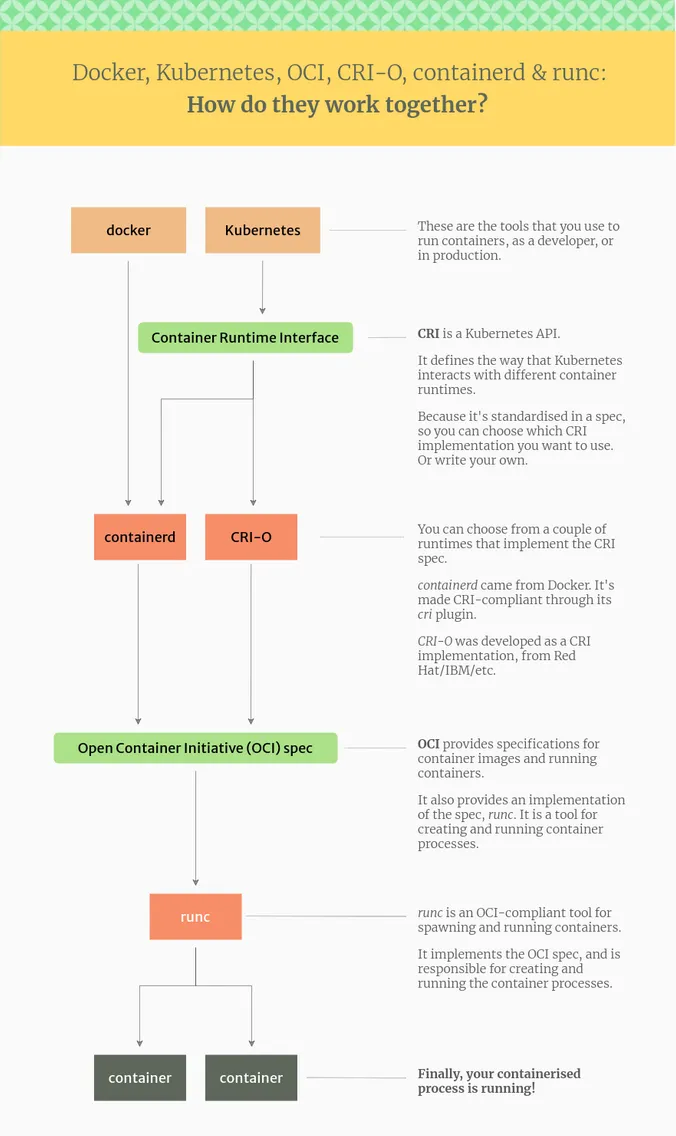
Ref https://www.tutorialworks.com/difference-docker-containerd-runc-crio-oci/
Docker != Container
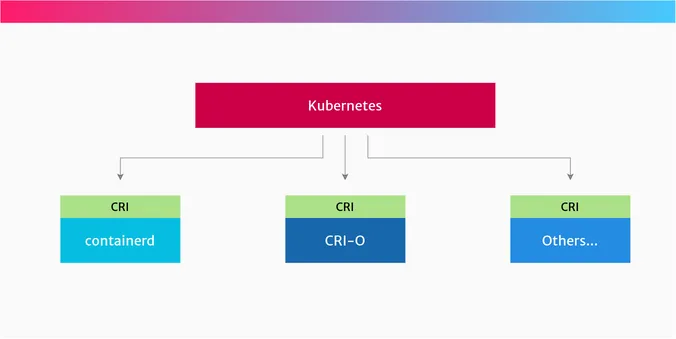
Ref https://www.tutorialworks.com/difference-docker-containerd-runc-crio-oci/
Docker != Container
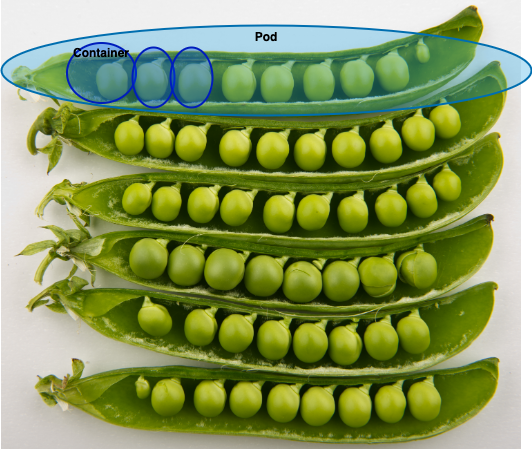
Pods are the smallest deployable units of computing that you can create and manage in Kubernetes.
A Pod (as in a pod of whales or pea pod) is a group of one or more containers with shared storage and network resources.
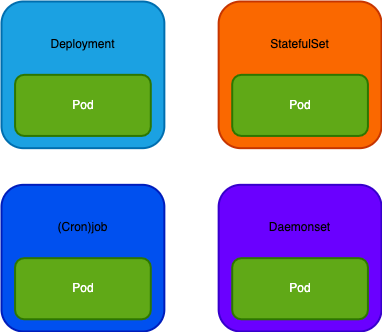
Deployment
Use case Stateless applications
Example Web Applications
A single definition for Pods and ReplicaSets
Deployment
Text
StatefulSet
Use case Stateless applications
Example Web Applications
A single definition for Pods and ReplicaSets
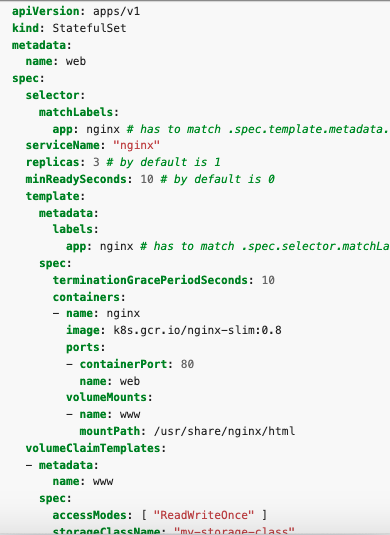
Use case Statefulset applications
Example Database
Maintains a sticky identity for each of their Pods
StatefulSet
StatefulSet
(Cron)Job
Use case Stateless applications
Example Web Applications
A single definition for Pods and ReplicaSets
Use case Statefulset applications
Example Database
Maintains a sticky identity for each of their Pods
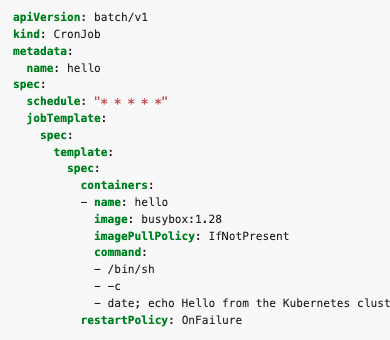
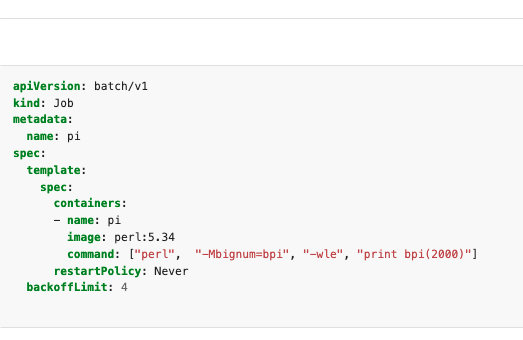
Use case Batch app
Example Email sender
Creates one or more Pods and will continue to retry execution of the Pods until a specified number of them successfully terminate.
(Cron)Job
DaemonSet
Use case Stateless applications
Example Web Applications
A single definition for Pods and ReplicaSets
Use case Statefulset applications
Example Database
Maintains a sticky identity for each of their Pods
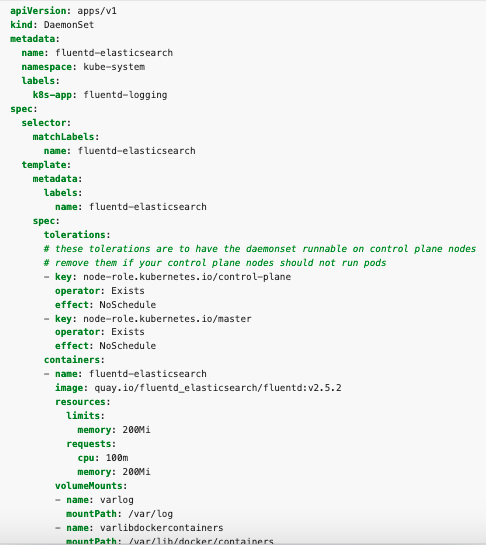
Use case Logs collection, nodes monitor
Example Filebeat
Ensures that all (or some) Nodes run a copy of a Pod
Use case Batch app
Example Email sender
Creates one or more Pods and will continue to retry execution of the Pods until a specified number of them successfully terminate.
DaemonSet
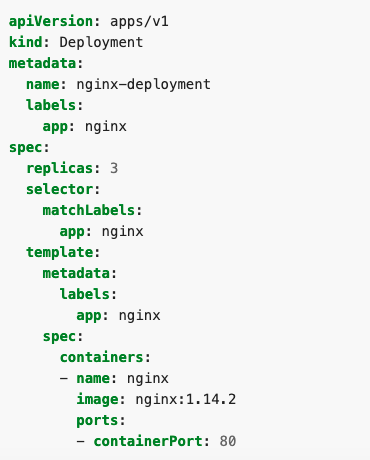
In the .yaml file for the Kubernetes object you want to create, you'll need to set values for the following fields:
-
apiVersion- Which version of the Kubernetes API you're using to create this object -
kind- What kind of object you want to create -
metadata- Data that helps uniquely identify the object, including anamestring,UID, and optionalnamespace -
spec- What state you desire for the object
Yaml template
namespaces provides a mechanism for isolating groups of resources within a single cluster
- Cluster shared between different teams, projects or environments
- Names of resources need to be unique within a namespace
-
Namespaces are a way to divide cluster resources between multiple users (via resource quota).
App Configuration
| Name | Usage |
|---|---|
| Configmap | No sensitive data |
| Secret | Sensitive data |
App Configuration
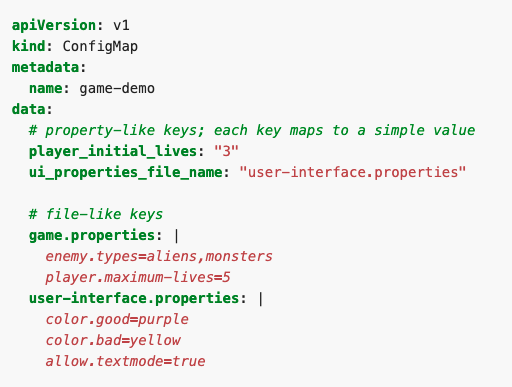
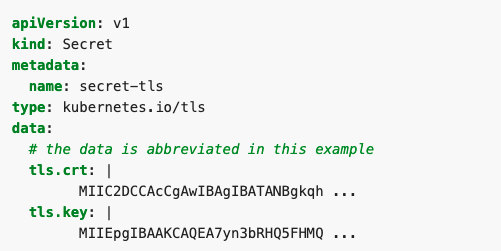
Please not store your clear secrets inside shared GitRepository
Solutions
Maintain them encrypted
(ex. Sealed Secrets)
https://github.com/bitnami-labs/sealed-secrets
Use managed secret by cloud providers
(ex. Secret Manager aws)
https://docs.aws.amazon.com/secretsmanager/latest/userguide/integrating_csi_driver.html
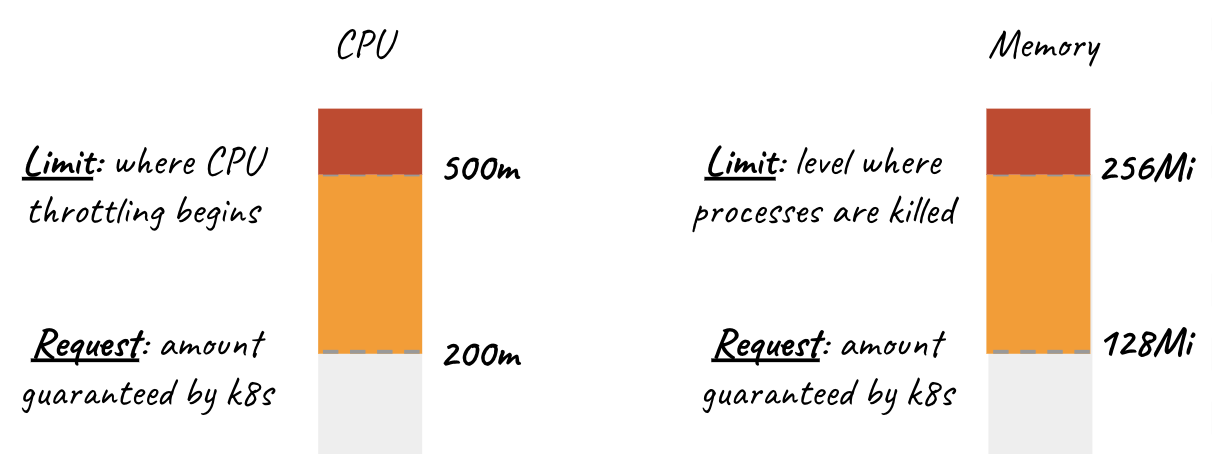
Resource Management
Resource Management
If your usage is much lower than your request, you are wasting money.
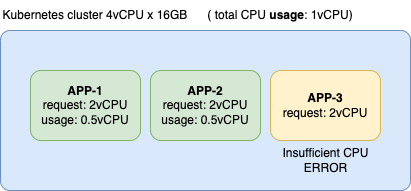
Resource Management
If it is higher, you are risking performance issues in the node.
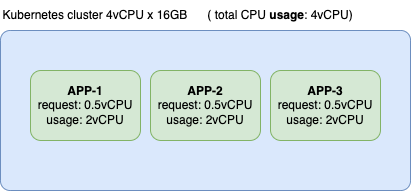
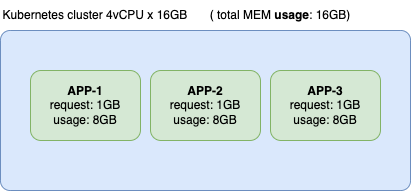
CPU throttling
Memory pressure
⚠️
Resource Management
Sum of cpu requests <= total cpu
Sum of cpu requests <= total mem
Sum of cpu limit can be > total cpu
Sum of mem limit can be > total mem

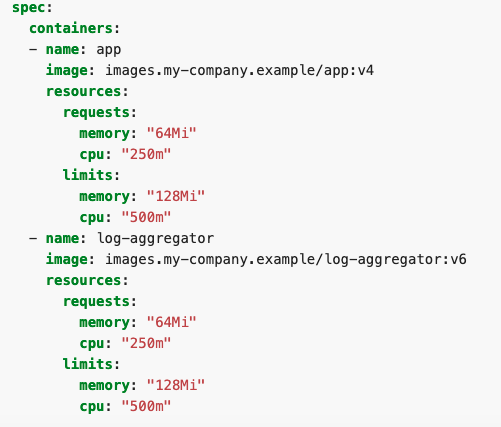
Resource Management
Liveness/Readiness
The kubelet uses liveness probes to know when to restart a container.
The kubelet uses readiness probes to know when a container is ready to start accepting traffic

3. Multi containers design patterns
A Pod (as in a pod of whales or pea pod) is a group of one or more containers with shared storage and network resources.
https://azure.microsoft.com/it-it/resources/designing-distributed-systems/
Main design patterns
● Init Container
● Sidecar pattern
● Ambassadors
● Adapter Pattern
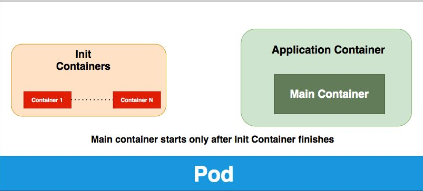
Design patterns - Init container
-
tendere una condizione esterna prima di avviare l’applicativo
-
Avvisare sistemi esterni che un certo applicativo si sta avviando
-
Setup iniziali propedeutici allo startup applicativo
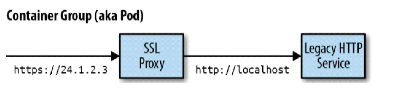
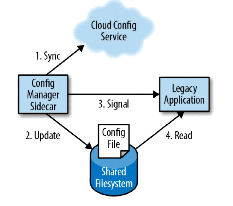
Design patterns - Sidecar pattern
Terminazione HTTP sistema legacy HTTP
Sincronizzazione automatica configurazioni
Design patterns - Ambassadors
External Service Discovery
Proxy sharding (es. Twitter twemproxy)
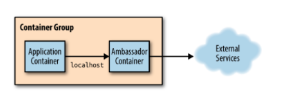
A/B Test
https://github.com/twitter/twemproxy
Design patterns - Adapter
Adattare servizi per abbracciare più esigenze lasciando inalterato l’applicativo
Healthcheck database
4. High Availability
Autoscaling
-
Cluster Autoscaling (CA)
-
Horizontal pod autoscaling (HPA)
-
Vertical Pod autoscaling (VPA
Affinity
-
Cluster Autoscaling (CA)
-
Horizontal pod autoscaling (HPA)
-
Vertical Pod autoscaling (VPA
Autoscaling
Cluster Autoscaling (CA)
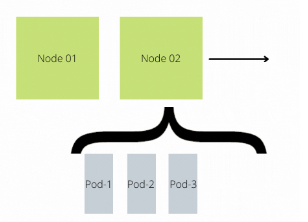
Horizontal pod autoscaling (HPA)
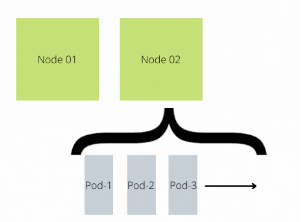
Vertical pod autoscaling (VPA)
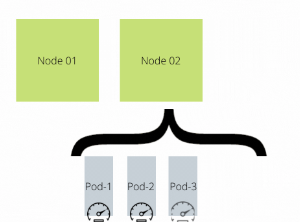
Affinity
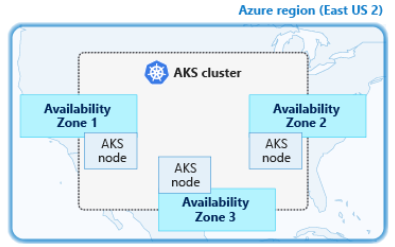
Multi Zone cluster
Pod (Anti)Affinity

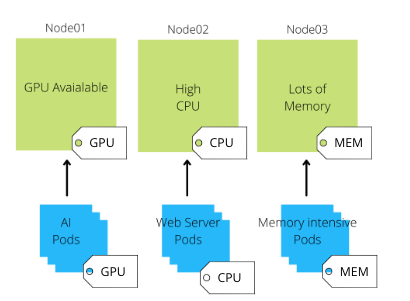
Node Affinity
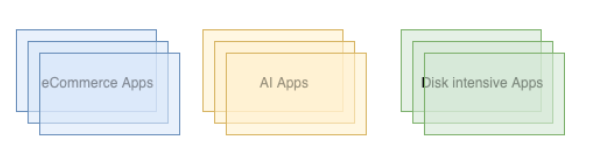
Node Affinity
5. Exposing applications
- Service
- Ingress
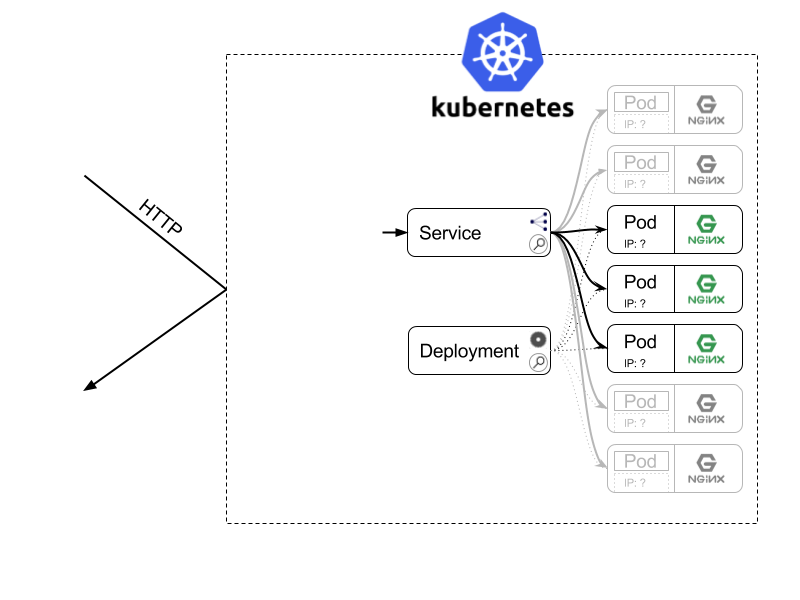
Pods are nonpermanent resources
Each Pod gets its own IP address
Service automagically expose ready pods with unique internal DNS
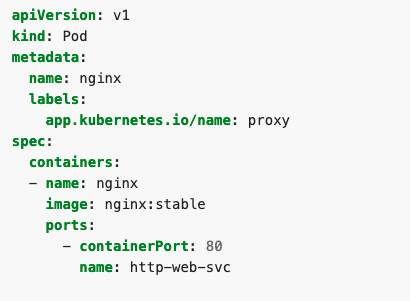
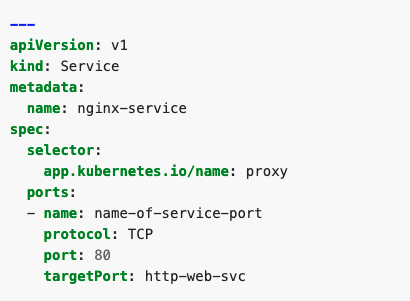
Service yaml example
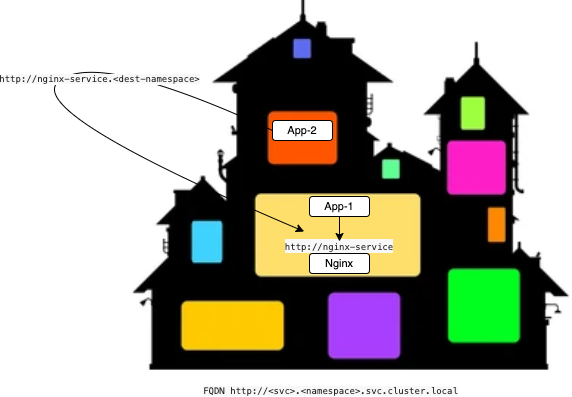
Pod to Pod communication
Ingress Controller
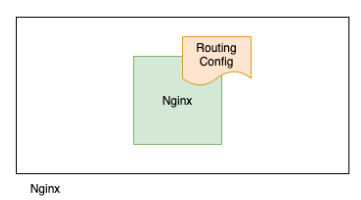
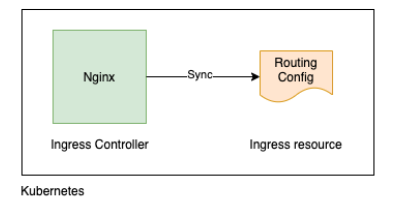
Ingress Controller in Kubernetes
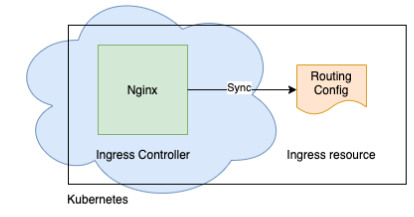
Ingress Controller in
Cloud Services
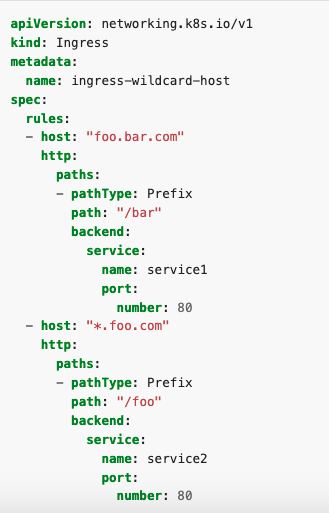
Ingress Example yaml
Ingress Example yaml
Ingress Controller (ex. Nginx / Managed by cloud provider)
Auto sync
Nginx Deployment
Nginx Service
Ingress Example yaml
Ingress Controller (ex. Nginx)
Auto sync
Nginx Deployment
Nginx Service
https://cat-bounce.com/
6. Security
- Net rules
- Update k8s
Network Policies
Pods are non-isoleted by default
Control traffic flow at the IP address or port level (OSI layer 3 or 4),
NetworkPolicies are an application-centric construct which allow you to specify how a pod is allowed to communicate with various network "entities"
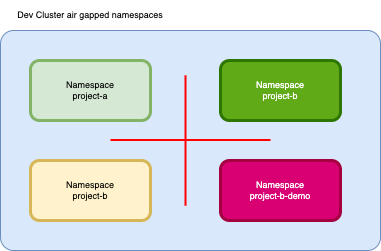
Use case
Ingress / Egress Flow
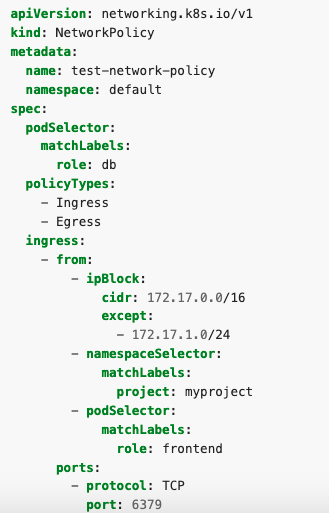
Network Policy yaml example
Update k8s cluster
https://docs.aws.amazon.com/eks/latest/userguide/kubernetes-versions.html
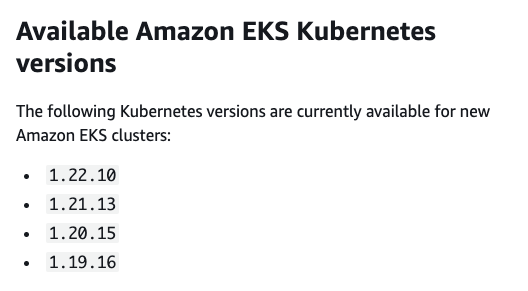
Proactively update your clusters to use the latest available version
Tipically test new k8s version in dev Cluster before going in production
Cloud provider give you the tools in order to upgrade K8S
(control-plane, worker-nodes)
And this is NOT automatically done.
Upgrade process
- cordon old node --> unschedulable label
- drain old node
- once drained, stop old node
- start new fresh node (unready state)
- attach new node to control-plane
- make new node ready
7. RBAC
kube-api-server responsables of Authentication and Authorization
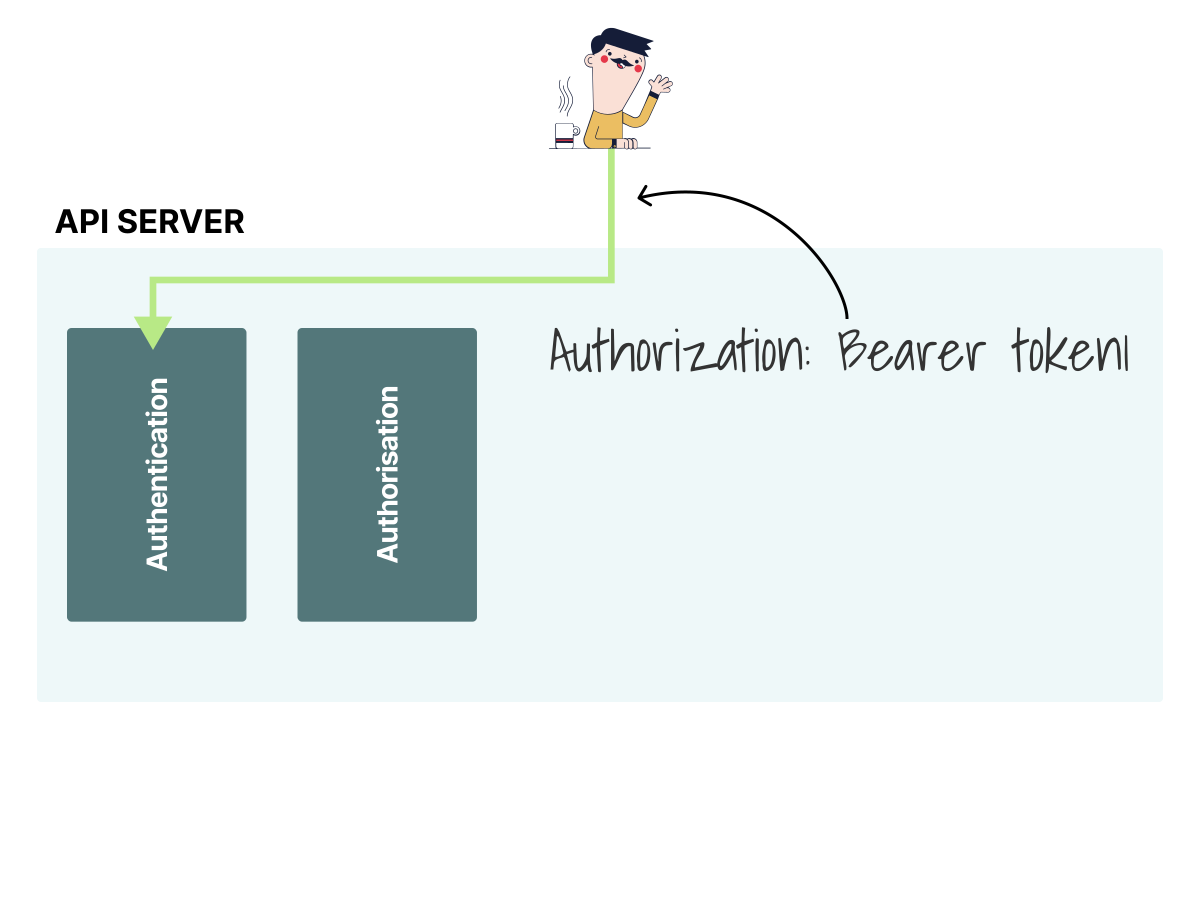
https://learnk8s.io/authentication-kubernetes
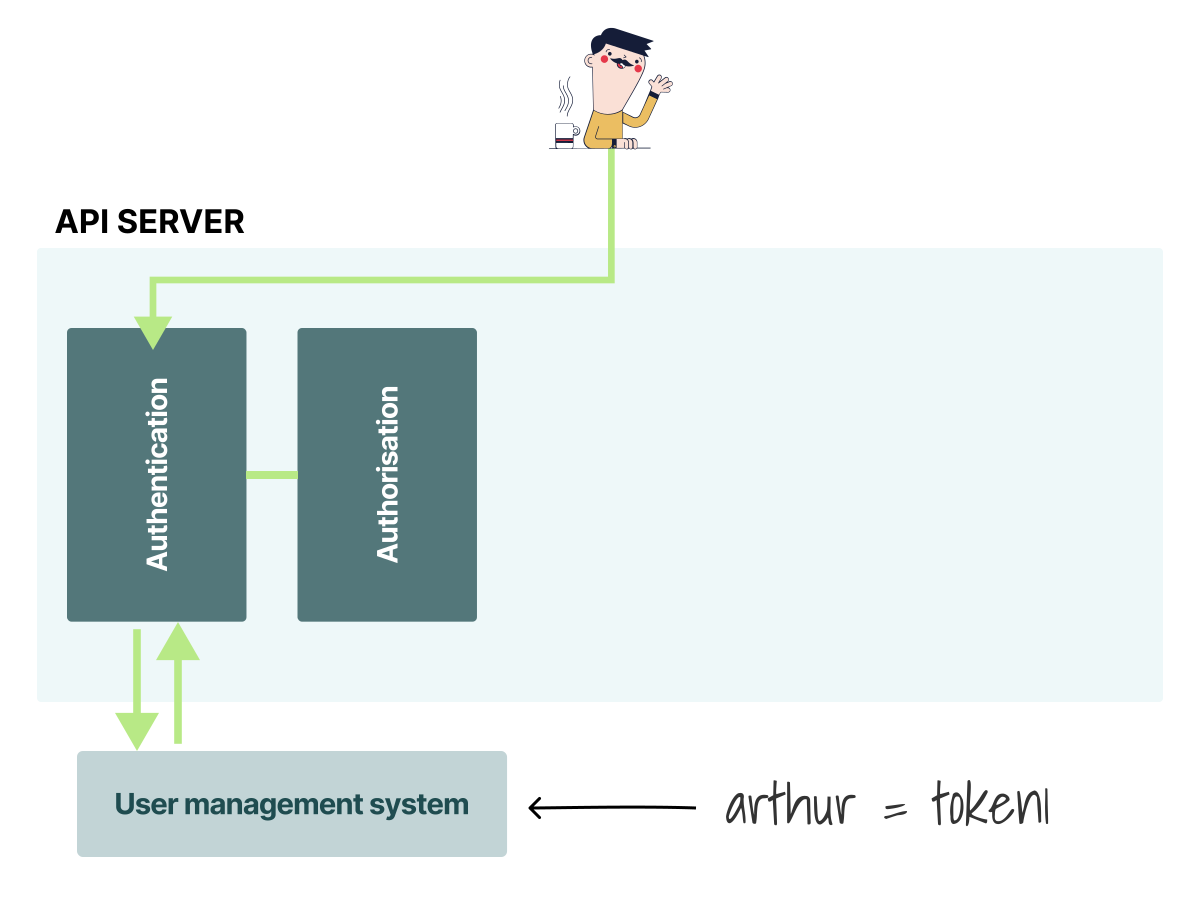
https://learnk8s.io/authentication-kubernetes
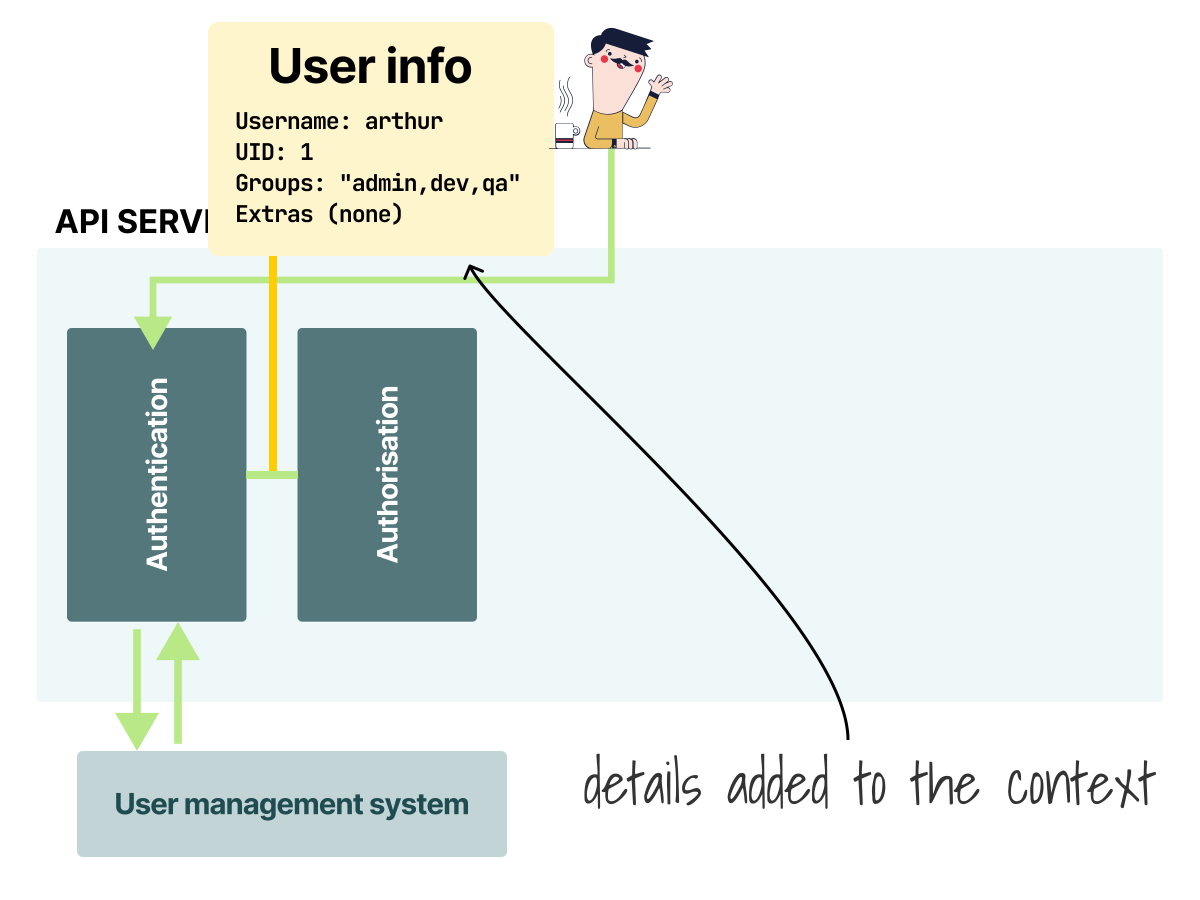
https://learnk8s.io/authentication-kubernetes
Text
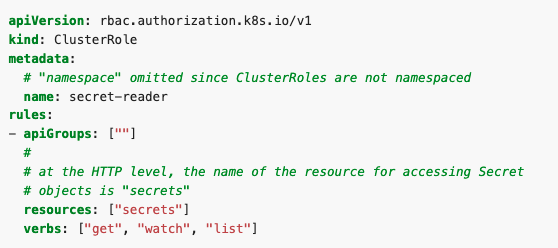
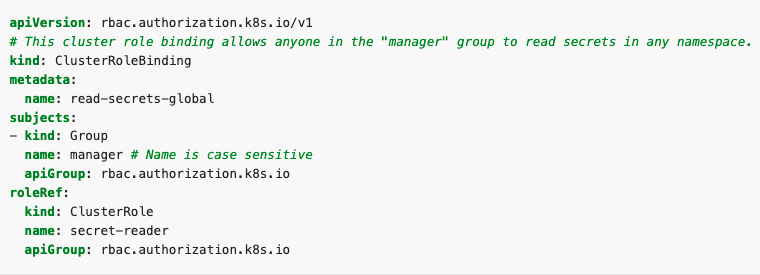
RBAC example
8. Helm
"Helm is the best way to find, share, and use software built for Kubernetes."
Ref. https://helm.sh/
8. Helm
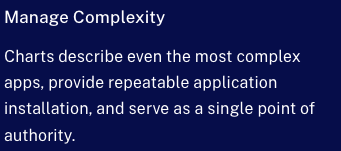
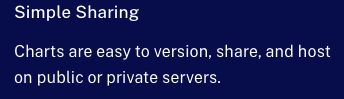
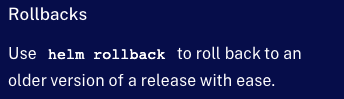
https://artifacthub.io/
9. Cloud Provider
| Provider | Managed K8S | Fully Managed |
|---|---|---|
| Azure | AKS | Container Instance |
| AWS | EKS | Fargate |
| GKE - Standard | GKE - Autopilot | |
| IBM Cloud | Kubernetes Service | - |
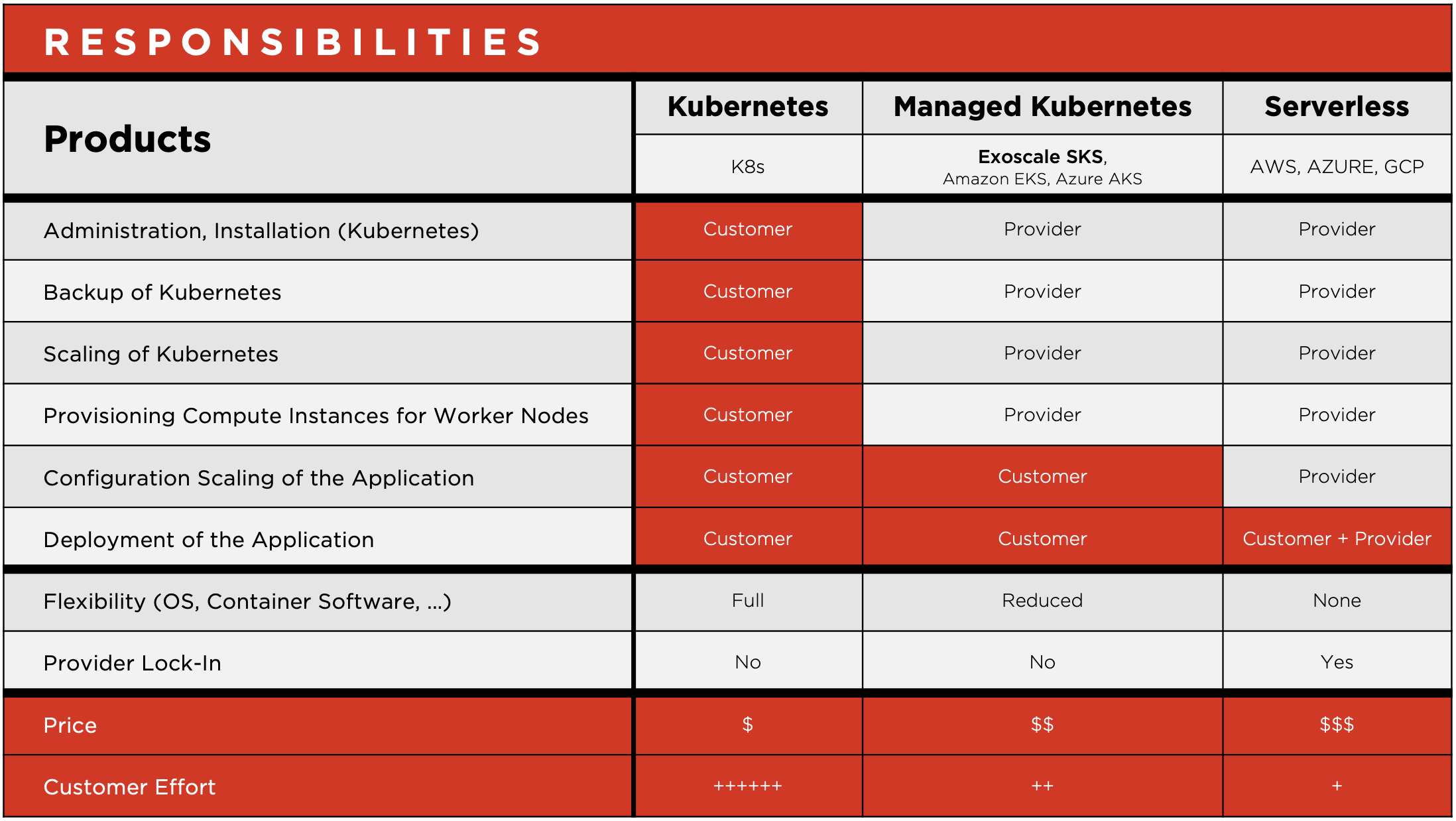
https://www.exoscale.com/syslog/why-managed-kubernetes/
10. DataRoom
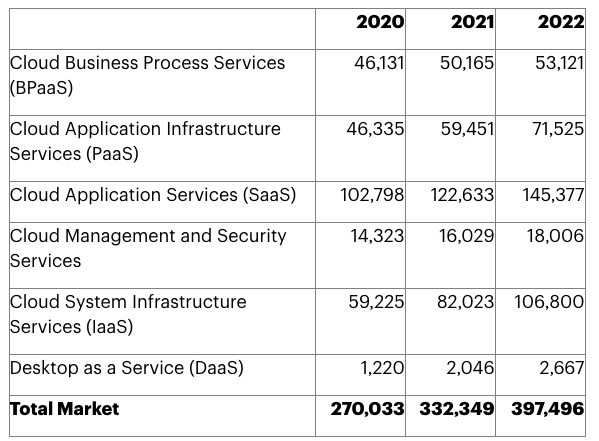
From https://www.gartner.com/en/newsroom/press-releases/2021-04-21-gartner-forecasts-worldwide-public-cloud-end-user-spending-to-grow-23-percent-in-2021
Data room - Wasted cloud spend
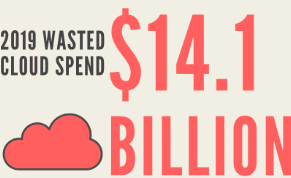
From https://www.parkmycloud.com
Head in the clouds feet on the ground
Thank you