網站開發的第一堂課

相關連結
codepen
什麼是網站
為什麼你看得到網站?

Server, Database

HTTP(HTTPS) Request
HTTP(HTTPS) Response
Server side language:
PHP, Ruby, Python, C#, Java, nodeJS 等
Client side browser:
HTML, CSS, JAVASCRIPT

使用者從瀏覽器發出請求
伺服器回應請求
什麼是網站
伺服器端運算完程式,送到用戶端的瀏覽器。
在瀏覽器端,你只看得到
HTML, CSS, JAVASCRIPT
什麼是網站
Server
<?php

    echo '<h1>Hello World!</h1>';

?>
Browser
<html>
    <head></head>
    <body>
        <h1>Hello World!</h1>
    </body>
</html>
名詞解釋
RWD
AWD
Responsive Web Design
響應式網頁設計
Adaptive Web Design
適應式網頁設計
名詞解釋
DNS: Domain Name System
網域名稱系統
每台Server都會分配到一組unique的IP(50.87.151.117)
可將一組符合規定內的名稱指定分配到IP上
DNS: http://www.google.com/
IP: 60.199.175.116

如何反轉頁面上的200個清單項目?
- 200
- 199
- 198
- 197
- 196
- 195
- 194
- 193
基本概念
HTML: HyperText Markup Language
CSS: Cascading Style Sheets
Javascript: 絕對不是Java Script
也不會是Java+Script
jQuery是Javascript的Library
有句名言是:
Javascript跟Java的關係
大概就跟hotdog與dog一樣
基本概念
原則:(想像蓋房子)
HTML用來做內容結構
CSS用來做樣式(Style)
Javascript用來做效果以及運算邏輯
CSS3現已可做大量的效果,新的趨勢也會將效果慢慢轉移到用CSS去完成
Javascript現在也可以寫Server side的語言
HTML
起手式 (boilerplate)
<!DOCTYPE html>
<html lang="en">
  <head>
    <meta charset="utf-8">
    <meta http-equiv="X-UA-Compatible" content="IE=edge">
    <meta name="viewport" content="width=device-width, initial-scale=1">
    <title>網站開發的第一堂課</title>
  </head>
  <body>
    <h1>Hello, world!</h1>
  </body>
</html>DOCTYPE: 宣告很重要!描述此份檔案的型態與版本
html: tag裡面包含所有與此份HTML文件相關的資訊
head: contain meta data. 關於頁面的資訊都在此區
title->瀏覽器標題,
meta->頁面描述, 關鍵字, 頁面相關資訊
body: 網頁本身內容都要裝在身體(body)裡
HTML
<!DOCTYPE html>
<html lang="en">
  <head>
    <meta charset="utf-8">
    <meta http-equiv="X-UA-Compatible" content="IE=edge">
    <meta name="viewport" content="width=device-width, initial-scale=1">
    <title>網站開發的第一堂課</title>
  </head>
  <body>
    <h1>Hello, world!</h1>
  </body>
</html>
HTML
既然他是markup language,
接下來要開始被markup標籤轟炸了...
開了,要記得關門,不要忘記close tag,
不過有些tag不需要關門, Ex: <img>
雖然現代瀏覽器會自動幫你補,
但這種事自己做好比較保險。
<h1></h1>
<p></p>
<div></div>
<span></span>
<label></label>
<img>
HTML
標題 Heading
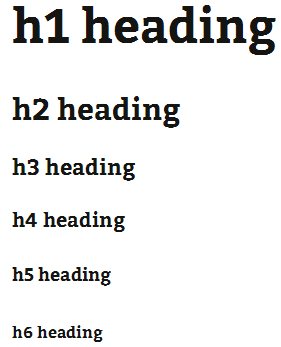
<h1>h1 heading</h1>
<h2>h2 heading</h2>
<h3>h3 heading</h3>
<h4>h4 heading</h4>
<h5>h5 heading</h5>
<h6>h6 heading</h6>- h1一個頁面只用一個
- 重要性依次遞減
HTML
段落 Paragraph
<p>這是一段愛與冒險的故事,他說:<strike>別讓勝文不開心</strike>。
<br>網路上盛傳<em>婉君</em>就是所謂的<strong>網軍</strong>,
殊不知天底下有那麼多人叫做婉君,<br>那到底是婉君多還是網軍多呢?</p>
<br>: 換行
<em>: 強調(斜體)
<strong>: 重要
<strike>: 一直線橫跨文字
HTML
清單 Lists
<ul>
    <li>陳汝斌</li>
    <li>趙衍慶</li>
    <li>李宏信</li>
    <li>陳永昌</li>
    <li>馮光遠</li>
    <li>連勝文</li>
    <li>柯文哲</li>
</ul>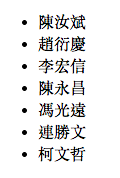
<ol>
    <li>陳汝斌</li>
    <li>趙衍慶</li>
    <li>李宏信</li>
    <li>陳永昌</li>
    <li>馮光遠</li>
    <li>連勝文</li>
    <li>柯文哲</li>
</ol>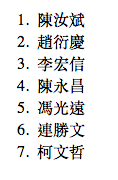
un-ordered list (無順序)
ordered list (有順序)
HTML
標籤內可以有屬性(property)
<a href="http://www.google.com" target="_blank">Google連結</a><input type="text" value="你的大名" id="urname">href, target屬於a tag的標籤屬性
type, value屬於input tag的標籤屬性
HTML5開始可使用global attributes: data-*
*為任意字詞
每個標籤可使用的property只需要上網一查就知道
class, id 為通用屬性,可以做css樣式以及javascript的容器選取器,非常重要!
HTML
連結 (hyperlink)
<a href="http://prototype-hacker.com" target="_blank">前往原型駭客網路官網</a>href: 放連結,可為相對路徑,也可以是絕對路徑
target: 選擇打開連結的方式,_blank為開新視窗分頁
mailto: 開啟郵件程式寄送信件
HTML
圖片 (image)
<img src="http://graph.facebook.com/v2.9/1798921231/picture?width=200"
alt="Mike facebook profile picture" width="200" height="200">
src*: 圖片的來源,可以是相對路徑或是絕對路徑
alt*: 如果圖片讀取不到顯示的代表文字
width, height: 指定寬高,單位像素
Facebook提供graph API,可讀取每個人的profile picture
no closing tag!
HTML
文字區塊 (input)
<input type="text" value="Hello World" name="greeting">
<input type="password" name="userpass">
<input type="submit" value="送出">
<textarea rows="4" cols="50"></textarea>
type: 指定此輸入的格式為何
val: 表單送出去的值
name: 表單送出去之欄位變數
rows, cols: 行數與欄數
HTML
表單 (form)
<form method="GET" action="/">

</form>
method: 送出表單的方法, GET or POST
action: 送去哪個地方 or 網址
需搭配後端server做進一步的資料庫存取操作
HTML
無語意標籤 (div, span)
<div>div is a block element</div>
<span>span is an inline element</span>
div: 顯示為區塊 display: block
span: 顯示為同行元件 display: inline
HTML
Tips:
- 用對標籤很重要!!! 會影響網站的SEO
- 先從內容結構做起,再做樣式(style)
- (沒有牆壁怎麼漆油漆)
[ Note ] SEO: Search Engine Optimization
搜尋引擎優化
換句話說,SEO做的好,網站比較容易被搜尋到
HTML
實作練習
SEO最佳化指南(官方版):
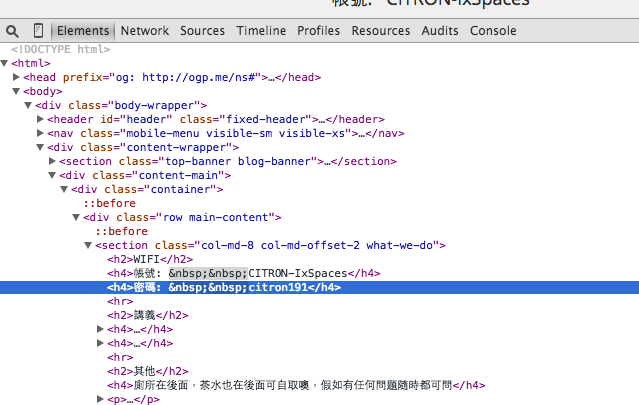
Developer Tool
開發者工具
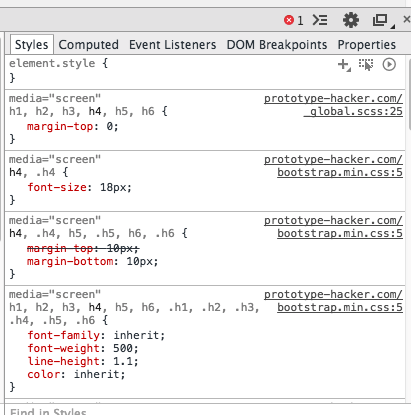
每個瀏覽器都有內建的開發者工具,一般來說按右鍵然後inspect element即可開啟。
alt+cmd+i
功用:
- 檢測HTML的元素
- 檢查CSS的樣式,並直接對它做修改
- Javscript的程式檢測,可以設定斷點 (breakpoint)
Developer Tool
開發者工具
1. Chrome
- 右鍵 -> inspect element (檢查元素)
- 直接按鍵盤 F12 ,有些電腦需要加fn鍵
Developer Tool
開發者工具
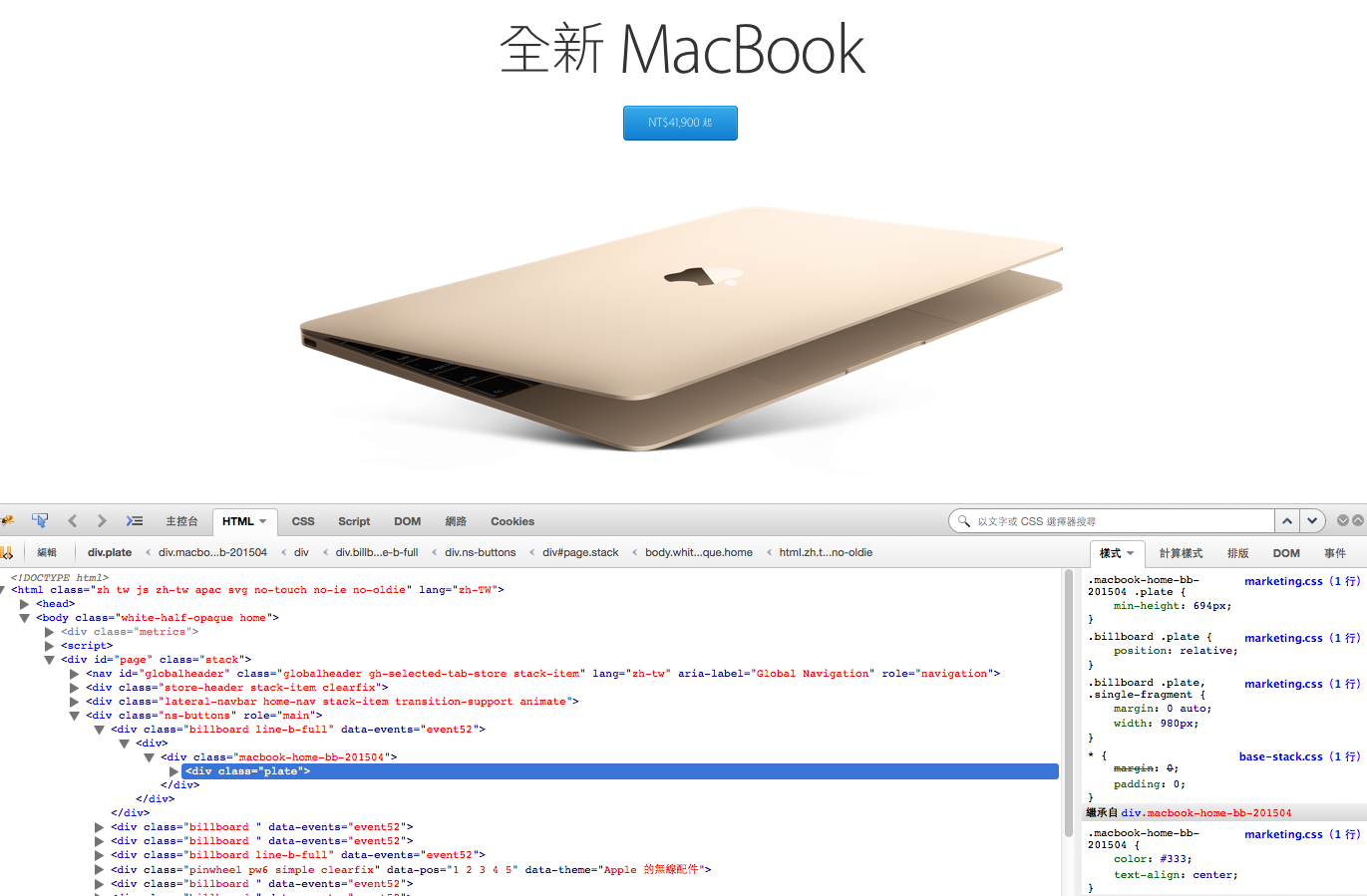
2. Firefox
- 有內建的開發者工具,不過大家都用Firebug
- 附加元件 -> 搜尋 Firebug -> 點選安裝
- 完成後如下圖

Developer Tool
開發者工具
2. Firefox
- 開啟方式相同,F12,或是點擊右上方一顆蟲的按鈕
CSS
style引入方式
1. in-line: 直接寫在tag上
<p style="width: 200px; color: blue;">I am a paragraph.</p>2. in-page: 寫在頁面上方的<head>裡,用<style></style>包起來
<style>
    p{
        width: 200px;
        color: blue;
    }
</style>
2. outer-link: 將樣式統一寫在.css裡,並在<head>裡面用<link>引入
<link rel="stylesheet" href="style.css">CSS
Selector 選擇器的使用 (對"誰"做樣式)
- 直接使用標籤名稱 ( div, p, span, h1 )
- 使用class (.) => 重複沿用樣式的元素
- 使用id (#) => 一個頁面只有一個id, 單一元素
div{
    color: red;
}
p{
    margin-bottom: 10px;
}
.line{
    border-bottom: 1px solid #000;
}
#special{
    border: 1px solid #000;
}
CSS
Selector 選擇器的使用 (對"誰"做樣式)
直接使用標籤名稱 ( div, p, span, h1 )
p{ color:#000; }
可以搭配標籤屬性
input[type="text"]{ color:#000; }
搭配滑鼠移動屬性
a:hover{ text-decoration: underline; }
CSS
Selector 選擇器的使用 (對"誰"做樣式)
使用class (.) => 重複沿用樣式的元素
.block-element{ display: block; }
.login-btn{
    border: 1px solid #000;
    background: #fff;
    border-radius: 0px;
    color: #000;
}
.login-btn:hover{
background: #000;
color: #fff;
}CSS
Selector 選擇器的使用 (對"誰"做樣式)
使用id (#) => 一個頁面只有一個id, 單一元素
#header{ position: fixed; top:0; }
#header{
    position: fixed;
    top: 0;
    width: 100%;
    height: 80px;
    background: #fff;
    color: #000;
}
CSS
Selector Precedence 選擇器優先順序
tag裡 > in-page <style> 裡 > outer-link <link>
同一個階層的比較
id > class > tag
!important最大
(沒事不要用)
CSS
Box Model 一定要懂

CSS
文字大小的單位 (px, em, pt)
px(像素): 固定單位
em(相對長度): 不固定,可有小數點
1em = 16px = 12pt
新手還是先從px用起吧!
對照表: http://pxtoem.com/
CSS
顯示區塊方式 (block, inline-block, inline)
block: 一個區塊元素,佔據一整行空間,有寬高
inline: 同行元素,無法設寬高,寬度根據內容
inline-block: 同行的區塊,可在同行內佔據空間
CSS
練習
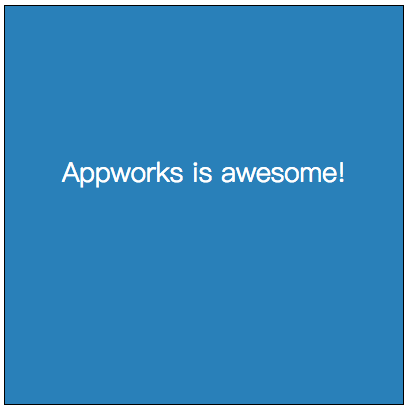
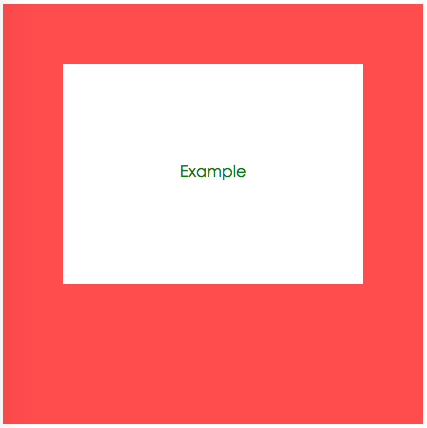
請畫出一個區塊元素,寬高都為400px,請給予內容文字(置中),邊框、背景色(自選)。
CSS
Media Query (RWD 控制你的行動裝置)
media query怎麼寫
@media (max-width: 920px){
    .block{
        width: 48%;
        font-size: 17px;
    }
}
@media (min-width: 480px) and (max-width: 480px){
.block{
width: 100%;
font-size: 14px;
}
} CSS
很多很多的性質 property
color, font-size, background, text-align, text-decoration, width, height, border, padding, margin, display, position, z-index, float
不需要死記,寫過一次就知道了!
不知道怎麼使用? 上網查 or 問問題
CSS
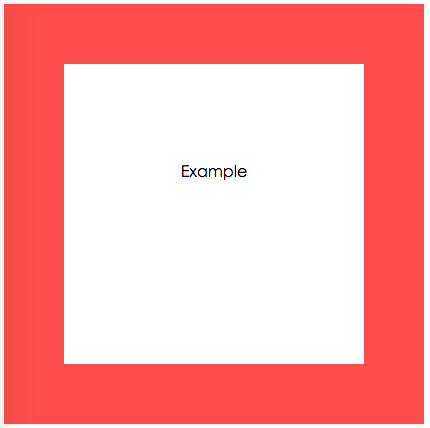
來做個練習吧!
Desktop
Mobile
Bootstrap
Download: http://getbootstrap.com/
什麼是bootstrap
Bootstrap
Bootstrap是twitter的開發人員預先寫好的css framework,現也有提供js的基本功能。
所以到底是什麼?
其實就是幫你寫好的介面程式懶人包!
將預寫好的class name用在標籤上,即完成樣式。
裡面的Grid System相當完整,許多開發者都用bootstrap當基底來進行開發。
Bootstrap
Grid System 格線系統
- 每個區塊padding15px (可改)
- row代表一個全排格 (左右margin會調整-15px回去)
- 每個row裡面可再分至12格
- col-lg-*, col-md-*, col-sm-*, col-xs-*
( *填上你需要的格數 )
- 也可指定元素可顯示時的寬度 ===> visible-lg, visible-md, visible-sm, visible-xs
- 或是指定元素要隱藏時的寬度 ===> hidden-lg, hidden-md, hidden-sm, hidden-xs
Bootstrap
Container 主容器
<div class="container">I am a container.</div>Bootstrap幫我們寫好主容器的寬度
螢幕 >= 1200px ====>1170px
992px <= 螢幕 <1200px ====> 970px
750px <= 螢幕 < 992px ====> 750px
螢幕 < 750px ====> auto
Bootstrap
Grid System 使用原則
.row裡面放12個份數(col-**加起來要12)
若需要置中的container,把外層用container包起 來 (.container -> .row)
<div class="container">
    <div class="row">
        <div class="col-md-4 block">
            <img src="http://lorempixel.com/800/600/" alt="lorem pic">
        </div>
        <div class="col-md-4 block">
            <img src="http://lorempixel.com/800/600/" alt="lorem pic">
        </div>
        <div class="col-md-4 block">
            <img src="http://lorempixel.com/800/600/" alt="lorem pic">
        </div>
    </div>
</div>
Bootstrap
Component 使用原則
Bootstrap
Component 使用原則
<a class="btn btn-default" href="#" role="button">Link</a>
<button class="btn btn-default" type="submit">Button</button>
<input class="btn btn-default" type="button" value="Input">
<input class="btn btn-default" type="submit" value="Submit">

Bootstrap
Glyphicons
one more thing...
[ Note ] icon-font 字體圖像
用字體來作為icon
好處是:可以自由調整顏色以及大小
<span class="glyphicon glyphicon-search" aria-hidden="true"></span>
<span class="glyphicon glyphicon-fire" aria-hidden="true"></span>
<span class="glyphicon glyphicon-user" aria-hidden="true"></span>
<span class="glyphicon glyphicon-heart" aria-hidden="true"></span>
<span class="glyphicon glyphicon-music" aria-hidden="true"></span>Bootstrap
格點練習
Git
Git是什麼?可以吃嗎?
下面的東西目前不懂其實可以忽略...
Git
Git是什麼?可以吃嗎?
以下情況你們會怎麼解決?
- 兩個人一起寫網頁,只有兩個檔案: index.html & style.css,怎麼共同完成首頁的開發呢?
- 你有兩台開發電腦,一台在公司用,一台在家裡用,怎麼把code帶回家加班呢?
- 開發到第二個版本時,客戶突然說我比較喜歡原來的版本...
Git
Git是什麼?
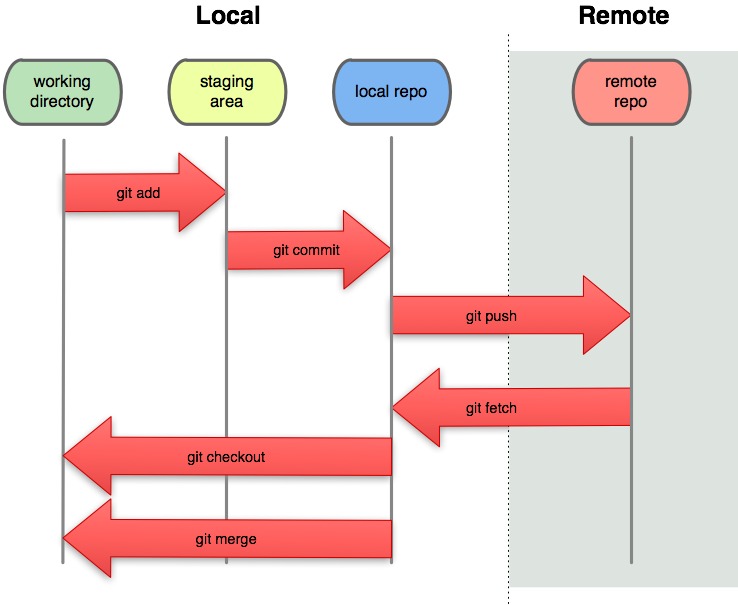
為了要共同協作,分工合作,雲端備份,版本控制於是Git誕生了。
每個人在本機端存好檔,上傳到遠端的git,Git自動幫你確認你的code與目前的code相不相容(版本有沒有到最新),若不相容則不允許你上傳,會要求先更新下載成最新版本後才可上傳。
Git
Git指令
git clone xxx(放遠端url):拿遠端的資料檔案(repository)
git add . (將local的資料增加到local端)
git commit -m 'message' (將目前尚未存的批次存在本地端)
git push origin master (將本機資料上傳到遠端git)
git pull origin master (將本機檔案更新到遠端最新檔)
git config --global user.email johndoe@example.com
Git
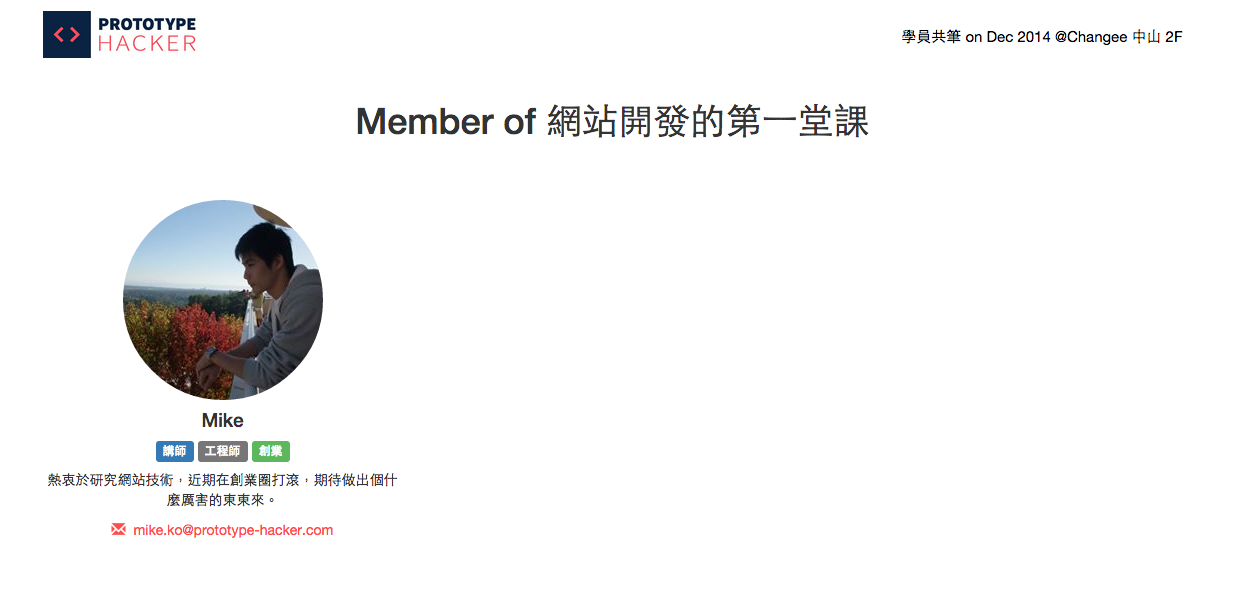
一起來協作網站
Git
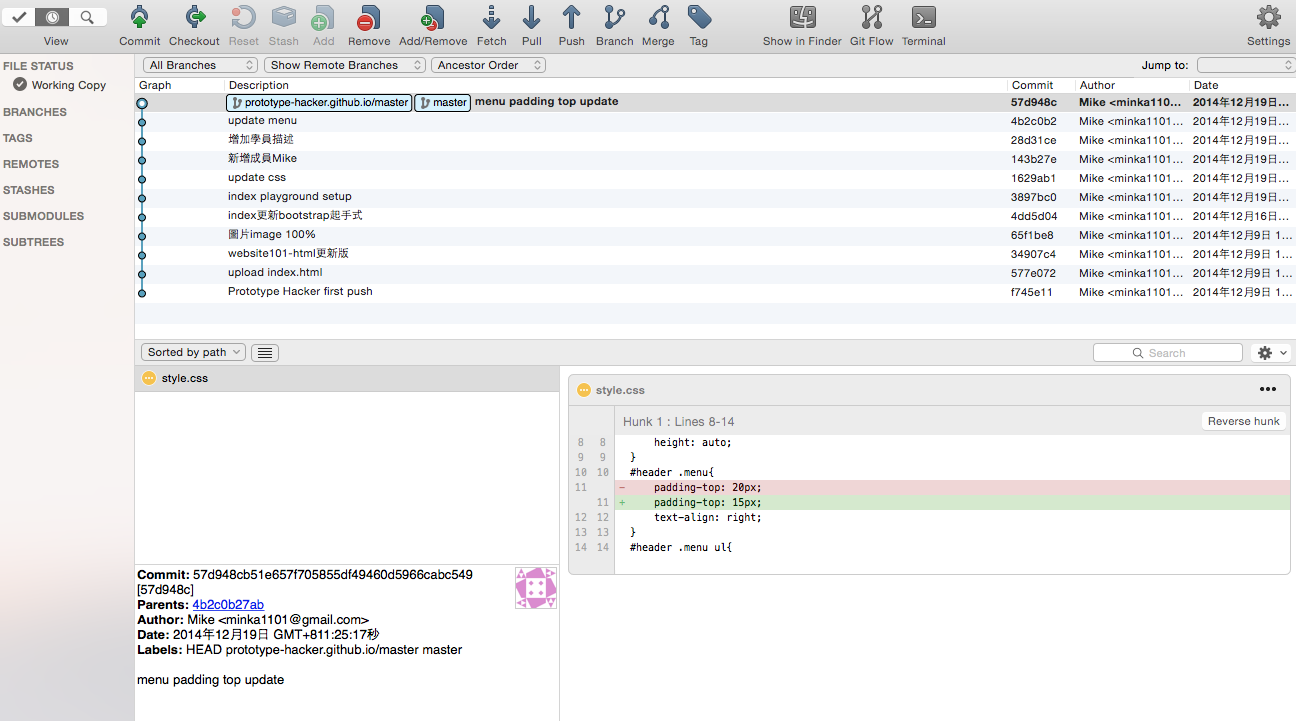
SourceTree圖形介面操作
排版小技巧
將item固定在容器內的特定位置:母層與子層
設定母層position: relative
來固定子元素位置position: absolute
<div class="block">
  <button class="btn btn-success">More</button>
</div>
.block{
position: relative;
width: 200px;
height: 200px;
}
.block .btn-success{
position: absolute;
right: 0;
bottom: 0;
}排版小技巧
置中
使內容置中
<style>
    .content{
        text-algn: center;
    }
</style>
<div class="content">
     my content
</div>
排版小技巧
置中
在版面內置中 ( 容器需有寬度 )
<style>
    .content{
        width: 500px;
        text-algn: center;
        margin: 0 auto;
    }
</style>
<div class="content">
     my content
</div>
<style>
.content{
position: absolute;
width: 500px;
text-algn: center;
left: 50%;
margin-left: -250px;
}
</style>
<div class="content">
my content
</div>一般狀況
位置是絕對時
排版小技巧
圓型的大頭照
border-radius設為50%
<style>
    .img-circle{
        -webkit-border-radius: 50%;
        -moz-border-radius: 50%;
        border-radius: 50%;
    }
</style>
<img class="img-circle" src="http://graph.facebook.com/mingkai.ko/picture?width=200">
*圖片需為正方形
Javascript
How it works?
alert('Hello World!');
console.log('Hello World!');
var element = document.getElementById('header');
利用Javascript的程式來操作頁面上的元件
[ Note ] DOM Document Object Model
HTML的架構以階層式將元素一層一層包起,每個tag就像是一個節點
再講下去應該有人要睡著了...所以...
console: 輸出字串在console上面
alert: 彈跳出瀏覽器警告視窗
var: 宣告javascript變數
JQuery
jQuery是什麼
jQuery是一套Javascript的函式庫Library,幫助你快速的選擇頁面上的元件,操作並改變頁面上的元件,也可以做一些簡單的效果。
<script src="//code.jquery.com/jquery-1.11.2.min.js"></script>
<script src="//code.jquery.com/jquery-migrate-1.2.1.min.js"></script>
1. 引入
怎麼寫?
2. 沒了 (就這麼簡單)
JQuery
jQuery是什麼
jQuery的宗旨是 write less do more!
用法:
選擇的方式跟CSS大略相同
. 代表class
# 代表id
$("#header img").html();$("") 裡面裝選擇器選擇元件
.html() 為寫好的function可直接使用
JQuery
做個小練習
利用.css() 來動態更換元件上的顏色
hint: .css('color', '#999999')
Javascript的語法:
除了if, else,每句結尾要有分號;
JQuery
起手式
為了好整理程式碼,建議也是將code寫在外部再引入。
新增一個檔案,叫做main.js
在</body>結尾前引入
$(document).ready(function() {
  // 當 DOM 載入完成,執行裡面的程式
});
程式碼寫在裡面
JQuery
語法 Syntax
Function
function(){

}
function funName(){
}jQuery執行
$('.select').toggleClass();變數 var, 結尾 ;
var myVar = 'website101 at Prototype Hacker';JQuery
做一個dropdown下拉選單
思考:
- 做好選單結構(ul, li),並隱藏 (display: none;)
- 選擇觸發的按鈕並綁定click事件
- 在觸發事件的function裡寫程式讓選單出現
hint: slideToggle()
JQuery
.click()
syntax
$('selector').click(function(){
// do the logic thing you need
});
選擇器click點擊事件:點了之後執行js程式邏輯
JQuery
.addClass() / .toggleClass()
syntax
$('selector').addClass('class-name');
$('selector').toggleClass('class-name');
選擇器新增、移除 class name
JQuery
.hover()
syntax
$('selector').hover(function(){
// things after hover effect
});
選擇器hover事件觸發後要執行的程式邏輯
JQuery
.children()
syntax
$('selector').children('selector');
若children中選擇器未填,會列出全部
選擇器traverse常用的選擇子層元件的方式
JQuery
.parent()
syntax
$('selector').parent('selector');
若parent中選擇器未填,會找最靠近的
選擇器traverse常用的選擇母層元件的方式
JQuery
.css()
syntax
$('selector').css('property','value');
使用js動態更改選擇器的css樣式
JQuery
.html()
syntax
$('selector').html(value);
value可有可無
若有給值為更改選擇器內的html內容,
若無給值為取出選擇器內的html內容
JQuery
.hide() / .show() / .toggle()
syntax
$('selector').hide();
$('selector').show();
$('selector').toggle();
選擇器隱藏或是顯示或者是交替
JQuery
快速做一個Slider
與jQuery相依的套件相繼出現,怎麼選擇?
網路上找評價或是去Github上面看他熱門的程度
思考:
先準備好圖片,一次顯示一張,過場transition...
做完可能deadline過了...
一般的功能不用再手刻
JQuery
快速做一個Slider
- 引入資源(js, css, images/icons)
- 按照文件檔設計好的結構撰寫html結構
- javascript觸發
Flexslider
Download: http://www.woothemes.com/flexslider/
Learn by doing
實做一次吧!
好用的Library
font
好用的Library
js
js for everything
關鍵字:jquery + "你要做的效果"
跑馬燈
jquery marquee
typed.js
好用的Library
假圖
http://lorempixel.com/800/600/
(根據你指定的尺寸隨機給你一張圖)
(如果你愛吃肉的話)
(單純的placeholder)
http://www.lorempicsum.com/#up
(可愛動畫電影系列)
好用的Library
假字
補充說明
input tag是在頁面上需要使用者輸入資料時使用
[ Note ] DNS: Domain Name System
網域名稱系統
每台Server都會分配到一組unique的IP(50.87.151.117)
可將一組符合規定內的名稱指定分配到IP上
DNS: http://www.google.com/
IP: 60.199.175.116