Vue.js
The Progressive JavaScript Framework

Ronald Runia
inspired by Paul Bremer - Saxum
Contents
- What is Vue
- Vue basics
- Exercises
- Assignment
You’ll learn the basics of Vue such as state, props, components, lifecycle hooks, Vue cli,...
Vue (pronounced /vjuː/, like view) is a progressive framework for building user interfaces. Unlike other monolithic frameworks, Vue is designed from the ground up to be incrementally adoptable. The core library is focused on the view layer only, and is easy to pick up and integrate with other libraries or existing projects. On the other hand, Vue is also perfectly capable of powering sophisticated Single-Page Applications when used in combination with modern tooling and supporting libraries.
| Framework/Library | Stars |
|---|---|
| AngularJS | 58k |
| Angular | 36k |
| React/preact | 96k / 18k |
| Vue | 94k |
Github numbers
Vue.js is the trendiest project of 2017, with more than 40,000 stars added on GitHub during the year - https://risingstars.js.org/2017/
Every Vue application starts by creating a new Vue instance with the Vue function:
var vm = new Vue({
  // options
})
Although not strictly associated with the MVVM pattern, Vue’s design was partly inspired by it.
As a convention, we often use the variable vm (short for ViewModel) to refer to our Vue instance.
Directives
Directives are special attributes with the v- prefix.
Directive attribute values are expected to be a single JavaScript expression
v-text
<span v-text="msg"></span>
<!-- same as, better: -->
<span>{{msg}}</span>
v-if / v-else
<div v-if="Math.random() > 0.5">
  Now you see me
</div>
<div v-else>
  Now you don't
</div>
Conditionally render the element based on the truthy-ness of the expression value.
v-show
Same as v-if but toggles the display css prop
v-for
<div v-for="item in items">
  {{ item.text }}
</div>

<!-- Value + index: -->
<div v-for="(item, index) in items">
  {{ item.text }}
</div>
v-on / @
<!-- method handler -->
<button v-on:click="doThis"></button>

<!-- shorthand -->
<button @click="doThis"></button>

<!-- prevent default -->
<button @click.prevent="doThis"></button>

<!-- key modifier using keyAlias -->
<input @keyup.enter="onEnter">
Attaches an event listener to the element
v-bind / :
<!-- bind an attribute -->
<img v-bind:src="imageSrc">

<!-- shorthand -->
<img :src="imageSrc">
Dynamically bind one or more attributes, or a component prop to an expression.
v-model
<input type="search" v-model="searchTerm">Create a two-way binding on a form input element or a component
Single file components
HTML template
script
css/scss
<template>
  <div id="app">
    <img src="./assets/logo.png">
    <HelloWorld msg="Welcome to Your Vue.js App"/>
  </div>
</template>

<script>
import HelloWorld from './components/HelloWorld.vue'

export default {
  name: 'app',
  components: {
    HelloWorld
  }
}
</script>

<style>
#app {
  font-family: 'Avenir', Helvetica, Arial, sans-serif;
  -webkit-font-smoothing: antialiased;
  -moz-osx-font-smoothing: grayscale;
  text-align: center;
  color: #2c3e50;
  margin-top: 60px;
}
</style>
Props (with validation)
<script>
export default {
  props: {
    propA: Number,
    // Multiple possible types
    propB: [String, Number],
    // Required string
    propC: {
      type: String,
      required: true
    },
  }
}
</script>
Instance Lifecycle Hooks
The created hook can be used to run code after an instance is created
new Vue({
  data: {
    a: 1
  },
  created: function () {
    // `this` points to the vm instance
    console.log('a is: ' + this.a)
  }
})
// => "a is: 1"Complete example
export default {
  components: {
    searchform
  },
  props: {
    propC: {
      type: String,
      required: true
    },
  },
  data() {
    return {
      searchQuery: ''
    }
  },
  created: function() {
    this.submitForm('query');
  },
  methods: {
    submitForm(searchQuery) {
      this.searchQuery = searchQuery;
    }
  },
}
Let's do this
https://github.com/RonaldR/vue-workshop/
https://slides.com/ronaldr/vue-js

Vue CLI
npm install -g @vue/cli
'CLI for rapid Vue.js development'

Create app!
$ vue create vue-workshop
$ cd vue-workshop
$ npm run serve |

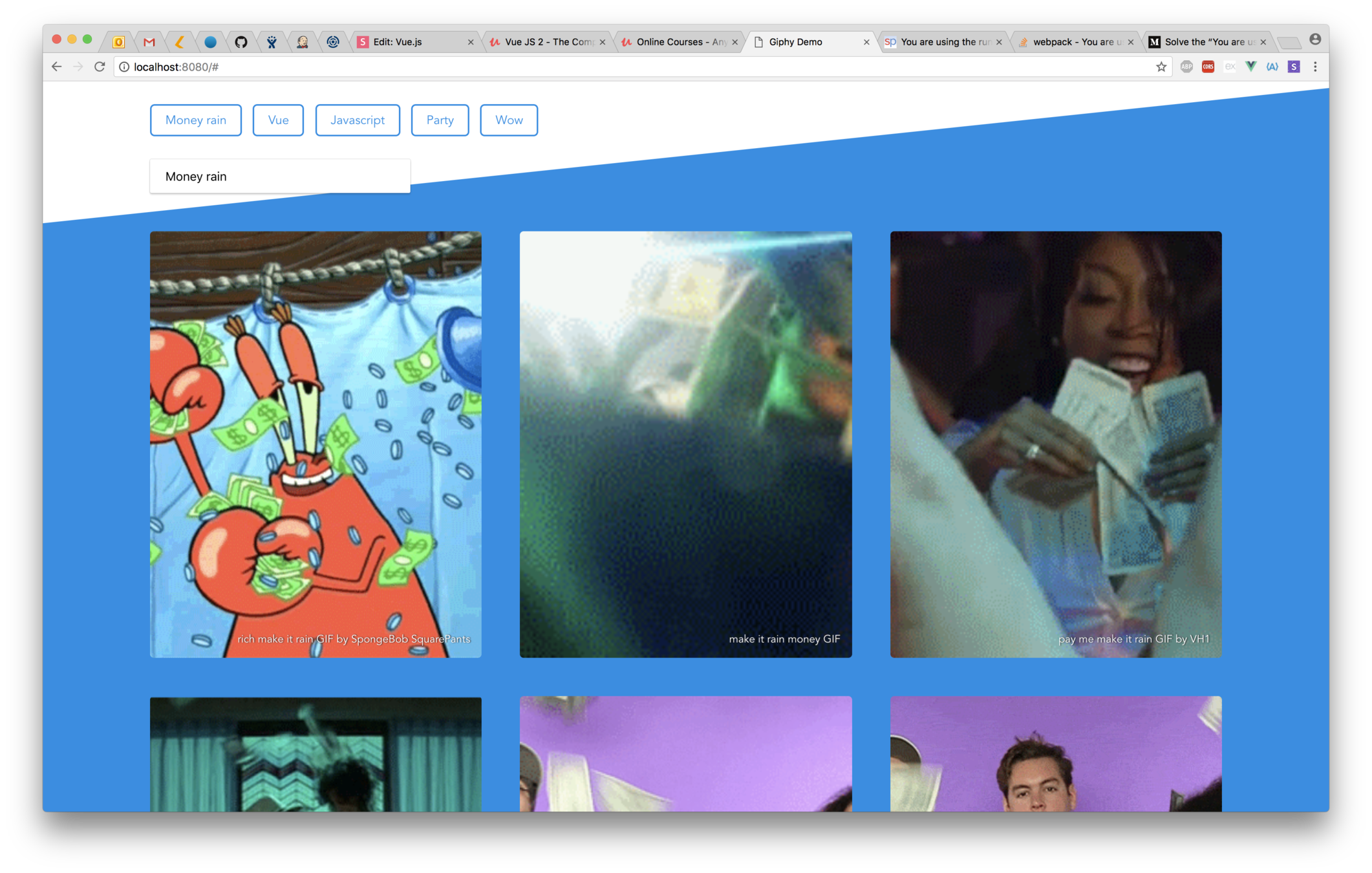
Assignment!
Create an app that uses the Giphy api to search
your favorite gifs :)
https://github.com/RonaldR/vue-workshop/assignment

More!
-
https://slides.com/ronaldr/vue-js
-
https://vuejs.org/v2/guide/
-
https://github.com/vuejs
-
https://github.com/vuejs/vue-router
-
https://github.com/vuejs/vuex
-
Maximilian @ Udemy: https://www.udemy.com/vuejs-2-the-complete-guide
-
https://nuxtjs.org - server side rendering
-
https://github.com/vuejs/awesome-vue
Thanks!