Vue.js

The Progressive JavaScript Framework
Paul Bremer
@paulbremer_
Vue.js
Vue is a progressive framework for building user interfaces. Vue is designed from the ground up to be incrementally adoptable. The core library is focused on the view layer only, and is easy to pick up and integrate with other libraries or existing projects. On the other hand, Vue is also perfectly capable of powering sophisticated Single-Page Applications when used in combination with modern tooling and supporting libraries.
Vue instance
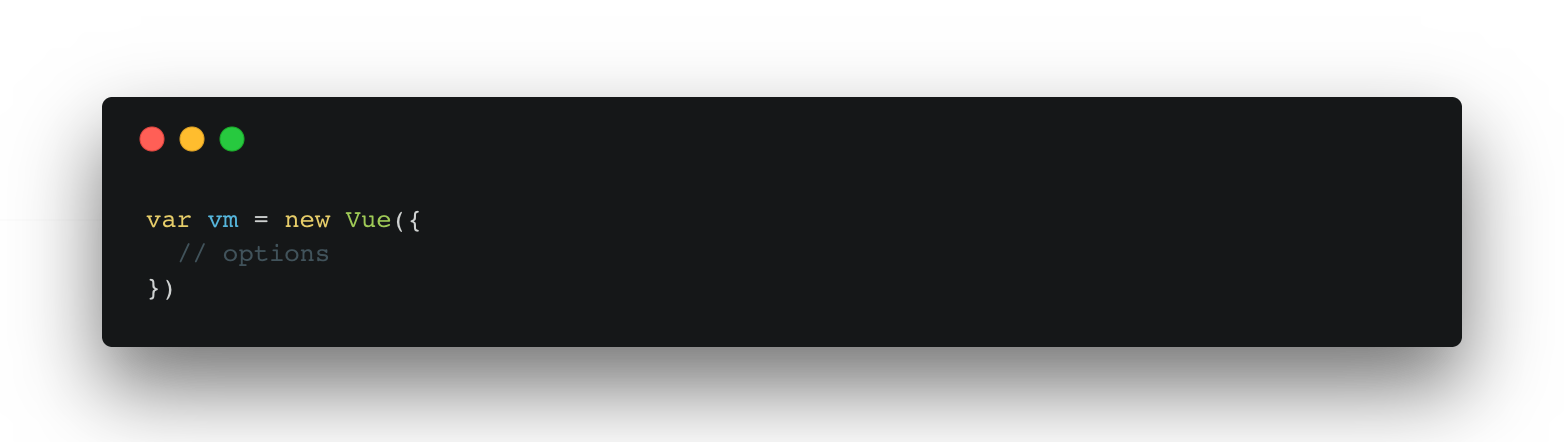
Every Vue application starts by creating a new Vue instance with the Vue function.
When a Vue instance is created, it adds all the properties found in its data object to Vue’s reactivity system.
Directives are special attributes with the v- prefix.
Directive attribute values are expected to be
a single JavaScript expression
$ node -v |
Ready?
Node (>=4.x) & NPM (3+)?
$ npm -v |
$ npm install -g vue-cli
|
Vue CLI
Simple CLI for scaffolding Vue.js projects
$ vue init webpack vue-workshop |
Init!
$ cd vue-workshop $ npm install $ npm run dev |
Template Syntax
Vue.js uses an HTML-based template syntax that allows you to declaratively bind the rendered DOM to the underlying Vue instance’s data. All Vue.js templates are valid HTML.
Under the hood, Vue compiles the templates into Virtual DOM render functions. Combined with the reactivity system, Vue is able to intelligently figure out the minimal amount of components to re-render and apply the minimal amount of DOM manipulations when the app state changes.
<input type="text" v-model="username" />
|
v-model
Create a two-way binding on a form input element or a component
<button v-on:click="doFunction()"></button>
v-on
Attaches an event listener to the element.
Can either be a method name or an inline statement.
<div v-for="item in items">
  {{ item.text }}
</div>
|
v-for
Render the element or template block multiple times based on the source data
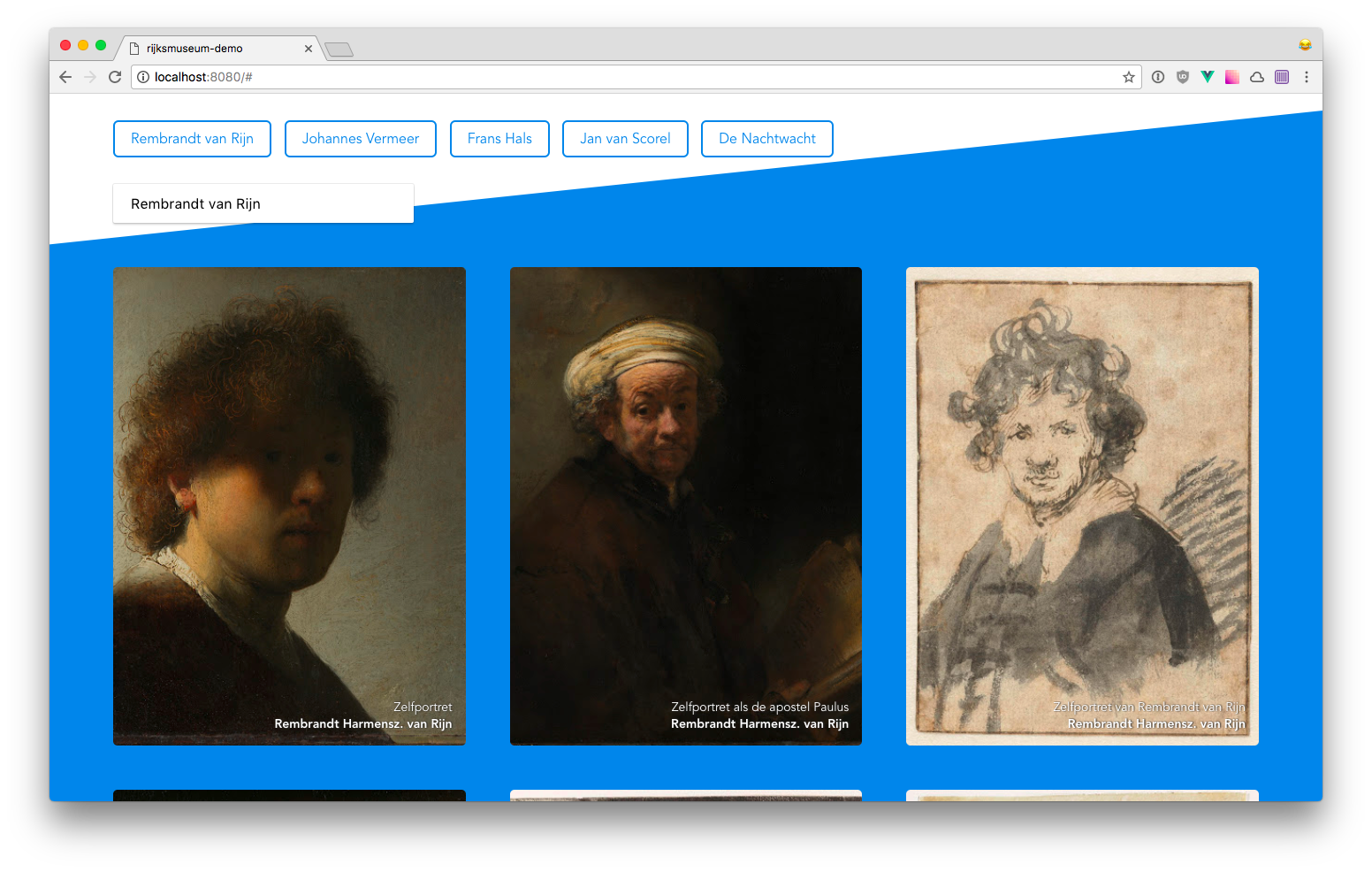
<img v-bind:src="json.image.url" />
|
v-bind
Dynamically bind one or more attributes, or a component prop to an expression
<p v-if="active">I'm visible!</p>
|
v-if
Conditionally render the element based on the truthy-ness of the expression value
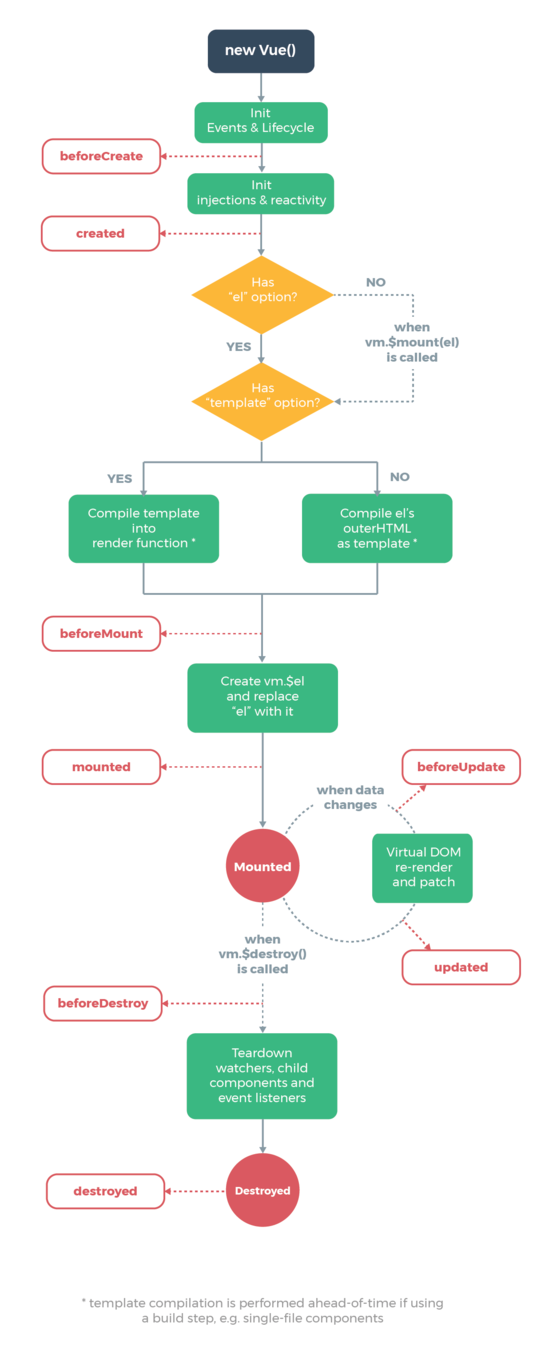
Instance Lifecycle Hooks
Each Vue instance goes through a series of initialization steps when it’s created - for example, it needs to set up data observation, compile the template, mount the instance to the DOM, and update the DOM when data changes. Along the way, it also runs functions called lifecycle hooks, giving users the opportunity to add their own code at specific stages.
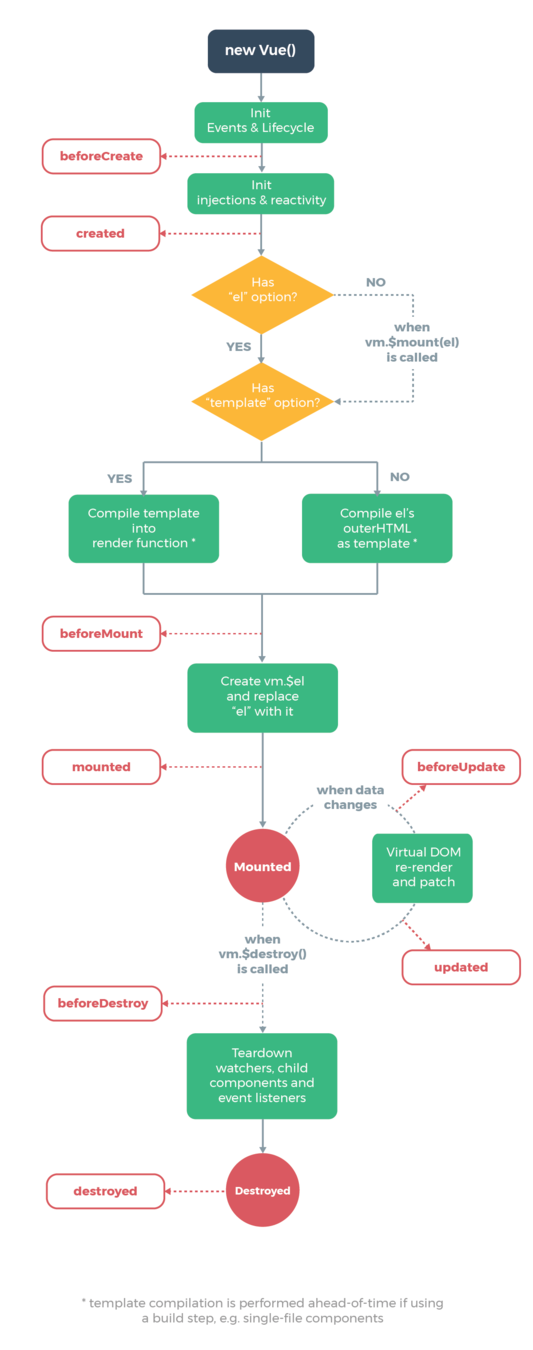
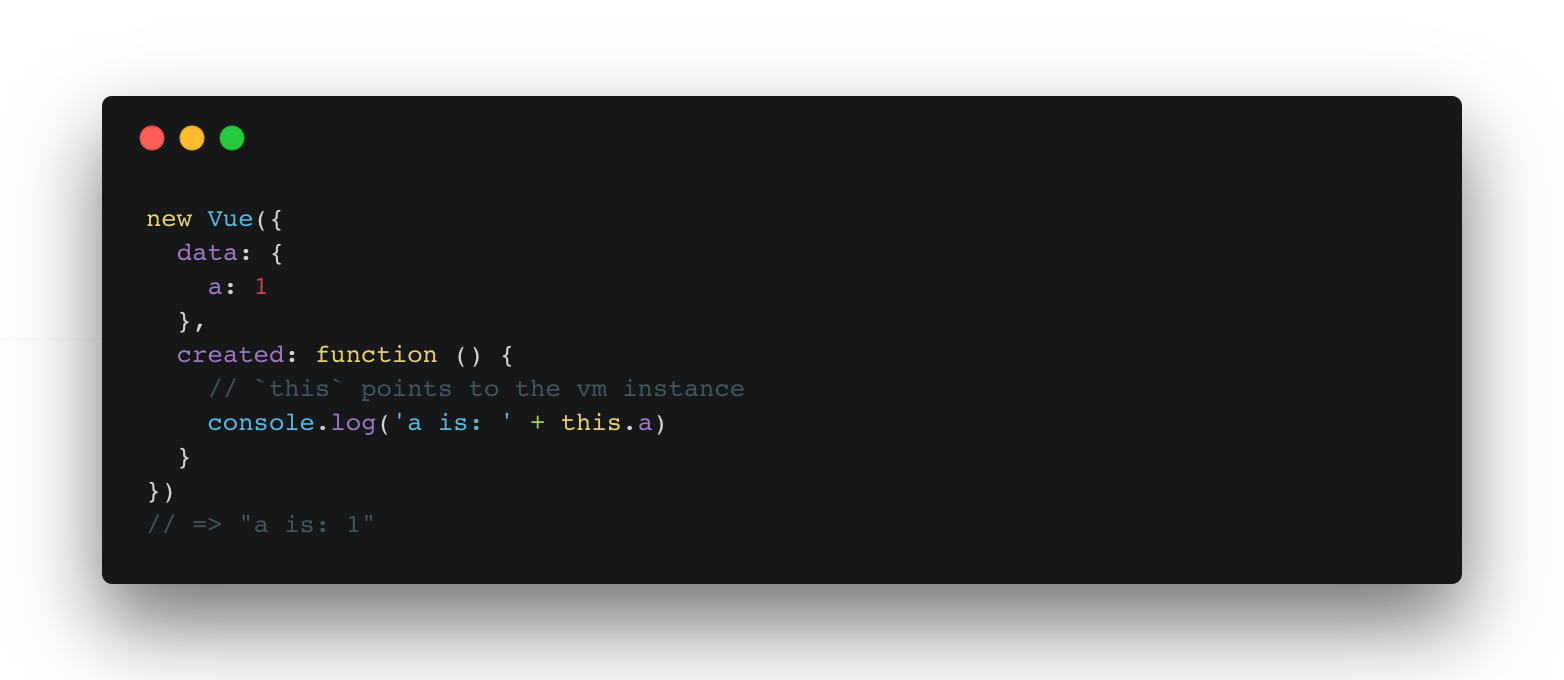
Created Hook
new Vue({
  data: {
    a: 1
  },
  created: function () {
    // `this` points to the vm instance
    console.log('a is: ' + this.a)
  }
})
The created hook can be used to run code after an instance is created
Components
Components are one of the most powerful features of Vue. They help you extend basic HTML elements to encapsulate reusable code.
At a high level, components are custom elements that Vue’s compiler attaches behavior to.
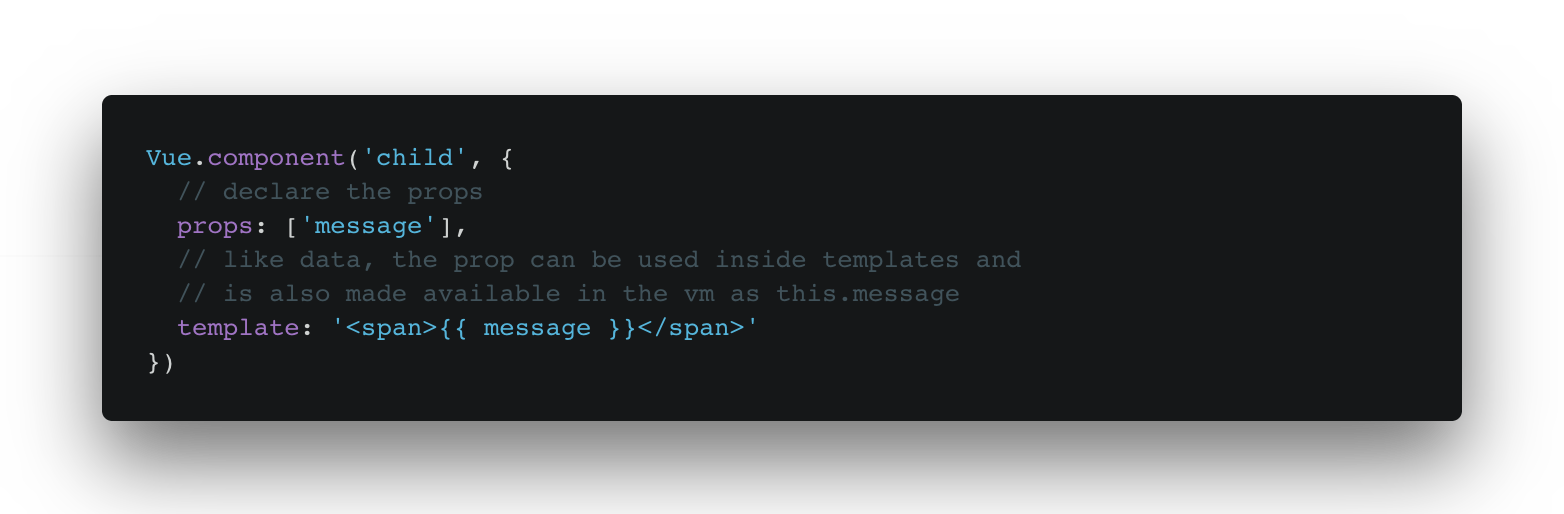
Every component instance has its own isolated scope. This means you cannot (and should not) directly reference parent data in a child component’s template. Data can be passed down to child components using props.

:key="result.id"
|
Key
To give Vue a hint so that it can track each node’s identity, and thus reuse and reorder existing elements, you need to provide a unique key attribute for each item.
An ideal value for key would be the unique id of each item.
EventBus
EventBus allows us to emit an event in one
component and listen for that event in another.

https://zeit.co/now $ npm install -g now |
Deploy
∆ now allows you to take your JavaScript (Node.js) or Docker powered websites, applications and services to the cloud with ease, speed and reliability.
What next?
Vue.js Docs
https://vuejs.org/v2/guide
Vuex State Management
https://vuex.vuejs.org/en/
Vue Unit Testing
https://vue-test-utils.vuejs.org/en/
Awesome Vue
https://github.com/vuejs/awesome-vue
Fin.

Fin.

Fin.

Fin.

Vue.js
By paulbremer