Turn a PDF into a deck you can keep editing.
Importing a PDF is useful when the source already exists but you want to move it into a live presentation workflow for sharing, editing, and presenting online.
Create a deck, upload the file, and configure the import.
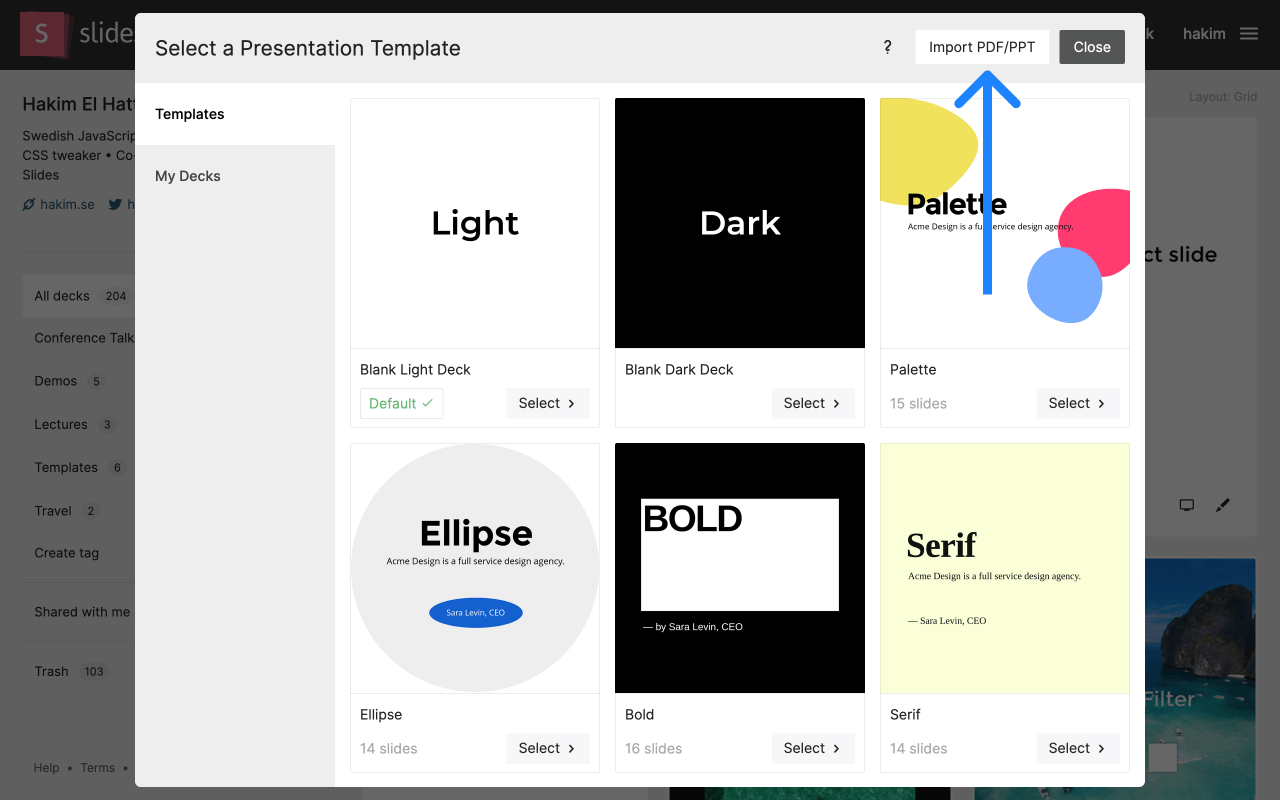
Create a presentation.
Start with a new deck so the imported pages have a clear place to land.
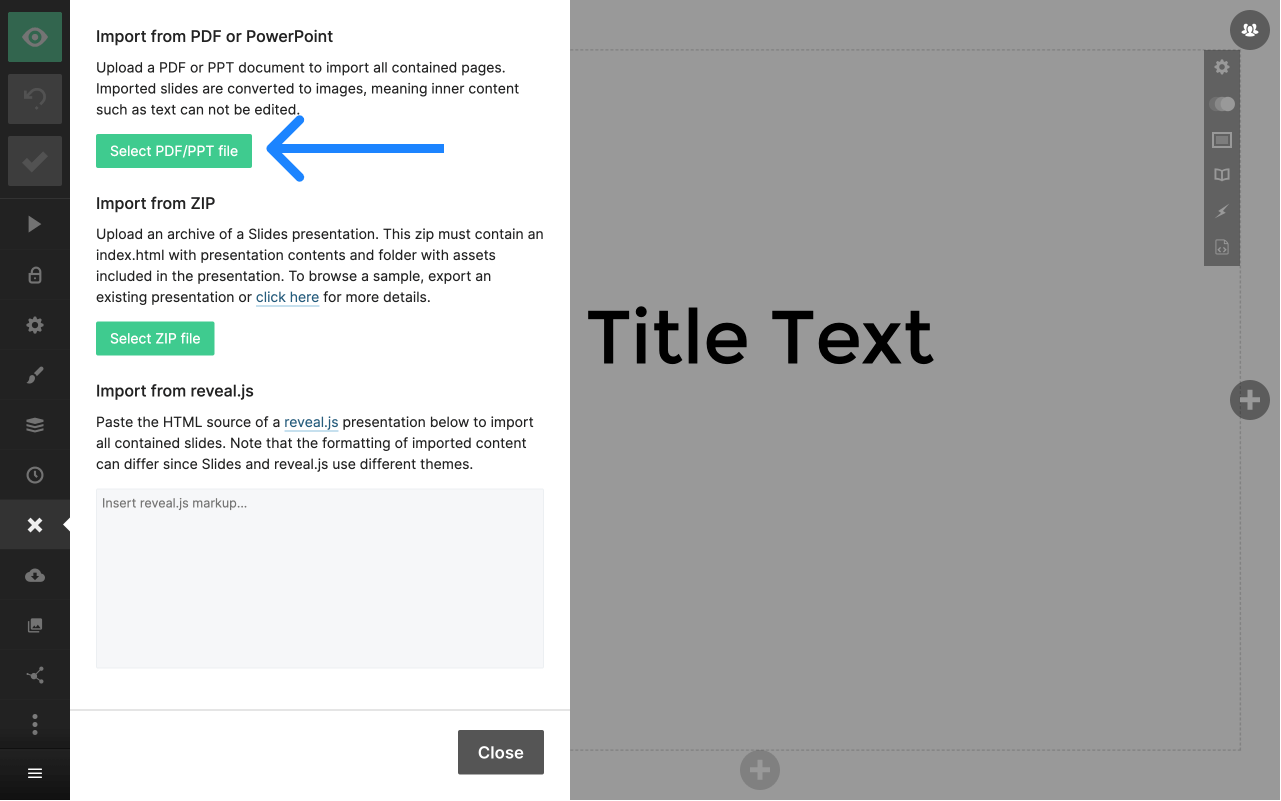
Upload the PDF.
Choose the source file and let Slides prepare the import flow.
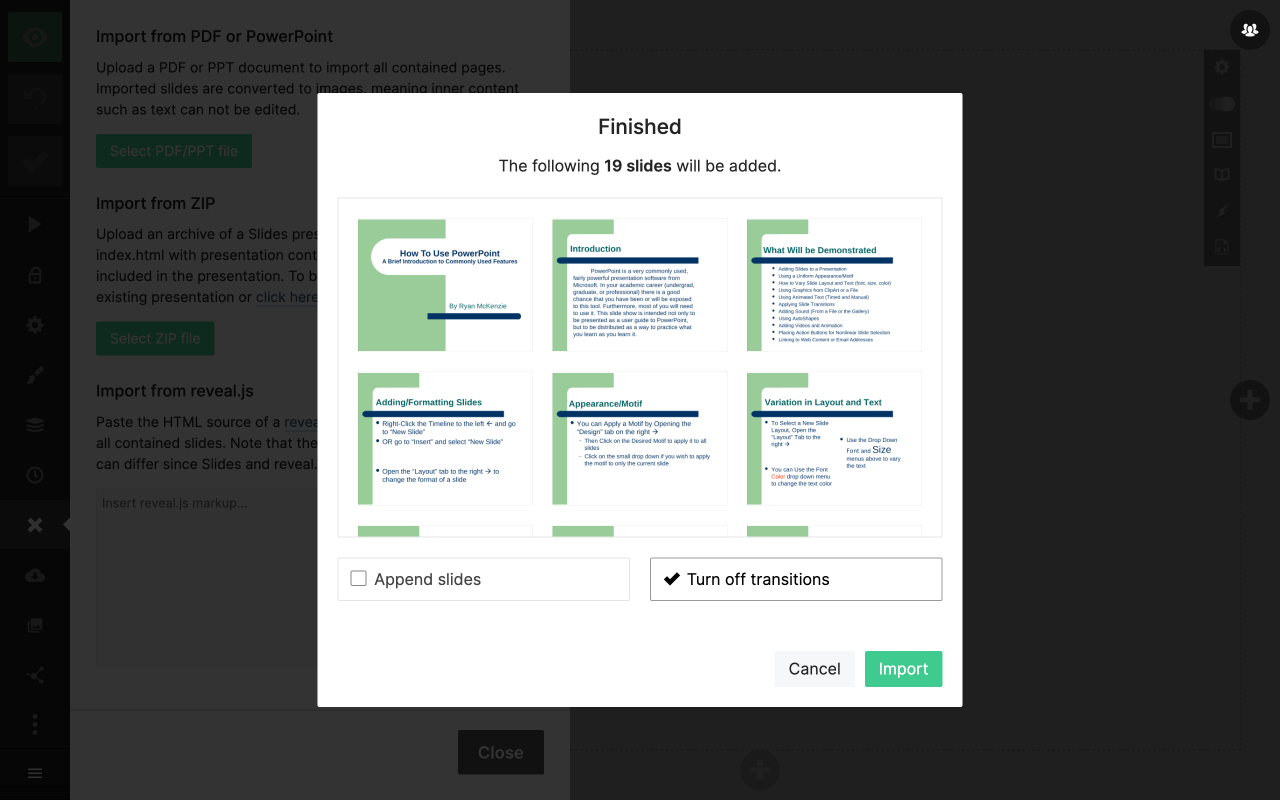
Configure the import.
Review sizing and import preferences before the pages are converted into slides.
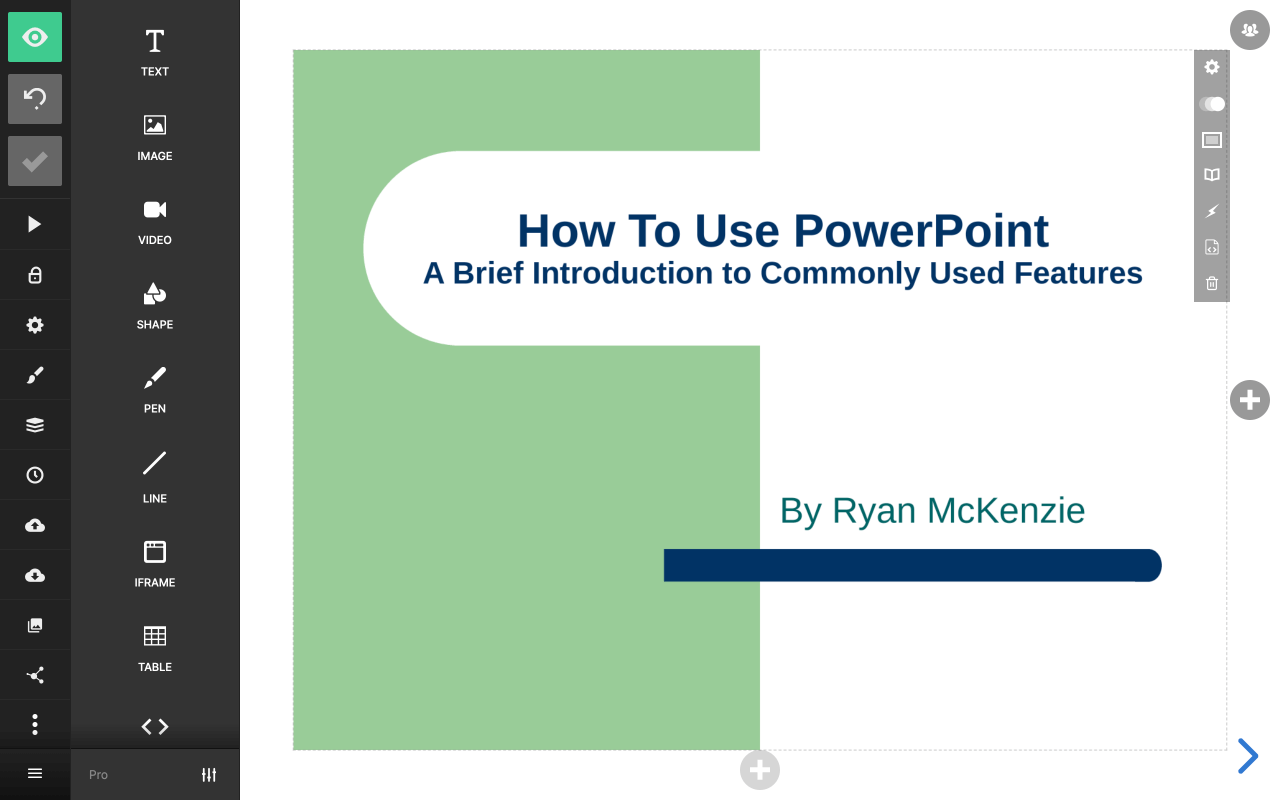
Continue editing.
Once imported, the deck is ready to present as-is or refine with Slides layout and media tools.