
Logging client side errors
Why?
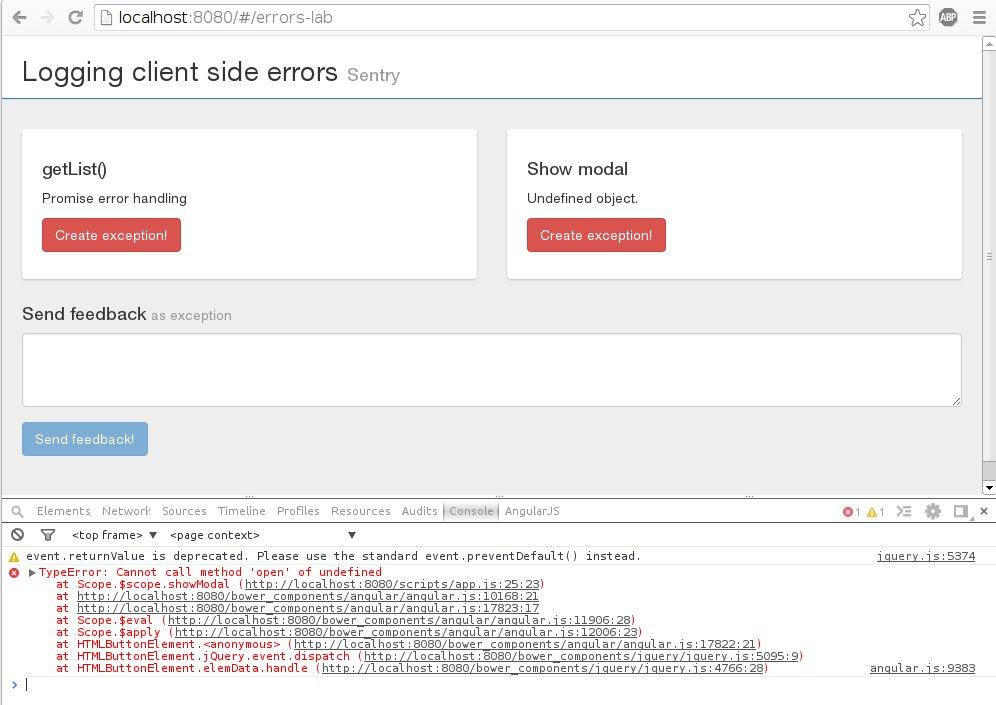
- Users rarely sends error feedback ( They just go away )
- Faster response on the bugs
What?
What do you need to recreate the bug?
- Browser
- Url
- Operation system
- Viewport
- Stacktrace


Founders:
David Cramer @zeeg | dropbox .com

Chris Jennings
@ckj
| github.com
- Open Source (powered by Python/Django)
- Clients for many popular programming languages (made by community)
- ~90% users use self hosted server for free. (based on this interview)
Demo
( http://demo.budmore.pl/logging-client-side-errors/sentry )
SSID : GPNT
Confiugure Sentry
Minimal setup:
- Add Allowed Domains
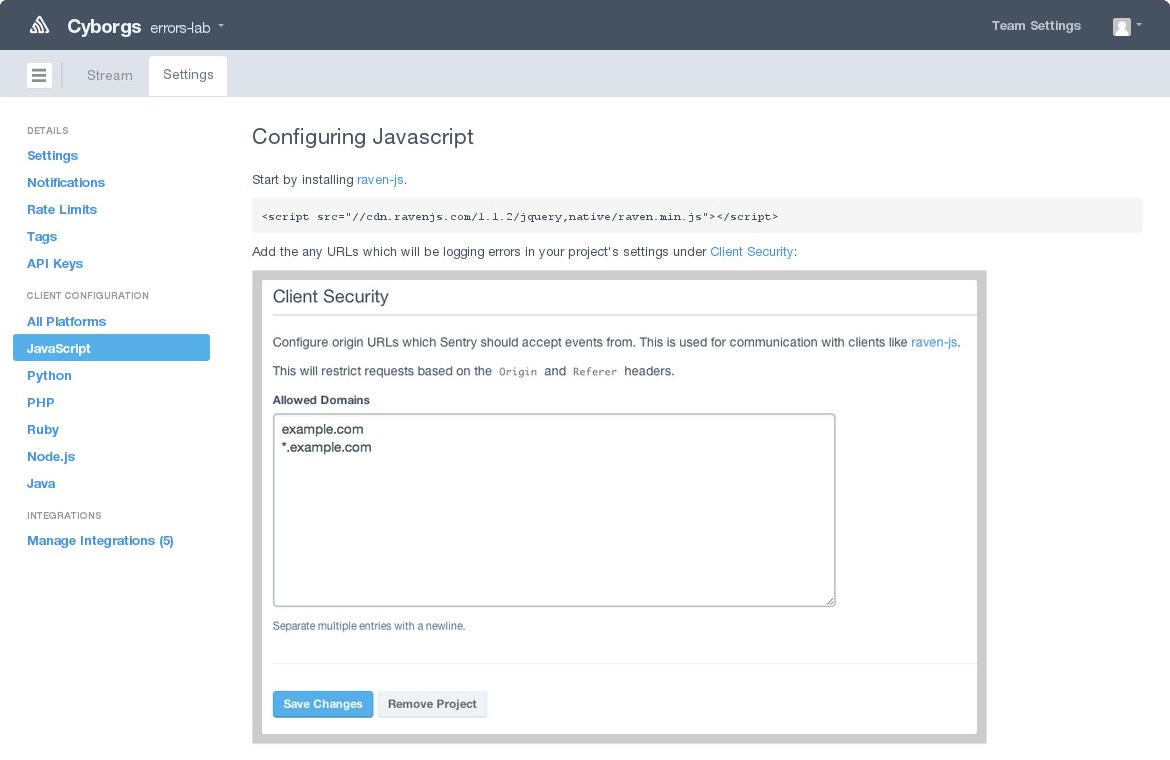
Configure Client
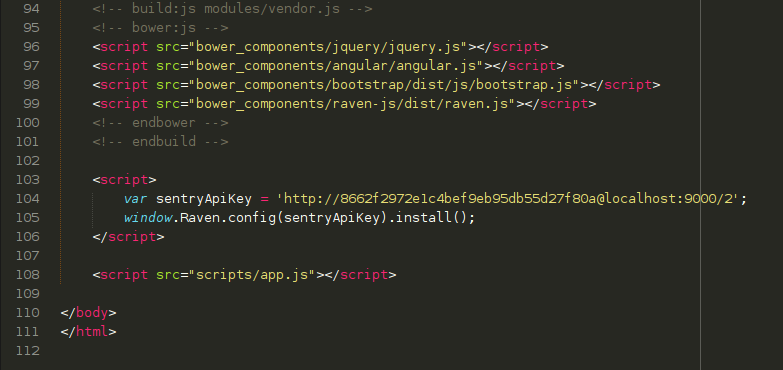
Minimal setup:
- Include Raven-js library
- add Raven.config(...).install()
Done!
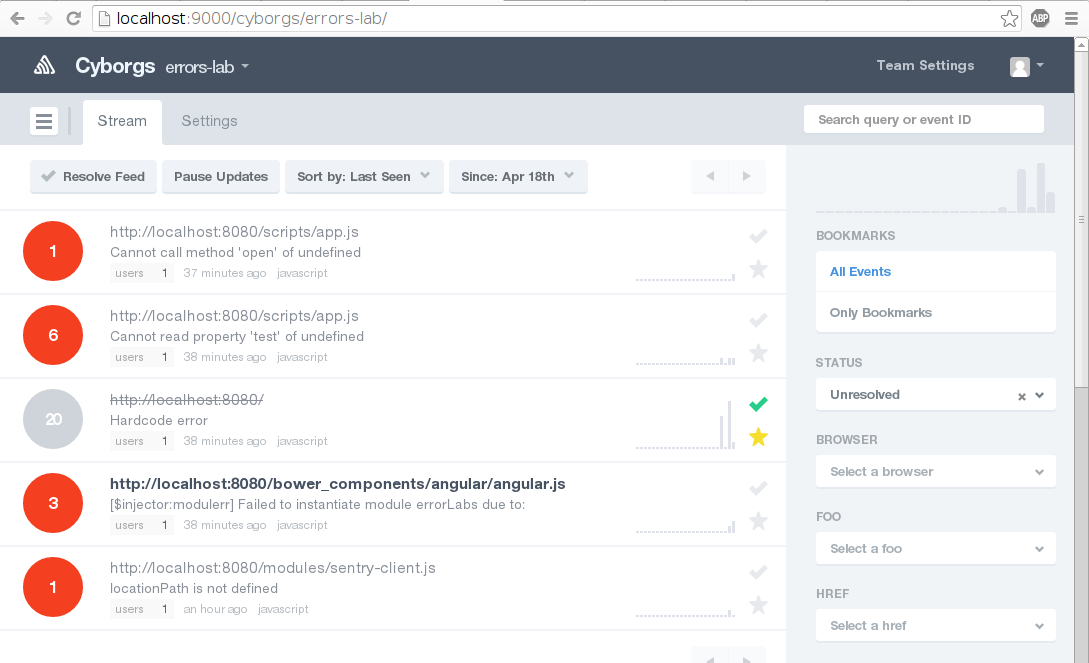

+
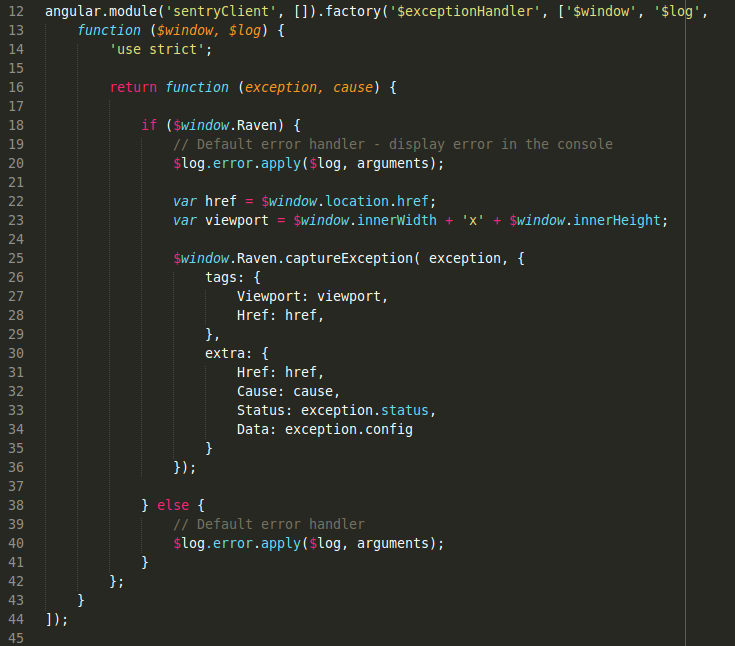
example
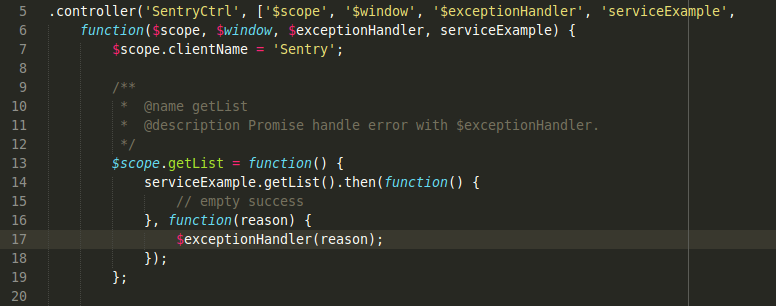
Use $exceptionHandler( ) to catch errors.
{
Track:js
}

Founders:

Eric Brandes @ BrandesEric

Nick Pelton
@
nickpelton

Todd H Gardner
@
toddhgardner
- Created specially for JavaScript! ( powered by C#/ASP )
- Detailed info ( Telemetry Timeline )
- Easy to use
- Commercial subscriptions ( free plan available )
{ Track:js }
Timeline
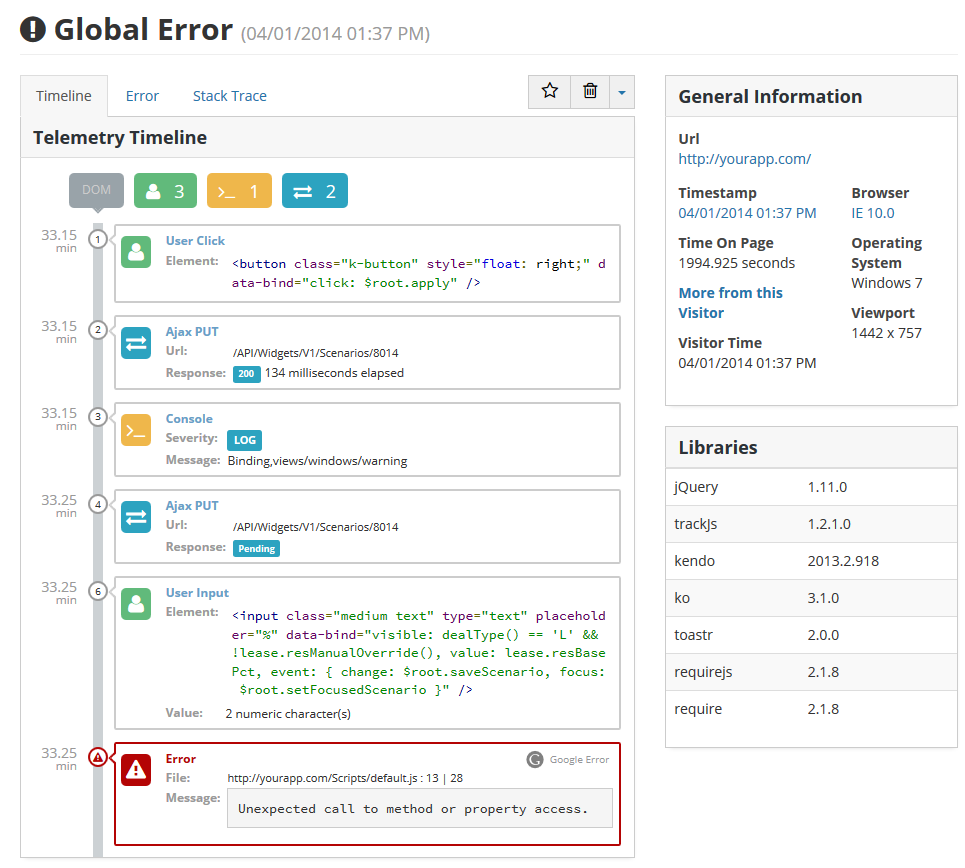
{ Track:js }
Just add tracker

{ Track:js }
DONE!


{ Track:js }
The error is only the beginning.
Too often the error message and stacktrace are not enough to reason about what happened and what went wrong. That's what drove us to create {Track:js}. Our Telemetry Timeline is the first step to give you the information to recreate errors, but every application is different.
Todd H Gardner
Alteranative


Google Analitics - Event Tracking ( Article )

Thanks
Jakub Mach @Budmore
Logging client side errors
By Jakub Mach
Logging client side errors
How easily log errors from users' browsers with Sentry and Trackjs.