Angular Best Practice Survey
by Madincea Vasile <vmadincea@gmail.com>
Agenda
- What's this about?
- Angular introduction
- Angular for our project
- Project structure
- ui-router
- Fat models, slim everything else
- Models as single source of truth
- ng-repeat
- Directives
- Other small improvements
What's this about?
What's this about?
- a few Angular best practices applied on a CMED Angular project for 6 months (first iteration)
- not to just enumerate some ng best practices, but to challenge them
- all following statements in the presentation may and should be put under the microscope
Angular introduction
Angular introduction
Super heroic javascript framework!
It is very helpful indeed if the framework guides developers through the entire journey of building an app: from designing the UI, through writing the business logic, to testing.
— The Zen of Angular
Angular introduction
-
Angular 1.x best for:
- prototyping
- complex projects with heavy business logic where one change in the model can affect multiple parts of the UI
- The docs seem to target more the prototyping part
- For other targets, prepare to dig deeper...
Angular introduction
Angular specifics
- two way data binding: view <--> controller
- $scope: javascript object to support change detection
- controllers: attach context to $scope
- directives: web components several years earlier
- modules: organize your logic structure
- services: make angular aware of your models
- dependency injection: ask for dependencies, don't look for them
- testing
Angular introduction
Pros
- two way data binding: the good parts
- directives
- templates: if you don't pollute them with too much logic
- dependency injection
- testing
Angular introduction
Cons
- two way data binding: the bad parts
-
Angular 2.0: total different beast
- backwards incompatibility
- support for web components
- Typescript
- R.I.P. : controller, scope, modules and two-way data binding
Angular introduction
Two-way data binding
Pros
- less code (no boilerplate code for manipulating the DOM)
- let's you focus more on your application
- let's you rethink the app around the model
Cons
- reduces app's performance
Angular for our project
Angular for our project
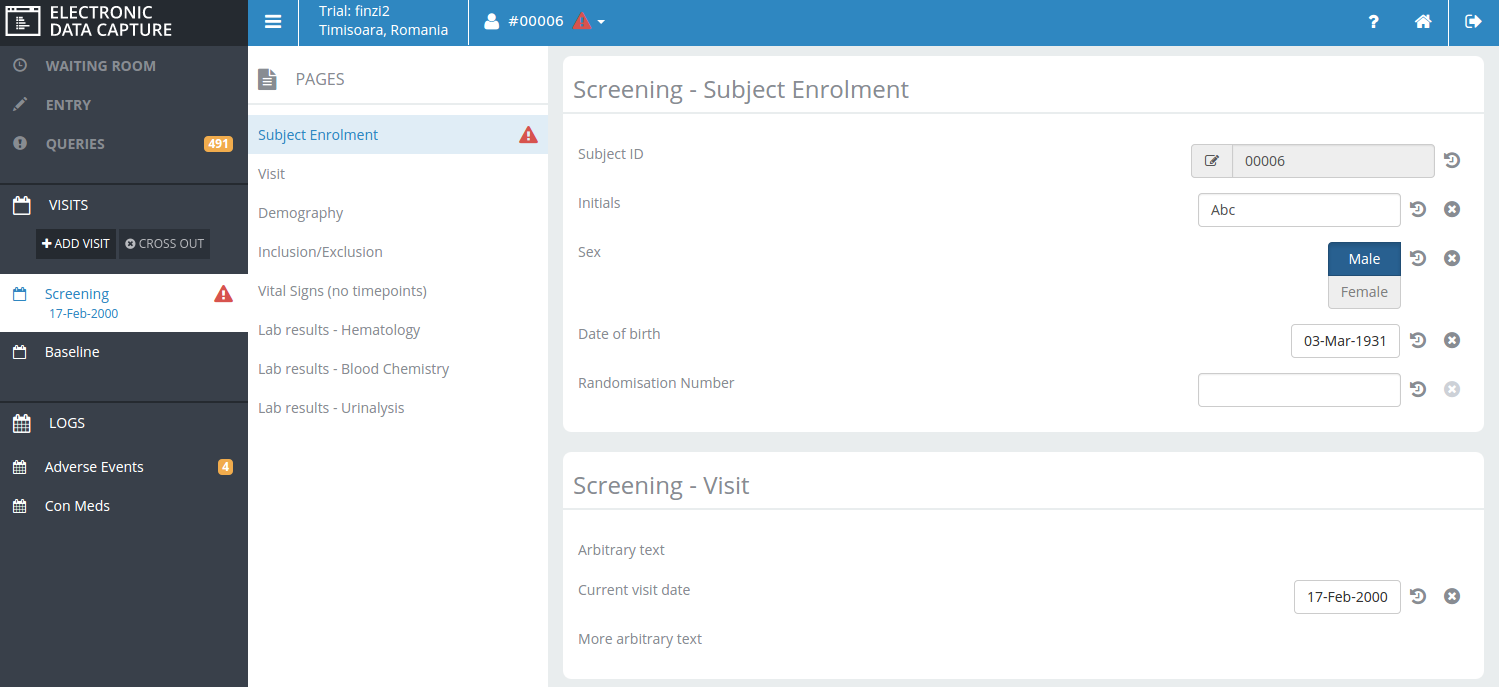
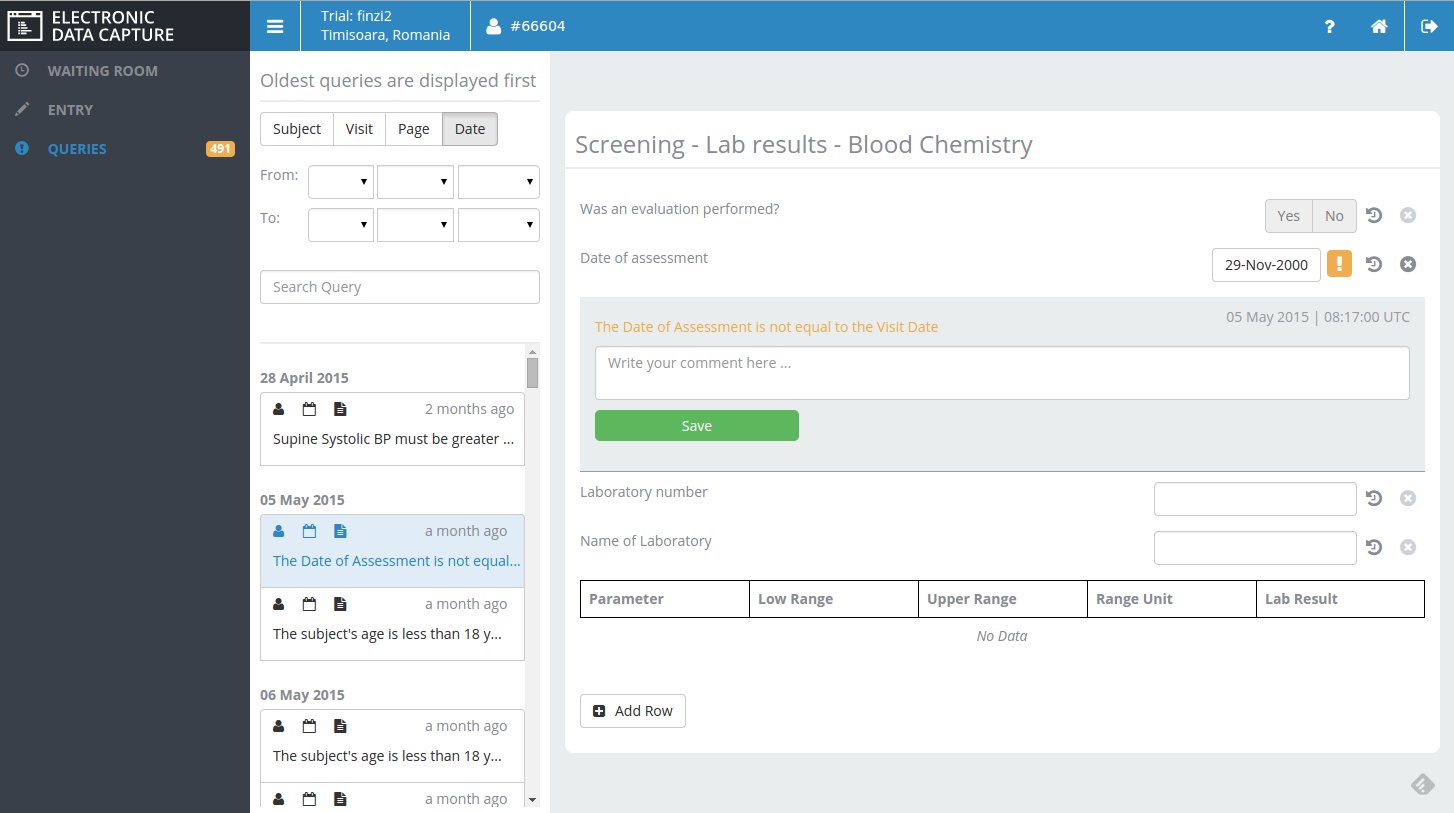
Project with a complex business model that needs to update a lot of things in the UI
- Angular as the javasript framework to help productivity
- Coffeescript to help us with javascript bad parts
- Grunt for automation (Yeoman generator legacy)
- Focus on cleaner, readable and maintainable code
- Only make improvements that don't break angular compatibility
Project structure
Project structure
Feature based structure 3 levels deep
/bower_components
/build
/node_modules
/src
/test
Gruntfile.coffee
bower.json
package.json
/app
/assets
/less
/third_party
index.html
/layout
/shared
/sidebar
/topbar
/components
/models
/feature1
feature1.coffee
feature1.html
feature1.less
/feature2
app.coffee
ui-router
ui-router
State machine manager with routing as bonus
https://github.com/angular-ui/ui-router
ui-router
- nested, parallel and multiple named views
- rethink the views as states
- router abstraction
ui-router vs ng-router
# app.coffee

angular
.module 'app'
.config ($stateProvider, $urlRouterProvider, $httpProvider) ->
  $httpProvider.interceptors.push 'sessionInjector'
  $urlRouterProvider.otherwise "/default_state"
  $stateProvider

  .state "abstract_state",
    abstract: true
    views:
      "":
        templateUrl: "app/layout/layout.html"
        controller: "LayoutController as layoutCtrl"
      "topbar@abstract_state":
        templateUrl: "app/shared/topbar/topbar.html"
        controller: "TopbarController as topbarCtrl"
      "sidebar@abstract_state":
        templateUrl: "app/shared/sidebar/sidebar.html"
        controller: "SidebarController as sidebarCtrl"

  .state "abstract_state.permission_denied",
    url: "/permission_denied"
    templateUrl: "app/permission_denied/permission_denied.html"

  .state "abstract_state.feature1",
    url: "/feature1"
    views:
      "":
        templateUrl: "app/feature1/feature1.html"
        controller: "Feature1Controller as feature1Ctrl"
      "toolbar@abstract_state":
        templateUrl: "app/feature1/toolbar.html"
        controller: "ToolbarController as toolbarCtrl"
      "navigation@abstract_state":
        templateUrl: "app/feature1/navigation.html"
        controller: "NavigationController as navigationCtrl"

  .state "abstract_state.abstract_state2",
    abstract: true
    views:
      "":
        templateUrl: "app/feature2/abstract_state2.html"
        controller: "AbstractState2Controller as abstractState2Ctrl"
    resolve:
      initialData: (DataService) ->
        DataService.asyncFetch()

  .state "abstract_state.abstract_state2.feature2",
    url: "/feature2"
    views:
      "":
        templateUrl: "app/feature2/feature2.html"
        controller: "Feature2Controller as featureCtrl"
      "toolbar@edc":
        templateUrl: "app/feature2/toolbar.html"
        controller: "ToolbarController as toolbarCtrl"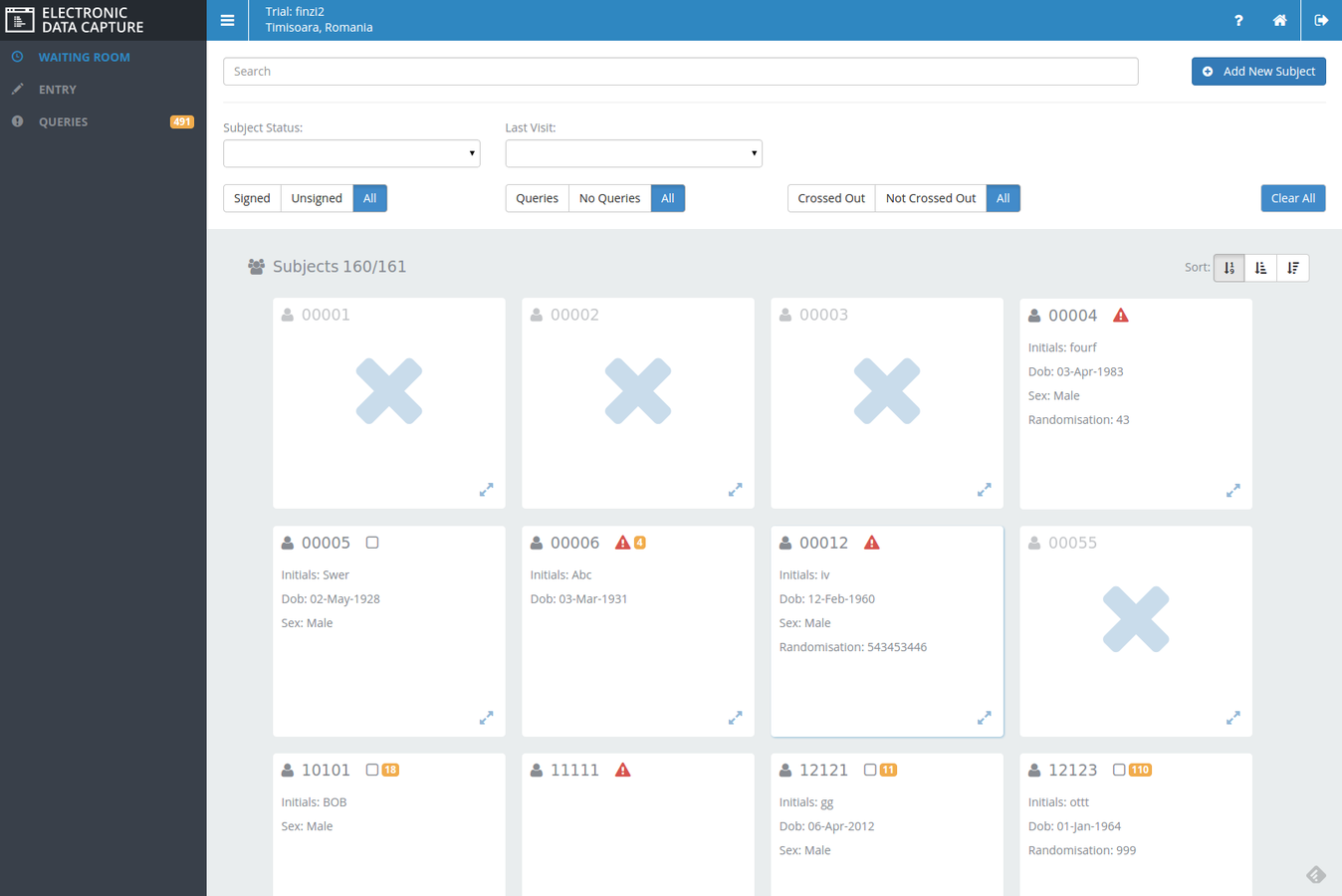
ui-router
- define a layout for the app (abstract views)
- resolve:
- block access to state until resources are available (promises are resolved)
- nice when starting, to ditch in the end because of UX issues and performance
- let the rendering start and when resources are available start populating the view
- control transitions between states
- check for permission to enter state or redirect
- load/prepare resources
.run ($rootScope, $state, CheckAccess) ->
  $rootScope.$on '$stateChangeStart', (e, toState, toParams, fromState, fromParams) ->

    # check permission to enter any state in the app
    if toState.name isnt 'abstract_state.permission_denied'
      denyAccess = CheckAccess.denyAccess
      if denyAccess
        e.preventDefault()
        $state.go "abstract_state.permission_denied"

    # check valid id for entering a certain state
    if toState.name is 'abstract_state.feature1'
      #stoping the router to go any further on the expected path
      e.preventDefault()
      CheckAccess.asyncIsValid(toParams.id).then (isValid) ->
        if isValid
          # notify: false will not emmit stateChangeStart event in order to avoid infinite loop
          $state.go("abstract_state.feature1", toParams, {notify: false}).then () ->
            #but we still need stateChangeSuccess to let the router start the rendering
            $rootScope.$broadcast('$stateChangeSuccess', toState, toParams, fromState, fromParams)
        else
          $state.go "abstract_state.default"
Fat models, slim everything else
Fat models, slim everything else
- controllers should just map the model data to the view
- from templates it's much harder to move the logic because angular makes it stupidly easy to do many things directly in templates
- ng-if, ng-switch, ng-show, ng-disabled, ng-class...
- very good for prototyping, might become a pain to maintain as the project grows
Move logic from templates and controllers to models
Models
Models
- you only modify the model and everything related in the view will update accordingly
- view-model binding
- angular two way binding: view-controller
- reference binding: controller-model
- almost no events used to notify changes
- no spaghetti code
- lines of code reduced considerably
- big attention to losing reference: use angular.copy
Single source of truth
ng-repeat
ng-repeat
- use trackBy
- avoid filters in templates
- use filters in controllers and send the processed data to the template
- in case of expensive rendering of elements, replace filters with ng-show mechanism
- you render the whole data first anyway
- don't destroy the DOM elements, just not show them
Directives
Directives
- wraps-up js code, html and css in one component
- used as:
- as a reusable component: isolated scope
- inline component: no isolated scope
- helps organize template html code
- DOM manipulation should only be done from directives
Other small improvements
Use controllerAs syntax everywhere
# app.coffee

.state "abstract_state.feature1",
    url: "/feature1"
    views:
      "":
        templateUrl: "app/feature1/feature1.html"
        controller: "Feature1Controller as feature1Ctrl"
<div>
{{feature1Ctrl.name}}
</div>angular
.module 'app.feature1', ['app.core']
.controller "Feature1Controller", (SomeService) ->
@name = "Madincea Vasile"
Custom directive to replace ng-switch
.directive 'widgetDispatcher', ($compile) ->
  restrict: 'E'
  scope:
    widget: '='
  link: (scope, el, attr) ->

    widgetType = angular.lowercase(scope.widget.type)

    el.html("""
            <#{widgetType}-widget ng-model="getSetValue"
                ng-model-options="{getterSetter: true}">
            </#{widgetType}-widget>""")

    $compile(el.contents())(scope)
    return
Spy directive: log two-way binding behaviour
.directive 'spyNgModel', ($log) ->
  require: 'ngModel'

  link: (scope, element, attr, ngModel) ->

    ngModel.$parsers.push (viewValue) ->

      $log.info 'From view to model:'
      $log.info viewValue
      viewValue

    ngModel.$formatters.push (modelValue) ->

      $log.info 'From model to view:'
      $log.info modelValue
      modelValue

    return
Avoid ui-router infinite loops
    # check valid id for entering a certain state
    if toState.name is 'abstract_state.feature1'

      #stoping the router to go any further on the expected path
      e.preventDefault()

      CheckAccess.asyncIsValid(toParams.id).then (isValid) ->

        if isValid

          # notify: false will not emmit stateChangeStart event in order to avoid infinite loop
          $state.go("abstract_state.feature1", toParams, {notify: false}).then () ->

            #but we still need stateChangeSuccess to let the router start the rendering
            $rootScope.$broadcast('$stateChangeSuccess', toState, toParams, fromState, fromParams)
        else
          $state.go "abstract_state.default"
Custom disableClickIf directive
.directive "disableClickIf", ($parse, $rootScope) ->
  priority: 100
  restrict: 'A'
  compile: ($element, attr) ->
    fn = $parse(attr.disableClickIf)
    return {
      pre: (scope, element) ->
        element.on 'click', (event) ->

          callback = ->
            if fn(scope, $event: event)
              # prevents ng-click to be executed
              event.stopImmediatePropagation()
              # prevents href
              event.preventDefault()
              return false
            return

          if $rootScope.$$phase
            scope.$evalAsync callback
          else
            scope.$apply callback
          return
        return
    }
<a disable-click-if="!sidebarCtrl.isValid()"
ui-sref="abstract_state.feature1">
</a>Angular Best Practive Survey
By vmadincea