A2 Media Studies: Evaluation Question 4
Alex Hey
Question: How did you use media technologies in the construction and research, planning and evaluation stages?
Research
I have conducted a lot of Independent and thorough research when creating all products for my A2 coursework, the research i have conducted has been very important to how to approached each product and has helped me create a more professional product. In the early stages of research i found out about the codes and conventions that were found in music videos over different genres. This was very helpful research because it helped me to understand what was needed to create a successful product and also gave me some ideas of my own. Even though i had already picked the genre of music while i was going to use for my final product i still believed it was useful to research other genres to see their use of different codes and conventions and maybe try use them in my own work.
Click down for more
Youtube
When i started the project the most useful platform for me was Youtube. It was very helpful because it meant i could find and study music videos from any artist i wanted, this made it easy to study artists in my genre and equally as easy to study ones in different genres, i could also look at previously made music videos from other years A2 projects. This research helped me in my planning of my final project because it allowed me to learn what was expected of my project at the end and i was helpful with me seeing insights into overall production and planning of the projects. I then used youtube to increase my knowledge on the codes and conventions which are expected in acoustic genre music videos, this lead to me completing some analysis's of these videos. I also used Youtube to look at videos from different genres which i then analysed as well.

Click down for more
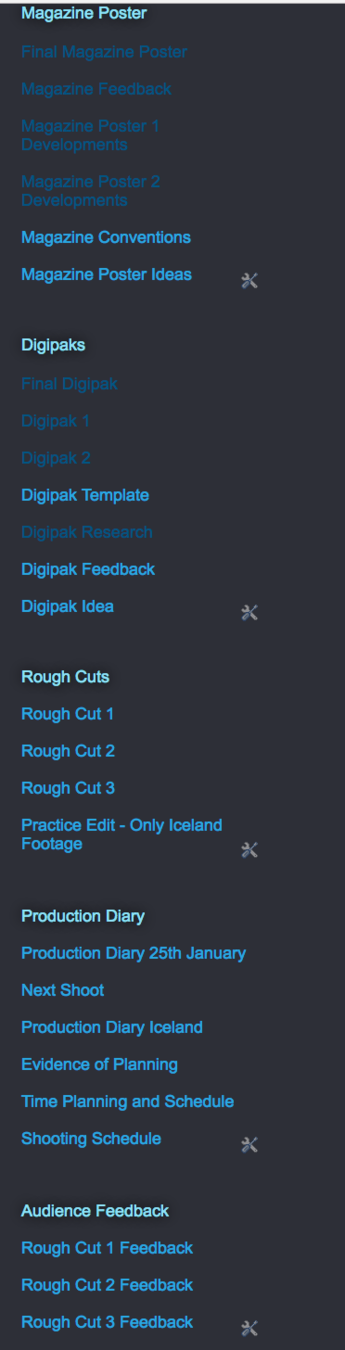
I also used the website Blogger during my research stage. Blogger allowed me to document all of my research that i have made for my coursework and it allowed me to put it in one place. One of the reasons why i chose blogger to store all my information was because you can insert any type of media that you want as well as text and it comes out in a professional and easy to read style. It is also really accessible and can be viewed by anyone with an internet connection and a link. this meant i could access my blog wherever i wanted and made it really easy to share what i have done with anyone i wanted. One thing about Blogger which is very handy is a feature called link list, this feature means you can have quick and easy access to every section of your blog, you can link together all the relevant blogs making them really easy to locate.
Click down for more
All these technologies that i have used in my research stem out of Web 2.0. Web 2.0 is the second stage of development of the Internet, characterized especially by the change from static webpages to dynamic or user generated content and the growth in social media. I have used Web 2.0 to access different sites during my research , what i used to access these websites was a Macbook Pro which is running OS X El Capitan and a desktop Mac running the same OS. This resualted in me become very experienced with Mac software, my knowledge of Mac software has increased a lot through the whole process.
Web 2.0

Planning
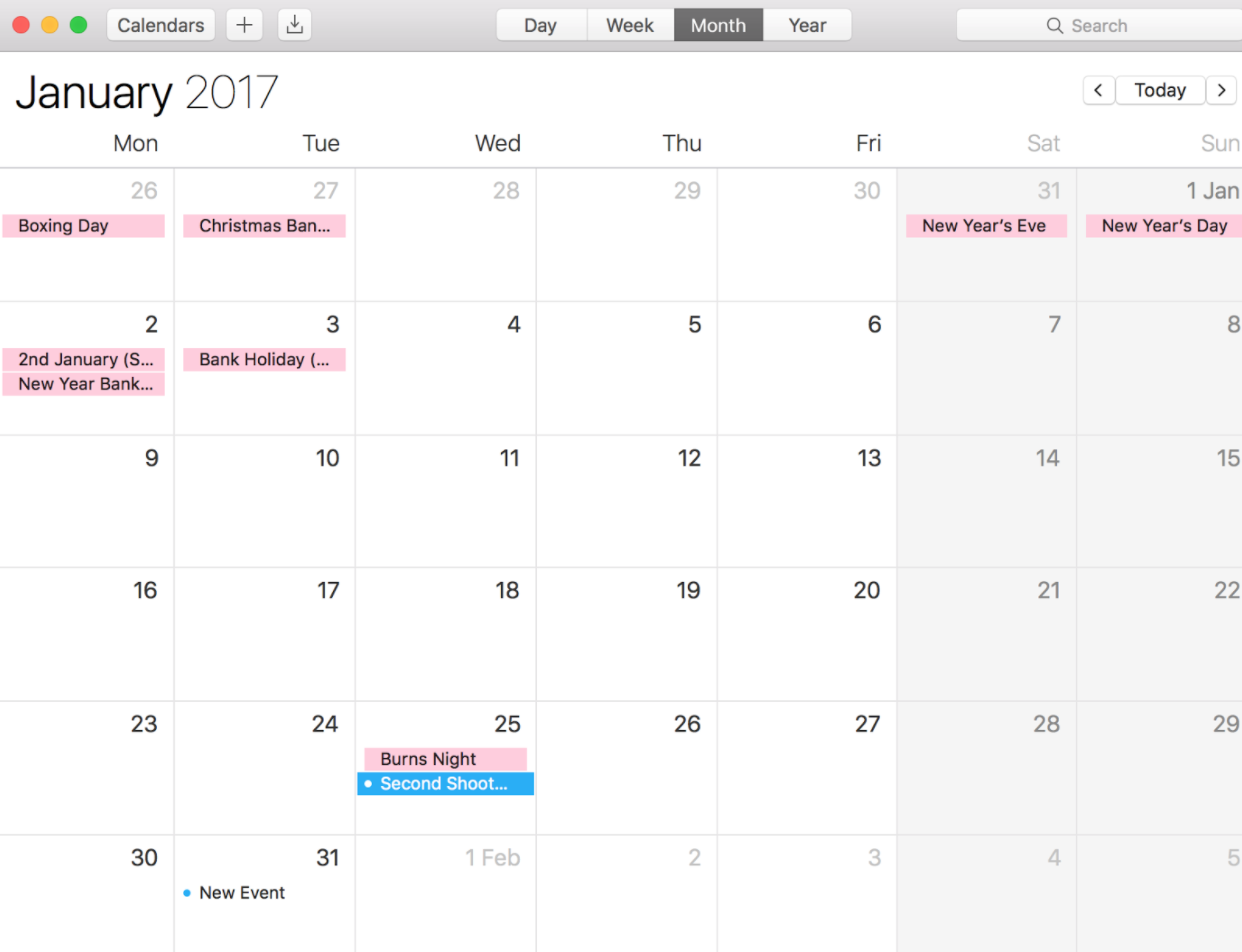
Throughout the planning staged of my project i have used a wide range of technologies to make sure my planning goes smoothly and what i have planned ends up as a success. I had to create a calendar so that i knew which important dates were coming up and i didn't miss them. I used the Mac calendar for this job. I used the Mac calendar because it is a very simple and easy calendar which does the job well with a nice layout, this calendar also links to my phone with alerts, this was helpful because it meant i was alerted a few days before a scheduled shoot meaning i didn't forget about it. I could also share my calendar with anyone i wanted, this was helpful because i shared my calendar with the artist i was working with so they also knew all the planned dates.
Click down for more
Also during my planning stage i had to contact the artist i was working for, i had to contact the artist for a few reasons, one reason was for creating the song and the other was for shooting the video. I thought about using a few different platforms for contacting. I decided not to use Email because this is a long form of contacting people and is not often used with people around my age, also it would take a long time to get a reply with emails. I decided to use Facebook Messenger to contact my artist. Messenger is an instant messaging app contacted to Facebook where you can contact people who you are FB friends with. It allows you to send media texts as well as normal messages which was very useful. This service worked very well because it meant communication was easy and quick

Construction
During my the construction part of my project i continued to use my MacBook Pro and Mac Desktop, each used for different and the same tasks. I have learnt throughout this process more and more on how to use a Mac and by the time i reached the construction stage i was very familiar with the software and how to work it efficiently. Which resulted in me being confident with what do do and my ability > previously i had used Final Cut to do editing but i had also used Premier Pro which i found much better in my personal opinion so i decided for this project i would edit on premier pro because i had more experience with this software. I also had a lot of experience with Photoshop but i didn't have a lot of experience with illustrator, even though there are a few similarities i did have to learn more and develop my skills with this software during the construction stage. I used a lot of different technologies during the construction stage as well as a Mac, i also used a DSLR camera

Click down for more
Camera Equipment
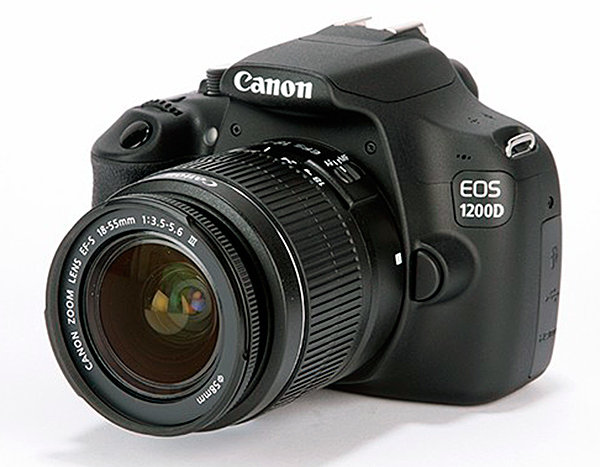
For the filming process i only used one camera, the camera i used was a Canon 1200D. I only used one camera because that is all i needed for what i was hoping to shoot, there wasn't any need for any other cameras such as a GoPro. The lens i used was a standard 18mm-50mm lens. I didn't need another lens such as a macro lens because i knew well how to work this one and knew that this would be all i needed. I already had previous knowledge on how to use a camera quite well, with knowledge on aspects such as aperture, shutter speed, depth of field and ISO so their was not a lot of developed knowledge gained from the filming or photography part because i was very familiar with the camera and how to work it. During the filming process i had my camera on manual focus the whole time, this meant i could control the camera a lot more than if it was in autofocus, it allowed me to manipulate shots to my advantage my doing techniques such as focus push and pull. Before i started filming i manually changed the white balance on my camera, this is something i had done before but not regularly so i had to research into this again before i did it. I had to put a large piece of white paper in front of the camera so that the lighting would balance out in the camera. Altering the white balance meant that the footage captures would be the closest to what the naked eye would see. I did not record any audio with my camera as my video does not include any external audio in my video so there was no need to use the microphone in the camera
Click down for more
Editing
When all the filming had been completed and finalised i then started the editing process. The editing software which i chose to use was Adobe Premier Pro because this is the software which i have the most experience with so i thought it would be most efficient to use this instead of learning a whole new editing software. I uploaded the footage into the program and then cut down all the shots so they were the just the parts of the clip i wanted, then i imported the footage onto the timeline and rearranged it to fit my idea starting with the first verse then chorus etc. I completed my first rough cut and thought that there could be a lot of improvements to it and changes which could be made, instead of just switching a few things around on the timeline i decided to completely start again and start fresh, this resulted in a much better outcome because i could avoid the things i didn't like in the first cut and could add and change the parts which i wanted. Then when i got to the final cut stage i started colour correcting the footage. The way i approached this was by editing each individual clip, i would alter the brightness and contrast so the clip looked as sharp and good as possible. I did each clip individually because if i edited all clips the same this would result in some looking overly edited which was a look i didn't want from my footage.
Click down for more
Ancillary Products
As well as creating a music video for my A2 coursework i also had to create two side ancillary products. These products were a digipak and a magazine advert. To create these products i had to use two different programs. The first program i used was called 'Adobe Illustrator' this software was used to create my digipak. i had no previous experience on using Illustrator so it was all new to me, however i did have experience using photoshop which does have some similarities. My skills rapidly increased during my using of Illustrator due to help from teacher and peers as well ad a lot of trial and error, i learnt things like altering images without changing the resolution, better use of text and fonts, and working with vectors. I then went onto creating the magazine advert using photoshop and this was a lot easier of a task for me as it was using mainly the same skills as i was practicing on Illustrator for the digipak.
Evaluation
The last part of my project is the evaluation. For the evaluation side of the process i used a range of different technologies to let me complete these different tasks. One technology i used was part of Web 2.0. Using Web 2.0 i went online and visited a website called survey monkey. This website allowed me to create a questionnaire which was very helpful because i could then use this questionnaire and give it to my target audience to get a reply with their thoughts on my video and ancillary products. The site is free and easy to use giving me no complications or struggles. Once i had gathered my information the site gathers the data and feeds it back to you in a good format. This was helpful because it let me analyse my results easily. Here is a link to my created questionnaire on the website survey monkey - https://www.surveymonkey.co.uk/r/Z8D28VY
deck
By alexhey6