














Content ITV PRO
This is Itvedant Content department
Learning Outcome
5
Understand how multiple services run on a single device using different ports
4
Differentiate between secure and non-secure protocols
3
Recall standard port numbers associated with each protocol
2
Identify common protocols like HTTP, HTTPS, FTP, SSH, DNS, and email protocols
1
Understand network protocols and how port numbers are used for communication.
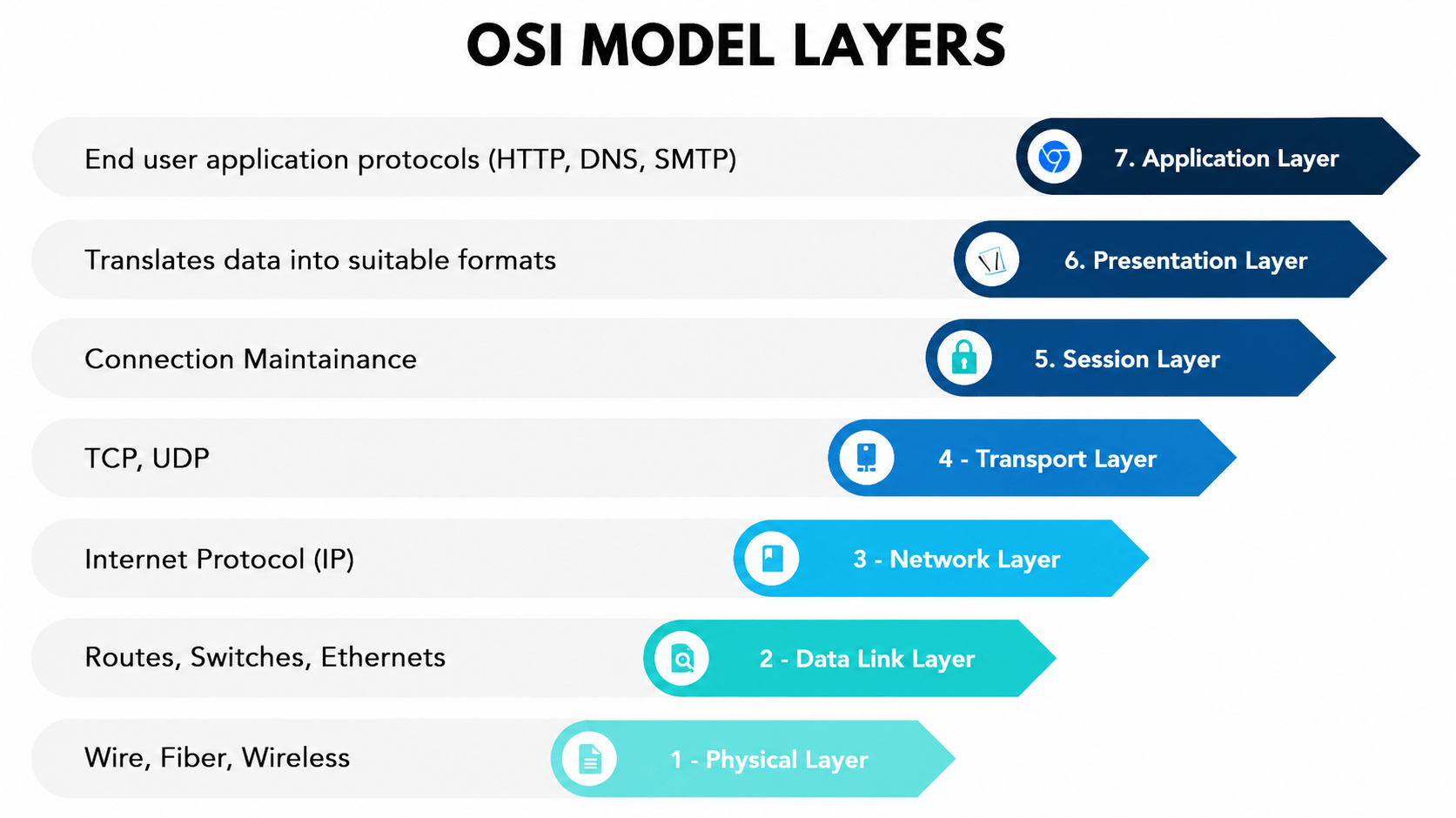
Let's Recall OSI Model (7 Layers)
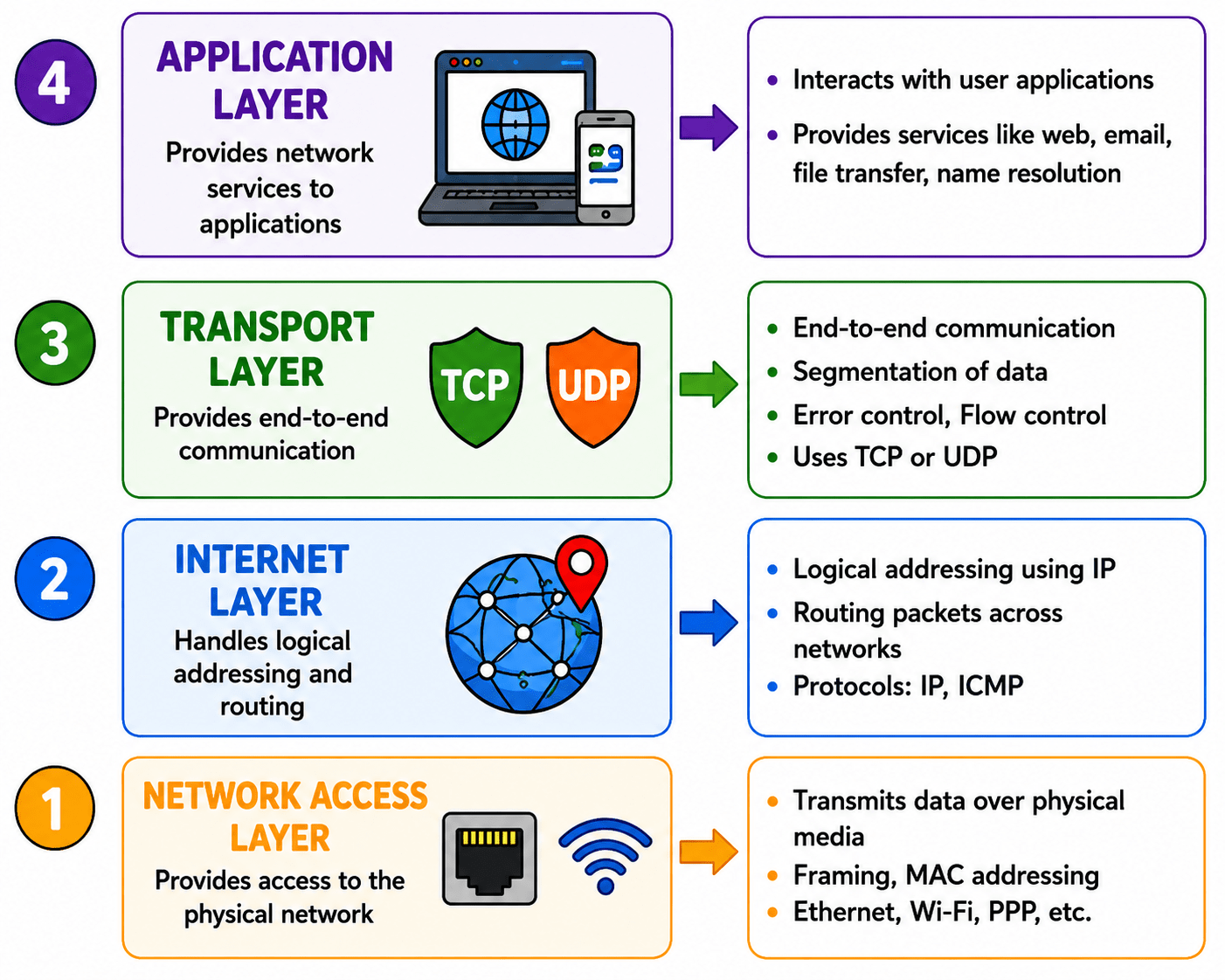
Let's Recall TCP/IP
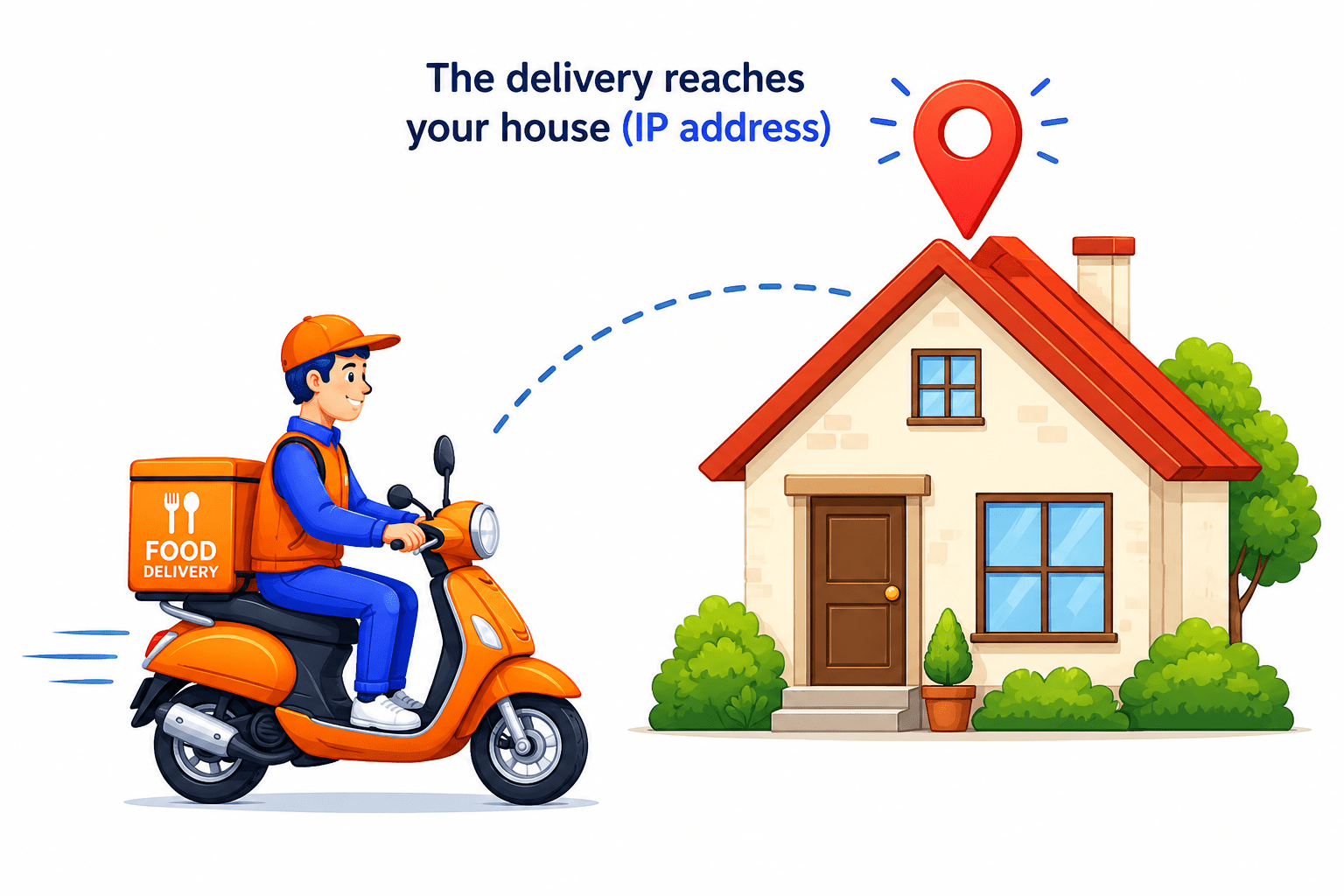
Imagine you are ordering food from your favorite restaurant.
Just like a delivery person needs your home address to find your house, computers need an IP address to send data to the correct device.
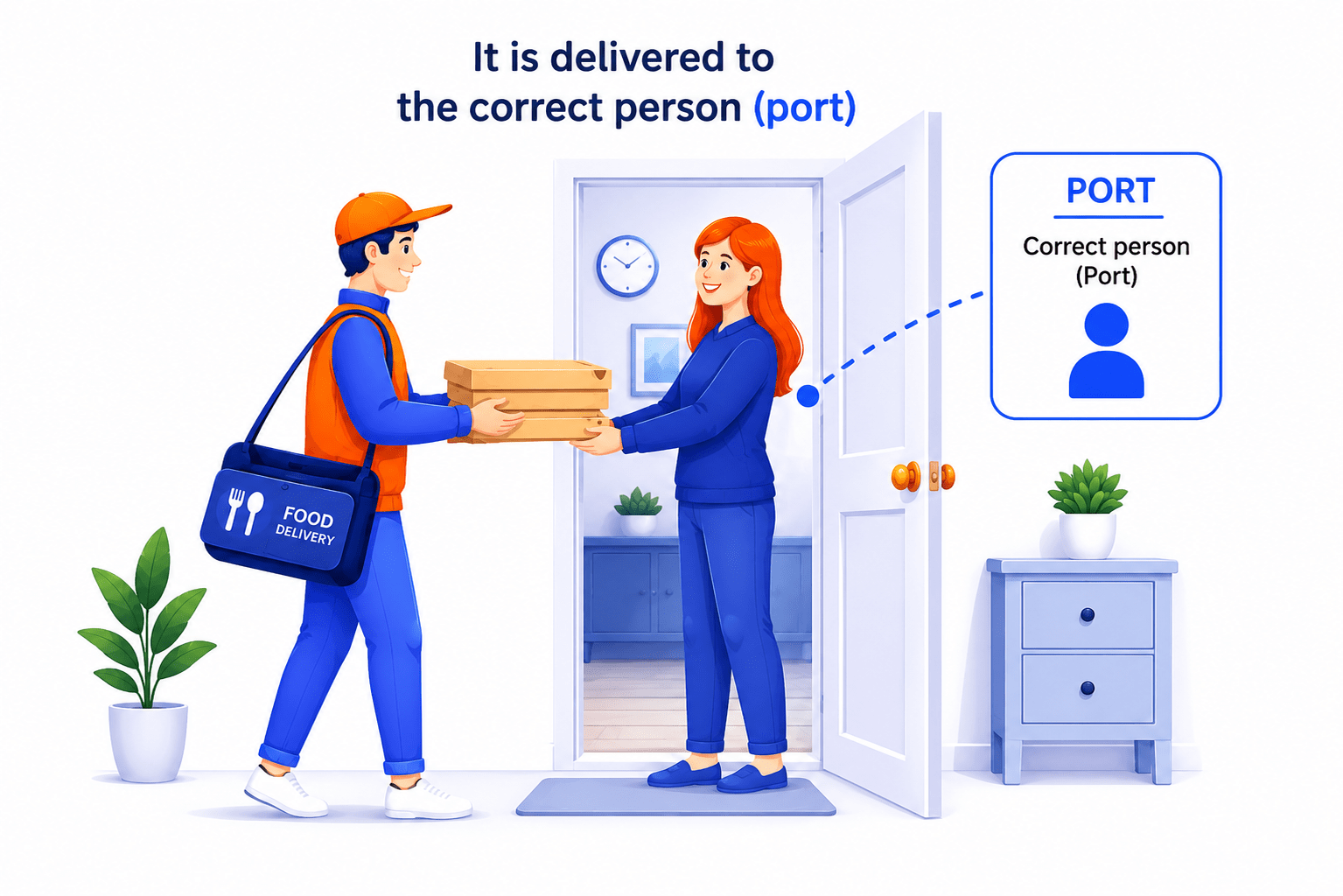
After the delivery reaches your house, it must go to the correct person.
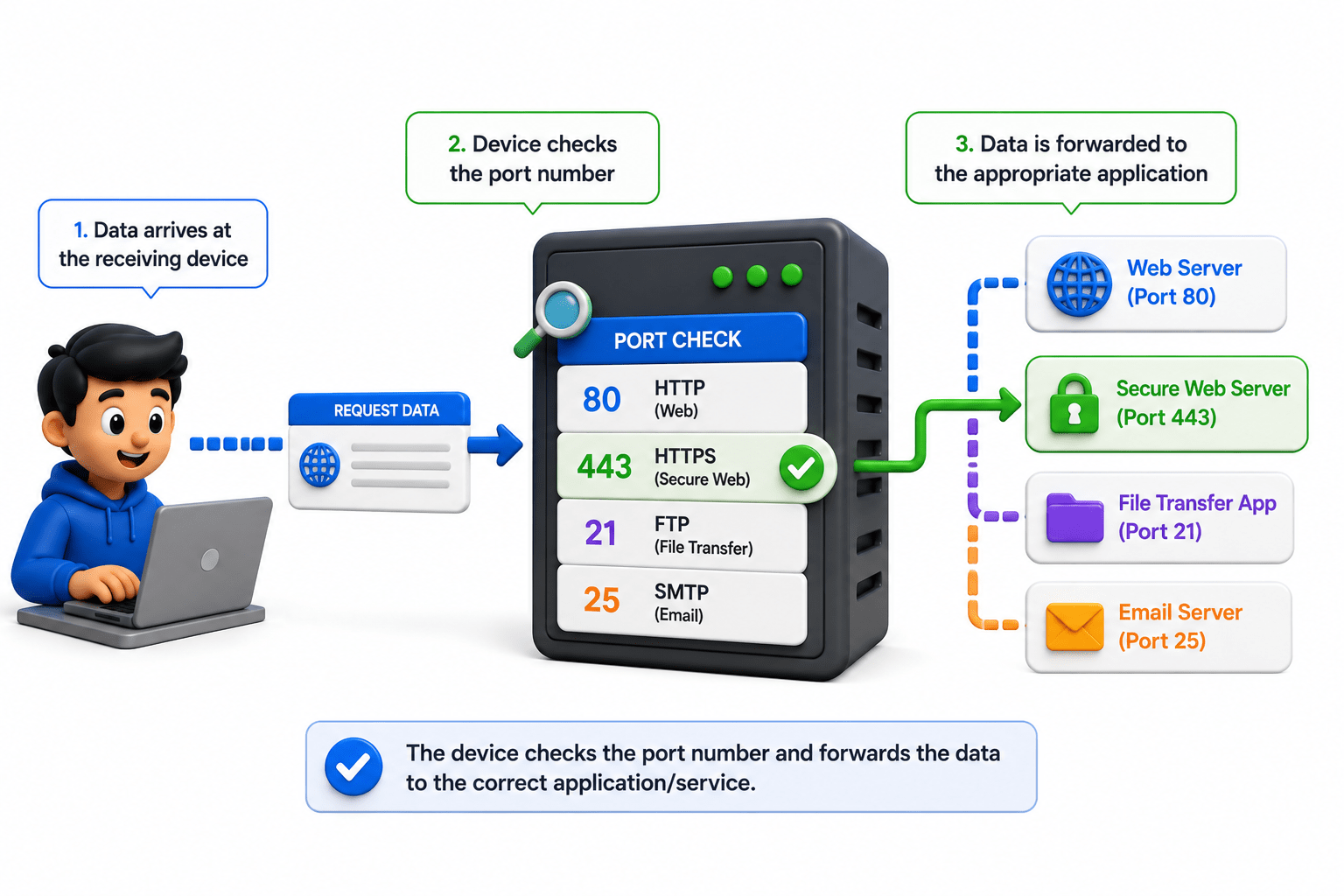
Similarly, ports help data reach the correct application or service inside a computer.
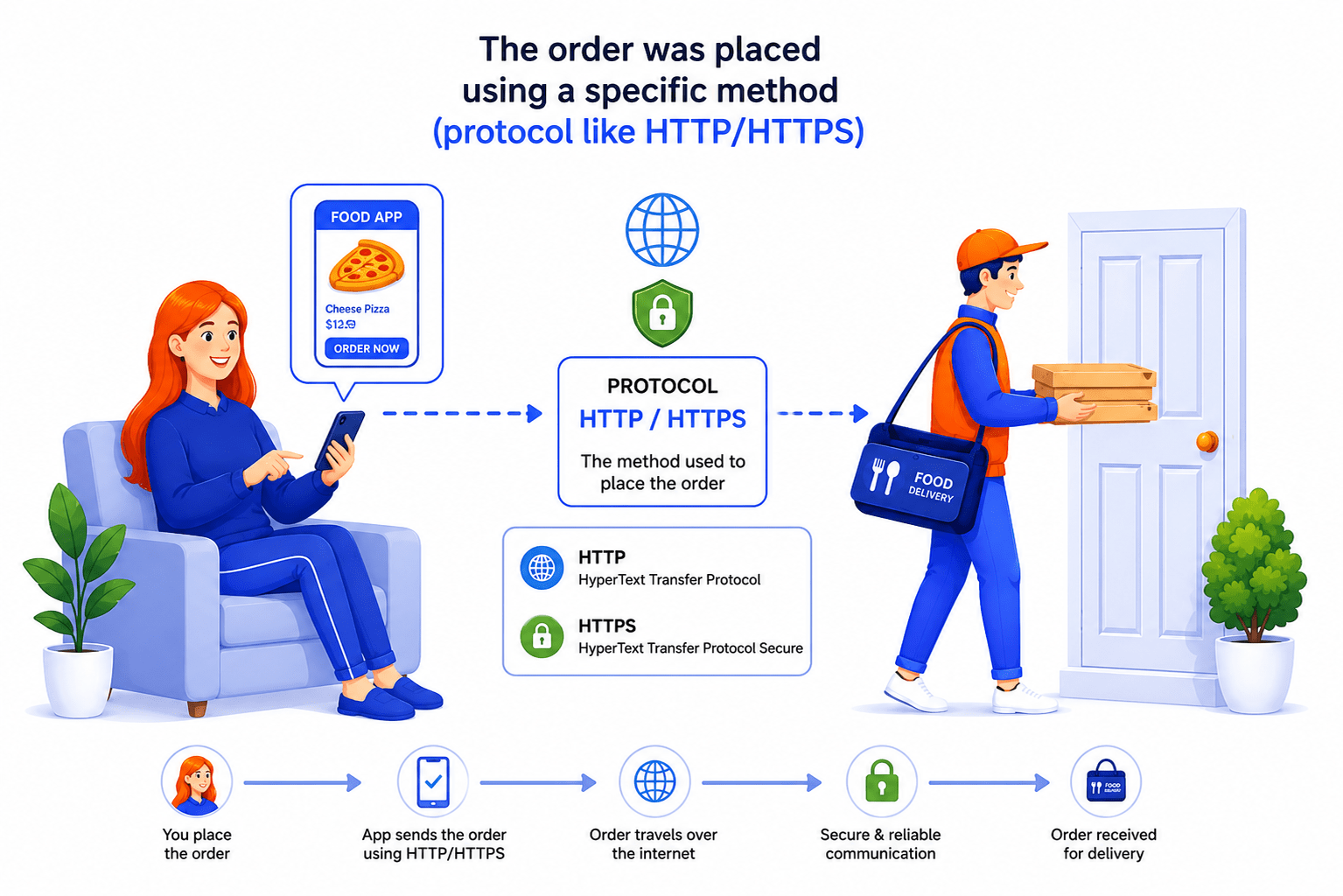
Different ways of ordering food are like different network protocols used for communication.
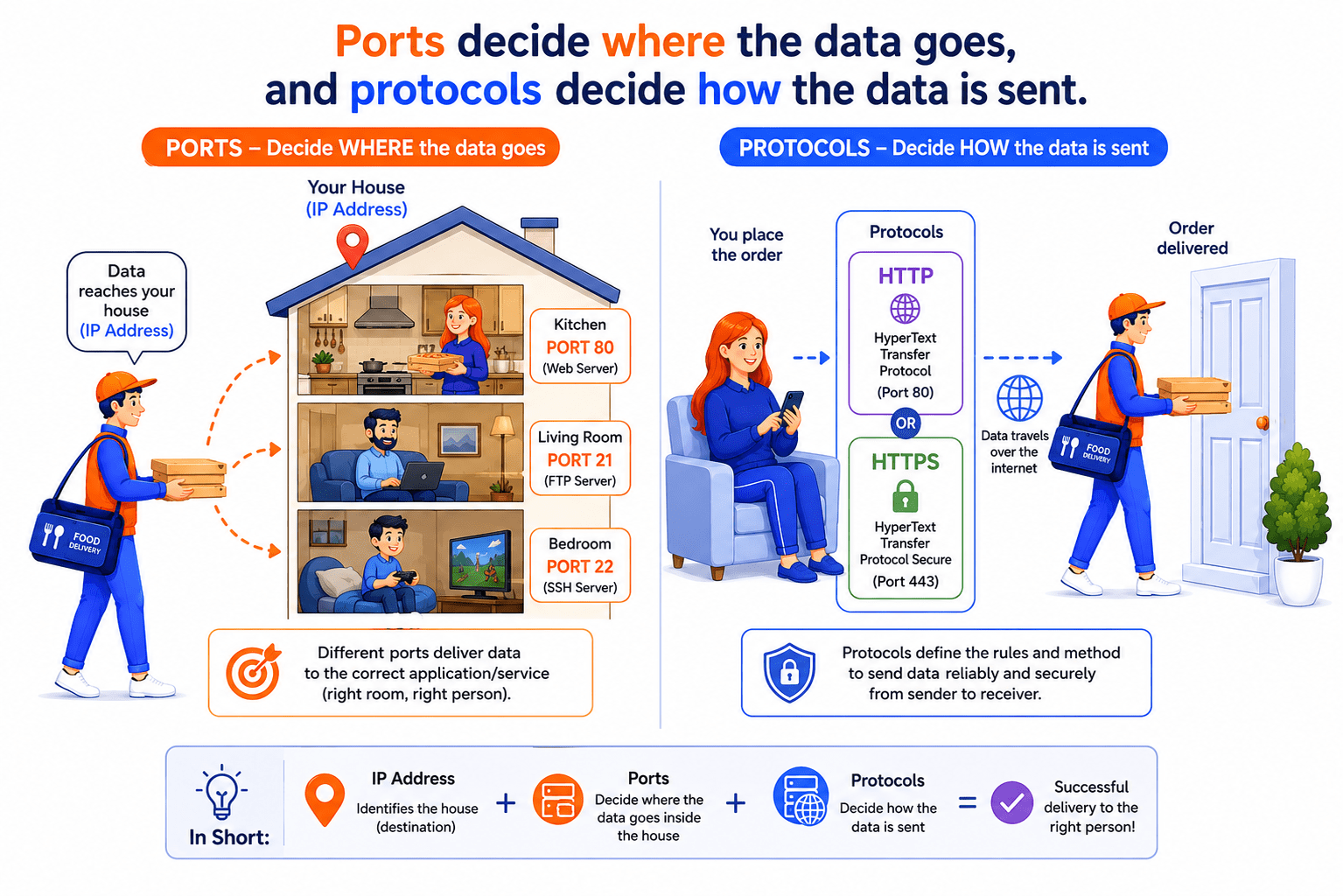
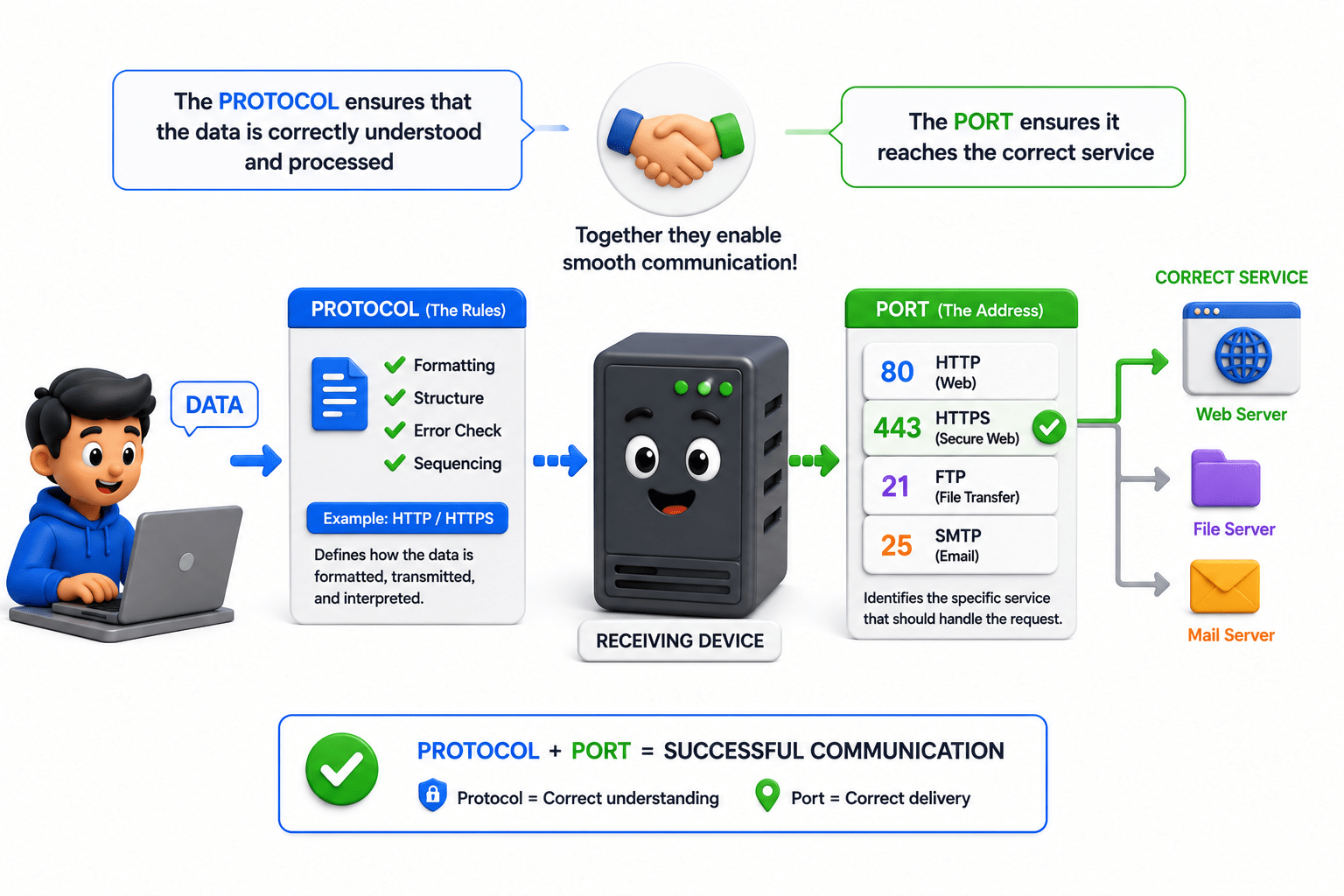
Ports decide where the data goes, and protocols decide how the data is sent
This is how computers and networks communicate efficiently across the internet.
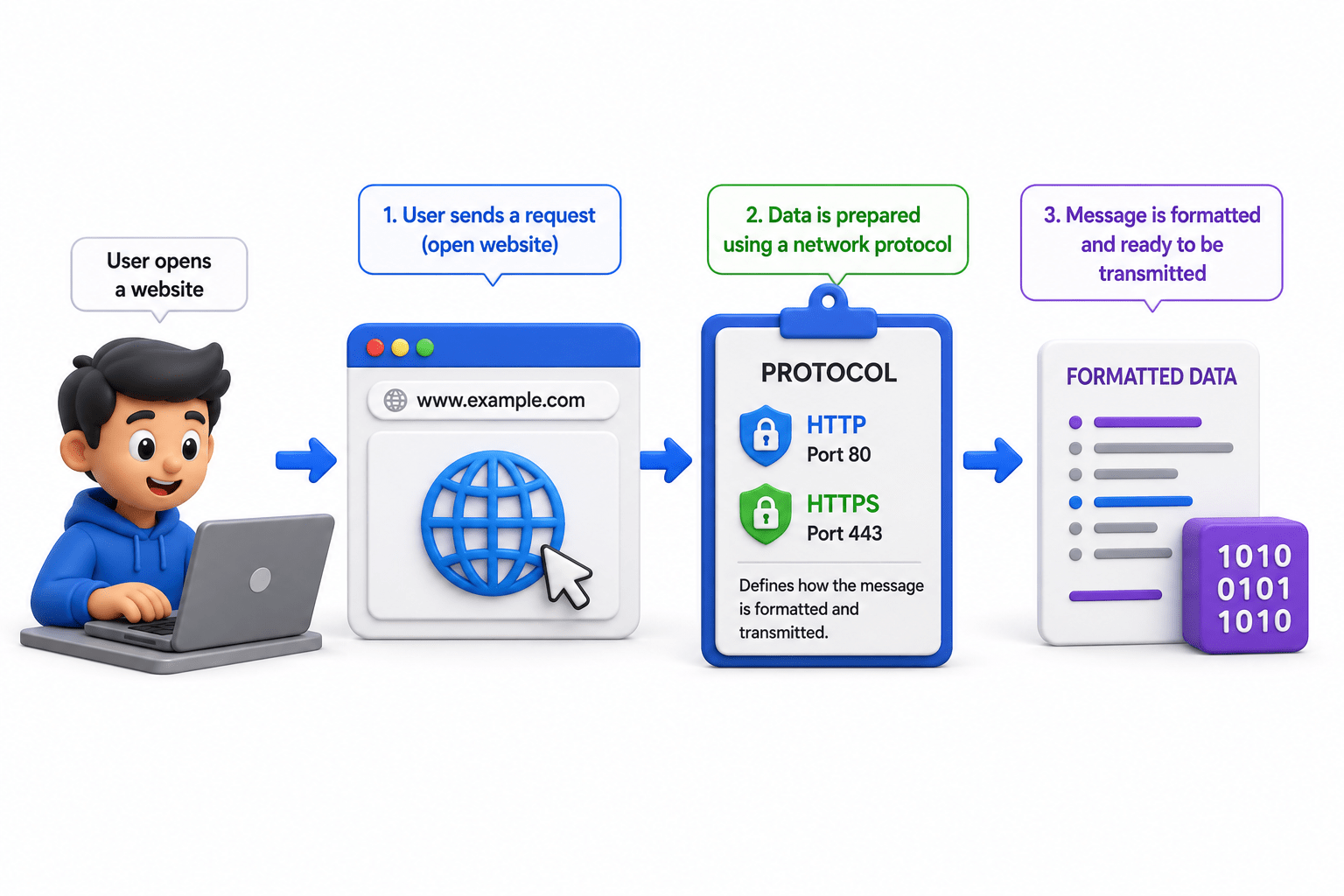
Sender computer
IP address
Port
Protocol
Receiver receive the data
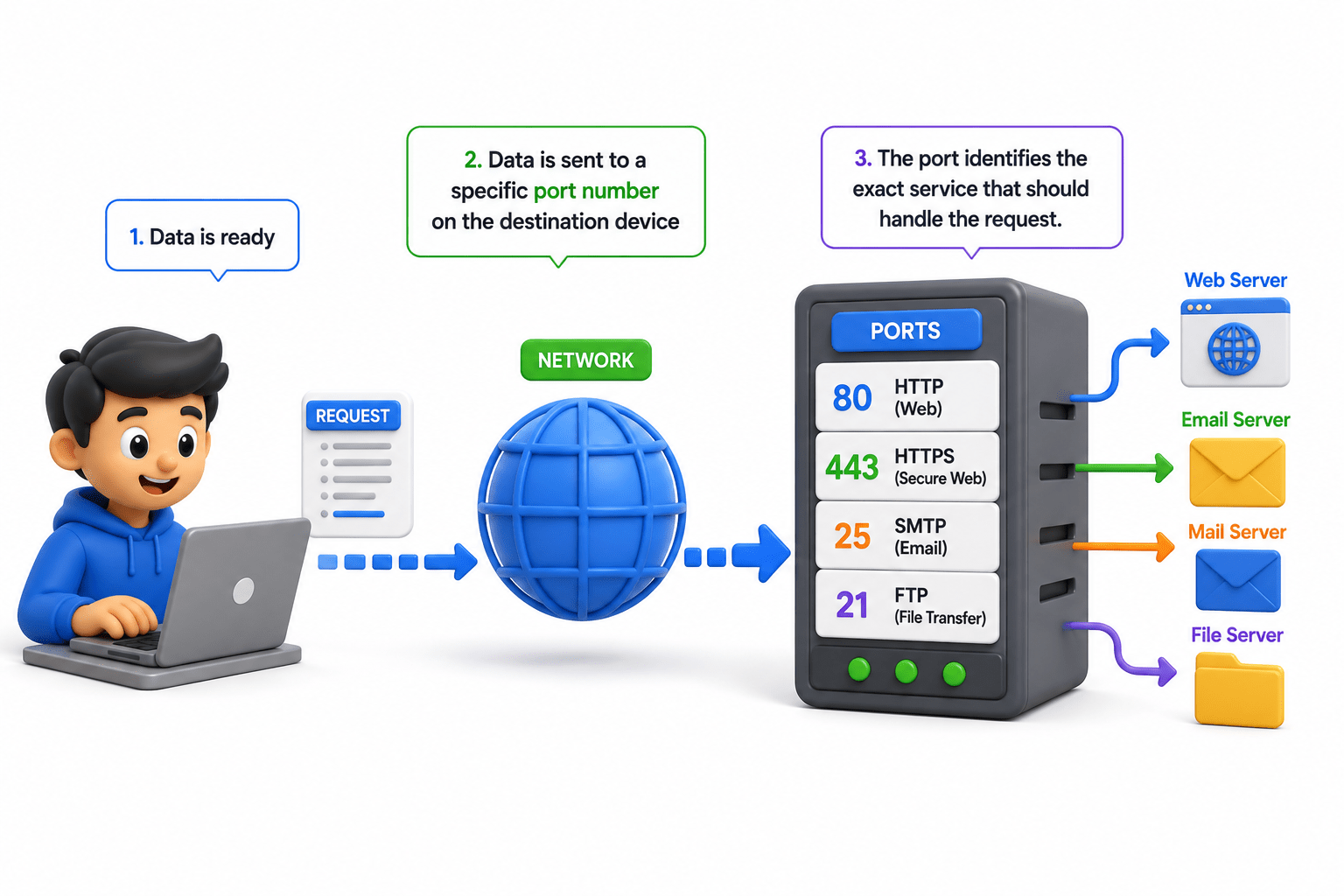
Use of Ports
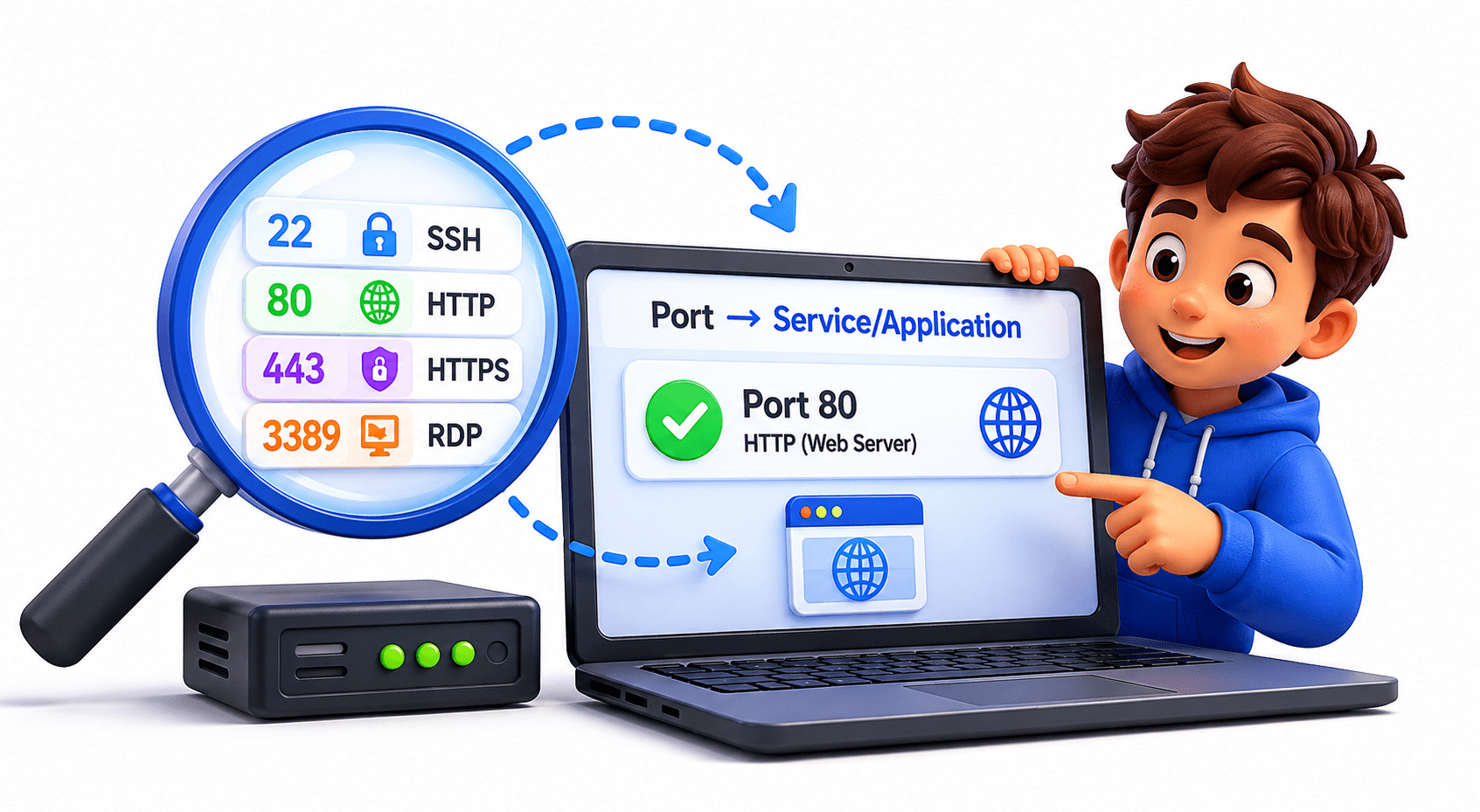
To Identify the specific service or application on a device
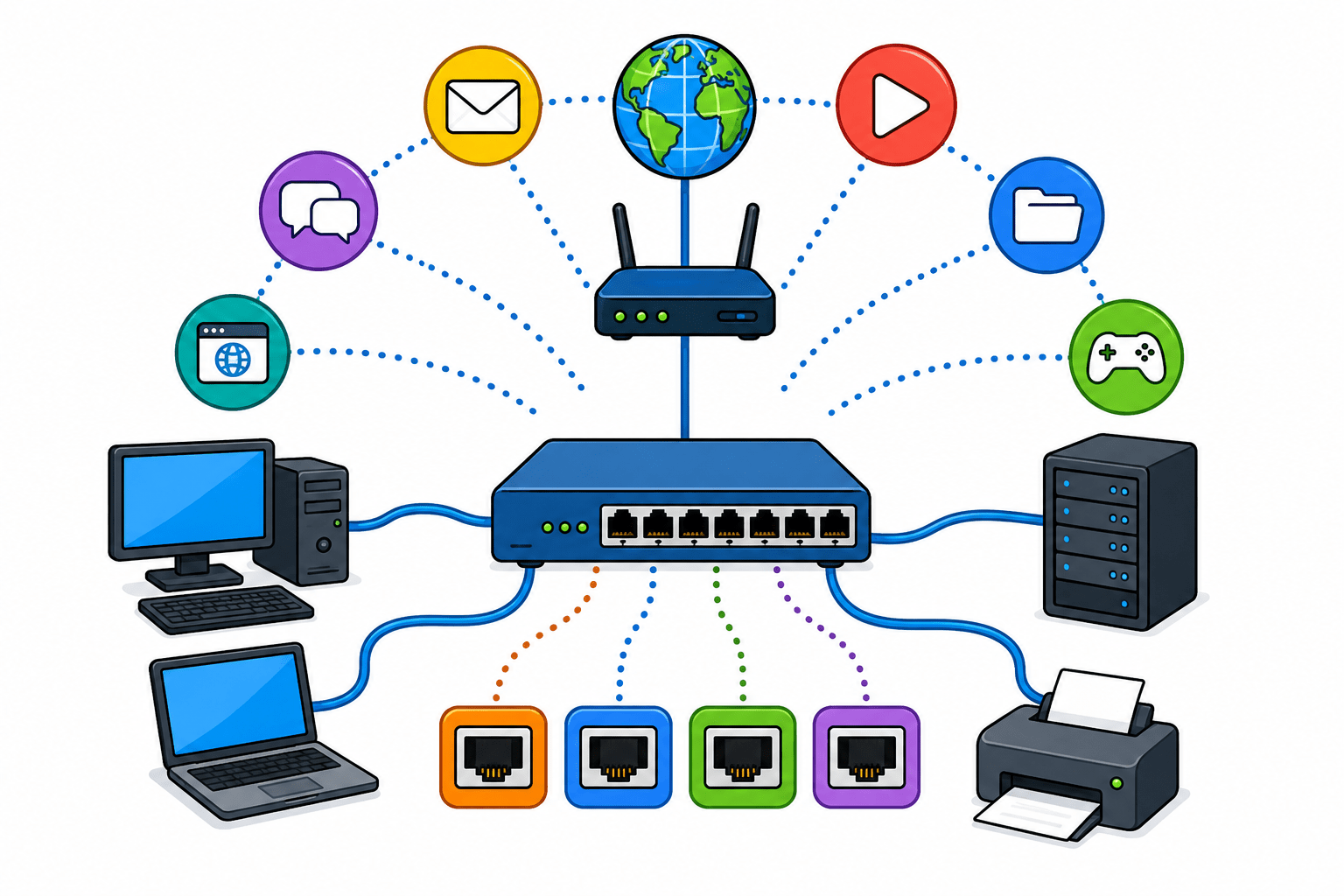
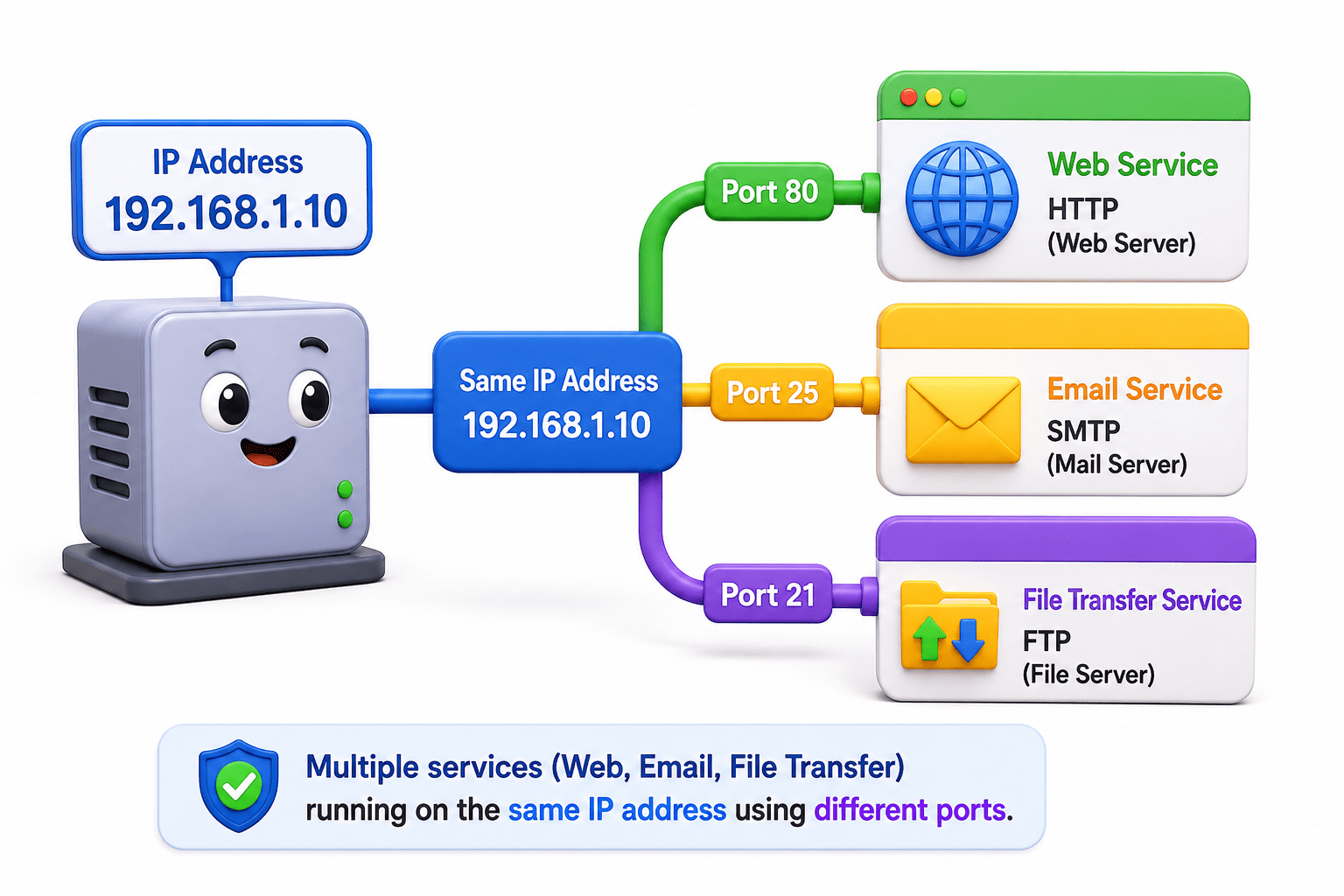
Allow multiple services (web, email, file transfer) to run on the same IP address
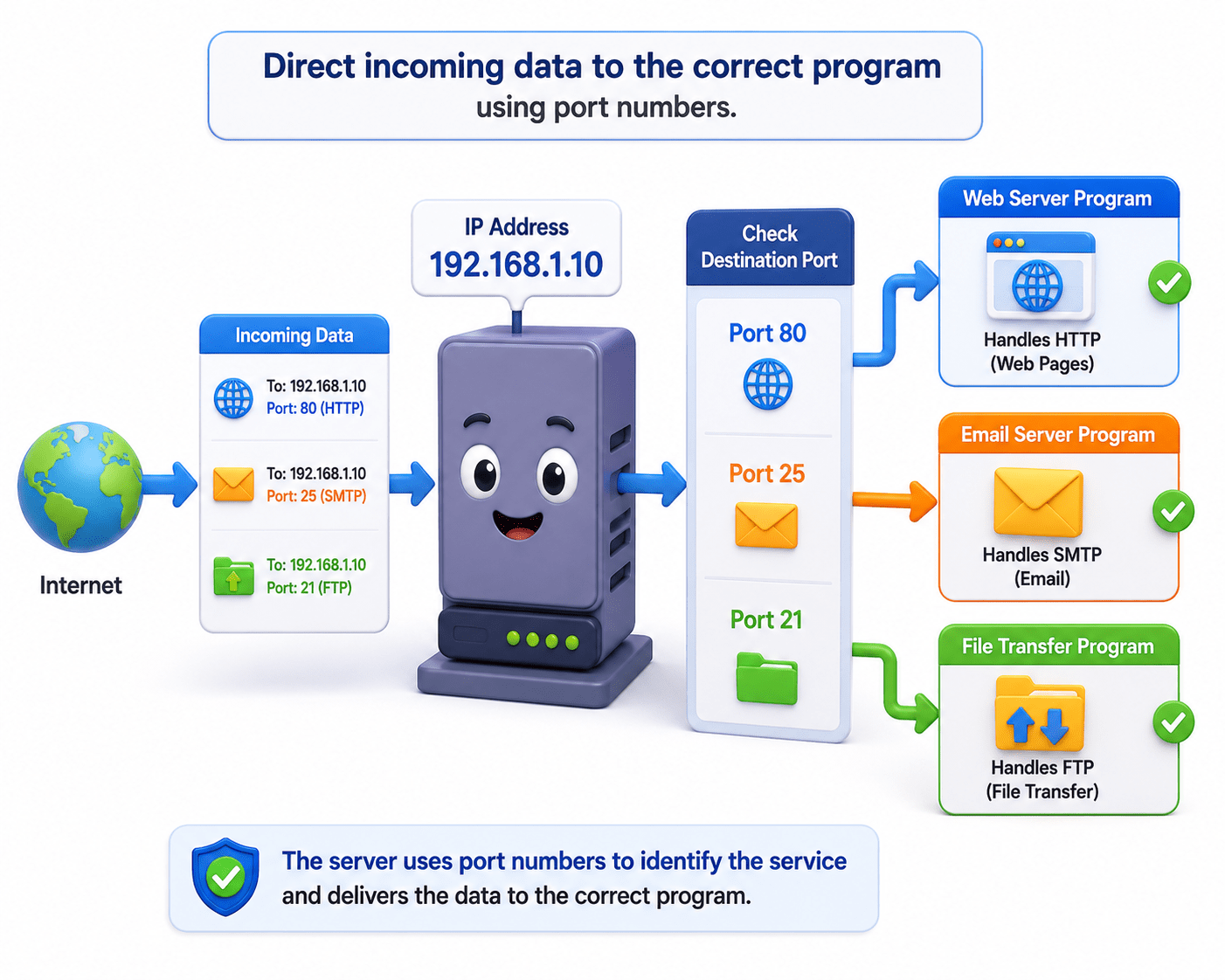
Direct incoming data to the correct program
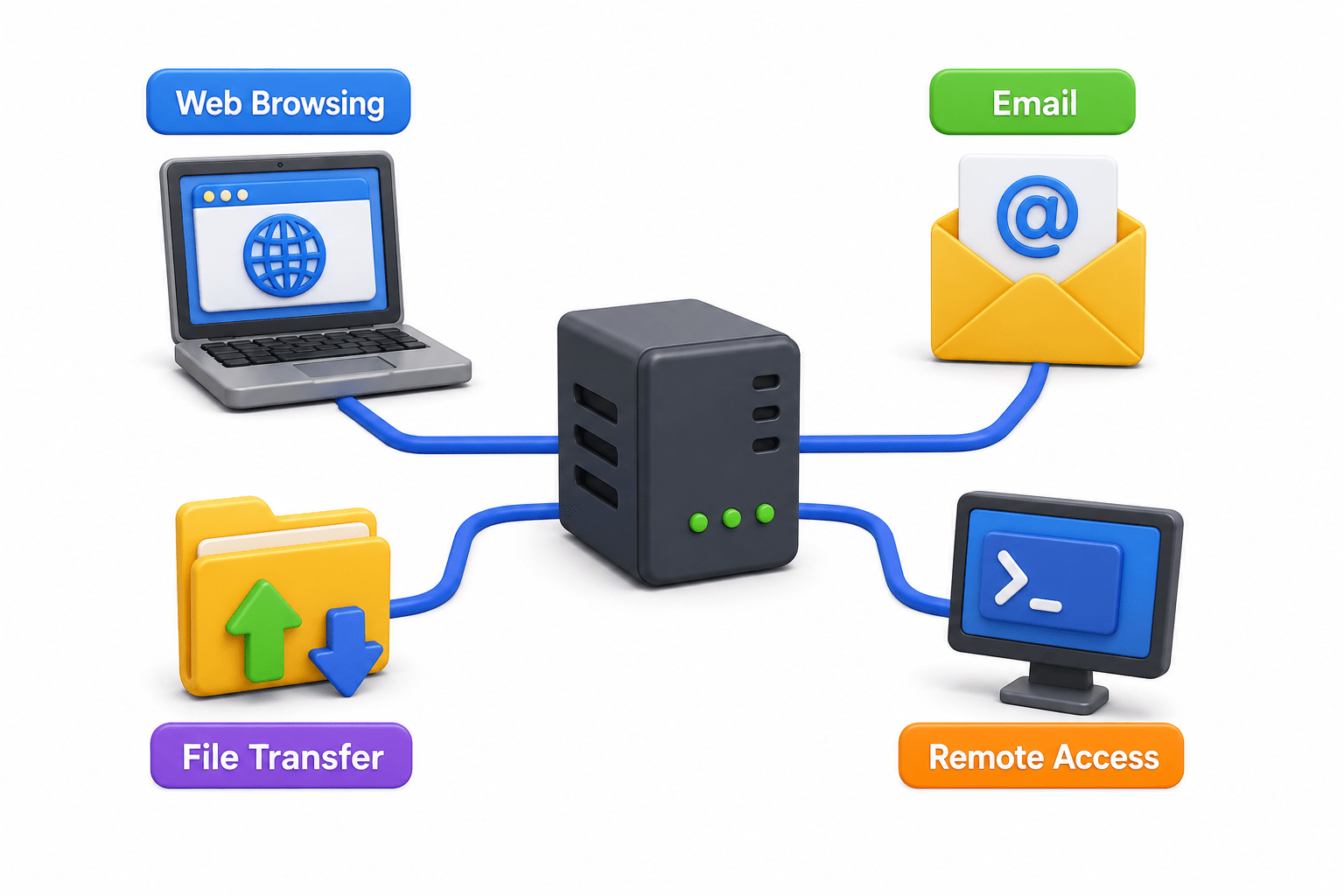
Use of Common Network Protocols
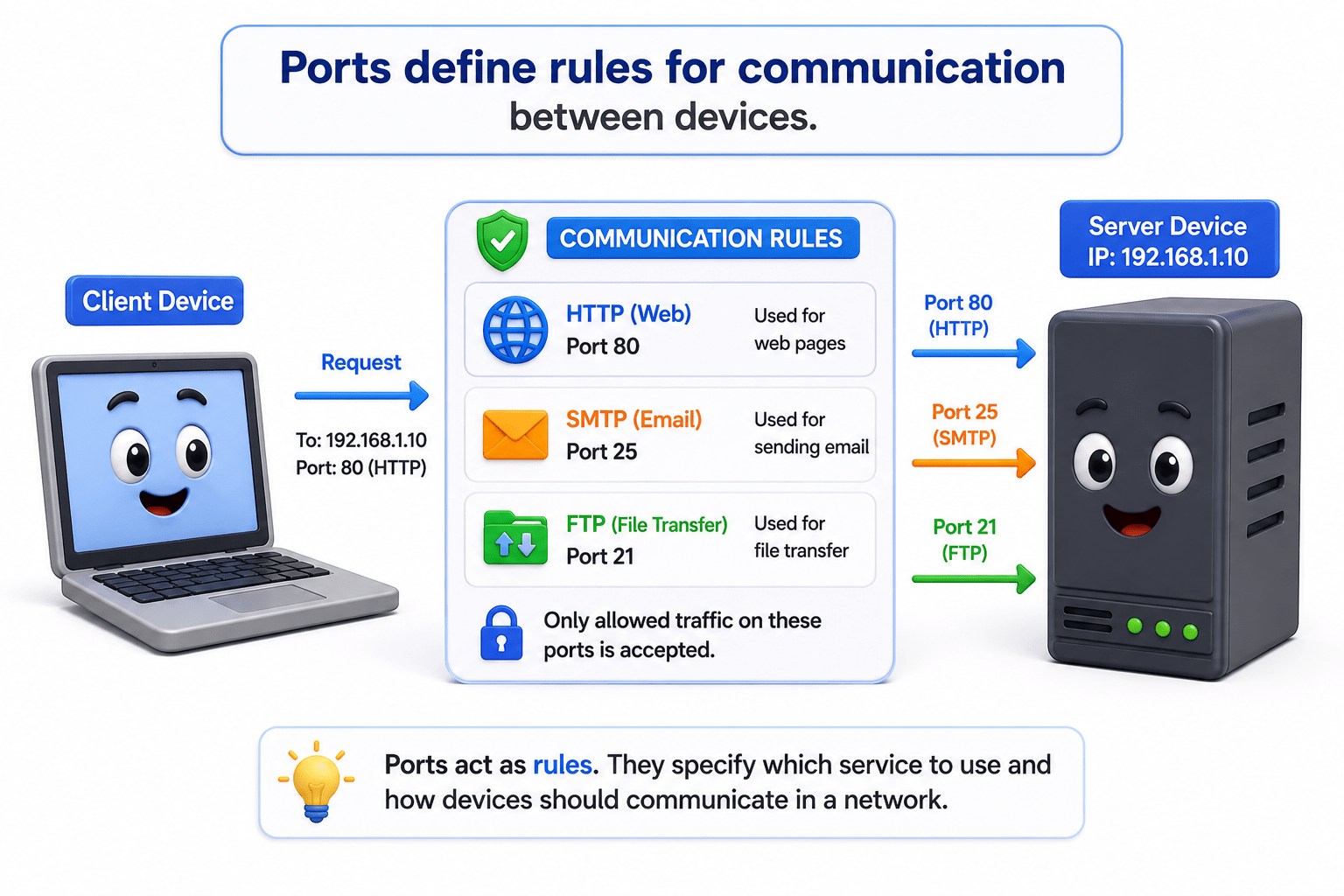
Define rules for communication between devices
Enable different network services like web browsing, email, file transfer, and remote access
Use of Common Network Protocols
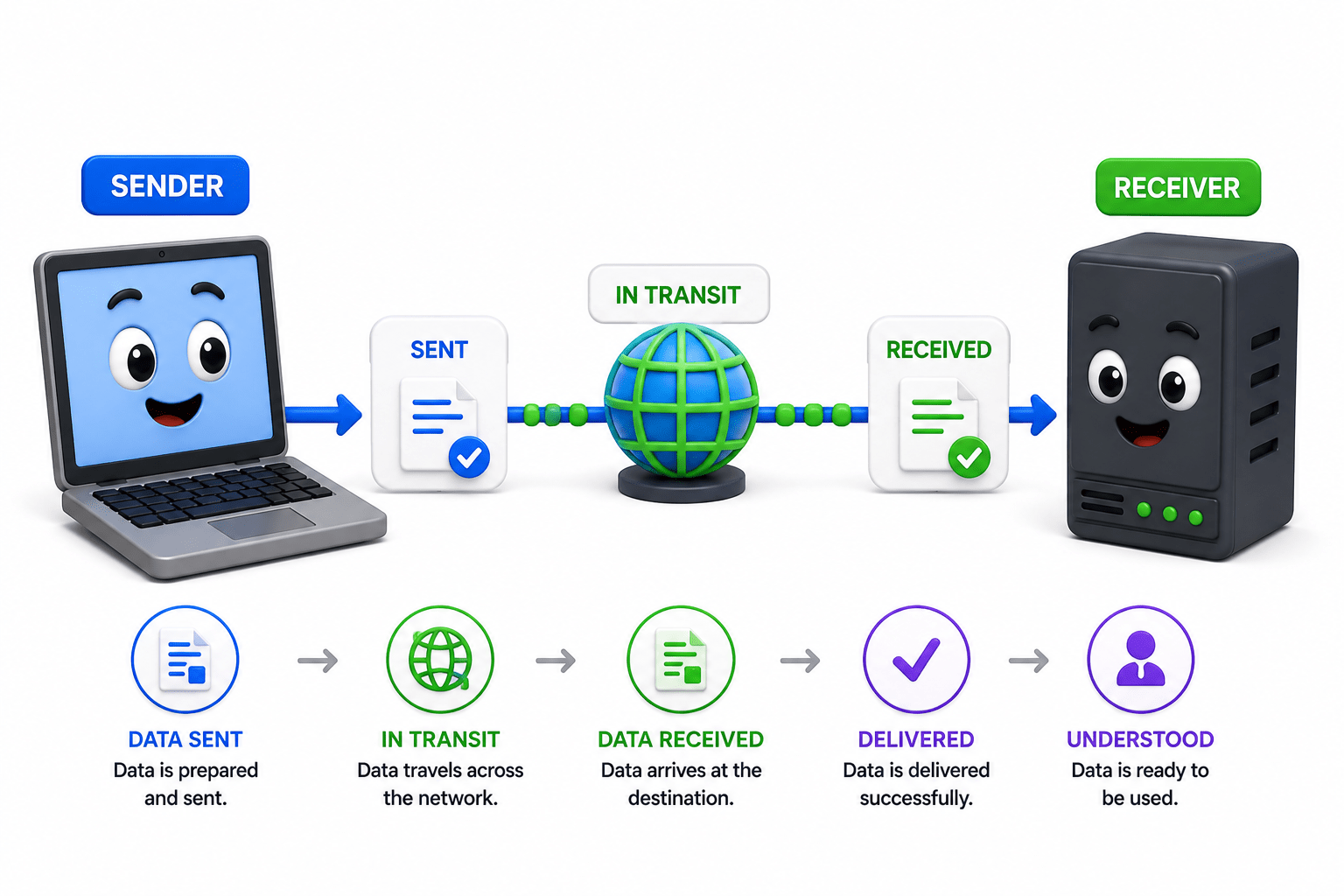
Ensure data is sent, received, and understood correctly
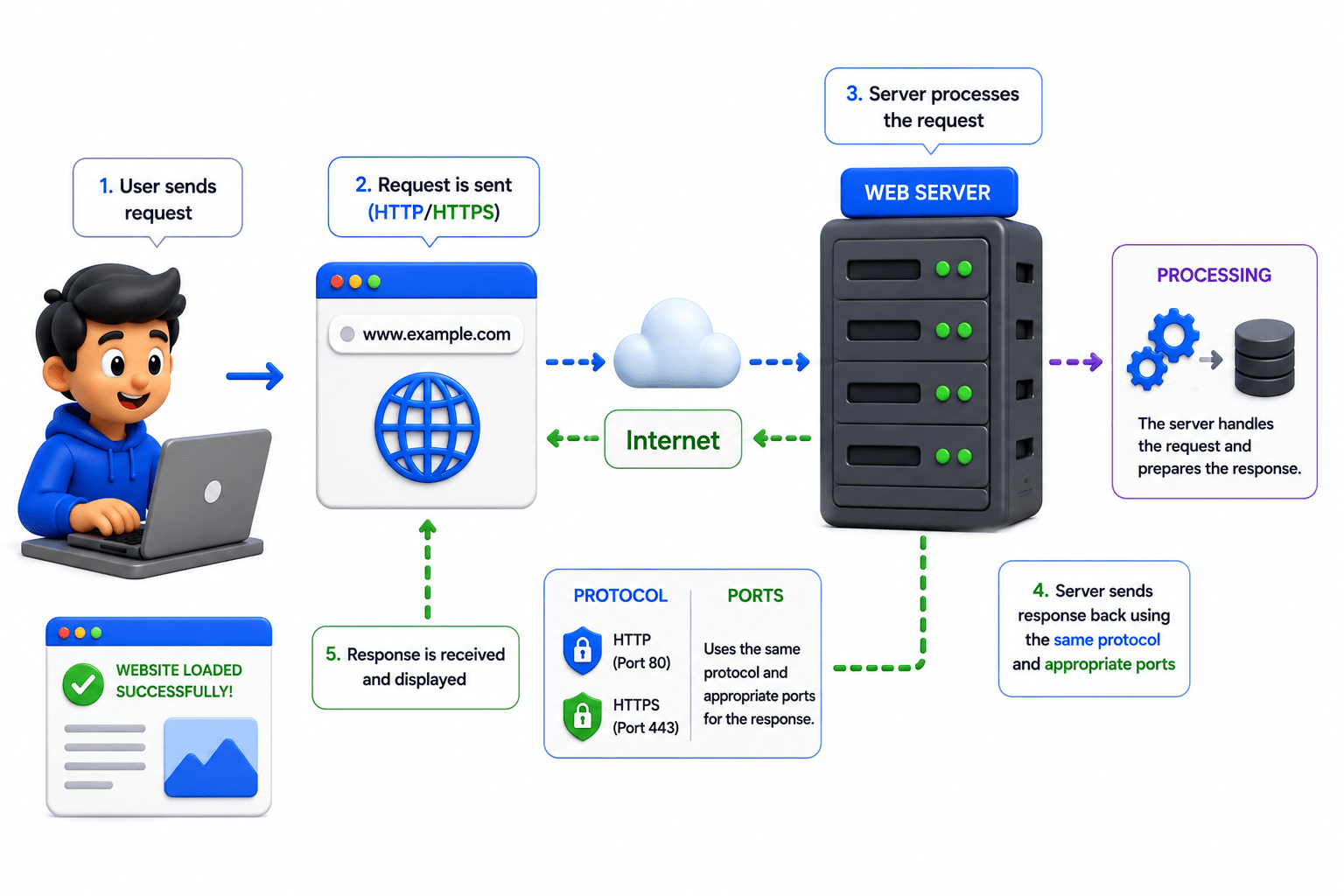
It works as follows
How Ports and Common Network Protocol works
Communication is successfully completed.
Ports Basics
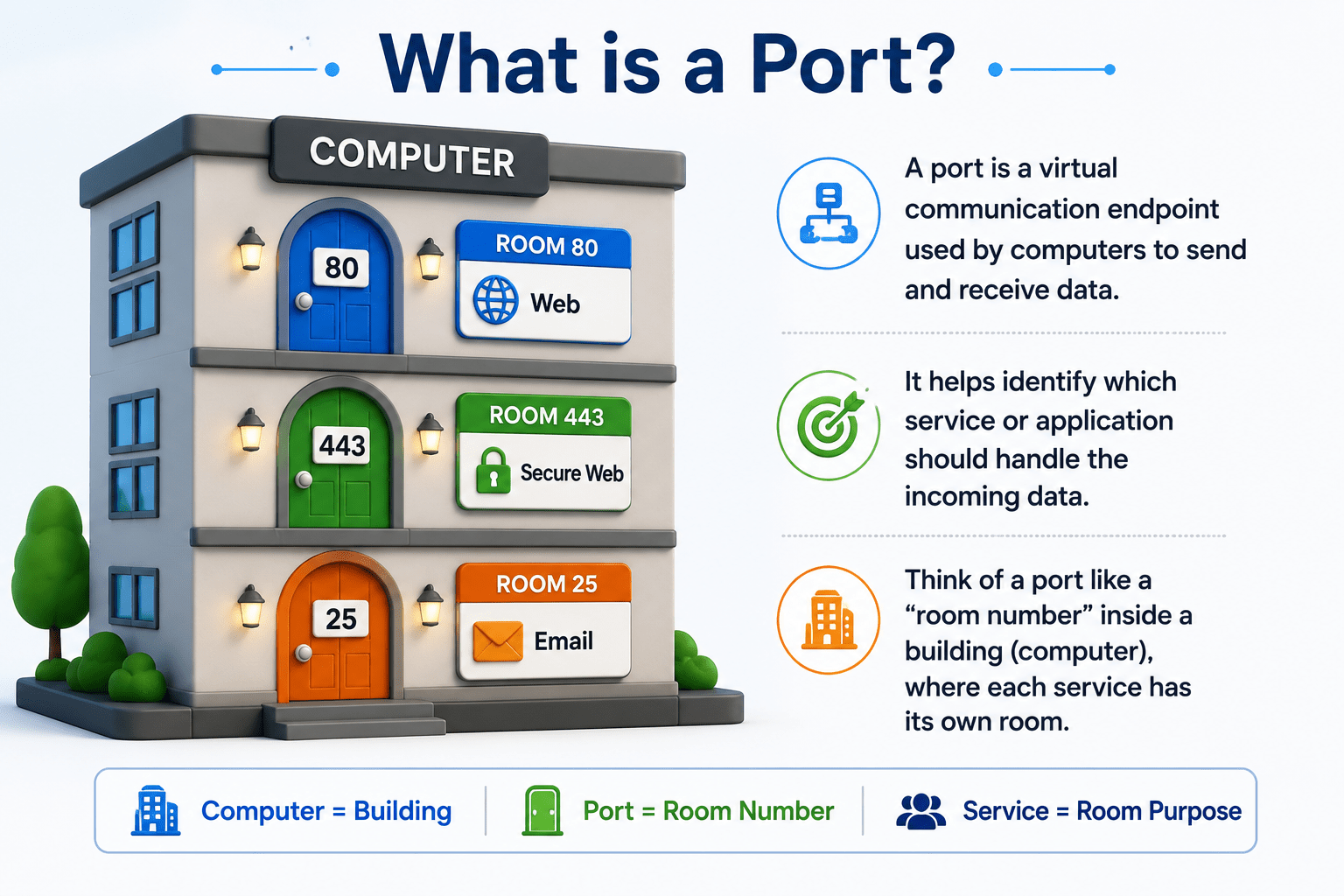
A port is a virtual endpoint for communication.
Like a room number inside a computer.
It directs data to the correct service or application.
Unique numbers assigned to services/applications
Help direct network communication
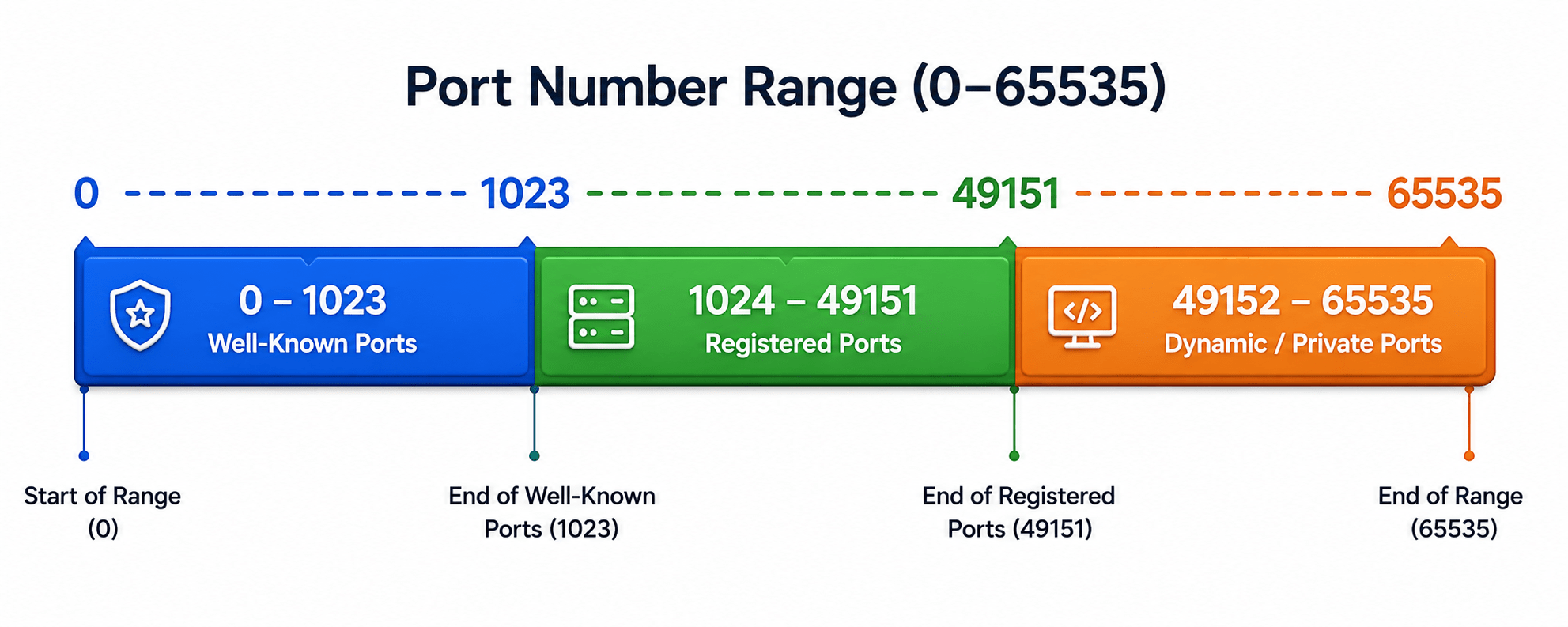
Range from 0 to 65535
Divided into 3 categories based on usage
Well-known Ports (0–1023)
These ports are reserved for commonly used services and standard protocols.
They are fixed and widely recognized across networks.
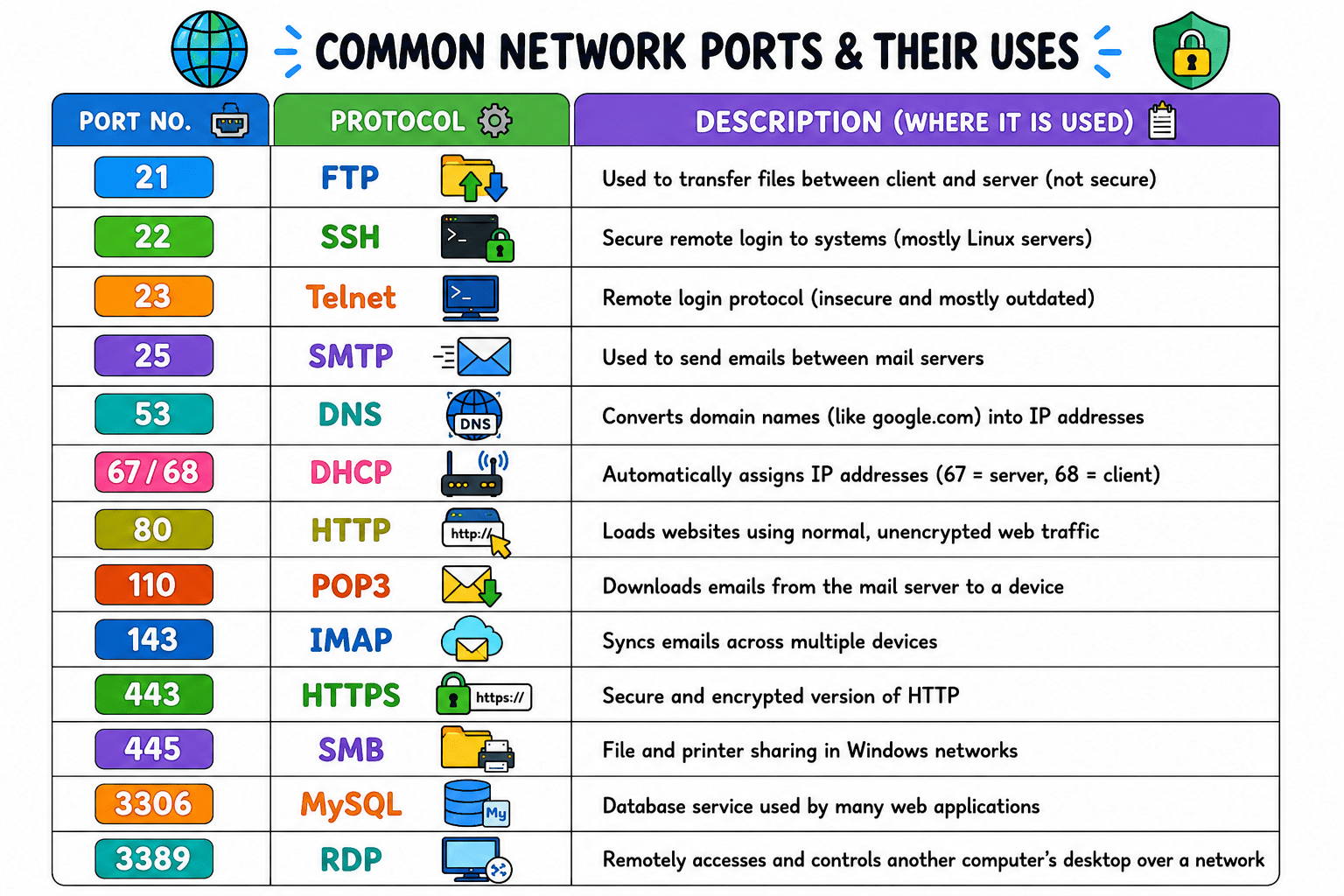
Examples: HTTP (80), HTTPS (443), FTP (21), DNS (53).
Registered Ports (1024–49151)
These ports are assigned to specific applications or services by organizations.
They are not as strictly fixed as well-known ports but still commonly used.
Example: Many software applications use these ports for communication.
Dynamic/Private Ports (49152–65535)
These ports are used temporarily by client devices.
They are assigned automatically when needed and released after use.
Commonly used for short-term communication sessions.
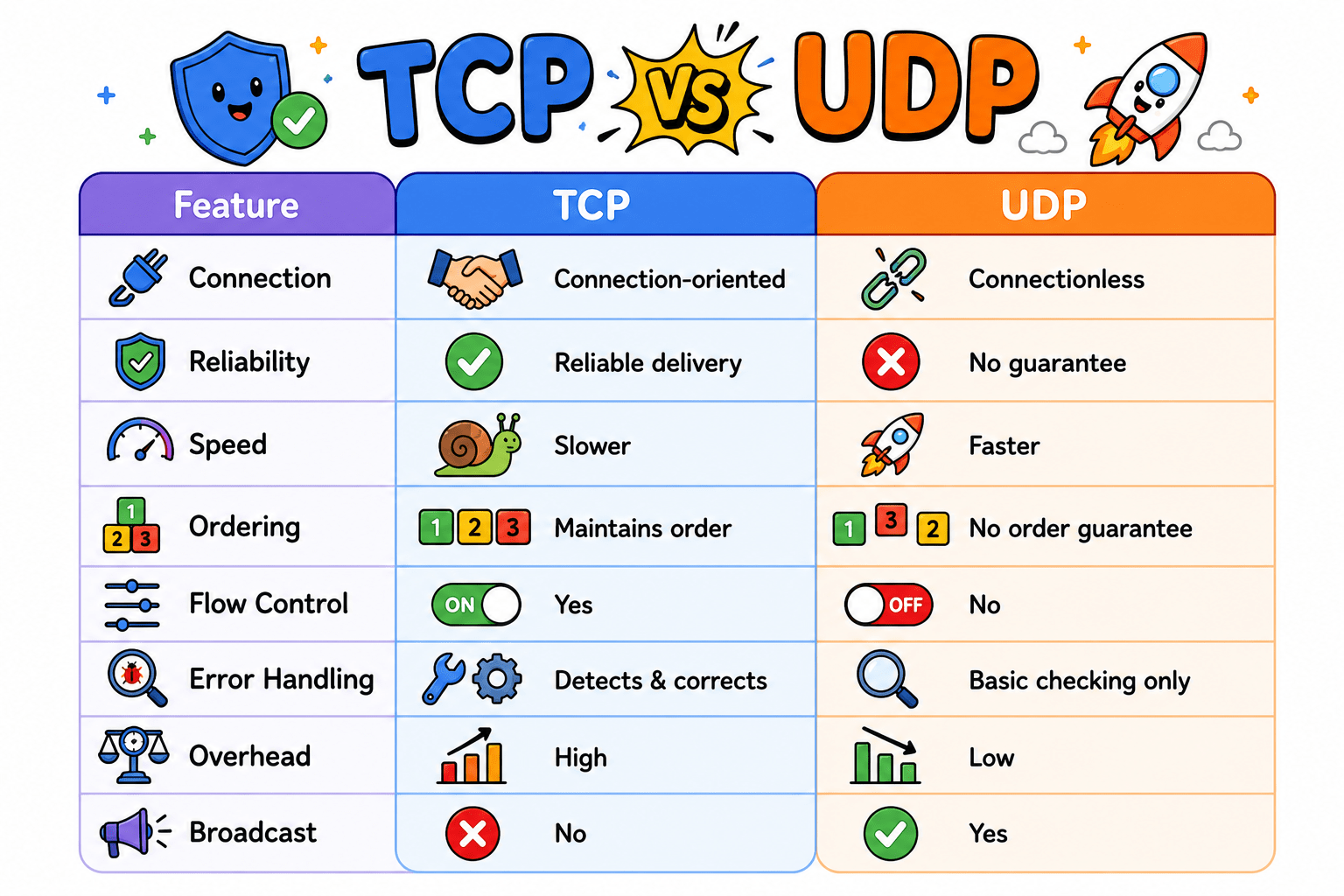
TCP vs UDP Ports
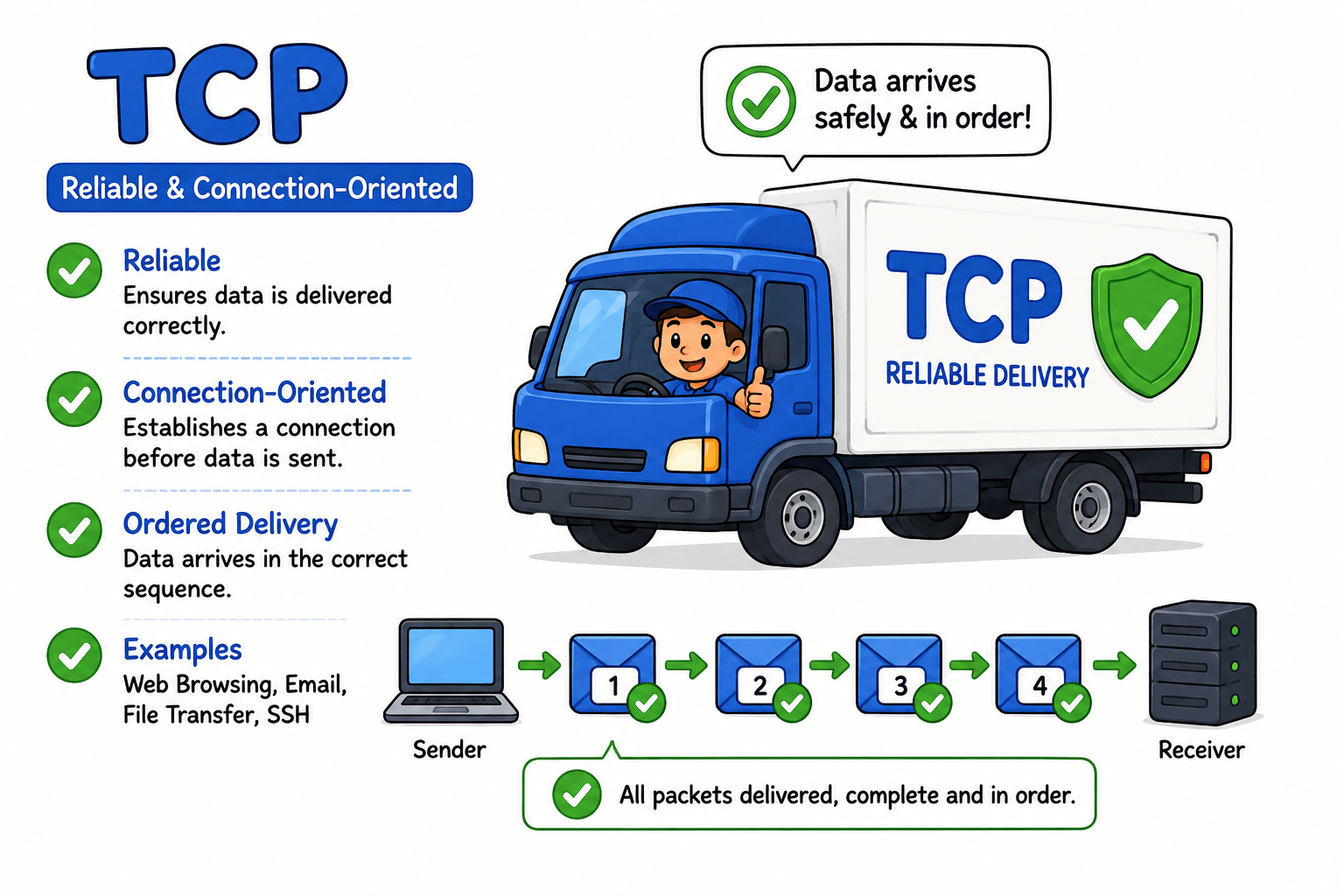
TCP (Transmission Control Protocol
Reliable and connection-oriented
Ensures data is delivered correctly and in order
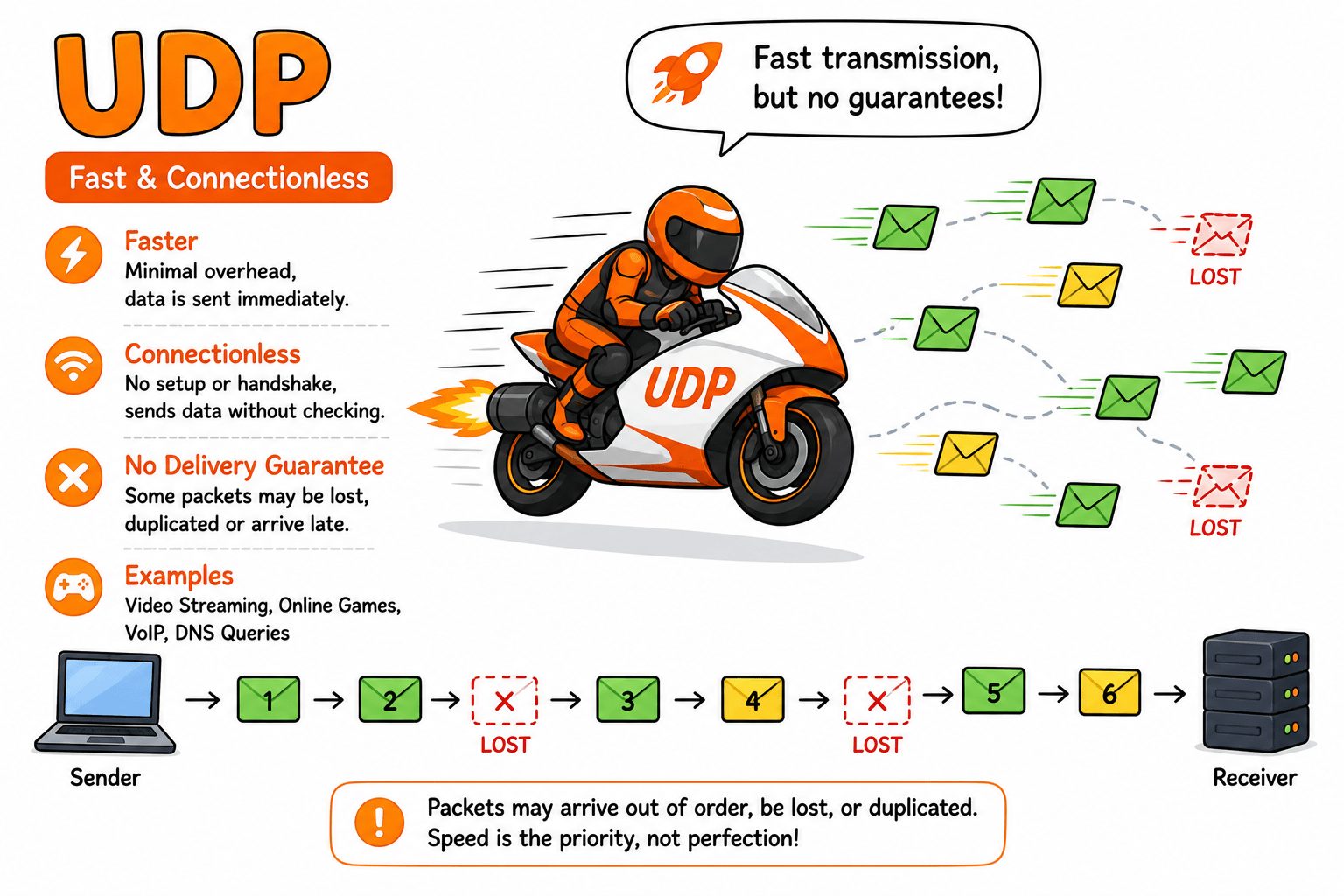
UDP (User Datagram Protocol)
TCP vs UDP Ports
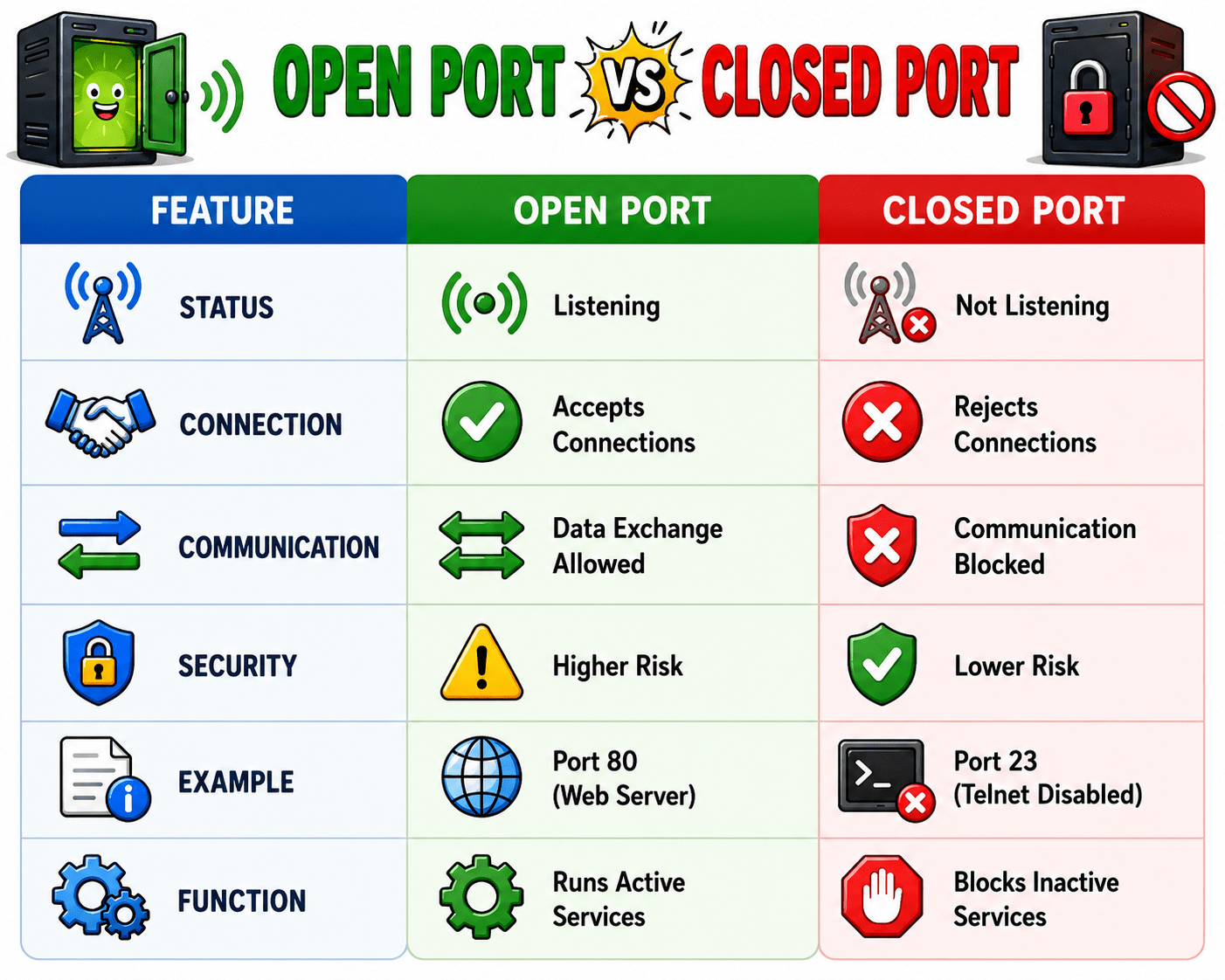
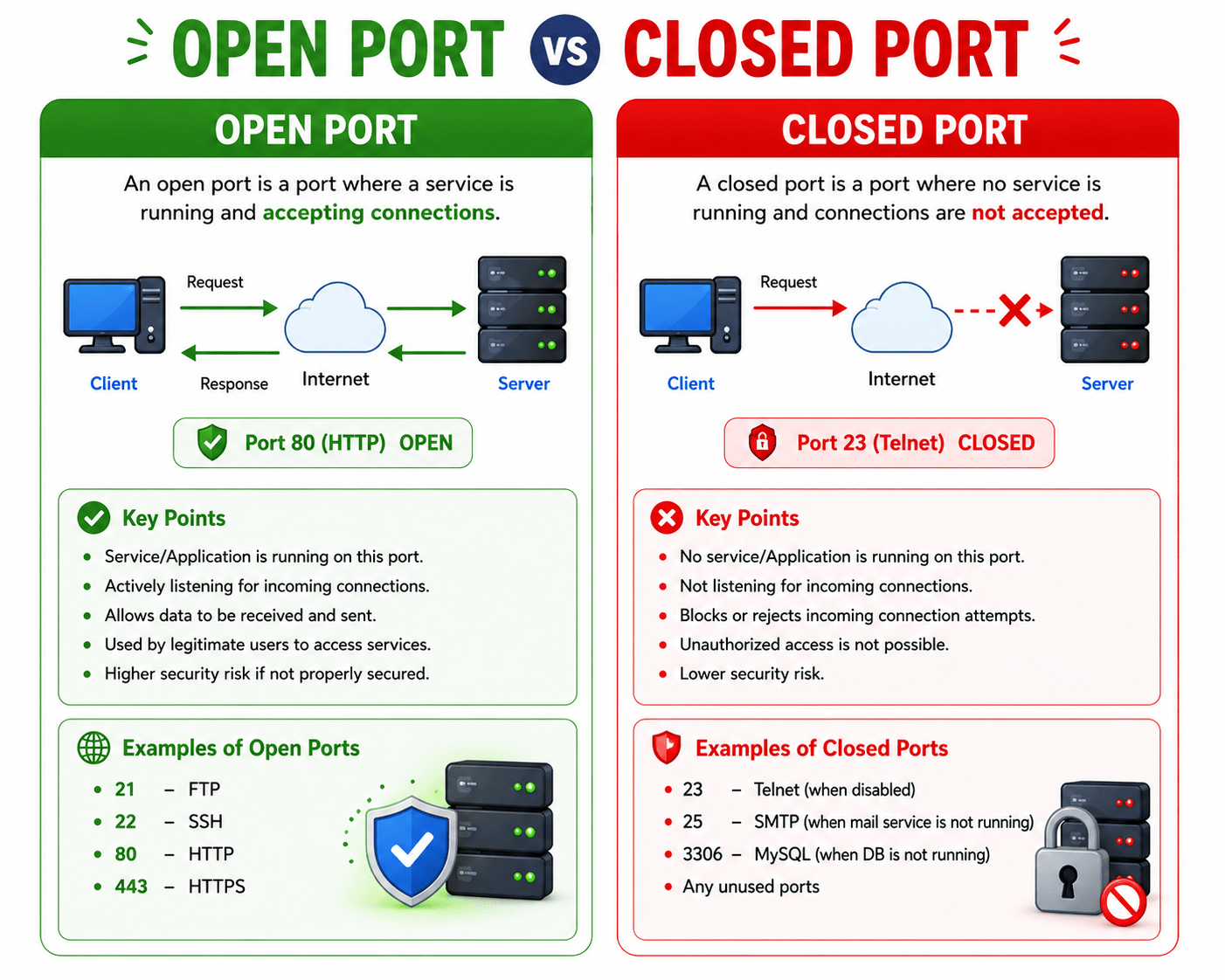
Open Ports VS Closed Ports
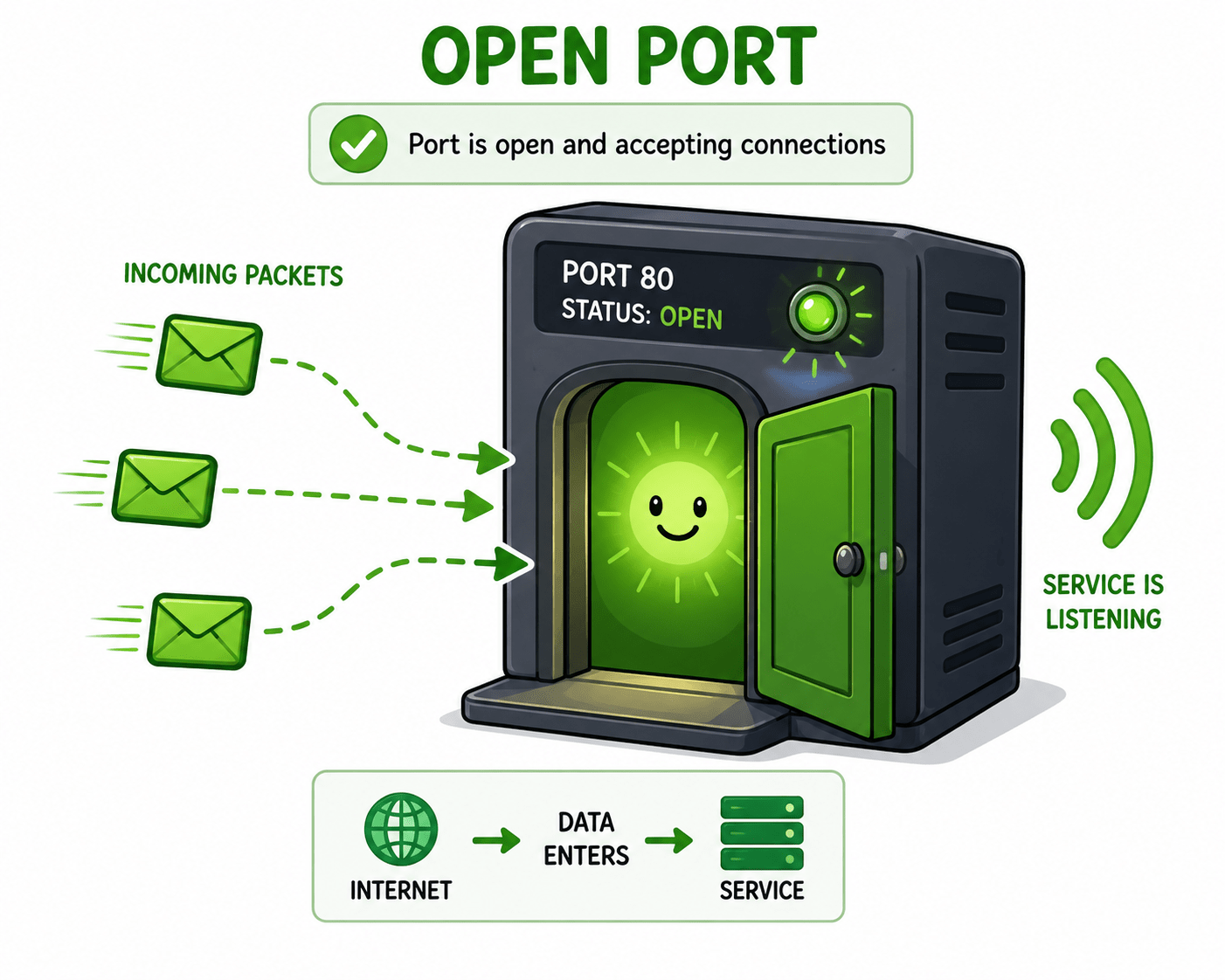
What is a Open Port?
An open port is a port on a device where a service or application is actively listening and ready to receive and send data over a network.
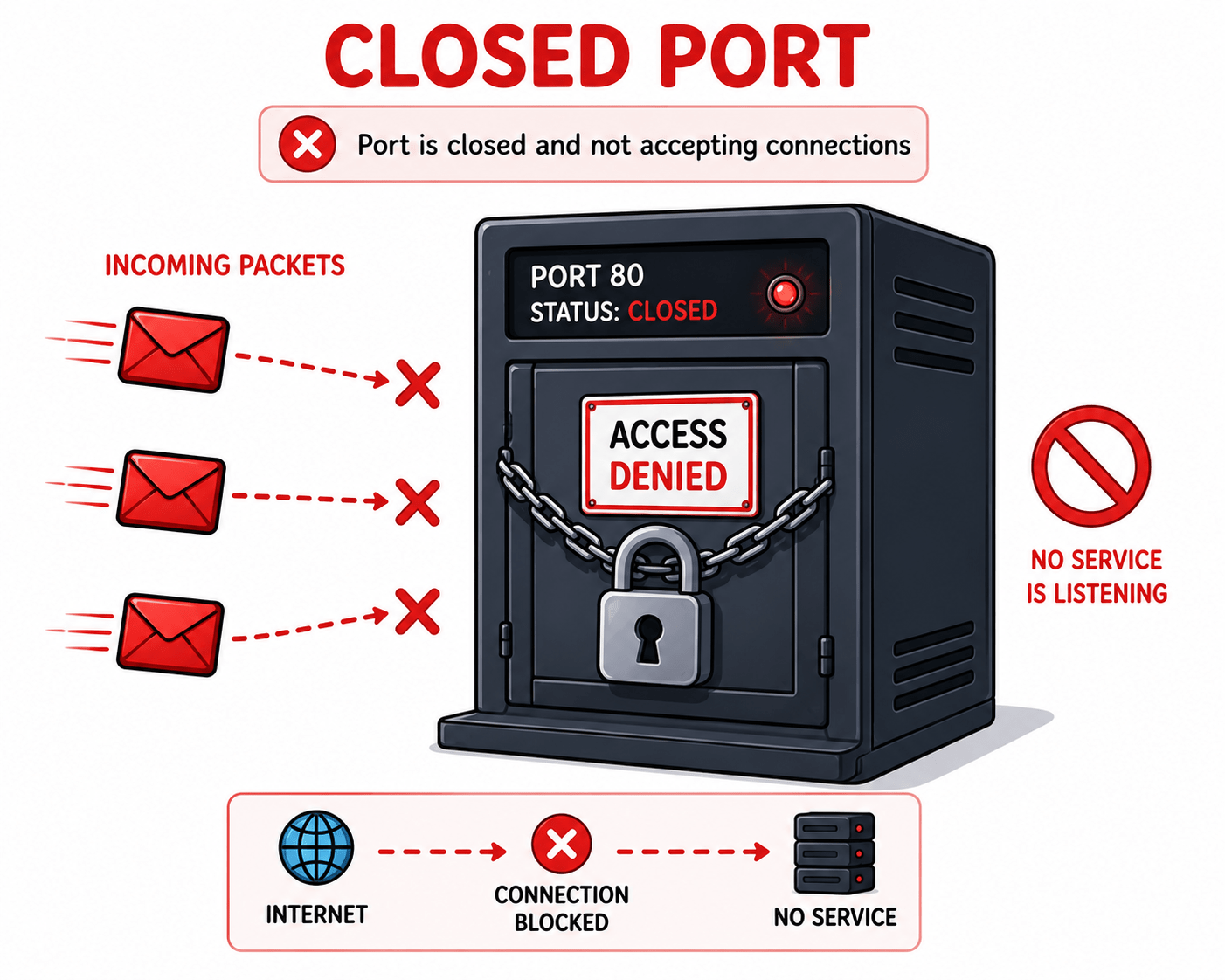
What is a Closed Port?
A closed port is a port on a device where no service or application is listening, so it does not accept incoming network connections.
Common Services
Common Services
FTP (File Transfer Protocol) :-
FTP is used to transfer files between a client and a server over a network. It allows users to upload, download, and manage files remotely. However, it is not secure because data is sent in plain text.
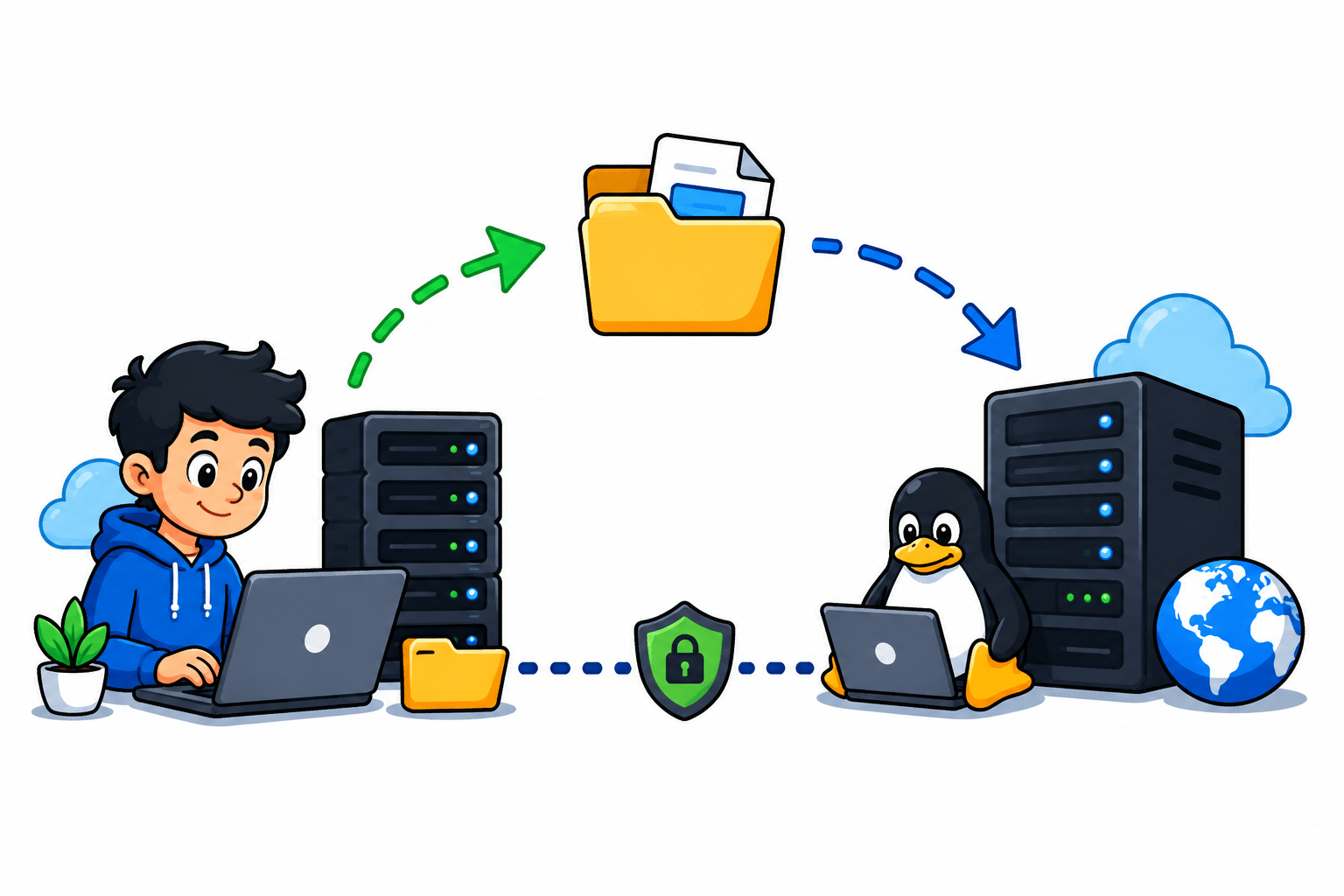
SSH (Secure Shell) :-
SSH is a secure protocol used for remote login and command execution on another system. It encrypts all communication, making it safe from attackers. It is commonly used by system administrators for secure server management.
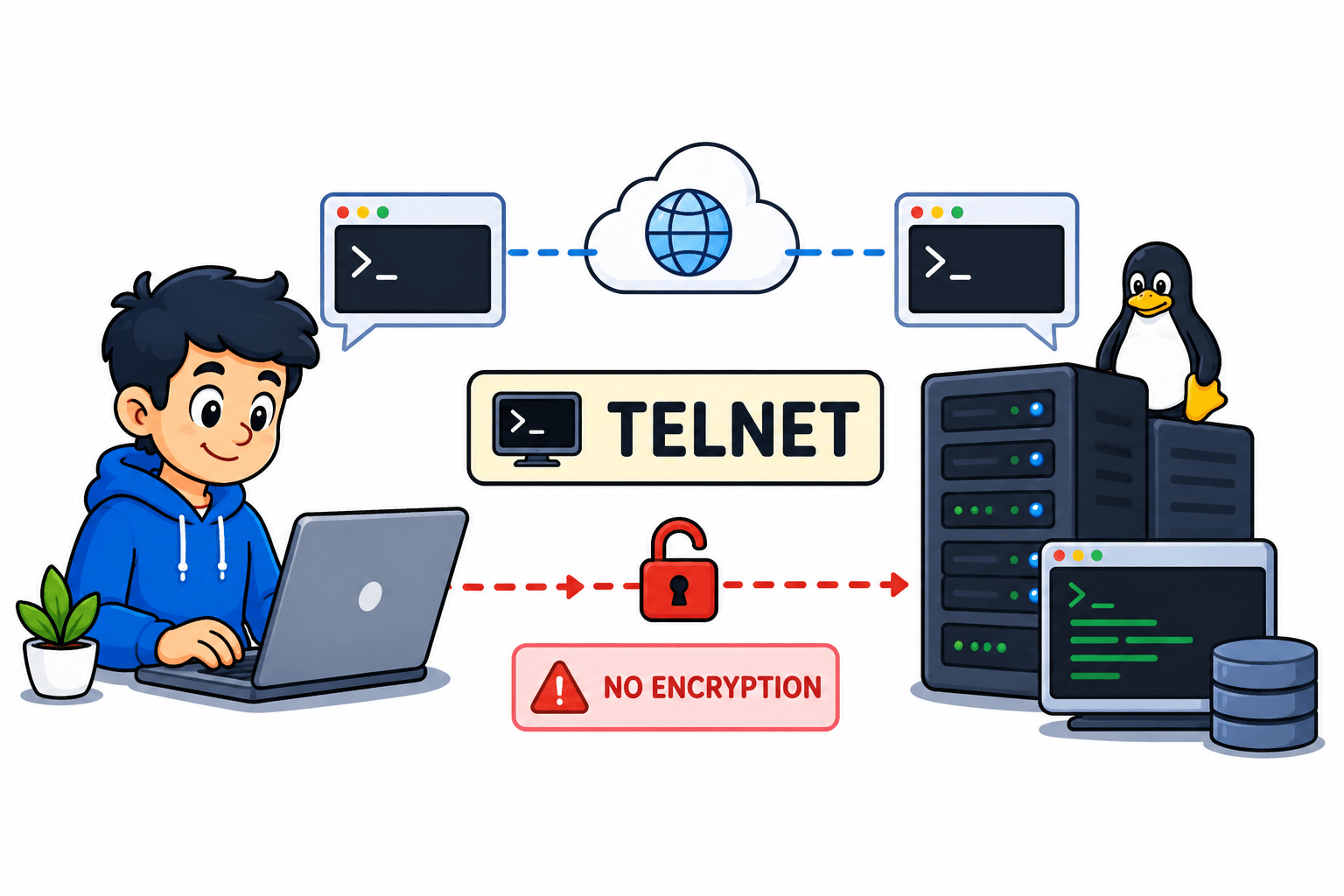
Telnet (Telecommunication Network) :-
Telnet is used for remote access to another computer over a network. It allows users to execute commands on a remote machine. However, it is insecure because it does not use encryption
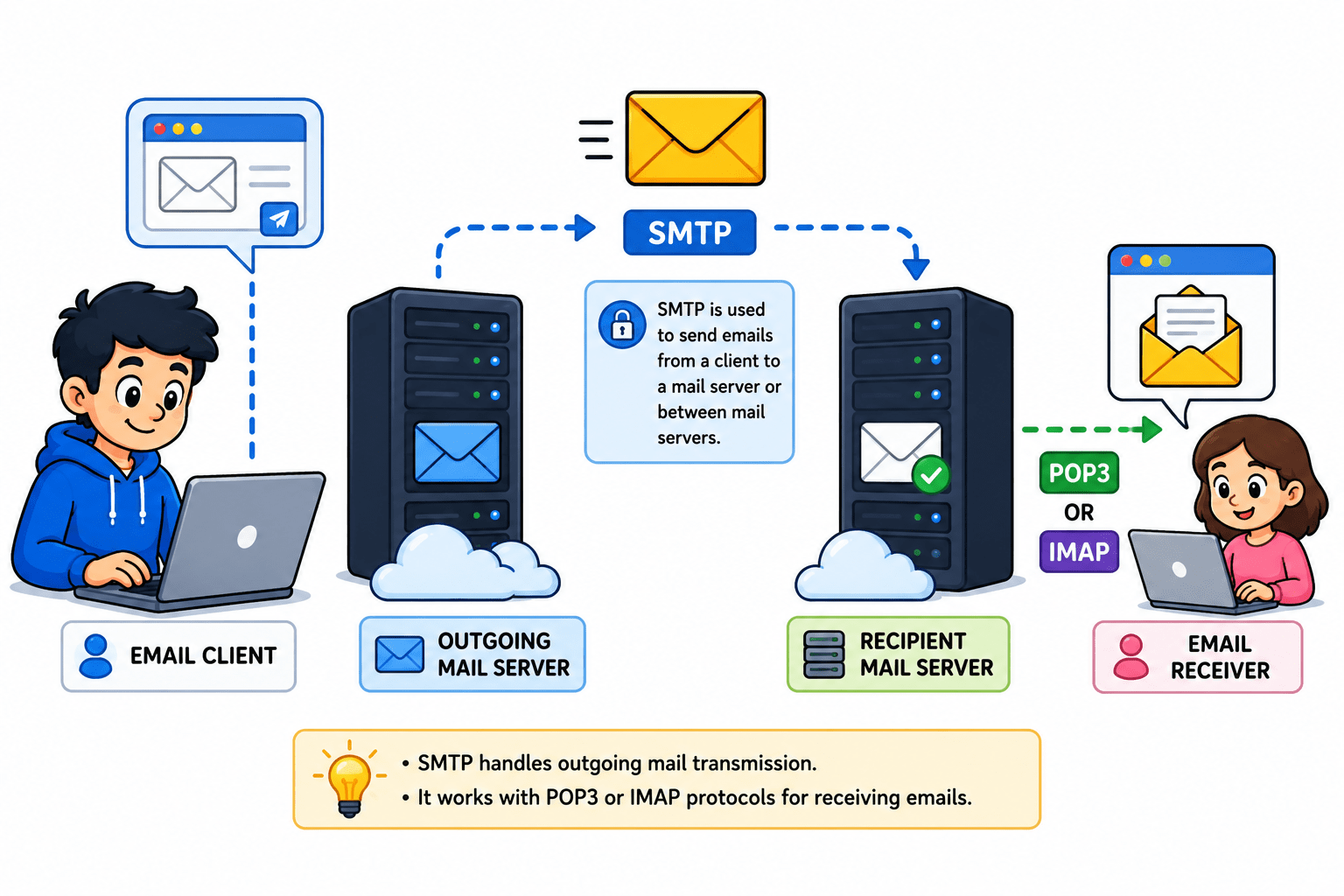
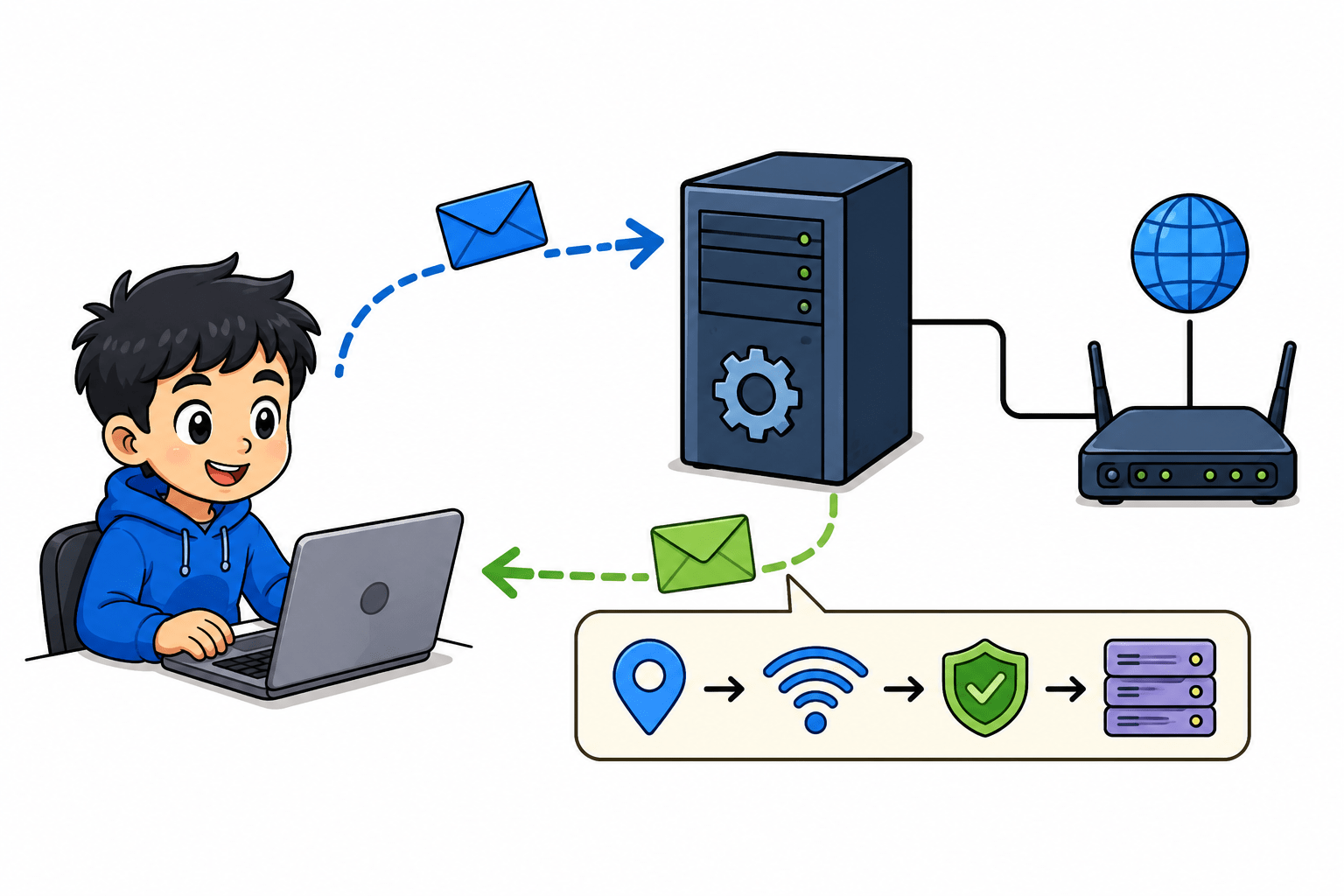
SMTP (Simple Mail Transfer Protocol) :-
SMTP is used to send emails from a client to a mail server or between mail servers. It handles outgoing mail transmission. It works with protocols like POP3 or IMAP for receiving emails.
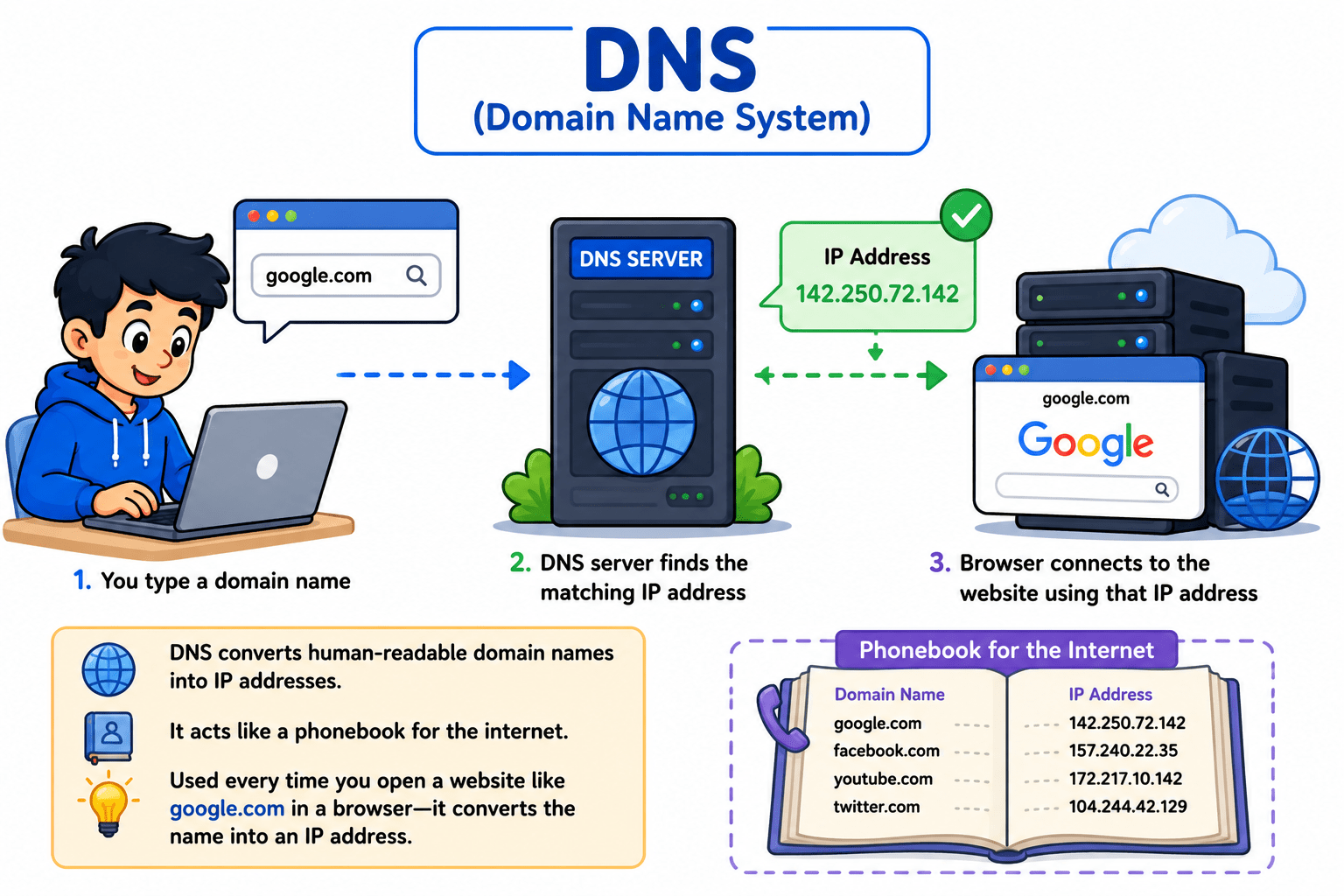
DNS (Domain Name System) :-
DNS converts human-readable domain names into IP addresses. It helps users access websites without remembering numeric IPs. It acts like a phonebook for the internet.
Used every time you open a website like google.com in a browser—it converts the name into an IP address.
DHCP (Dynamic Host Configuration Protocol) :-
DHCP automatically assigns IP addresses to devices on a network. It reduces manual configuration and simplifies network management. It also provides other settings like gateway and DNS information.
HTTP (HyperText Transfer Protocol) :-
HTTP is used to transfer web pages between a browser and a web server. It follows a request-response model. It is not secure because data is transmitted in plain text.
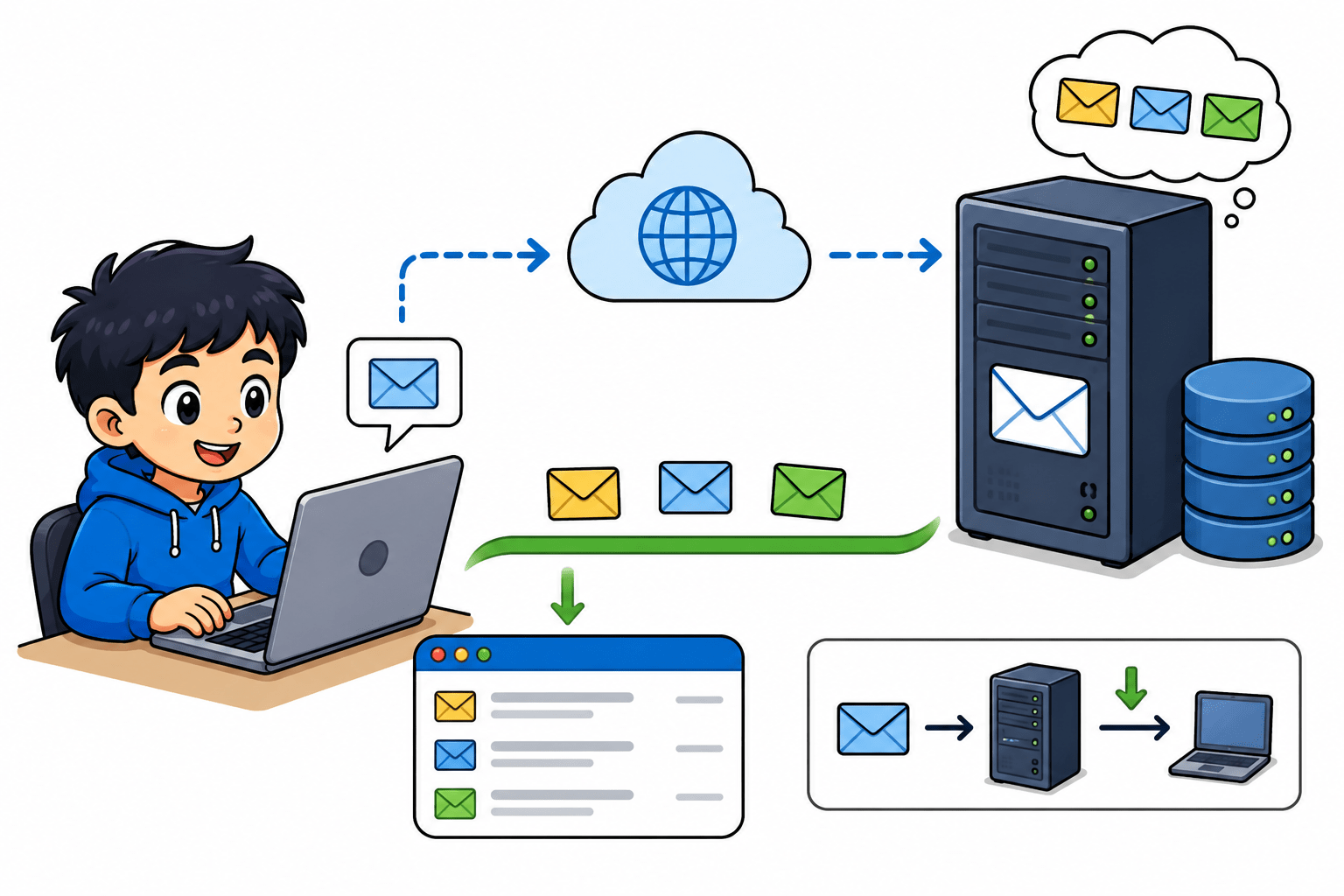
POP3 (Post Office Protocol Version 3) :-
POP3 is used to receive emails by downloading them from the server to the local device. Once downloaded, emails are usually removed from the server. It is simple but does not support syncing across devices.
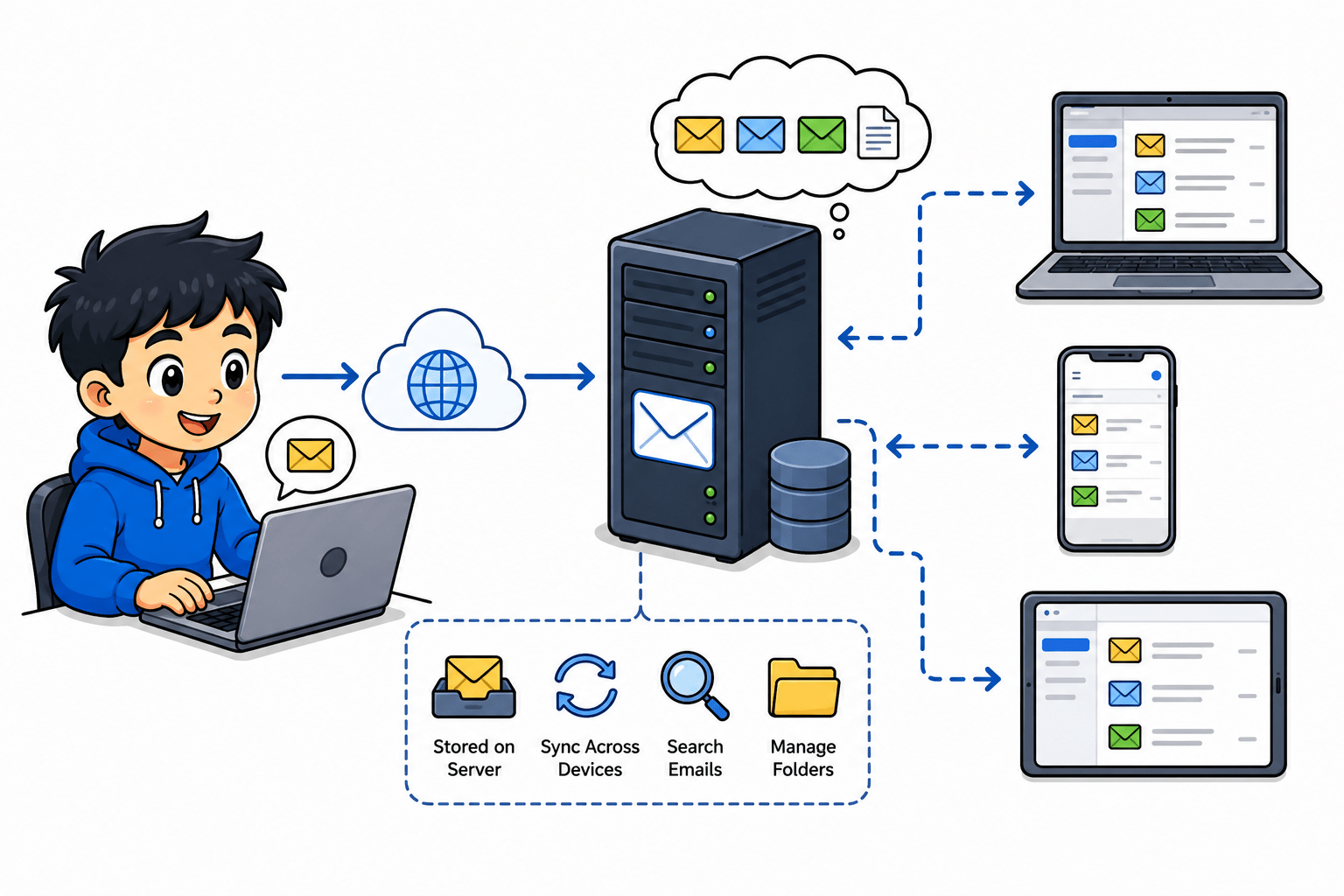
IMAP (Internet Message Access Protocol) :-
IMAP is used to access emails directly from the mail server. It allows synchronization across multiple devices. Emails remain on the server, making it more flexible than POP3.
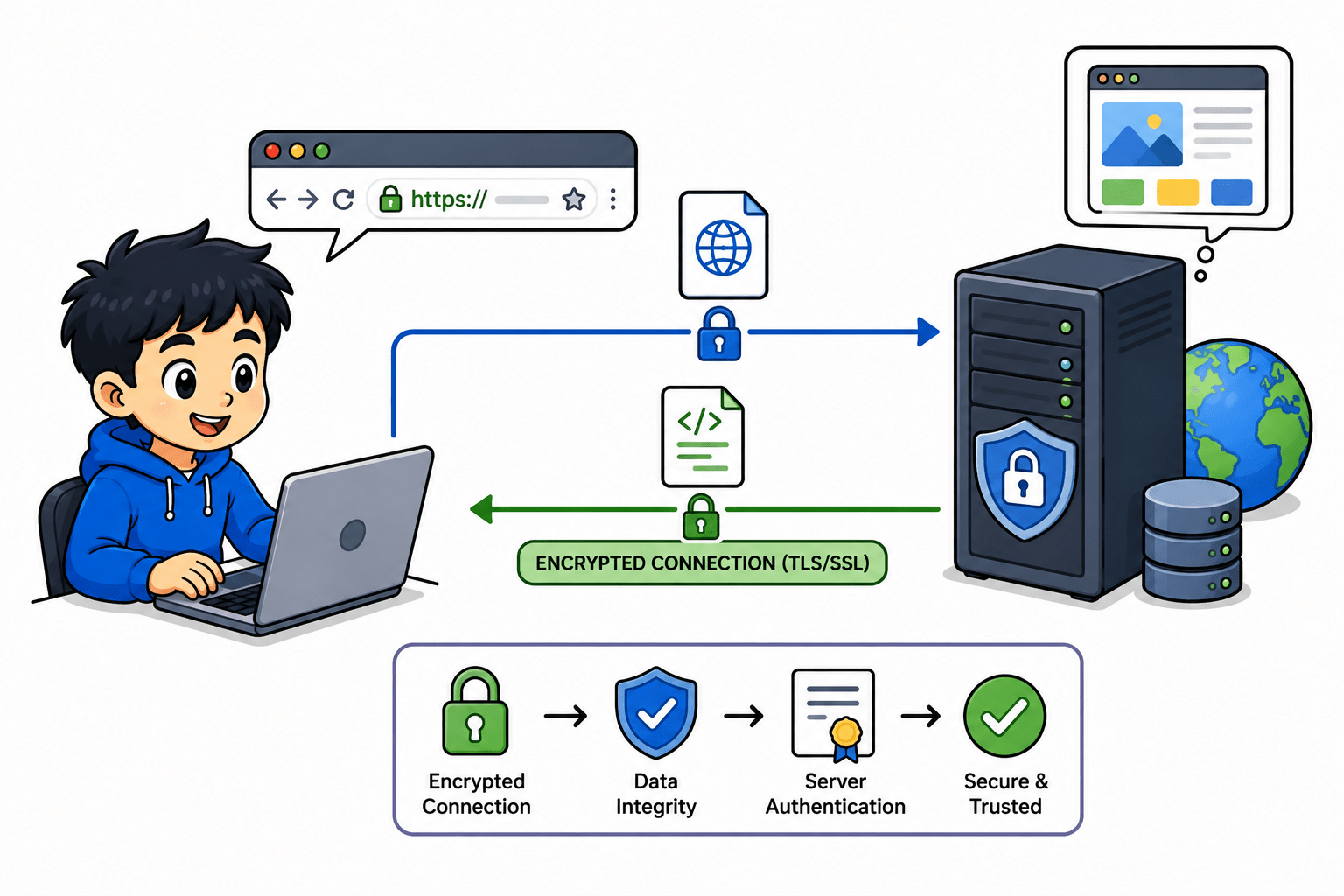
HTTPS (HyperText Transfer Protocol Secure) :-
HTTPS is the secure version of HTTP used for safe web browsing. It uses encryption (SSL/TLS) to protect data during transmission. It ensures privacy and data integrity.
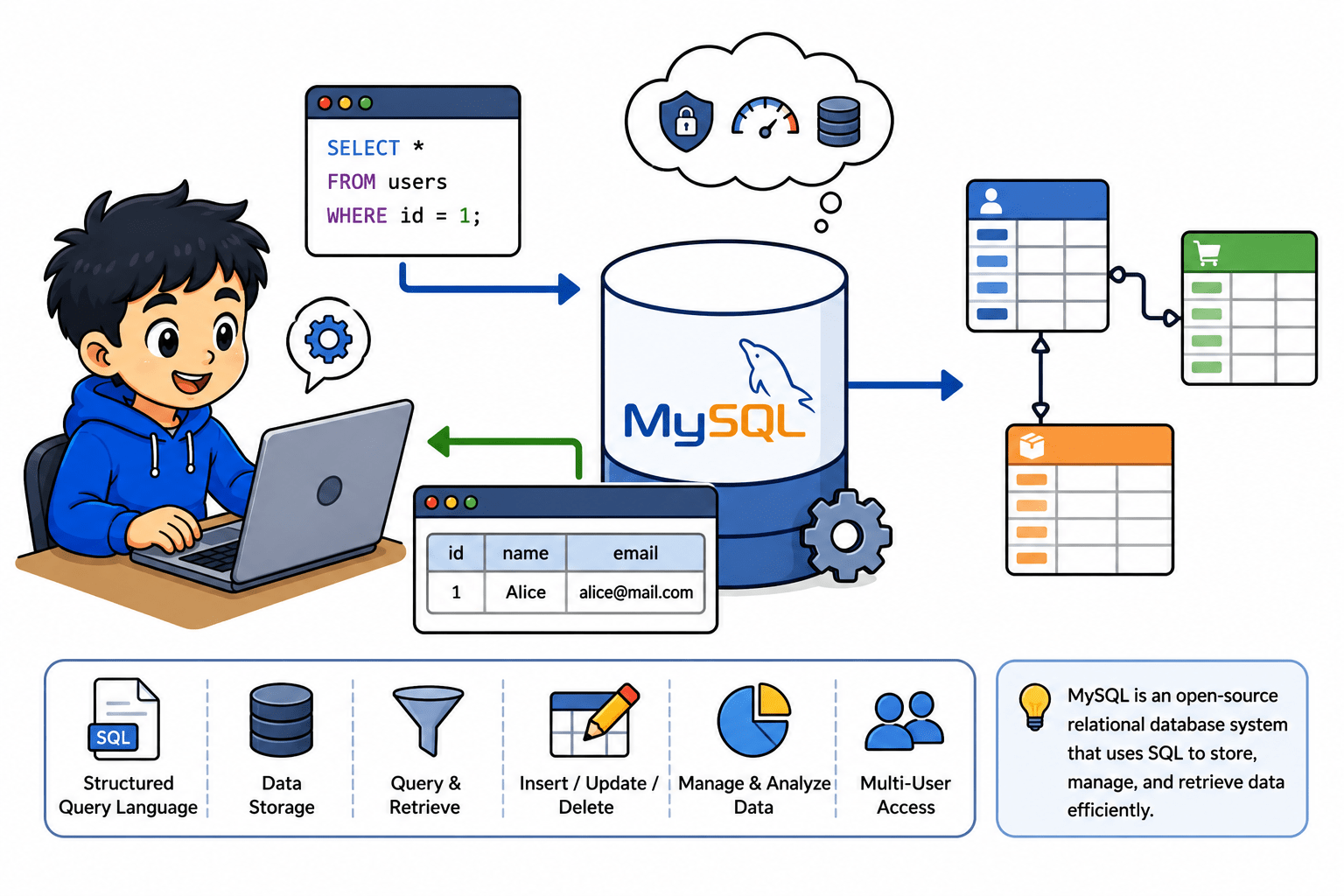
MySQL (My Structured Query Language) :-
MySQL is a database protocol used to manage and access relational databases. It allows users to store, retrieve, and manipulate data efficiently. It is widely used in web applications and backend systems.
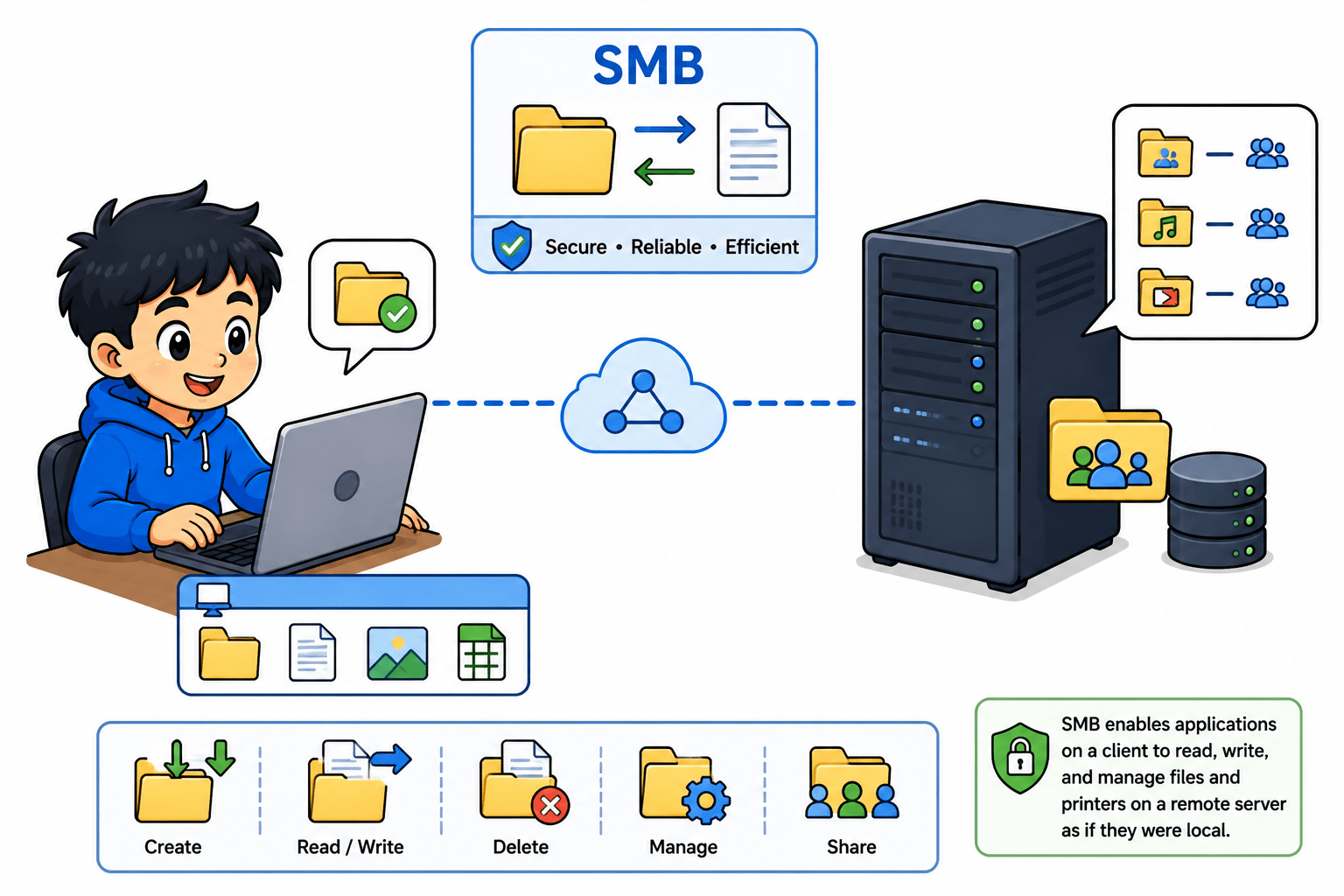
SMB (Server Message Block) :-
SMB is used for sharing files, printers, and resources on a network. It is commonly used in Windows environments. It allows multiple users to access shared resources.
Summary
5
Build strong branding
4
Use different marketing channels
3
Target the right audience
2
Create and communicate value
1
Understand customer needs
Quiz
Which platform is mainly used for professional networking and B2B marketing ?
A. Facebook
B. Instagram
C. LinkedIn
D. Snapchat
Quiz-Answer
Which platform is mainly used for professional networking and B2B marketing ?
A. Facebook
B. Instagram
C. LinkedIn
D. Snapchat
By Content ITV