
























Content ITV PRO
This is Itvedant Content department
Learning Outcome
6
Apply array methods and operations
5
Target audience and segmentation
4
Differentiate one and multi-dimensional arrays
3
Use indexing to access elements
2
Declare and initialize arrays correctly
1
Understand array concept and features
Variables are used to store and change values
Decision Statements execute code based on conditions
Operators are used to perform operations on variables and values.
Loops for, while, do-while – to iterate through elements
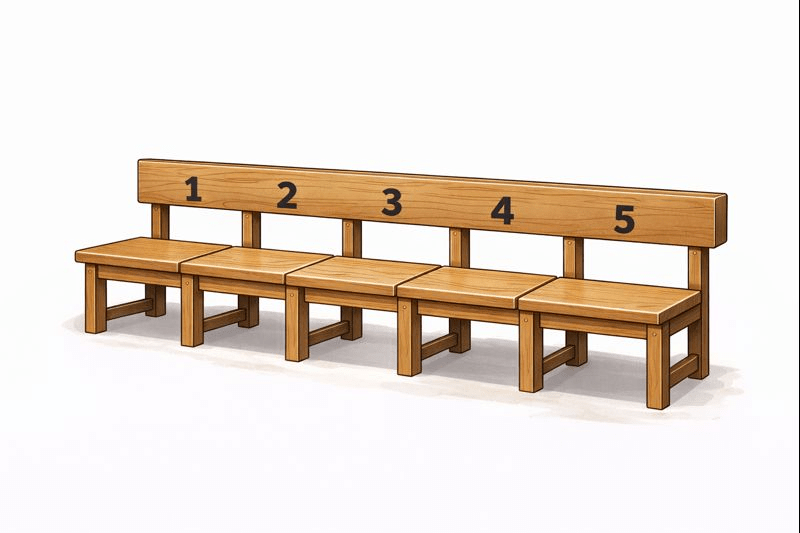
Imagine a long bench in a classroom with 5 fixed seats.
Instead of naming each student separately, we say: “This bench will hold 5 students.”
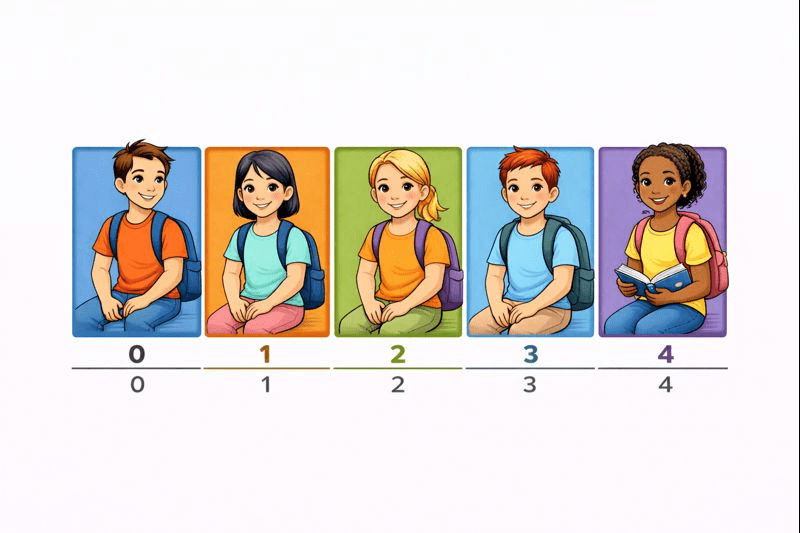
You don’t remember students by separate names — Instead, you remember them by where they are sitting.
For example:
Student sitting on seat 1
Student sitting on seat 2
Student sitting on seat 3
Java works in the same organized way
Just like the bench, Java also provides a way to store multiple values together in an organized manner.
Instead of creating separate variables for each student,
Java uses something called an array.
An array is used to store many values of the same type in one variable.
Easy access using index: You can quickly access any element using its index number.
Saves time and code: No need to create many separate variables, which makes the program shorter and cleaner.
Works well with loops: Arrays can be easily processed using loops like for and while.
Features of Array
1. Declaring an Array
Java provides two simple ways to declare an array:
Method 1: int arr[];
Method 2: int[] arr;
Syntax:
int arr[] = new int[size];
2. Initializing an Array
Sometimes, we already know how many values we want to store in an array and what those values are.
In such cases, Java gives us a shortcut called an array literal.
With an array literal, we can declare and initialize the array at the same time, instead of doing it in multiple steps.
// Declaring array literal
int[] arr = new int[]{ 1,2,3,4,5,6,7,8,9,10 };
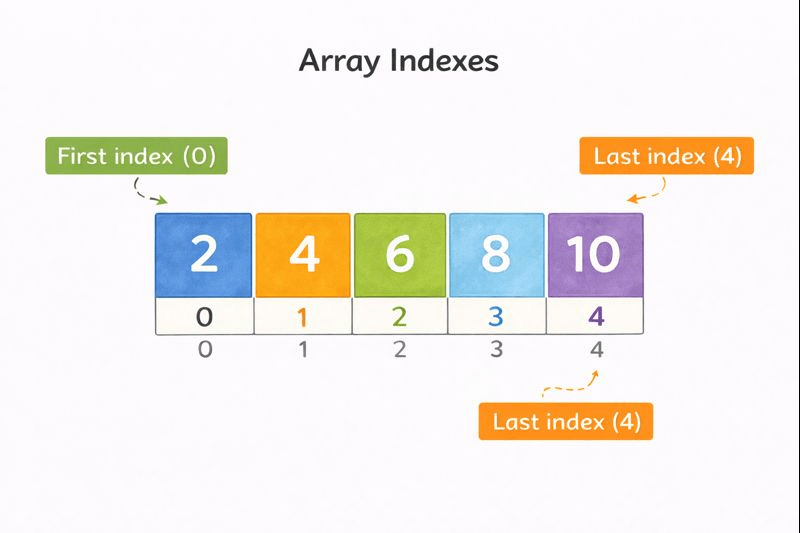
Index is a number used to find a value in an array.
Each value has its own index
Index shows the position of the value
Index starts from 0
Last index is size − 1
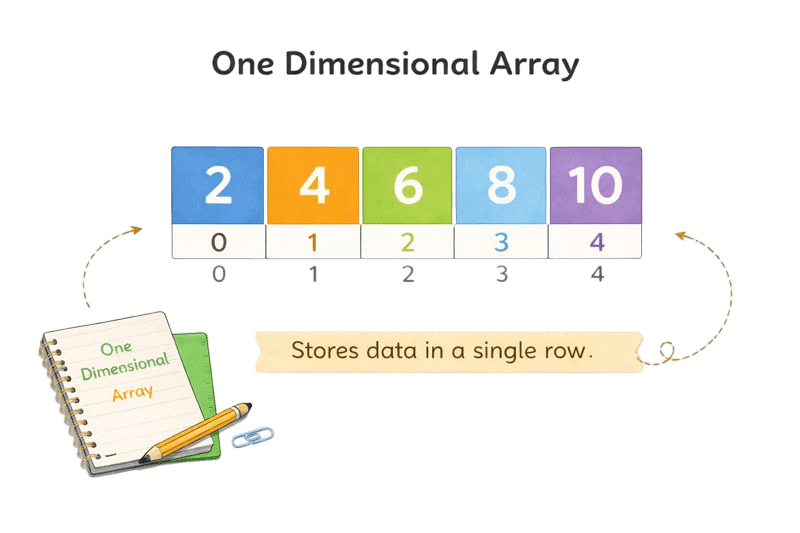
One Dimensional Array
A one-dimensional array is like a simple list.
Values are stored one after another and accessed using one index.
Syntax:
dataType[] arrayName = new dataType[arraySize];
Example :
int[] numbers = new int[5];
// create array with size
int[] numbers2 = {1, 2, 3, 4, 5};
//create array with value
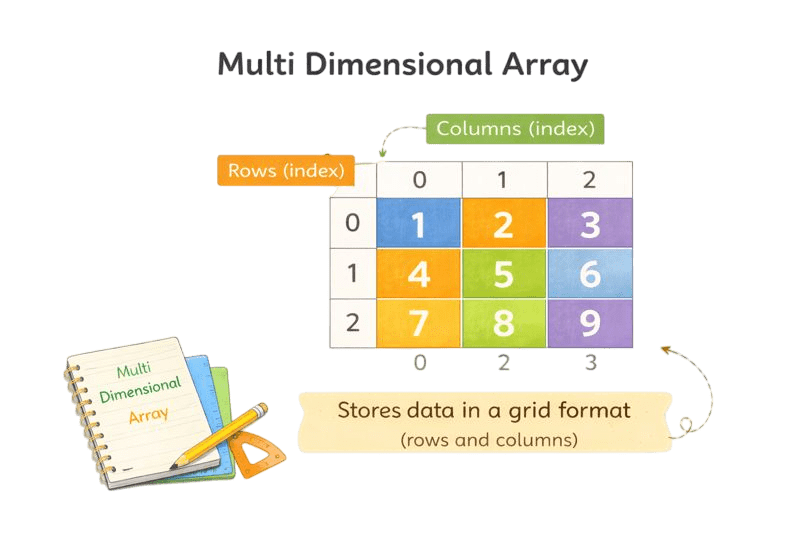
Multi-Dimensional Array
A multi-dimensional array stores data in rows and columns, like a table.
Each row is another array.
datatype[][] arrayName = new datatype[rows][columns];
Example :
int[][] matrix = new int[3][3];
//Declaration in size(3x3 matrix)
int[][] matrix = {
{1, 2, 3},
{4, 5, 6},
{7, 8, 9}
};
Java gives ready-made methods to work with arrays using the Arrays class.
They help to sort, compare, copy, and check size of arrays.
But Remember!!
For using inbuilt array methods we have to:
import java.util.Arrays;
1. Sort
Arranges values in order
Syntax: Arrays.sort(array);
3.Copy
Makes a new array from another
Syntax: Arrays.copyOf(originalArray, newLength);
4.Length
Tells how many values are in the array
Syntax: arrayName.length
2.Equals
Checks if two arrays are the same
Syntax: Arrays.equals(array1, array2);
| Creation | Declaring and initializing an array |
| Insertion | Adding a new element to an array |
| Deletion | Removing an element from an array |
| Updation | Modifying the value of an existing element in an array |
|
|
|---|
Operations
Definations
Summary
5
Arrays support multiple
4
Indexing enables fast element access
3
Array literals simplify array creation
2
Declaration and initialization define arrays
1
Arrays store similar data together
Quiz
Which of the following is the correct way to declare an array?
A. int arr
B. int arr
C. int[] arr
D. array int arr;
Which of the following is the correct way to declare an array?
A. int arr
B. int arr
C. int[] arr
D. array int arr;
Quiz-Answer
By Content ITV