



Content ITV PRO
This is Itvedant Content department
Learning Outcome
4
Relate Git commands to real IT development work
3
Explain how Git commands support team collaboration
2
Identify when to use each command in a project
1
Understand the purpose of common Git commands
Topic Name-Recall(Slide3)
Earlier, we learned that:
Now, we will see how Git is used in practice through its core commands
Transition from Analogy to Technical Concept(Slide 5)
Each command handles a specific task, helping individuals and teams work in an organized and controlled manner
Git commands are instructions that tell Git how to manage, record & share changes made to a project during its development lifecycle
Start Git Tracking
git initWhat it does:
Creates a new Git repository in a folder
Industry usage:
Developers use it to bring projects under version control from day one
Example:
What it does:
Industry usage:
Example:
Copies an existing Git repository to your system
Common first step for new team members
git clone https://github.com/company/project.gitThis command tells Git to start tracking the current project folder
Get an Existing Project
What it does:
Industry usage:
Example:
Saves a snapshot of the current changes
Helps track progress & maintain change history
git commit -m "Updated login validation"This creates a local copy of the project so you can work on it
Save a Version of Work
What it does:
Industry usage:
Example:
git pull origin mainThis updates your local project with the latest team changes
Get Team Updates
Fetches latest changes from the remote repository
Prevents working on outdated code
Updates local project with team changes
Work in Parallel
What it does:
Industry usage:
Example:
git branch feature-loginThis creates a separate workspace for a new feature
Creates or manages separate lines of work
Allows multiple developers to work safely at the same time
Combine Work
What it does:
Industry usage:
Example:
git merge feature-loginThis brings completed work back into the main project
Combines changes from different branches
Used before testing and release stages
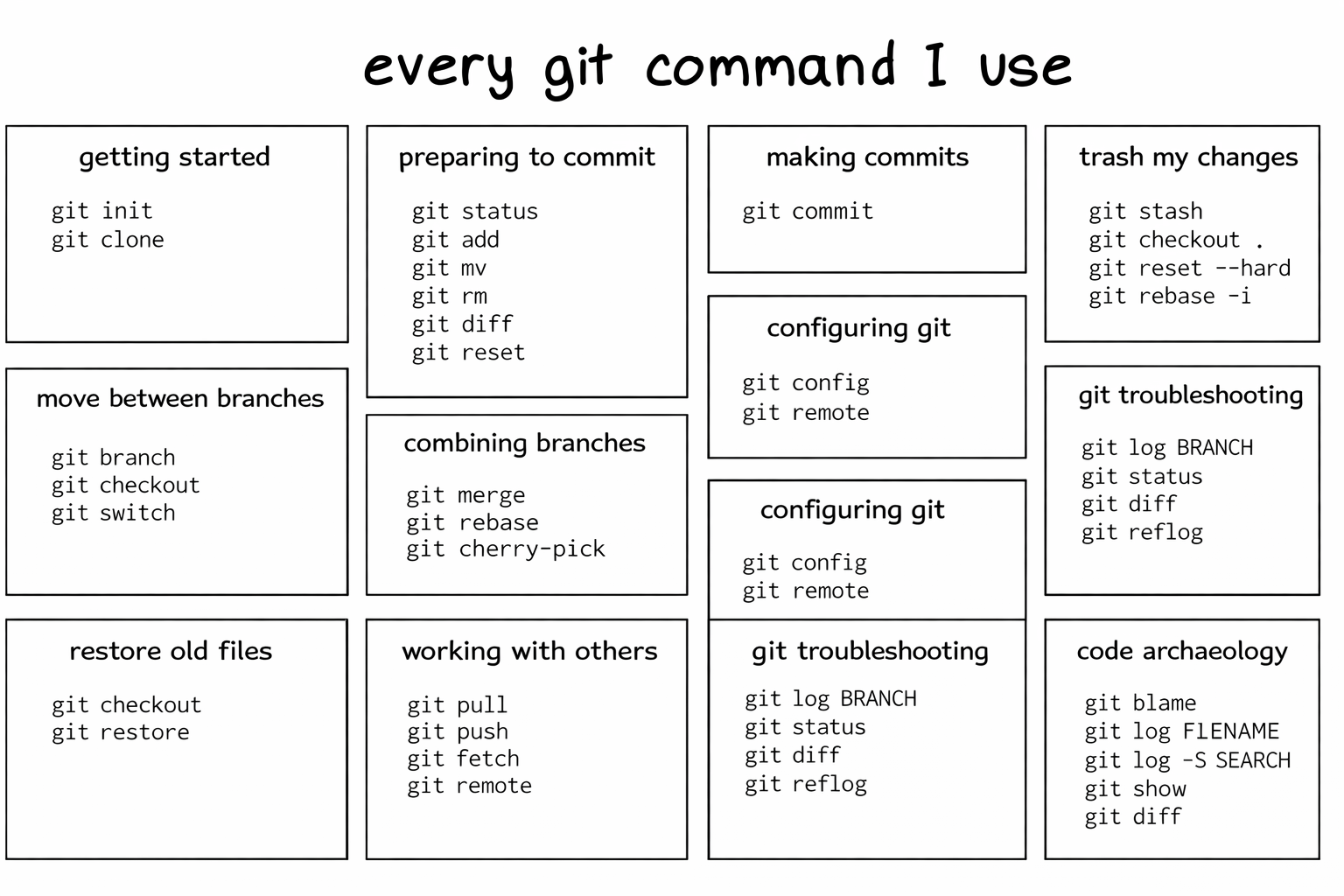
This is a Git command map, Explore it freely
Summary
4
These commands are used daily in IT projects
3
Commands support teamwork and safe changes
2
Each command has a clear purpose
1
Git commands help manage and share work
Quiz
Which command helps bring team changes to your system ?
A. git pull
B. git branch
C. git init
D. git commit
Quiz-Answer
Which command helps bring team changes to your system ?
A. git pull
B. git branch
C. git init
D. git commit
By Content ITV