















Content ITV PRO
This is Itvedant Content department
Learning Outcome
6
Write cleaner and more readable string-based code
5
Differentiate between basic methods and advanced string handling
4
Use Python’s string module for predefined constants
3
Perform advanced string searching using patterns
2
1
Understand how to format strings using modern Python techniques
Apply boolean string methods for validation and checks
In the last chapter, we learned how to work with strings like beginners exploring a new tool...
We even discovered how to join strings together, repeat them, and search within them.
We learned how to create strings,
How to peek inside them using indexing and slicing
And how to modify their appearance using different methods.
It felt like we had learned how to handle and control strings...
We realized that just handling strings is not enough.
What if we want to present information in a better way?
What if we want to check if a string meets specific rules?
What if we want to search patterns, not just words?
That’s where things get more powerful ...
Now, we step into the next level —
where strings are not just handled, but designed, validated, and analyzed intelligently.
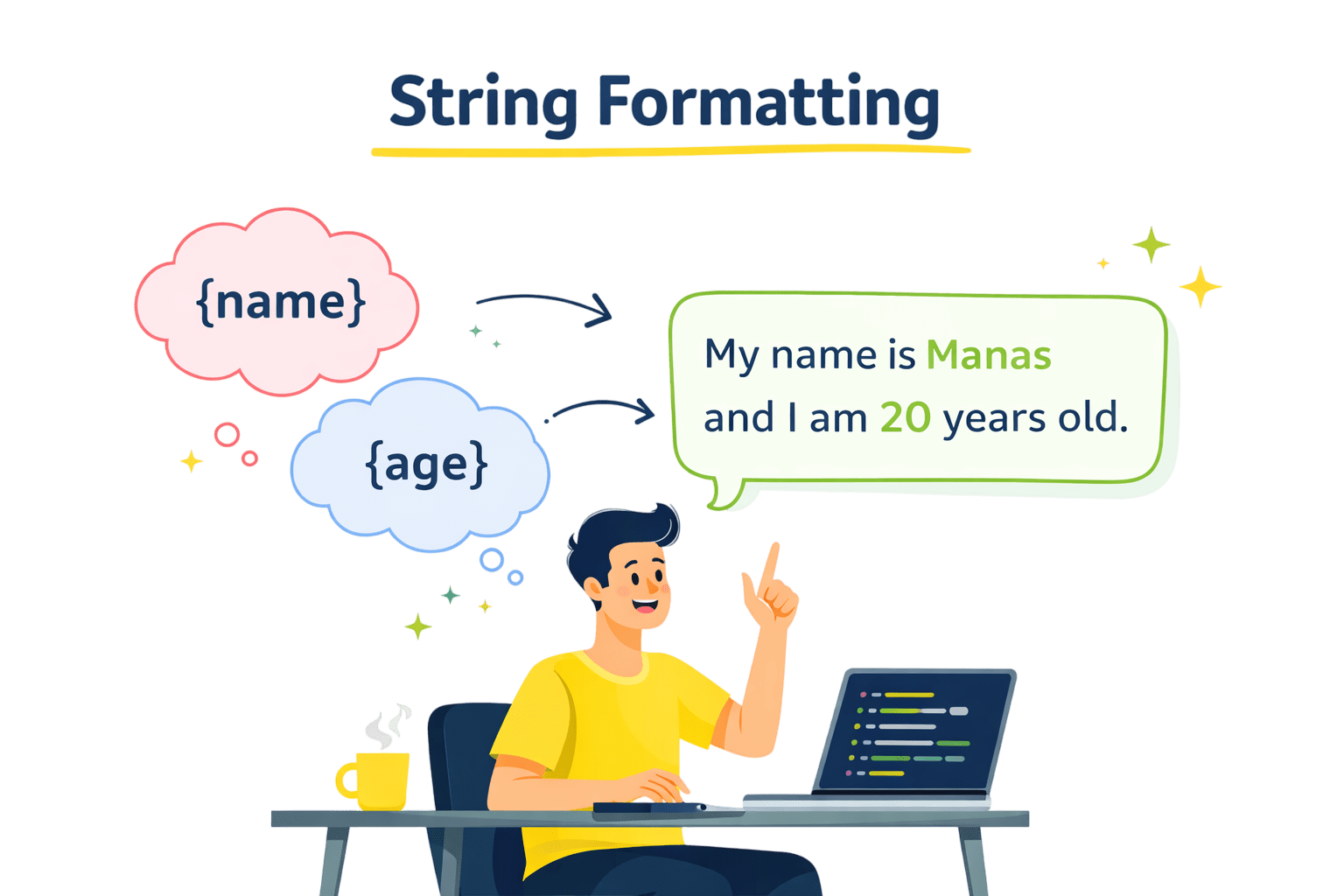
String Formatting → Making output more dynamic
Boolean Methods → Validating string content
Regular Expressions → Pattern-based searching
String Module → Advanced tools and constants
In this chapter, we will explore
In Python, string formatting allows variables and expressions to be inserted into strings in a readable and organized way.
Ways to Format Strings in Python
str.format()
Uses {} placeholders
Values passed in format()
Supports positional/keyword arguments
f-strings
Introduced in Python 3.6
More readable and faster
Directly use variables inside {}
name = "Manas"
age = 20

# Using str.format()
print("My name is {} and I am {} years old".format(name, age))

# Using f-strings
print(f"My name is {name} and I am {age} years old")
My name is Manas and I am 20 years old
My name is Manas and I am 20 years old
In Python, "boolean string methods" are built-in methods of the str class that perform tests on a string and return either True or False.
text.isupper() → True if all uppercase
text.islower() → True if all lowercase
text.isidentifier() → Valid variable name
text.isalpha() → True if only alphabets
text.isnumeric() → True if all numeric
text.isdigit()→ True if only digits
text.isdigit()→ True if only digits
text1 = "PYTHON"
text2 = "python"
text3 = "12345"
text4 = "var_1"

print(text1.isupper())
print(text2.islower())
print(text3.isdigit())
print(text4.isidentifier())
True
True
True
True
=== Code Execution Successful ===
Note: These are some commonly used boolean string methods— many more are available to explore.
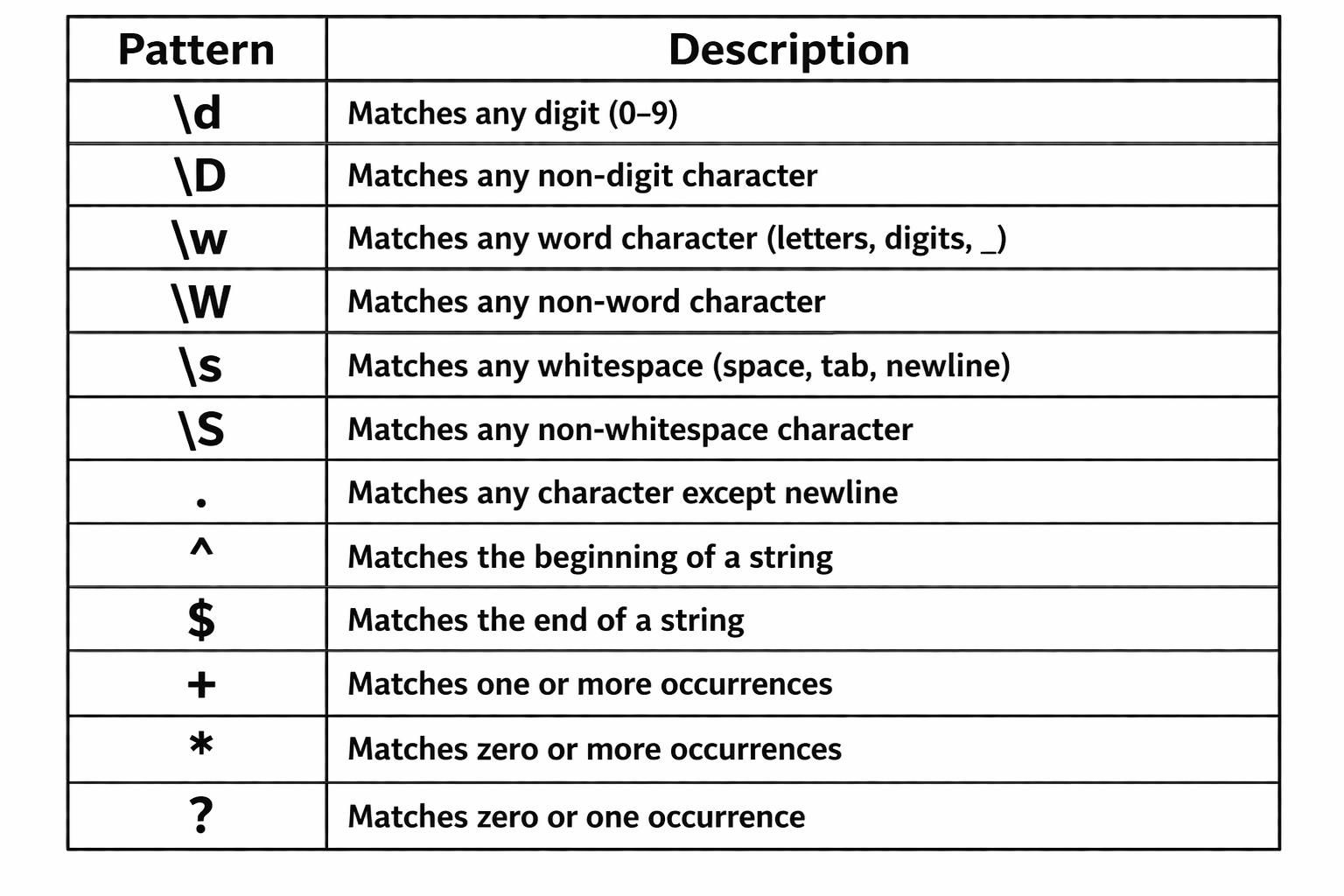
Regular Expressions (Regex) are patterns used to search, match, and manipulate text.
Instead of searching exact words, regex helps you find patterns.
Search complex patterns beyond exact text matching
Validate input formats like email and phone
Extract specific information from large text data
Perform advanced string manipulation and transformations
import re

text = "user123@gmail.com"

# \d → digits
print(re.findall(r"\d+", text))

# \w → words
print(re.findall(r"\w+", text))

# @ → email symbol
print(re.findall(r"@", text))

# .com → domain
print(re.findall(r"\.com", text))
['123']
['user123', 'gmail', 'com']
['@']
['.com']
=== Code Execution Successful ===
The string module is part of Python’s standard library and provides useful utilities, including predefined character sets and functions, to simplify string operations.
Avoid hardcoding characters like a-z, 0-9
Make code clean and readable
Useful for validation, generation, and checking
Saves time in text processing tasks
string.ascii_letters
Contains all lowercase and uppercase English letters (a–z, A–Z)
string.punctuation
Contains all special characters like ! " # $ % & ' ( ) * + , - . / : ; < = > ? @ [ \ ] ^ _
string.digits
Contains numeric characters from 0 to 9
string.whitespace
Contains whitespace characters like space, tab (\t), newline (\n)
string.hexdigits
Contains all hexadecimal characters, including digits (0–9) and letters (a–f, A–F)
import string

password = "Pass@123"

has_letter = False
has_digit = False
has_special = False

for ch in password:
    if ch in string.ascii_letters:
        has_letter = True
    elif ch in string.digits:
        has_digit = True
    elif ch in string.punctuation:
        has_special = True

if has_letter and has_digit and has_special:
    print("Strong Password")
else:
    print("Weak Password")
Strong Password
=== Code Execution Successful ===
Summary
5
4
3
2
1
String formatting improves readability and flexibility
Boolean methods help in validation tasks
Regular expressions enable powerful pattern matching
String module provides ready-to-use constants
Advanced string handling makes programs smarter and cleaner
Quiz
Which method is preferred for modern string formatting?
A. format()
B. % operator
C. f-strings
D. join()
Which method is preferred for modern string formatting?
A. format()
B. % operator
C. f-strings
D. join()
Quiz-Answer
By Content ITV