







Daniel Haehn PRO
Hi, I am a biomedical imaging and visualization researcher who investigates how computational methods can accelerate biological and medical research.
over
done!
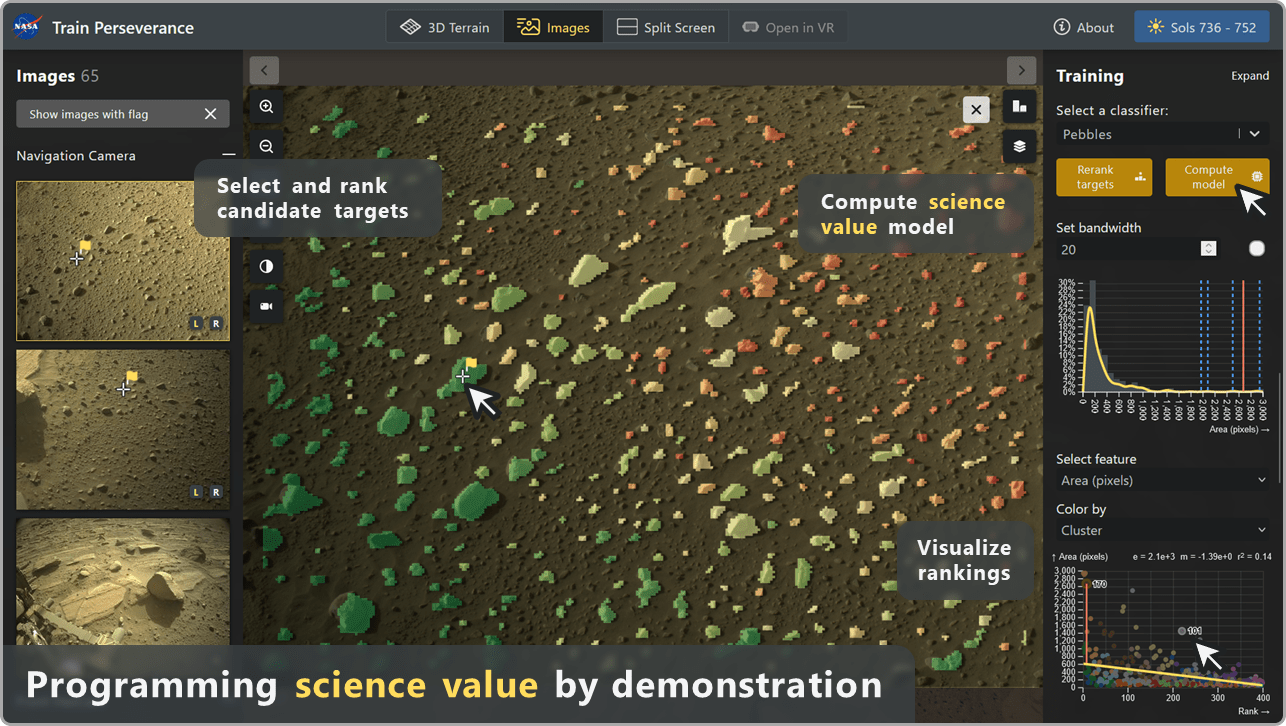
ReRank
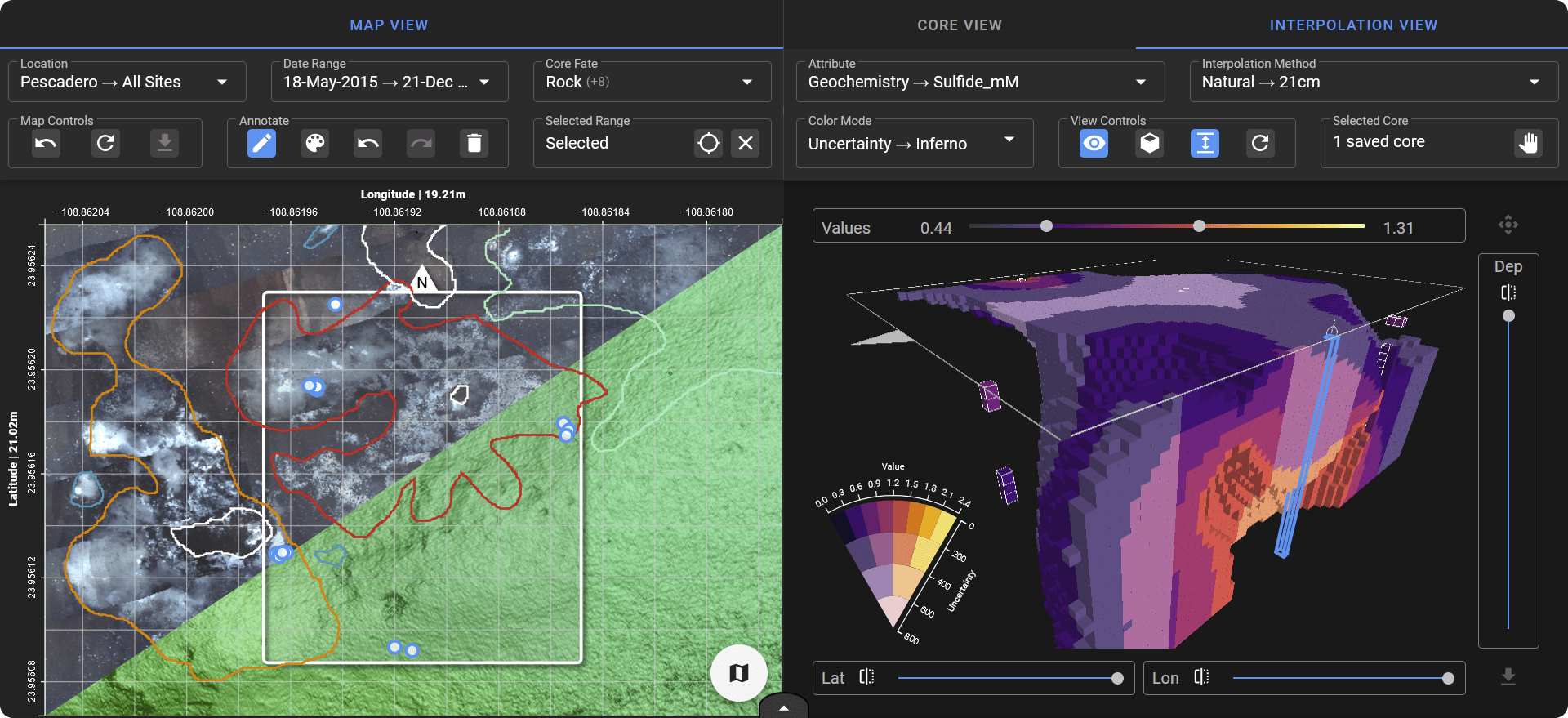
DeepSee
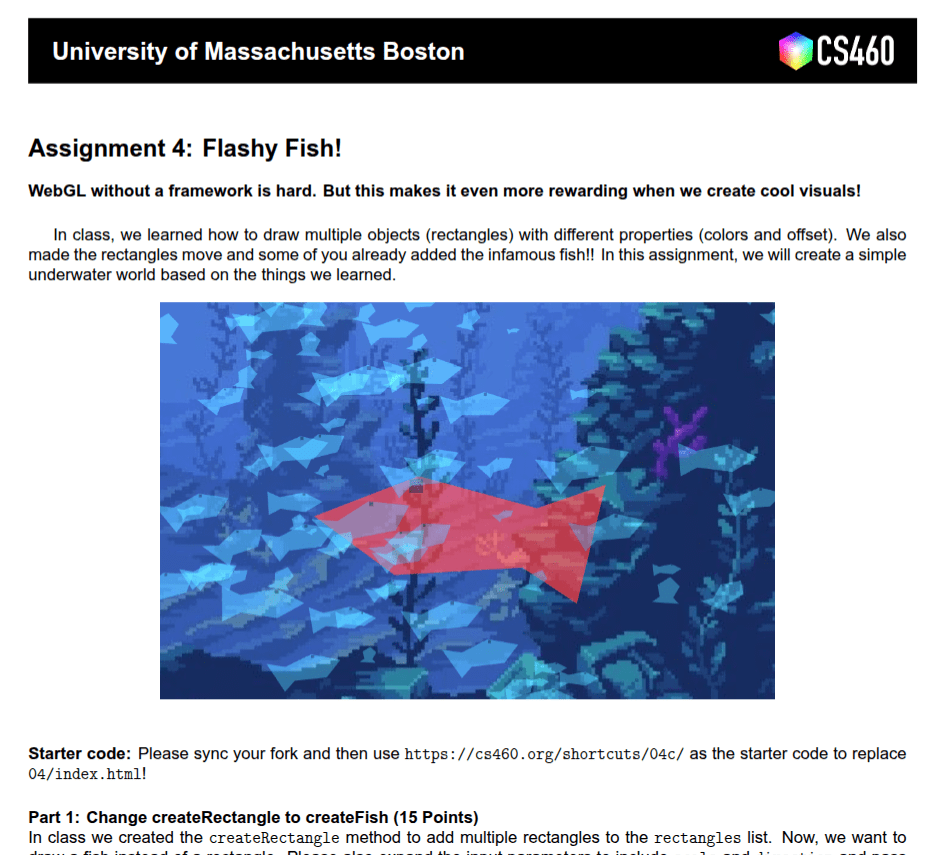
Due Friday!
Updates coming!
Transformations
Translate
Rotate
Scale
Matrix
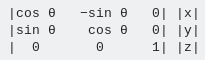
r r r t_x
r r r t_y
r r r t_z
0 0 0 1
x, y, z
x, y, z
new
var m = new Float32Array( [
  r, r, r, 0,
  r, r, r, 0,
  r, r, r, 0,
  t_x, t_y, t_z, 1
]);
column-major ordering!
theta = Math.PI / 4;

current_transform = new Float32Array([
  Math.cos(theta), -Math.sin(theta), 0, 0,
  Math.sin(theta), Math.cos(theta), 0, 0,
  0, 0, 1, 0,
  current_offset[0], current_offset[1], 0., 1.
]);

gl.uniformMatrix4fv(u_transform, false, current_transform);
<script id="vertexshader" type="glsl">
attribute vec3 a_position;
uniform mat4 u_transform;
void main(void) {
vec4 final_position = u_transform * vec4( a_position, 1. );
gl_Position = final_position;
}
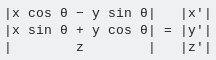
</script>cos(T) -sin(T) 0 0
sin(T) cos(T) 0 0
0 0 1 0
0 0 0 1
2, 2, 2
?
with T = Pi/2
= 90°
X
Y
Z
cos(T) -sin(T) 0 0
sin(T) cos(T) 0 0
0 0 1 0
0 0 0 1
2, 2, 2
with T = Pi/2
= 90°
-2, 2, 2
cos(T) -sin(T) 0 0
sin(T) cos(T) 0 0
0 0 1 0
0 0 0 1
2, 2, 2
?
with T = Pi
= 180°
X
Y
Z
90°
2,2,2
-2,2,2
-2,-2,2
180°
270°
2,-2,2
cos(T) -sin(T) 0 0
sin(T) cos(T) 0 0
0 0 1 0
0 0 0 1
2, 2, 2
with T = Pi
= 180°
-2, -2, 2
X
Y
Z
cos(T) -sin(T) 0 0
sin(T) cos(T) 0 0
0 0 1 0
0 0 0 1
2, 2, 2
with T = Pi/2
= 90°
-2, 2, 2
cos(T) -sin(T) 0 0
sin(T) cos(T) 0 0
0 0 1 0
0 0 0 1
2, 2, 2
with T = Pi/2
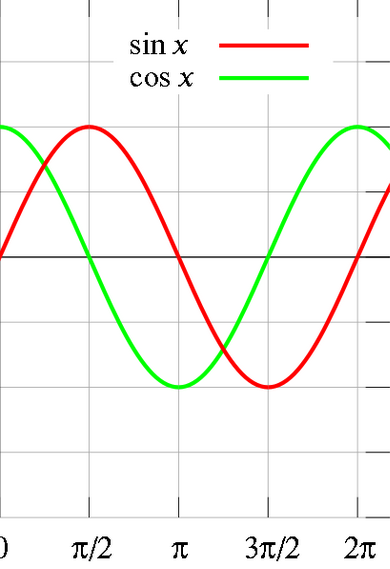
0
0
1
2 Pi
Pi
Pi/2
1.5 Pi
90°
1
1
-2
2
2
-1
Frame of Reference
X
Y
Z
World Frame
Frame of Reference
X
Y
Z
Object Frame
Frame of Reference
X
Y
Z
Object Frame
Frame of Reference
X
Y
Z
Eye Frame
Camera
(Eye)
cos(T) -sin(T) 0 0
sin(T) cos(T) 0 0
0 0 1 0
0 0 0 1
rotation around Z
Matrix
with angle T
cos(T) -sin(T) 0 0
sin(T) cos(T) 0 0
0 0 1 0
0 0 0 1
rotation around Z
cos(T/2)
sin(T/2) * 0
sin(T/2) * 0
sin(T/2) * 1
Matrix
Quaternion
w
x
y
z
with angle T
cos(T) -sin(T) 0 0
sin(T) cos(T) 0 0
0 0 1 0
0 0 0 1
rotation around Z
cos(T/2)
sin(T/2) * 0
sin(T/2) * 0
sin(T/2) * 1
Matrix
Quaternion
var m = new Float32Array( [
  Math.cos(T), Math.sin(T), 0, 0,
  -Math.sin(T), Math.cos(T), 0, 0,
  0, 0, 1, 0,
  0, 0, 0, 1
]);
var q = new Float32Array( [
  Math.cos(T/2),
  Math.sin(T/2)*0,
  Math.sin(T/2)*0,
  Math.sin(T/2)*1
]);
var q = new Float32Array( [
  Math.sin(T/2)*0,
  Math.sin(T/2)*0,
  Math.sin(T/2)*1,
  Math.cos(T/2)
]);
w
x
y
z
with angle T
1 0 0 0
0 cos(T) -sin(T) 0
0 sin(T) cos(T) 0
0 0 0 1
rotation around X
cos(T/2)
sin(T/2) * 1
sin(T/2) * 0
sin(T/2) * 0
Matrix
Quaternion
cos(T) 0 sin(T) 0
0 1 0 0
-sin(T) 0 cos(T) 0
0 0 0 1
rotation around Y
cos(T/2)
sin(T/2) * 0
sin(T/2) * 1
sin(T/2) * 0
Matrix
Quaternion
1 0 0 0
0 1 0 0
0 0 1 0
0 0 0 1
Identity
1
0
0
0
Matrix
Quaternion
w
x
y
z
-1
0
0
0
Quaternion
var q = new THREE.Quaternion( x, y, z, w );sin(T/2) * 0
sin(T/2) * 1
sin(T/2) * 0
cos(T/2)
rotate 180 degrees around Y:
cos(T) -sin(T) 0 0
sin(T) cos(T) 0 0
0 0 1 0
0 0 0 1
2, 2, 2
with T = Pi/2
0
0
1
2 Pi
Pi
Pi/2
1.5 Pi
-1
-2, 2, 2
cos(T/2)
sin(T/2) * 0
sin(T/2) * 0
sin(T/2) * 1
Quaternion
w
x
y
z
~0.7
~0.7
0
0
Pi/2 / 2
~0.7
0
0
~0.7
0
2
2
2
w
x
y
z
*
Quaternion
?
~0.7
0
0
~0.7
0
2
2
2
*
~0.7
- 0
- 0
- ~0.7
Inverse
page 64, Gortler: 3D Computer Graphics
~0.7
0
0
~0.7
0
2
2
2
w
x
y
z
*
Quaternion
~0.7
0
0
~0.7
0
2
2
2
*
~0.7
- 0
- 0
- ~0.7
Inverse
page 64, Gortler: 3D Computer Graphics
0
- 2
2
2
implement this in python and show that 0,-2,2,2 is the output!
cos(T) -sin(T) 0 0
sin(T) cos(T) 0 0
0 0 1 0
0 0 0 1
2, 2, 2
with T = Pi/2
0
0
1
2 Pi
Pi
Pi/2
1.5 Pi
-1
-2, 2, 2
cos(T/2)
sin(T/2) * 0
sin(T/2) * 0
sin(T/2) * 1
Quaternion
w
x
y
z
~0.7
~0.7
0
0
Rigid Body Transformation
Quaternion
Translation Vector
w
x
y
z
x
y
z
0
Rigid Body Transformation
Quaternion
Translation Vector
w
x
y
z
x
y
z
0
var q = new THREE.Quaternion( x, y, z, w );SLERP!
spherical linear interpolation
<html>
  <head>
    <style>
      html, body {
        background-color:#000;
        margin: 0;
        padding: 0;
        height: 100%;
        overflow: hidden !important;
      }
    </style>

    <script async src="https://unpkg.com/es-module-shims@1.6.3/dist/es-module-shims.js"></script>

    <script type="importmap">
    {
      "imports": {
        "three": "https://unpkg.com/three@latest/build/three.module.js",
        "three/addons/": "https://unpkg.com/three@latest/examples/jsm/"
      }
    }
    </script>

    <script type="module">

      import * as THREE from 'three';
      import { OrbitControls } from 'three/addons/controls/OrbitControls.js';

      var renderer, controls, scene, camera;

      window.ALL_TORUSES = [];

      window.onload = function() {

        window.THREE = THREE;

        // Three.js code goes here
        scene = new THREE.Scene();

        // setup the camera
        var fov = 75;
        var ratio = window.innerWidth / window.innerHeight;
        var zNear = 1;
        var zFar = 10000;
        camera = new THREE.PerspectiveCamera( fov, ratio, zNear, zFar );
        camera.position.set(0, 0, 100);

        // create renderer and setup the canvas
        renderer = new THREE.WebGLRenderer({ antialias: true });
        renderer.setSize( window.innerWidth, window.innerHeight );
        document.body.appendChild( renderer.domElement );

        var SCALEMODE = false;

        var LASTOBJECT = null;

        renderer.domElement.onmousedown = function(e) {

          if (e.shiftKey) {

            // turn off orbit controls
            controls.enabled = false;


            var pixel_coords = new THREE.Vector2(e.clientX, e.clientY);


            console.log('Pixel coords', pixel_coords);


            var vp_coords = new THREE.Vector2(

              ( pixel_coords.x / window.innerWidth ) * 2 - 1, // X

              -(pixel_coords.y / window.innerHeight) * 2 + 1 // Y


              );

            console.log('Viewport coords', vp_coords);

            var vp_coords_near = new THREE.Vector3( vp_coords.x, vp_coords.y, 0);

            console.log('Viewport coords zNear', vp_coords_near);


            //
            // RAYCASTER
            //

            var raycaster = new THREE.Raycaster();
            raycaster.setFromCamera( vp_coords_near, camera);

            // calculate intersection with objects
            var intersects = raycaster.intersectObject( invisible_plane );

            console.log('Ray to invisible plane', intersects[0].point);

            var p = intersects[0].point;


            var hotpink = 0xFF69B4;
            var babyblue = 0x89CFF0;

            var geometry_t = new THREE.TorusKnotGeometry( 10, 3, 100, 16 );
            var material_t = new THREE.MeshStandardMaterial( { color: 0xFF69B4 } );
            var torusKnot = new THREE.Mesh( geometry_t, material_t );
            torusKnot.position.set(p.x, p.y, p.z);
            scene.add( torusKnot );

            ALL_TORUSES.push(torusKnot);

            LASTOBJECT = torusKnot;

            SCALEMODE = true;

          }


        }

        renderer.domElement.onmouseup = function(e) {

          // turn orbit controls back on
          controls.enabled = true;

          SCALEMODE = false;

        }


        renderer.domElement.onmousemove = function(e) {


          if (SCALEMODE) {

            LASTOBJECT.scale.set(LASTOBJECT.scale.x + e.movementY,
                                 LASTOBJECT.scale.y + e.movementY,
                                 LASTOBJECT.scale.z + e.movementY )


          }

        }


        // setup lights
        var ambientLight = new THREE.AmbientLight();
        scene.add( ambientLight );

        var light = new THREE.DirectionalLight( 0xffffff, 5.0 );
        light.position.set( 10, 100, 10 );
        scene.add( light );

        // configure cube
        // var geometry = new THREE.BoxGeometry( 20, 20, 20 );
        // var material = new THREE.MeshStandardMaterial({ color: 0xffffff, wireframe: true });

        // var cube = new THREE.Mesh( geometry, material );

        // scene.add( cube );


        // invisible plane
        var geometry_ip = new THREE.PlaneGeometry( 10000, 10000 );
        var material_ip = new THREE.MeshBasicMaterial( {
          visible: false
        });

        var invisible_plane = new THREE.Mesh( geometry_ip, material_ip );

        scene.add( invisible_plane );
        // end invisible plane

        var geometry_t = new THREE.TorusKnotGeometry( 10, 3, 100, 16 );
        var material_t = new THREE.MeshStandardMaterial( { color: 0xffff00 } );
        var torusKnot = new THREE.Mesh( geometry_t, material_t );
        scene.add( torusKnot );


        // interaction
        controls = new OrbitControls( camera, renderer.domElement );

        // call animation/rendering loop
        animate();

      };

      function animate() {

        requestAnimationFrame( animate );

        // and here..
        controls.update();
        renderer.render( scene, camera );

      };

      window.onkeypress = function(e) {

        if (e.key == 'w') {

          for (var t in window.ALL_TORUSES) {

            t = ALL_TORUSES[t];
            t.material.wireframe = !t.material.wireframe;

          }

        }

      }
    </script>
  </head>
  <body></body>
</html>
we want to rotate 180 degrees around Y!
<html>
  <head>
    <style>
      html, body {
        background-color:#000;
        margin: 0;
        padding: 0;
        height: 100%;
        overflow: hidden !important;
      }
    </style>

    <script async src="https://unpkg.com/es-module-shims@1.6.3/dist/es-module-shims.js"></script>

    <script type="importmap">
    {
      "imports": {
        "three": "https://unpkg.com/three@latest/build/three.module.js",
        "three/addons/": "https://unpkg.com/three@latest/examples/jsm/"
      }
    }
    </script>

    <script type="module">

      import * as THREE from 'three';
      import { OrbitControls } from 'three/addons/controls/OrbitControls.js';

      var renderer, controls, scene, camera;

      window.ALL_TORUSES = [];

      window.onload = function() {

        window.THREE = THREE;

        // Three.js code goes here
        scene = new THREE.Scene();

        // setup the camera
        var fov = 75;
        var ratio = window.innerWidth / window.innerHeight;
        var zNear = 1;
        var zFar = 10000;
        camera = new THREE.PerspectiveCamera( fov, ratio, zNear, zFar );
        camera.position.set(0, 0, 100);

        // create renderer and setup the canvas
        renderer = new THREE.WebGLRenderer({ antialias: true });
        renderer.setSize( window.innerWidth, window.innerHeight );
        document.body.appendChild( renderer.domElement );

        var SCALEMODE = false;

        var LASTOBJECT = null;

        renderer.domElement.onmousedown = function(e) {

          if (e.shiftKey) {

            // turn off orbit controls
            controls.enabled = false;


            var pixel_coords = new THREE.Vector2(e.clientX, e.clientY);


            console.log('Pixel coords', pixel_coords);


            var vp_coords = new THREE.Vector2(

              ( pixel_coords.x / window.innerWidth ) * 2 - 1, // X

              -(pixel_coords.y / window.innerHeight) * 2 + 1 // Y


              );

            console.log('Viewport coords', vp_coords);

            var vp_coords_near = new THREE.Vector3( vp_coords.x, vp_coords.y, 0);

            console.log('Viewport coords zNear', vp_coords_near);


            //
            // RAYCASTER
            //

            var raycaster = new THREE.Raycaster();
            raycaster.setFromCamera( vp_coords_near, camera);

            // calculate intersection with objects
            var intersects = raycaster.intersectObject( invisible_plane );

            console.log('Ray to invisible plane', intersects[0].point);

            var p = intersects[0].point;


            var hotpink = 0xFF69B4;
            var babyblue = 0x89CFF0;

            var geometry_t = new THREE.TorusKnotGeometry( 10, 3, 100, 16 );
            var material_t = new THREE.MeshStandardMaterial( { color: 0xFF69B4 } );
            var torusKnot = new THREE.Mesh( geometry_t, material_t );
            torusKnot.position.set(p.x, p.y, p.z);
            scene.add( torusKnot );

            ALL_TORUSES.push(torusKnot);

            LASTOBJECT = torusKnot;

            SCALEMODE = true;

          }


        }

        renderer.domElement.onmouseup = function(e) {

          // turn orbit controls back on
          controls.enabled = true;

          SCALEMODE = false;

        }


        renderer.domElement.onmousemove = function(e) {


          if (SCALEMODE) {

            LASTOBJECT.scale.set(LASTOBJECT.scale.x + e.movementY,
                                 LASTOBJECT.scale.y + e.movementY,
                                 LASTOBJECT.scale.z + e.movementY )


          }

        }


        // setup lights
        var ambientLight = new THREE.AmbientLight();
        scene.add( ambientLight );

        var light = new THREE.DirectionalLight( 0xffffff, 5.0 );
        light.position.set( 10, 100, 10 );
        scene.add( light );

        // configure cube
        // var geometry = new THREE.BoxGeometry( 20, 20, 20 );
        // var material = new THREE.MeshStandardMaterial({ color: 0xffffff, wireframe: true });

        // var cube = new THREE.Mesh( geometry, material );

        // scene.add( cube );


        // invisible plane
        var geometry_ip = new THREE.PlaneGeometry( 10000, 10000 );
        var material_ip = new THREE.MeshBasicMaterial( {
          visible: false
        });

        var invisible_plane = new THREE.Mesh( geometry_ip, material_ip );

        scene.add( invisible_plane );
        // end invisible plane

        var geometry_t = new THREE.TorusKnotGeometry( 10, 3, 100, 16 );
        var material_t = new THREE.MeshStandardMaterial( { color: 0xffff00 } );
        var torusKnot = new THREE.Mesh( geometry_t, material_t );
        scene.add( torusKnot );


        // interaction
        controls = new OrbitControls( camera, renderer.domElement );

        // call animation/rendering loop
        animate();

      };

      function animate() {

        requestAnimationFrame( animate );

        for (var t in window.ALL_TORUSES) {

          t = ALL_TORUSES[t];

          var T = Math.PI;
          var q = new THREE.Quaternion( 0, Math.sin( T / 2),0, Math.cos( T / 2) );

          t.quaternion.slerp( q, 0.01 );

        }

        // and here..
        controls.update();
        renderer.render( scene, camera );

      };

      window.onkeypress = function(e) {

        if (e.key == 'w') {

          for (var t in window.ALL_TORUSES) {

            t = ALL_TORUSES[t];
            t.material.wireframe = !t.material.wireframe;

          }

        }

      }
    </script>
  </head>
  <body></body>
</html>
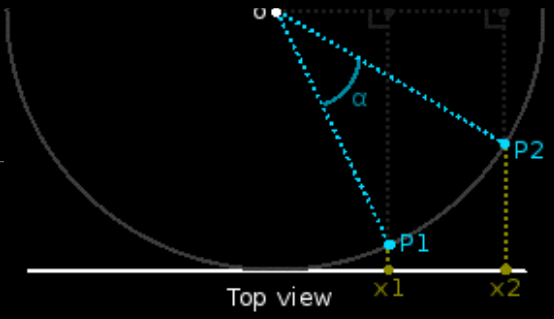
Arcball
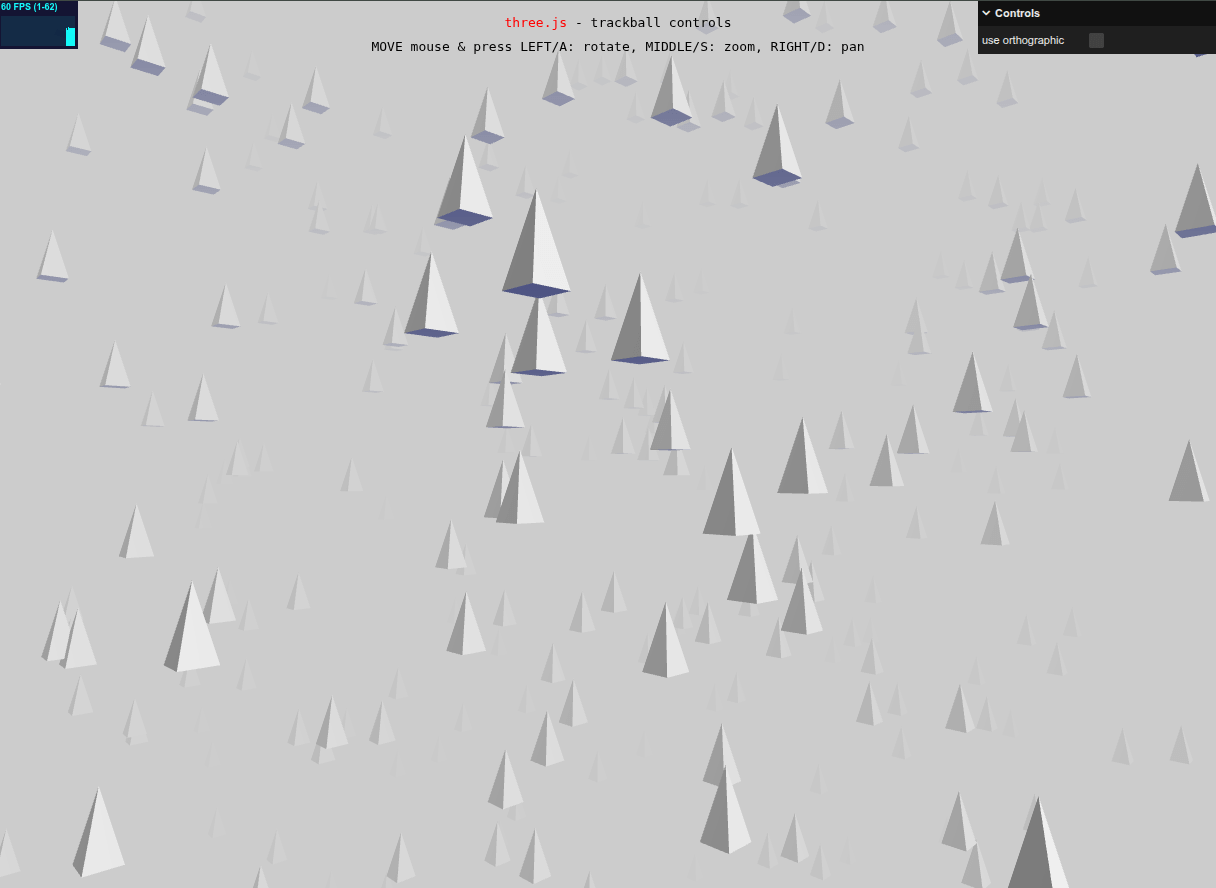
Trackball
Controls
OrbitControls
Natural Feeling
Spins twice as fast
Completely path independent
Arcball
Trackball
Natural Feeling
Spins twice as fast
Completely path independent
Arcball
Trackball
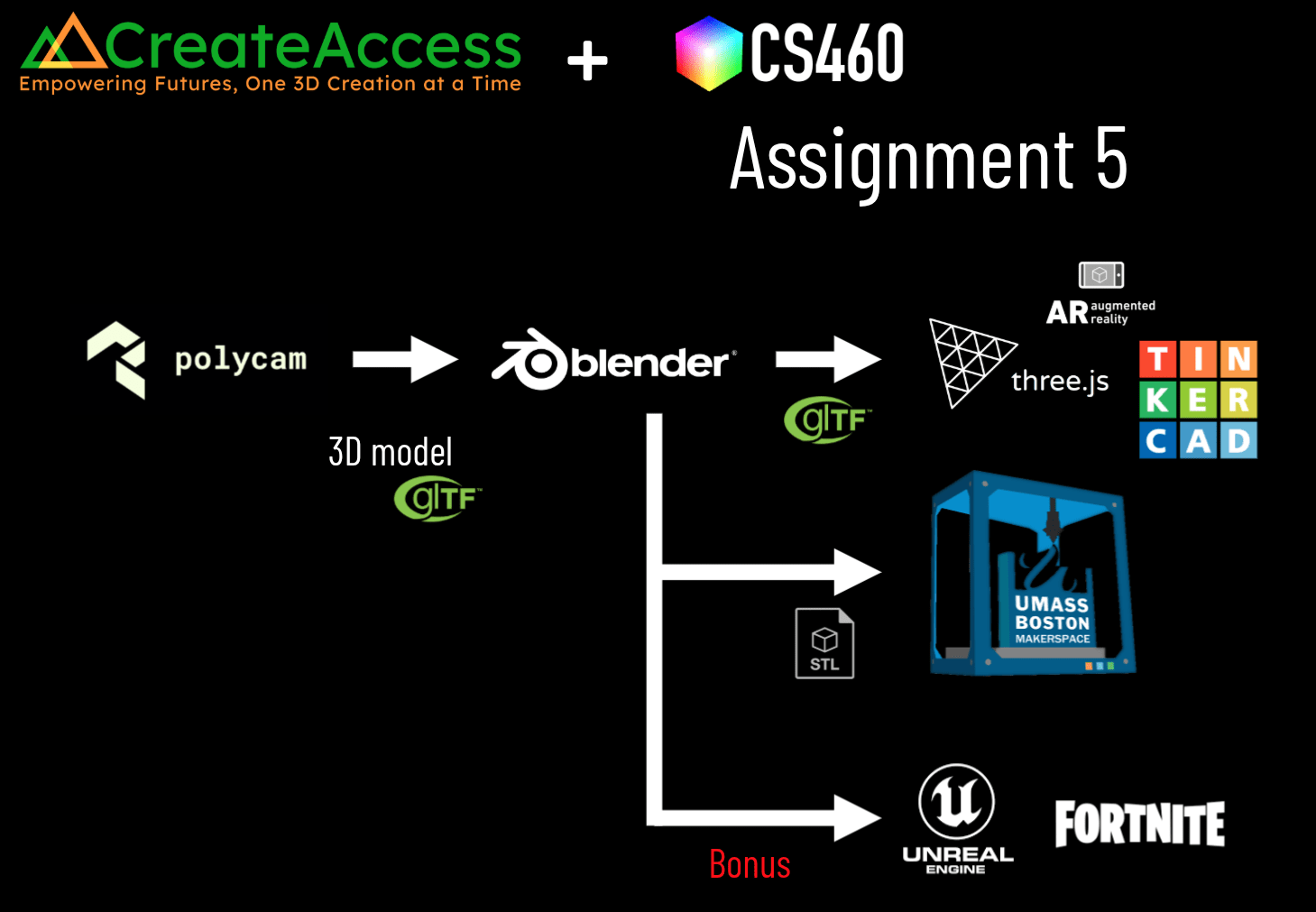
submit your music
Quiz 7 due today!
By Daniel Haehn
Slides for CS460 Computer Graphics at UMass Boston. See https://cs460.orghttps://cs460.org