Dynamic Forms
Concepts overview for R&D
configuration
- view-model
- layout
clinical
- model
- meta-data
Evn
lookups
i18n
user data
etc.
Save
Cancel
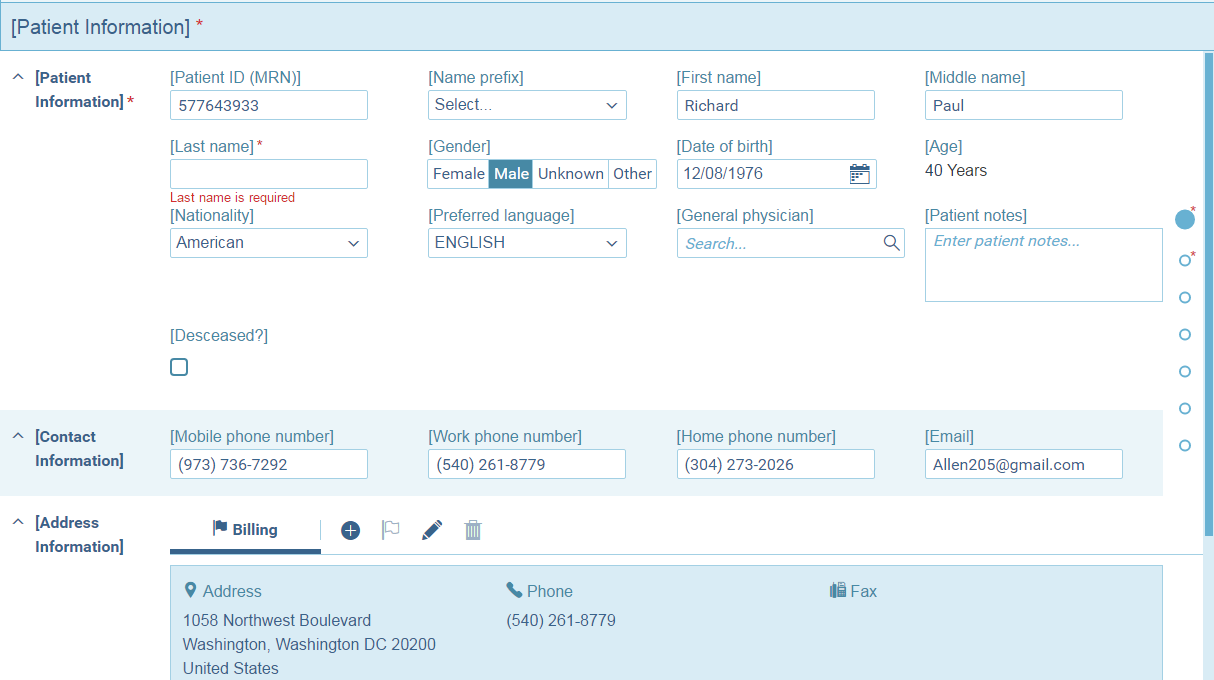
Model - Meta-Data
Model :
- the clinical entities (e.g. patient, visit, order)
- raw data
- functionality (e.g. calcFullName(), isOrderUrgent())
- schema dependent by configuration
- redux inspired single source of truth
Meta-Data -
- auto-generated
- description of the structure of the Model
- includes raw data and functionality (TBD)
- dynamic-form related extended info (defaults)
- schema-dependent
model - metadata
// model

{
    personKey: 1030210250.0,
    lastName: "Davidson",
    firstName: "David",
    get fullName() { return
        `${this.lastName}, ${this.firstName}`;
    },
    visit: [
        {
            visitKey: 2000009164.0,
            patientClass: "Emergency",
            orders: [
                {
                    orderKey: 1203000316539.0,
                    reasonForOrder: "test me"
                }
            ]
        }
    ]
}
// metadata
{
personKey: { type: 'number', id: true },
lastName: { type: 'text' },
firstName: { type: 'text' },
fullName: { type: 'text', calculated: true },
visit: {
type: 'group',
multiple: true,
fields: {
visitKey: { type: 'number', id: true },
patientClass: { type: 'text' },
orders: {
type: 'group',
multiple: true,
fields: {
orderKey: {
type: 'number',
id: true
},
reasonForOrder: { type: 'text' }
}
}
}
}
}view-model
- describes the form's functionality
- binding (linking data and ui)
- behavior (inter-fields relations, show hide, validations e.g.)
- does not define view properties
// view-model

{
    lable: 'Patient Form',
    fields: {
        firstNameField: {
            lable: 'First Name',
            path: 'firstName'
        },
        lastNameField: {
            lable: 'Last Name',
            path: 'lastName'
        },
        fullNameField: {
            lable: 'Full Name',
            path: 'fullName'
        },
        orderKeyField: {
            lable: 'Order Key',
            path: 'visit.0.orders.0.orderKey'
        }
    }
}
layout
The layout adds visual description to the
view model:
- Orientation: Vertical/Horizontal
- Navigation: Tabs etc.
- Collapsible boxes
- Pop Up (activated by buttons)
- Styling properties such as colors
- Has the same structure as the view model
// layout

{
    align: Alignment.Tabs,
    // optional- Alignment.Vertical,
    //           Alignment.Horizontal
    children: [
        {
            fieldName:
                'firstNameField'
        },
        {
            fieldName:
                'lastNameField'
        },
        {
            fieldName:
                'fullNameField'
        },
        {
            fieldName:
                'orderKeyField'
        }
    ]
}
Collapsible boxes
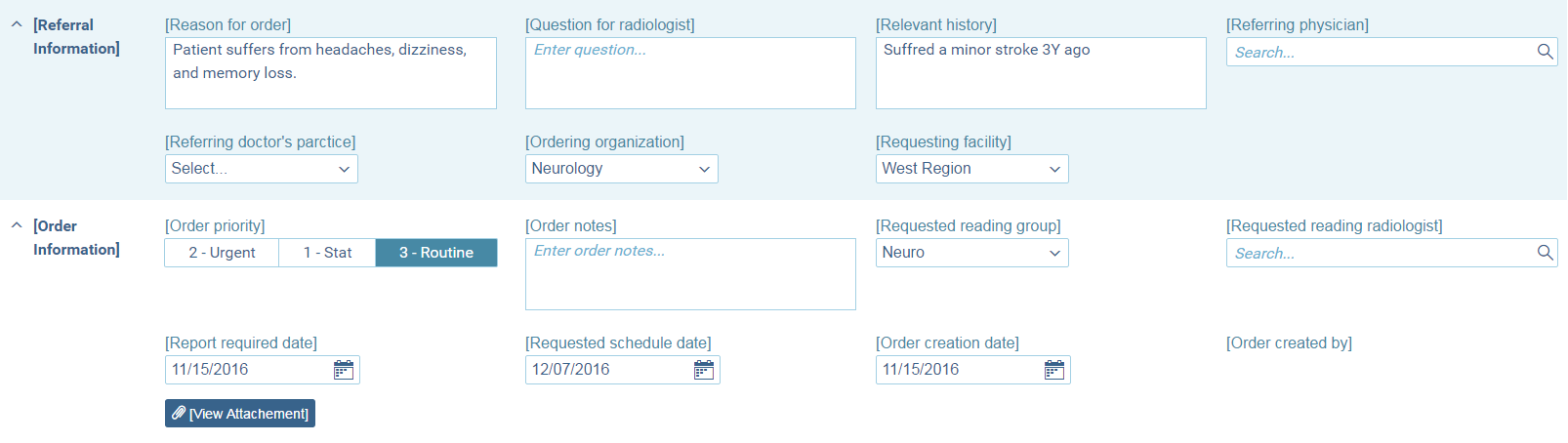
Popup
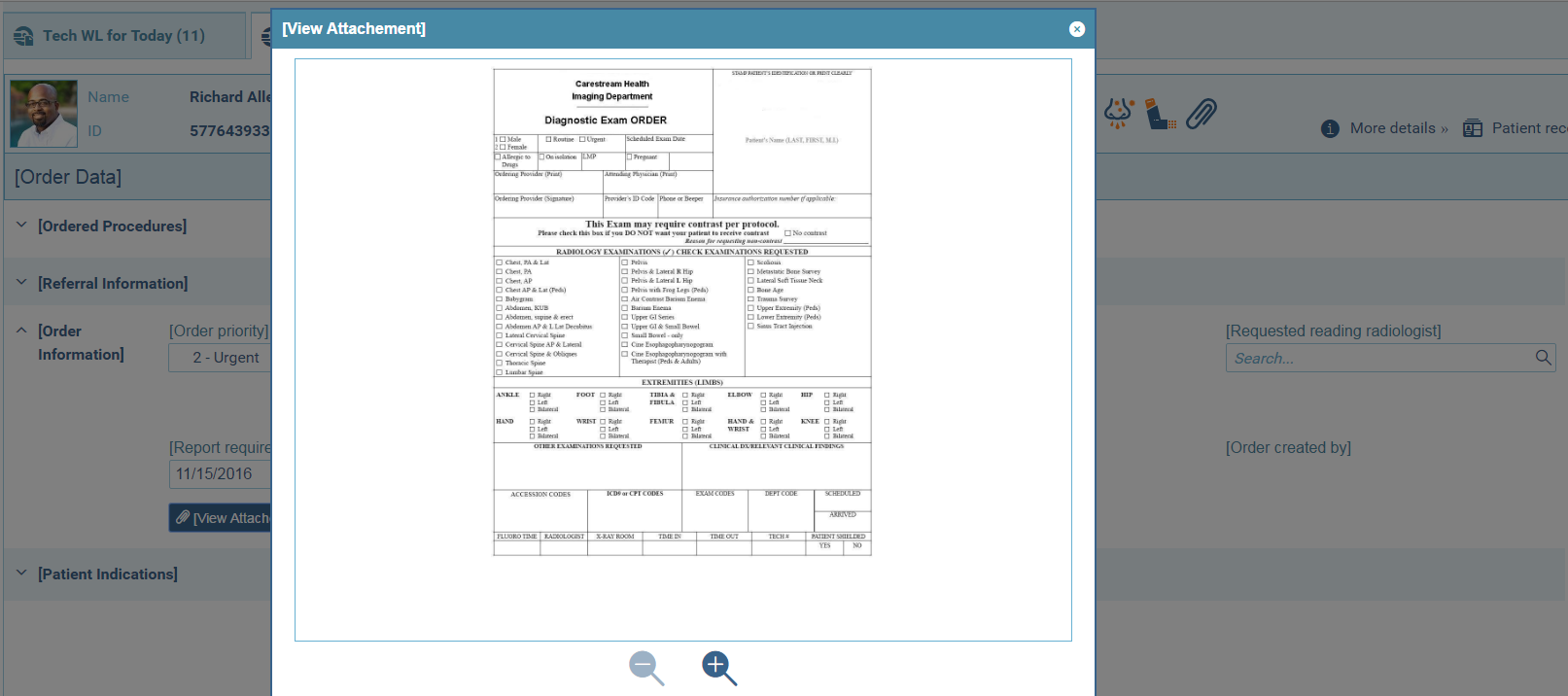
Tabs
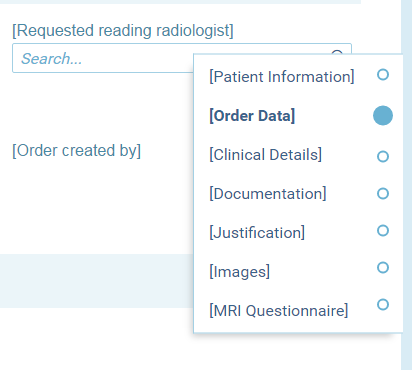
Validations
- field level
- defined in the view model
- visual indication bubble up to the relevant level
- validation for example:
- is number
- required
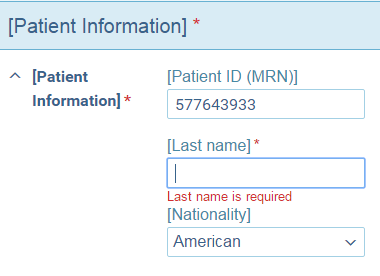
// view-model

{
    lastNameField: {
        lable: 'Last name',
        path: 'lastName',
        validations: {
            required: true
        },
        validationsErrorMessage:
            "Last name is required"
    },
    ...
}
lookups
// model

{
    ...
    genderKey: 2.0,
    FKLookupRows: {
        genderKey: {
            genderKey: 2.0,
            description: "Male"
        }
    }
}
// metadata
{
...
genderKey: {
type: 'lookup',
lookupName: 'GENDER',
lookupKey: 'genderKey',
lookupDescription: 'description'
}
}// view-model
{
gender: {
lable: 'Gender',
path: 'genderKey'
},
...
}
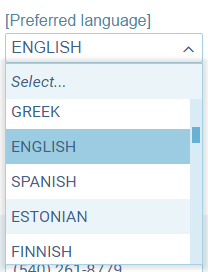
- supports two user interfaces
- run-time mechanism auto optimization
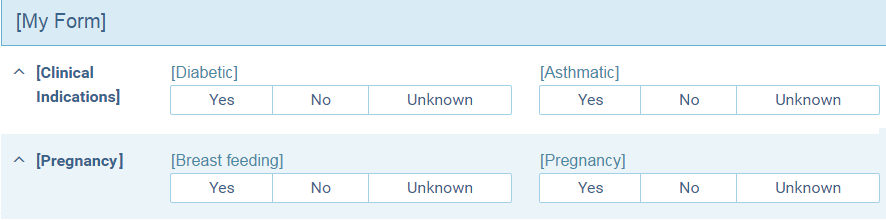
Form & Sub-Forms
View Model - Modularity
View Model is structured using:
- model properties (e.g. firstName)
- calculated properties (e.g. isOrderCritical())
- Sub View Models
- Pregnancy Details View Model
- may be applied to their relevant input
- Custom components
- Pre-developed components to handle complex structures and behavior
{
    "label": "My Form",
    "fields": {
        "group_1": {
            "label": "Pregnancy",
            "fields": {
                "field_1": {
                    "label": "Breast feeding",
                    "path": "visit.0.orders.0.cbIsBreastfeeding"
                },
                "field_2": {
                    "label": "Pregnancy",
                    "path": "visit.0.orders.0.cbOPregnant"
                }
            }
        },
        "group_2": {
            "label": "Clinical Indications",
            "fields": {
                "field_1": {
                    "label": "Diabetic",
                    "path": "visit.0.orders.0.siteProtCOClinicalInd.0.cbIsSpoDiabetic"
                },
                "field_2": {
                    "label": "Asthmatic",
                    "path": "visit.0.orders.0.siteProtCOClinicalInd.0.cbIsSpoAsthmatic"
                }
            }
        }
    }
}
Form & Sub-Forms
server side
// id: 235
{
    "label": "My Form",
    "fields": {
        "group_1": {
            "storedFormId": 422
        },
        "group_2": {
            "storedFormId": 423
        }
    }
}
// id: 422
{
"label": "Pregnancy",
"fields": {
"field_1": {
"label": "Breast feeding",
"path": "visit.0.orders.0.cbIsBreastfeeding"
},
"field_2": {
"label": "Pregnancy",
"path": "visit.0.orders.0.cbOPregnant"
}
}
}// id: 423
{
"label": "Clinical Indications",
"fields": {
"field_1": {
"label": "Diabetic",
"path": "visit.0.orders.0.siteProt..."
},
"field_2": {
"label": "Asthmatic",
"path": "visit.0.orders.0.siteProt..."
}
}
}| form | sub-form |
|---|---|
| 235 | 422 |
| 235 | 423 |
when the client asks for form #235, the server will return the form + all of its descendants sub-forms
Forms & Sub-Forms
- "by ref" vs. "by value"
- what happens to changes in "by ref" sub-forms
Versions
- Forms can have a specific version of a sub-form
| form | form version | sub-form | sub-form version |
|---|---|---|---|
| 235 | 1 | 422 | 1 |
| 235 | 1 | 423 | latest |
Form & Sub-Forms
client side
Steps
- the client gets a list of the requested form and its descendants.
- reconstructs the full form.
- analyzes paths for better performance.
- recursive component draws the form.
{
    "label": "My Form",
    "fields": {
        "group_1": {
            "label": "Pregnancy",
            "fields": {
                "field_1": {
                    "label": "Breast feeding",
                    "path": "visit.0.orders.0.cbIsBreastfeeding"
                },
                "field_2": {
                    "label": "Pregnancy",
                    "path": "visit.0.orders.0.cbOPregnant"
                }
            }
        },
        "group_2": {
            "label": "Clinical Indications",
            "fields": {
                "field_1": {
                    "label": "Diabetic",
                    "path": "visit.0.orders.0.siteProtCOClinicalInd.0.cbIsSpoDiabetic"
                },
                "field_2": {
                    "label": "Asthmatic",
                    "path": "visit.0.orders.0.siteProtCOClinicalInd.0.cbIsSpoAsthmatic"
                }
            }
        }
    }
}
ViewModelAnalyzer - input
{
    "label": "My Form",
    "fields": {
        "group_1": {
            "path": "visit.0.orders.0",
            "label": "Pregnancy",
            "fields": {
                "field_1": {
                    "label": "Breast feeding",
                    "path": "cbIsBreastfeeding"
                },
                "field_2": {
                    "label": "Pregnancy",
                    "path": "cbOPregnant"
                }
            }
        },
        "group_2": {
            "path": "visit.0.orders.0.siteProtCOClinicalInd.0",
            "label": "Clinical Indications",
            "fields": {
                "field_1": {
                    "label": "Diabetic",
                    "path": "cbIsSpoDiabetic"
                },
                "field_2": {
                    "label": "Asthmatic",
                    "path": "cbIsSpoAsthmatic"
                }
            }
        }
    }
}
ViewModelAnalyzer - result
Data Flow
Redux inspired data flow
- Single source of truth
- Change history
- ModelUpdater
- Observable sub models
- including calculations
- angular2 change detection
Custom Components
Custom Components
- Dynamically created (CD)
- Model API:
- @Model
- ModelUpdater
- @ContentComponent
- inputs
- configuration
- model
- layout
- metadata
- view-model
- angular-form (useful for validations)
- supported objects - TBD
- inputs
Custom Pipes
TBD
Dynamic Forms Dev Concepts 2017
By risweb