Why?

All code available at
Building Libraries is easy
Building apps is much harder
- Networks
- Databases
- APIs
- Infra
- Users
I had a feeling the missing link was logging(ish)
What's a log?
A 1D list of tuple:
list[tuple[datetime, Level, str]][
(datetime(...), 'info', 'GET /accounts/invoice/ -> 200'),
(datetime(...), 'info', 'GET /add-on/complete/ -> 200'),
(datetime(...), 'error', 'Stripe payment failed, insuff...'),
(datetime(...), 'warning', 'POST /payments/42/complete/ -> 400'),
(datetime(...), 'warning', 'POST /payments/37/complete/ -> 400'),
(datetime(...), 'debug', 'Slow query detected SELECT...'),
]This is what code looked like...
until about 1970
How it should be
A nested structure:
class Log(TypedDict):
    start: datetime
    end: datetime | None
    message: str
    attributes: dict[str, Any] | None
    children: list[Log] | None

list[Log]
What we proposing here isn't new, but it's still not available to most developers
[
    Log(
        start=datetime(...),
        end=datetime(...),
        message='POST /payments/42/complete/ -> 400',
        children=[
            Log(
                start=datetime(...),
                message='Stripe payment failed, insuff...',
                attributes={'reason': 'insufficent funds', ...}
            ),
        ]
    )
]
So we built
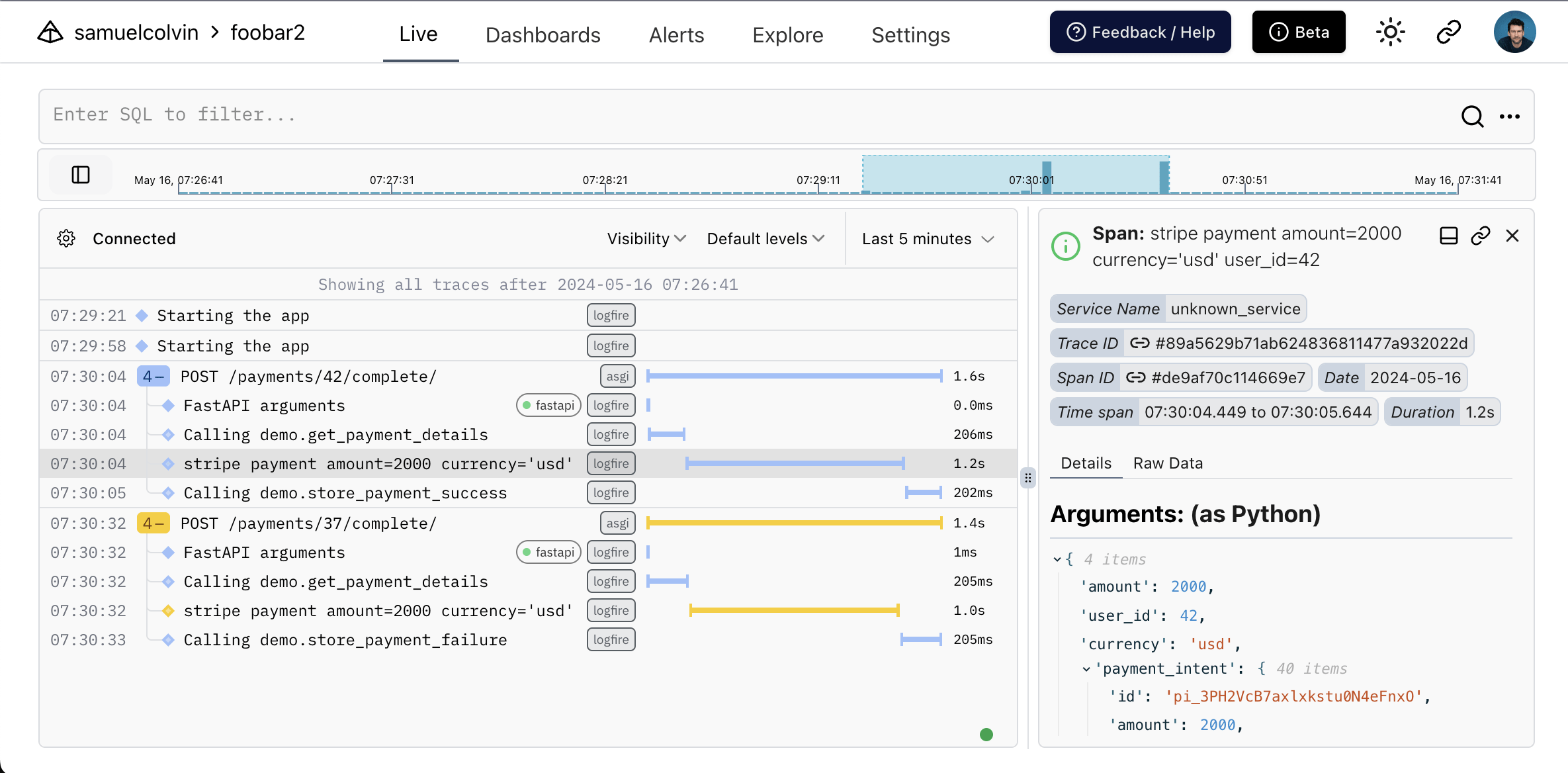
@app.post('/payments/{user_id:int}/complete/')
def payment_complete(user_id: int):
    amount, currency, payment_method = get_payment_details(user_id)
    with logfire.span(f'stripe payment {amount=} {currency=} {user_id=}') as span:
        try:
            intent = stripe.PaymentIntent.create(
                amount=amount,
                currency=currency,
                payment_method=payment_method,
                confirm=True,
                return_url="https://example.com/return",
            )
        except stripe.CardError as e:
            span.set_level('warning')
            span.set_attribute('error', e.error)
        else:
            span.set_attribute('payment_intent', intent)
    if intent is None:
        store_payment_failure(user_id)
        return JSONResponse(content={'detail': 'Card error'}, status_code=400)
    else:
        store_payment_success(user_id, intent)
C'mon, that's not new
No, but these are:
- Using OpenTelemetry ... Taming OpenTelemetry
-
Python magic:
- Autotracing - aka profiling
- f-string magic
- GenAI/LLM + general purpose
- SQL
- But most of all: it's easy to use
We're the right people to build this because we're not observability professionals
but, we need your help to make it great
Enough theory
Show me the code!
Manual tracing
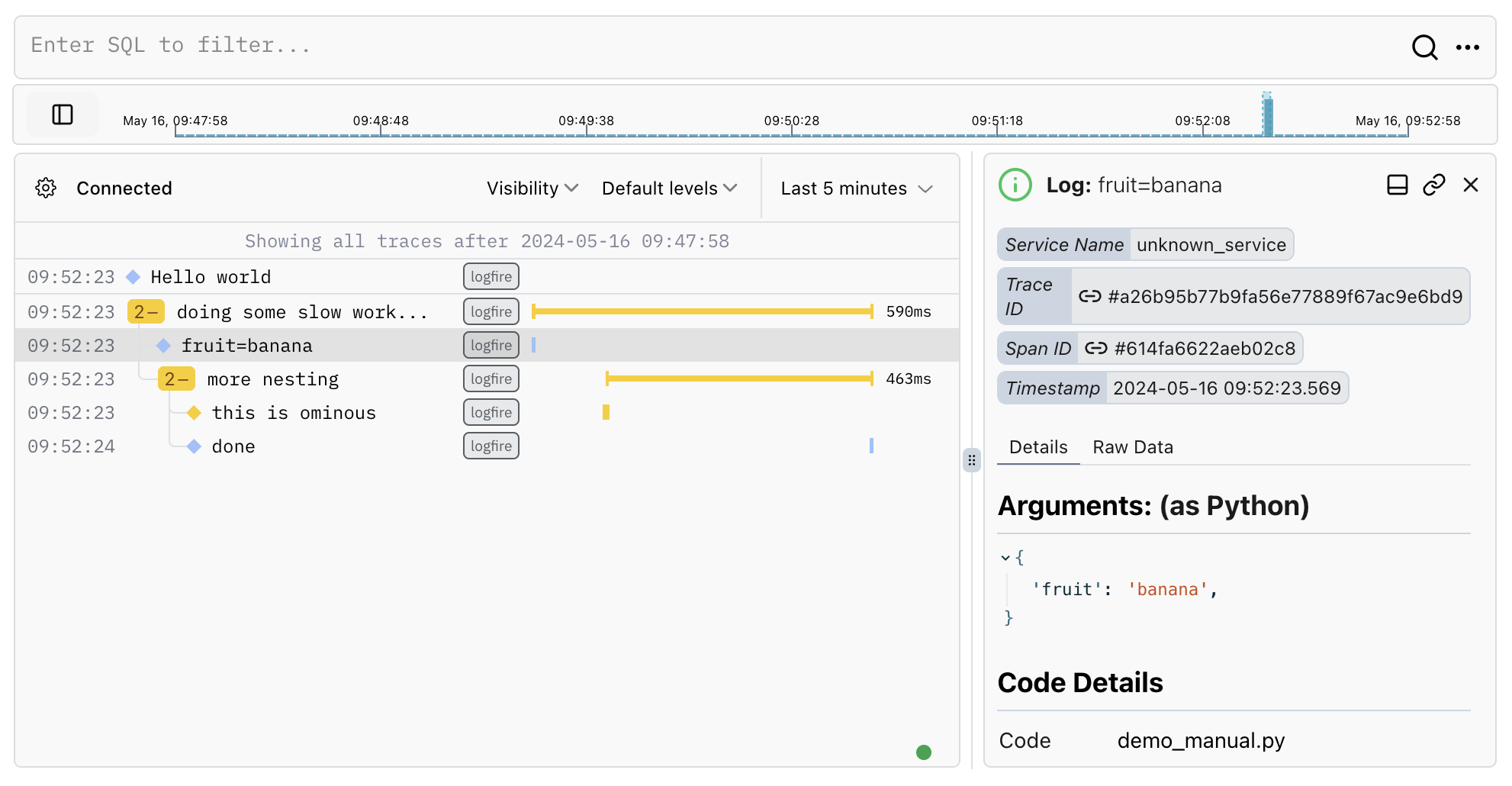
from time import sleep
import logfire

logfire.configure()


logfire.info('Hello {name}', name='world')

activity = 'work'
with logfire.span('doing some slow {activity}...', activity=activity):

    logfire.info('{fruit=}', fruit='banana')
    sleep(0.123)
    with logfire.span('more nesting'):
        status = 'ominous'
        logfire.warn('this is {status}', status=status)
        sleep(0.456)
        logfire.info('done')
from time import sleep
import logfire

logfire.configure()

name = 'world'
logfire.info(f'Hello {name}')

activity = 'work'
with logfire.span(f'doing some slow {activity}...'):
    fruit = 'banana'
    logfire.info(f'{fruit=}')
    sleep(0.123)
    with logfire.span('more nesting'):
        status = 'ominous'
        logfire.warn(f'this is {status}')
        sleep(0.456)
        logfire.info('done')
Auto tracing
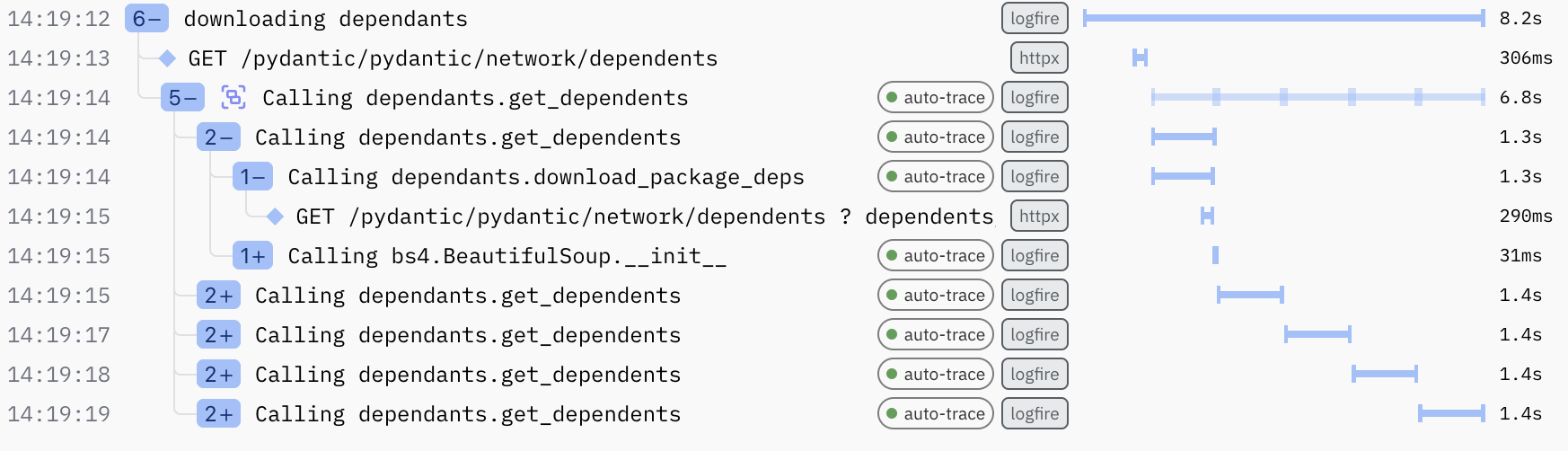
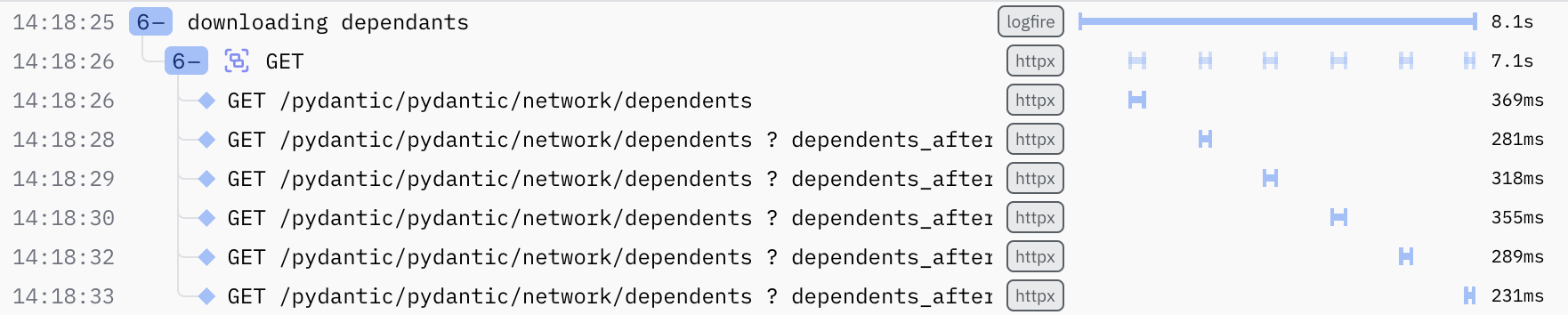
logfire.install_auto_tracing(modules=['dependants', 'bs4.*'], min_duration=0.03)Pretty Python objects
from datetime import datetime
from pydantic import BaseModel
import logfire

logfire.configure()

class Delivery(BaseModel):
    timestamp: datetime
    dims: tuple[int, int]

input_json = [
  '{"timestamp": "2020-01-02T03:04:05Z", "dims": ["10", "20"]}',
  '{"timestamp": "2020-01-02T04:04:05Z", "dims": ["15", "25"]}',
  '{"timestamp": "2020-01-02T05:04:05Z", "dims": ["20", "30"]}',
]
deliveries = [
    Delivery.model_validate_json(json) for json in input_json
]

logfire.info(f'{len(deliveries)} deliveries', deliveries=deliveries)
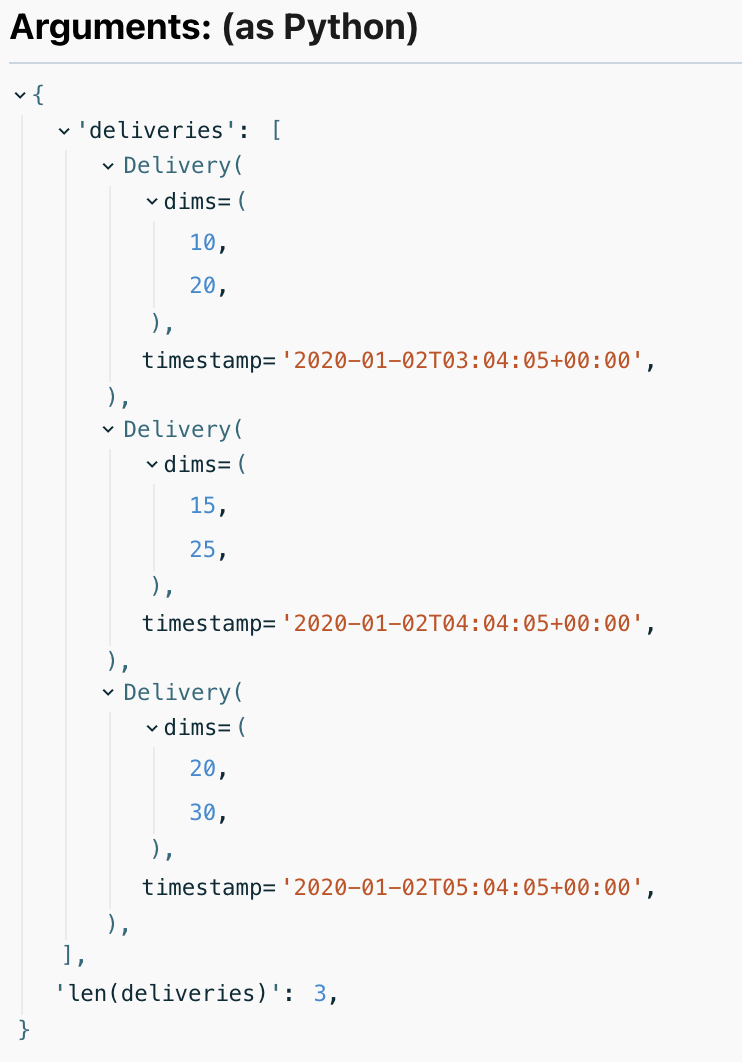
Pretty Python objects
Database
Integration
logfire.instrument_asyncpg()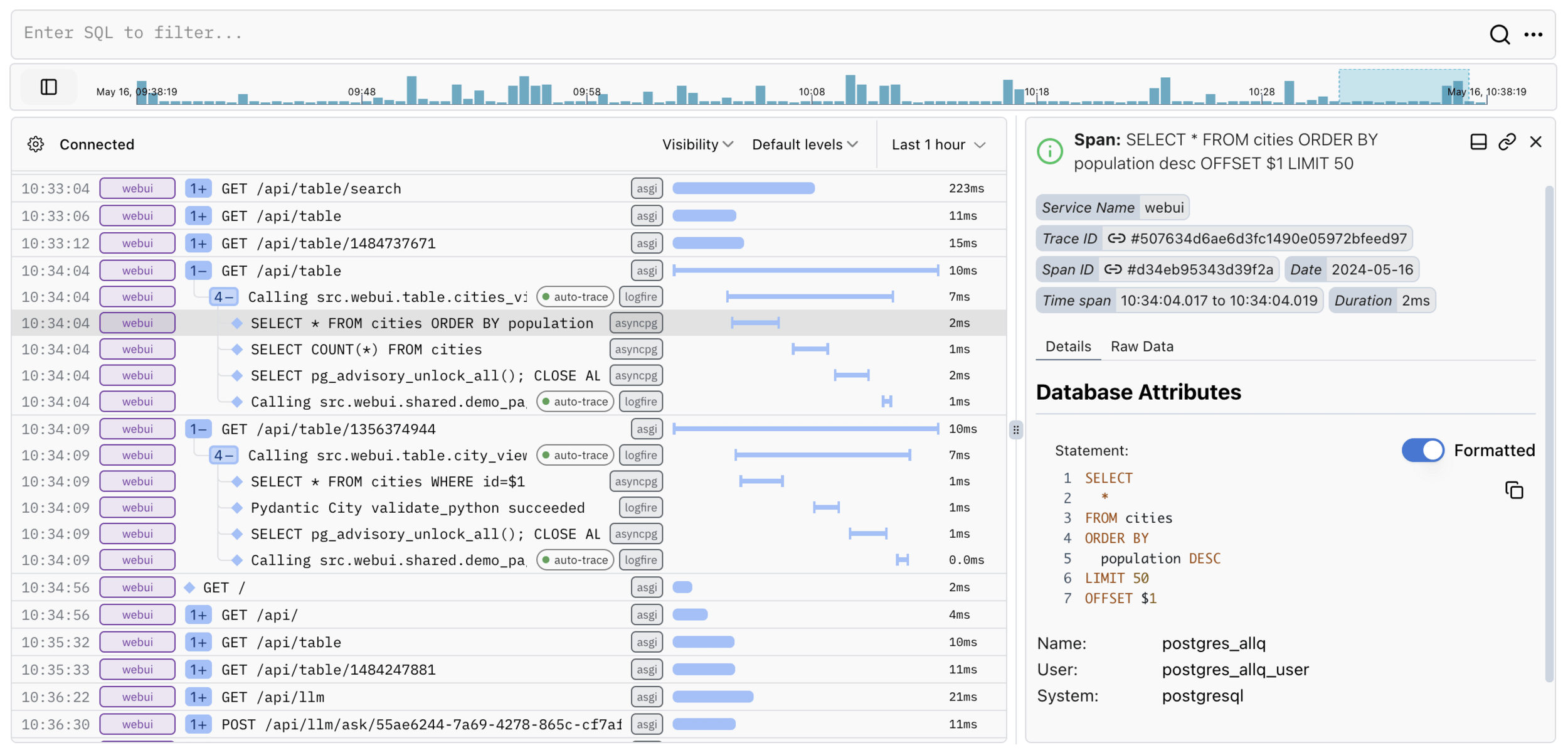
SQLAlchemy
Psycopg
Asyncpg
PyMongo
Sqlite3
Redis
ElasticSearch
MySQL
Kafka
and more...
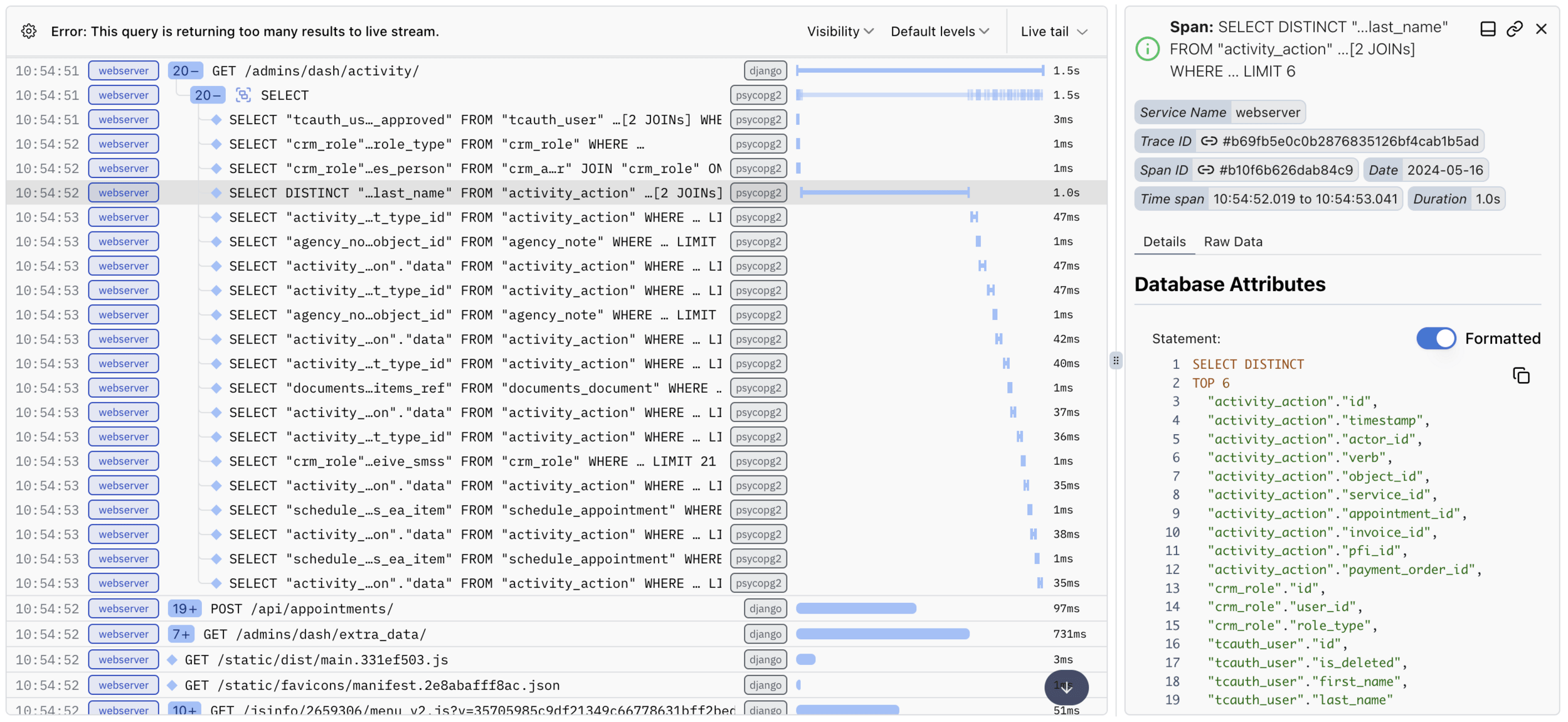
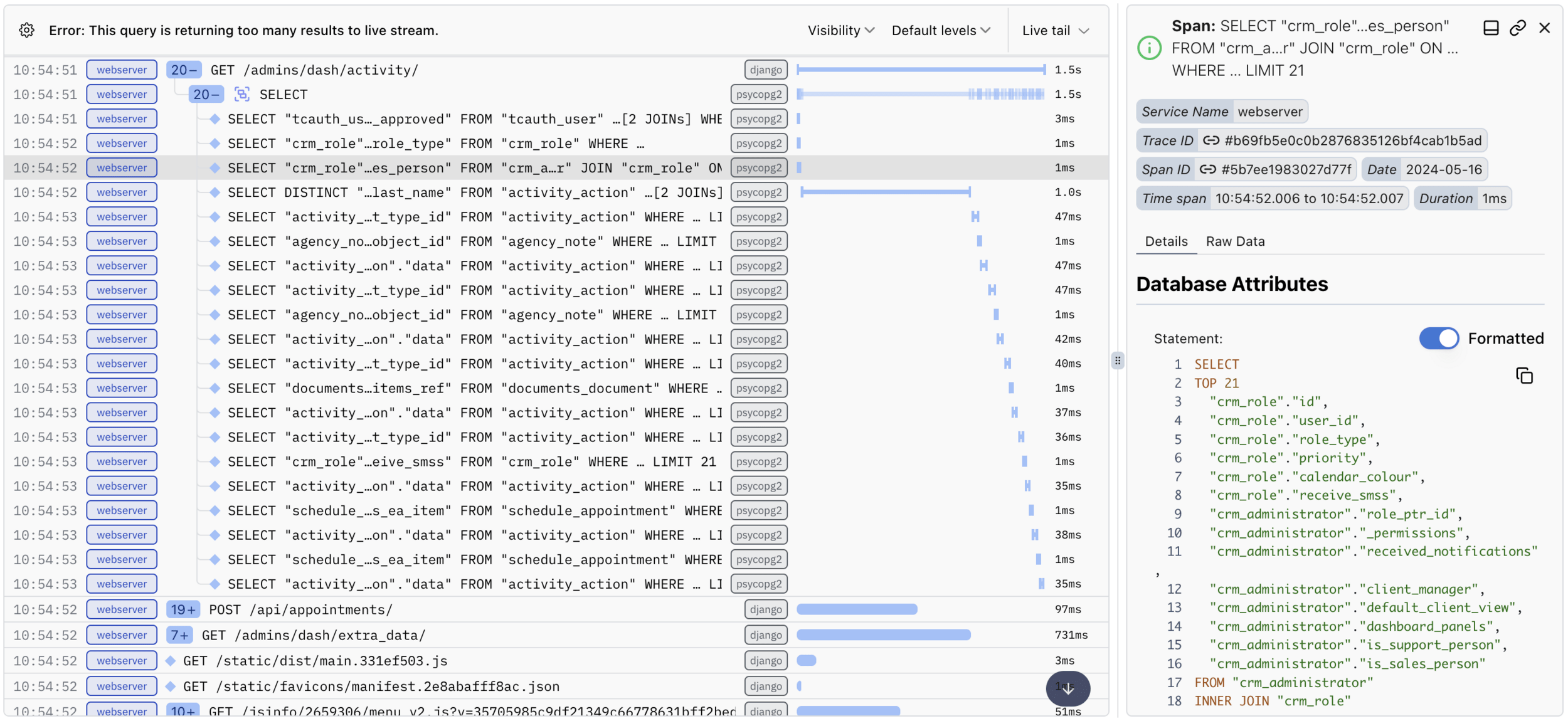
Database - Realworld
Integration
Webframework
Integration
logfire.instrument_fastapi(app)django
flask
starlette
ASGI
AWS Lambda
falcon
tornado
and more...
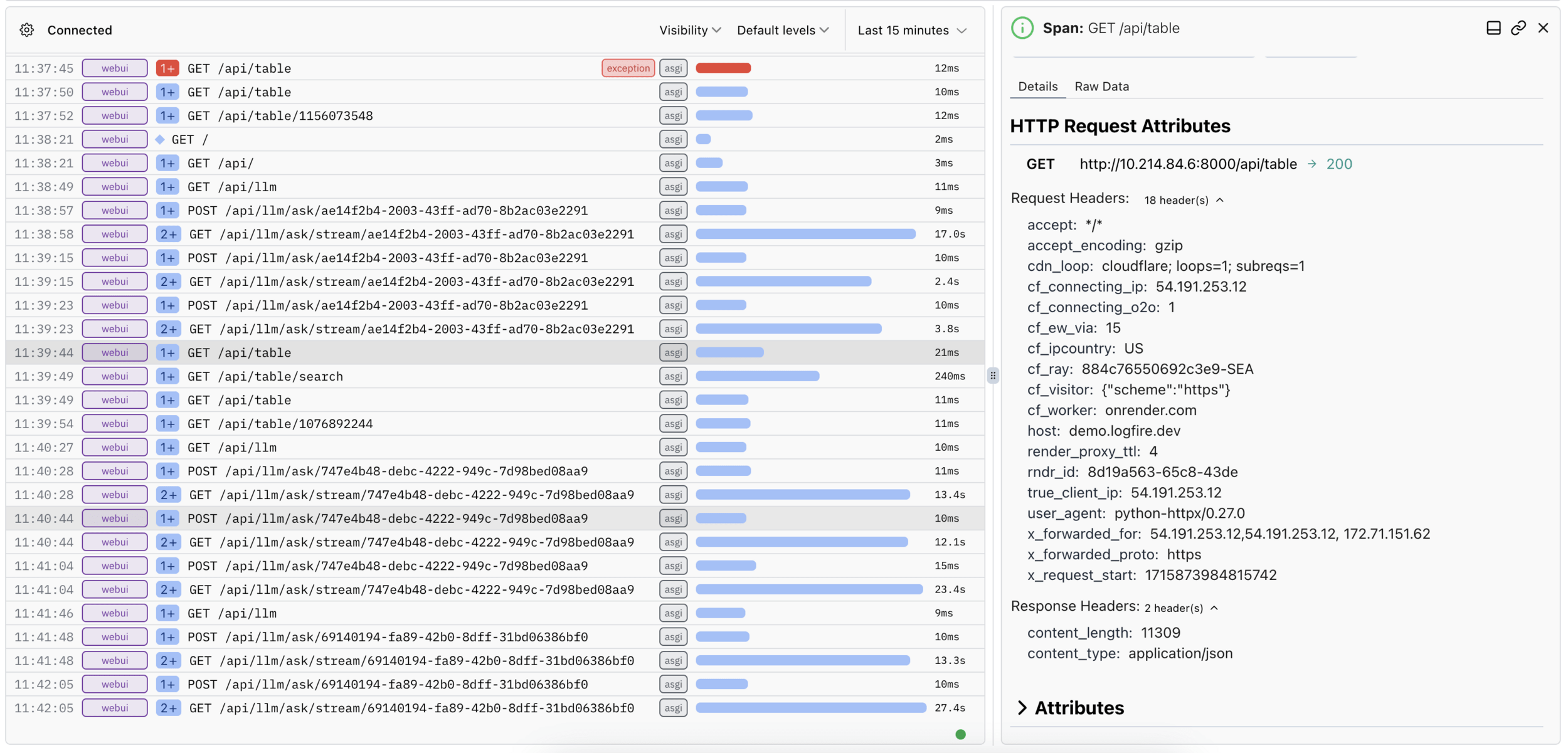
HTTP Requests
Integration
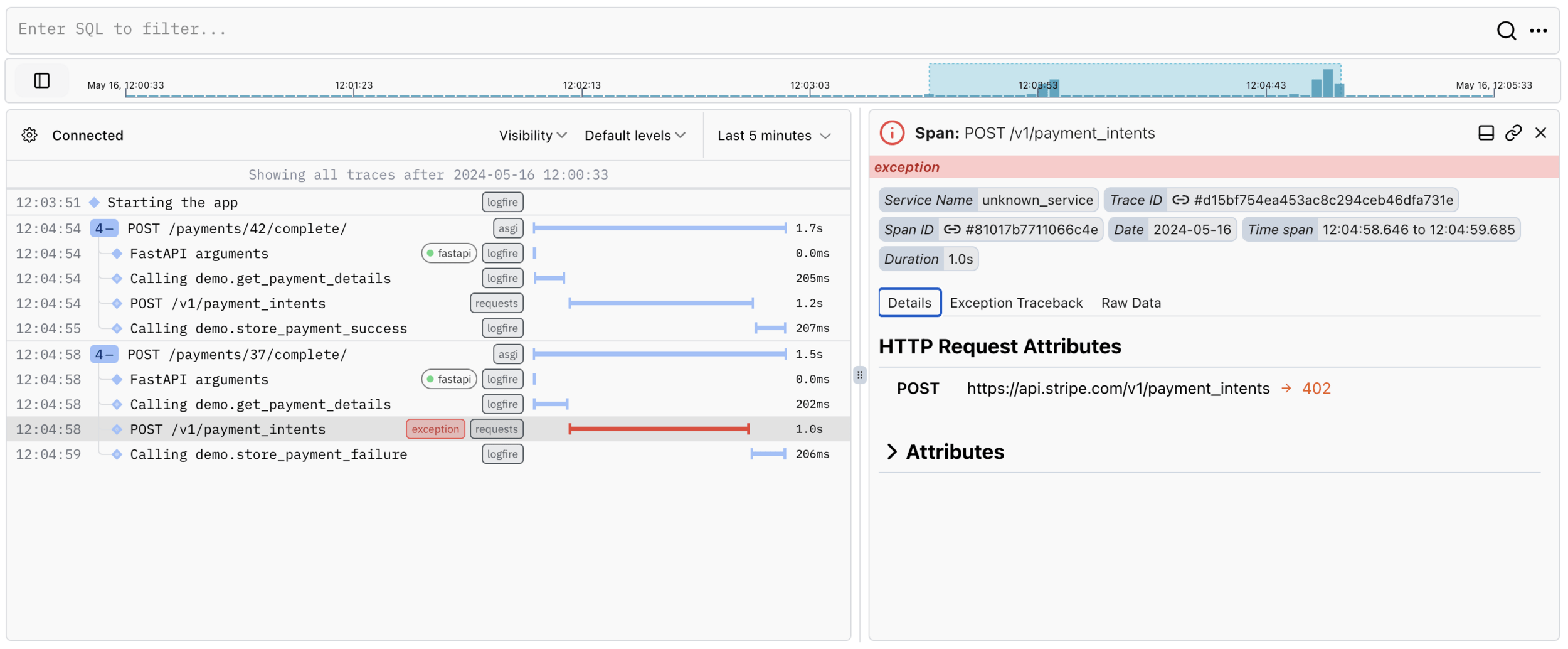
from opentelemetry.instrumentation.requests import RequestsInstrumentor
RequestsInstrumentor().instrument()

@app.post('/payments/{user_id:int}/complete/')
def hello(user_id: int):
    amount, currency, payment_method = get_payment_details(user_id)

    try:
        intent = stripe.PaymentIntent.create(
            amount=amount,
            currency=currency,
            payment_method=payment_method,
            confirm=True,
            return_url="https://example.com/return",
        )
    except stripe.CardError:
        store_payment_failure(user_id)
        return JSONResponse(content={'detail': 'Card error'},
                            status_code=400)
    else:
        store_payment_success(user_id, intent)
httpx
requests
aiohttp
Distributed Tracing
OpenTelemetry win
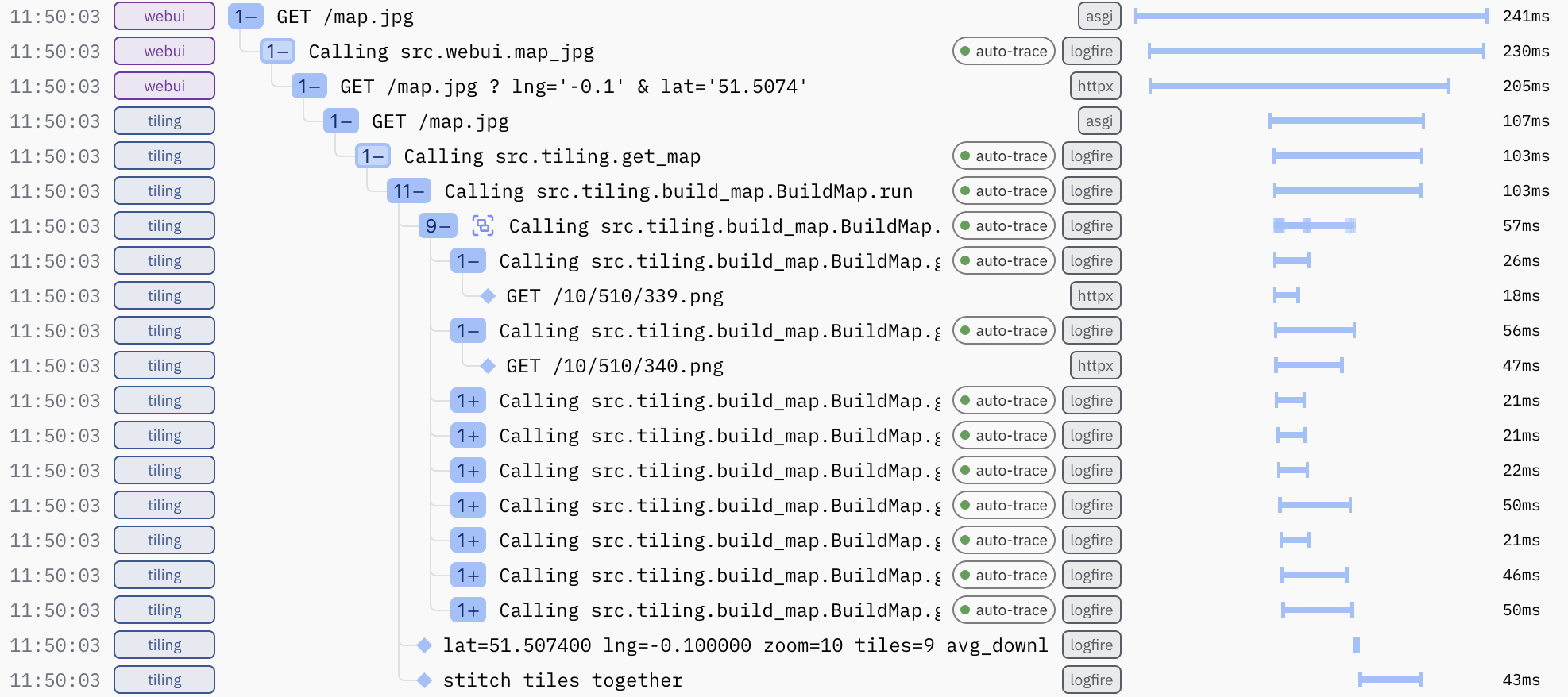
Other Languages
OpenTelemetry win
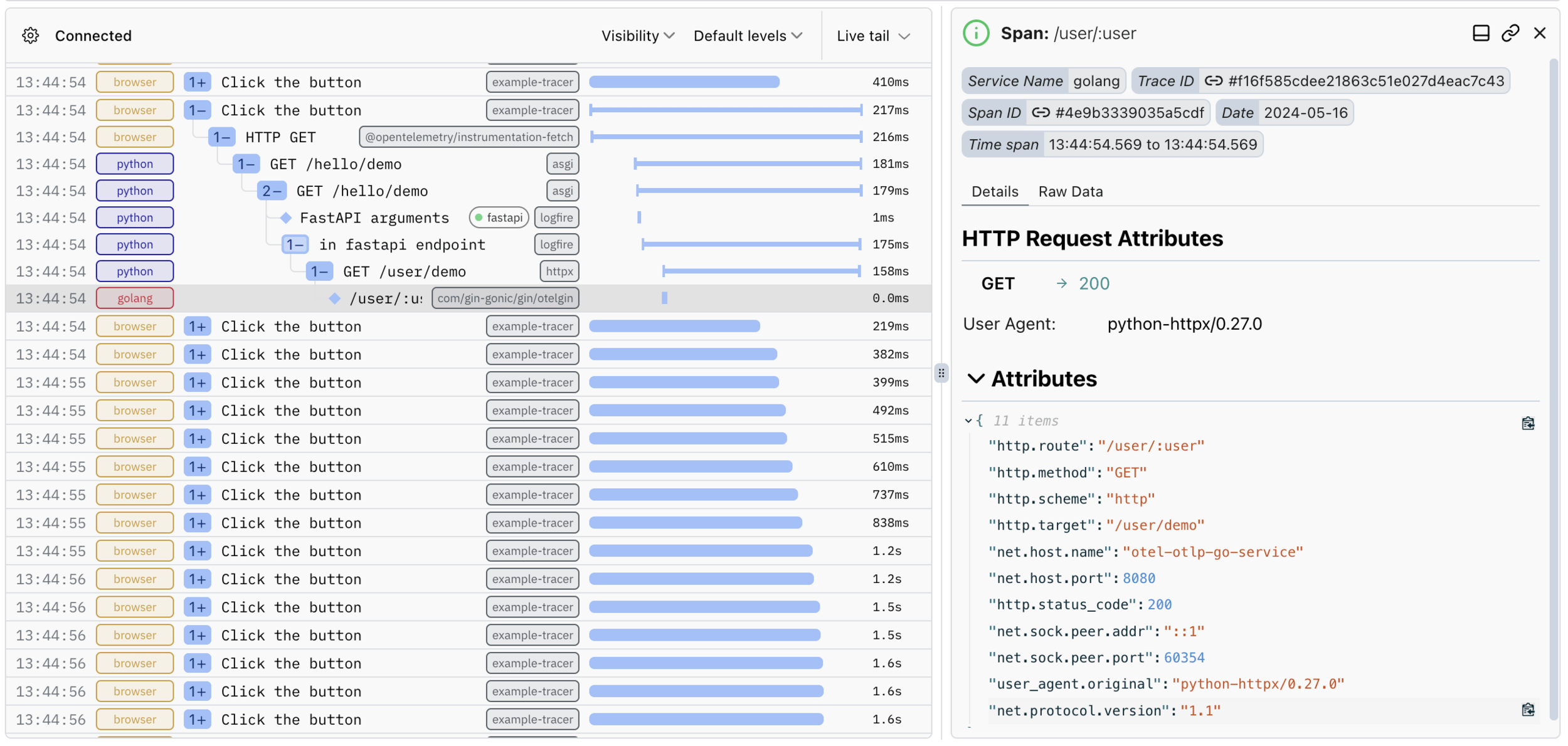
func main() {
	cleanup := initTracerAuto()
	defer cleanup(context.Background())

	r := gin.Default()
	r.Use(otelgin.Middleware("otel-otlp-go-service"))

	r.GET("/user/:user", func(c *gin.Context) {

		user := c.Param("user")
		c.JSON(200, gin.H{
			"user": user,
		})
	})

	r.Run(":8080")
}
import React from 'react';
import { tracer } from './tracing';
import { context, trace } from '@opentelemetry/api';
function App() {
const makeRequest = () => {
const rootSpan = tracer.startSpan('Click the button');
context.with(trace.setSpan(context.active(), rootSpan), () => {
fetch('http://localhost:8000/hello/demo')
.then(response => response.json())
.then(data => {
console.log(data);
})
.catch(error => {
console.error('Error:', error);
})
.finally(() => {
// End the root span when all actions are complete
rootSpan.end();
});
});
};Pydantic
Integration
from datetime import datetime
from pydantic import BaseModel
import logfire

logfire.configure(pydantic_plugin=logfire.PydanticPlugin(record='all'))

class Delivery(BaseModel):
    timestamp: datetime
    dims: tuple[int, int]

input_json = [
  '{"timestamp": "2020-01-02T03:04:05Z", "dims": ["10", "20"]}',
  '{"timestamp": "2020-01-02T04:04:05Z", "dims": ["15", "25"]}',
  '{"timestamp": "2020-01-02T05:04:05Z", "dims": ["20", "30"]}',
]
deliveries = [
    Delivery.model_validate_json(json) for json in input_json
]
Delivery.model_validate_json(
    '{"timestamp": "2020-01-02T03:04:05Z", "dims": ["10"]}'
)
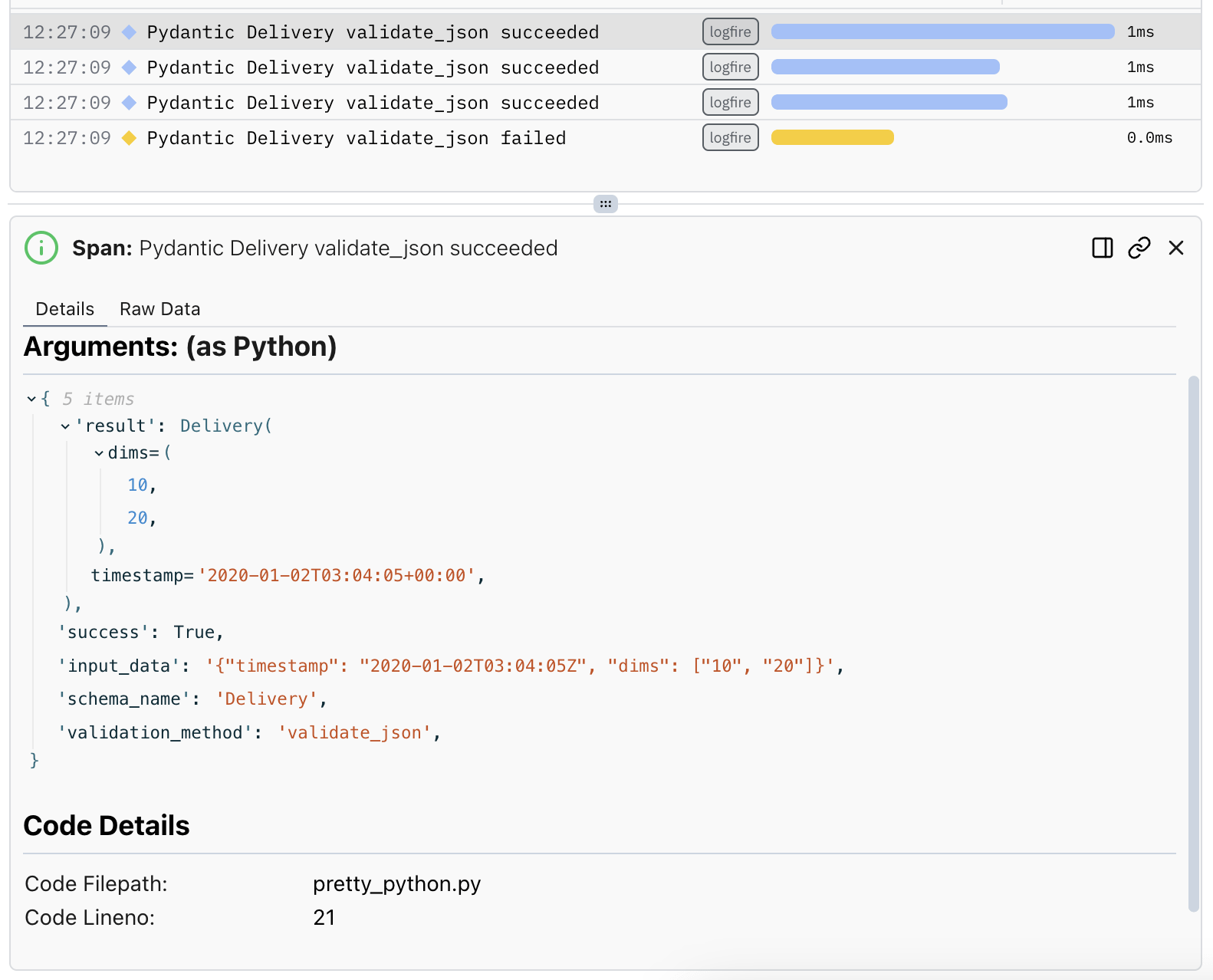
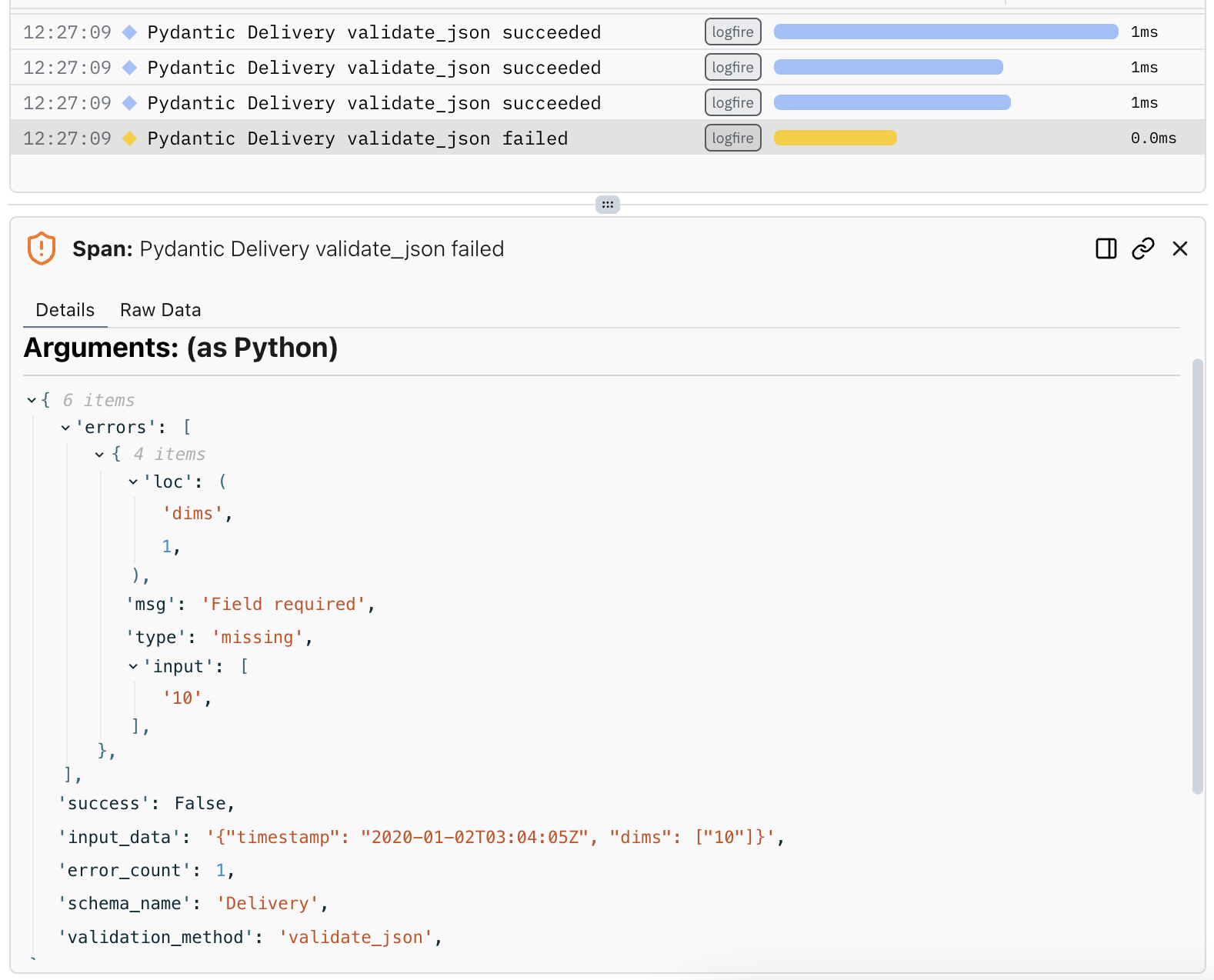
OpenAI
Integration
import webbrowser
import openai
import logfire

logfire.configure()
client = openai.Client()
logfire.instrument_openai(client)

with logfire.span('Picture of a cat in the style of a famous painter'):
    response = client.chat.completions.create(
        model='gpt-4',
        messages=[
            {'role': 'system', 'content': 'Response entirely in plain text, with just a name'},
            {'role': 'user', 'content': 'Who was the influential painter in the 20th century?'},
        ],
    )
    chat_response = response.choices[0].message.content
    print(chat_response)

    response = client.images.generate(
        prompt=f'Create an image of a cat in the style of {chat_response}',
        model='dall-e-3',
    )
    url = response.data[0].url
    print(url)
webbrowser.open(url)
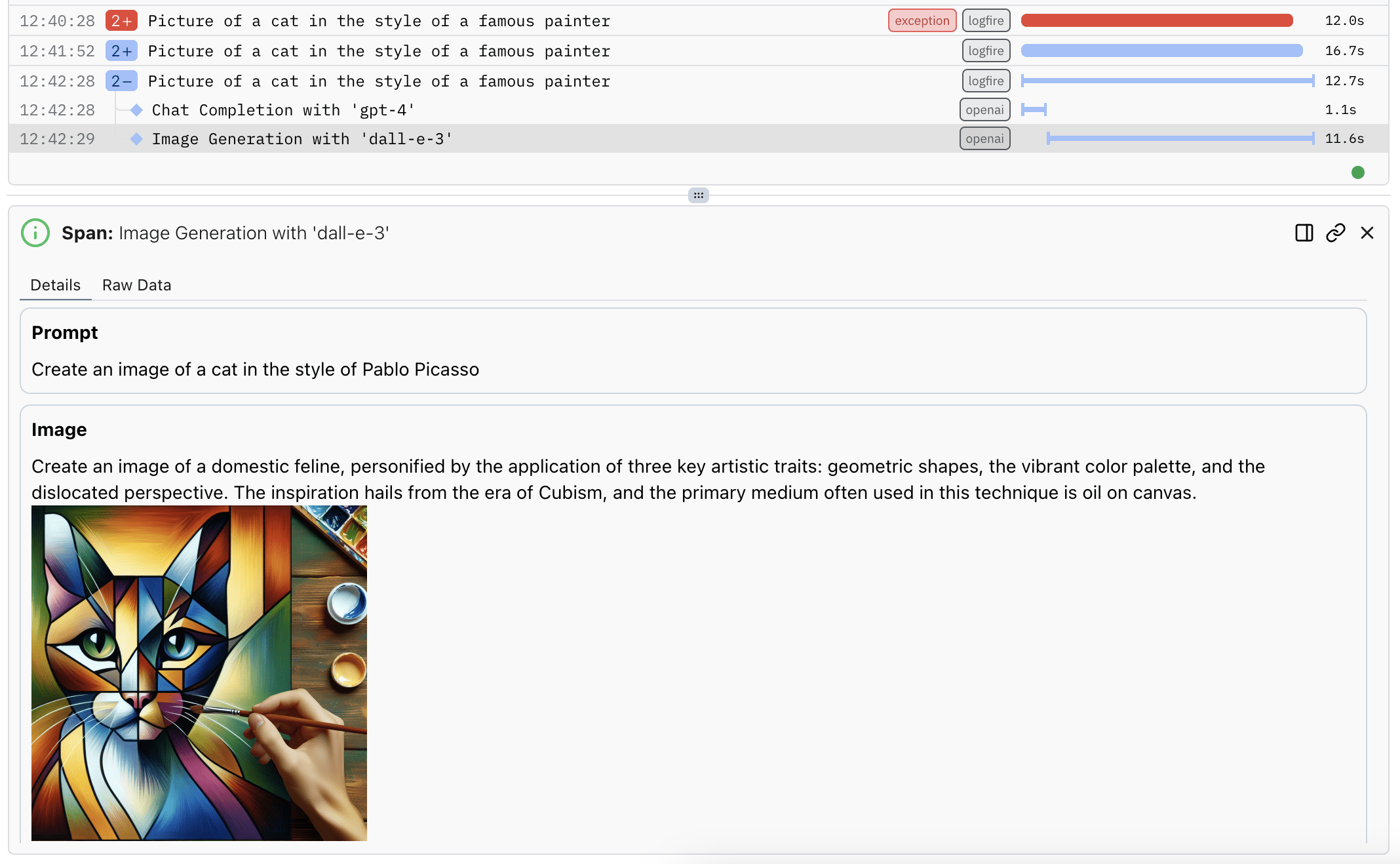
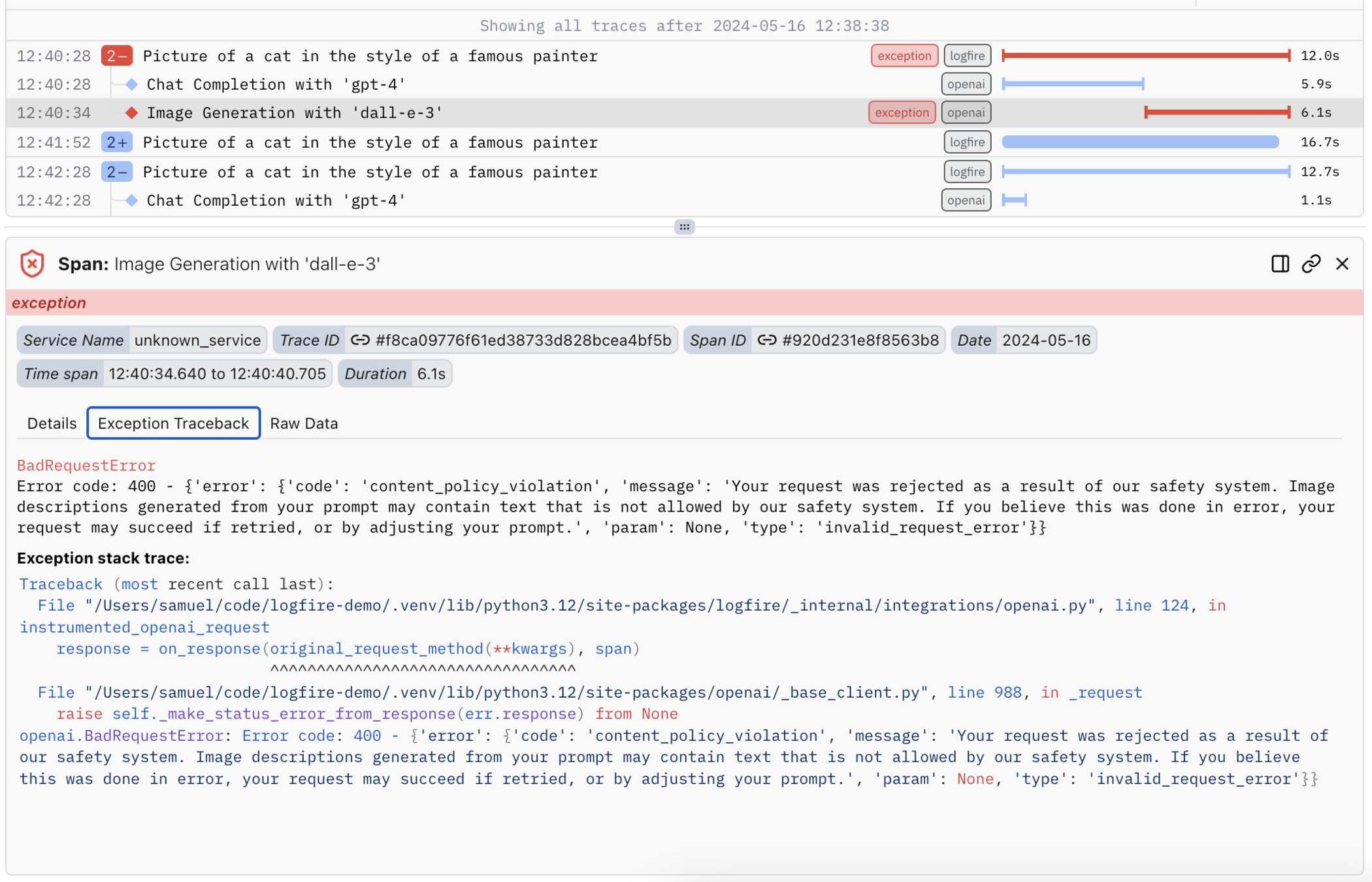
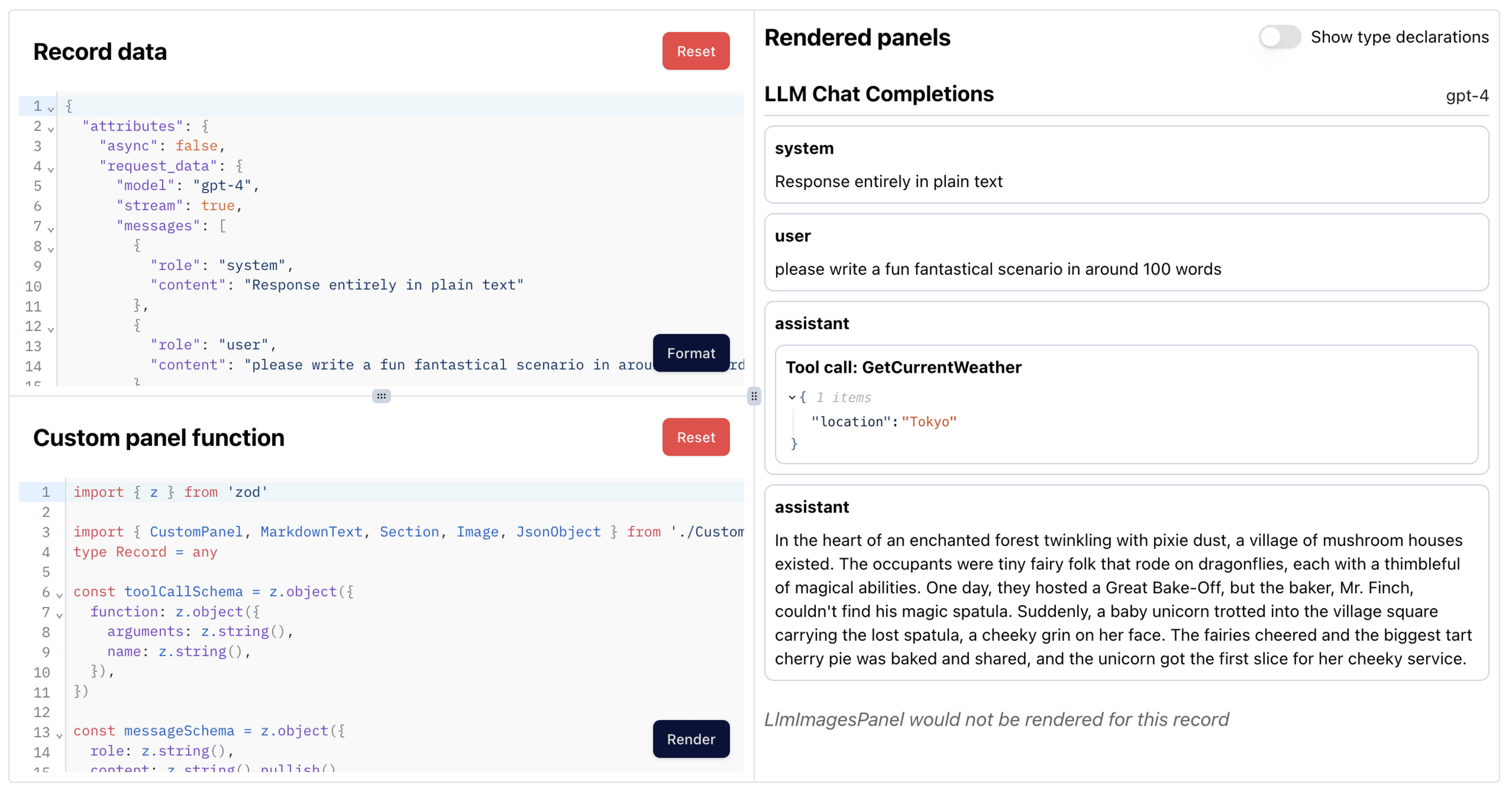
Custom UI
Customization
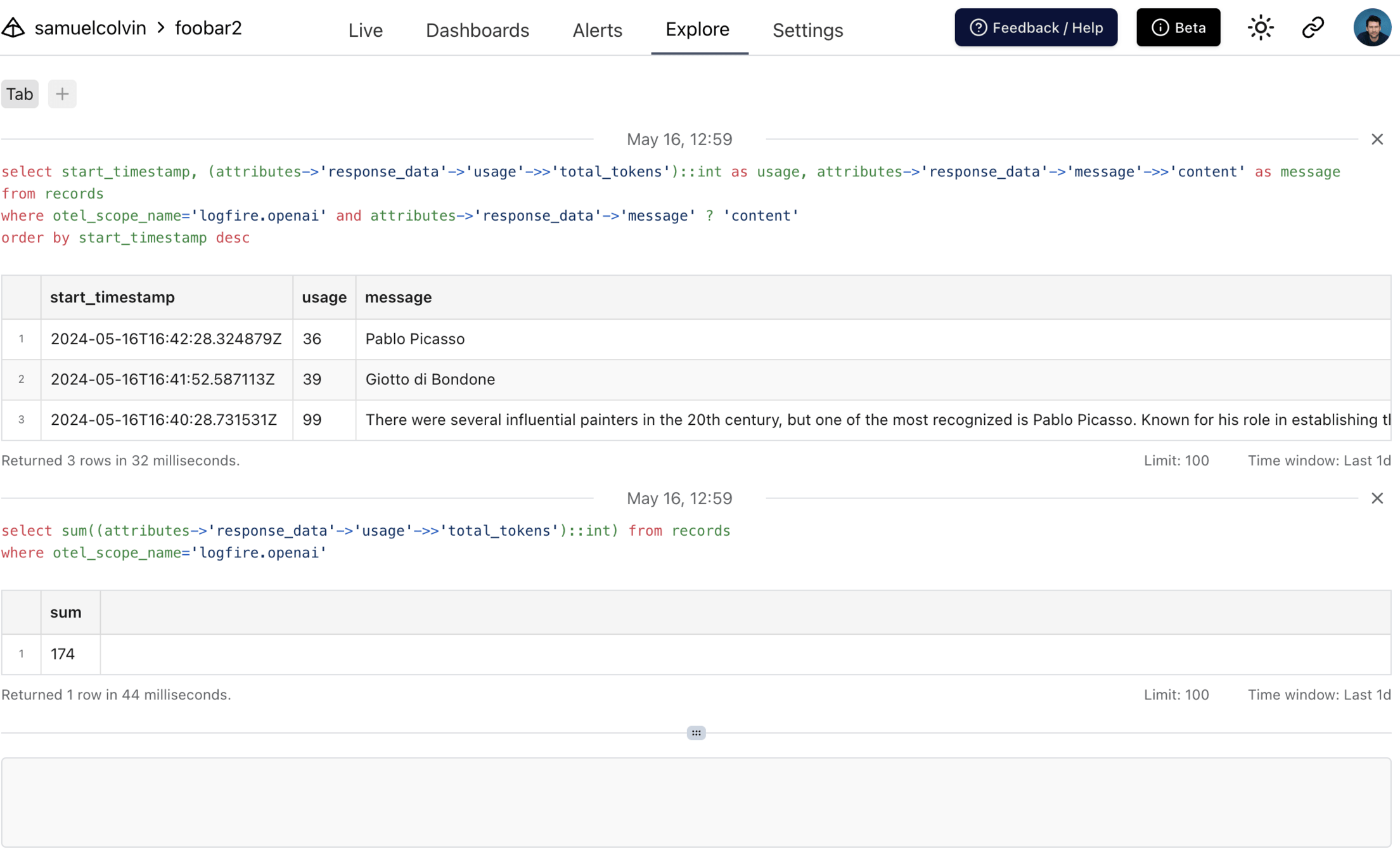
SQL
Explore
We're here all week, to help you with Pydantic Logfire
Thank you
And on slack after that
Logfire - Pycon 2024
By samuelcolvin-pydantic
Logfire - Pycon 2024
Pydantic Logfire - Why we built it and why you should try it


