My first web page!
Very seriously presented by the

Techies Lab
Download The text editor
Sublime Text 3
- Go to www.sublimetext.com
- Go to the tab Download
- Download the files according to your computer system (Windows, Mac, Ubuntu)
- Run the downloaded files
wifi: CoStationCity
key: BeMoreCurious
WHO are we?


Anne
Margo
Timeline for the workshop
14h Welcome + download Sublime Text
14h20 INTRO
14h50 Mini break
15h HTML
15h40 Snack
16h00 HTML + CSS
How does a web Site work?

A computer





internet
different Ways To connect


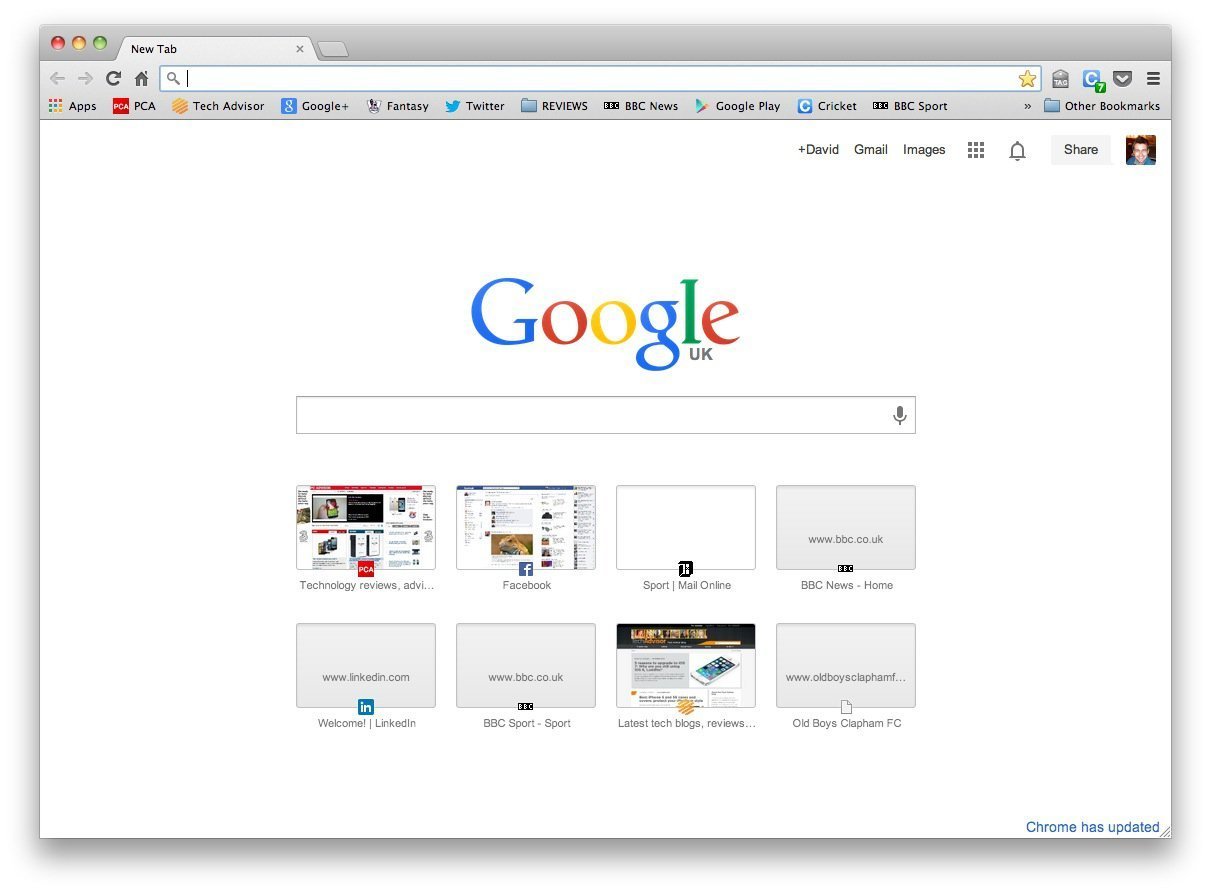
A Browser
AN adDress
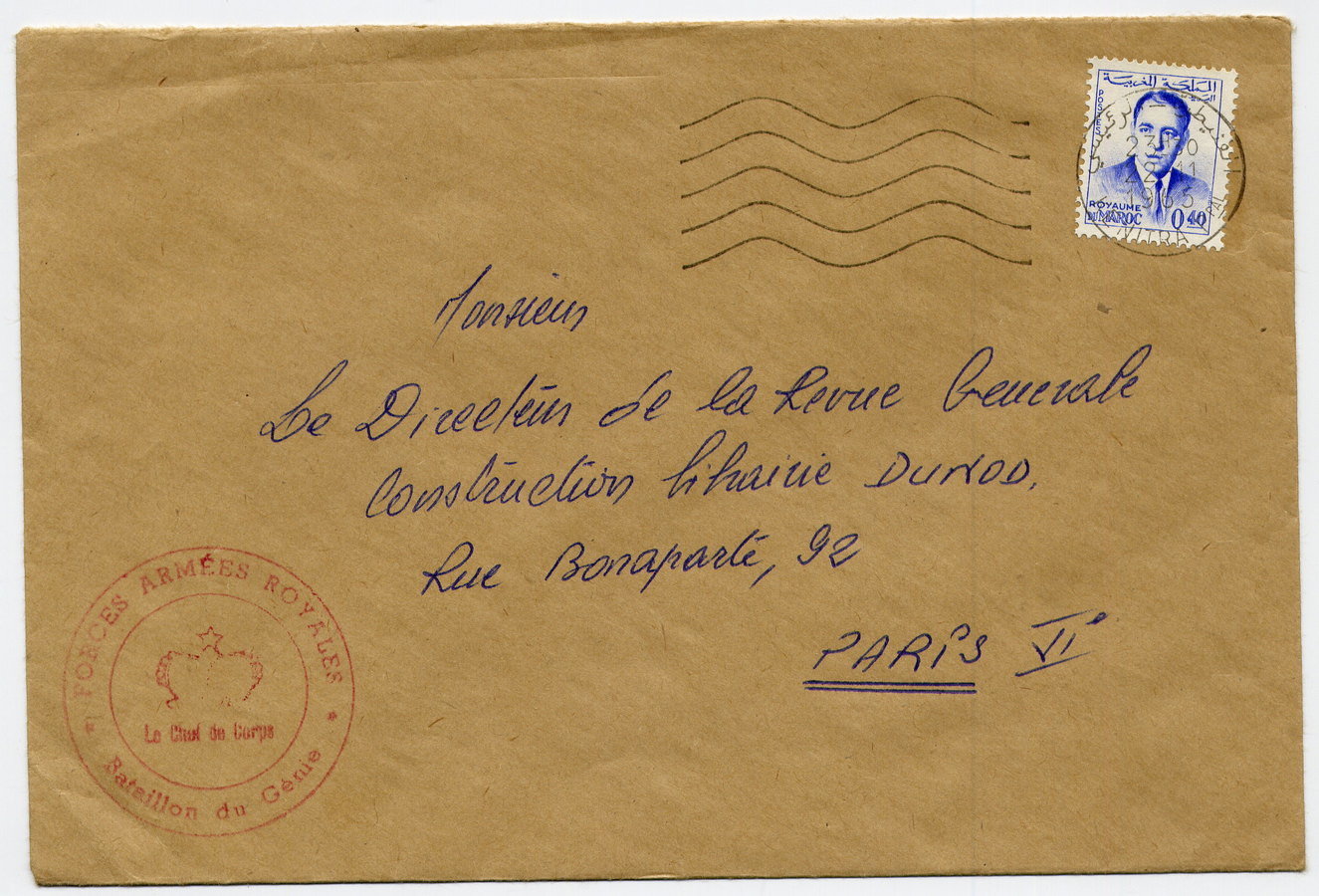

The message Is sent to...

A server


Data center in sT Ghislain, bElgium

What is the server's response?

languages used to
communicate with the browser



content and structure
style and appearence
animations
http Request / http response
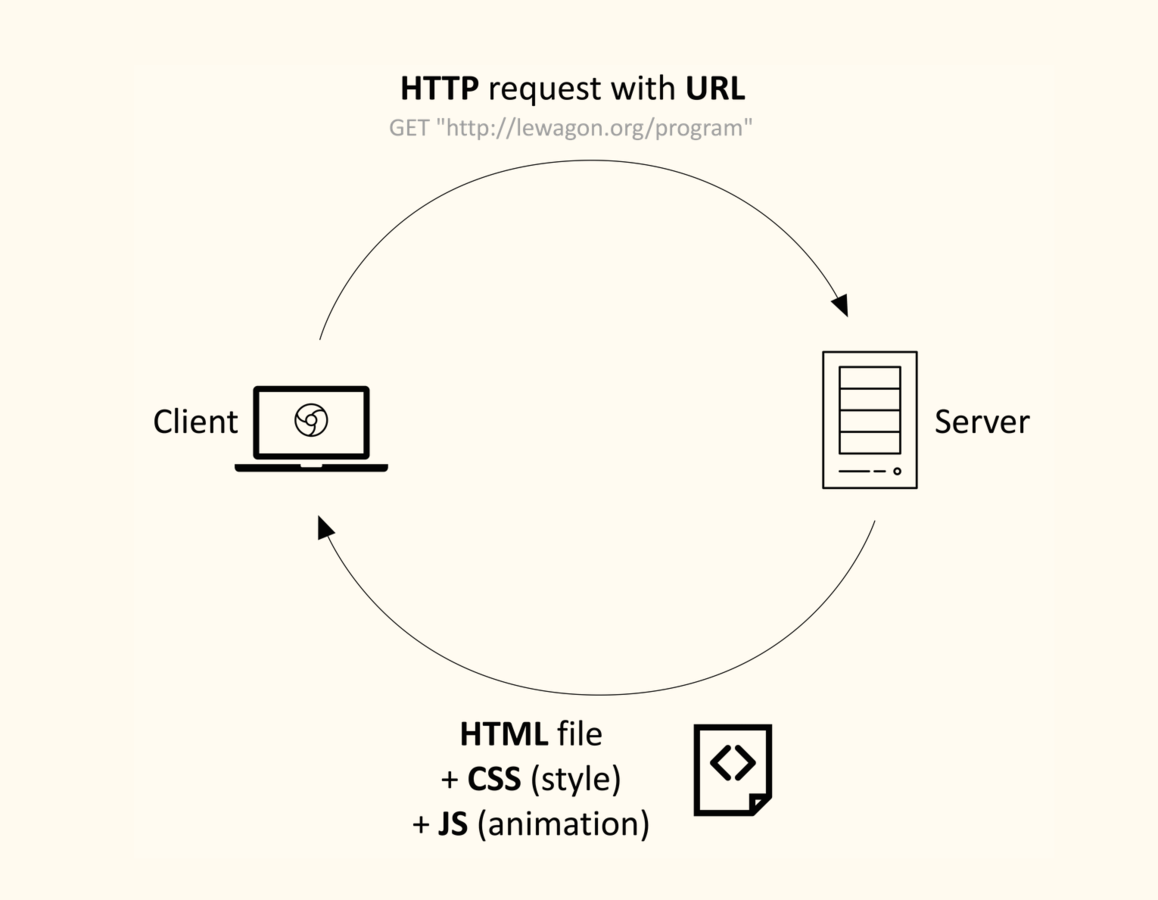
+ browser
before coding,
Let's warm up!

, comma
' apostrophe
. Period
Hey, I've seen a cat."" Quotation mark
? Question mark
! exclamation mark
"Really? That's
Supercalifragilisticexpialidocious!"
: colon
* asterisk (star)
- hyphen
He told me: *I'm Bob-the-Cat*.( ) parenthesis
> right angle bracket
= Equal sign
_ underscore
^ caret
(I thought > Bob = _very ^bizzare_!!!)< left angle bracket
@ at symbol
/ slash
</ @ no, common >| bar (pipe)
{ } braces (curly brackets)
# number sign (hashtag)
{ duh | duh | dial #10285833 }first steps in HTML & CSS
a web site = a folder full of files

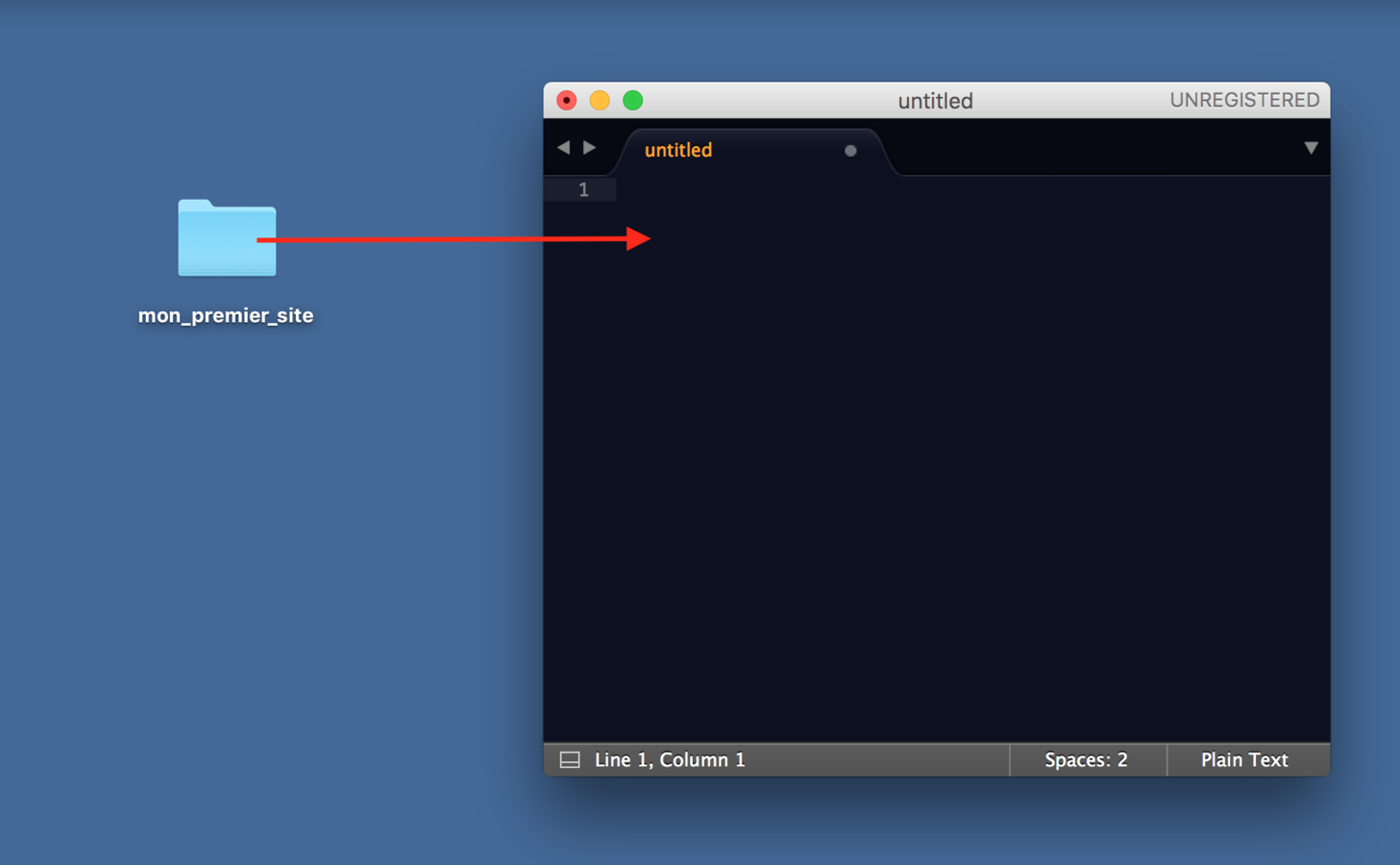
1. On our desktop, let's create a folder called, for example, my_first_website
2. Let's drag & drop this folder in Sublime Text
In Sublime Text, right-click on the name of the folder and add a new HTML file named
index.html
How do we write an HTML file ?

Let's write whatever comes to our mind!
Isn't it funny - or drôle, as say the French?

Here's my todo list:
    - add nice colors;
    - add images;
    - a video?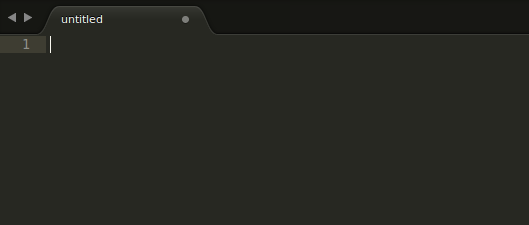
A little X will appear at the top right corner of the tab! It means your work is saved.
Let's save our modifications by clicking the keys
Ctrl (or Cmd) + S.

Let's check our webpage: let's open the index.html file in the browser
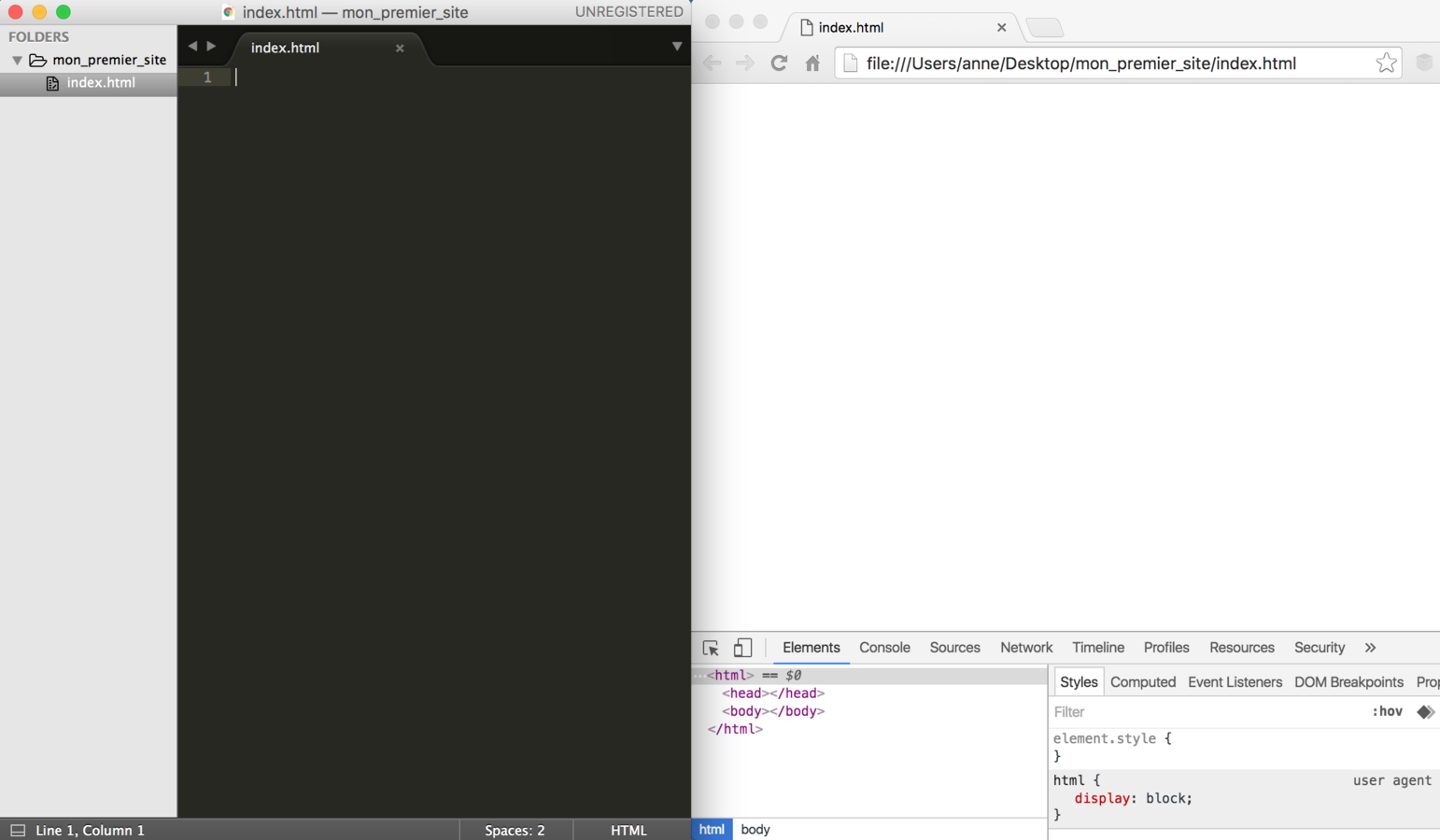
OOPS!

We need HTML tags

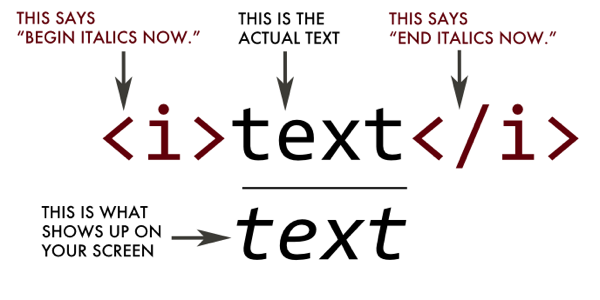
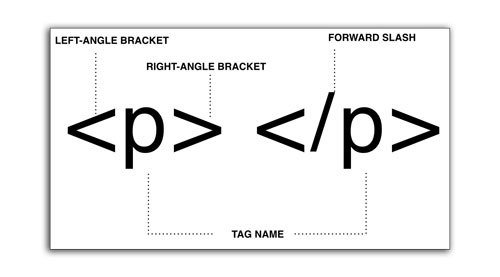
PARAGRAPH Tag
<p>Let's write whatever comes to our mind!</p>

<p>Isn't it funny - or drôle, as say the French?</p>

<p>Here's my todo list:
    - add nice colors;
    - add images;
    - a video?
</p>
Let's organize our code

html skeleton
<!DOCTYPE html>
<html>
  <head>
    (...)
  </head>

  <body>
    <p>Let's write whatever comes to our mind!</p>

    <p>Isn't it funny - or drôle, as say the French?</p>

    <p>Here's my todo list:
        - add nice colors;
        - add images;
        - a video?
    </p>
  </body>
</html>

meta tags and comments
<!DOCTYPE html>
<html>

  <head>
    <title>Bob the cat's website</title>
    <!-- browser tab and Google search -->

    <meta charset="utf-8"/>
    <!-- for special characters -->

  </head>

  <body>
    <p>Let's write whatever comes to our mind!</p>

    <p>Isn't it funny - or drôle, as say the French?</p>

    <p>Here's my todo list:
        - add nice colors;
        - add images;
        - a video?
    </p>
  </body>

</html>
add a title
  <body>
    <h1>Welcome to Bob-the-Cat's Website</h1>

    <p>Isn't it funny - or drôle, as say the French?</p>

    <p>Here's my todo list:
        - add nice colors;
        - add images;
        - a video?
    </p>
  </body>
<h1>
add a list
  <body>
    <h1>Welcome to Bob-the-Cat's Website</h1>

    <p>Isn't it funny - or drôle, as say the French?</p>

    <ul>Here's my todo list:
        <li>add nice colors;</li>
        <li>add images;</li>
        <li>a video?</li>
    </ul>
  </body>
<ul> <li>
create a link to another web page
<a href="https://www.techieslab.org" target="_blank">Techies Lab</a><a>
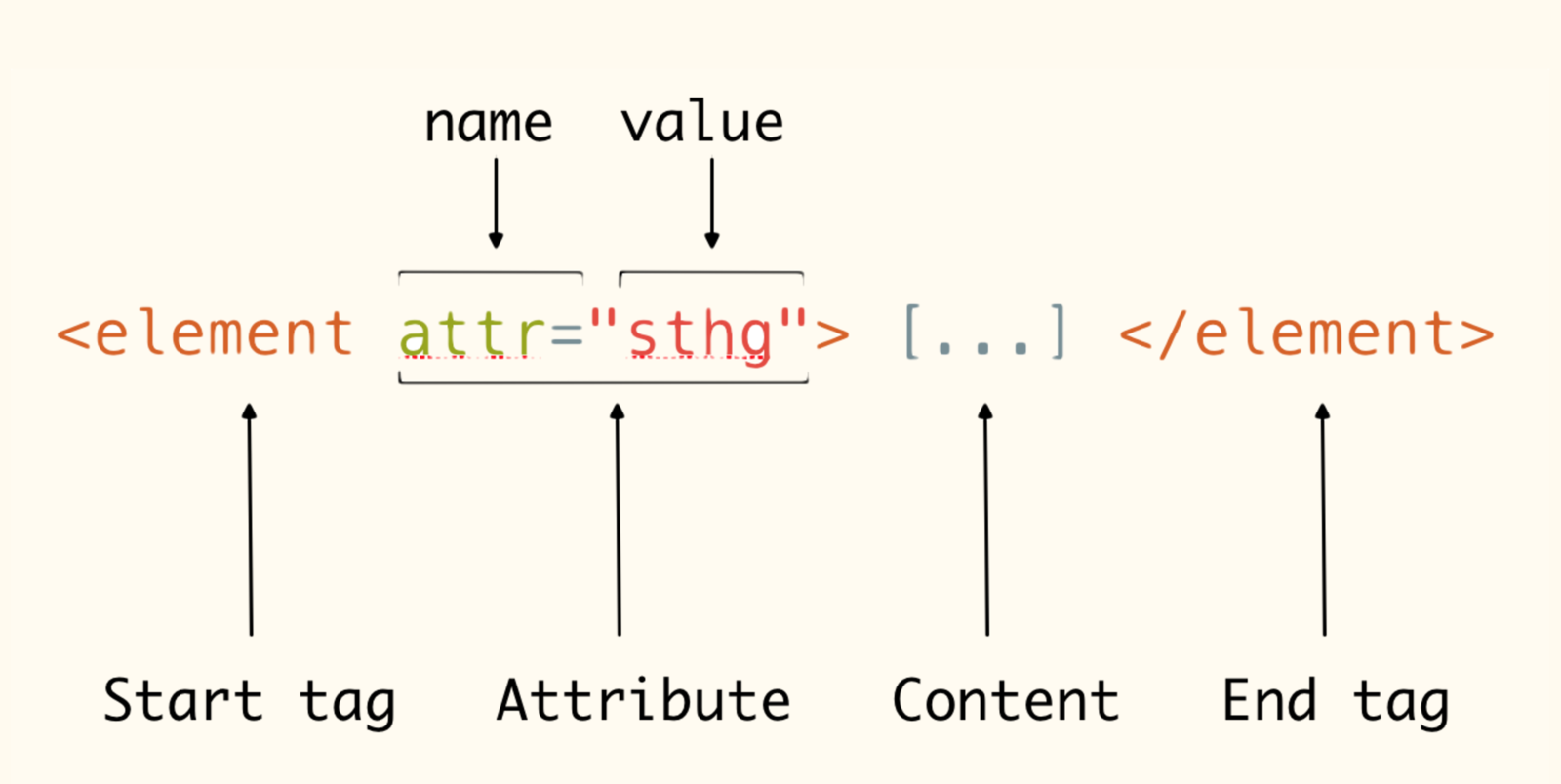
Add an image
<img src="logo.png" alt="Techies Lab logo">

<img src="http://jolabistouille.j.o.pic.centerblog.net/45777f7a.png" alt="Cat">
<img>

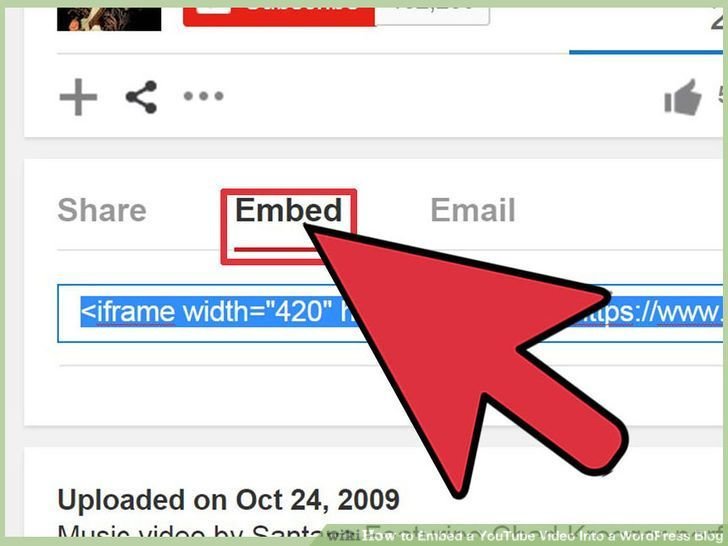
add a video
<iframe src="https://www.youtube.com/embed/oqNKD9YVe4U" width="560" height="315"></iframe><iframe>
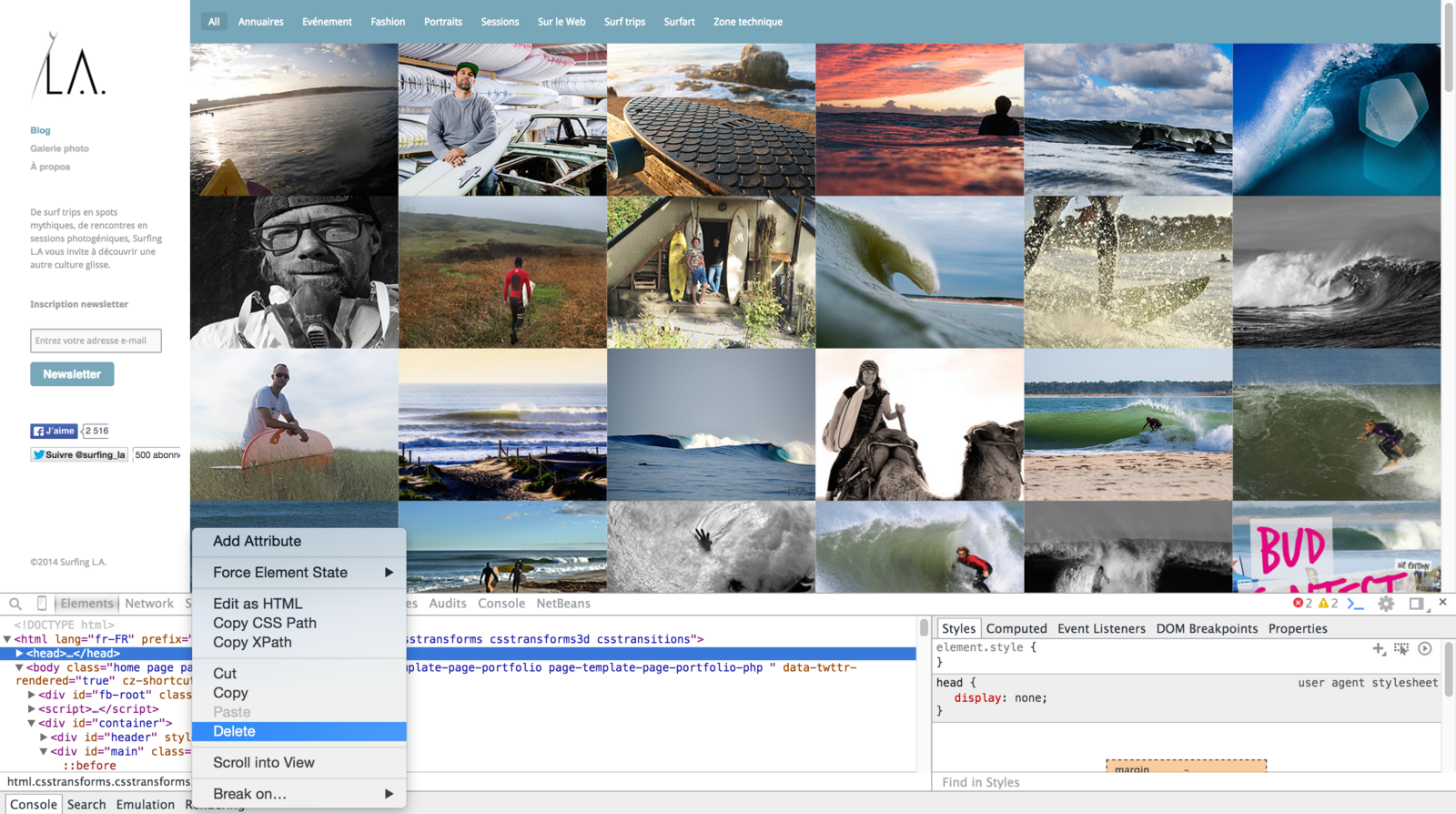
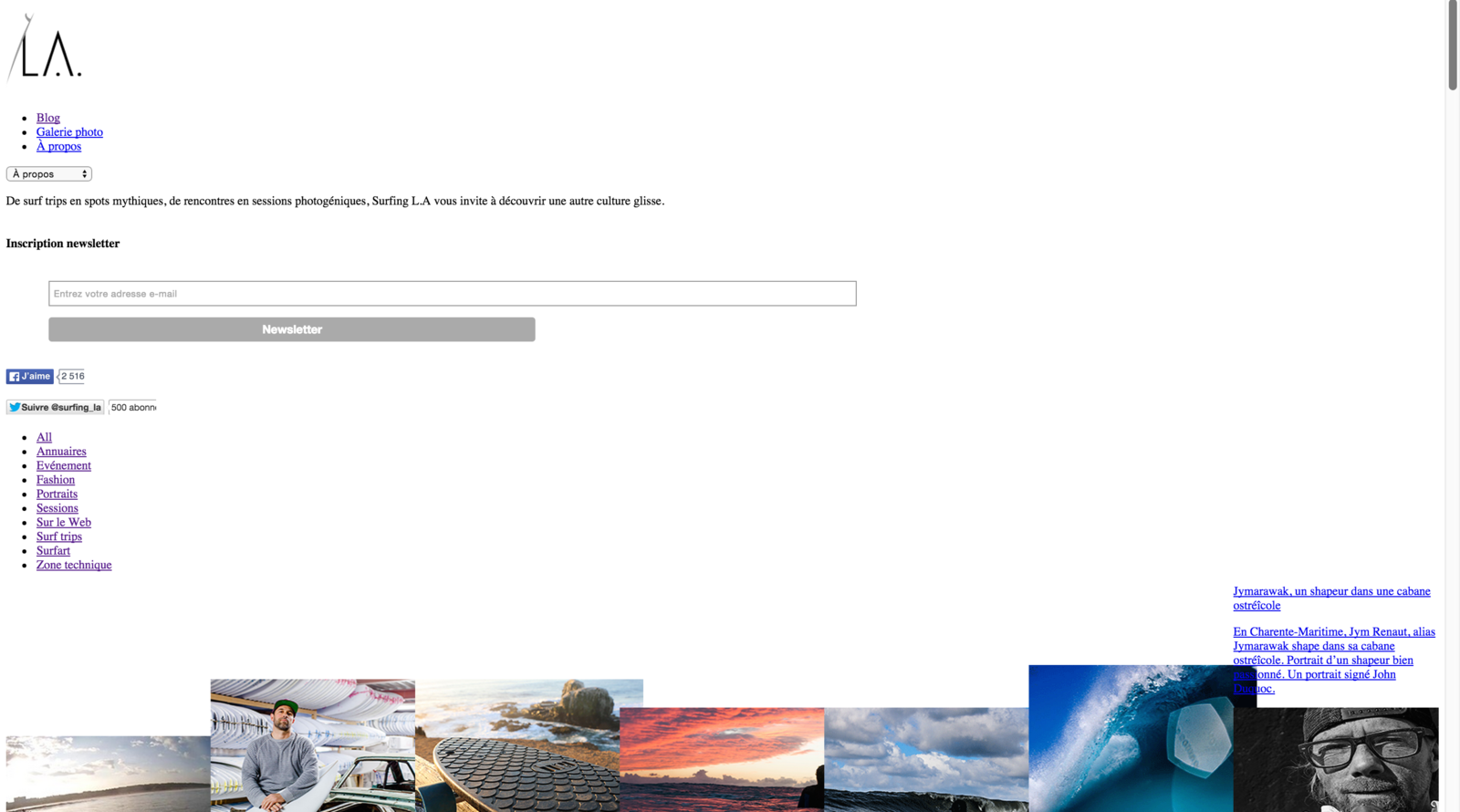
A bit of help...
the power of css

use the inspector

In our folder, let's create a CSS file named style.css
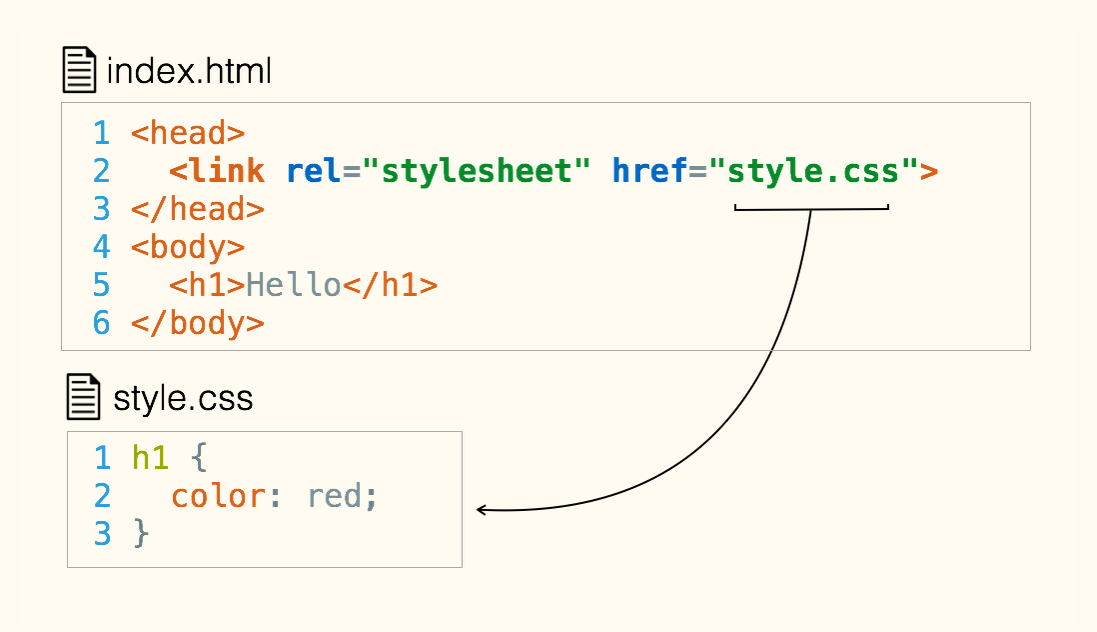
We need to tie our
HTML and CSS files together
css syntax
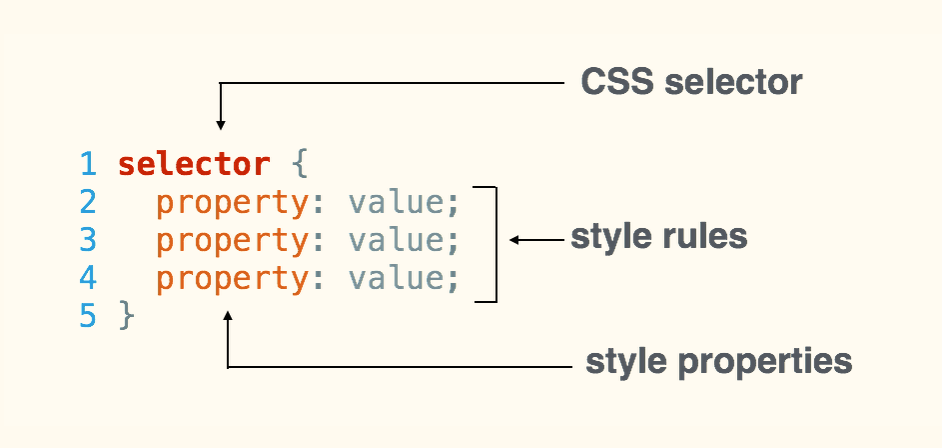
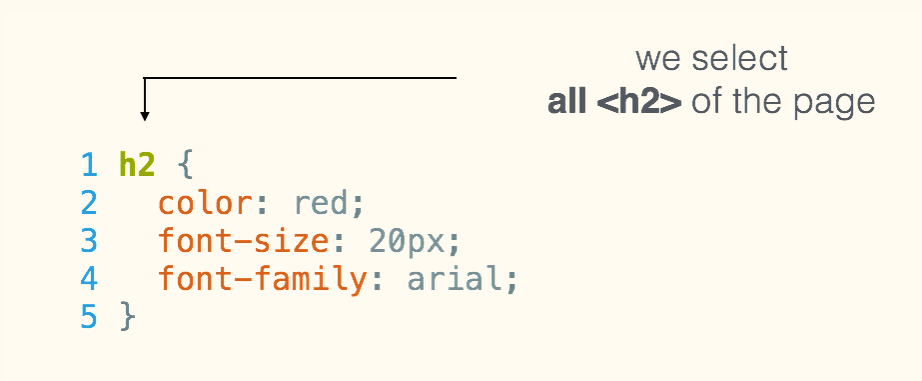
change the color of our text
body {
  color: orange;
}
color
/* alternative syntax : hexadecimal color codes  */
/* note that this is how we write comments in CSS files */

body {
  color: #FFA500;
}
Change the background col0r
body {
    color: orange;
    background-color: yellow;
}
background-color
challenge:
change only the color of our heading?
body {
    color: orange;
    background-color: yellow;
}

h1 {
    color: blue;
}
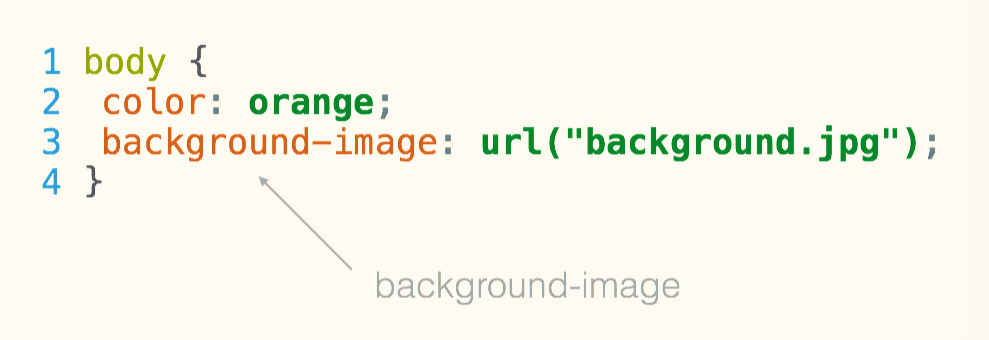
what about a background image?
background image
READY FOR aDvanced STUFF?

divisions


<div>
the box model
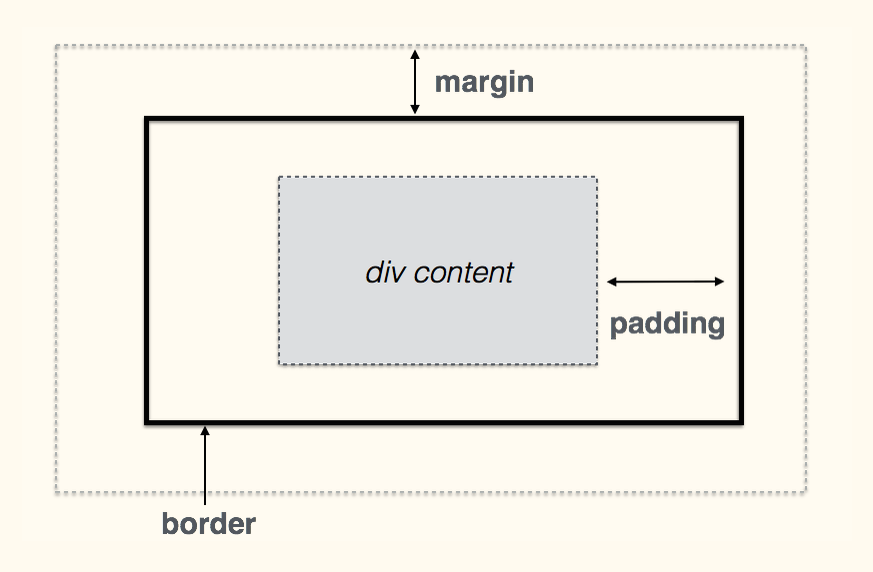

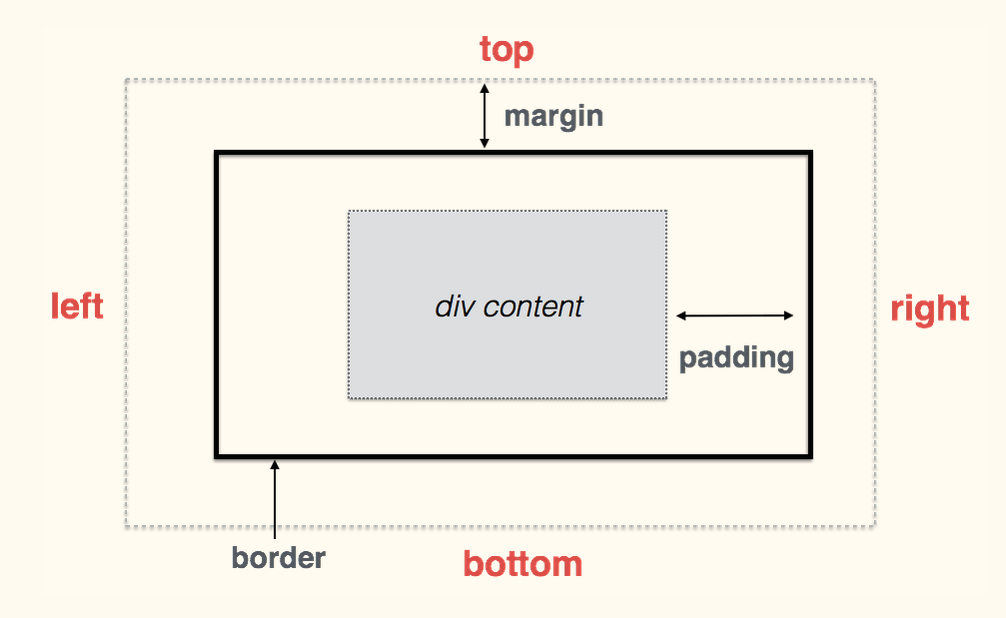
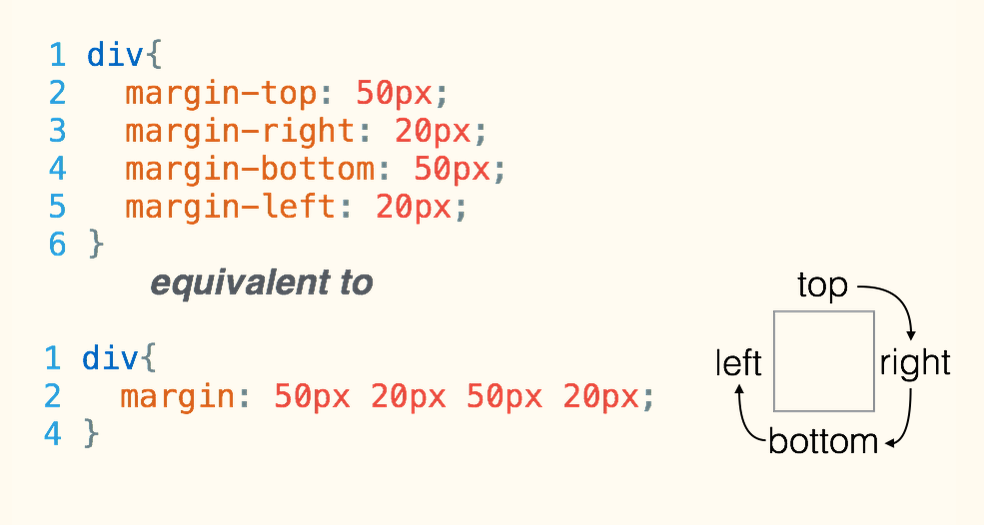
div{
  border-top: 1px solid red;
  border-right: 2px dotted black;
  border-bottom: 1px dashed green;
  border-left: 2px dotted black;
}
borders
divisions and the box model
div{
  background: white;
  border: 1px solid lightgrey;
  padding: 20px;
  margin: 30px;
}
READY FOR really aDvanced STUFF?

id and class
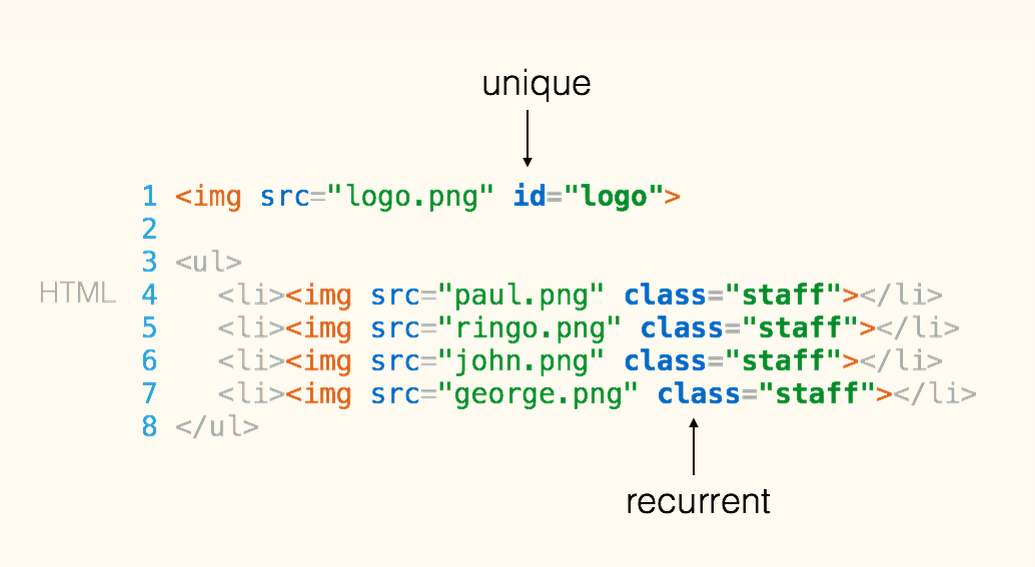
In your HTML file:
id and class
1  #logo {
2     width: 30%;
3  }
4
5  .staff {
6      border-radius: 50%;
7  }
in your CSS file

Thank you!
www.techieslab.org
next workshops: April 29 & 30, 2017
online resources




My first web page!
By Techies Lab ASBL
My first web page!
Parent-kid workshop to learn to code in HTML and CSS.