Best Practice Frontend Behaviour
a collection of tasks/issues that affect your web app in relation to performance
David Lorenz | info@activenode.de | https://github.com/activenode | @activenode_dev
web enthusiast

General Rules #1
- Avoid DNS lookups
-
don't use multiple (unknown) sources
-
don't use multiple (unknown) sources
-
Avoid every single extra byte of data
- Constrain the production environment, not your workflow!
General Rules #2
-
Mobile First!
-
Iterative Enhancements
-
Don't just code like "it's gotta be finished"
- Know your audience -> know your browsers -> caniuse.com -> code like a pro
JavaScript
- Avoid object attribute names
-
cannot be obfuscated/minified as they are not stuck to closures!
-
cannot be obfuscated/minified as they are not stuck to closures!
- Use equal-named variables whenever possible!
Improve on...
BTW: Using automated minification of variables in JS allows you to use extremely well readable code as you do not have to care about length.
JavaScript
- Try to avoid modularizing your productive environment
Improve on...
- avoid HTTP requests
- avoid unnecessary code
- outsource code from your main js file if and only if not definitely used
JavaScript
Improve on...

Don't use JQuery as often as your shoes.
... at least customize it: http://projects.jga.me/jquery-builder/
JavaScript
Improve on...
Use critical inline JS

Use deferred async loading of your main .js
loadJS('main.js', myCallbackFunc)JavaScript & CSS
Improve on...
Unify your UX
Phablet, Tablet Pen, Smartphone, Touch Desktop, ...
One solution, less code, less maintenance
Styles
Improve on...
Use critical inline CSS to provide at least a loader screen (it's feedback!)
CSS is a render-blocking resource
loadCSS('doge.css');Load all other styles async!
Styles
Improve on...

loadCSS('doge.css', function(){
   document.documentElement.className = document.documentElement.className.replace('fouc','');
});
...
<head>
<style>
.fouc {display:none}
</style>
</head>
<body>
<div class="fouc">
...Styles
Improve on...
Choose wisely!
Do not add transitions to everything
.doge {
    transition: 300ms ease-in;
    transition-property: color;
}
DO
body * {
    transition: all 300ms ease-in;
}
DONT
you will run into obscure animations with angular with this!
Styles
Improve on...
display:none has no loading effect on images
<div style="display:none">
   <div style="background-image: ..."></div>
</div>
Instead use
Styles / Rendering
Improve on...
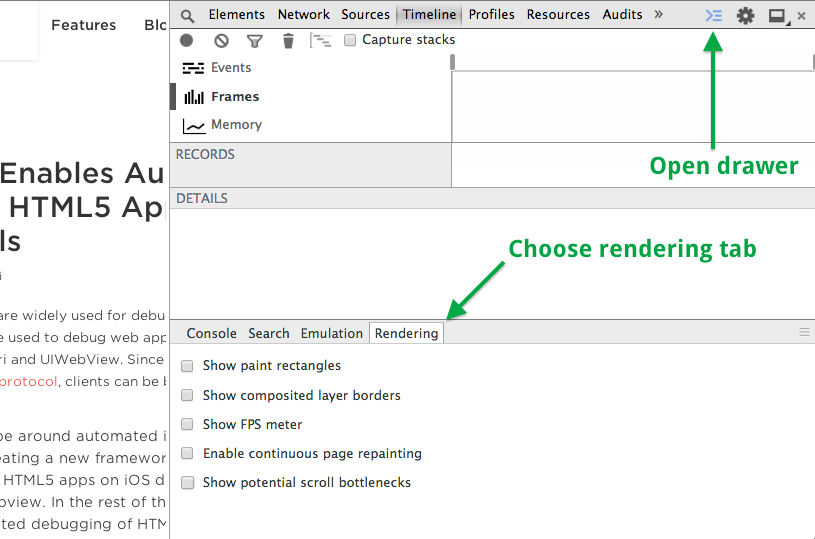
Avoid repaint, use opacity and transform, check rendering perf
Styles / Rendering
Improve on...
"adding will-change directly in a stylesheet implies that the targeted elements are always a few moments away from changing and the browser will keep the optimizations for much longer time than it would have otherwise"
https://developer.mozilla.org/de/docs/Web/CSS/will-change
will-change property
SASS / LESS
Improve on...
Deep selectors: Shame on you!

Images
Improve on...
Rules
Know your image type
- Forget about Retina, use SVG!
- Use PNG if you are desperate
- Use JPG if its a photo
- Use GIF if you need animation
- Inline all image icons into a icons.css
Images / PNG-8 vs...
Improve on...

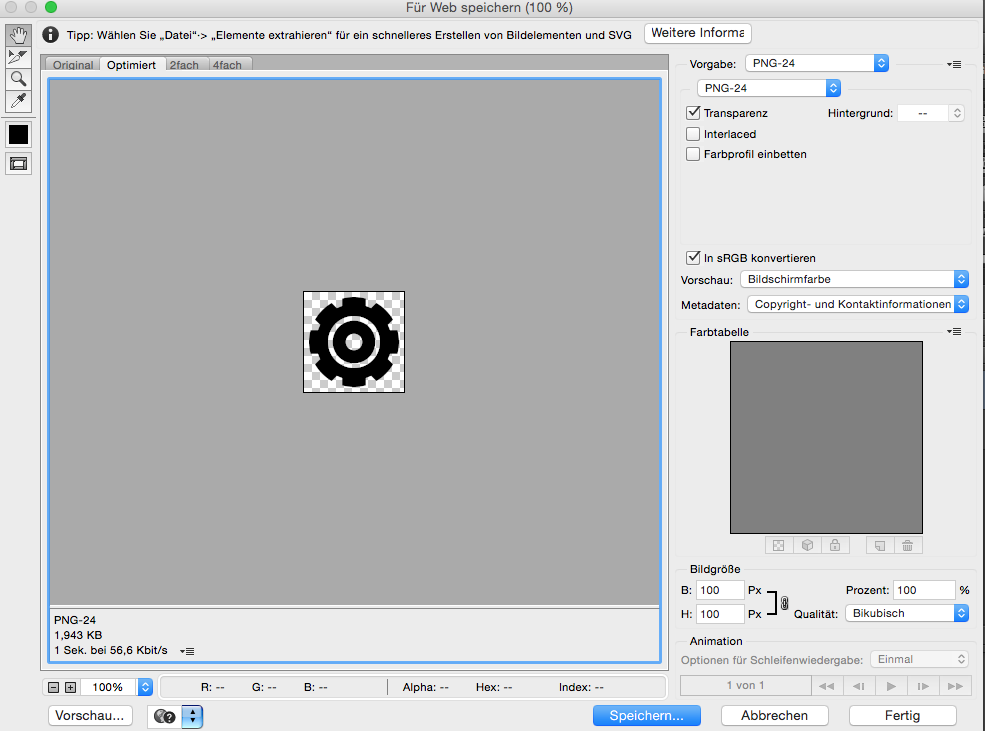
.. Images / PNG-24
Improve on...
Images / JPG
Improve on...
Compress, compress, compress!
Retina should not be bigger than non-retina.
Make use of outer-blur image manipulation
Images / SVG
Improve on...
Control your SVG!
Check code and comments.
If simple: Code by yourself.
HTML
Improve on...
Avoid wrapper elems
.. or use directives when multiple used
Check your site
- webpagetest.org
Waterfall Diagram, Total Bytes, TTF, Dom Elements, ... - YSlow.org
Checks and grades your sites performance - DustMe
Find unused css selectors
Summary
- Gzip is not very helpful when gzip is not delivered. Make sure to test-check your server.
- Set long caching times in your server config
- Avoid lots of http requests
- Minify anything - also HTML! Do not deliver uncompressed data.
- Avoid lots of DNS lookups (do not use many different CDNs)
- Use deferred async/loading whenever possible
- Do mobile-first coding!
- Take care of animations/transitions as the browser tries to optimize for it!
Best Practice Frontend Behaviour
By activenode
Best Practice Frontend Behaviour
Tasks/Issues in the Frontend that affect performance and/or are affected by performance tasks.