<!DOCTYPE html>
<html>
<head>
<meta charset="utf-8">
<meta http-equiv="X-UA-Compatible" content="IE=edge,chrome=1">

</head>
<body>

<script src="http://ajax.googleapis.com/ajax/libs/jquery/1.9.0/jquery.min.js"></script>
<script src="http://maps.google.com/maps/api/js?sensor=false"></script>
<script src="script.js"></script>

</body>

  <head>
    <meta name="viewport" content="initial-scale=1.0, user-scalable=no"/>
    <title>HTML5 Geolocation Google Maps integration</title>
       <table border="0" bordercolor="#FFCC00" style="background-color:#FFFFFF" width="320" cellpadding="0" cellspacing="0">
	<tr>
		<td>
    <style type="text/css">html{height:100%}body{font-family:sans-serif;background-color:#f5f5f5}#map-canvas{height:250px}</style>
    <script type="text/javascript" src="https://maps.googleapis.com/maps/api/js?sensor=false"></script>
    <script type="text/javascript">var map=null;function showlocation(){navigator.geolocation.getCurrentPosition(callback);}
function callback(position){
    var lat=position.coords.latitude;
    var lon=position.coords.longitude;

                            document.getElementById('latitude').innerHTML=lat;
                            document.getElementById('longitude').innerHTML=lon;

                            var latLong=new google.maps.LatLng(lat,lon);
                            var marker=new google.maps.Marker({position:latLong});marker.setMap(map);map.setZoom(15);map.setCenter(marker.getPosition());}
google.maps.event.addDomListener(window,'load',initMap);function initMap(){var mapOptions={center:new google.maps.LatLng(0,0),zoom:1,mapTypeId:google.maps.MapTypeId.ROADMAP};map=new google.maps.Map(document.getElementById("map-canvas"),mapOptions);function autoUpdate() {
  navigator.geolocation.getCurrentPosition(function(position) {
    var newPoint = new google.maps.LatLng(position.coords.latitude,
                                          position.coords.longitude);

    if (marker) {
      // Marker already created - Move it
      marker.setPosition(newPoint);
    }
    else {
      // Marker does not exist - Create it
      marker = new google.maps.Marker({
        position: newPoint,
        map: map
      });
    }

    // Center the map on the new position
    map.setCenter(newPoint);
  });

  // Call the autoUpdate() function every 2 seconds
  setTimeout(autoUpdate, 2000);
}

autoUpdate();}</script>

  </head>
  <body>

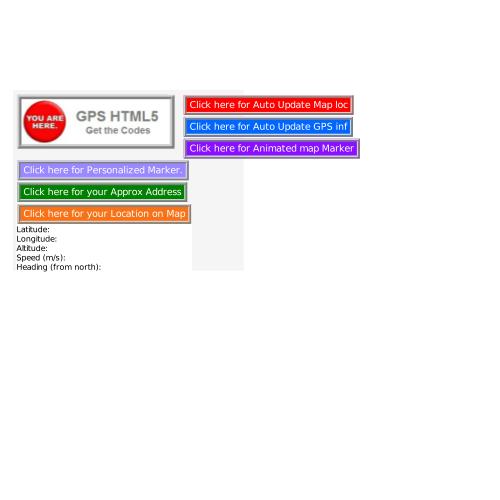
      		<input type="button" style="font-face: 'Arial'; font-size: larger; color: white; background-color: #FF0000; border: 5pt ridge lightgrey" value="Click here for your Update Map Loc" onclick="javascript:showlocation()"/>   <br/>

		Start Latitude: <span id="latitude"></span>       <br/>
		Start Longitude: <span id="longitude"></span> <br/>


  	<br/>
    <div id="map-canvas"/>

         </td>
	</tr>
	<tr>
		<td><table cellspacing="0" cellpadding="0"> <tr>

</tr> </table>
<table cellspacing="0" cellpadding="0"> <tr>

</tr> </table>
           </td>
	</tr>
</table>


    </body>
</html>
index.html
The map marker will
shift according to your
movements
<!DOCTYPE HTML>
<html xmlns="http://www.w3.org/1999/xhtml" lang="en">
<head>
<title>GEO location Experiment</title>
<meta http-equiv="Content-Type" content="text/html; charset=utf-8" />
 <meta name="viewport" content="initial-scale=1.0, user-scalable=yes"/>


<script type="text/javascript" src="geo.js"></script>


</head>
<body>


	<div class="output" id="output"></div>

	<div class="geo_controls">
The coordinates will Change when a considrable movements is detected
<br />
             <br />
		<button id="geo_start_stop" style="font-face: 'Arial'; font-size: larger; color: white; background-color: #0066FF; border: 5pt ridge lightgrey">
           			Click here for Auto GPS info
		</button>
	</div>


</body>
</html>
var start_stop_btn, wpid=false, map, z, op, prev_lat, prev_long, min_speed=0, max_speed=0, min_altitude=0, max_altitude=0, distance_travelled=0, min_accuracy=150, date_pos_updated="", info_string="";
// This function just adds a leading "0" to time/date components which are <10 (because there is no cross-browser way I know of to do this using the date object)
function format_time_component(time_component)
{
if(time_component<10)
time_component="0"+time_component;
else if(time_component.length<2)
time_component=time_component+"0";
return time_component;
}
// This is the function which is called each time the Geo location position is updated
function geo_success(position)
{
start_stop_btn.innerHTML="Stop"; // Set the label on the start/stop button to "Stop"
info_string="";
var d=new Date(); // Date object, used below for output messahe
var h=d.getHours();
var m=d.getMinutes();
var s=d.getSeconds();
var current_datetime=format_time_component(h)+":"+format_time_component(m)+":"+format_time_component(s);
// Check that the accuracy of our Geo location is sufficient for our needs
if(position.coords.accuracy<=min_accuracy)
{
// We don't want to action anything if our position hasn't changed - we need this because on IPhone Safari at least, we get repeated readings of the same location with
// different accuracy which seems to count as a different reading - maybe it's just a very slightly different reading or maybe altitude, accuracy etc has changed
if(prev_lat!=position.coords.latitude || prev_long!=position.coords.longitude)
{
if(position.coords.speed>max_speed)
max_speed=position.coords.speed;
else if(position.coords.speed<min_speed)
min_speed=position.coords.speed;
if(position.coords.altitude>max_altitude)
max_altitude=position.coords.altitude;
else if(position.coords.altitude<min_altitude)
min_altitude=position.coords.altitude;
prev_lat=position.coords.latitude;
prev_long=position.coords.longitude;
info_string="Current positon:<br />lat="+position.coords.latitude+", <br />long="+position.coords.longitude+" (Accuracy "+Math.round(position.coords.accuracy, 1)+"m)<br />Speed: <br />min="+(min_speed?min_speed:"/0")+"m/s, <br />max="+(max_speed?max_speed:"/0")+"m/s<br />Altitude: min="+(min_altitude?min_altitude:"/0")+"m, <br />max="+(max_altitude?max_altitude:"/0")+"m (accuracy "+Math.round(position.coords.altitudeAccuracy,1)+"m)<br />Time of Reading : "+current_datetime;
}
}
else
info_string="Accuracy not sufficient ("+Math.round(position.coords.accuracy, 1)+"m vs "+min_accuracy+"m) - last reading taken at: "+current_datetime;
if(info_string)
op.innerHTML=info_string;
}
// This function is called each time navigator.geolocation.watchPosition() generates an error (i.e. cannot get a Geo location reading)
function geo_error(error)
{
switch(error.code)
{
case error.TIMEOUT:
op.innerHTML="Timeout!";
break;
};
}
function get_pos()
{
// Set up a watchPosition to constantly monitor the geo location provided by the browser - NOTE: !! forces a boolean response
// We use watchPosition rather than getPosition since it more easily allows (on IPhone at least) the browser/device to refine the geo location rather than simply taking the first available position
// Full spec for navigator.geolocation can be foud here: http://dev.w3.org/geo/api/spec-source.html#geolocation_interface
// First, check that the Browser is capable
if(!!navigator.geolocation)
wpid=navigator.geolocation.watchPosition(geo_success, geo_error, {enableHighAccuracy:true, maximumAge:30000, timeout:27000});
else
op.innerHTML="ERROR: Your Browser doesnt support the Geo Location API";
}
// Initialiser: This will find the output message div and set up the actions on the start/stop button
function init_geo()
{
op=document.getElementById("output"); // Note the op is defined in global space and is therefore globally available
if(op)
{
start_stop_btn=document.getElementById("geo_start_stop");
if(start_stop_btn)
{
start_stop_btn.onclick=function()
{
if(wpid) // If we already have a wpid which is the ID returned by navigator.geolocation.watchPosition()
{
start_stop_btn.innerHTML="Start";
navigator.geolocation.clearWatch(wpid);
wpid=false;
}
else // Else...We should only ever get here right at the start of the process
{
start_stop_btn.innerHTML="Please Wait 20 seconds ....";
get_pos();
}
}
}
else
op.innerHTML="ERROR: Couldn't find the start/stop button";
}
}
// Initialise the whole system (above)
window.onload=init_geo;geo.js
index.html
the data will update, when a
considerable movement
is detected
<!DOCTYPE html>
<html>
<head>
<meta charset="utf-8">
<meta http-equiv="X-UA-Compatible" content="IE=edge,chrome=1">

</head>
<body>

<script src="http://maps.google.com/maps/api/js?sensor=false"></script>


</body>

  <head>
    <meta name="viewport" content="initial-scale=1.0, user-scalable=no"/>
    <title>HTML5 Geolocation Google Maps integration</title>
       <table border="0" bordercolor="#FFCC00" style="background-color:#FFFFFF" width="320" cellpadding="0" cellspacing="0">
	<tr>
		<td>
    <style type="text/css">html{height:100%}body{font-family:sans-serif;background-color:#f5f5f5}#map-canvas{height:250px}</style>
    <script type="text/javascript" src="https://maps.googleapis.com/maps/api/js?sensor=false"></script>
    <script type="text/javascript">var map=null;function showlocation(){navigator.geolocation.getCurrentPosition(callback);}
function callback(position){
    var lat=position.coords.latitude;
    var lon=position.coords.longitude;

                            document.getElementById('latitude').innerHTML=lat;
                            document.getElementById('longitude').innerHTML=lon;

                            var latLong=new google.maps.LatLng(lat,lon);

var marker=new google.maps.Marker({position:latLong,
  animation:google.maps.Animation.BOUNCE});
marker.setMap(map);map.setZoom(15);map.setCenter(marker.getPosition());}


google.maps.event.addDomListener(window,'load',initMap);function initMap(){var mapOptions={center:new google.maps.LatLng(0,0),zoom:1,mapTypeId:google.maps.MapTypeId.ROADMAP};map=new google.maps.Map(document.getElementById("map-canvas"),mapOptions);}</script>

  </head>
  <body>

      		<input type="button" style="font-face: 'Arial'; font-size: larger; color: white; background-color: #8811FF; border: 5pt ridge lightgrey" value="Click here for Bouncing Map Marker" onclick="javascript:showlocation()"/>   <br/>

		Latitude: <span id="latitude"></span>       <br/>
		Longitude: <span id="longitude"></span> <br/>


  	<br/>
    <div id="map-canvas"/>

         </td>
	</tr>

</table>


    </body>
</html>
how to Animate
the map marker
"bouncing"
<!DOCTYPE html>
<html>
<head>
<meta charset="utf-8">
<meta http-equiv="X-UA-Compatible" content="IE=edge,chrome=1">


</head>
<body>


<script src="http://maps.google.com/maps/api/js?sensor=false"></script>


</body>

  <head>
    <meta name="viewport" content="initial-scale=1.0, user-scalable=no"/>
    <title>HTML5 Geolocation Google Maps integration</title>
       <table border="0" bordercolor="#FFCC00" style="background-color:#FFFFFF" width="320" cellpadding="0" cellspacing="0">
	<tr>
		<td>
    <style type="text/css">html{height:100%}body{font-family:sans-serif;background-color:#f5f5f5}#map-canvas{height:250px}</style>
    <script type="text/javascript" src="https://maps.googleapis.com/maps/api/js?sensor=false"></script>
    <script type="text/javascript">var map=null;function showlocation(){navigator.geolocation.getCurrentPosition(callback);}
function callback(position){
    var lat=position.coords.latitude;
    var lon=position.coords.longitude;

                            document.getElementById('latitude').innerHTML=lat;
                            document.getElementById('longitude').innerHTML=lon;

                            var latLong=new google.maps.LatLng(lat,lon);

var marker=new google.maps.Marker({position:latLong,
  icon:'http://www.geocities.ws/Colosseum/Stadium/8356/ball.gif'});marker.setMap(map);map.setZoom(15);map.setCenter(marker.getPosition());}


google.maps.event.addDomListener(window,'load',initMap);function initMap(){var mapOptions={center:new google.maps.LatLng(0,0),zoom:1,mapTypeId:google.maps.MapTypeId.ROADMAP};map=new google.maps.Map(document.getElementById("map-canvas"),mapOptions);}</script>

  </head>
  <body>

      		<input type="button" style="font-face: 'Arial'; font-size: larger; color: white; background-color: #9988FF; border: 5pt ridge lightgrey" value="Click here for Personalized Marker" onclick="javascript:showlocation()"/>   <br/>

		Latitude: <span id="latitude"></span>       <br/>
		Longitude: <span id="longitude"></span> <br/>


  	<br/>
    <div id="map-canvas"/>

         </td>
	</tr>

</table>


    </body>
</html>
$(document).ready(function () {
// wire up button click
$('#go').click(function () {
// test for presence of geolocation
if(navigator && navigator.geolocation) {
// make the request for the user's position
navigator.geolocation.getCurrentPosition(geo_success, geo_error);
} else {
// use MaxMind IP to location API fallback
printAddress(geoip_latitude(), geoip_longitude(), true);
}
});
});
Â
Â
function geo_success(position) {
printAddress(position.coords.latitude, position.coords.longitude);
}
Â
function geo_error(err) {
// instead of displaying an error, fall back to MaxMind IP to location library
printAddress(geoip_latitude(), geoip_longitude(), true);
}
Â
// use Google Maps API to reverse geocode our location
function printAddress(latitude, longitude, isMaxMind) {
// set up the Geocoder object
var geocoder = new google.maps.Geocoder();
Â
// turn coordinates into an object
var yourLocation = new google.maps.LatLng(latitude, longitude);
Â
// find out info about our location
geocoder.geocode({ 'latLng': yourLocation }, function (results, status) {
if(status == google.maps.GeocoderStatus.OK) {
if(results[0]) {
$('#results').fadeOut(function() {
$(this).html('<p><b>You are within 25 meters from</b></p><p><em>' + results[0].formatted_address + '</em></p>').fadeIn();
})
} else {
error('Google did not return any results.');
}
} else {
error("Reverse Geocoding failed due to: " + status);
}
});
Â
// if we used MaxMind for location, add attribution link
if(isMaxMind) {
$('body').append('<p><a href="http://www.maxmind.com" target="_blank">IP to Location Service Provided by MaxMind</a></p>');
}
}
Â
function error(msg) {
alert(msg);
}
script.js Reverse Geocoding 4 Address
<!DOCTYPE html>
<html>
<head>
<meta charset="utf-8">
<meta http-equiv="X-UA-Compatible" content="IE=edge,chrome=1">

</head>
<body>

    <input type="button" style="font-face: 'Arial'; font-size: larger; color: white; background-color: #008000; border: 5pt ridge lightgrey"  class="button" id="go" value="Click here for your Approx Address">

<div id="results"></div>

<script src="http://ajax.googleapis.com/ajax/libs/jquery/1.9.0/jquery.min.js"></script>
<script src="http://maps.google.com/maps/api/js?sensor=false"></script>
<script src="script.js"></script>

</body>

  <head>
    <meta name="viewport" content="initial-scale=1.0, user-scalable=no"/>
    <title>HTML5 Geolocation Google Maps integration</title>
       <table border="0" bordercolor="#FFCC00" style="background-color:#FFFFFF" width="320" cellpadding="0" cellspacing="0">
	<tr>
		<td>
    <style type="text/css">html{height:100%}body{font-family:sans-serif;background-color:#f5f5f5}#map-canvas{height:250px}</style>
    <script type="text/javascript" src="https://maps.googleapis.com/maps/api/js?sensor=false"></script>
    <script type="text/javascript">var map=null;function showlocation(){navigator.geolocation.getCurrentPosition(callback);}
function callback(position){
    var lat=position.coords.latitude;
    var lon=position.coords.longitude;
    var uptime=position.timestamp;
    var alti=position.coords.altitude;
    var spd=position.coords.speed;
    var heady=position.coords.heading;
    var accr=position.coords.accuracy;
    var accrat=position.coords.altitudeAccuracy;
                            document.getElementById('latitude').innerHTML=lat;
                            document.getElementById('longitude').innerHTML=lon;
                            document.getElementById("updated_at").innerHTML=uptime;
                            document.getElementById("altitude").innerHTML=alti;
                            document.getElementById("speed").innerHTML=spd;
                            document.getElementById("heading").innerHTML=heady;
                           document.getElementById("acc").innerHTML=accr;
                           document.getElementById("altAcc").innerHTML=accrat;
                            var latLong=new google.maps.LatLng(lat,lon);
                            var marker=new google.maps.Marker({position:latLong});marker.setMap(map);map.setZoom(15);map.setCenter(marker.getPosition());}
google.maps.event.addDomListener(window,'load',initMap);function initMap(){var mapOptions={center:new google.maps.LatLng(0,0),zoom:1,mapTypeId:google.maps.MapTypeId.ROADMAP};map=new google.maps.Map(document.getElementById("map-canvas"),mapOptions);}</script>

  </head>
  <body>

      		<input type="button" style="font-face: 'Arial'; font-size: larger; color: white; background-color: #F87217; border: 5pt ridge lightgrey" value="Click here for your Location on Map" onclick="javascript:showlocation()"/>   <br/>

		Latitude: <span id="latitude"></span>       <br/>
		Longitude: <span id="longitude"></span> <br/>

        Altitude: <span id="altitude"></span><br/>
        Speed (m/s): <span id="speed"></span><br/>
        Heading (from north): <span id="heading"></span><br/>
        Accuracy (m): <span id="acc"></span><br/>
        Altitude Accuracy (m): <span id="altAcc"></span><br/>
        Updated At: <span id="updated_at"></span><br/>

  	<br/>
    <div id="map-canvas"/>

         </td>
	</tr>
	<tr>
		<td><table cellspacing="0" cellpadding="0"> <tr>

</tr> </table>
<table cellspacing="0" cellpadding="0"> <tr>

</tr> </table>
           </td>
	</tr>
</table>

    </body>
</html>
index.html
Apprx Address
Reverse codes
deck
By adam rifai
deck
- 477