













Alan Semenov
UX Lead at Enonic and blogger at WebAgility.com
The full Safari engine is inside of iPhone. And so, you can write amazing Web 2.0 and Ajax apps that look exactly and behave exactly like apps on the iPhone. You’ve got everything you need if you know how to write apps using the most modern web standards to write amazing apps for the iPhone today. So developers, we think we’ve got a very sweet story for you. You can begin building your iPhone apps today.
Steve Jobs, 2007
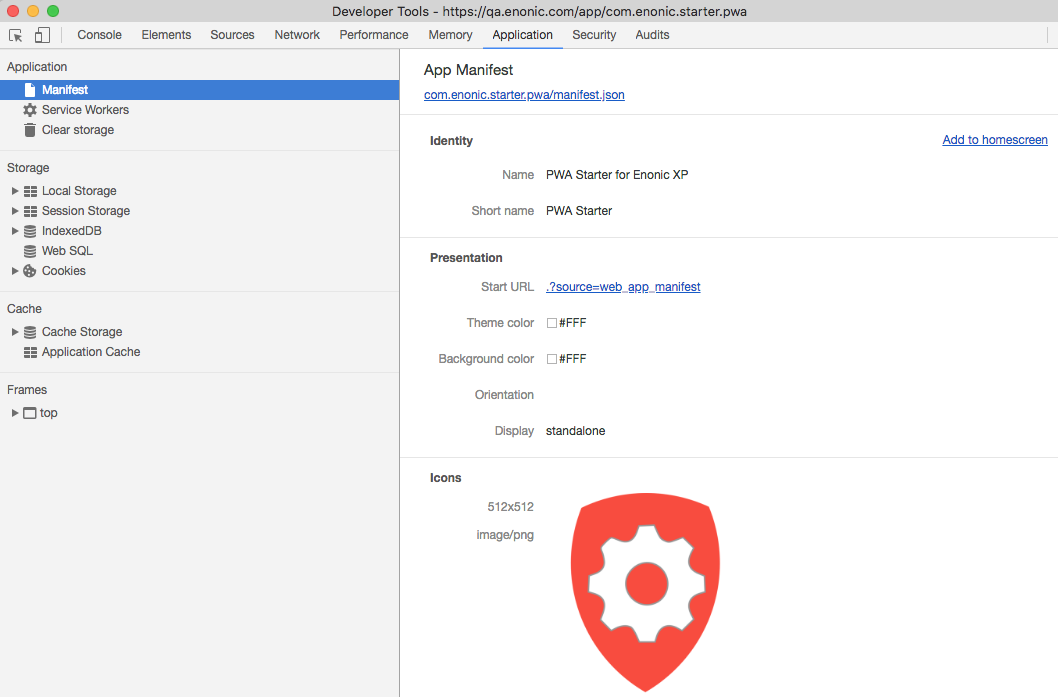
{
  "name": "PWA Starter for Enonic XP",
  "short_name": "PWA Starter",
  "theme_color": "#FFF",
  "background_color": "#FFF",
  "display": "standalone",
  "start_url": ".?source=web_app_manifest",
  "icons": [
    {
      "src": "precache/icons/icon.png",
      "sizes": "512x512",
      "type": "image/png"
    }
  ]
}<head>
<meta charset="utf-8"/>
<meta http-equiv="X-UA-Compatible" content="IE=edge">
<meta name="viewport" content="width=device-width, initial-scale=1.0"/>
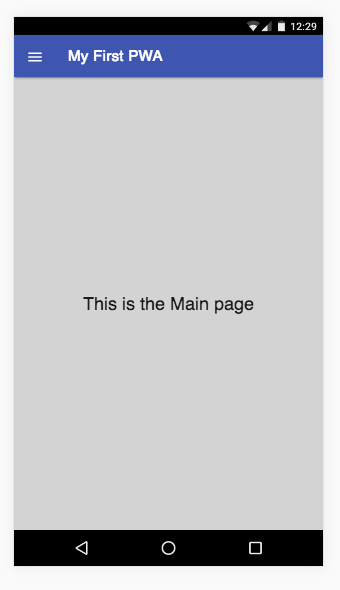
<title>My First PWA</title>
<link rel="manifest" href="manifest.json">
</head>if (containsDataUrl(e.request.url) || responseUpdate) {
let url = responseUpdate ? e.request.url.replace("?update=true", "") : e.request.url;
e.respondWith(
caches.open(responseUpdate ? cacheName : dataCacheName).then(function(cache) {
consoleLog("Fetching data url " + url);
return fetch(e.request)
.then(function (response) {
cache.put(url, response.clone());
return response;
})
.catch(function (ex) {
consoleLog('Network is down. Trying to serve from cache...');
return cache.match(e.request, {
ignoreVary: true
})
.then(function (response) {
consoleLog((response ? 'Serving from cache' : 'No cached response found') + ': ' + e.request.url);
return response || getFallbackPage(e.request.url);
});
});
})
);
}
else {
e.respondWith(
caches.match(e.request, {
ignoreVary: true
})
.then(function (response) {
consoleLog((response ? 'Serving from cache' : 'Requesting from the server') + ': ' + e.request.url);
return response || fetch(e.request);
})
);
}const filesToCache = [
offlineUrl,
offlineCompactUrl,
'{{siteUrl}}',
'{{siteUrl}}/',
'{{assetUrl}}/js/main.js',
'{{assetUrl}}/js/image.js',
'{{assetUrl}}/js/material.js',
'{{assetUrl}}/js/dialog-polyfill.js',
'{{assetUrl}}/css/main.css',
'{{assetUrl}}/css/image.css',
'{{assetUrl}}/css/material.css',
'{{assetUrl}}/css/dialog-polyfill.css',
'{{assetUrl}}/img/cancel.svg',
'{{assetUrl}}/img/download_image.svg',
'{{assetUrl}}/img/info.svg',
'{{assetUrl}}/img/pencil.svg',
'{{assetUrl}}/img/spinner.svg',
'{{assetUrl}}/img/placeholder.png',
'{{assetUrl}}/img/noisy-texture.png',
'//fonts.googleapis.com/icon?family=Material+Icons',
'//fonts.googleapis.com/css?family=Roboto:regular,bold,italic,thin,light,bolditalic,black,medium&lang=en'
];
self.addEventListener('install', function(e) {
consoleLog('Install');
e.waitUntil(self.skipWaiting());
e.waitUntil(
caches.open(cacheName).then(function(cache) {
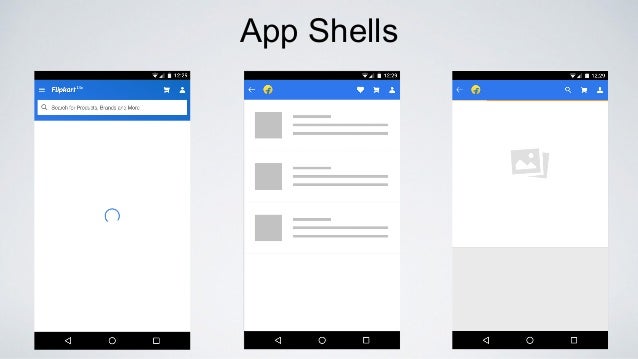
consoleLog('Caching app shell');
return cache.addAll(filesToCache);
}).catch(function(err) {
console.log(err);
})
);
});
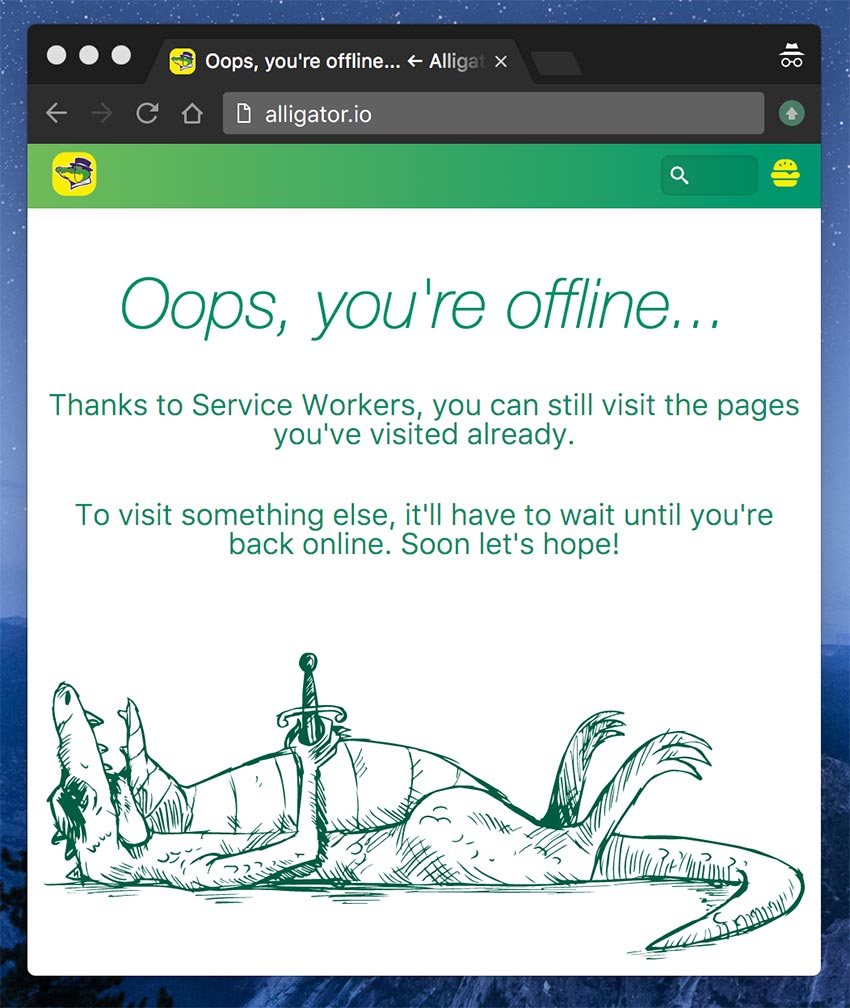
Generates and registers Service Worker
Implements Web Manifest
Bundles JS files and CSS stylesheets
Precaches all assets
Implements fallback page
Routes requests
Passes all audits on Lighthouse with 100 score
importScripts('/node_modules/workbox-sw/build/workbox-sw.vX.X.X.prod.js');

const workboxSW = new WorkboxSW();
workboxSW.precache([]);{
globDirectory: 'resources/assets',
globPatterns: ['precache/**\/*'],
globIgnores: ['*.svg'],
swSrc: 'resources/js/sw-template.js',
swDest: 'build/sw.js'
}importScripts('/node_modules/workbox-sw/build/workbox-sw.vX.X.X.prod.js');
const workboxSW = new WorkboxSW();
workboxSW.precache([
{
url: '/precache/index.html',
revision: 'bb121c',
}, {
url: '/precache/styles/main.css',
revision: 'acd123',
}, {
url: '/precache/scripts/main.js',
revision: 'a32caa',
}
]);importScripts('/node_modules/workbox-sw/build/workbox-sw.vX.X.X.prod.js');
const workboxSW = new WorkboxSW();
workboxSW.router.registerRoute('/schedule', workboxSW.strategies.networkFirst());
workboxSW.router.registerRoute('/news', workboxSW.strategies.cacheFirst());
workboxSW.router.registerRoute('/about', workboxSW.strategies.cacheOnly());
1. Make the App work
3. Implement Web Manifest
4. Implement Service Worker
2. Set up routing
6. Track offline status
7. Implement fallback page
5. Runtime caching
[XP Installation Folder]/toolbox/toolbox.sh init-project -n com.workshop.pwa -r workshop-pwa
[XP Installation Folder]/toolbox/toolbox.bat init-project -n com.workshop.pwa -r workshop-pwa
gradle build deploy
./gradlew build deploy
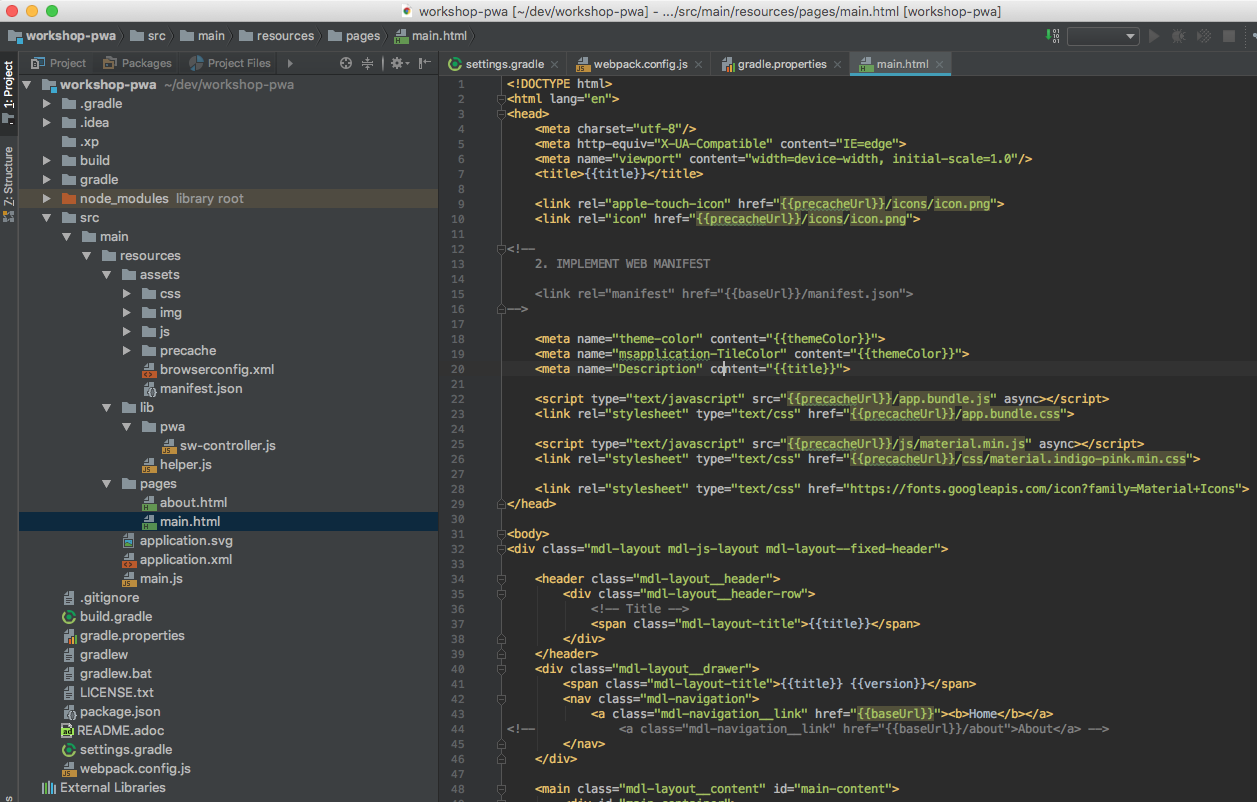
NB! We will always work in src/main/resources/
/webpack.config.js
const path = require('path');
const extractTextPlugin = require('extract-text-webpack-plugin');

const paths = {
    assets: 'src/main/resources/assets/',
    buildAssets: 'build/resources/main/assets/'
};

const assetsPath = path.join(__dirname, paths.assets);
const buildAssetsPath = path.join(__dirname, paths.buildAssets);

module.exports = {

    entry: path.join(assetsPath, 'js/main.js'),

    output: {
        path: buildAssetsPath,
        filename: 'precache/app.bundle.js'
    },

    resolve: {
        extensions: ['.js', '.less']
    },

    module: {
        rules: [
            {
                test: /.less$/,
                loader: extractTextPlugin.extract({
                    fallback: 'style-loader',
                    use: "css-loader!less-loader"
                })
            }
        ]
    },
    plugins: [
        new extractTextPlugin('precache/app.bundle.css')
    ]

};
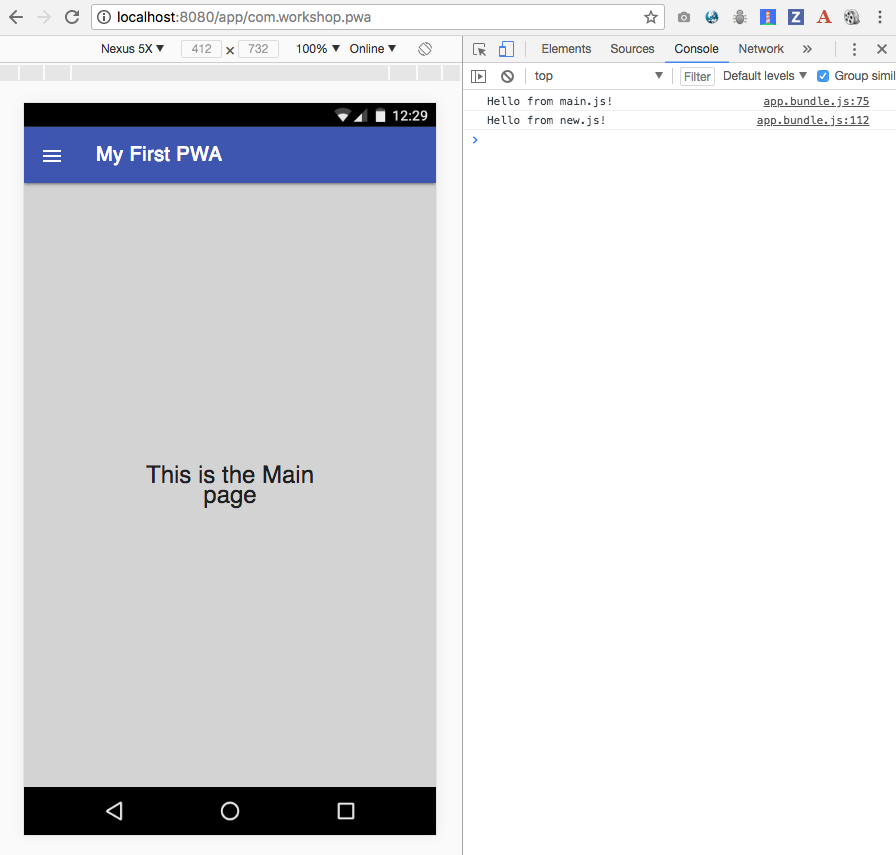
2. Open /assets/js/main.js
1. Add a file called "new.js" to the "js" folder
console.log('Hello from new.js!");3. Require 'new.js' from 'main.js'
require('../css/styles.less');

(function(){
    window.onload = function() {

        console.log('Hello from main.js!')

        require('./new.js');
    };
})();
4.gradle deploy
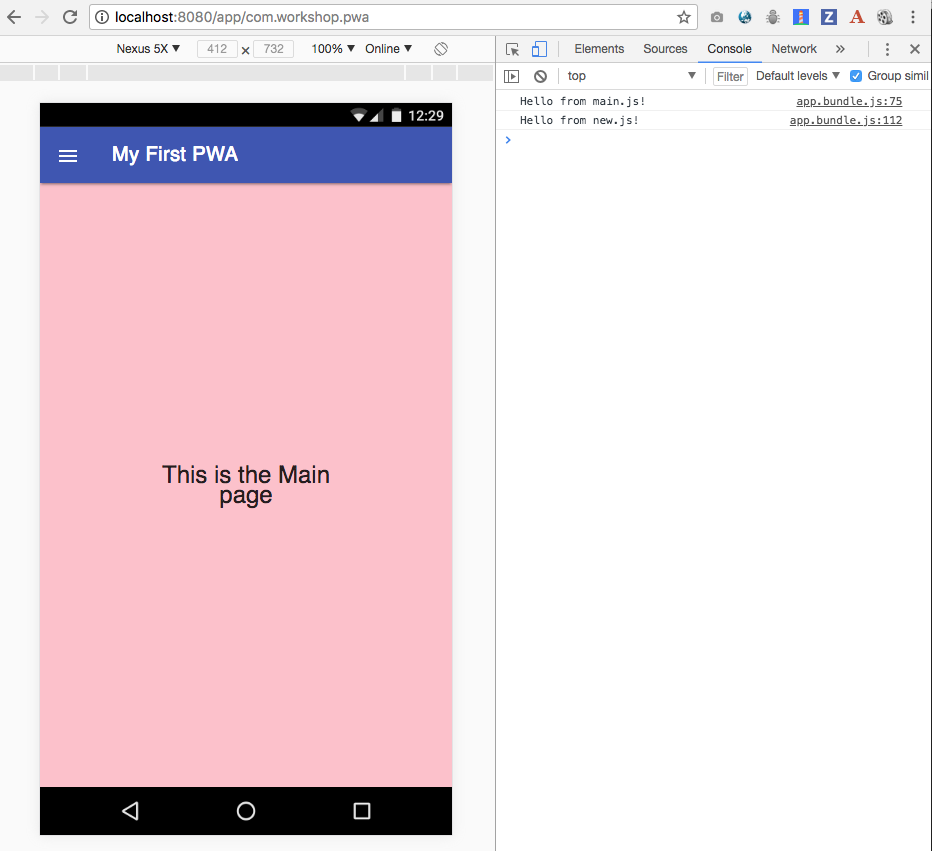
2. Open /assets/css/styles.less
1. Add a file called "new.less" to the "css" folder
html body {
  background-color: pink;
}
3. Import 'new.less' from 'styles.less'
@import './new.less';

...
4. gradle deploy
1. In "pages/main.html" uncomment the line below (line 40-ish):
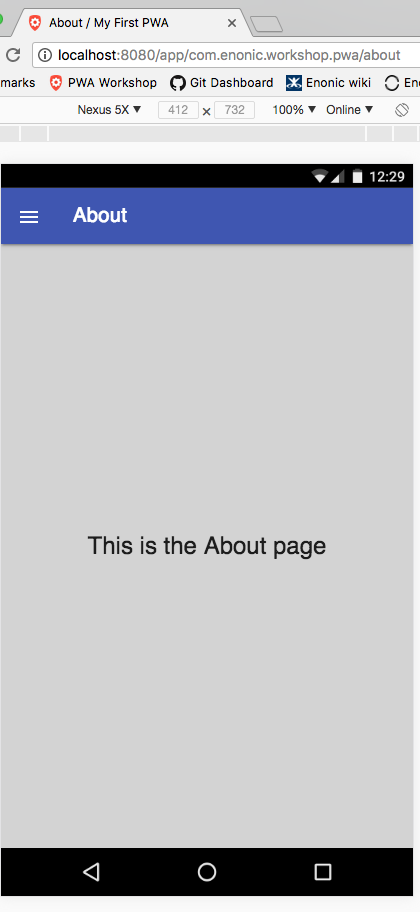
Let's add the "About" page to our application (pages/about.html is already made for you)
        <nav class="mdl-navigation">
            <a class="mdl-navigation__link" href="{{baseUrl}}"><b>Home</b></a>
<!--            <a class="mdl-navigation__link" href="{{baseUrl}}/about">About</a> -->
        </nav>
2. Note that the "About" link still opens the main page, because of this get handler in main.js:
exports.get = function (req) {

    return {
        body: mustacheLib.render(resolve('pages/main.html'), {
            title: 'My First PWA',
            version: app.version,
            appUrl: helper.getAppUrl(),
            baseUrl: helper.getBaseUrl(),
            precacheUrl: helper.getBaseUrl() + '/precache',
            themeColor: '#FFF'
        })
    }
};
In main.js remove the GET handler at the bottom of the page:
exports.get = function (req) {

    return {
        body: mustacheLib.render(resolve('pages/main.html'), {
            title: 'My First PWA',
            version: app.version,
            appUrl: helper.getAppUrl(),
            baseUrl: helper.getBaseUrl(),
            precacheUrl: helper.getBaseUrl() + '/precache',
            themeColor: '#FFF'
        })
    }
};
And uncomment the block of the code above it, so that the entire code looks like this:
var mustacheLib = require('/lib/xp/mustache');
var helper = require('/js/helper');
var router = require('/lib/router')();
//var swController = require('/js/sw-controller');

var renderPage = function(pageName) {
    return function() {
        return {
            body: mustacheLib.render(resolve('pages/' + pageName), {
                title: siteTitle,
                version: app.version,
                baseUrl: helper.getBaseUrl(),
                appUrl: helper.getAppUrl(),
                precacheUrl: helper.getBaseUrl() + '/precache',
                themeColor: '#FFF'
            })
        };
    }
};

router.get('/', renderPage('main.html'));

router.get('/about', renderPage('about.html'));

//router.get('/sw.js', swController.get);

exports.get = function (req) {
    return router.dispatch(req);
};
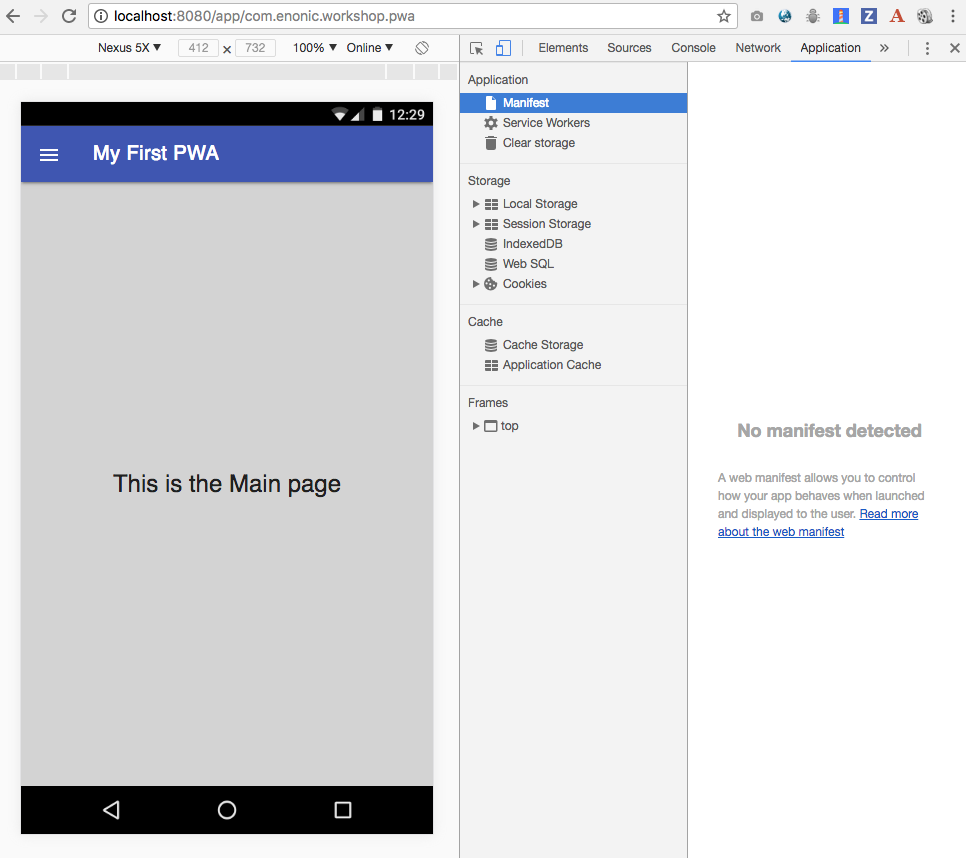
Open Dev Tools panel in your browser (Cmd-Alt-I)
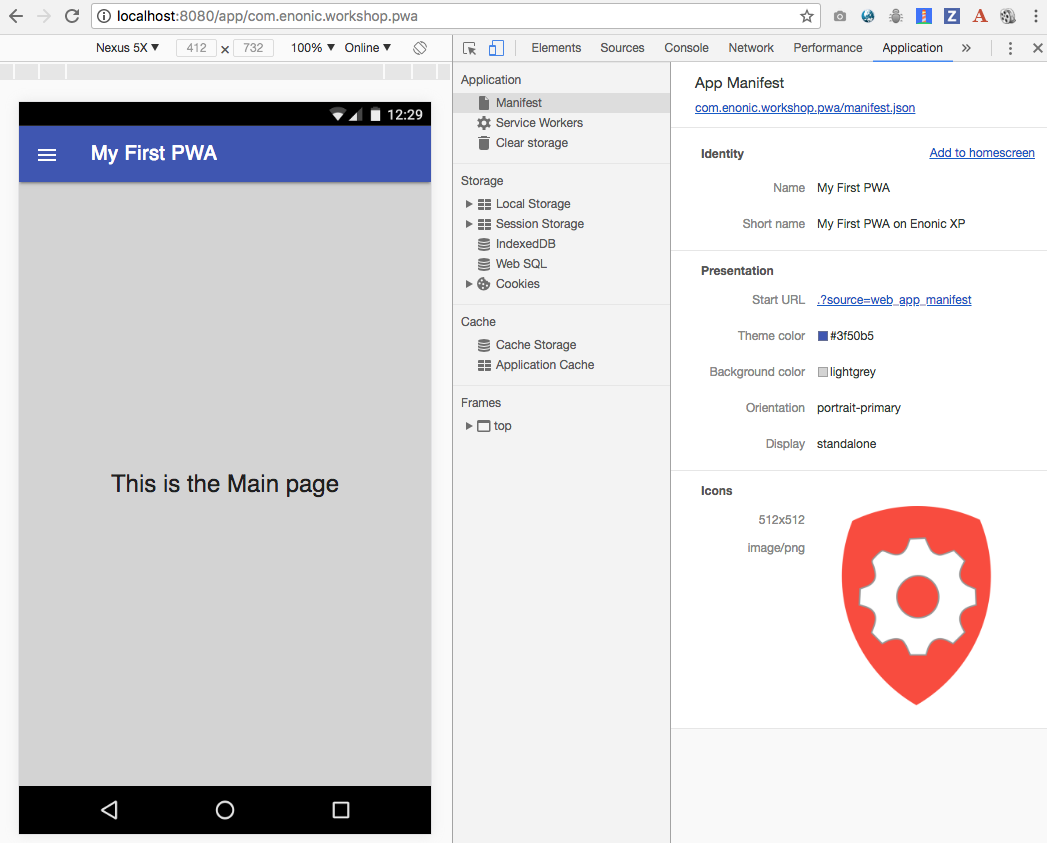
1. Open "manifest.json" file
2. Feel free to change app name, theme color and upload a different icon under precache/icons/
3. Now go to pages/main.html and uncomment code in <head>:
<head>
    <meta charset="utf-8"/>
    <meta http-equiv="X-UA-Compatible" content="IE=edge">
    <meta name="viewport" content="width=device-width, initial-scale=1.0"/>
    <title>{{title}}</title>

    <link rel="apple-touch-icon" href="{{precacheUrl}}/icons/icon.png">
    <link rel="icon" href="{{precacheUrl}}/icons/icon.png">

<!--
    2. IMPLEMENT WEB MANIFEST

    <link rel="manifest" href="{{baseUrl}}/manifest.json">
-->
...
4. gradle deploy
2. Note new entry in package.json
1. Install Workbox plugin
npm install workbox-webpack-plugin --save-dev3. Open webpack.config.js and uncomment two blocks of code:
const path = require('path');
const extractTextPlugin = require('extract-text-webpack-plugin');

// 3. INSTALL WORKBOX
// const workboxPlugin = require('workbox-webpack-plugin');
...
plugins: [
new extractTextPlugin('precache/app.bundle.css')/*,
// 3. INSTALL WORKBOX
new workboxPlugin({
globDirectory: buildAssetsPath,
globPatterns: ['precache/**\/*'],
globIgnores: [],
swSrc: path.join(assetsPath, 'js/sw-dev.js'),
swDest: path.join(buildPwaLibPath, 'sw-template.js')
})*/
]Your webpack.config.js should now look like this:
const path = require('path');
const extractTextPlugin = require('extract-text-webpack-plugin');

const workboxPlugin = require('workbox-webpack-plugin');

const paths = {
    assets: 'src/main/resources/assets/',
    buildAssets: 'build/resources/main/assets/',
    buildServiceWorker: 'build/resources/main/js/'
};

const assetsPath = path.join(__dirname, paths.assets);
const buildAssetsPath = path.join(__dirname, paths.buildAssets);
const buildServiceWorkerPath = path.join(__dirname, paths.buildServiceWorker);

module.exports = {

    entry: path.join(assetsPath, 'js/main.js'),

    output: {
        path: buildAssetsPath,
        filename: 'precache/app.bundle.js'
    },

    resolve: {
        extensions: ['.js', '.less']
    },

    module: {
        rules: [
            {
                test: /.less$/,
                loader: extractTextPlugin.extract({
                    fallback: 'style-loader',
                    use: "css-loader!less-loader"
                })
            }
        ]
    },
    plugins: [
        new extractTextPlugin('precache/app.bundle.css'),

        new workboxPlugin({
            swSrc: path.join(assetsPath, 'js/sw-dev.js'),
            swDest: path.join(buildServiceWorkerPath, 'sw.js'),
            globDirectory: buildAssetsPath,
            globPatterns: ['precache/**\/*'],
            globIgnores: [],
        })
    ]

};
Open sw-dev.js:
importScripts('https://unpkg.com/workbox-sw@2.0.1/build/importScripts/workbox-sw.prod.v2.0.1.js');

const swVersion = '{{appVersion}}';
const workboxSW = new self.WorkboxSW({
    skipWaiting: true,
    clientsClaim: true
});

// This is a placeholder for manifest dynamically injected from webpack.config.js
workboxSW.precache([]);

// Here we precache urls that are generated dynamically in the main.js controller
workboxSW.precache([
    '{{{preCacheRoot}}}',
    '{{baseUrl}}/manifest.json',
    'https://fonts.googleapis.com/icon?family=Material+Icons'
]);
and note the empty precache([]) placeholder:
// This is a placeholder for manifest dynamically injected from webpack.config.js
workboxSW.precache([]);
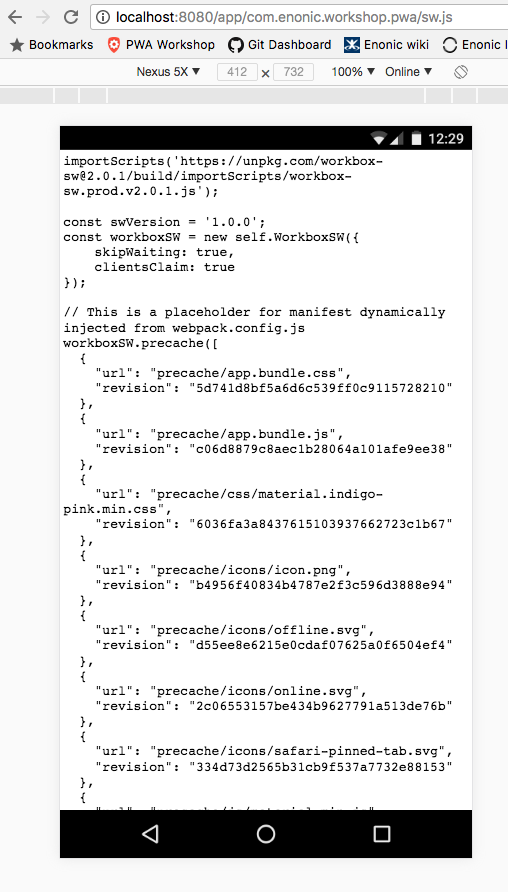
Build the app and open "/build/resources/main/js/sw.js"
// This is a placeholder for manifest dynamically injected from webpack.config.js
workboxSW.precache([
  {
    "url": "precache/app.bundle.css",
    "revision": "5d741d8bf5a6d6c539ff0c9115728210"
  },
  {
    "url": "precache/app.bundle.js",
    "revision": "c06d8879c8aec1b28064a101afe9ee38"
  },
  {
    "url": "precache/css/material.indigo-pink.min.css",
    "revision": "6036fa3a8437615103937662723c1b67"
  },
  {
    "url": "precache/icons/icon.png",
    "revision": "b4956f40834b4787e2f3c596d3888e94"
  },
  {
    "url": "precache/icons/offline.svg",
    "revision": "d55ee8e6215e0cdaf07625a0f6504ef4"
  },
  {
    "url": "precache/icons/online.svg",
    "revision": "2c06553157be434b9627791a513de76b"
  },
  {
    "url": "precache/icons/safari-pinned-tab.svg",
    "revision": "334d73d2565b31cb9f537a7732e88153"
  },
  {
    "url": "precache/js/material.min.js",
    "revision": "713af0c6ce93dbbce2f00bf0a98d0541"
  }
]);Open main.js and uncomment the two commented lines:
//var swController = require('/js/sw-controller');

...

//router.get('/sw.js', swController.get);
Open pages/main.html and uncomment the big block of code at the bottom of the page:
<script type="text/javascript">
    if ('serviceWorker' in navigator) {
        navigator.serviceWorker
            .register('{{baseUrl}}/sw.js', {scope: '{{appUrl}}'})
            .then(function(reg) {
                reg.onupdatefound = function() {
                    notifyAboutNewVersion();
                };
                console.log('Service Worker registered with scope '  + reg.scope);
            }, function() {
                console.log('Service Worker registration failure.');
            });
    }

    ...
</script>
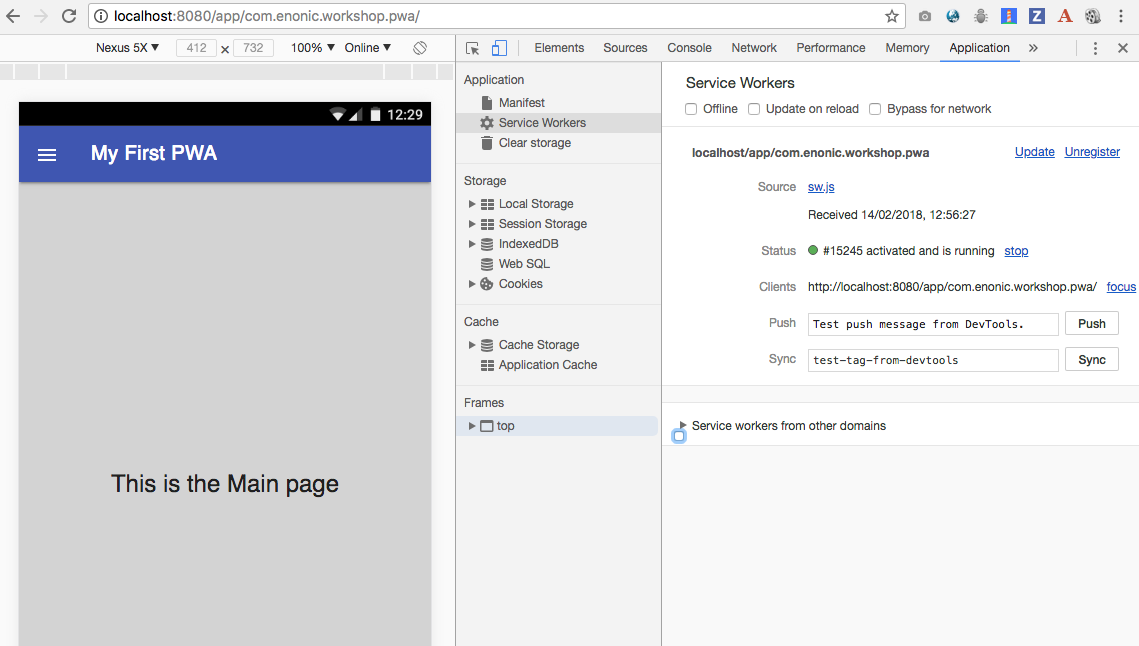
gradle build deploy
2. Open sw-dev.js and uncomment the last two lines:
...

workboxSW.router.setDefaultHandler({
    handler: workboxSW.strategies.cacheFirst()
});

workboxSW.router.registerRoute(
    '{{baseUrl}}/about',
    workboxSW.strategies.networkFirst()
);
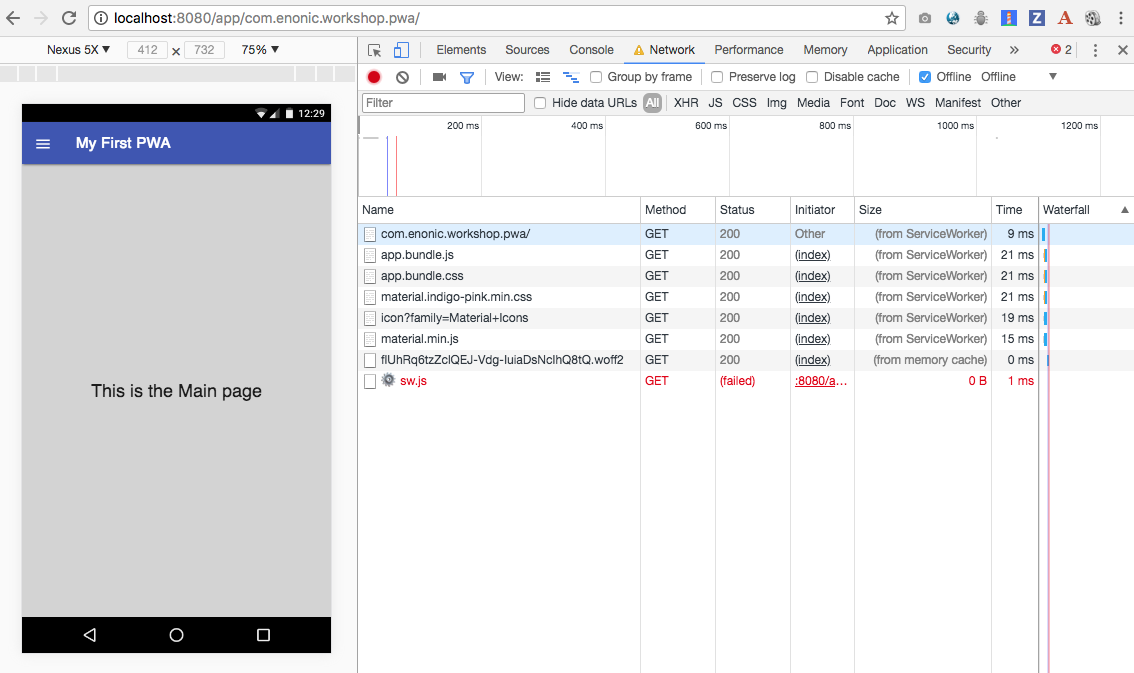
1. Go online and go back to the main page
gradle build deploy
1. Refresh the main page
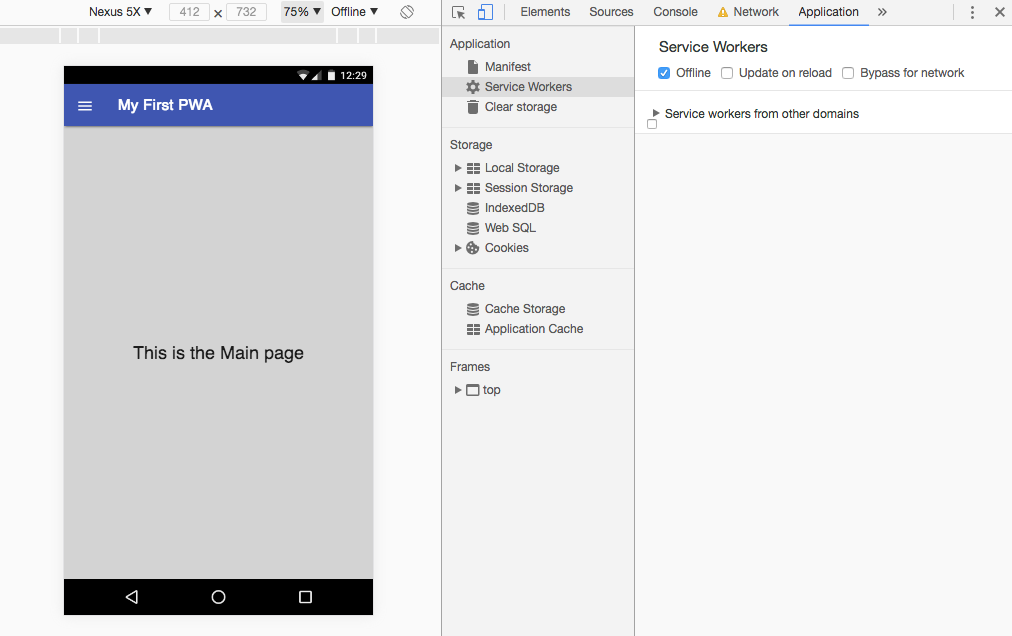
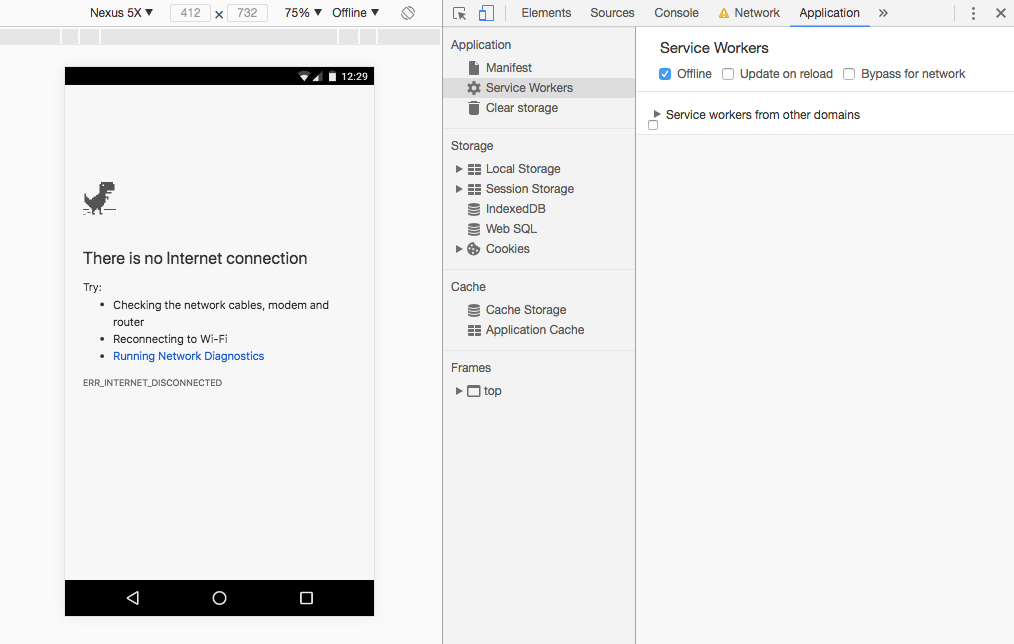
2. Go offline
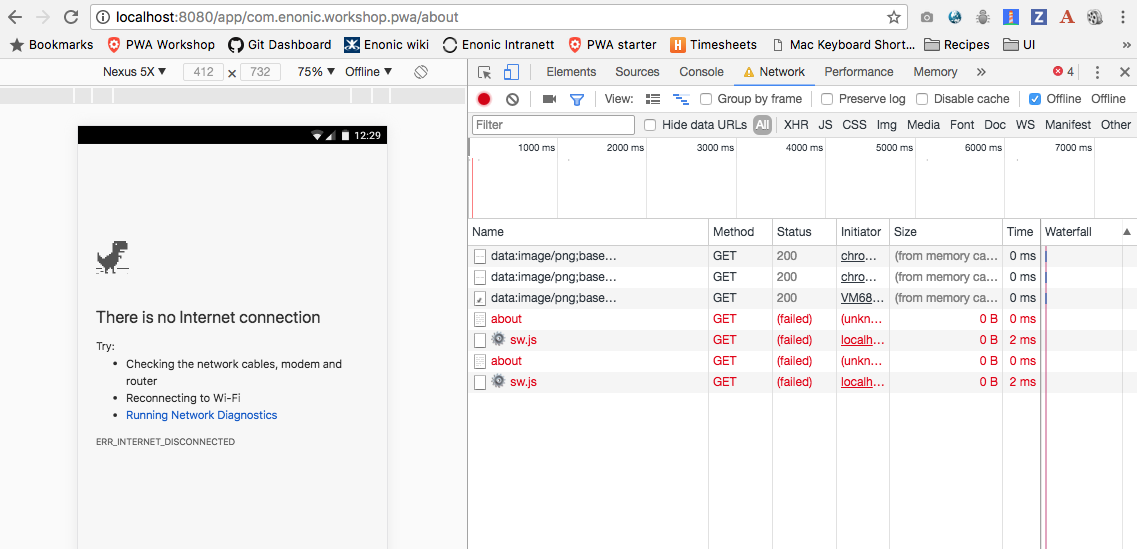
3. Try opening the "About" page.
4. Go online
5. Refresh the "About" page
6. Go offline
7. Test that both Home page and About page work offline
8. Go online
1. Open main.html and change the text on the page
    <main class="mdl-layout__content" id="main-content">
        <div id="main-container">

            <div id="page-content">
                This is the Main page UPDATED
            </div>
        </div>
    </main>
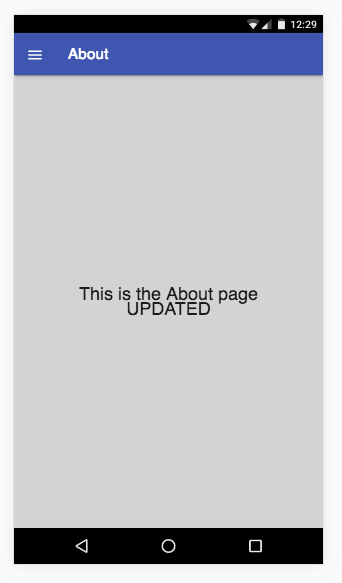
2. Open about.html and do the same
    <main class="mdl-layout__content" id="main-content">
        <div id="main-container">
            <div id="page-content">
                This is the About page UPDATED
            </div>
        </div>
    </main>
gradle build deploy
CacheFirst
NetworkFirst
By Alan Semenov
Enonic Meetup "Build Your First PWA"