Git
Flow
About me
Alejandro Vidal Rodriguez
Director of Engineering @TribalScale

Agenda
-
Branches and flow
-
Feature branches
-
BugFix branches
-
Commits
-
Release branch
-
Hot-fix branch
-
PR & code review
-
[Extra] Semantic commits
-
[Extra] Cherry picking
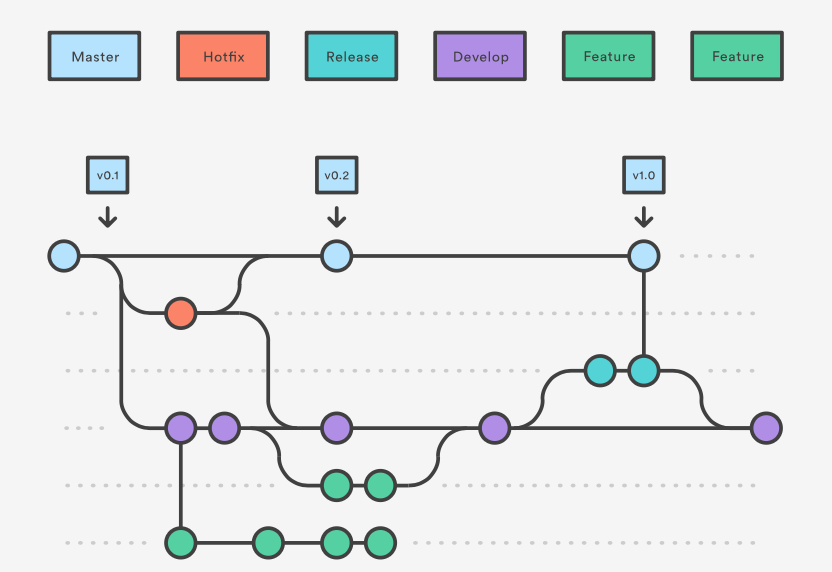
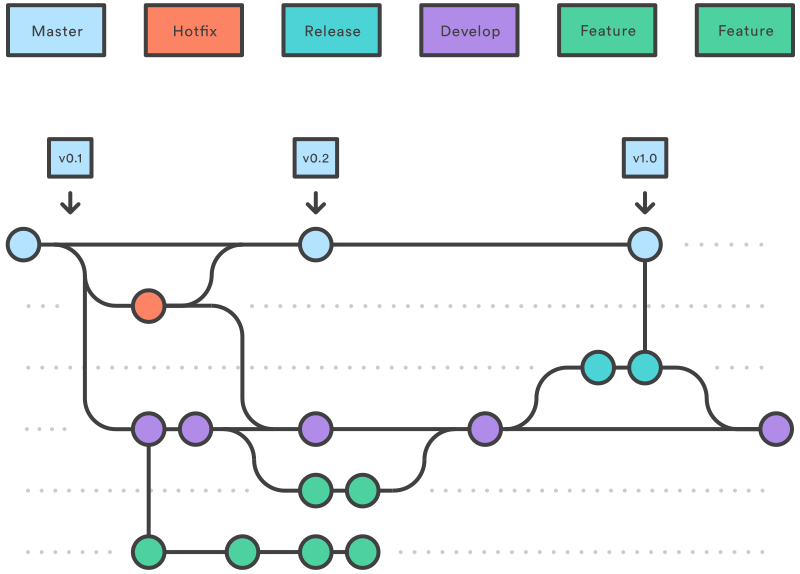
Git Flow graph
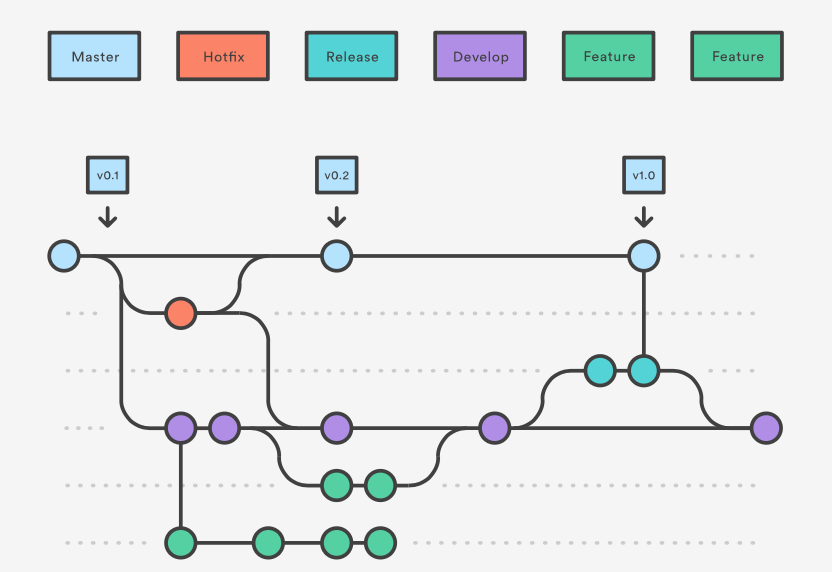
Master & develop
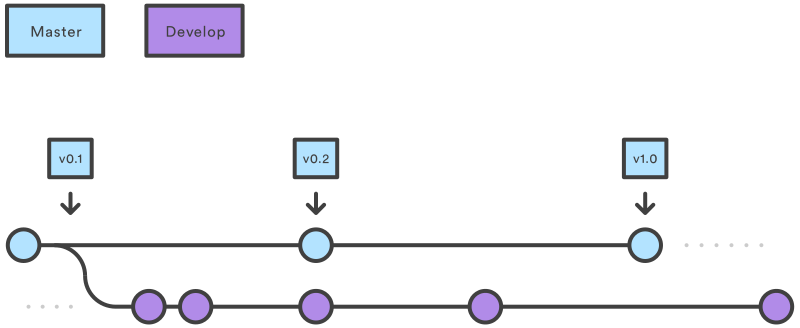
Feature branches
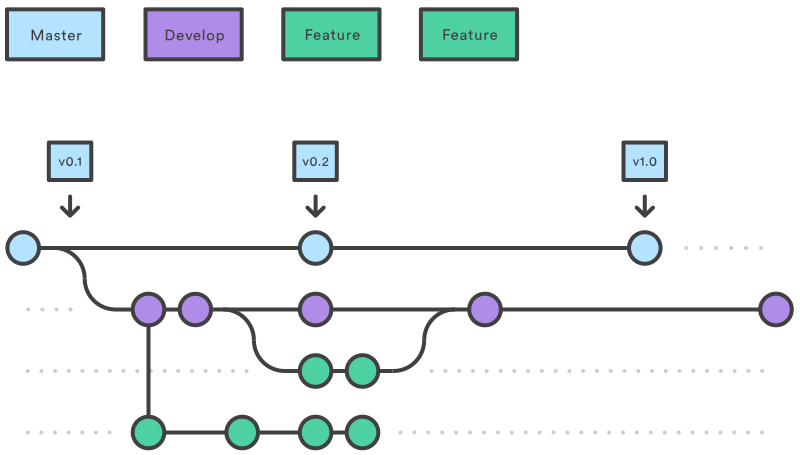
Feature branches
git checkout develop
git checkout -b feature/mw-123-special-vessel
Each new feature should reside in its own branch, which can be pushed to the central repository for backup/collaboration. But, instead of branching off of master, feature branches use
bugfix branches
git checkout develop
git checkout -b bugfix/mw-123-vessel-error
Each new bug should reside in its own branch, which can be pushed to the central repository for backup/collaboration. But, instead of branching off of master, bugfix branches use develop as their parent branch. When a bugfix is complete, it gets merged back into develop.
Commits





Commits
Sample
feat: add hat wobble
^--^  ^------------^
|     |
|     +-> Summary in present tense.
|
+-------> Type: chore, docs, feat, fix, refactor, style, or test.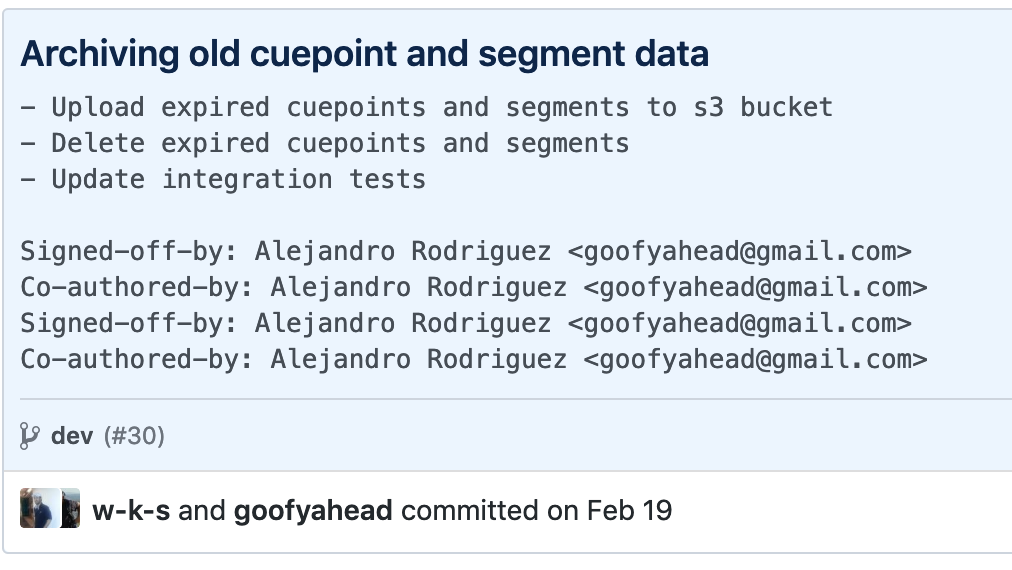
Comitizen!
Sample
https://github.com/commitizen/cz-cli

npm install -g commitizen

git add .

git cz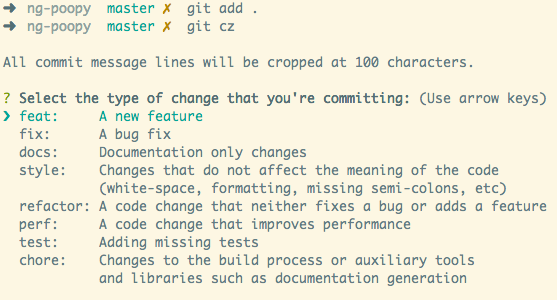
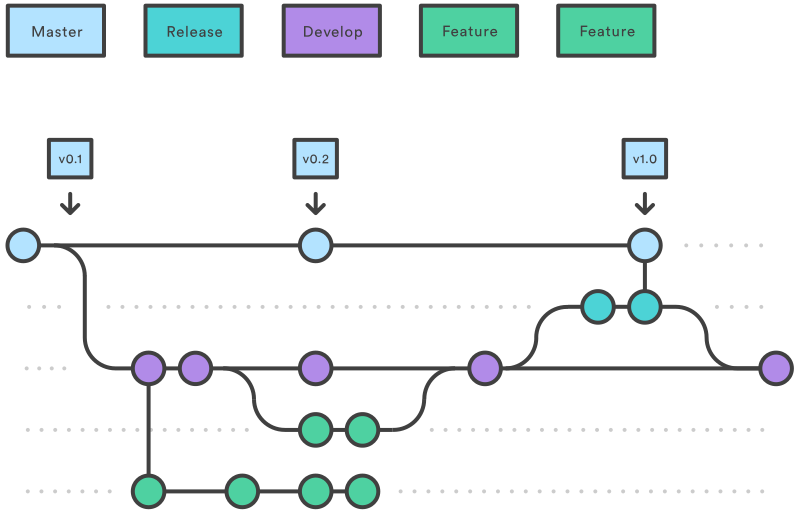
Release branch
Once develop has acquired enough features for a release (or a predetermined release date is approaching), you fork a release branch off of develop.
Hot fix branch
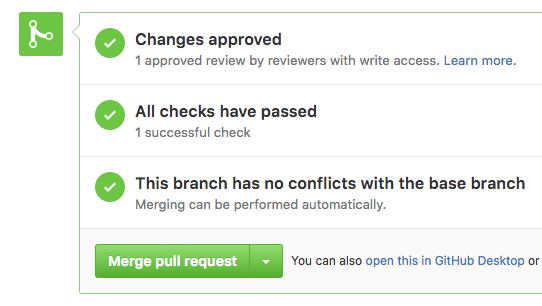
PR & code review
Awesome!

Questions?
contact
goofyahead@gmail.com
https://www.linkedin.com/in/alejandrovidalrodriguez
https://medium.com/@goofyahead
https://github.com/goofyahead

Git Flow
By Alejandro Vidal Rodriguez