Using Web 2.0 Tools to meet CCSS
(The BIG PICTURE Stuff)
Created by:
Sarah McElrath
Gloria Klinger
Library Media Specialists
Grand Haven Area Public Schools
Overall Principles
Common Core Instructional Shifts
In ELA:
1. Building knowledge through content-rich nonfiction and informational texts
2. Reading and writing grounded in evidence from text
3. Regular practice with complex text and its academic vocabulary.
In Math
1. Conceptual understanding
2. Procedural skill and fluency
Common Core - Commonalities:
Process
Collaboration
Cross-Curricular
Evidence-Based
Real World Applications
Audience
ONE
The Reading Process

What's Changed?
Leading High-Level, Text-Based Discussions
Increasing Text Complexity
Leveling
Close Reading
Bloom's Taxonomy

Web 2.0 Reading Tools
MEL,
What do I read next?,
Goodreads, Destiny Quest, TeenReads, Reading Rewards
TWO
The Research Process

What's Changed?
Questioning
Finding Resources
Collecting / Curation
Evaluating websites/resources

Web 2.0 Research Tools
The Big Six,
EasyBib,
Curation - Scoop.it, Pinterest, Diigo, Blendspace
Twitter
MEL
Google Advanced Search
Diigo
“Digest of Internet Information, Groups and Other stuff”
Diigo is a social annotation service that lets users add highlights and notes to any web page. These overlayed comments can be made either public or private; other Diigo users can then read public comments and reply/interact to comments. Diigo combines aspects of social bookmarking, full-text search, annotations, tagging, and sharing.
THREE
The Writing Process
What's Changed?
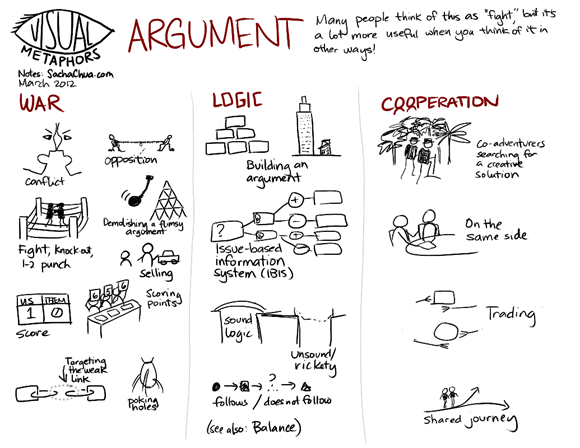
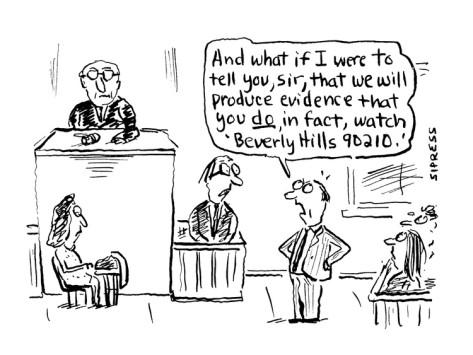
Persuasion vs Argument
Summarizing, Notetaking, Citing, Organizing
Web 2.0 Writing Tools
Evernote, Citebite
FOUR
The Creating Process
What's Changed?
Emphasis on:
Technology Tools,
Collaboration,
Process,
Project Based Learning

Web 2.0 Creating Tools
Timelines: Dipity
Webbing Tools (X-mind, Inspiration, ReadWriteThink)
Google Docs/Forms, Survey Monkey
Audacity (audio)
PicMonkey, Gimp (picture)
FIVE
The Sharing Process

What's Changed?
Real Audience
Real Purpose
Emphasis on Technology

Web 2.0 Sharing Tools
Blogs, Wikis, Facebook, Twitter, YouTube,
Instagram, Photopin, Pixabay
Classroom Sharing: Edmodo/Schoology, Blendspace
Publishing tools- TeenInk, Figment, TeenTribune
Presenting tools- VoiceThread, Slid.es,
Reviews on Goodreads, Destiny, Reading Rewards
Google Hangout, Skype
BookSpine Poetry Example
DON'T PANIC

Additional Sources
Common Core 2.0
By Sarah McElrath
Common Core 2.0
MAME Presentation 2013