Introducción a Symfony
Richard Melo
@allucardster
Acerca de mí
- Ingeniero de Sistemas
- +6 años de experiencia
- Full Stack developer
- Co-fundador
- Organizador



Agenda
- Conceptos Básicos
- Qué es Symfony?
- Bundles
- Instalación
- Estructura de directorios
- Ejecucion
- Configuración
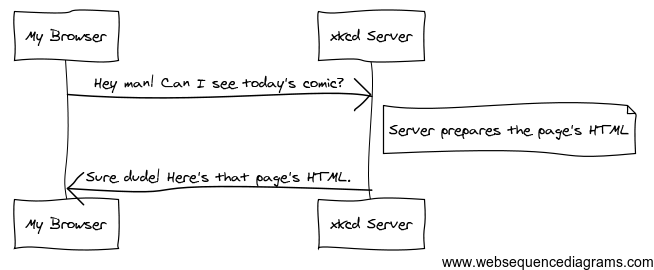
HTTP
MVC
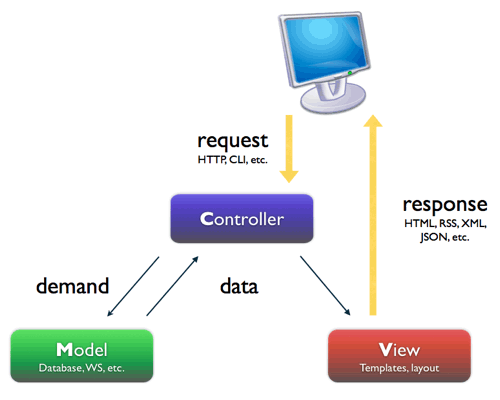
Qué es Symfony?
"Es un framework full-stack para el desarrollo de aplicaciones web basado en el patron MVC"

basado
Acerca del Framework
- Creado por Fabien Potencier
- Fácil de instalar y configurar
- Potente Cliente de comandos
- Ampliamente documentado
- Adaptable
- Sigue las mejores practicas
de desarrollo
- PEAR
- PHP templates
- Propel - Doctrine
- Aplicaciones y Modulos
- Composer
- Twig
- Doctrine2
- Bundles - Paquetes


Comunidad



Qué es un bundle?
"Es un conjunto estructurado de archivos que implementan una funcionalidad"

MyBundle
├── Controller
├── Resources
│   ├── config
│   ├── doc
│   ├── public
│   │   ├── css
│   │   ├── images
│   │   └── js
│   ├── translations
│   └── views
│       └── Default
└── Tests
    └── Controller
Estructura de un bundle
Instalación
( GNU/Linux - OS X )
$ sudo curl -LsS https://symfony.com/installer -o /usr/local/bin/symfony
$ sudo chmod a+x /usr/local/bin/symfony
$ symfony new my_project_name 2.8- Usando el instalador oficial
- Usando composer
$ wget https://getcomposer.org/composer.phar
$ sudo mv composer.phar /usr/local/bin/composer
$ composer create-project symfony/framework-standard-edition my_project_name "2.8.*"- Actualizar permisos
$ HTTPDUSER=`ps axo user,comm | grep -E '[a]pache|[h]ttpd|[_]www|[w]ww-data|[n]ginx' | grep -v root | head -1 | cut -d\  -f1`
$ sudo setfacl -R -m u:"$HTTPDUSER":rwX -m u:`whoami`:rwX app/cache app/logs
$ sudo setfacl -dR -m u:"$HTTPDUSER":rwX -m u:`whoami`:rwX app/cache app/logs
Instalación
( Windows)
- Abrir un navegador
- Buscar una distro
- Instalarla
- Revisar la diapositiva anterior
- :P
Estructura de directorios
.
├── app
│   ├── AppKernel.php
│   ├── console
│   ├── cache
│   ├── config
│   │   ├── config_dev.yml
│   │   ├── config_prod.yml
│   │   ├── config_test.yml
│   │   ├── config.yml
│   │   ├── parameters.yml
│   │   ├── parameters.yml.dist
│   │   ├── routing_dev.yml
│   │   ├── routing.yml
│   │   └── security.yml
│   ├── logs
│   └── Resources
├── bin
├── src
│   └── AppBundle
├── vendor
└── web
    ├── app_dev.php
    ├── app.php
    └── bundles
Consola (CLI)
$ app/console
Symfony version 2.3.42 - app/dev/debug
//...
cache
  cache:clear                           Clears the cache
  cache:warmup                          Warms up an empty cache
//...
doctrine
//...
  doctrine:database:create              Creates the configured database
  doctrine:database:drop                Drops the configured database
  doctrine:ensure-production-settings   Verify that Doctrine is properly configured for a production environment.
//...
  doctrine:schema:create                Executes (or dumps) the SQL needed to generate the database schema
  doctrine:schema:drop                  Executes (or dumps) the SQL needed to drop the current database schema
  doctrine:schema:update                Executes (or dumps) the SQL needed to update the database schema to match the current mapping
generate
  generate:bundle                       Generates a bundle
  generate:controller                   Generates a controller
  generate:doctrine:crud                Generates a CRUD based on a Doctrine entity
  generate:doctrine:entities            Generates entity classes and method stubs from your mapping information
  generate:doctrine:entity              Generates a new Doctrine entity inside a bundle
  generate:doctrine:form                Generates a form type class based on a Doctrine entity
router
  router:debug                          Displays current routes for an application
  router:dump-apache                    Dumps all routes as Apache rewrite rules
  router:match                          Helps debug routes by simulating a path info match
server
  server:run                            Runs PHP built-in web server
//...
Como ejecutar Symfony
$ cd my_project_name/
$ php app/console server:run
Server running on http://localhost:8000

Quit the server with CONTROL-C.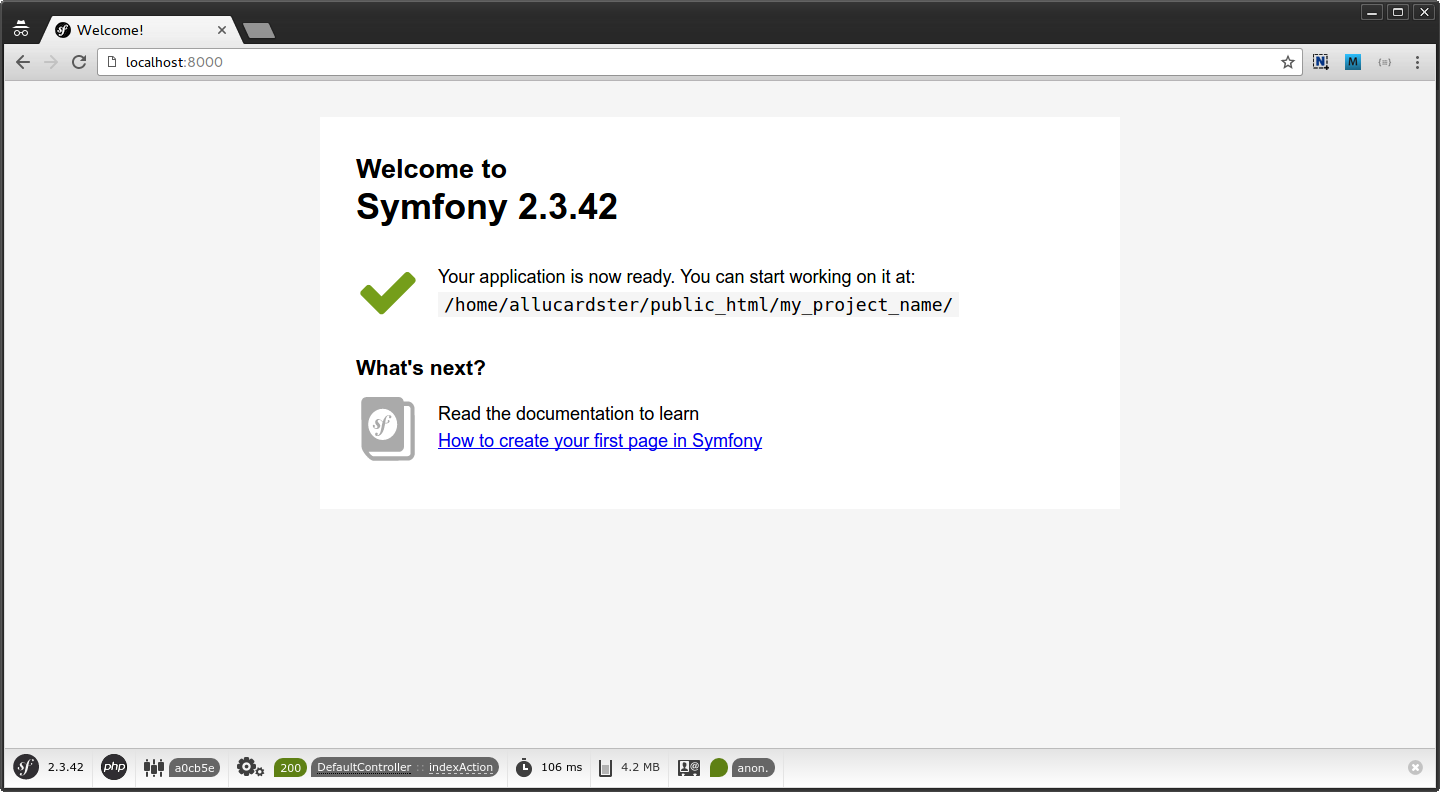
Configuración
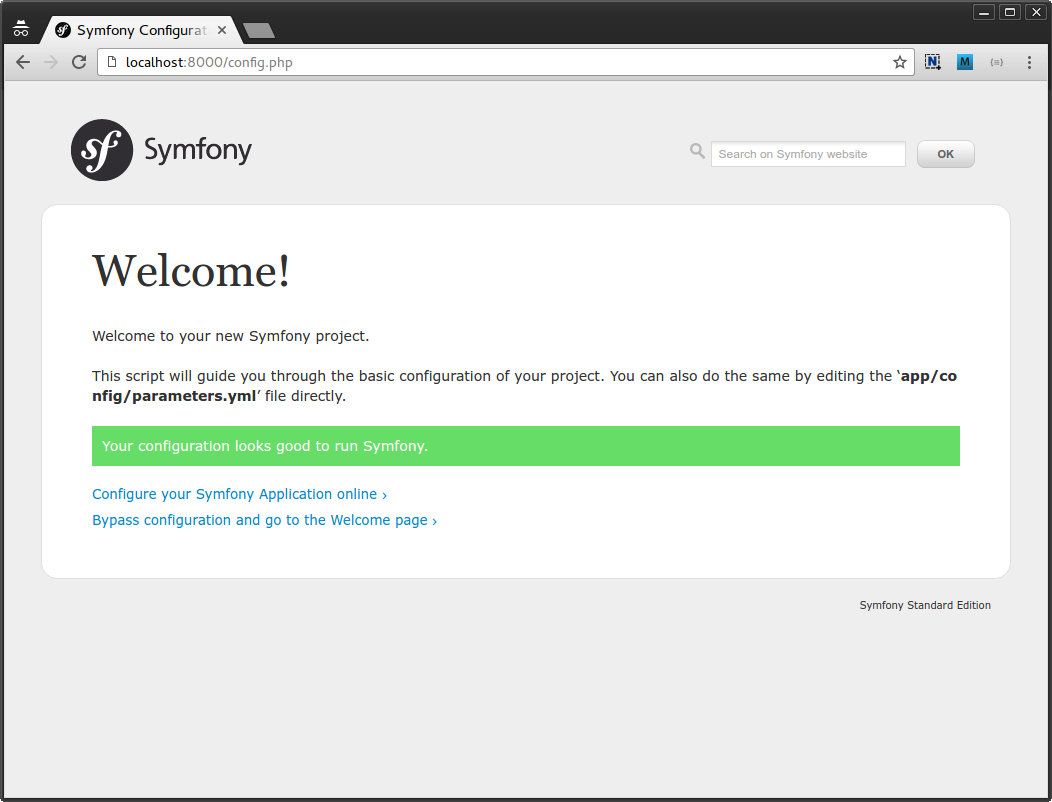
- Verificar la configuración
- Generar los parámetros de configuración
Verificar la configuración
Generar los parámetros de configuración

Generar los parámetros de configuración
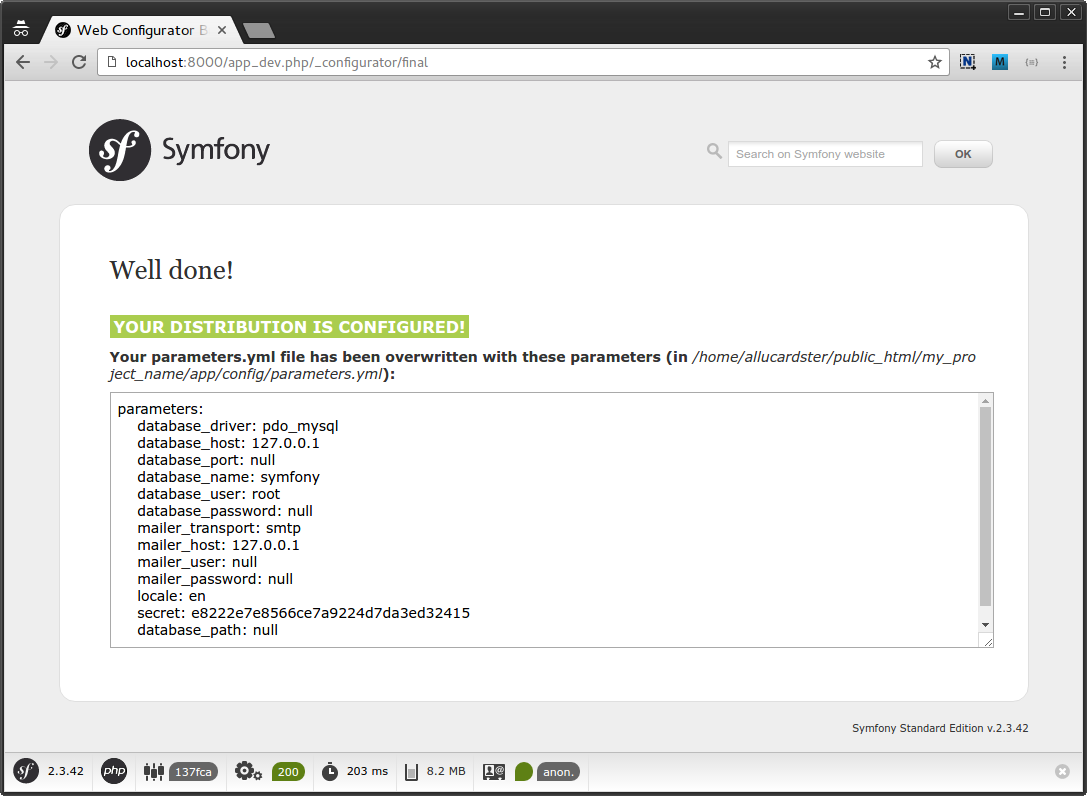
parameters:
    database_driver: pdo_mysql
    database_host: 127.0.0.1
    database_port: null
    database_name: symfony
    database_user: root
    database_password: null
    mailer_transport: smtp
    mailer_host: 127.0.0.1
    mailer_user: null
    mailer_password: null
    locale: en
    secret: e8222e7e8566ce7a9224d7da3ed32415
    database_path: null
Parameters.yml
imports:
    - { resource: parameters.yml }
    - { resource: security.yml }

framework:
#...
    default_locale:  "%locale%"
#...

# Doctrine Configuration
doctrine:
    dbal:
        driver:   "%database_driver%"
        host:     "%database_host%"
        port:     "%database_port%"
        dbname:   "%database_name%"
        user:     "%database_user%"
        password: "%database_password%"
        charset:  UTF8
    orm:
        auto_generate_proxy_classes: "%kernel.debug%"
        auto_mapping: true

# Swiftmailer Configuration
swiftmailer:
    transport: "%mailer_transport%"
    host:      "%mailer_host%"
    username:  "%mailer_user%"
    password:  "%mailer_password%"
    spool:     { type: memory }
Muchas Gracias
Introducción a Symfony
By Richard Andres Melo Carrillo