ElasticSearch를 활용한 데이터베이스 검색
정승권 (Andrew Chung)
Table of Contents
- 데이터베이스 검색을 하게 된 이유
- Mongoose / MongoDB를 통한 기본 검색
- Full-Text Search, Regex Search의 단점
- ElasticSearch 소개 & 작동 원리
- Edge N-Grams, Analyzers
- 검색 결과를 얻기 위한 Query DSL
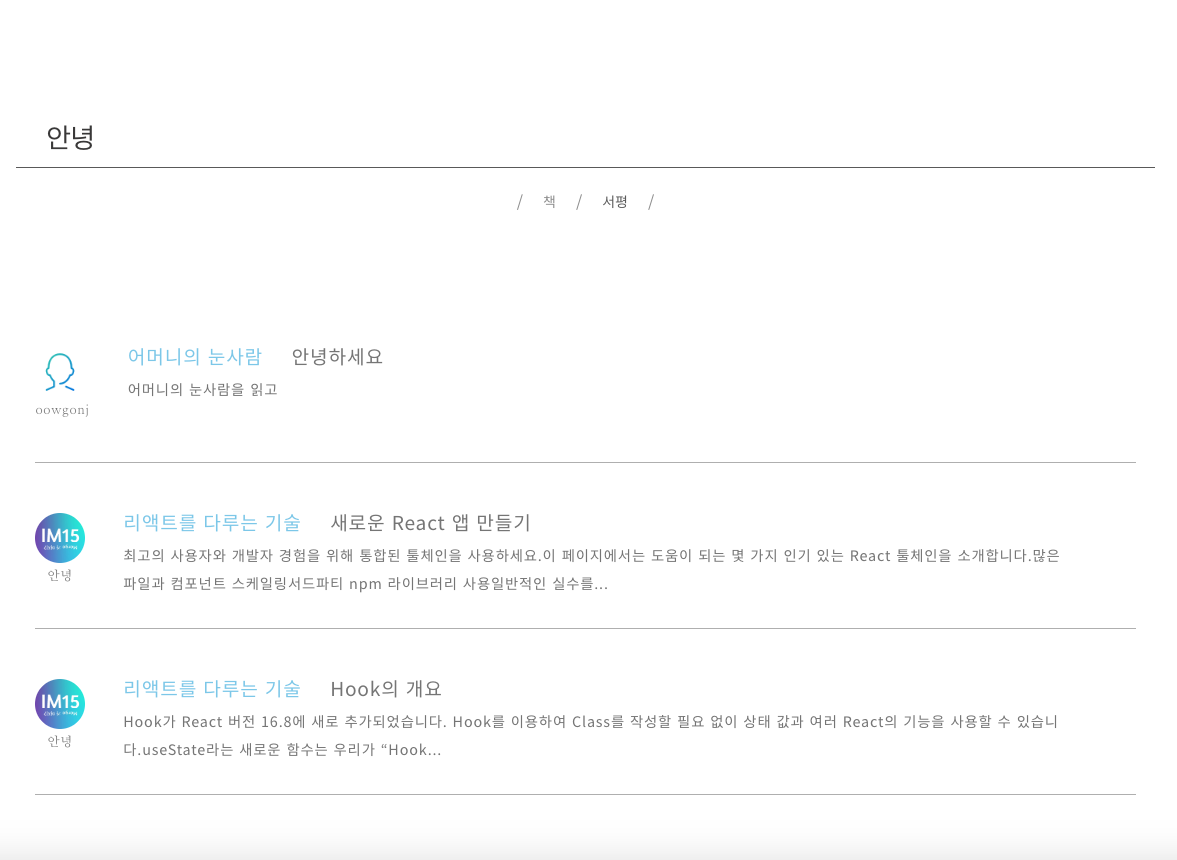
데이터베이스 검색을 하게 된 계기

Full-Text Search (MongoDB 기본 검색)
- 검색하고 싶은 필드에 대한 텍스트 인덱스를 생성한다.
- 검색 시, 검색어를 여러 개의 토큰으로 나눈다 (주로 단어 단위)
- 인덱스를 통해 검색어 토큰이 나오는 레코드를 찾아, 일치하는 결과를 관련성 점수 (textScore) 와 함께 반환한다.
const BookSchema = new mongoose.Schema({
  title: String,
  author: String
});
BookSchema.index({ title: "text", author: "text" });

// 텍스트 인덱스를 사용해 검색하는 코드
Book.find({ $text: { $search: "안나 카레니나" } }, { score: { $meta: “textScore” } })
  .then(results => console.log(results));
여기서 잠깐!
인덱스 (Index) 란 ?
- 책의 인덱스(색인)은 낱말을 정렬하여 각자 나오는 페이지 번호로 mapping하고, 빨리 키워드를 찾을 수 있게 해준다.
Book Index:
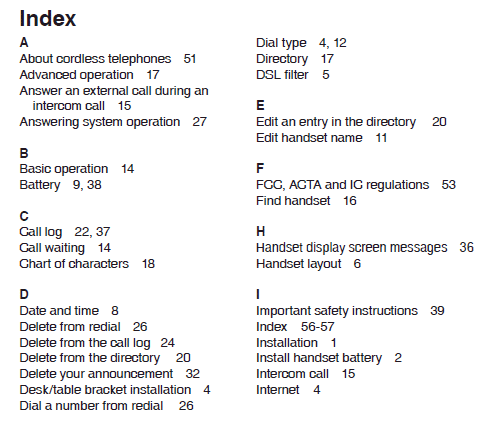
DB (Text) Index:
검색어: 안나 카레니나
"안나"
Token
"카레니나"
Matching document ids
[1, 3, 8]
[3]
- DB 인덱스는 id / text를 DB에 저장된 특정 레코드로 mapping해서 find / select의 속도를 향상시킨다.
MongoDB 기본 검색의 단점
-
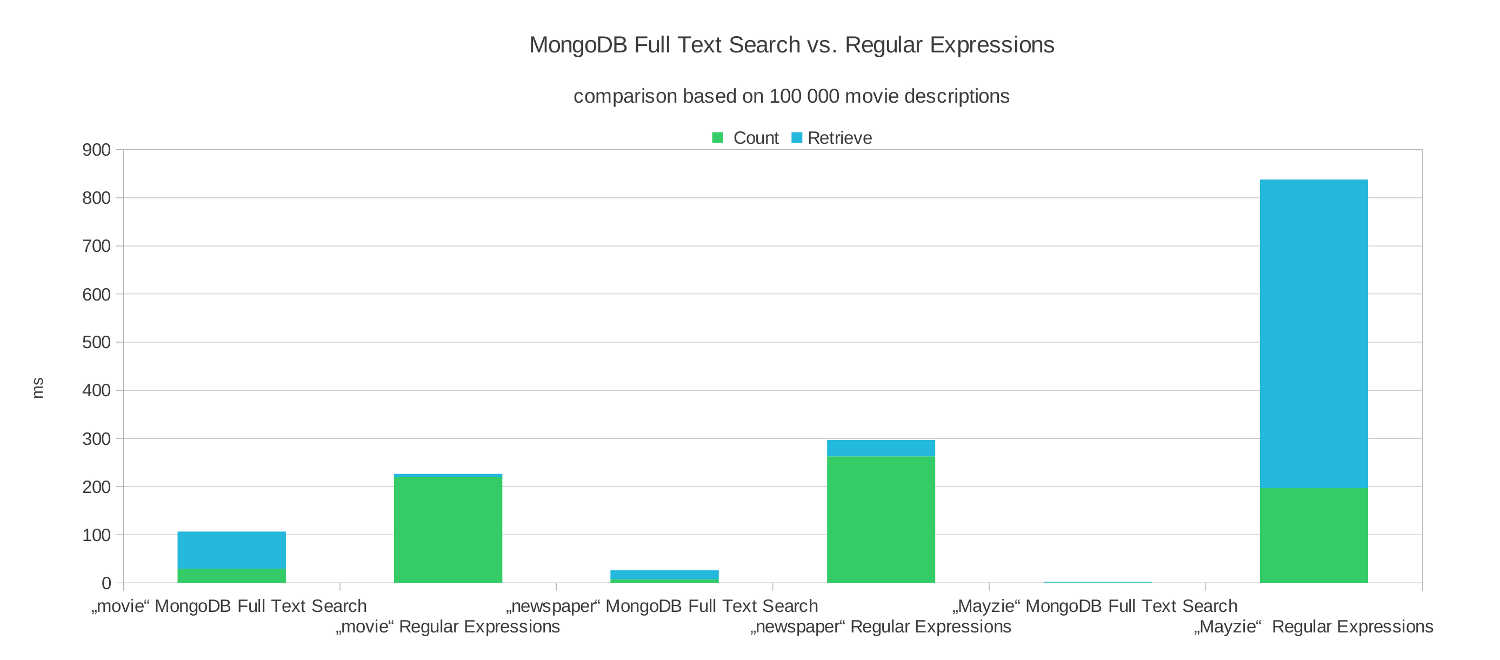
MongoDB는 부분 검색(Partial Search)을 지원하지 않는다.
- Full-Text search tokenizing은 단어 위주로만 진행된다.
-
RegExp을 통해 부분 검색은 되지만, 인덱스 없이 속도가 느리다.
- 관련성 점수가 없어서 결과를 보여주는 기준이 애매하다.
해결책


등, 그 외에 다양한 서치 엔진이 존재한다.
- 오픈소스 검색 엔진
- 많은 데이터를 인덱스로 보관하고 실시간으로 분석 가능
-
속도와 확장성이 장점
- 인덱스를 활용한 빠른 검색
- Shards를 통한 스케일링
Edge N-Grams를 통한 토크나이징
MongoDB Full-Text Search (Whitespace Tokenizing)
ElasticSearch (Whitespace Tokenizing + Edge N-Grams Filter)
Author: 레프 톨스토이
Tokens: "레프", "톨스토이"
Author: 레프 톨스토이
Tokens: "레", "레프", "톨", "톨스", "톨스토", "톨스토이"
-
단어(토큰) 하나하나 당 여러개의 "n-gram"토큰을 생성
-
n-gram은 인덱스에서 여러개의 record/document로 매핑이 된다.
-
-
검색할 수 있는 키워드가 많아짐 → 부분 검색도 이제 가능
Edge N-Grams 필터 설정 (Query DSL)
const settings = {
  analysis: {
    filter: {
      autocomplete_filter: {
        type: "edge_ngram",
        min_gram: 1, // N-Gram 최소 길이
        max_gram: 40 // N-Gram 최대 길이
      }
    },
    analyzer: {
      autocomplete: {
        filter: ["lowercase", "autocomplete_filter"],
        type: "custom",
        tokenizer: "whitespace" // 토크나이징 방법
      }
    }
  }
};

const booksBody = {
  settings,
  mappings: {
    properties: {
      authors: {
        type: "text",
        analyzer: "autocomplete" // edge_ngram 필터적용
      },
      title: {
        type: "text",
        analyzer: "autocomplete" // edge_ngram 필터적용
      }
    }
  }
};
// ElasticSearch Javascript API로 인덱스 만들기
client.indices.create({
index: "books",
body: booksBody
});- filter: autocomplete_filter 필터로 설정하기
- analyzer: edge_ngrams검색어를 토큰으로 나눈다.
-
mappings: db의 스키마와 비슷한 개념
- authors와 title의 타입을 설정하고, 어떤 analyzer를 통해 토크나이징을 할 지 정한다.
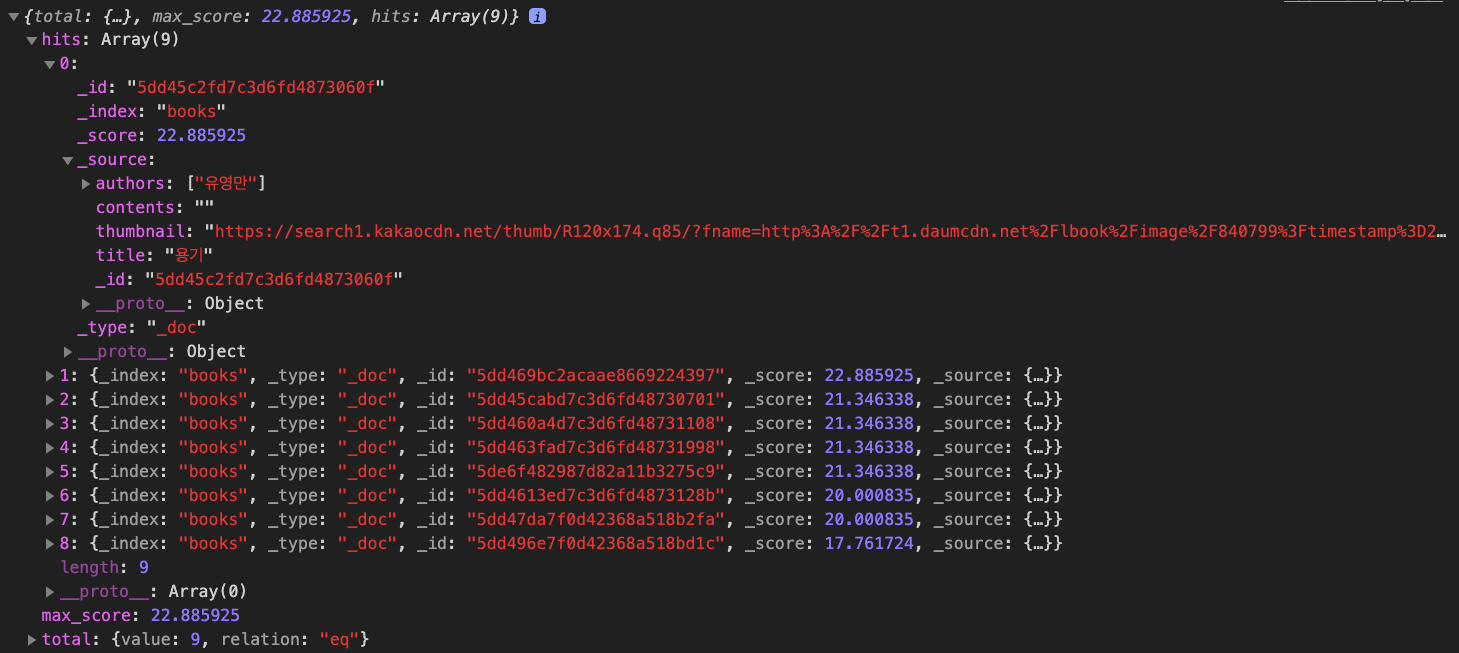
대망의 검색 기능...
const response = await client.search({
  index: "books",
  sort: "_score",
  body: {
    query: {
      multi_match: {
        query: "용기",
        analyzer: "standard",
        fields: ["authors", "title^2"]
      }
    }
  }
});

// 결과를 콘솔로 찍기 (다음 슬라이드에 나옴)
console.log(response.body.hits)- 방금 전에 생성한 books 인덱스에 검색 쿼리를 보낸다.
- sort: 제일 높은 관련성 점수의 document부터 반환
-
multi_match: 여러 필드를 동시에 검색
- 모든 책의 authors, title 필드를 검색하고 있다.
- ^2는 가중치를 의미한다. 관련성 점수를 계산할 때, 제목이 저자보다 두 배 더 중요하다.
검색 결과 형태
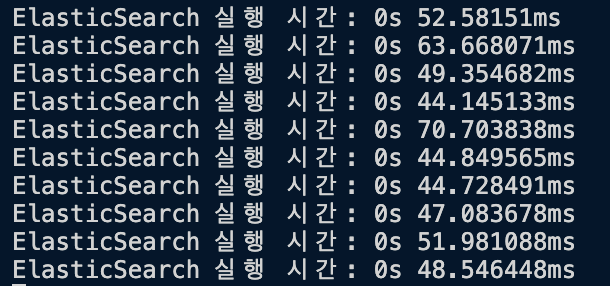
Regex Find와 퍼포먼스 비교
책 13885권이 되는 컬렉션에서 에서 "용기"를 찾아봤습니다.
const books = await Book.find({
  $or: [
    { title: { $regex: new RegExp("용기", "i") } },
    { authors: { $regex: new RegExp("용기", "i") } }
  ]
});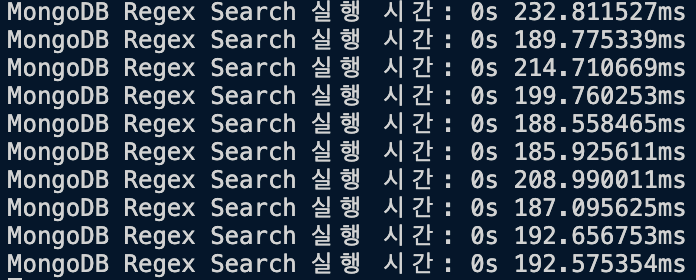
Regex Find:
ElasticSearch (Edge N-Grams)
const response = await client.search({
  index: "books",
  sort: "_score",
  body: {
    query: {
      multi_match: {
        query: "용기",
        analyzer: "standard",
        fields: ["authors", "title^2"]
      }
    }
  }
});
Avg: 199.286ms
Avg: 51.764ms
Incorporating ElasticSearch Into Your Web app
By Andrew Chung