It's 2018 and We're Using Git Wrong
Angel Velásquez (@angvp)
About me
- South American (so please forgive my English or ask me to repeat :))
- Former Arch Linux Developer (2010-2018)
- Contributor of several opensource projects: djangorestframework, django-rest-swagger, django-polymorphic, xfce, lxde ...
- Amateur comedian (don't expect jokes tho).

Previous episode
-
git is a distributed version control system (dvcs)
- first git version was released in 2005 ... and yet we are always learning (reminds me javascript for some reason)
- we know how the following git commands: {pull, commit, push}
- we all had git issues (don't lie!)
It's 2018 and we have mastered git!
Angel Velásquez (@angvp)
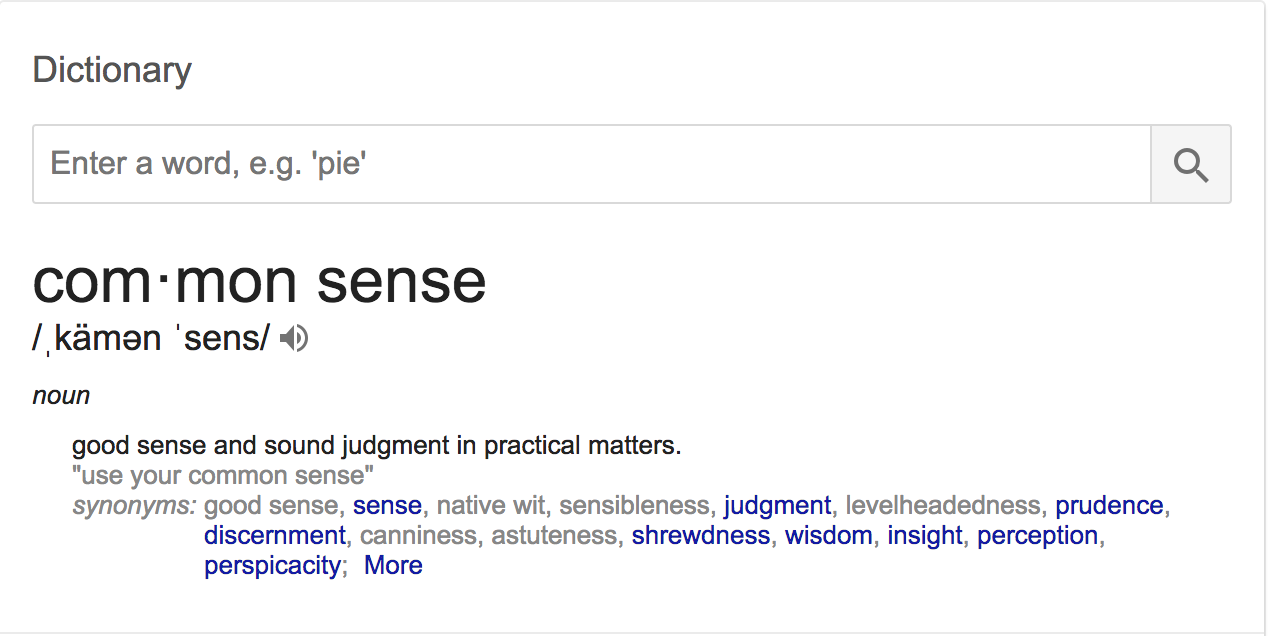
Common sense
Subtitle
Writing proper commit messages
$ git commit -m "fix, lol"$ git commit -m "test"
Some of these commits messages might or might not be real.
$ git commit -m "
> Fix bug with hold button

> The container was calling a method that we deprecated
> on b518095cacb3abd328ad980a395c5368dff33a4e but we
> forgot to update it on this container and hence we weren't
> able to hold calls
>
> ZD-1337"
The seven rules of a great Git commit message
- Separate subject from body with a blank line
- Limit the subject line to 50 characters
- Capitalize the subject line
- Do not end the subject line with a period
- Use the imperative mood in the subject line
- Wrap the body at 72 characters
- Use the body to explain what and why vs. how
Advice: after the talk, go to this post, please, read it, add it to your bookmarks, read it again

https://chris.beams.io/posts/git-commit/
Configuring author.name and author.email
$ git shortlog -sne

 722  John Doe <jdoe@sangoma.com>
 485  Ángel Velásquez <avelasquez@sangoma.com>
 353  John Doe <isecretlylove50cent@gmail.com>
 127  Angel Velasquez <avelasquez@sangoma.com>
  5   J Doe <jdoe@sangoma.com>
  2   root <root@avelasquezdev14.qa.sangoma.com>

Fun Fact
$ git log --author="root" # commits from the server and yes in zulu project you might find some done by me (facepalm)
$ git config user.name "Angel Velasquez"
$ git config user.email avelasquez@sangoma.com
Pro-tip: Always have your .gitconfig file on your dotfiles .. and the first step after clone is always set the author!
How ->
Git Flow
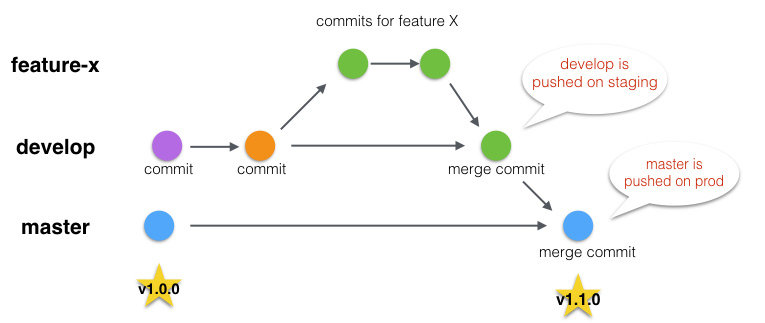
- hotfix (normally branch from master)
- bugfix (might branch from develop)
- release (this might be optional)
- feature (branch from develop, always)
Also git flow recommends to use a release branch whenever you release, feel free to use this or tags, but use one for sure.
Put git flow in practice (live code)
Conclusion
- Use your common sense! always, and if you panic, talk to your team mates.
- If you broke your branch, ... well common sense again, make a copy and then try one of these solutions: http://ohshitgit.com
- Never merge a branch that's ahead on yours (if develop is ahead of your branch do a `rebase`)
- Never push force to master/develop
- Tag or create a release branch whenever you are pushing something to master, master and develop shouldn't be pushed directly (that's why you see in some tools to lock these branches ;))
Any questions?

Thanks
And feel free to ping me over HipChat @angvp (please do not use @here when pinging me, or do `naked pings`)
deck
By Angel Velásquez


