
R2Clutch
Patching iOS binaries
Alex Soler
(murphy)
@as0ler
#Whoami
- Álex Soler (murphy)
- @as0ler


- Red Team member in

- Barcelona Cybersecurity Meetups


Why i am here
- Let's see a real example of...
-
- how easy is to learn and use r2.
- how to create your own r2-based tool.
- This is an example about how to use r2 during iOS apps security assessments.
Index
- iOS Binary format
- iOS Security Architecture
- r2 on an iPhone
- Parsing and Patching
- Automating the process
iOS Binary Format
Mach-0 File Layout
Mach-0 Header
Load Commands
Data
- Header: general information about the binary.
- Load Commands: kind of table of contents.
- Data: Organized in Segments and Sections.
iOS Binary Format
FatMach-O File Layout
FAT Header
FAT Arch
Mach-0 File
struct fat_header {
	uint32_t magic;
	uint32_t nfat_arch; //Bin number
};


struct fat_arch {
  uint32_t cputype;    //Arch
  uint32_t cpusubtype;
  uint32_t offset;     //Bin offset
  uint32_t size;       //BIn size
  uint32_t alighn;
};
FAT Arch
Mach-0 File
iOS Binary Format
pf Command
- print/define binary structures
$pf obj=xxdz prev next size name #Define an "obj" struct (hexflag hexflag hex string)
$pf.obj @ <addr> #Apply "obj" struct to addr
$pf. #List all formats
[0x00000100]> pf??
|pf: pf[.k[.f[=v]]|[ v]]|[n]|[0][ [sz] fmt] [a0 a1 ...]
| Format:
|  b       byte (unsigned)
|  B       resolve enum bitfield (see t?)
|  c       char (signed byte)
|  d       0x%%08x hexadecimal value (4 bytes)
|  D       disassemble one opcode
|  e       temporally swap endian
|  E       resolve enum name (see t?)
|  f       float value (4 bytes)
|  i       %%i integer value (4 bytes)
|  n       next char specifies size of signed value (1, 2, 4 or 8 byte(s))
|  N       next char specifies size of unsigned value (1, 2, 4 or 8 byte(s))
|  o       0x%%08o octal value (4 byte)
iOS Binary Format
FatMach-0 Header
struct fat_header {
	uint32_t magic;
	uint32_t nfat_arch; //numBin
};
FAT Struct is in big endian!
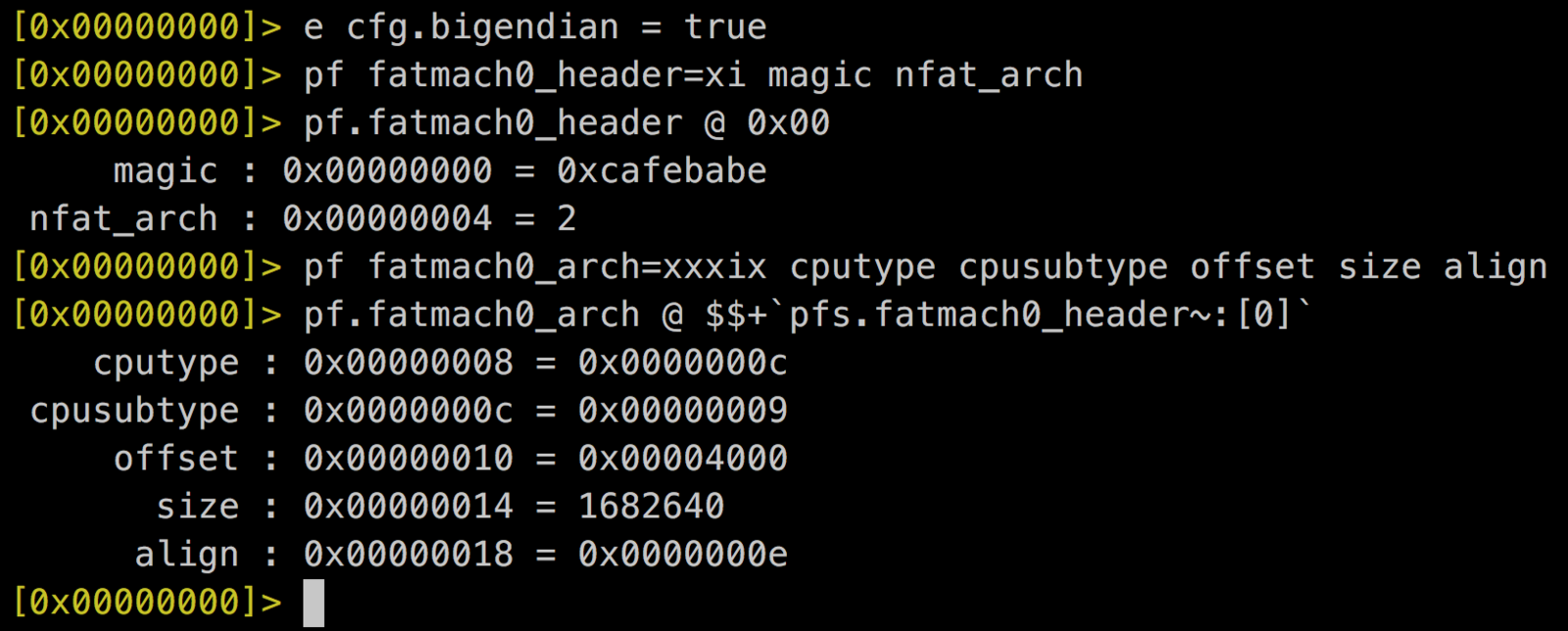
struct fat_arch {
  uint32_t cputype;    //Arch
  uint32_t cpusubtype;
  uint32_t offset;     //Bin offset
  uint32_t size;       //BIn size
  uint32_t align;
};
iOS Binary Format
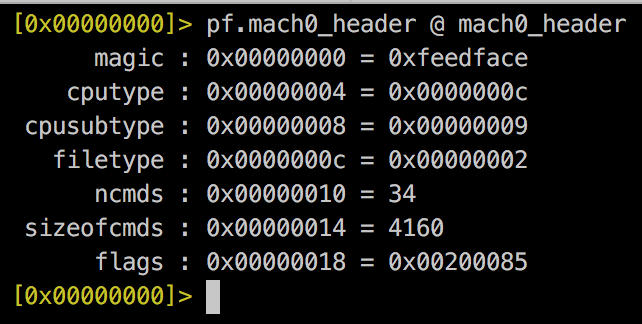
Mach-0 Header
struct mach_header {
   uint32_t magic;
   uint32_t cputype;
   uint32_t cpusubtype;
   uint32_t filetype;
   uint32_t ncmds;
   uint32_t sizeofcmds;
   uint32_t flags;
};
iOS Binary Format
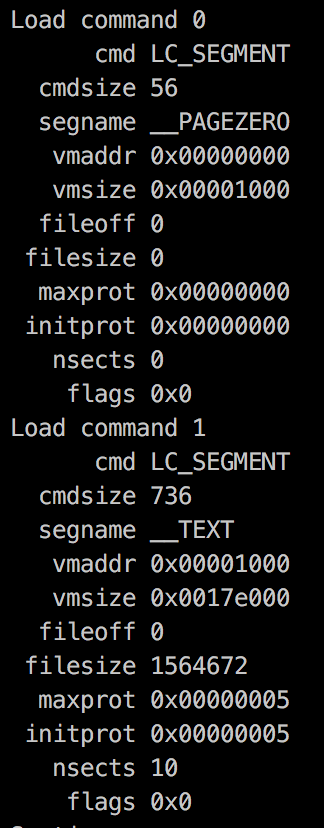
Load Commands
struct lc {
	uint32_t cmd;
	uint32_t cmdsize;
        //Custom fields
};
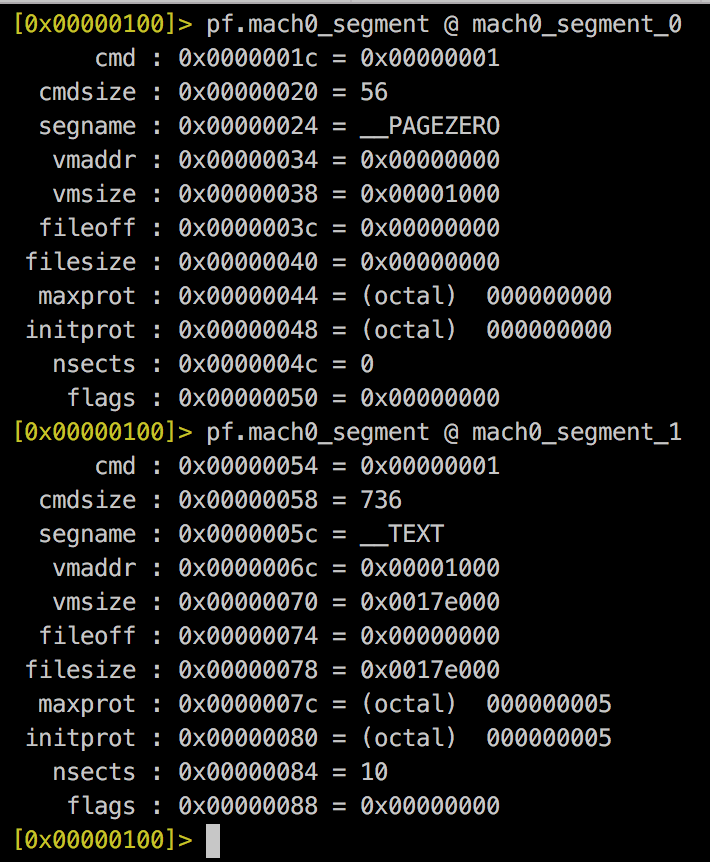
iOS Binary Format
Interesting sections
- __TEXT,__text: Code
- __TEXT,__cstring: Constant C strings. A C string is a sequence of non-null bytes that ends with a null byte ('\0')
- __TEXT,__objc_classname: Class names
- __TEXT,__objc_methname: Class method names
Classdump
0x00c96248 class 0 IGAlbumCameraPermissionView
0x0011e3b0 method 0 initWithFrame:_8
0x0011ea2a method 1 layoutSubviews_15
0x0011ed48 method 2 refreshViewStateAnimated:
0x0011ef8c method 3 didTapCameraEnable
0x0011efca method 4 didTapMicrophoneEnable
0x0011f07a method 5 .cxx_destruct_42
0x0011f008 method 6 delegate_27
0x0011f026 method 7 setDelegate:_25
0x0011f03a method 8 cameraBlurOverlay
0x0011f04a method 9 textLabel_2
0x0011f05a method 10 cameraButton
0x0011f06a method 11 microphoneButton
$rabin2 -c Instagram.arm_32.0[0x100000de0]> iC- Sandboxing
- non-privileged user
- Encryption
- Address Space Layout Randomization
- Code Signing
- ....
Application Security
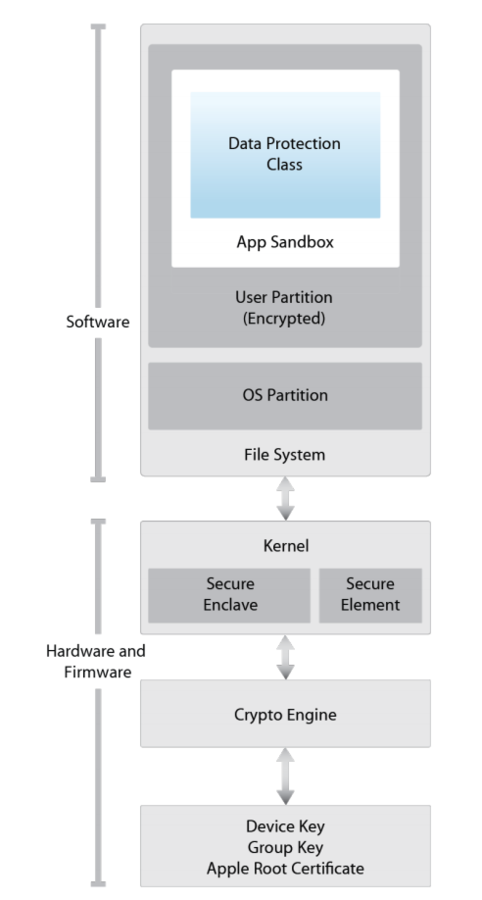
iOS Security Architecture
Encryption
- Every application from App Store is encrypted:
- Not permit binary static analysis
- Not possible to see
- Strings
- Can't decompile it
- No Class-dump
iOS Security Architecture
iOS Security Architecture
Encrypted decompilation
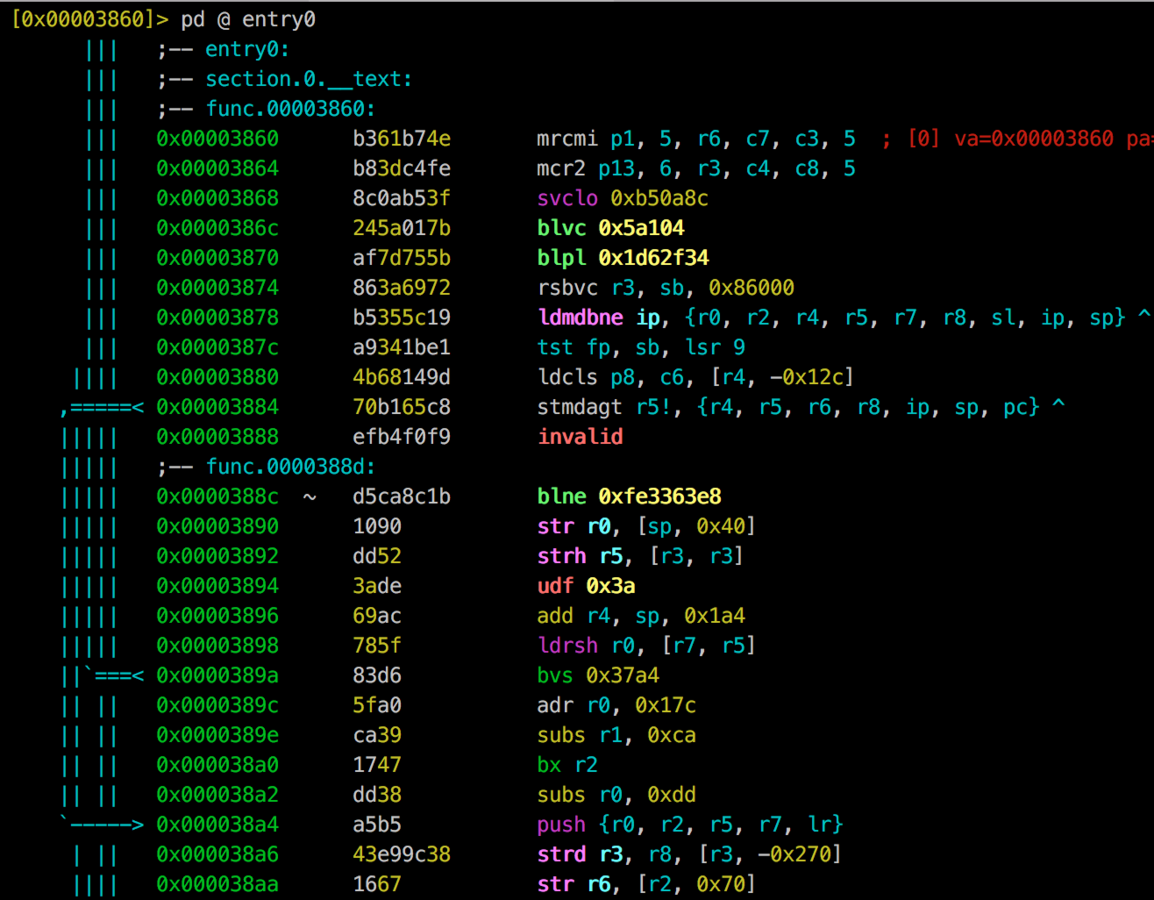
iOS Security Architecture
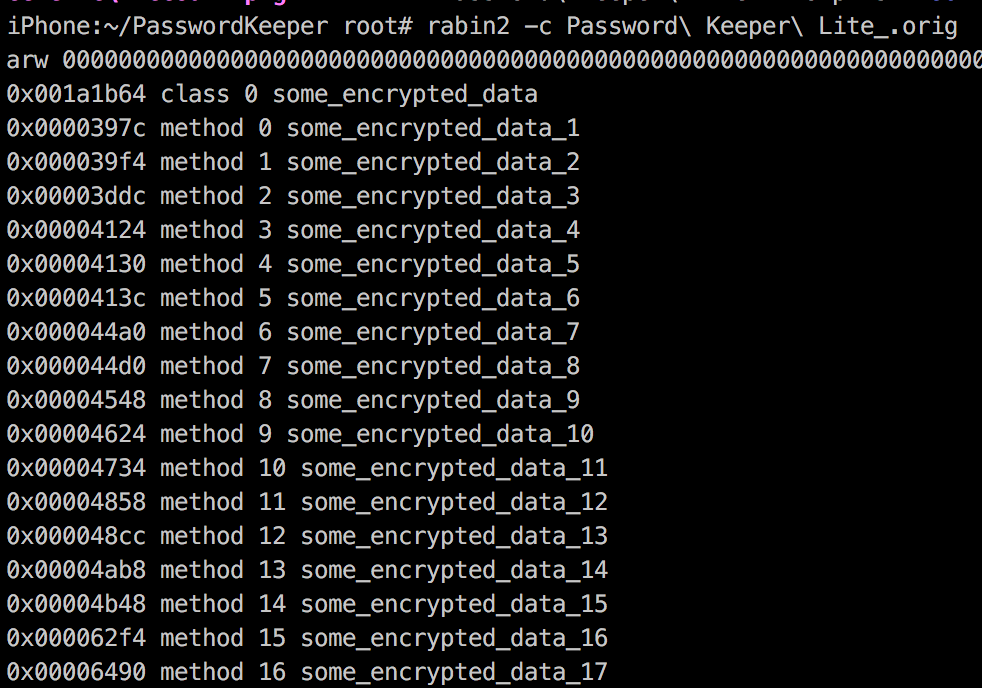
Encrypted Strings
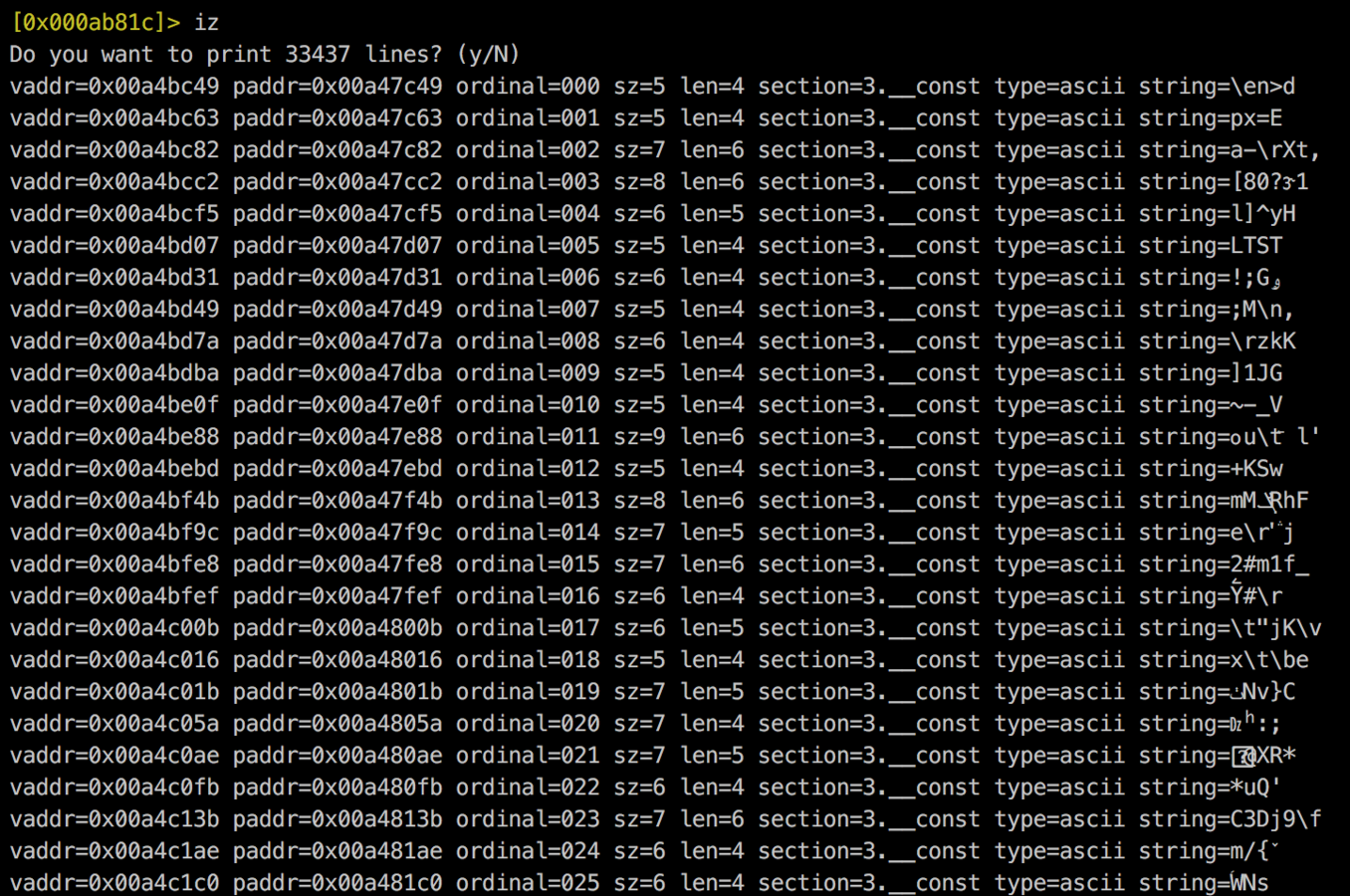
iOS Security Architecture
Encrypted Classnames
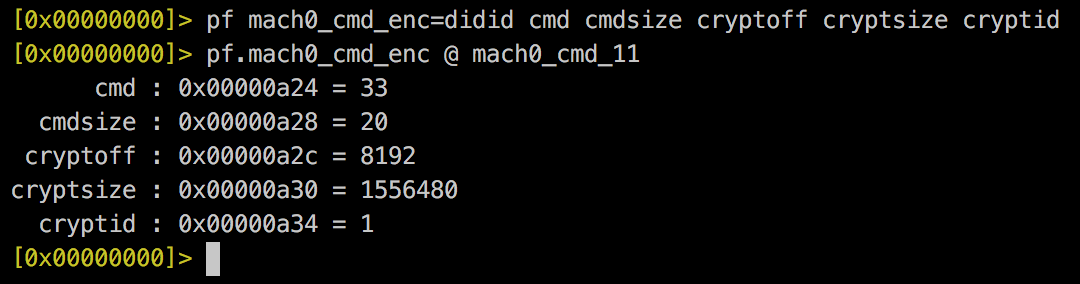
LC_ENCRYPTION_INFO
struct encryption_info_command {
   uint32_t cmd;    /* LC_ENCRYPTION_INFO */
   uint32_t cmdsize;  /* sizeof(struct encryption_info_command) */
   uint32_t cryptoff; /* file offset of encrypted range */
   uint32_t cryptsize;  /* file size of encrypted range */
   uint32_t cryptid;  /* which enryption system,
           0 means not-encrypted yet */
};
iOS Security Architecture
Solutions?
The binary is decrypted in memory
iOS Security Architecture

Clutch / Clutch2
iOS Security Architecture
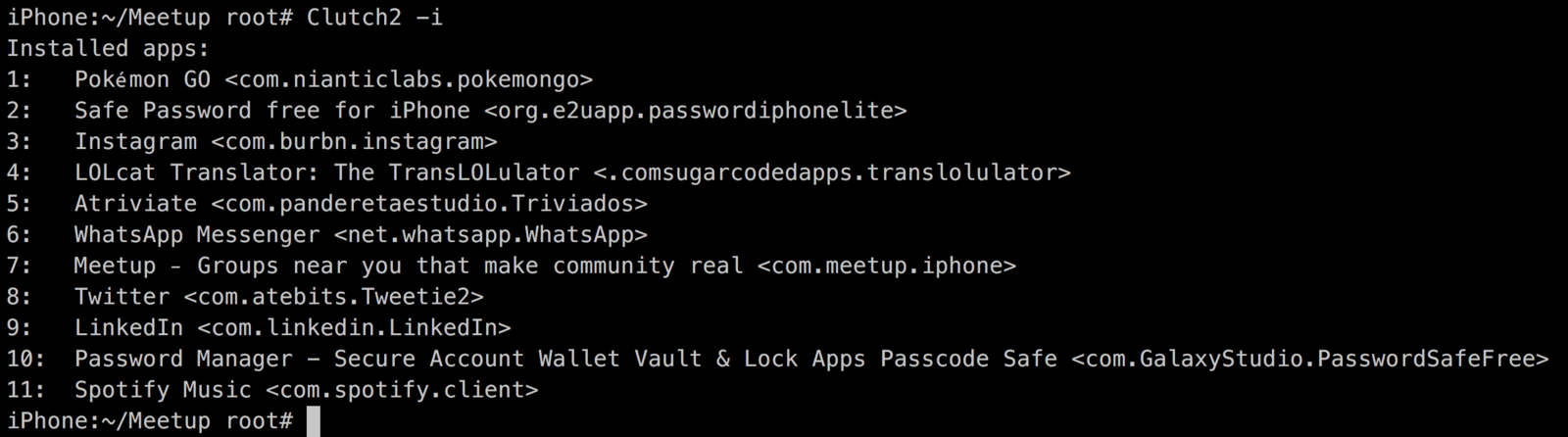
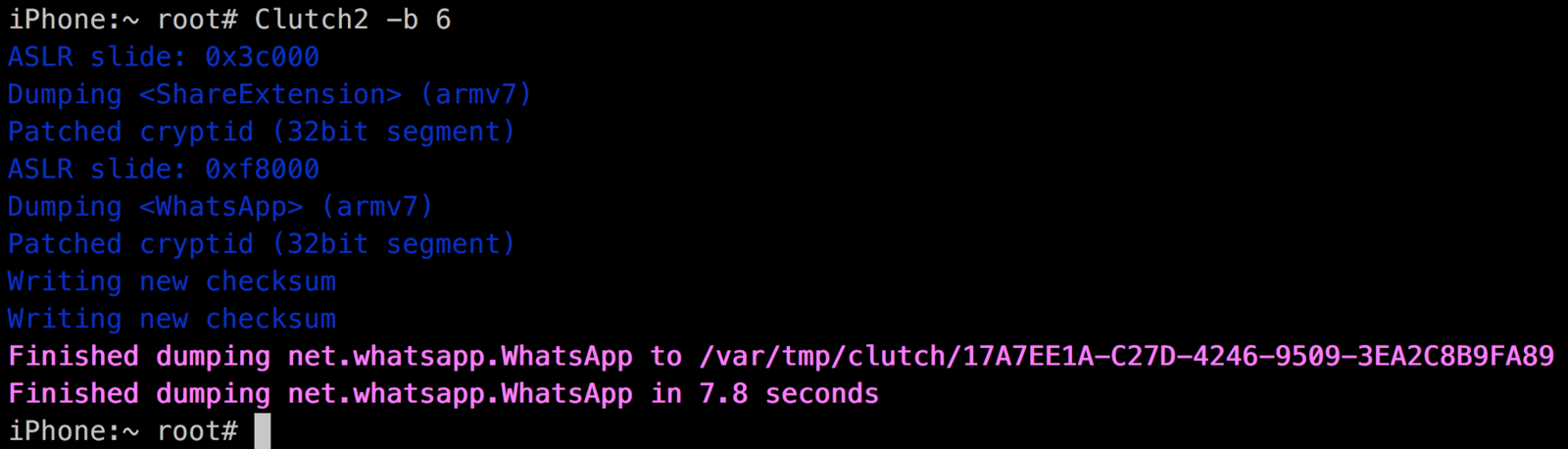
Clutch is not good...
-
Can't decrypt some binaries
-
Decrypt everything all the time (=slow)
-
Lots of lines of code (difficult to fix)
iOS Security Architecture
Any alternative?

R2 in your iPhone
From Cydia
(http://cydia.radare.org)
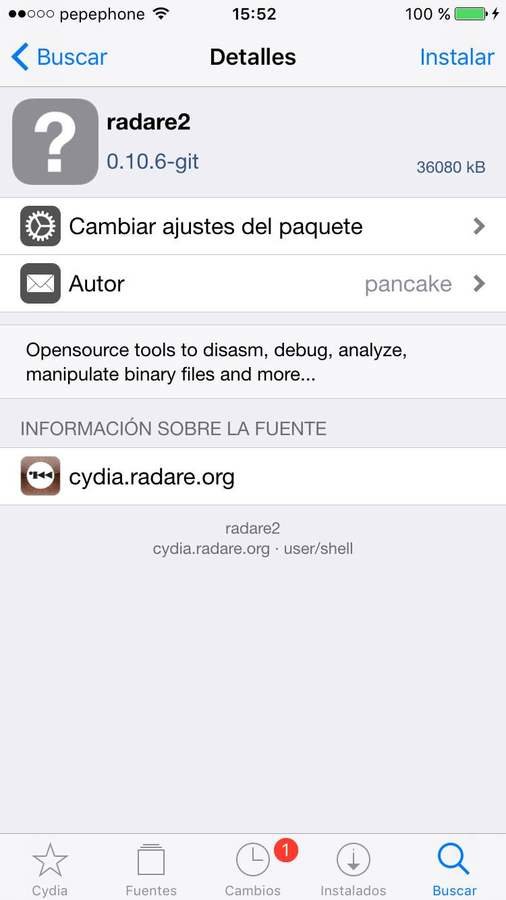


R2 in your iPhone
From GIT
$git clone http://github.com/radare/radare2
$sys/ios-cydia.sh
iphone$ dpkg -i radare2_0.10.6-git_iphoneos-arm.deb-
Compile Radare2 in local.
-
Copy .deb file into the iphone.
radare2/sys/cydia/radare2/radare2_0.10.6-git_iphoneos-arm.deb-
Installing deb
-
Check version

R2 in your iPhone
Default
Debug
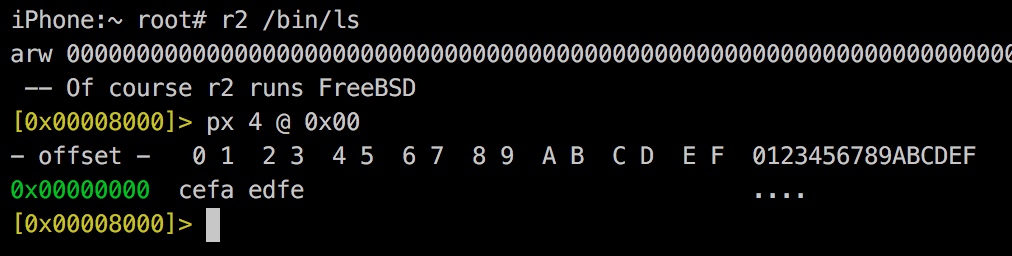
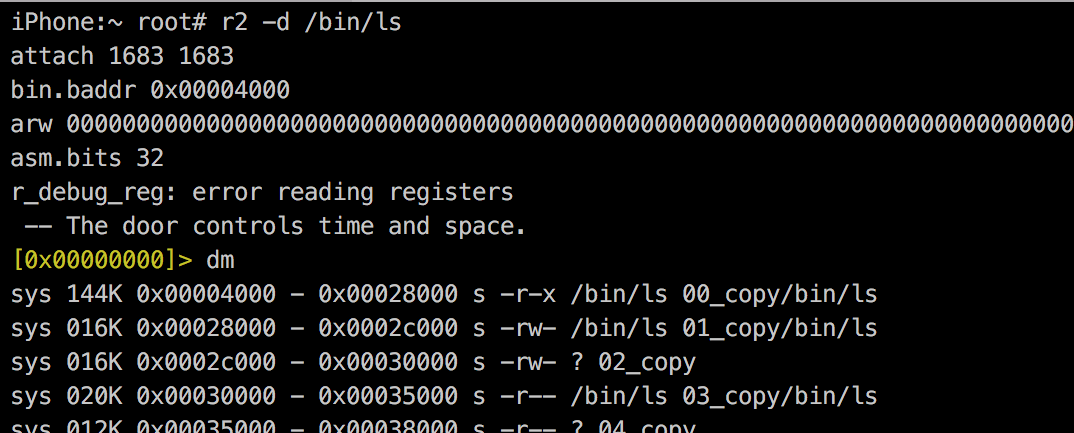
R2 in your iPhone
Remember to add the correct Entitlements
iPhone:~ root# cat radare.xml
<!DOCTYPE plist PUBLIC "-//Apple//DTD PLIST 1.0//EN"
"http://www.apple.com/DTDs/PropertyList-1.0.dtd">
<plist version="1.0">
 <dict>
  <key>app-identifier</key>
  <true/>
  <key>get-task-allow</key>
  <true/>
  <key>task_for_pid-allow</key>
  <true/>
 </dict>
</plist>
<!--
  This file must be used to 'sign' the 'radare' binary
  after compiling to permit debugging on the iphone-os
  $ ldid -Sradare.xml radare
-->
iPhone:~ root# ldid -Sradare.xml /usr/bin/radare2
R2 in your iPhone
And of course, you can check it with R2...
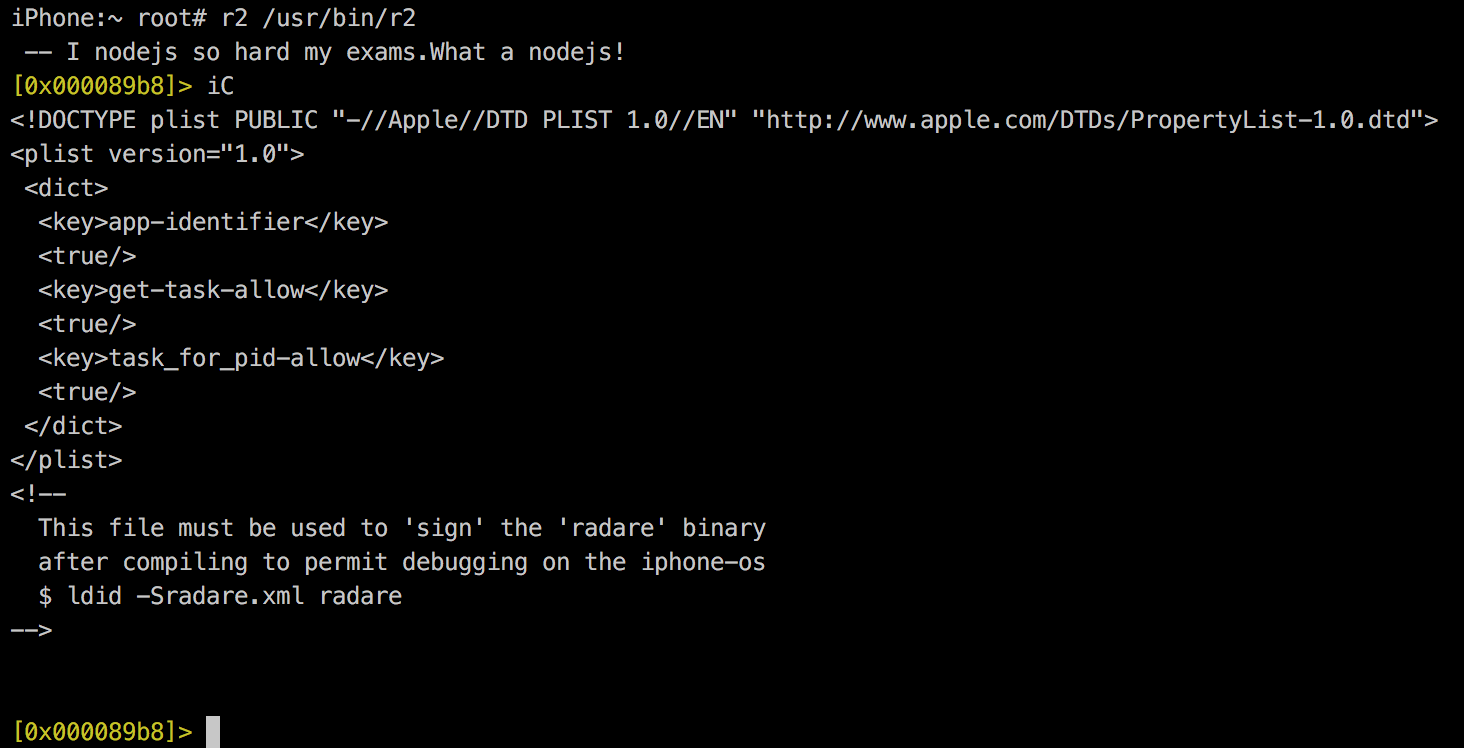
Parsing & Patching
To decrypt an app...
- Extract mach0 bin from FatMach0 (if needed)
- Identify whether PIE is enabled or not.
- Identify encryption information.
- Identify process address space.
- Dump decrypted process into a file.
- Overwrite original binary with the decrypted one.
- Patch binary structure as a decrypted one.
Parsing & Patching
1. Extract mach0 bin from FatMach0 (if needed)
Mach-o file
Mach-o file
FatMach-o Header
Fat Arch
0x00000000
struct fat_arch {
  uint32_t cputype;
  uint32_t cpusubtype;
  uint32_t offset;  //fat_arch + 8
  uint32_t size;    //fat_arch + 12
  uint32_t alighn;
};
Fat Arch
8 bytes
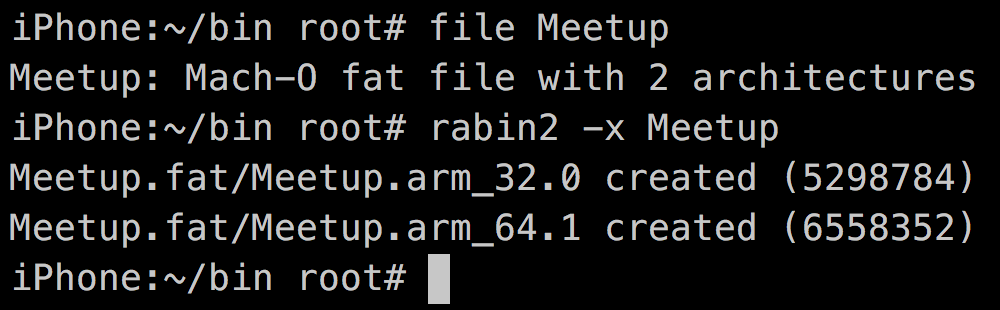
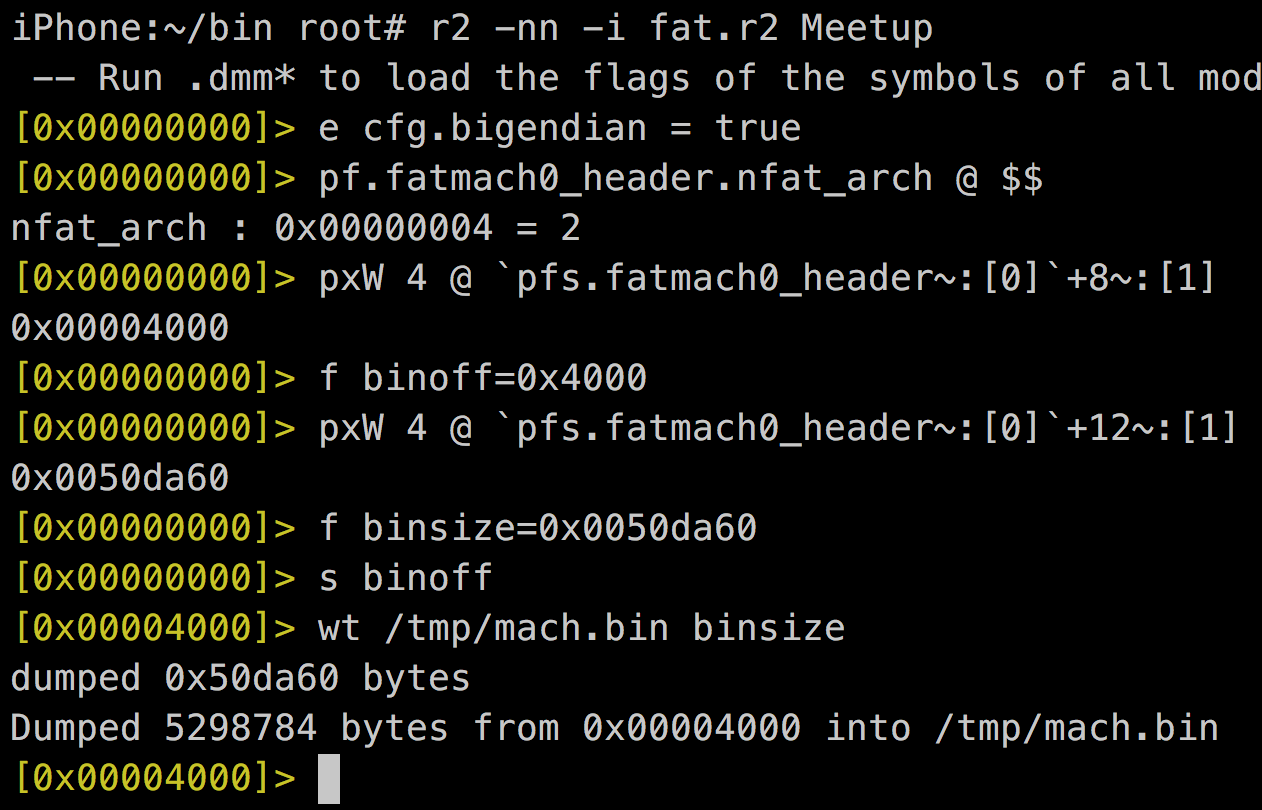
rabin2
Custom
Parsing & Patching
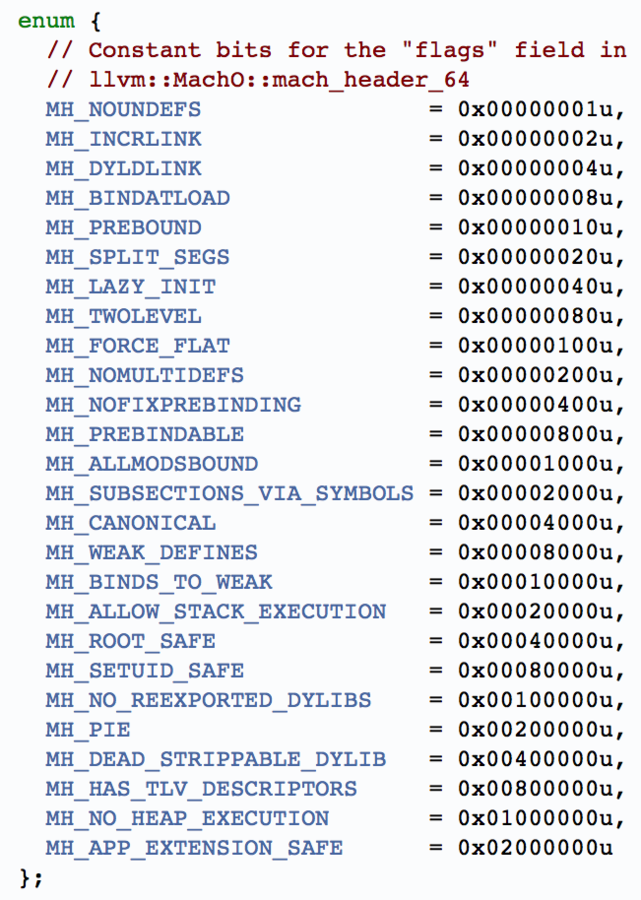
2. Identify whether PIE is enabled or not.

- Parse Mach-o Header
- Get flags field
- If contains 0x00200000 => PIE Enabled

Parsing & Patching
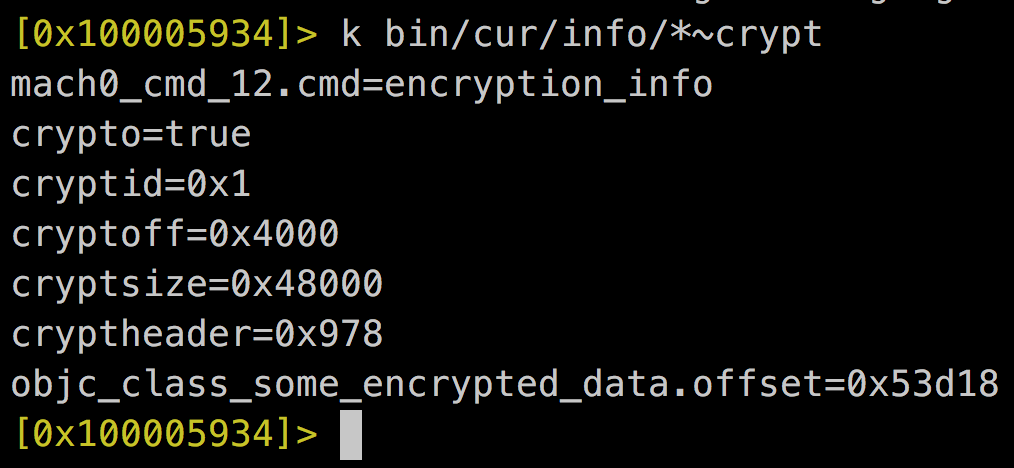
3. Identify encryption information
00121       LC_ENCRYPTION_INFO      = 0x00000021u,
00133       LC_ENCRYPTION_INFO_64   = 0x0000002Cu,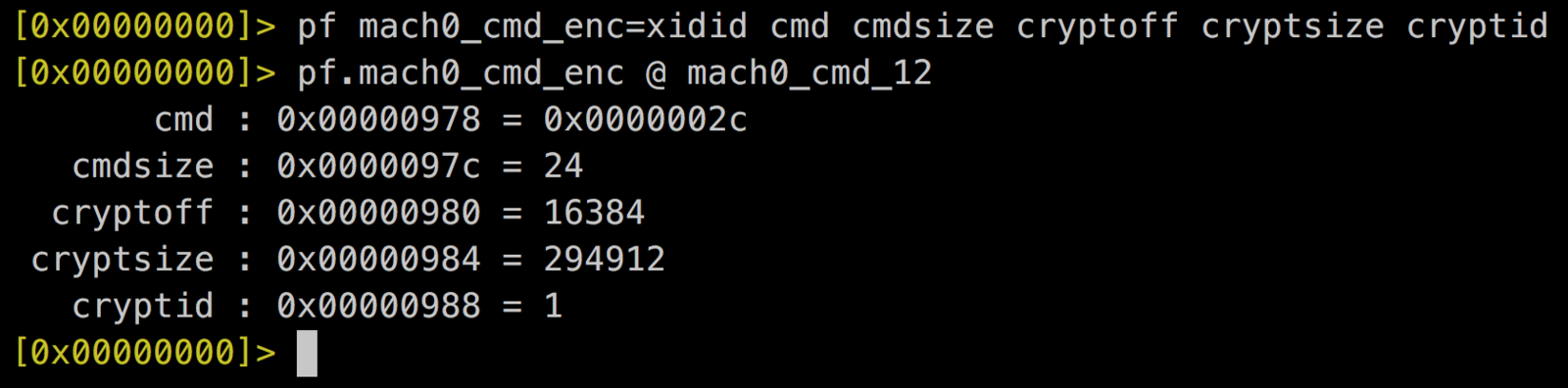
Parsing & Patching
4. Identify process address space.
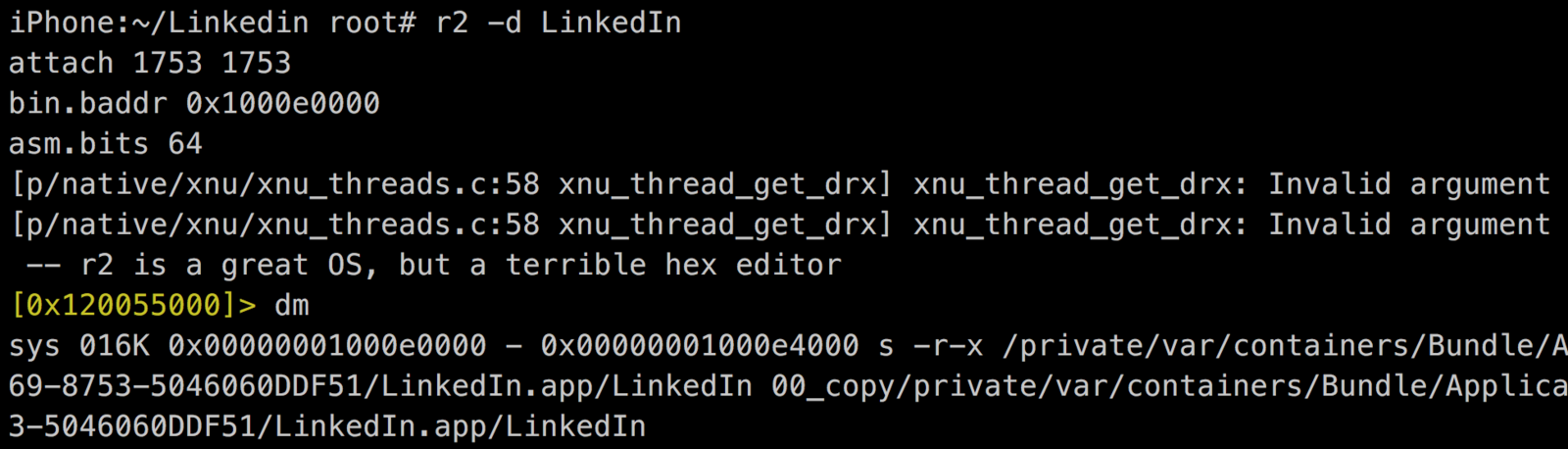
- Get binary memory map.
PIE
non-PIE
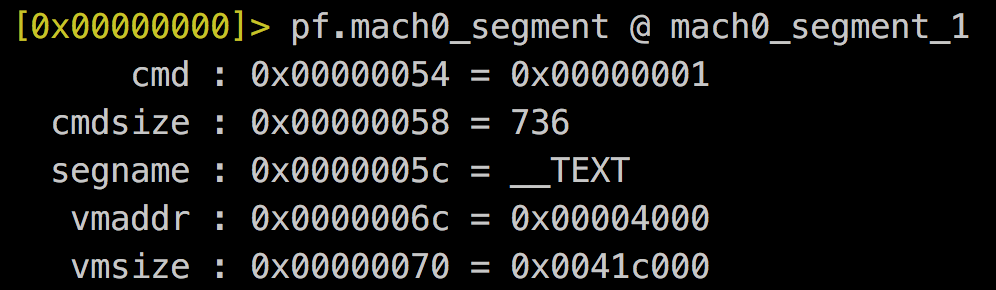
- Get vmaddr in TEXT segment
Parsing & Patching
5. Dump decrypted process into a file
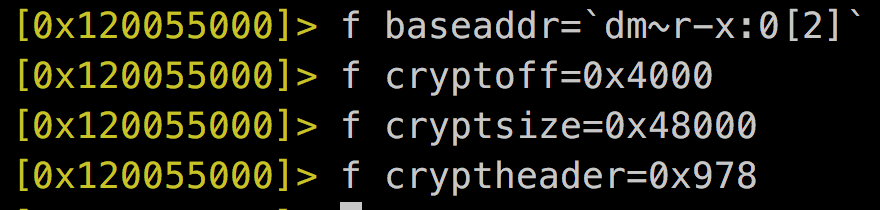
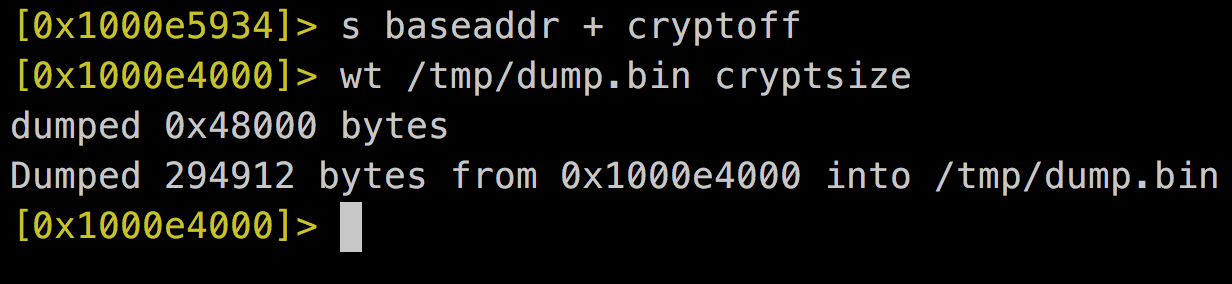
Mach-0 Header
Encrypted Data
cryptoff
baseaddr
dump.bin
Mach-o Header
Parsing & Patching
6. Overwrite original binary with the decrypted one
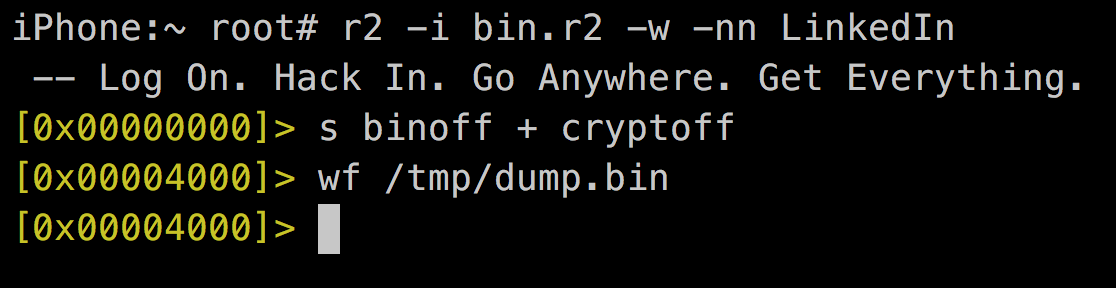
iPhone:~ root# cat bin.r2
f cryptoff=0x4000
f cryptsize=0x48000
f binoff=0x4000
iPhone:~ root#
Mach-0 Header
Encrypted Data
cryptoff
binoff
dump.bin
Mach-o Header
FatMach-o Header
Fat Arch
0x00000000
Parsing & Patching
7. Patch binary structure as a decrypted one.
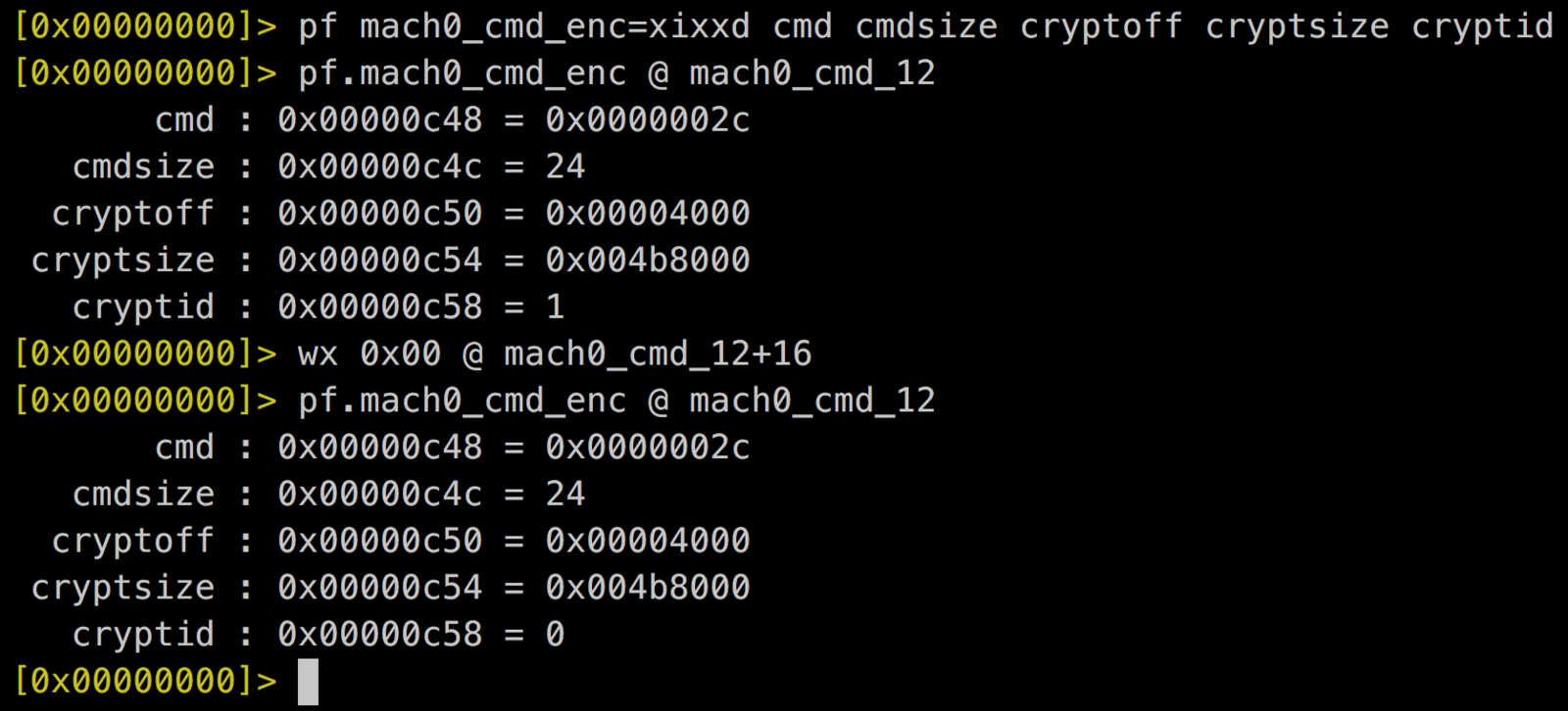
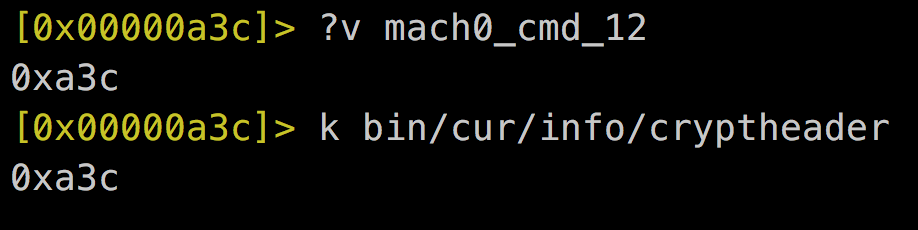
struct encryption_info_command {
   uint32_t cmd;
   uint32_t cmdsize;
   uint32_t cryptoff;
   uint32_t cryptsize;
   uint32_t cryptid;
};
Automation
- Python
- R2Pipe
- 32 / 64 bit Support
R2Clutch
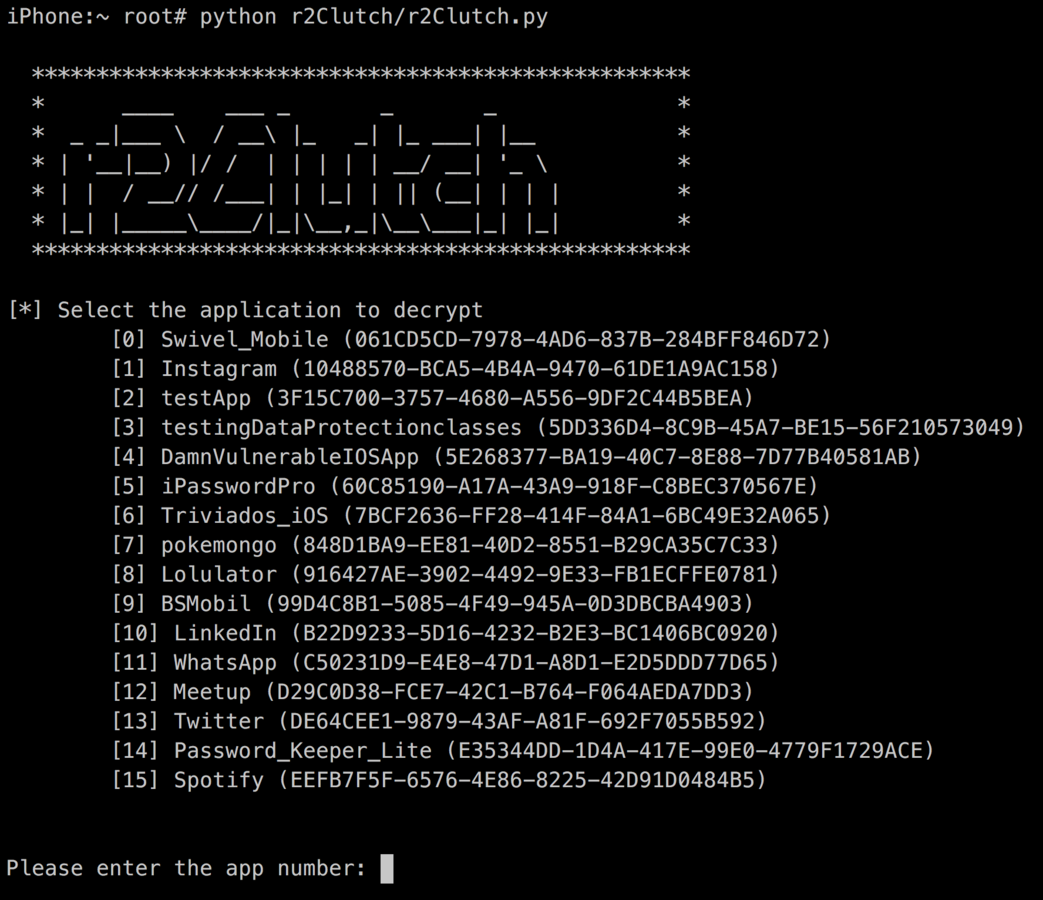
Automation
https://github.com/as0ler/r2clutch
R2Clutch Demo
Future work
- Improve speed
- Review some controls anti-cracking
- Integration with a iOS native App (RUST?)
- Distribution through Cydia
Thanks for Listening!
Questions?
@as0ler
r2clutch
By as0ler
r2clutch
Presentation done in r2-con 2016