What the Flux?

What is Flux?
A Javascript application pattern.
Promoted by Facebook along with React
Why Flux?
- Predictable
- Scalable
- Easier to reason about
- Easier to test
Flux:
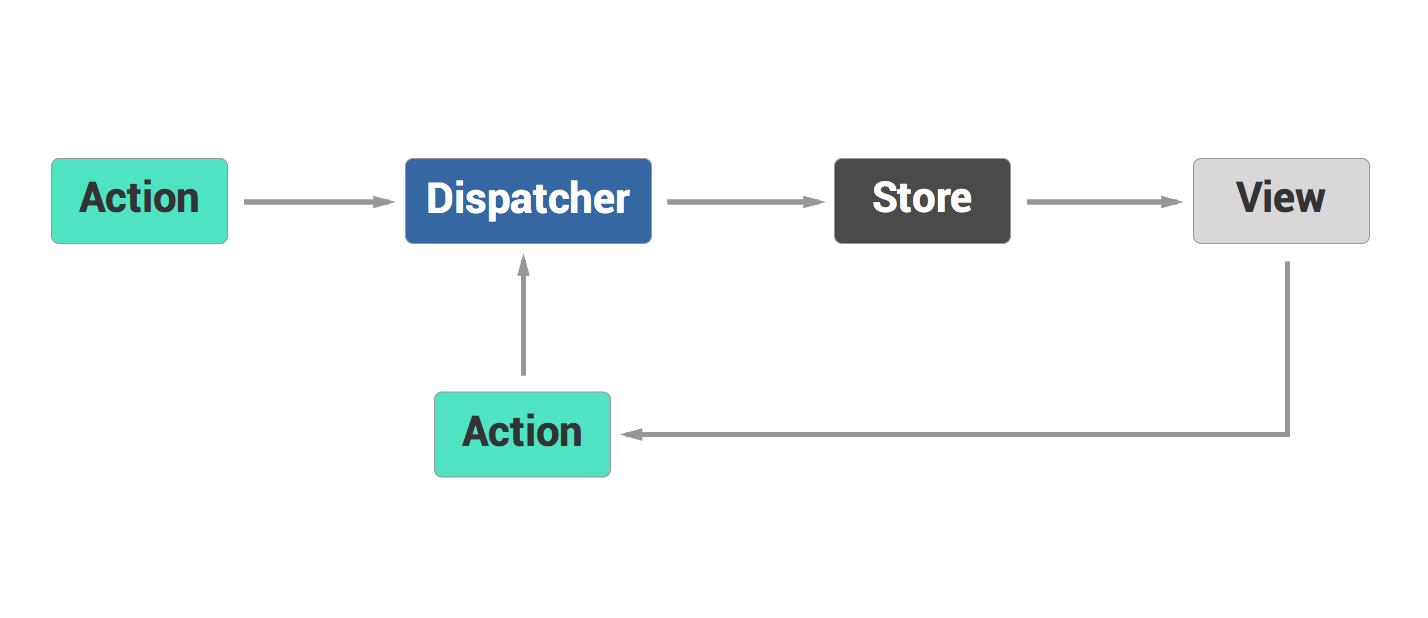
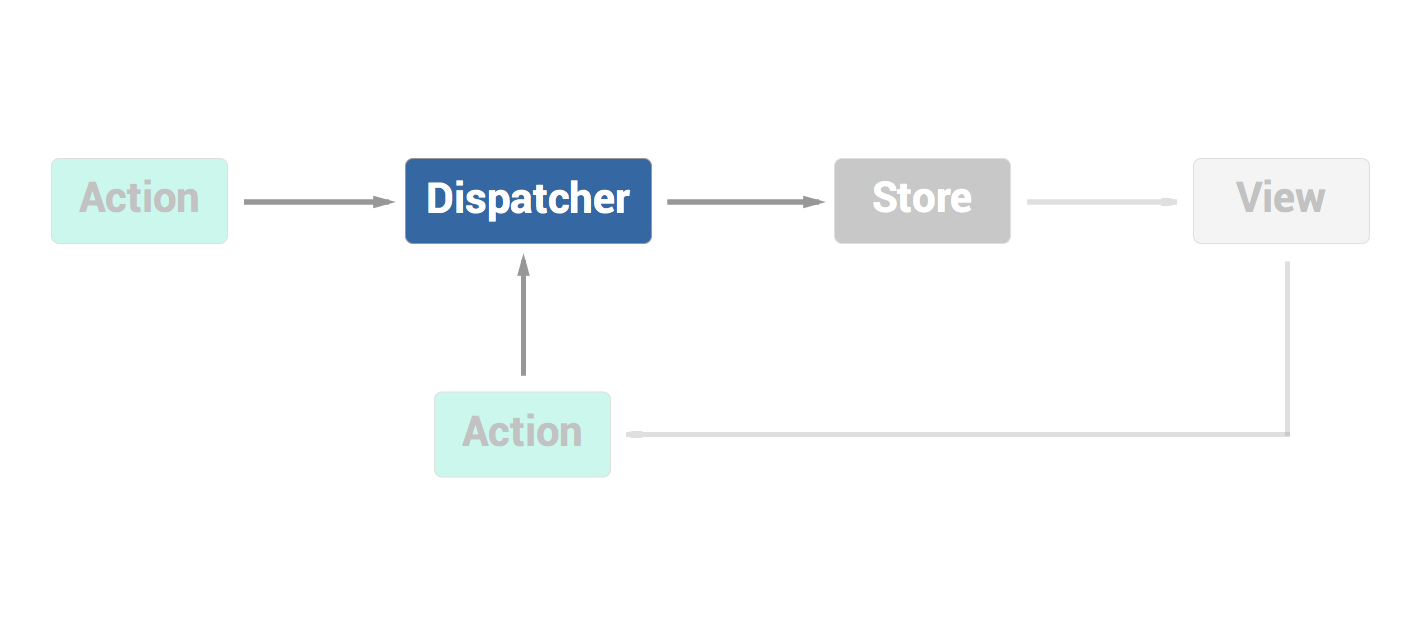
Dispatcher
It is the central hub of the application.
It dispatches the actions to the stores.
Ensures that only one action is processed at a time
It manages the dependencies between the stores
Stores
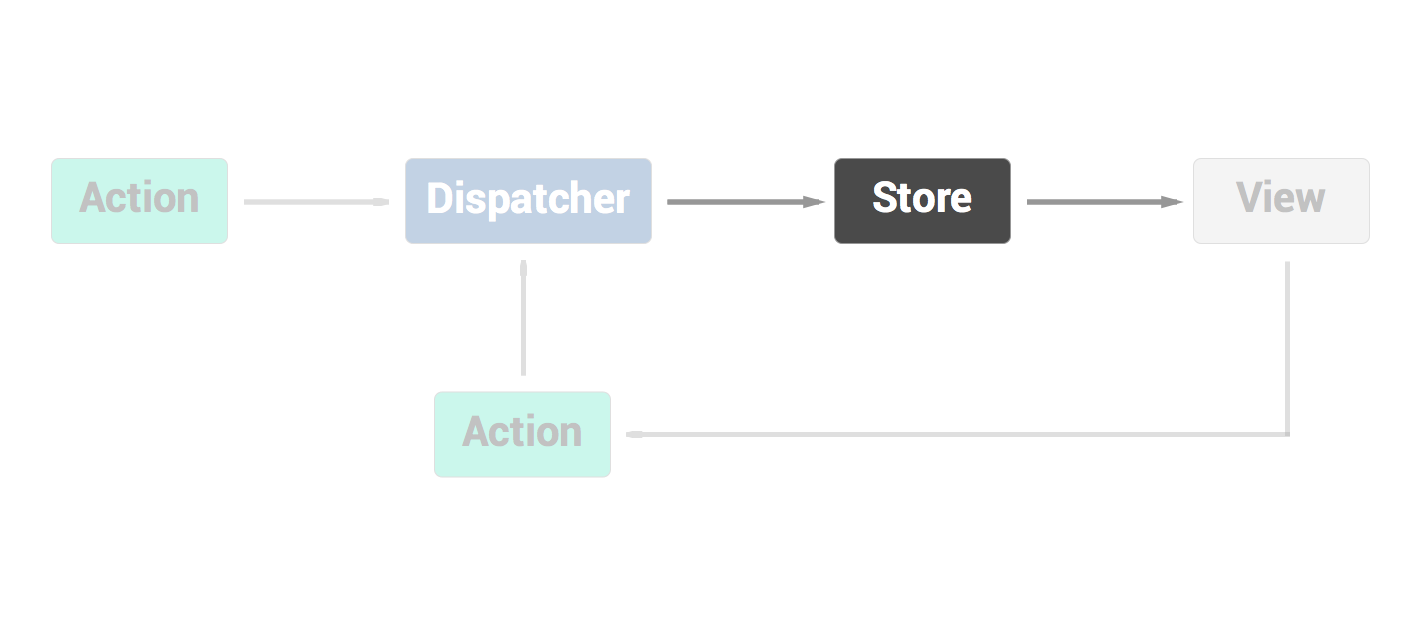
- Represents a domain of your application
- Manages the state of that specific domain
- Broadcasts an event when the state has changed
todos = []


TodosStore = {
    getTodos: function() {
        return todos;
    }
}

Dispatcher.register(function(action) {
    switch(action.type) {
        case 'ADD_TODO':
            todos.push(action.data.text);
            TodosStore.emit();
            break;
    }
});
Views & Controller-Views
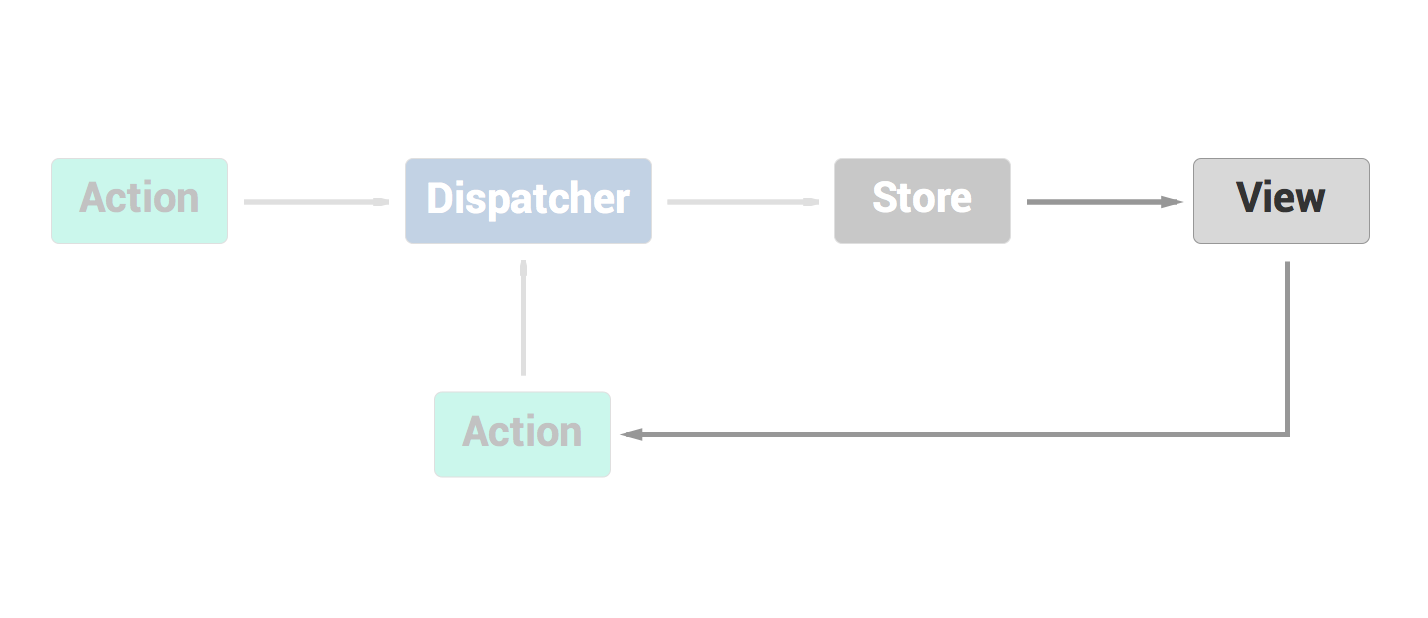
Controller-views listens to the store for changes
Queries the store for it's data and state
Re-renders the view-tree with new data from the store
Actions
An object with a name and a payload being sent to the dispatcher
Actions are usually called from views, in response to event
May also come from other places, i.e the server
Use a wrapper to send the action to the dispatcher like `addTodo('something')`
// An action:
{
    type: 'ADD_TODO',
    data: {
        text: 'something'
    }
}

// An action helper
var Actions = {

    addTodo: function(text) {
        Dispatcher.dispatch({
            type: 'ADD_TODO',
            data: {
                text: text
            }
        });
    }

}

// Usage:
Actions.addTodo('something');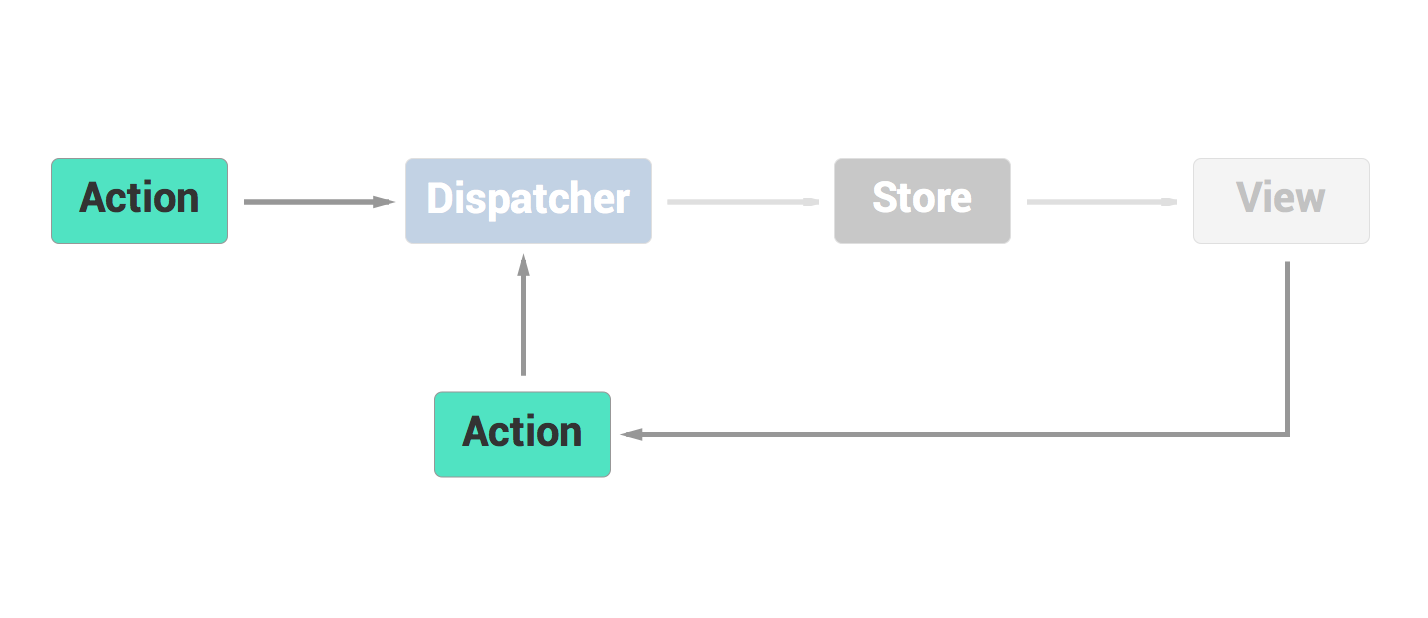
Pitfalls & Patterns
Backend-communication
(Ajax)
What we usually do
TodosStore = {
    getTodos: function() {
        return todos;
    }
}

Dispatcher.register(function(action) {
    switch(action.type) {
        case 'ADD_TODO':
            saveTodo(action.data.text)
                .then(function(err, response) {
                    todos.push(action.data.text);
                    TodosStore.emit();
                });
            break;
    }
});
But now there is mutation of our data without an action
Harder to debug
Harder to reason about the application
Fire an action
Dispatcher.register(function(action) {
    switch(action.type) {
        case 'ADD_TODO':
            saveTodo(action.data.text)
                .then(function(err, response) {
                    if(err)
                        Actions.addTodoFailed(err)
                    else
                        Actions.addTodoCompleted(response)
                });
            break;
        case 'ADD_TODO_COMPLETED':
            todos.push(action.data.text);
            TodosStore.emit();
            break;
    }
});
Always fire an action at the end of an async request
Keep your store sync
saveTodo(action.data.text)
    .then(function(err, response) {
        if(err)
            Actions.addTodoFailed(err)
        else
            Actions.addTodoCompleted(response)
    });
Keep your stores synchronous tend to reduce their complexity.
It is easier to read, and your stores just represents your domain logic, not the architecture of your system.
Stores don't have to be coupled with the network layer, they don't have to know about your backend API
Stores dependencies
What we might do
var FiltersStore = require('./filters_store');

FiltersStore.on('CHANGE', function(filter) {
    todos = todos.filter(function(todo) {
        return todo.prop == filter;
    });
});
It is tempting to listen to another store than ours
and mutate our store state in response to this change
What we should do
var FiltersStore = require('./filters_store');

var todos = [];
TodosStore = {
}

TodosStore.dispatchToken = Dispatcher.register(function(action) {

    switch(action.type) {
        case "FILTER":
            Dispatcher.waitFor(FiltersStore.dispatchToken);
            /* Do your buisness */
            break;
    }

});
The actions are not advanced setters.
Multiple stores can listen to the same action
Handle the dependencies between your stores with waitFor()
Actions
Actions are neither commands nor elaborate setters
Actions.SHOW_NOTIFICATION
Actions.FETCH_FROM_SERVER
Actions should read like "something that happened":
Actions.TODO_CREATED_SUCCESS
Actions.TODO_SYNC_REQUESTED
These are commands
Actions represent the changes in your application
If your action is named and represent a change, you can easily debug your
application when there is a problem.
TODO_CREATED "something"
TODO_REMOVED 1
TODO_UPDATED 0, "something else"
TODO_SYNC_REQUESTED
TODO_SYNC_COMPLETED
TODO_CREATED ""
TODO_CREATION_ERROR "empty text"
Or work in a new part and make changes with confidence.
Inspired by @JeremyMorell talk:
Thank you
What the Flux?
By b2l
What the Flux?
This is a talk about Flux, the Facebook promotted architecture pattern.