Git and github workflow
Topics
- Common/best practices
- Few tips
- Prevent conflicts
- Github workflow
- Pull requests
- Issue tracking
- Release versions
a commit message shows whether a developer is a good collaborator
More Git commands
* git stash
* git blame
* git rebase
* git diff
* git diff --cached
* git log --oneline
* git status -s
* git rm --cached <file>
Branches
- Master should always be deployable
- Always work on branches
- You are about to make an implementation of major or
disruptive change
- You are about to make some changes that might not be used
- You want to experiment on something that you're not sure
if it will work
GITHUB
- Fork and watch repositories
- Pull requests
- Code review
- Issue tracking
- Release versions

PREVENT CONFLICTS
modifying one file
- comment field
<!-- user 1-->
<!-- user 2-->
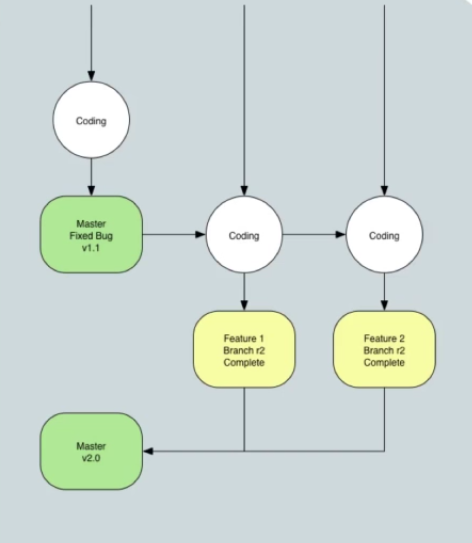
TAG A RELEASE VERSION
- A tag is a way to mark a point in time in your repository
- You should add a tag to mark a release version.
- If you then need to make changes to that release you would create
a branch to that tag.
- Tag only in master branch
* git tag -a v1.1 -m 'ready for production'
* git tag
* git show v1.1
* git push v1.1
* git reset --hard v1.1
Git and github workflow
By barrylavides