Web Components
+

Polymer
Web Components: WHAT?
Mechanism for the registration of custom, dynamic elements that can be added to a page declaratively.
(basically fully-featured custom html elements)
Web Components: WHy?
Because it rocks my face off. Next question.
- Encapsulation
- Simple element interface
- Complexity is totally under the hood
- Reusable/Shareable Code. #DRY4LYFE
- Creates web application structure much like the current mobile application landscape
Web Components: WHy?
We want to avoid situations where the following happen:
- Details of the implementation leak
- The DOM is polluted by extra elements and attributes/styles
- Inadvertent styling of new nodes because of existing stylesheets
Web Components: WHy?
We finally have the opportunity to reuse front-end code
Web Components
COMPONENTS
- Custom Elements
- Shadow DOM
- HTML Imports
Custom ELements
<video />

<select>

<input />

<button />

<!-- And now there's.. -->
<my-custom-element></my-custom-element>
Cornerstone of Web Components.
Registration of element with the document.
Shadow dom (AKA shadowROot)
<!-- x-fade custom element with the shadow dom exposed -->
<x-fade>
  <img src="cool.png">
  #shadow-root
    <div>
      <content select="img">
    </div>
    <canvas></canvas>
</x-fade>

<!-- What the user/browser sees -->
<x-fade>
  <img src="cool.png">
</x-fade>


<!-- Alternative resultant DOM from jQuery -->
<x-fade>
  <div>
    <img src="cool.png">
  </div>
  <canvas></canvas>
</x-fade>
Does the dirty work of hiding the implementation details.
HTML Imports
<!--
@license
Copyright (c) 2015 The Polymer Project Authors. All rights reserved.
This code may only be used under the BSD style license found at http://polymer.github.io/LICENSE.txt
The complete set of authors may be found at http://polymer.github.io/AUTHORS.txt
The complete set of contributors may be found at http://polymer.github.io/CONTRIBUTORS.txt
Code distributed by Google as part of the polymer project is also
subject to an additional IP rights grant found at http://polymer.github.io/PATENTS.txt
-->
<link rel="import" href="../polymer/polymer.html">
<link rel="import" href="../hydrolysis/hydrolysis-analyzer.html">
<link rel="import" href="../iron-doc-viewer/iron-doc-viewer.html">
<link rel="import" href="../iron-icons/iron-icons.html">
<link rel="import" href="../iron-ajax/iron-ajax.html">
<link rel="import" href="../iron-selector/iron-selector.html">
<link rel="import" href="../paper-header-panel/paper-header-panel.html">
<link rel="import" href="../paper-toolbar/paper-toolbar.html">
<link rel="import" href="../paper-styles/paper-styles.html">
How base components are pulled into your new component for use.
Polymer
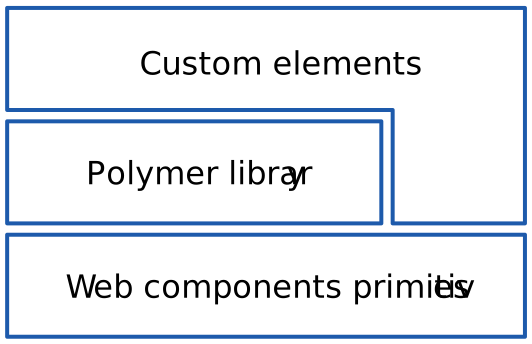
- Library on top of webcomponents.js
- Two-Way Data-Binding
- Property Observation
- Locally scoped JS and CSS.
- Consistent cross-browser support during browser adoption via polyfills
- Large library of reusable components
Polymer
Custom Element Registration
<dom-module id="x-foo">

  <template>I am x-foo!</template>

  <script>
    Polymer({
      is: 'x-foo'
    });
  </script>

</dom-module>
Element creation comes with many event tie-ins (created/attached/detached/etc.)
Polymer
Locally Scoped JS and CSS
CSS styles defined inside Shadow DOM are scoped to the ShadowRoot. This means styles are encapsulated by default.
<dom-module id="seed-element">

  <style>
    :host {
      display: block;
      box-sizing: border-box;
    }

    .author img {
      float: left;
      margin-right: 5px;
      max-height: 100px;
      max-width: 100px;
    }
  </style>

  <template>
    <h1>seed-element</h1>
    <content></content>
    <p class="author">
      <img src="{{author.image}}">
      Cheers,<br/>
      <span class="name">{{author.name}}</span>
    </p>
  </template>

</dom-module>
Polymer
Two-Way Data Binding
<dom-module id="user-view">

    <template>
      First: <span>{{first}}</span><br>
      Last: <span>{{last}}</span>
    </template>

    <script>
      Polymer({
        is: 'user-view',
        properties: {
          first: String,
          last: String
        }
      });
    </script>

</dom-module>


<user-view first="Samuel" last="Adams"></user-view>
Polymer DEmo TIME
WEb components and Sitecore
(AN OPPORTUNITY)
- Clear parallels between reusable server-and client-components
- Cutting-edge on the web landscape
- 0 Sitecore attention given to Web Components
Questions
Web Components
By Ben Sterrett