CSS Naming Convention
Naming convention in coding are called Identifier Naming Convention and they help organizing your code better and to be more effective. The sole purpose of the convention is to make a basic standardization of how you scructure your code and it's proven to be good. In example with CSS there you build your styles based upon of what you want to support within your code or how you structure it.
The basic concept of making a naming convention looks somewhat like this:
- Components: A module that has a certain purpose and it's a wrapper for its children.
- Nested Elements: Part of which the components consists, sometimes similar across components.
- Variants: A component and his elements which can be modified in a certain way.
- States: The state of a component or nested element modified by user interaction.

Benefits
The benefits from using the naming convention in our front-end development are various. I will share the most valuable of them to inspire you to use it properly and with ease:
- Structuring leads to easier changes and finding of what we need in the code.
- Learning how to code with naming patterns helps the code to be cleaner and that leads to less lines of code and faster load of pages.
- Making a custom way of writing code in general helps to provide good and strong code branding which is essential to SEO optimization.
- Making such system motives the workflow to become faster and more productive because of the easier structuring.
Structured Components
Most of the time as you work with HTML and CSS you need to apply some form of naming pattern for yourself to identify what are you doing and where are you doing it. Using this kind of naming convention it will make your coding usage more easier and practical. Let's begin with explaining the structured components:
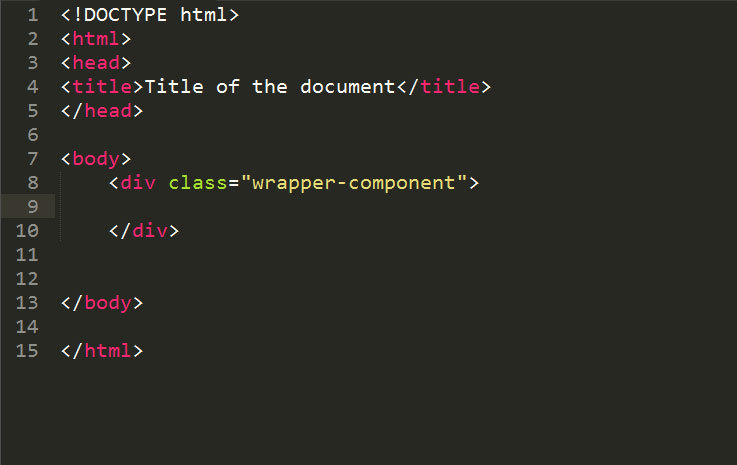
- Components
The components are used basically to wrap up your content in different boxes. They are the parents of the elements that are inside them (nested elements, states). The practical use is somewhat like this:
.component
.component-name
If the component consists of more than one word we seperate the words with a dash ( ' - ' ).

Components
Example image:
Structured Components
- Nested Elements
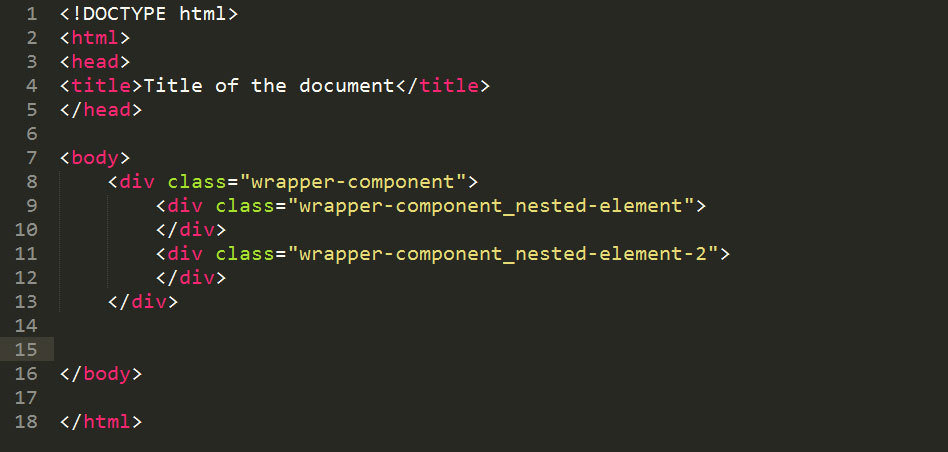
The nested elements simply are the elements that are included in the parent elements (components). We can easily say they are the children of the parent element. Structuring our CSS classes this way gives us the opportunity to easily fix of find something that we seek.
The practical use of the nested elements looks somewhat like this:
.component-name_nested-element
The proper rule of writing the nested element is first to write it's parent and then with a underline ( ' _ ' ) to seperate the parent from the child.

Nested Elements
Example image:
Structured Components
- States
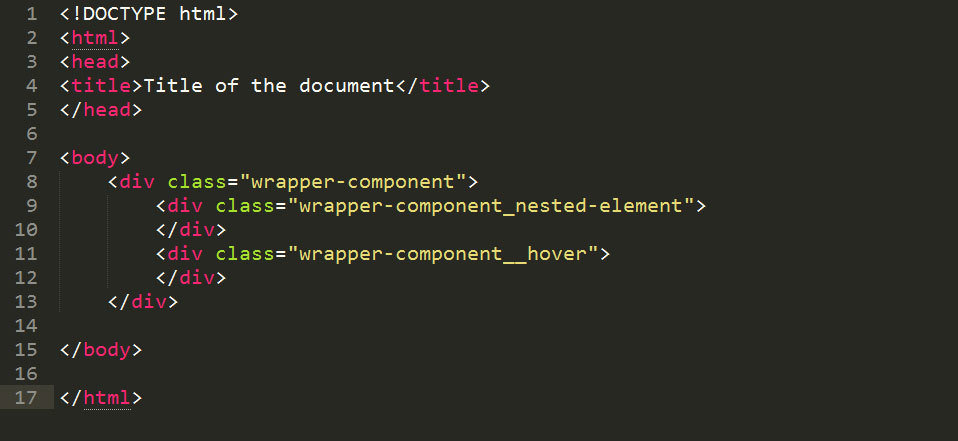
The state components shows us the state of a component or a nested element. Both can have states. They represent how the element act after user interaction. They can be from hover to focus and click. Everything that is dynamic and it's happening after the user do something with it can be a state.
The practical use of the states looks somewhat like this:
.component-name__state
.wrapper-content__hover
The proper rule of writing a state is first to be written the parent element ( and the child if we do a state on a child) and then with double underline ( ' __ ' ) to seperate the state from the component.

States
Example Image:
Structured Components
- Variants
The variants are components that are modified in a certain way and are sometimes part of other components. One of the most used variants are the different slides in a slider. There (in most cases) each of of the slides has same properties and structures but each one of them can have a title or something that is different from the others. So this is where variants come into use.
The practical usage of the variants looks somewhat like this:
.component-name--variant-one
.wrapper-content--first-slide
The proper rule of writing a state is firstly to write the component that is varianced and then with double dash ( ' -- ' ) to seperate the component from the state.

Variants
Example Image:
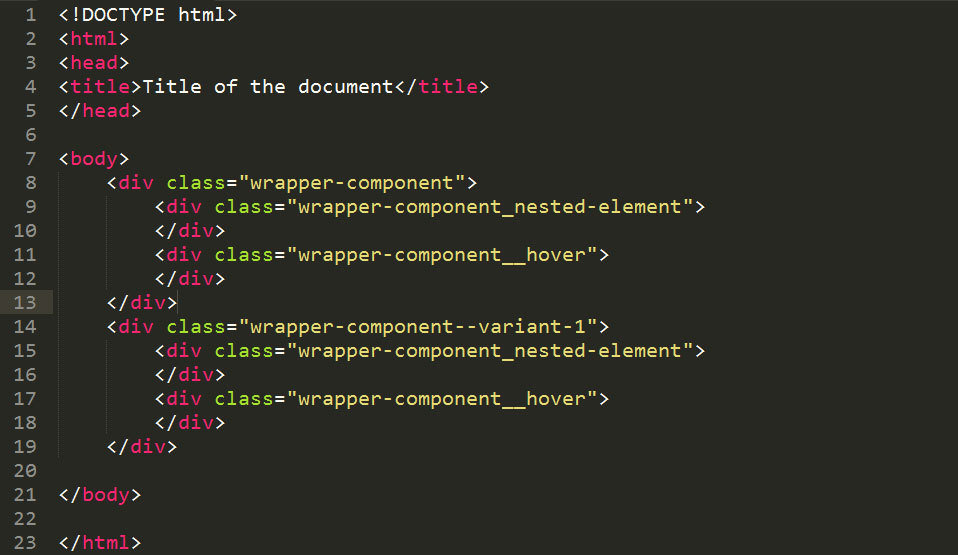
CSS Naming Convention
Final hatch
We learned how the naming convention works and what is the main purpose for the convention. With it's use we slowly but surely are headed to a better coding, cleaner code, discipline in the workflow and solving the problem with the time consuming changes of other people's code.
I hope the presentation was helpful and knowledgeable for all.
Questions and Answers

CSS Naming Conventions
By Borislav Nikolov
CSS Naming Conventions
A short presentation of how naming conventions works and how they are used.