PowerPath
Solutions provided by Emanate Wireless Inc..
Emanate Wireless team is involved in developing,
- PowerPath Asset
- PowerPath Temp
Osmosys team is involved in developing,
- PowerPath App
- PowerPath Cloud Server
Let's start the tour to
PowerPath (Asset & Temp)
What is a PowerPath Tag?
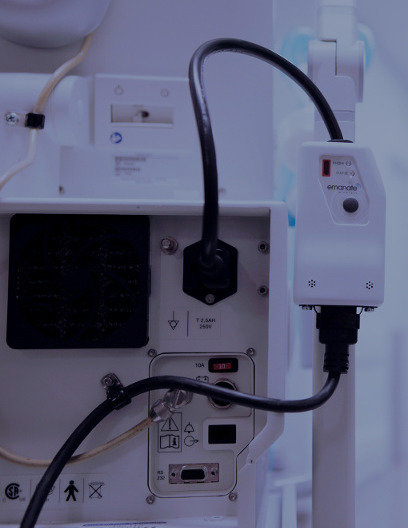
A device that has ability to track location, usage and temperature of AC powered assets
Who is using it?



- Cleveland Clinic
- Marymount Hospital
- Dartmouth Hitchcock
What is delivered to the customer?
When customer bought a PowePath tag, a box will be delivered to the customer with the following parts,
- PowerPath Tag (Asset or Temp)
- C13 Power Cable
- Quick Start Guide
- Temperature Probe (For Temp Tag)
For mounted installations
- Tie-wraps
- Double sided tape
Technical specifications
- 100-240V AC Supply
- Max current throughput is 12A
- Max power consumption is 3W
- Operating Temperature is 0 to 50 deg C
- Storage Temperature is -25 to 65 deg C
- For indoor use only
Installation
Three overall stages to the installation process,
- Initial Activation
- Physical Connection
- Software Configuration
Activating the Tag
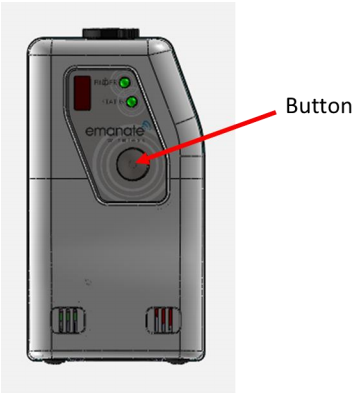
Step 1 :
Pressing the button
Activating the Tag
Step 2 :
Connecting the iPhone App
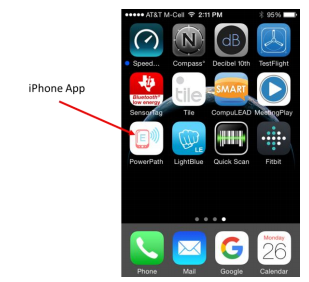
Activating the Tag
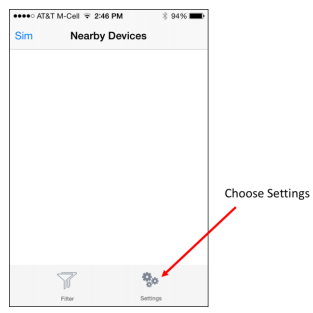
Choose Settings
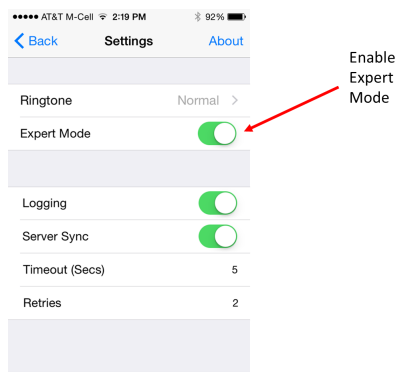
Enable “Expert Mode”
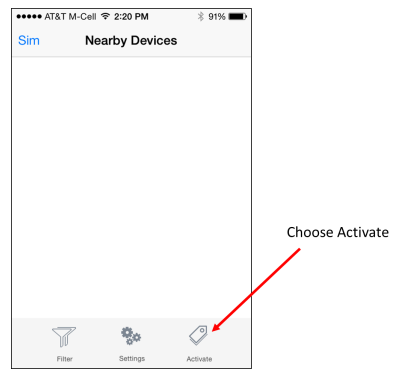
Choose Activate
Activating the Tag
Step 3 :
Activating Network Parameters
- Customer ID
- Server Name (DNS name or IP address)
- WiFi SSID (SSID of the WiFi network)
- Password (WPA2-PSK passphrase for WiFi network)
Activating the Tag
Choose Tags
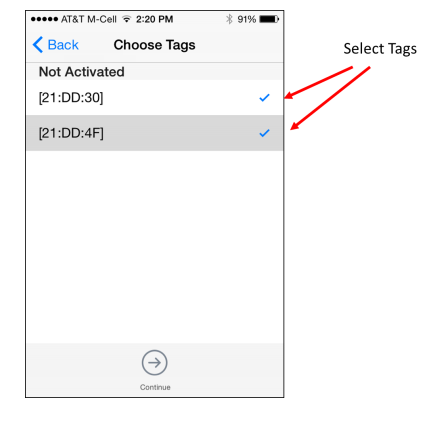
Enter Activation parameters

Activate status
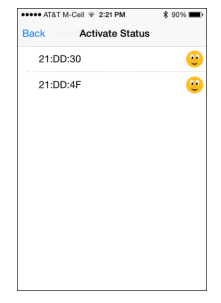
Connecting Tag
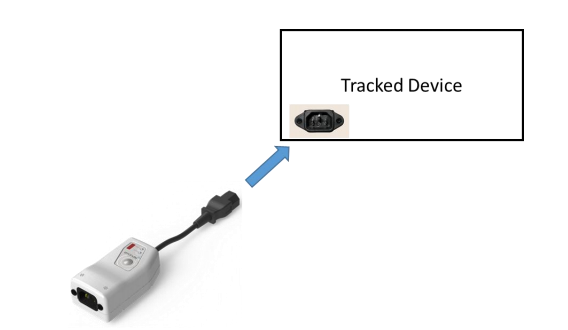
Insert the Tag’s C13 cable into the C14 connector on the device (Asset)
Insert the Tag’s NEMA5-15 cable into the NEMA5-15 connector on the device (Temp)
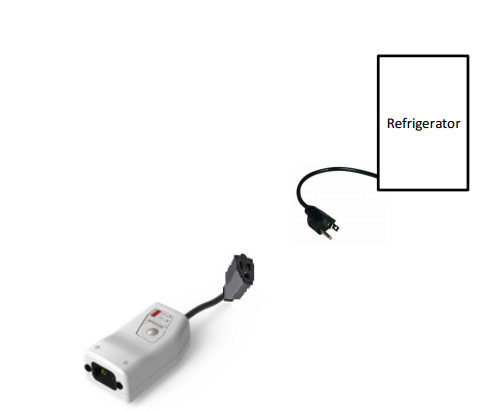
Connecting Tag
Asset
Temp


PowerPath Cloud Server
API Authentication / Authorization
What is token based authentication ?
Why we are using token based authentication?
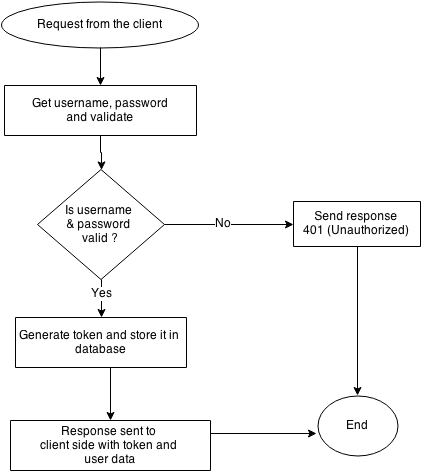
API Authentication / Authorization
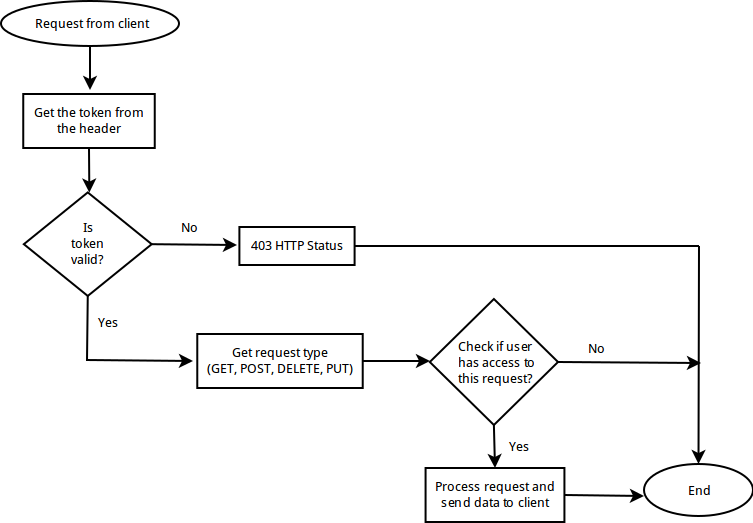
Public
Super admin
User (Organization)
- Full (Admin)
- Read only
- None
| Role | Allowed routes |
|---|---|
| Full | GET, POST, PUT, DELETE |
| Read only | GET |
| None | --- |
API Authentication / Authorization
Tag Firmware
- MCU
- BLE
- WIFI
Overall
MCU
BLE
WIFI
Powerpath Tag
Tag - Server Communication
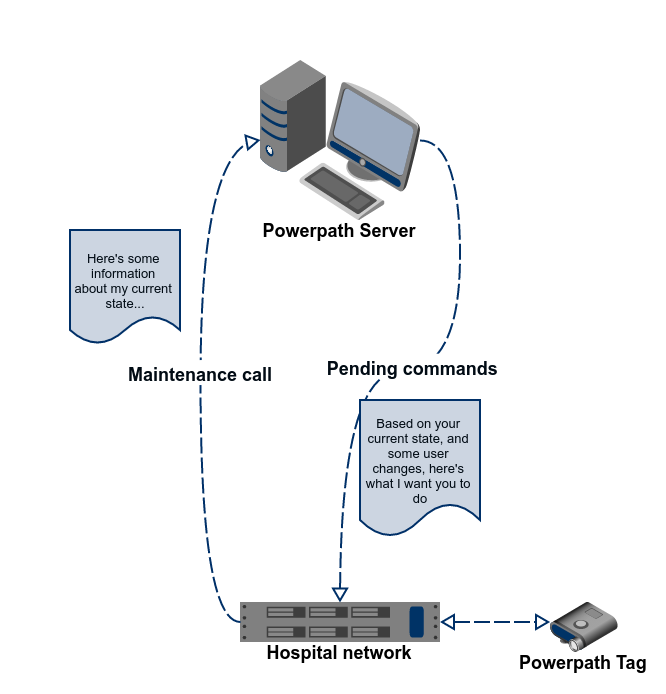
Processing maintenance data
- Tag creation
- Tag deactivation
- Tag type detection
- Maintenance reasons
- Firmware detection
- Config detection
- HTTP / HTTPS
Sample processing
| Tag | Expected | Result |
|---|---|---|
| Firmware - BLE - 1.0 - MCU - 1.1 - WIFI - 1.3 |
Firmware - BLE - 1.1 - MCU - 1.1 - WIFI - 1.4 |
Server sends BLE and WIFI download pending event to the tag. |
| Config version - 1.3 | Config version - 1.4 | Servers sends the config pending event to the tag |
Pending events
POST
GET
- Configuration
- Firmware
- BLE
- WIFI
- HOST
Tag Configuration
1. General settings
2. Blink settings
3. Maintenance call settings
4. Firmware
5. Temp tag
General settings
1. Name
2. Device info
3. Asset ID
- Type
- Manufacturer
- Model #
1. Blink interval
2. Motion sensor trigger
3. Motion update method
4. Motion update interval
5. Blink protocol
Blink settings
Motion sensor trigger
Ekahau RTLS (RFID-over-Wi-Fi)
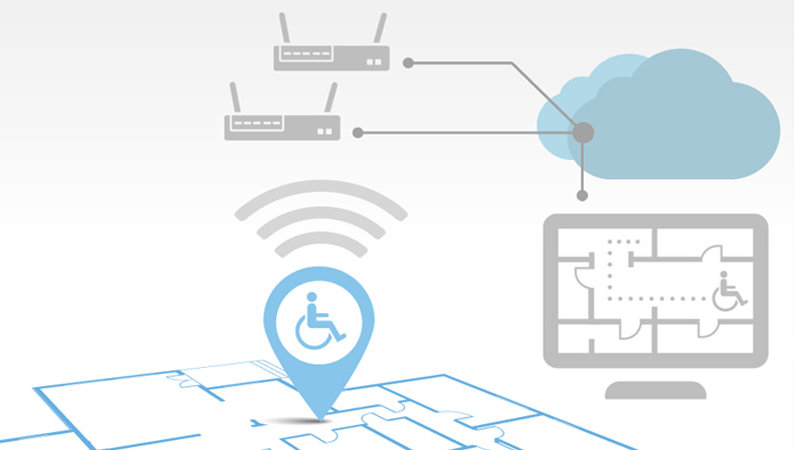
Blink Protocol
1. CCX
- Cisco Compatible eXtensions
- IEEE 802.11 Wireless LAN standard
- Upgraded security
- Reliability
- Diagnostic performance.
2. UDP
- User Datagram Protocol
- Transport layer
- Small packets
3. None
Maintenance Interval
Maintenance Interval
- Tag Plugged
- Tag Unplugged
Maintenance Call
- On plugged in
- On button Press
Temp tag
Temperature alarms
- High threshold
- Low threshold
- Temperature Excursion time
- Blink
- Beep
Defaults
Load defaults
Save as defaults
Load factory defaults
Calibration database
- Calibration database is used to import devices into PowerPath Server
- Usage state details
- Versioning
- Sample entry,
| Philips Healthcare | PH12001 | ECG Monitor | 0|35|2|10|10|OR|200|15|10|OR |
|---|




Tools used during our development,
PowerPath_Demo
By bvvsurendra