











Carlos Rojas
I teach the world to make Apps with #Angular, #Ionic and #Nativescript through Startupers Academy Conference Speaker and Google Product Strategy Expert
Maxim Salnikov
Angular GDE
How to create Angular Progressive Web App?
Products from the future
UI Engineer at ForgeRock
March 1-2, Helsinki, Finland
... attempts to combine features offered by most modern browsers with the benefits of mobile experience
... web apps that use the latest web technologies.
Progressive
Discoverable
Linkable
App-like
Responsive
Connectivity-independent
Re-engageable
Installable
Fresh
Safe
App
Service worker
My App
self.addEventListener('install', (event) => {

    // Put app's html/js/css to cache

})
self.addEventListener('activate', (event) => {
// Wipe previous version of app files from cache
})self.addEventListener('fetch', (event) => {
if (event.request.url.indexOf('/api') != -1) {
event.respondWith(
// Network-First Strategy
)
} else {
event.respondWith(
// Cache-First Strategy
)
}
})
v1.0.0-beta.16 - Experimental service worker by the Angular Mobile team
# Install the Angular Service Worker
$ npm install --save @angular/service-worker
# Enable the SW registration + app shell in Angular CLI
$ ng set apps.0.serviceWorker=true
{
  "static": {...},
  "routing": {...},
  "external": {...},
  "dynamic": {...},
  "push": {...}
}
$ ng build --prodv5.0.0-rc.1
# Install the New Angular Service Worker
$ npm install --save @angular/service-worker@next# Generate control file in ./dist folder
$ node_modules/.bin/ngsw-config dist ./src/ngsw-config.jsonngsw-config outputFolder configurationFile baseHref
{
  "index": "/index.html",
  "assetGroups": [...],
  "dataGroups": [...]
}{
"name": "appshell",
"installMode": "prefetch",
"updateMode": "lazy",
"resources": {}
}"resources": {
"files": [
"/assets/**/*"
],
"versionedFiles": [
"/**/*.html",
"/**/*.js",
"/**/*.css"
],
"urls": [
"https://fonts.googleapis.com/css?family=Material+Icons",
"https://fonts.gstatic.com/s/materialicons/v29/2fcr.woff2"
]
}{
"name": "api-freshness",
"urls": [
"/breakingnews"
],
"cacheConfig": {
"strategy": "freshness",
"maxSize": 10,
"maxAge": "12h",
"timeout": "1m"
}
}{
"name": "api-performance",
"urls": [
"/archive"
],
"cacheConfig": {
"strategy": "performance",
"maxSize": 100,
"maxAge": "365d"
}
}{
"configVersion": 1,
"index": "/index.html",
"assetGroups": [...],
"dataGroups": [...],
"hashTable": {
"/assets/favicon-16x16.png": "a153ae82ddbafe...",
"/assets/favicon-32x32.png": "5e6c0c6faee615...",
"/assets/images/logo.png": "90a19d7780c0...",
...
}
}“ng build -prod && node_modules/.bin/ngsw-config dist ./src/ngsw-config.json && cp node_modules/@angular/service-worker/ngsw-worker.js ./dist/ngsw-worker.js”
“build-prod-ngsw”:
import { ServiceWorkerModule } from '@angular/service-worker'
...

@NgModule({
  imports: [
    ...
    ServiceWorkerModule.register('/ngsw-worker.js')
  ]
  ...
})
export class AppModule { }
# Generates ngsw-config.json with smart defaults
# And imports ServiceWorkerModule.register()
$ ng new --service-worker
# Builds an app, generates ngsw.json, copies ngsw-worker.js
$ ng build --prod# Install the Workbox CLI
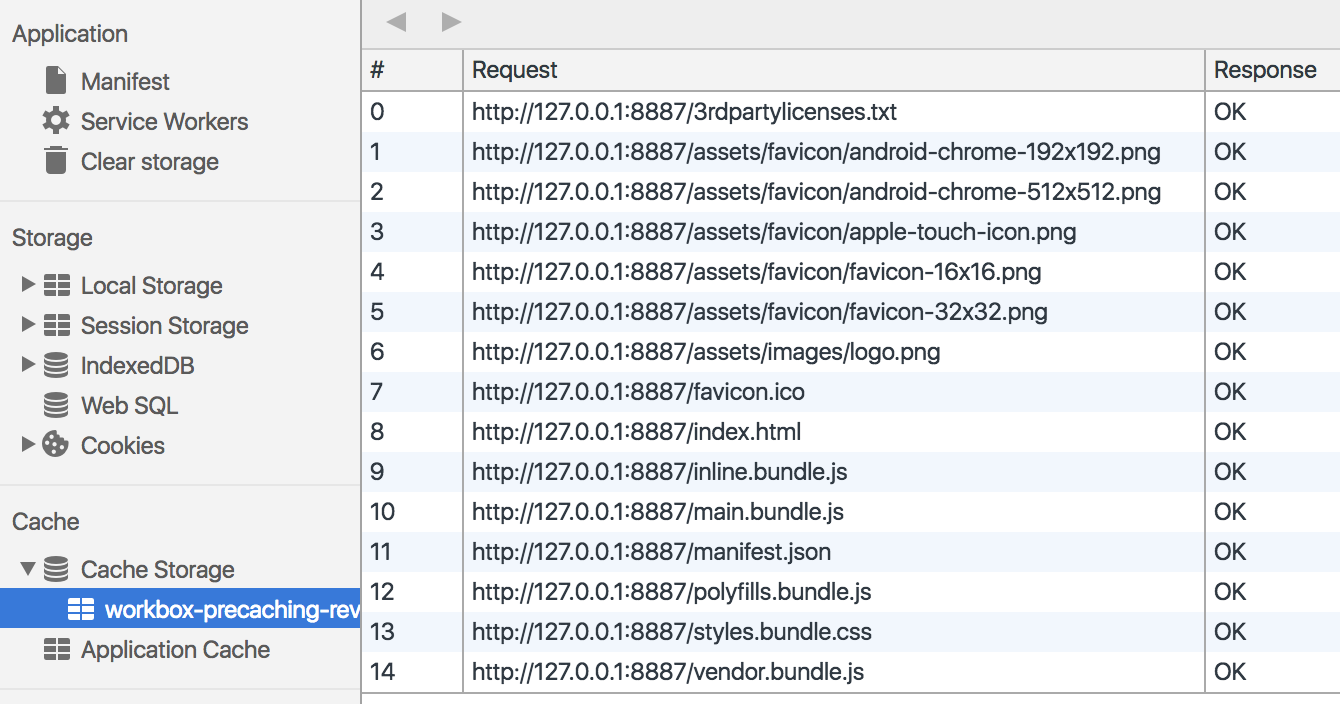
$ npm install workbox-cli --global# Generate a service worker with some smart defaults
$ workbox generate:swmodule.exports = {
"globDirectory": "dist/",
"globPatterns": [
"**/*.{txt,png,ico,html,js,json,css}"
],
"swDest": "dist/sw-default.js",
"globIgnores": [
"3rdpartylicenses.txt"
]
};
importScripts('workbox-sw.prod.v2.0.0.js');

const fileManifest = [
  {
    "url": "index.html",
    "revision": "ab950af06a80f755cd4bc1e34b3d6641"
  },
  ...
];

const workboxSW = new self.WorkboxSW();
workboxSW.precache(fileManifest);platformBrowserDynamic()
.bootstrapModule(AppModule)
.then(() => {
if ('serviceWorker' in navigator) {
navigator.serviceWorker.register('/sw-default.js')
}
});"assets": [
{
"glob": "workbox-sw.dev.v2.0.0.js",
"input": "../node_modules/workbox-sw/build/...",
"output": "./"
},
...
]$ npm install --save workbox-sw
$ npm install --save-dev workbox-buildimportScripts('./workbox-sw.dev.v2.0.0.js')
const workboxSW = new WorkboxSW()
workboxSW.precache([])const apiStrategy = workboxSW.strategies.networkFirst()
workboxSW.router.registerRoute(
/(http[s]?:\/\/)?([^\/\s]+\/)(api)/,
apiStrategy
)const swBuild = require('workbox-build')
swBuild
.injectManifest({
globDirectory: 'dist/',
globPatterns: [
'**/*.{txt,png,ico,html,js,json,css}'
],
globIgnores: ['3rdpartylicenses.txt'],
swSrc: './src/my-serviceworker.js',
swDest: './dist/my-serviceworker.js'
})$ npm install --save workbox-routing
$ npm install --save workbox-runtime-caching
$ npm install --save workbox-background-syncimportScripts('./workbox-routing.dev.v2.0.0.js')
importScripts('./workbox-runtime-caching.dev.v2.0.0.js')
importScripts('./workbox-background-sync.dev.v2.0.0.js')"assets": [
...
]backgroundSync.QueuePlugin
runtimeCaching.RequestWrapper
runtimeCaching.NetworkOnly
routing.RegExpRoute
routing.Router
workboxSW
Flexibility
Automation
Stability
By Carlos Rojas
It eventually happened: Progressive Web Applications took a worthy place in the modern web landscape, and there is no more need to convince developers why to go for performant, reliable, and engaging apps. Your Angular application is not the exception: adding PWA features is getting it to the next level of user experience. We have at least two very interesting options to get there. First, the native Angular Service Worker (NGSW) by Angular team, super-powered by Angular CLI and some extra ng-pwa-tools. Second, the all new framework-agnostic Workbox library by Google Chrome team. What's easier to set up for your Angular app? What has wider functionality? What's faster and more robust? Let's go exploring, coding and testing! You will have 100% full overview of these two approaches after my session, but the final decision is only yours!