Strategy Pattern
Darren
Context
為了達到相同的目的,
物件可以因地制宜,
讓行為擁有多種不同的實作方法。
Example
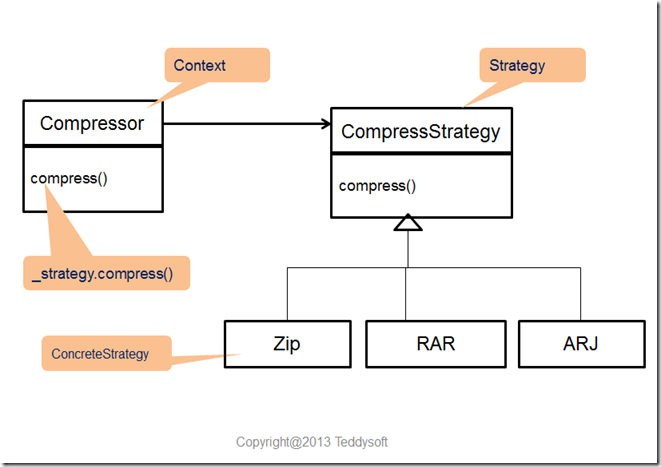
一個壓縮檔案物件,
可以採用zip、arj、rar、tar、7z...
不同的演算法來執行壓縮工作
Problem Statement
如何讓物件自由切換演算法
或行為實作?
Intuition solution
把所有的演算法全部寫進同一個物件,
然後用條件式判斷來選用所要執行的版本
Drawbacks
Drawback1
不好理解與修改
物件的程式碼很容易變得過於肥大
Drawback2
不會使用到全部的演算法
物件占用過多的記憶體空間
Drawback3
必須要修改既有的程式碼
擴充新的演算法有點麻煩
Drawback4
不容易分別開發、修改與測試每一個演算法。
Solution
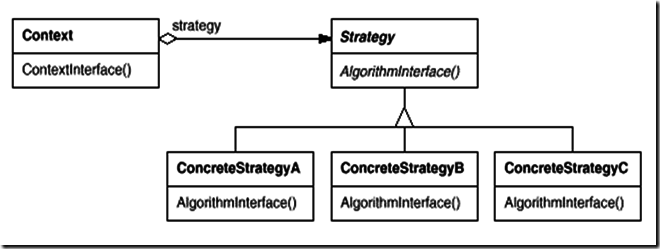
Solution
public interface Strategy {
   public int doOperation(int num1, int num2);
}
public class OperationAdd implements Strategy{
   @Override
   public int doOperation(int num1, int num2) {
      return num1 + num2;
   }
}
public class OperationSubstract implements Strategy{
   @Override
   public int doOperation(int num1, int num2) {
      return num1 - num2;
   }
}
public class OperationMultiply implements Strategy{
   @Override
   public int doOperation(int num1, int num2) {
      return num1 * num2;
   }
}
public class Context {
   private Strategy strategy;

   public Context(Strategy strategy){
      this.strategy = strategy;
   }

   public int executeStrategy(int num1, int num2){
      return strategy.doOperation(num1, num2);
   }
}
public class StrategyPatternDemo {
public static void main(String[] args) {
Context context = new Context(new OperationAdd());
System.out.println("10 + 5 = " + context.executeStrategy(10, 5));
context = new Context(new OperationSubstract());
System.out.println("10 - 5 = " + context.executeStrategy(10, 5));
context = new Context(new OperationMultiply());
System.out.println("10 * 5 = " + context.executeStrategy(10, 5));
}
}Q&A
State Pattern
Darren
Contex
一個物件的行為
根據物件自身狀態不同
而表現出不同的反應動作
Problem Statement
當物件內部狀態改變時,
如何讓它的行為也跟著改變
Drawbacks
- 物件的程式碼很容易變得太長,
不好理解與修改 - 物件容易存在許多與狀態相關的重複程式碼。
- 單一物件狀態太多,變得不易測試。
Solution
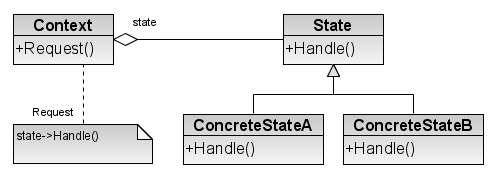
Problem Statement
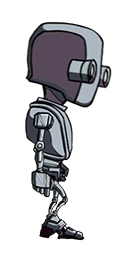
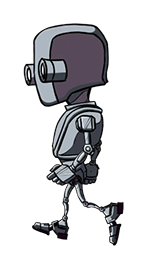
Playable Character
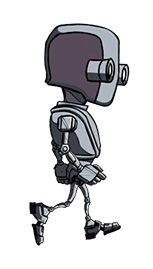
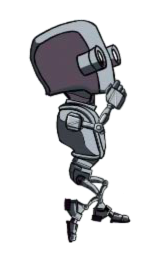
Idle
Walk
Jump
class Player
	Update()
		if InputRight
			moveRight()
			animWalkingRight()
		else if InputLeft
			moveLeft()
			animWalkingLeft()
		else
			animIdle()
Walk
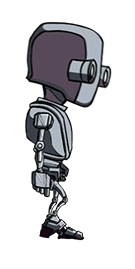
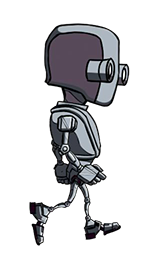
class Player
    Update()
        if InputRight
            moveRight()
            animWalkingRight()
        else if InputLeft
            moveLeft()
            animWalkingLeft()
        else if InputUp
            moveUp()
            animJumping()
        else
            animIdle()
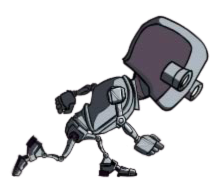
Jump
Ilimited Jump ?
Constrained Jump
Standing State > Jumping State
Jumping State > Jumping State
class Player
    enum states{ Standing, Jumping }
    currentState = states.Standing;
    Update()
        if InputRight
            moveRight()
            if currentState == states.Standing
                animWalkingRight()
            else animJumping()
        else if InputLeft
            moveLeft()
            if currentState == states.Standing
                animWalkingLeft()
            else animJumping()
        else if InputUp && currentState == states.Standing
            moveUp()
            animJumping()
        else
            animIdle()
    onGroundHit()
        currentState = states.Standing;
    onGroundLeave()
        currentState = states.Jumping;
Jump
class Player
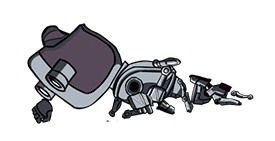
    enum states{ Standing, Jumping, Dead }
    currentState = states.Standing;
    Update()
        if currentState != states.Dead
            if InputRight
                moveRight()
                if currentState == states.Standing
                    animWalkingRight()
                else animJumping()
            else if InputLeft
                moveLeft()
                if currentState == states.Standing
                    animWalkingLeft()
                else animJumping()
            else if InputUp && currentState == states.Standing
                moveUp()
                animJumping()
            else
                animIdle()
    onGroundHit()
        currentState = states.Standing
    onGroundLeave()
        currentState = states.Jumping
    onHit()
        animDead()
        currentState = states.Dead
Dead
class Player
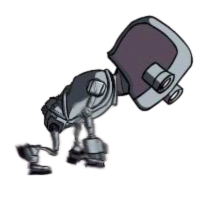
    enum states{ Standing, Jumping, Dead, Crouching }
    currentState = states.Standing;
    Update()
        if currentState != Dead
            if InputRight
                moveRight()
                if currentState == states.Standing
                    animWalkingRight()
                if currentState == states.Crouching
                    animWalkingCrouchedRight()
                else animJumping()
            else if InputLeft
                moveLeft()
                if currentState == states.Standing
                    animWalkingLeft()
                if currentState == states.Crouching
                    animWalkingCrouchedLeft()
                else animJumping()
            else if InputUp &&
                    ( currentState == states.Standing || currentState == states.Crouching )
                moveUp()
                animJumping()
            else if InputDown
                if currentState == states.Standing
                    currentState = states.Crouching
                if currentState == states.Crouching
                    animCrouching()
            else
                animIdle()
    onGroundHit()
        currentState = states.Standing;
    onGroundLeave()
        currentState = states.Jumping;
    onHit()
        currentState = states.Dead;
What if I press UP and DOWN at the same time?
This is becoming so messy and we're not even halfway !
State Design Pattern
Allow an object to alter its behavior when its internal state changes. The object will appear to change its class.
Behavior
States
- Standing
- Jumping
- Dead
- Crouching
Intent
Standing
Dead
Crouching
Jumping
Player
PlayerState
PlayerJumping
PlayerStanding
public interface IPlayerState{
	void Up();
	void Down();
	void Left();
	void Right();
	void UpRight();
	void UpLeft();
	void DownRight();
	void DownLeft();
	void None();
	string GetAnimationName ();
}
PlayerState
PlayerIdle - IdleState
public class PlayerIdle : IPlayerState{
	...
        public static IPlayerState GetInstance(Player player){...}
	public override void Right(){
		player.MoveRight ();
		player.SetState ( PlayerWalking.GetInstance(player) );
	}
	public override void Left(){...}
	public override void Up(){
		player.Jump ();
		player.SetState ( PlayerJumping.GetInstance(player) );
	}
	public override void UpRight(){...}
	public override void UpLeft(){...}
	public override void Down(){
		player.SetState ( PlayerCrouched.GetInstance(player) );
	}
	public override void DownRight(){
		player.MoveRight ();
		player.SetState ( PlayerWalkingCrouched.GetInstance(player) );
	}
	public override void DownLeft(){...}
	public override void None(){}
}
public class Player : MonoBehaviour {
private IPlayerState currentState ;
...
void FixedUpdate () {
bool up = Input.GetKey (KeyCode.UpArrow);
bool down = Input.GetKey (KeyCode.DownArrow);
bool left = Input.GetKey (KeyCode.LeftArrow);
bool right = Input.GetKey (KeyCode.RightArrow);
if ( up && !down && !left && !right ) currentState.Up();
else if ( up && !down && left && !right ) currentState.UpLeft();
else if ( up && !down && !left && right ) currentState.UpRight();
else if ( !up && down && !left && !right ) currentState.Down();
else if ( !up && down && left && !right ) currentState.DownLeft();
else if ( !up && down && !left && right ) currentState.DownRight();
else if ( !up && !down && !left && right ) currentState.Right();
else if ( !up && !down && left && !right ) currentState.Left();
else currentState.None();
}
public void SetState(IPlayerState newState){
if (currentState != newState) {
currentState = newState;
...
}
}
void Update(){
...
animator.SetTrigger( currentState.GetAnimationName() );
...
}
public void Jump(){...}
public void MoveRight(){...}
public void MoveLeft(){...}
...
}Player
Strategy vs State
State - Design Patterns
By chiao