COMP2511 Week 8
Agenda
- Admin Stuff
- Introduction to Software Architecture
- Sequence Diagrams
- C4 Models
Admin Stuff
- Assignment 1 marks will be released
- You can view feedback on the FEEDBACK branch on your repo
- If you have any issues with the automarking, please read Sai's post on WebCMS
Admin Stuff
- There will be an in-person sample exam in Week 10 using the exam environment.
- The aim is for you to get familiar with the exam environment, layout and format for the exam.
Software Architecture
Software Architecture
Software architecture defines the fundamental structure of a software system.
- It defines how system components are structured, how they interact
Why is it important to learn software architecture?
Influences software's adaptability, scalability, performance and maintainability
Sequence Diagrams
Diagram that shows interactions between objects and overall behaviour of the system overtime
Benefits
- Interaction order between users and objects is clear
- Identifies inefficiencies and redundancies
- Helps to ease the debugging process
- Improves collaboration and communication
- Easier to understand how the system works at a high level
Structure and Key components
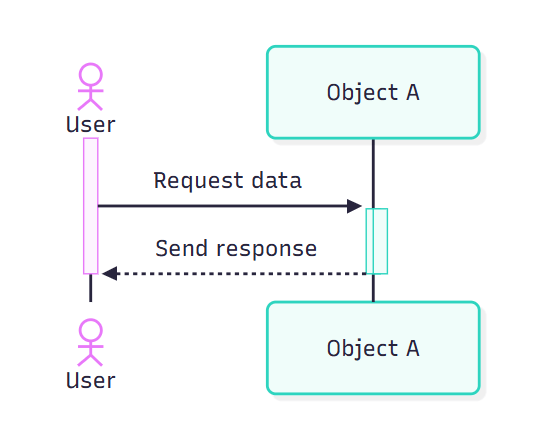
Actor: External user or system
Objects: Entities of the system
Lifelines: shows object existence during interactions
Messages: Communication between objects
Activation boxes: indicates active processing of messages
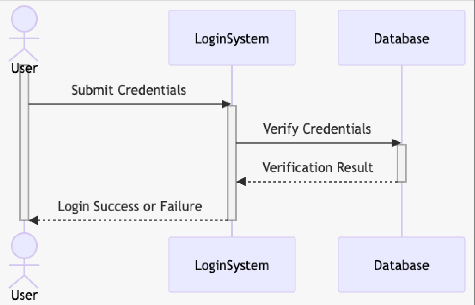
-
Horizontal axis represents objects
- Objects placed left to right
- The order represents the message sequence
-
Vertical axis represents time
- Time flows downward
- Sequence diagrams prioritise order, not duration
- Therefore, vertical spacing does not represent any sort of time intervals
- Messages are horizontal arrows
- Can be calls/invocations for some methods in a component
- Can be results given by that component
- Activation boxes (vertical rectangles) represents execution
Types of Messages
Synchronous
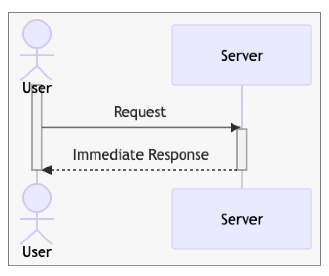
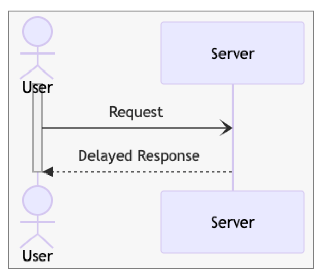
Asynchronous
Activation box exists so the message is processed immediately
No activation box so message processing and response is delayed
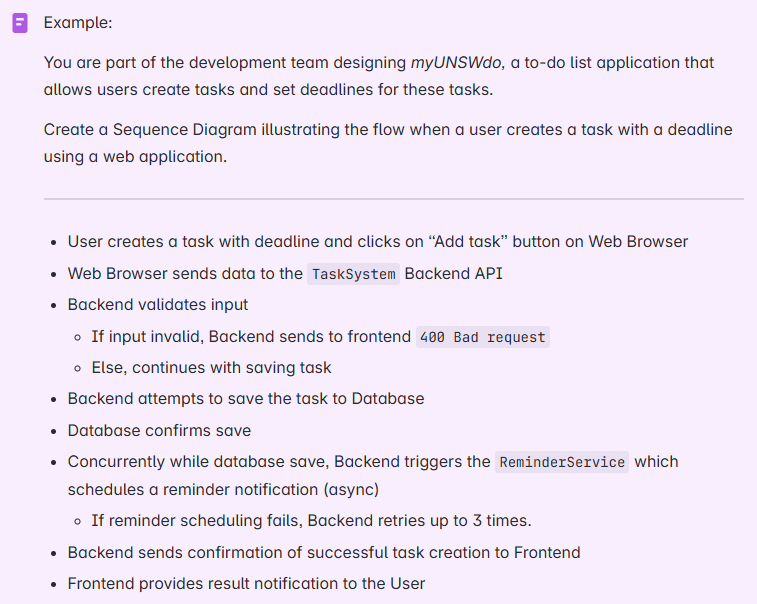
Sequence diagram demo on Excalidraw and Mermaid
C4 Model
C4 Model
- A model to visualise and document software architecture in an intuitive visual manner
- Uses different levels of abstraction to bridge the gap between high-level overviews and low-level code details
Different C4 Levels
What is the C4 Model? What is its purpose?
- System context level
- Containers level
- Components level
- Code level
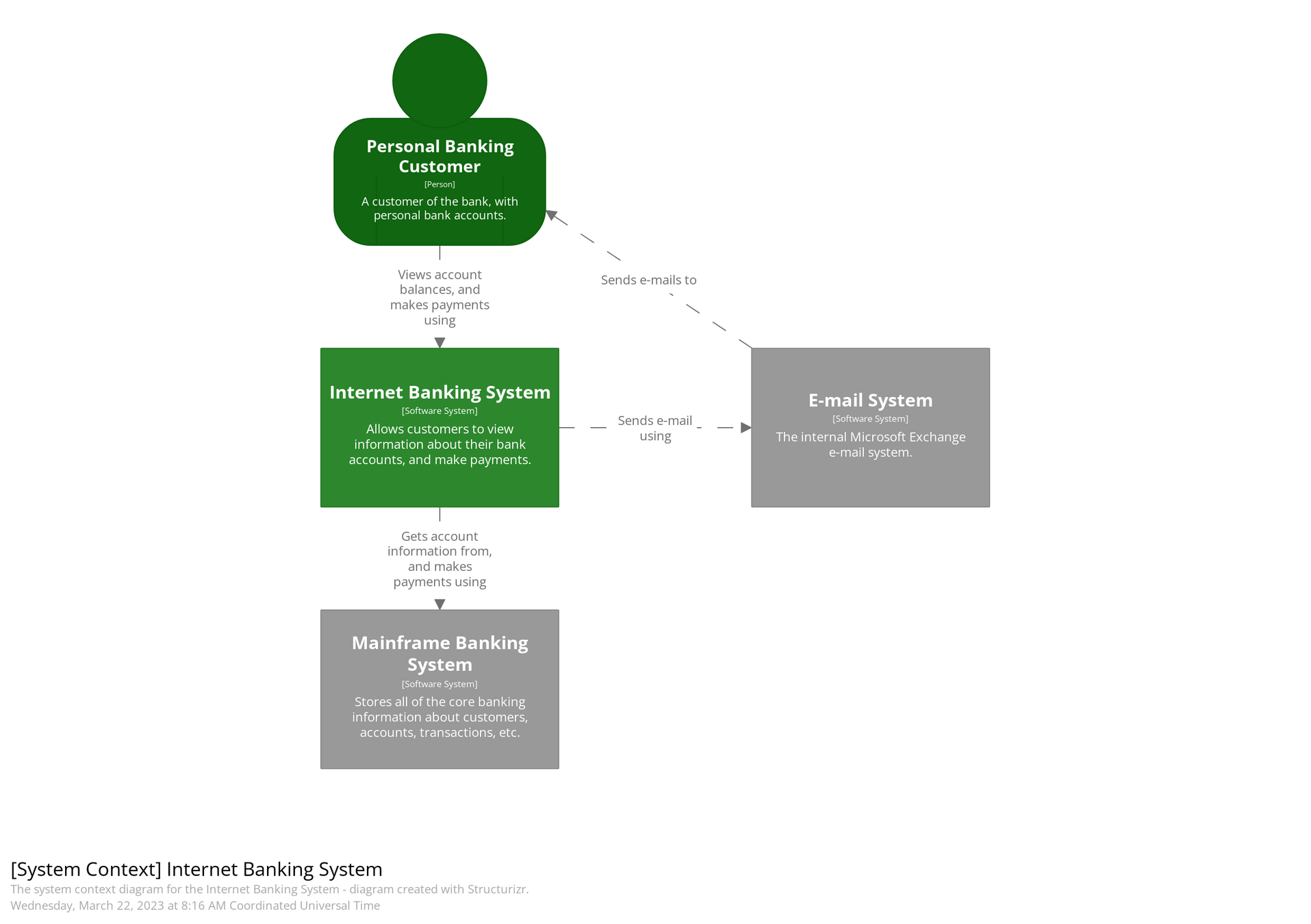
System context level
- Shows overall system along with users and other external systems
- Helps to describe scope of the project and determine what problem is being solved and who the users are
- Intended for business stakeholders, execs and non-tech users
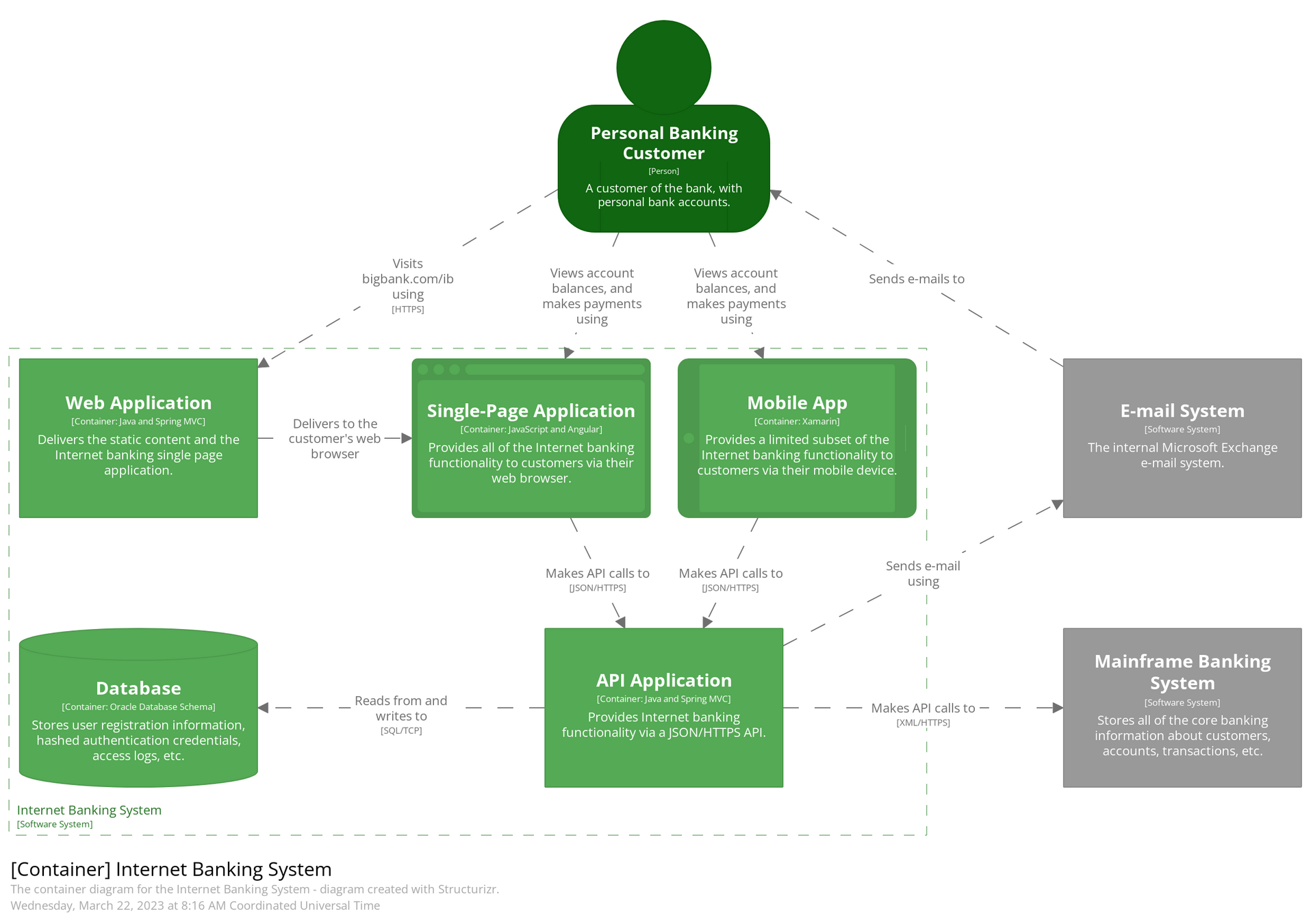
Container level
- Describes the physical components of the system (APIs, databases)
- Each application or service is represented by a container and interactions are shown at a high-level
- Intended for developers, tech leads and architects
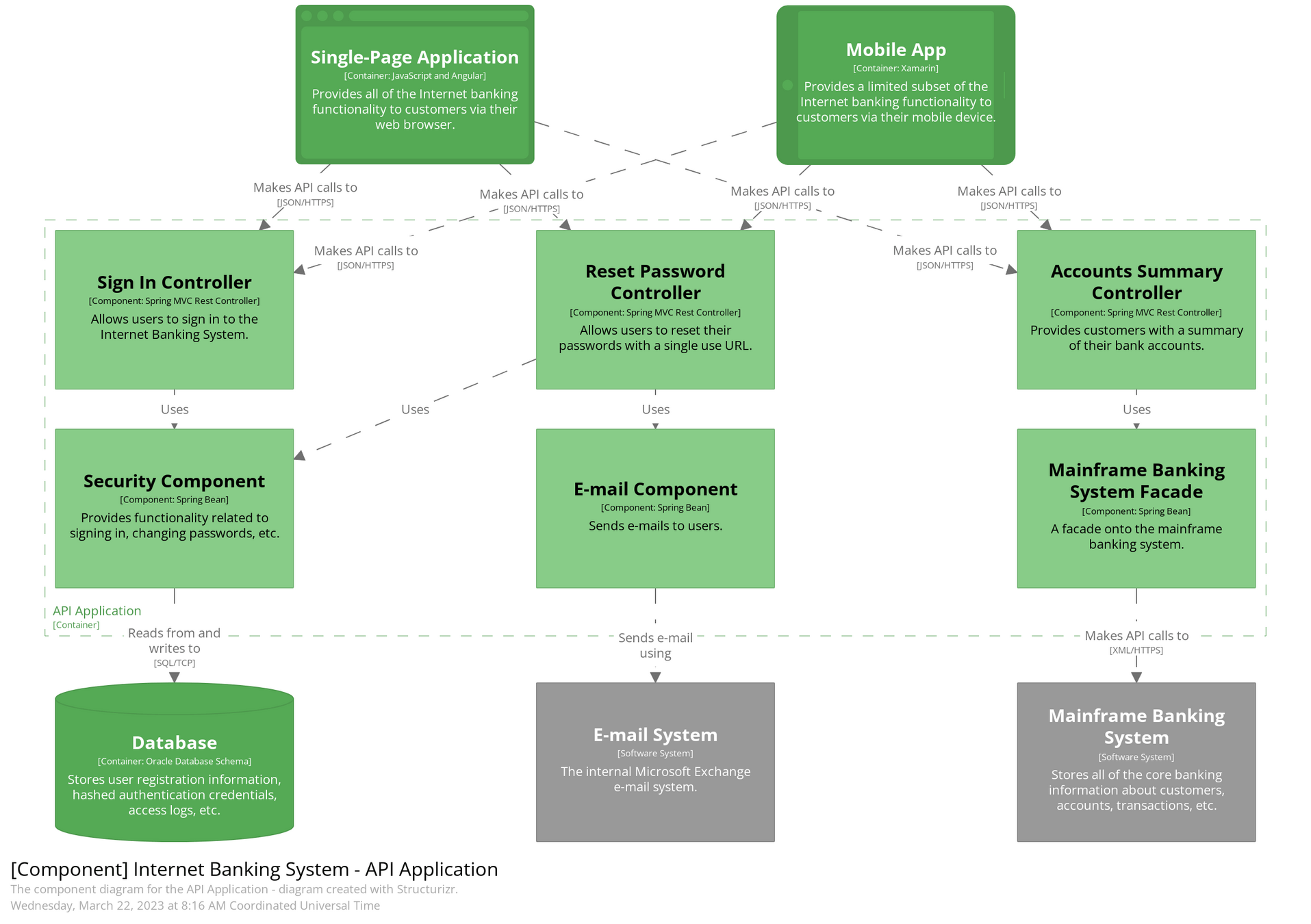
Component level
- Represents abstractions of the codebase
- Shows modules/classes within a container
- Mainly for developers
Code level
- Show how the code of a component is implemented
- Can use a UML diagram to describe the component
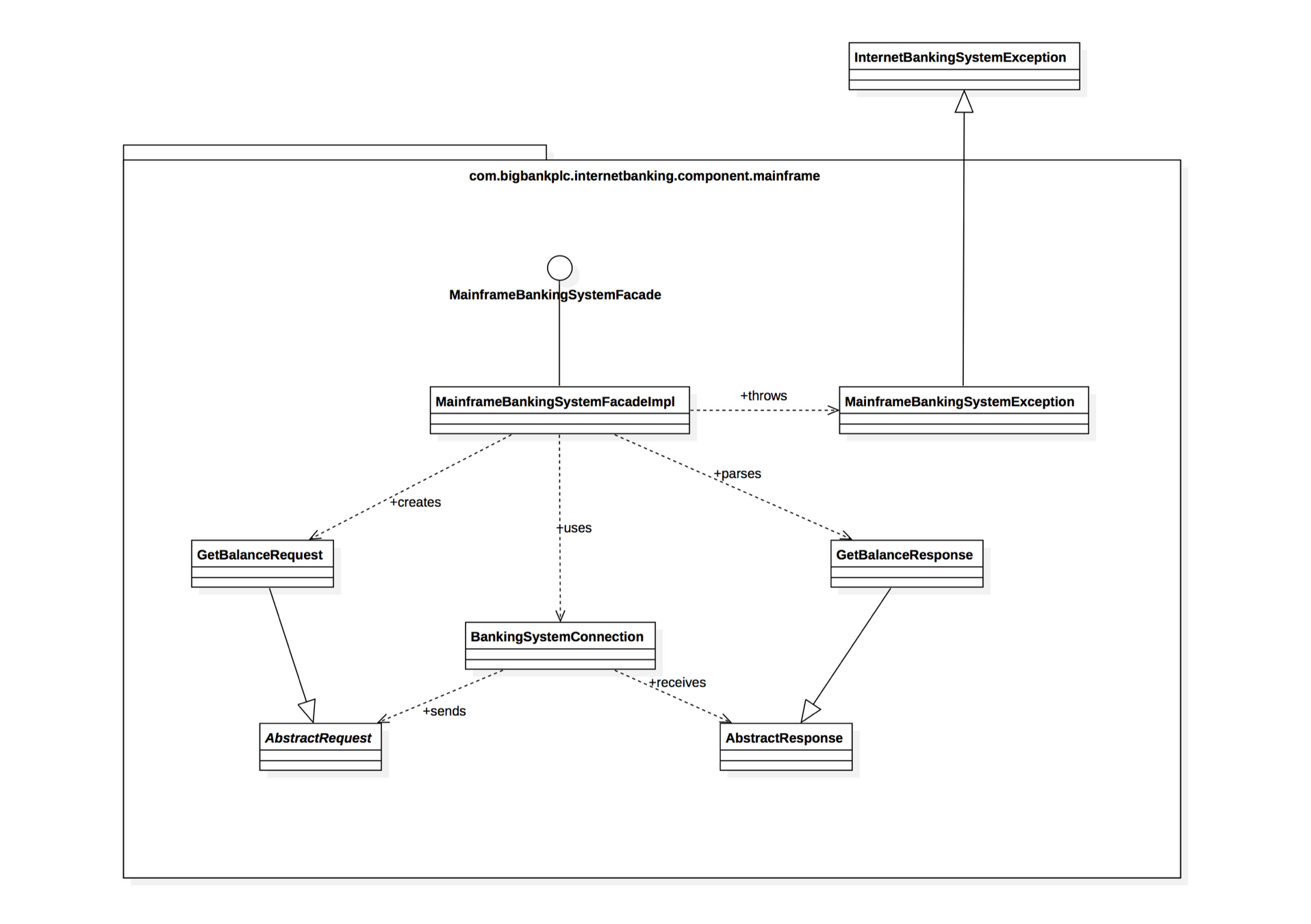
C4 Demo on Excalidraw
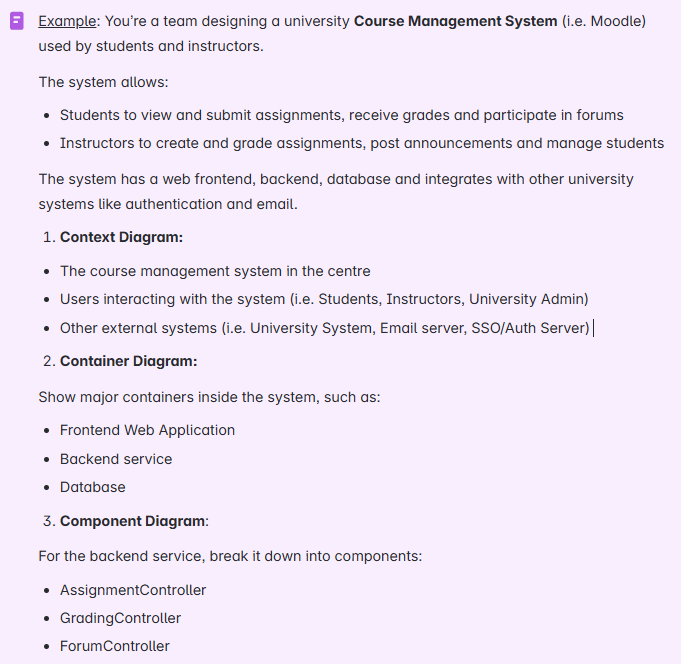
COMP2511 Tute08
By Chirag Sawlani