Local IDE Configuration
Other Recommendations

Atom Editor
Pros
- Very large library of languages.
- Favorable syntax highlighing.
- Mac and PC compatible.
Cons
- No built in terminal
- PC users will need to use GitBash to follow workshops
- No easy run feature to preview the page quickly
Visual Studio Code
Pros
- Lightweight but expandable
- Growing library of extensions.
- Mac and PC Compatible
Cons
- Need to configure to use Bash with built in terminal
- No easy run feature to preview the page quickly
Eclipse
Pros
- Aptana was built off of this
- AWS compatibility
- Very large library of extensions.
Cons
- No quick setup will need to download extensions
- Poor Ruby compatibility
Checklist
-
Node.js
-
JDK
-
Git
More may be added as we grow.
Getting Node.js
- Minimum: http://go.aptana.com/installer_nodejs_windows
- Or: download from https://nodejs.org 4.5.0 is fine
- Follow Standard installation instructions
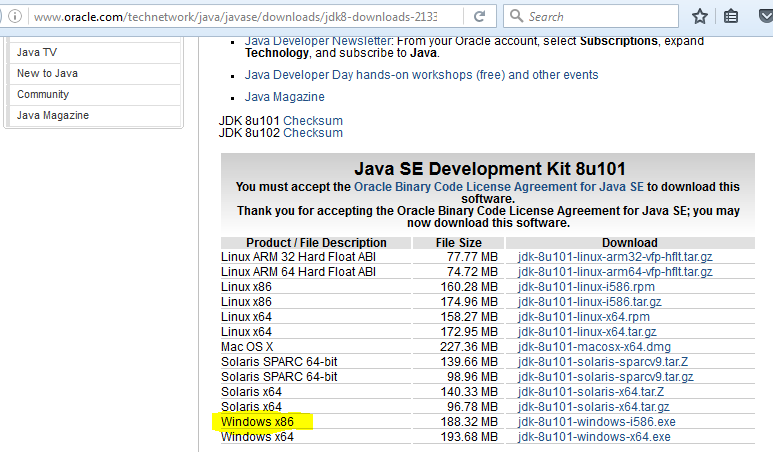
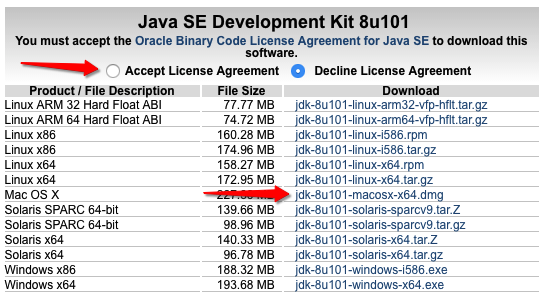
Mac or PC
Navigate Right for PC
Down for MAC
JDK Mac
Firefox
To use the run command for web items download and install Firefox.
not required but will have to manually open web files via Finder. Class will be using the run command
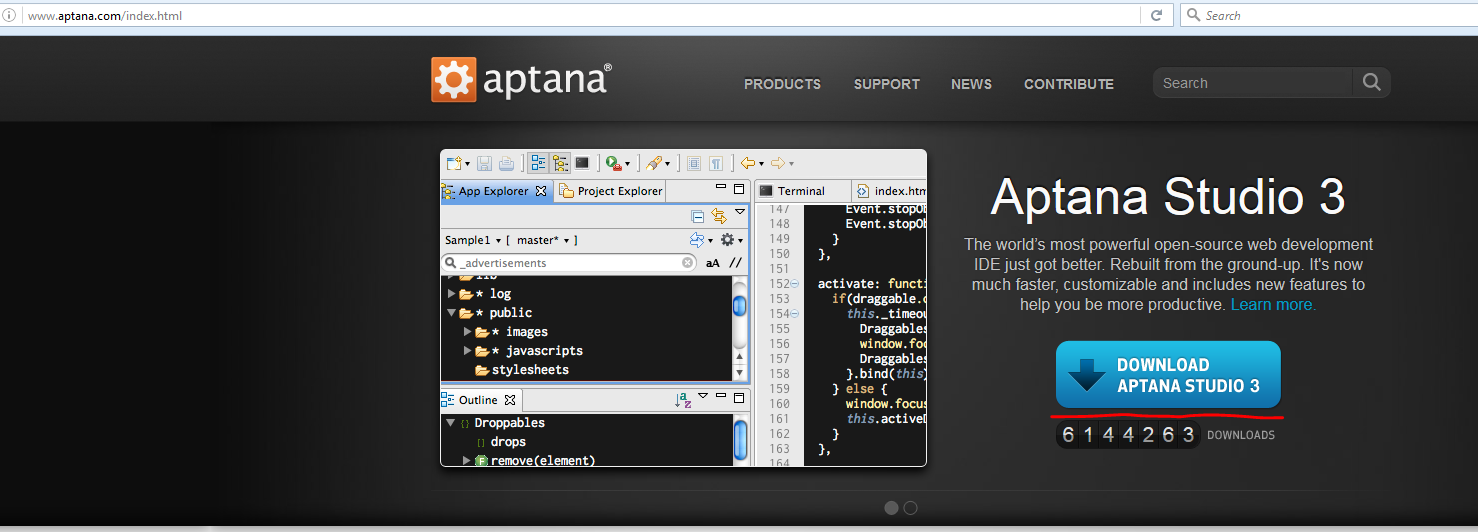
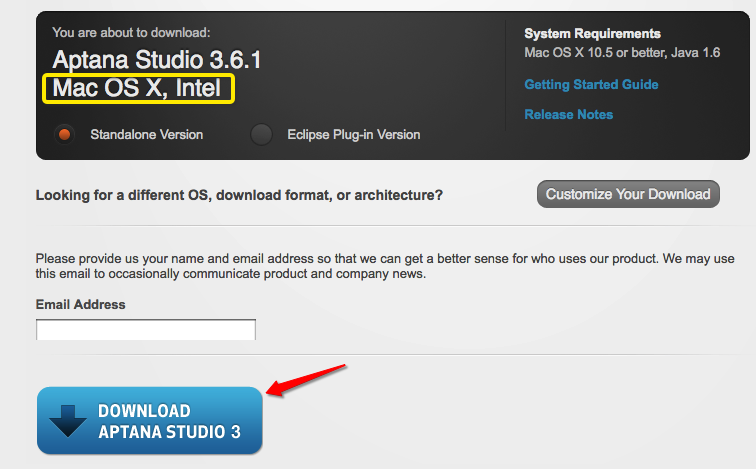
Aptana.com
Verify installation
Create Workspace
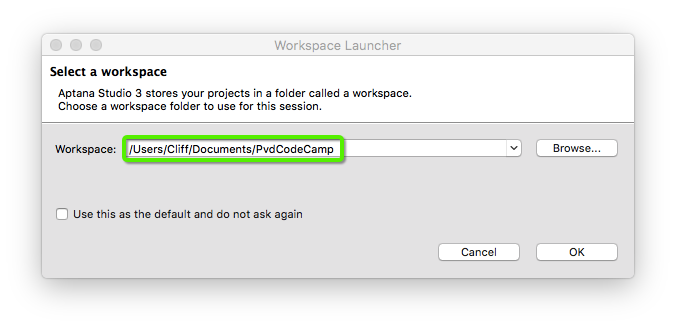
Name Optional.
Use Default option is also optional.
This will auto load this workspace.
Not recommended if you want a personal workspace.
The Environment
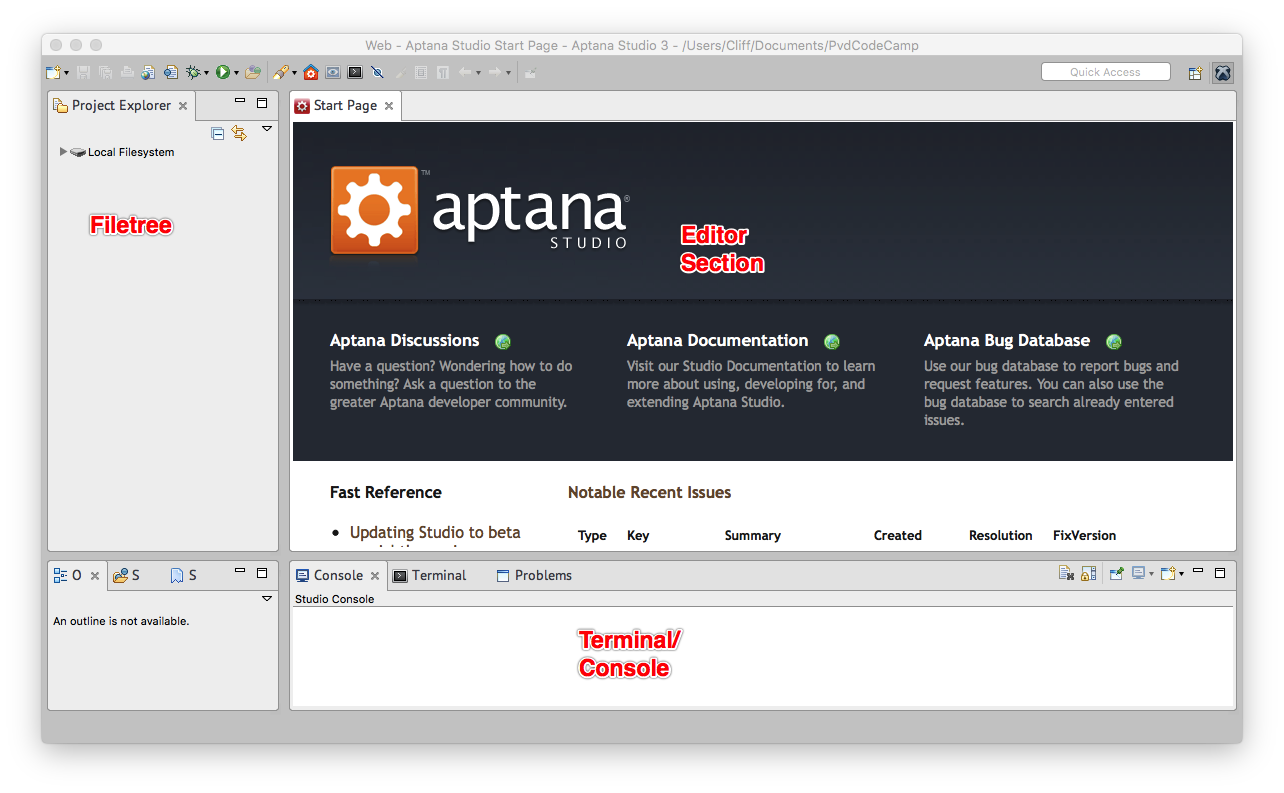
Testing the Environment
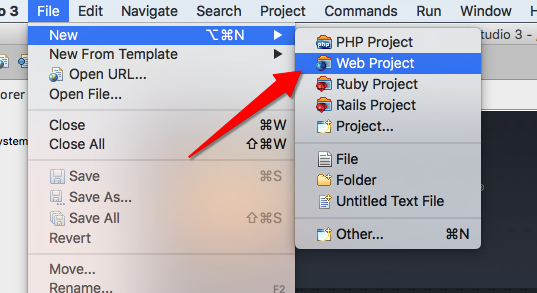
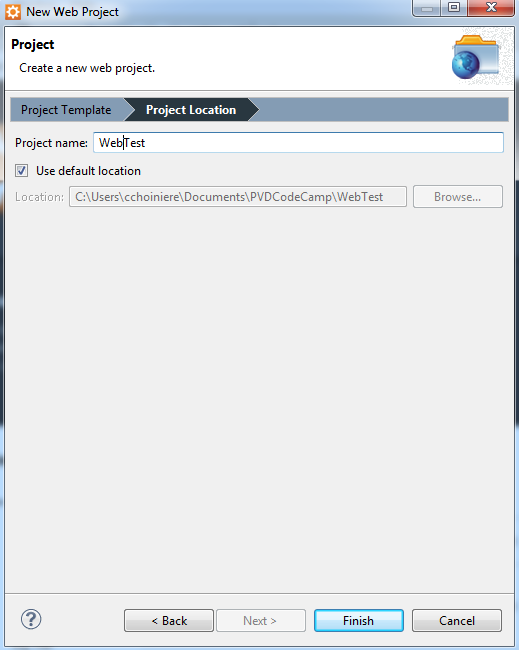
Create New Project
Call it Test
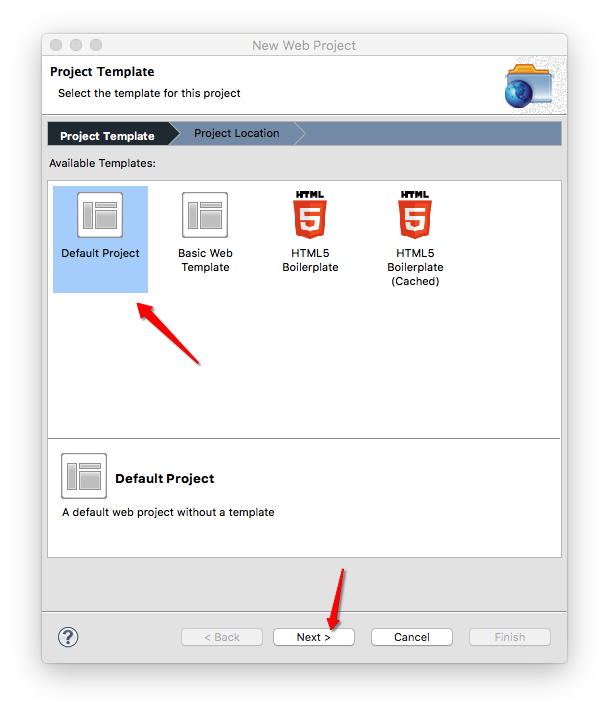
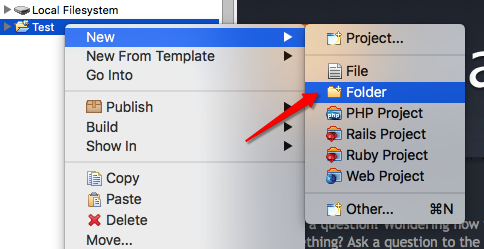
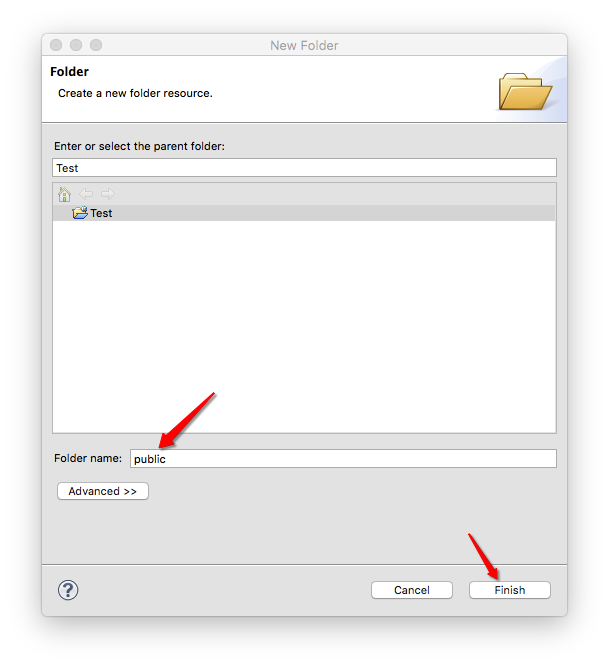
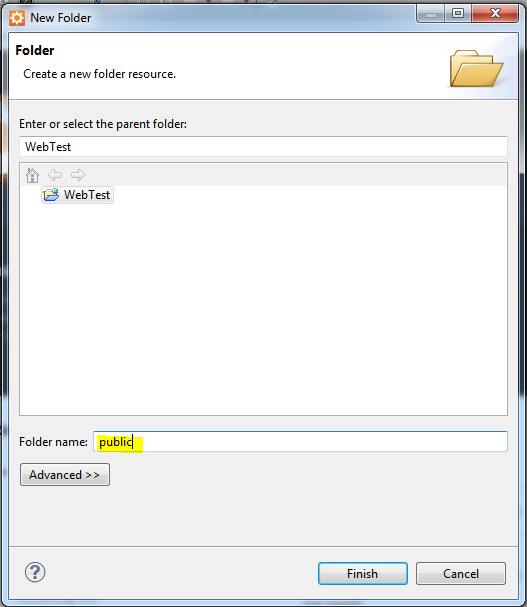
Create New Folder called public
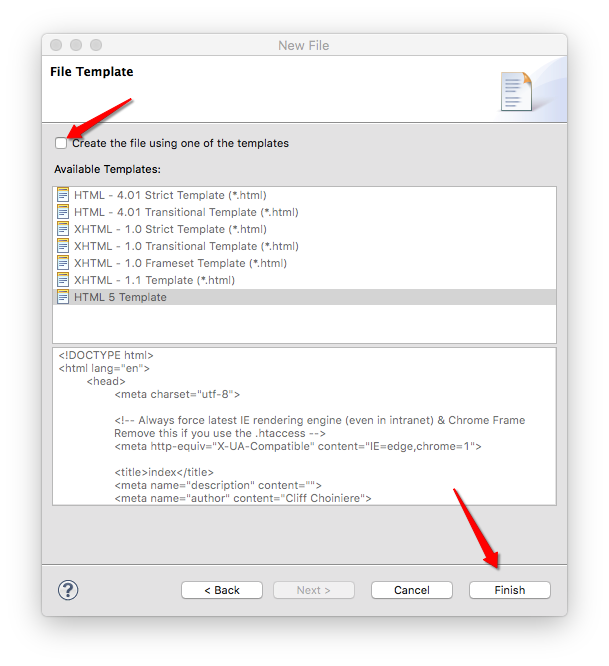
Create a new file called
index.html
after clicking next remove the
use template check then finish.
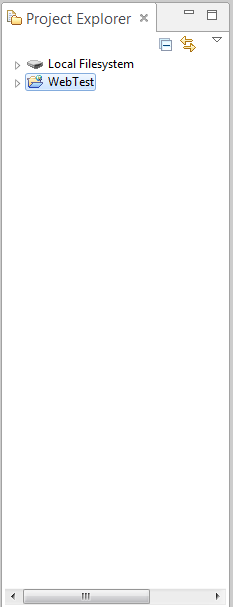
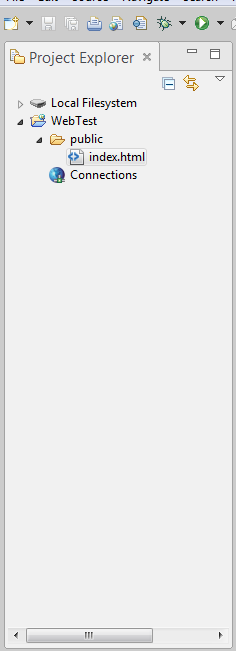
Side bar should look like below.
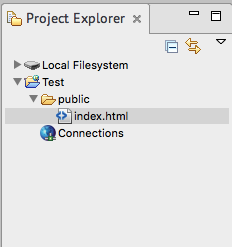
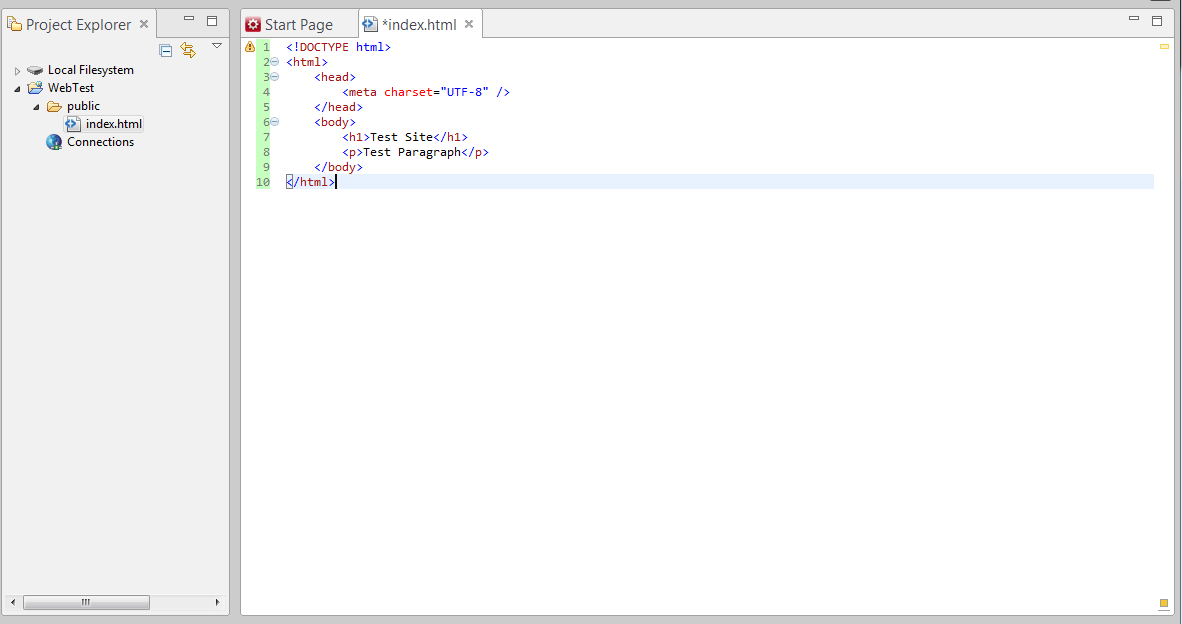
double click index and fill out as follows:
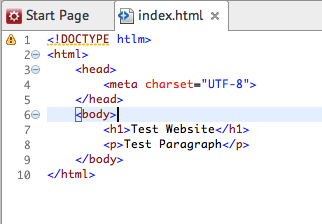
Save file (cmd+S)
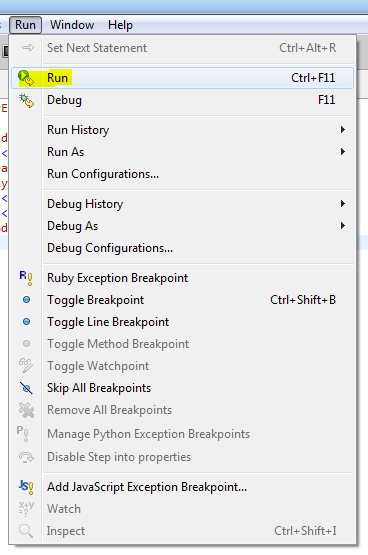
Click Run>Run
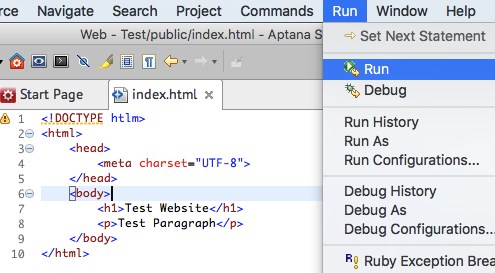
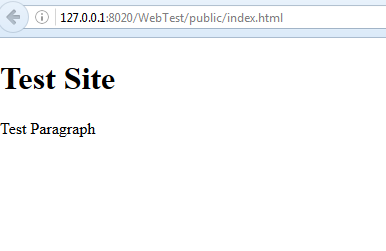
Firefox is required for this to work.
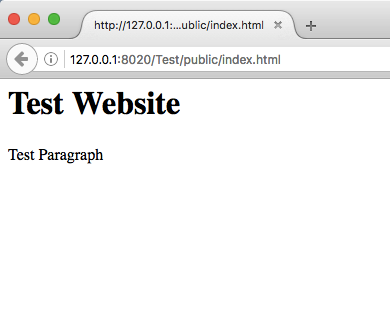
Successful test:
Aptana.com
Workspace
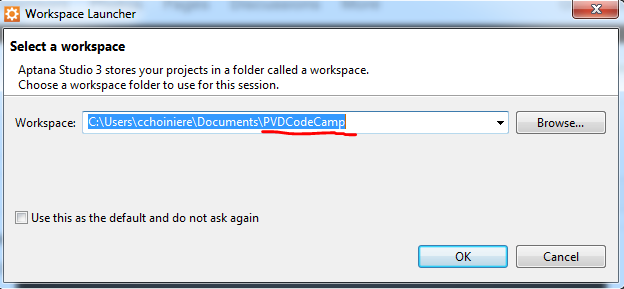
- Update the default to PVDCodeCamp
- The "Use Default" option is optional
- will auto open this workspace next time you run Aptana if enabled.
- not recommended so a personal workspace can be created later on
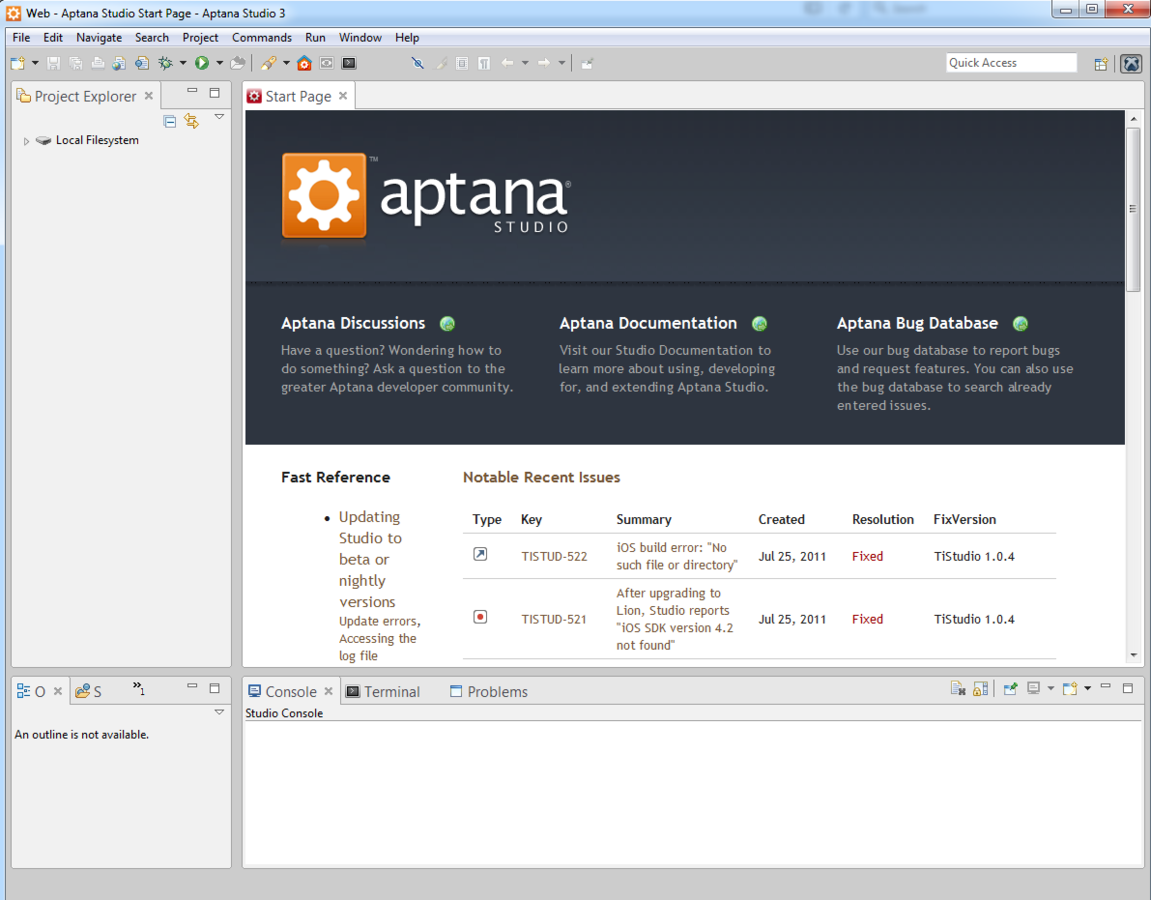
File Tree
Editor section
Terminal/Console
Verify Node in Terminal
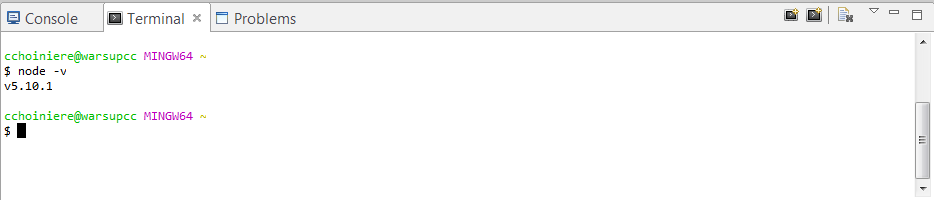
- Click Terminal in bottom window
- Type:
- node -v
- enter
- verify a version appears.
Create A Test Web Project
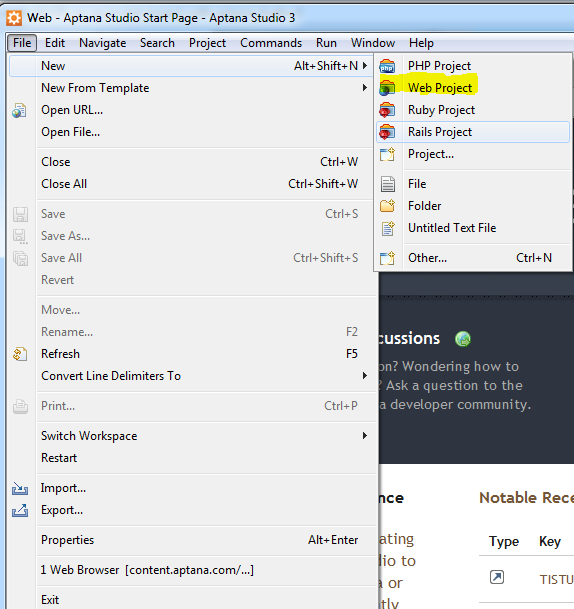
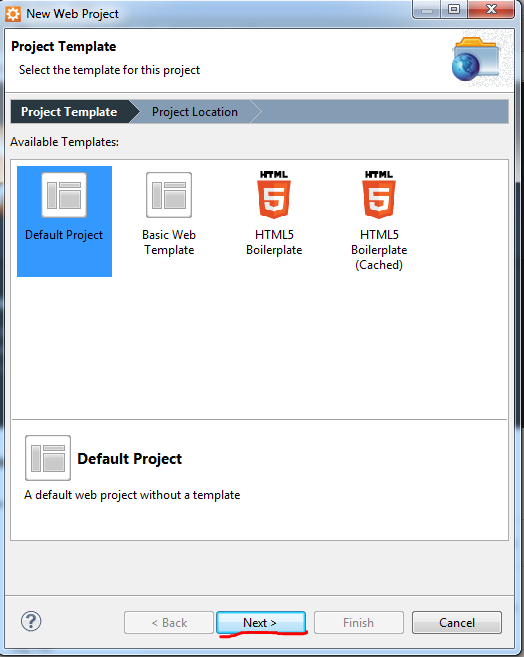
1
2
3
Left Sidebar
4
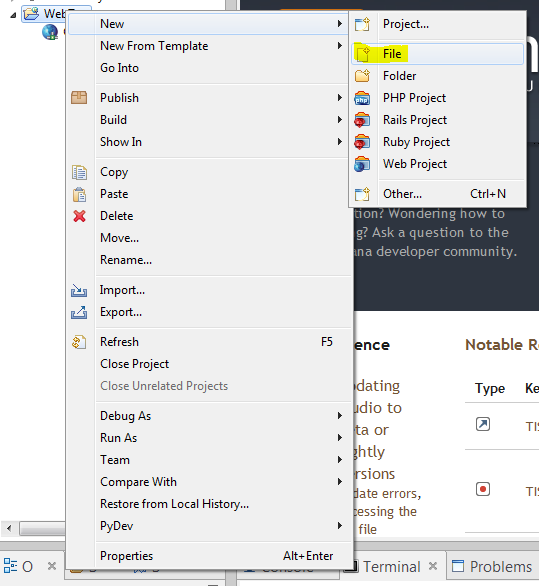
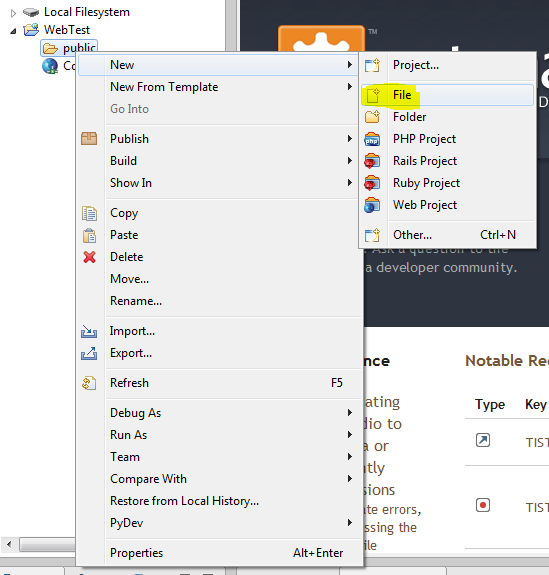
Right Click on project
select new>file
5
create public folder
6
right click folder
select new>file
7
File name should be index.html
side bar should match above
Open index.html edit to match below:
Save file
Run menu>Run
Success should see:
Local IDE Config: Other Recommendations
By cliffc
Local IDE Config: Other Recommendations
This will walk you through setting up Aptana on your computer.