HTML, CSS & Bootstrap

HTML, CSS & bootstrap

HTML
-
Is NOT a programming language
-
Hyper Text Markup Language
-
Markup Language
-
Uses <open> and </closing> tags
-
to <strong>markup</strong> text
-
No logic
-
-
Tag must be closed in order.
-
<BODY></BODY> vs <body></body>
-
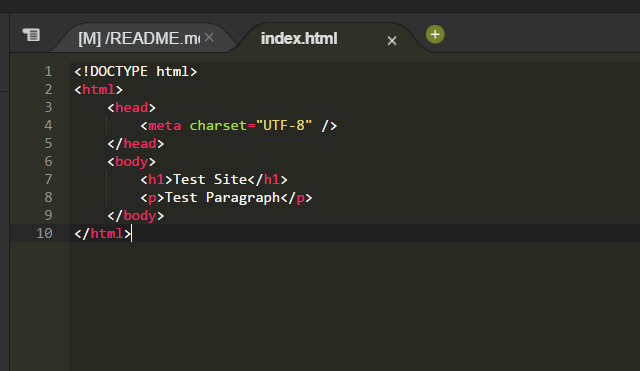
Common Tags
- <!DOCTYPE HTML>
- <HTML><HEAD><BODY>
- <Hx><P>
- <A href='#'>
- <UL><OL>
- <LI>
- <Table>
- <TH><TR>
- <TD>
- <img>
- <script>
- <meta>
- <title>
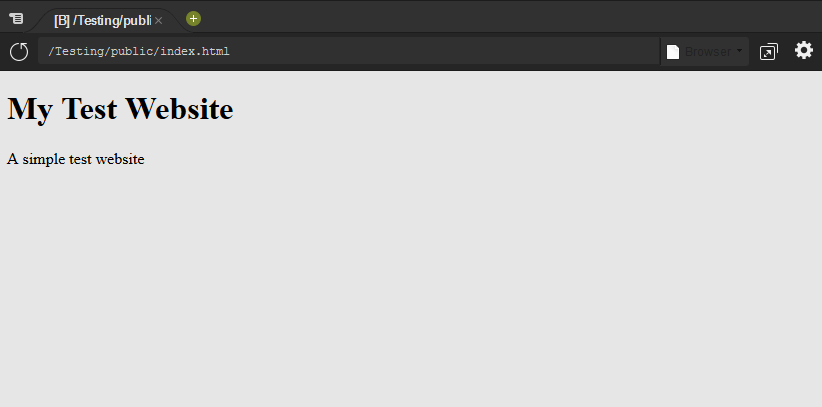
HTML Result
CSS & Bootstrap
Still not a programming language
CSS
- Cascading Style Sheet
- Used instead of <style> tags
- stylizes web page elements
Common Attributes
- font-family
- font-weight
- color
- margin
- padding
- display
- width
- position
- background(-image)
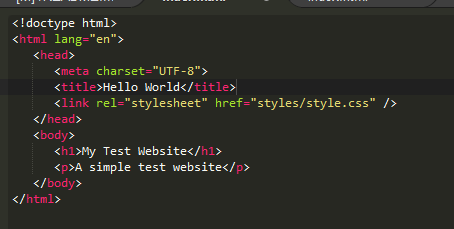
Linking A CSS File
Making the CSS File
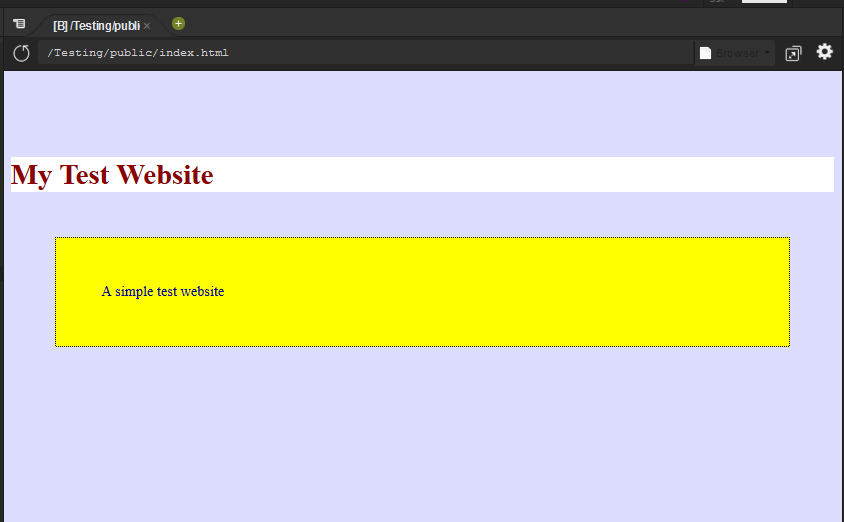
body {
   background-color: #ddddff;
}

h1 {
   margin-top: 100px;
   background-color: white;
   color: darkred;
}

p {
   padding: 50px;
   margin: 50px;
   border: black 2px dotted;
   background-color: yellow;
   color: darkblue;
}
Result

Bootstrap
- A CSS Framework
- includes optional Javascript functions
- Grid based system for element organization
- Responsive design first
- Class based
- Testing
- Default template fine
- Live site.
- Do not use the default template
<!doctype html>
<html lang="en">
	<head>
		<meta charset="UTF-8">
		<title>Hello World</title>
		<!-- Latest compiled and minified CSS -->
		<link rel="stylesheet" href="https://maxcdn.bootstrapcdn.com/bootstrap/3.3.7/css/bootstrap.min.css" integrity="sha384-BVYiiSIFeK1dGmJRAkycuHAHRg32OmUcww7on3RYdg4Va+PmSTsz/K68vbdEjh4u" crossorigin="anonymous">
		<!-- Optional theme -->
		<link rel="stylesheet" href="https://maxcdn.bootstrapcdn.com/bootstrap/3.3.7/css/bootstrap-theme.min.css" integrity="sha384-rHyoN1iRsVXV4nD0JutlnGaslCJuC7uwjduW9SVrLvRYooPp2bWYgmgJQIXwl/Sp" crossorigin="anonymous">
		<!-- Latest compiled and minified JavaScript -->
		<script src="https://maxcdn.bootstrapcdn.com/bootstrap/3.3.7/js/bootstrap.min.js" integrity="sha384-Tc5IQib027qvyjSMfHjOMaLkfuWVxZxUPnCJA7l2mCWNIpG9mGCD8wGNIcPD7Txa" crossorigin="anonymous"></script>

		<link rel="stylesheet" href="styles/style2.css" />
	</head>
	<body>
		<div class="navbar navbar-default navbar-fixed-top">
            <div class="navbar-header">
                <img class="navbar-brand" id="logo" src="../imgs/logopartialt.png" />
                <a class="navbar-brand" href="index.html" id="brand">3CSOnline.com</a>
                <button class="navbar-toggle" data-toggle="collapse" data-target=".collapse" >
                    <span class="icon-bar"></span>
                    <span class="icon-bar"></span>
                    <span class="icon-bar"></span>
                </button>
            </div>

            <div class="collapse navbar-collapse spyItems">
            <ul class="nav navbar-nav">
                <li class="active"><a href="#home">Home</a></li>
                <li><a href="#about">About</a></li>
                <li><a href="#download">Download App</a></li>
            </ul>
         </div>
      </div>
      <div class='container' id='main'>
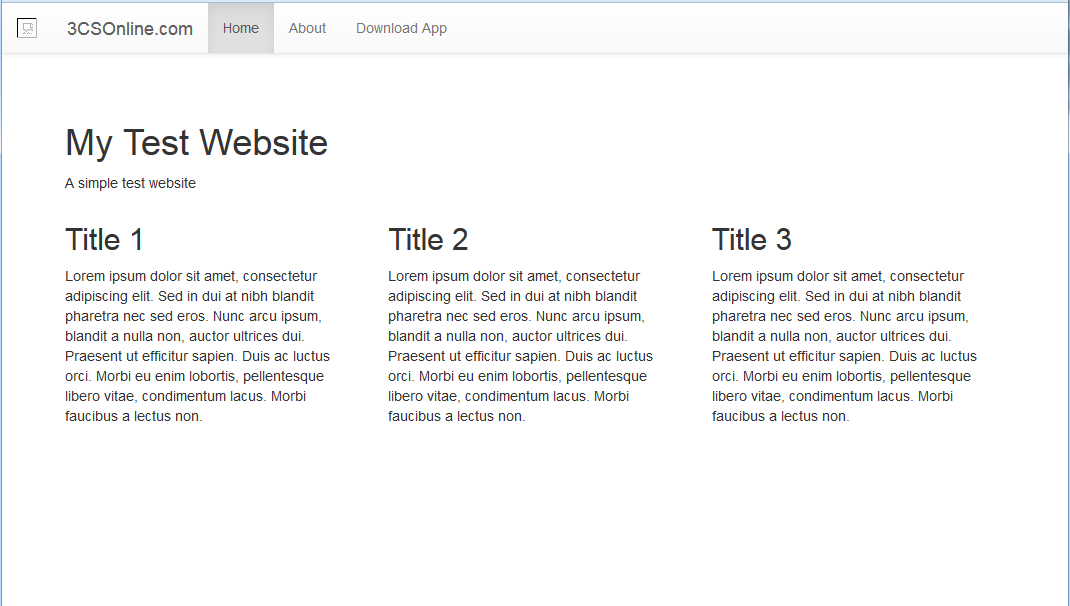
			<h1>My Test Website</h1>
			<p>A simple test website</p>

			<div class="row">
				<div class='col-md-4'>
					<h2>Title 1</h2>
					<p>Lorem ipsum dolor sit amet, consectetur adipiscing elit. Sed
					in dui at nibh blandit pharetra nec sed eros. Nunc arcu ipsum,
					blandit a nulla non, auctor ultrices dui. Praesent ut efficitur
					sapien. Duis ac luctus orci. Morbi eu enim lobortis, pellentesque
					libero vitae, condimentum lacus. Morbi faucibus a lectus non. </p>
				</div>
				<div class='col-md-4'>
					<h2>Title 2</h2>
					<p>Lorem ipsum dolor sit amet, consectetur adipiscing elit. Sed
					in dui at nibh blandit pharetra nec sed eros. Nunc arcu ipsum,
					blandit a nulla non, auctor ultrices dui. Praesent ut efficitur
					sapien. Duis ac luctus orci. Morbi eu enim lobortis, pellentesque
					libero vitae, condimentum lacus. Morbi faucibus a lectus non. </p>
				</div>
				<div class='col-md-4'>
					<h2>Title 3</h2>
					<p>Lorem ipsum dolor sit amet, consectetur adipiscing elit. Sed
					in dui at nibh blandit pharetra nec sed eros. Nunc arcu ipsum,
					blandit a nulla non, auctor ultrices dui. Praesent ut efficitur
					sapien. Duis ac luctus orci. Morbi eu enim lobortis, pellentesque
					libero vitae, condimentum lacus. Morbi faucibus a lectus non. </p>
				</div>
			</div>
		</div>
	</body>
</html>
Result
First Project
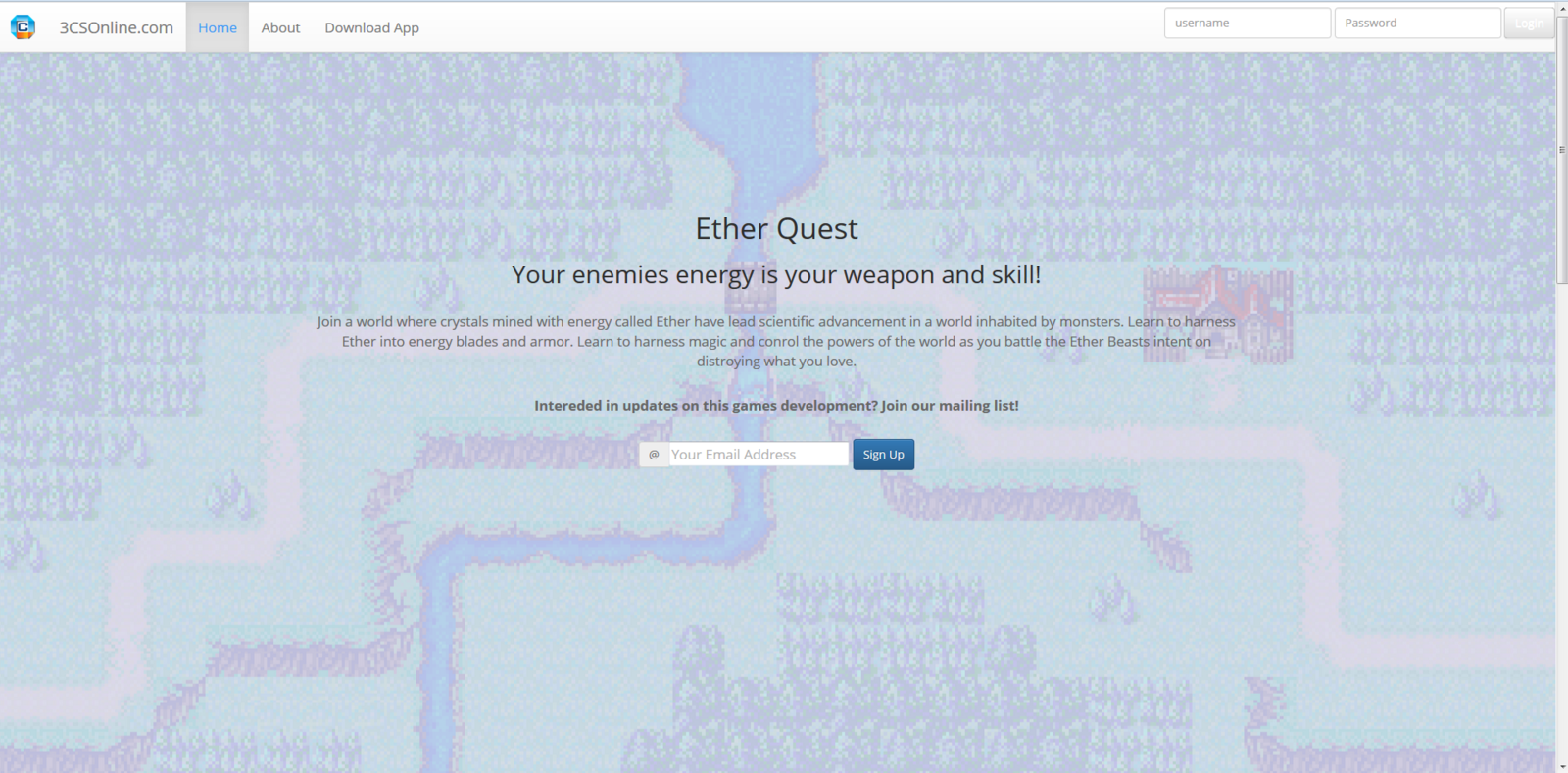
App Landing Page
Checklist
- Single page site
- Nav bar
- include log in form (does not need to work)
- must jump to other sections
- jumbotron section
- Sign up call to action
- About me section using the grid system
- download section
- use a graphic for download.
- bootswatch.com offers free bootstrap templates
- Bonus:
- implement Javascript / Jquery in some way
- We will be coding this live in the next class
- Optional project.
HTML, CSS & Bootstrap
By cliffc