
Content ITV PRO
This is Itvedant Content department
HealthAPI API Automation using Postman & Newman
Business Scenario
Welcome!
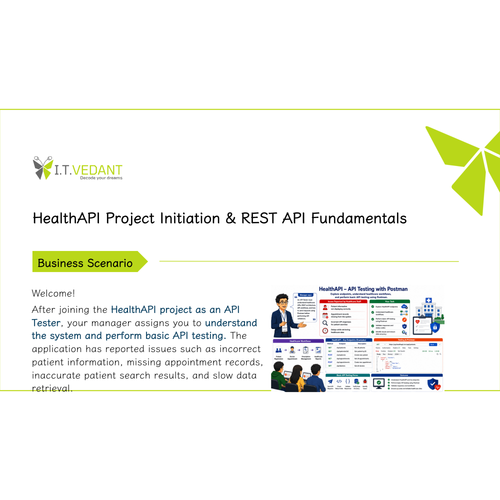
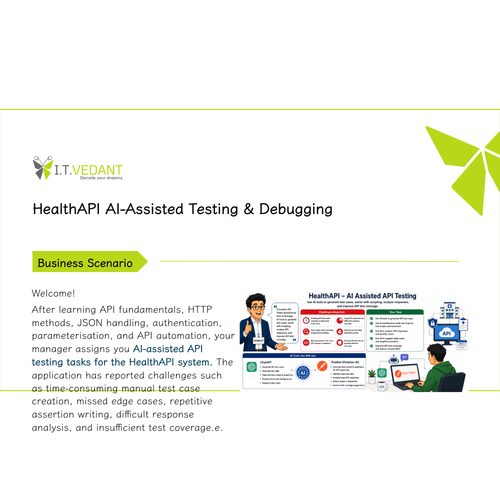
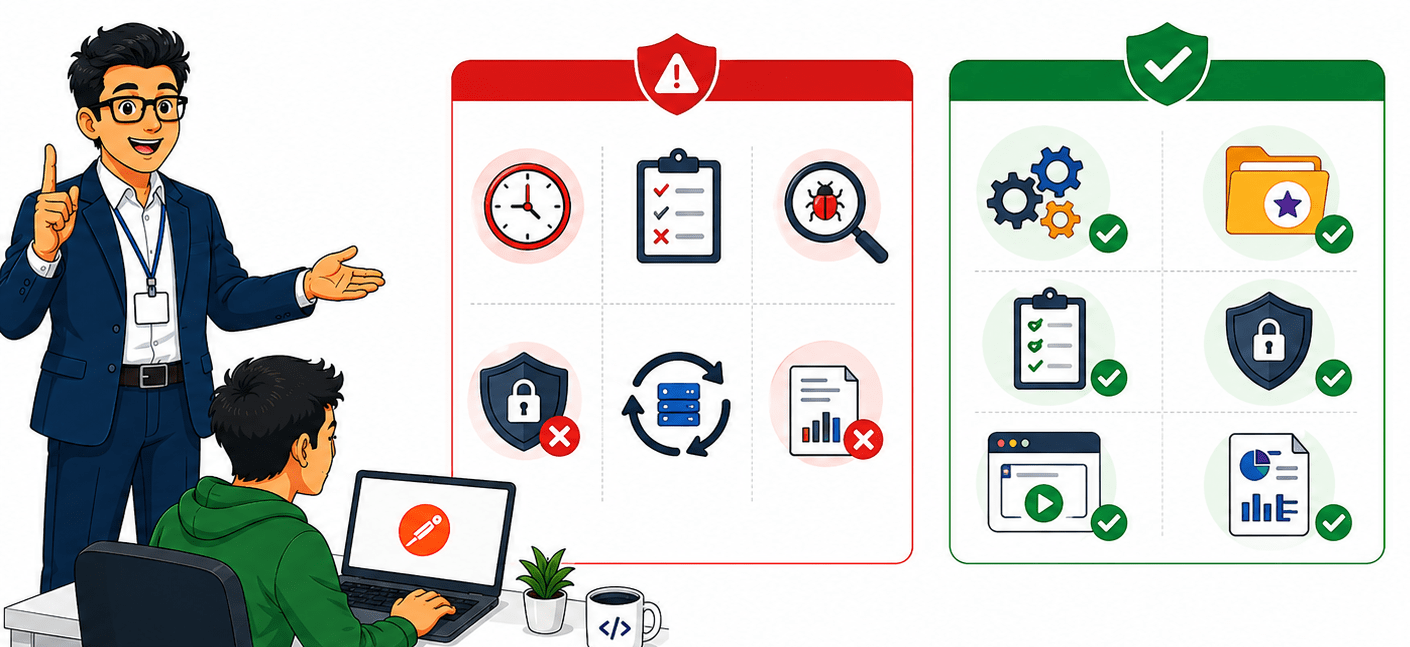
After learning API authentication, parameterisation, request validation, and response validation, your manager assigns you API automation tasks for the HealthAPI system. The application has reported issues such as time-consuming manual API testing, repetitive validations, missed defects during regression, inconsistent authentication checks, and the need for automated test execution reports.
Pre-Lab Preparation
defects during regression, inconsistent authentication checks, and the need for automated test execution reports.
Your task is to use Postman to automate API tests, create reusable collections, execute automated test suites, and generate execution reports.
Topic: API Automation with Rest Assured
1)Setup and Configuration
2)Writing GET, POST, PUT, DELETE Tests 3)Validating Response Codes & Body
git pull origin branchNameGit Pull
git pull origin branchNameGit Pull
Task 1: Understand Postman Collections
What is a Postman Collection?
A Postman Collection is a group of API requests organised in a single location inside Postman.
Collections help API Testers efficiently manage, execute, automate, and maintain multiple API requests.
Instead of executing API requests one by one, testers can organize related requests into a collection and execute them together.
Why Postman Collections are Important?
Postman Collections help :-
Organize API requests.
Execute multiple APIs together.
Reuse requests across testing activities.
Perform regression testing.
Reduce repetitive manual work.
Store authentication requests.
Create end-to-end API workflows.
Add automated validations using test scripts.
Generate execution reports.
Share API test suites with team members.
Support API automation activities.
Real Life Example
A healthcare application contains multiple APIs :-
Authentication API
Patient API
Doctor API
Appointment API
An API Tester creates a HealthAPI Collection and stores all related API requests inside it.
Instead of executing every API manually, the tester can run the entire collection and validate the complete healthcare.
This allows faster and more efficient API testing.
What is a Postman Collection?
A Postman Collection is a group of API requests organised in a single location inside Postman.
Collections help API Testers efficiently manage, execute, automate, and maintain multiple API requests.
Instead of executing API requests one by one, testers can organize related requests into a collection and execute them together.
Why Postman Collections are Important?
Postman Collections help :-
Organize API requests.
Execute multiple APIs together.
Reuse requests across testing activities.
Perform regression testing.
Reduce repetitive manual work.
Store authentication requests.
Create end-to-end API workflows.
Add automated validations using test scripts.
Generate execution reports.
Share API test suites with team members.
Support API automation activities.
Real Life Example
A healthcare application contains multiple APIs :-
Authentication API
Patient API
Doctor API
Appointment API
An API Tester creates a HealthAPI Collection and stores all related API requests inside it.
Instead of executing every API manually, the tester can run the entire collection and validate the complete healthcare.
This allows faster and more efficient API testing.
What is a Postman Collection?
A Postman Collection is a group of API requests organised in a single location inside Postman.
Collections help API Testers efficiently manage, execute, automate, and maintain multiple API requests.
Instead of executing API requests one by one, testers can organize related requests into a collection and execute them together.
Why Postman Collections are Important?
Postman Collections help :-
Organize API requests.
Execute multiple APIs together.
Reuse requests across testing activities.
Perform regression testing.
Reduce repetitive manual work.
Store authentication requests.
Create end-to-end API workflows.
Add automated validations using test scripts.
Generate execution reports.
Share API test suites with team members.
Support API automation activities.
Real Life Example:
A healthcare application contains multiple APIs :-
Authentication API
Patient API
Doctor API
Appointment API
An API Tester creates a HealthAPI Collection and stores all related API requests inside it.
Instead of executing every API manually, the tester can run the entire collection and validate the complete healthcare.
This allows faster and more efficient API testing.
Activity
Create a new collection.
Name the collection as HealthAPI Trainer
Create folders inside the collection.
Add API requests to folders (public API like GET patients , GET doctor , GET Appointment)
Save requests inside the collection.
Execute multiple requests from the collection.
Create a new collection.
Name the collection as HealthAPI Trainer
Create folders inside the collection.
Add API requests to folders (public API like GET patients , GET doctor , GET Appointment)
Save requests inside the collection.
Execute multiple requests from the collection.
Create a new collection
Name the collection as HealthAPI Student
Create folders inside the collection.
Add API requests to folders (Auth API like GET patients , GET doctor , GET Appointment)
Save requests inside the collection.
Execute multiple requests from the collection.
Activity
Task 2: Create API Validations Using Test Scripts
What are Test Scripts and Assertions?
Test Scripts are JavaScript code written inside Postman to automatically validate API responses.
Assertions are validation statements written inside Test Scripts to verify whether the API response matches the expected result.
Whenever an API request is executed, Postman automatically runs the Test Scripts and displays the validation results.
If the validation is successful, the test passes.
If the validation fails, the test fails.
Why Test Scripts and Assertions are Important?
They help testers:
Automate API validations.
Verify API responses automatically.
Validate status codes.
Validate response data.
Validate response time.
Reduce manual verification effort.
Support automated regression testing.
Real Life Example
A patient information API returns patient details.
The API Tester wants to verify:
Status Code is 200.
Response contains patient information.
Response is in JSON format.
Response time is acceptable.
Instead of manually checking these validations every time, automated assertions can perform the verification automatically.
What are Test Scripts and Assertions?
Test Scripts are JavaScript code written inside Postman to automatically validate API responses.
Assertions are validation statements written inside Test Scripts to verify whether the API response matches the expected result.
Whenever an API request is executed, Postman automatically runs the Test Scripts and displays the validation results.
If the validation is successful, the test passes.
If the validation fails, the test fails.
Why Test Scripts and Assertions are Important?
They help testers:
Automate API validations.
Verify API responses automatically.
Validate status codes.
Validate response data.
Validate response time.
Reduce manual verification effort.
Support automated regression testing.
Real Life Example
A patient information API returns patient details.
The API Tester wants to verify:
Status Code is 200.
Response contains patient information.
Response is in JSON format.
Response time is acceptable.
Instead of manually checking these validations every time, automated assertions can perform the verification automatically.
Activity
Demonstrate JSON Structure for Patient Information
Create Validations for Patient API
GET /api/public/patients
Add Status Code Validation
Add Response Time Validation
Create Validations for the doctor API with Authorisation
patientId
firstName
lastName
GET /api/doctors
Add status code Validation
Add Response Data Validation
Activity
Task 3: Execute API Collections Using Newman CLI
What is Newman?
Newman is the command-line collection runner for Postman.
It allows API Testers to execute Postman Collections directly from the command line without opening Postman.
Newman executes all requests, test scripts, and assertions stored inside a Postman Collection and generates execution results.
Why is Newman important?
Newman helps testers:-
Execute Postman Collections from the command line.
Run multiple API tests automatically.
Support regression testing.
Integrate API testing into CI/CD pipelines.
Generate execution reports.
Reduce manual testing effort.
Support unattended test execution.
Real Life Example:
A healthcare application contains:
Authentication APIs
Patient APIs
Doctor APIs
Appointment APIs
Instead of executing each API manually in Postman, the API Tester exports the collection and runs it with Newman.
The entire API test suite runs automatically and generates an execution report
Install Newman
Install Newman Using NPM
npm install -g newman
Verify Newman Installation
newman -v
Execute Collection Using Newman
Run collection
newman run "HealthAPI collection.postman_collection.json"
What is Newman?
Newman is the command-line collection runner for Postman.
It allows API Testers to execute Postman Collections directly from the command line without opening Postman.
Newman executes all requests, test scripts, and assertions stored inside a Postman Collection and generates execution results.
Why is Newman important?
Newman helps testers:-
Execute Postman Collections from the command line.
Run multiple API tests automatically.
Support regression testing.
Integrate API testing into CI/CD pipelines.
Generate execution reports.
Reduce manual testing effort.
Support unattended test execution.
Real Life Example:
A healthcare application contains:
Authentication APIs
Patient APIs
Doctor APIs
Appointment APIs
Instead of executing each API manually in Postman, the API Tester exports the collection and runs it with Newman.
The entire API test suite runs automatically and generates an execution report
Install Newman
Install Newman Using NPM
npm install -g newman
Verify Newman Installation
newman -v
Execute Collection Using Newman
Run collection
newman run "HealthAPI collection.postman_collection.json"
What is Newman?
Newman is the command-line collection runner for Postman.
It allows API Testers to execute Postman Collections directly from the command line without opening Postman.
Newman executes all requests, test scripts, and assertions stored inside a Postman Collection and generates execution results.
Why is Newman important?
Newman helps testers:-
Execute Postman Collections from the command line.
Run multiple API tests automatically.
Support regression testing.
Integrate API testing into CI/CD pipelines.
Generate execution reports.
Reduce manual testing effort.
Support unattended test execution.
Real Life Example:
A healthcare application contains:
Authentication APIs
Patient APIs
Doctor APIs
Appointment APIs
Instead of executing each API manually in Postman, the API Tester exports the collection and runs it with Newman.
The entire API test suite runs automatically and generates an execution report
Install Newman
Install Newman Using NPM
npm install -g newman
Verify Newman Installation
newman -v
Execute Collection Using Newman
Run collection
newman run "HealthAPI collection.postman_collection.json"
Activity
Export Postman Collection.
Install Newman.
Execute Collection.
Review Execution Results.
Observe Passed and Failed Tests.
Task 4: Automate API Test Execution
What is API Test Automation?
API Test Automation is the process of executing API requests, validations, and test scenarios automatically without manual intervention.
Instead of manually executing API requests and validating responses, automation allows testers to run predefined test suites repeatedly and efficiently.
Why API Test Automation is Important?
API Test Automation helps testers:-
Reduce manual testing effort.
Execute repetitive test cases automatically.
Improve testing efficiency.
Support regression testing.
Detect defects early.
Generate execution reports.
Support CI/CD pipelines.
Improve test coverage.
Real Life Example:
A healthcare application contains APIs for:
Authentication
Patients
Doctors
Appointments
After every application update, the tester must verify all APIs are working correctly.
Instead of manually executing every API request, the tester automates the execution using Postman Collections and Newman.
The complete API test suite can be executed automatically whenever required.
What is API Test Automation?
API Test Automation is the process of executing API requests, validations, and test scenarios automatically without manual intervention.
Instead of manually executing API requests and validating responses, automation allows testers to run predefined test suites repeatedly and efficiently.
Why API Test Automation is Important?
API Test Automation helps testers:-
Reduce manual testing effort.
Execute repetitive test cases automatically.
Improve testing efficiency.
Support regression testing.
Detect defects early.
Generate execution reports.
Support CI/CD pipelines.
Improve test coverage.
Real Life Example:
A healthcare application contains APIs for:
Authentication
Patients
Doctors
Appointments
After every application update, the tester must verify all APIs are working correctly.
Instead of manually executing every API request, the tester automates the execution using Postman Collections and Newman.
The complete API test suite can be executed automatically whenever required.
Create Validations for the doctor API with Authorisation
patientId
firstName
lastName
GET /api/doctors
Add status code Validation
Add Response Data Validation
Activity
Demonstrate End-to-End API Automation
1. Execute HealthAPI Collection containing:
Authentication APIs add Patient APIs, Doctor APIs and Appointment APIs
Collection Execution
Assertion Execution
Activity
Great job!
In this lab, you learned how to automate API testing using Postman Collections, Test Scripts, Assertions, Collection Runner, and Newman CLI. You explored organising API requests into Collections, writing JavaScript-based test scripts, validating API responses with assertions, automatically executing multiple requests, and generating execution reports. By completing this lab, you are now able to create and manage Postman Collections, automate API validations, execute collections using Collection Runner and Newman, analyse test results, generate reports, and perform basic API automation testing efficiently.
Checkpoint
Great job!
In this lab, you learned how to automate API testing using Postman Collections, Test Scripts, Assertions, Collection Runner, and Newman CLI. You explored organising API requests into Collections, writing JavaScript-based test scripts, validating API responses with assertions, automatically executing multiple requests, and generating execution reports. By completing this lab, you are now able to create and manage Postman Collections, automate API validations, execute collections using Collection Runner and Newman, analyse test results, generate reports, and perform basic API automation testing efficiently.
Checkpoint
Next-Lab Preparation
Git Push
git push origin branchNameTopic: API Testing with Postman
1)Setup and Configuration
2)Writing GET, POST, PUT, DELETE Tests 3)Validating Response Codes & Body
By Content ITV