



Content ITV PRO
This is Itvedant Content department
Learning Outcome
5
Creating boolean masking
4
What is boolean indexing
3
How to perform indexing and slicing of 1D, 2D, 3D array
2
What is the need of indexing and Slicing
1
What is Indexing and Slicing
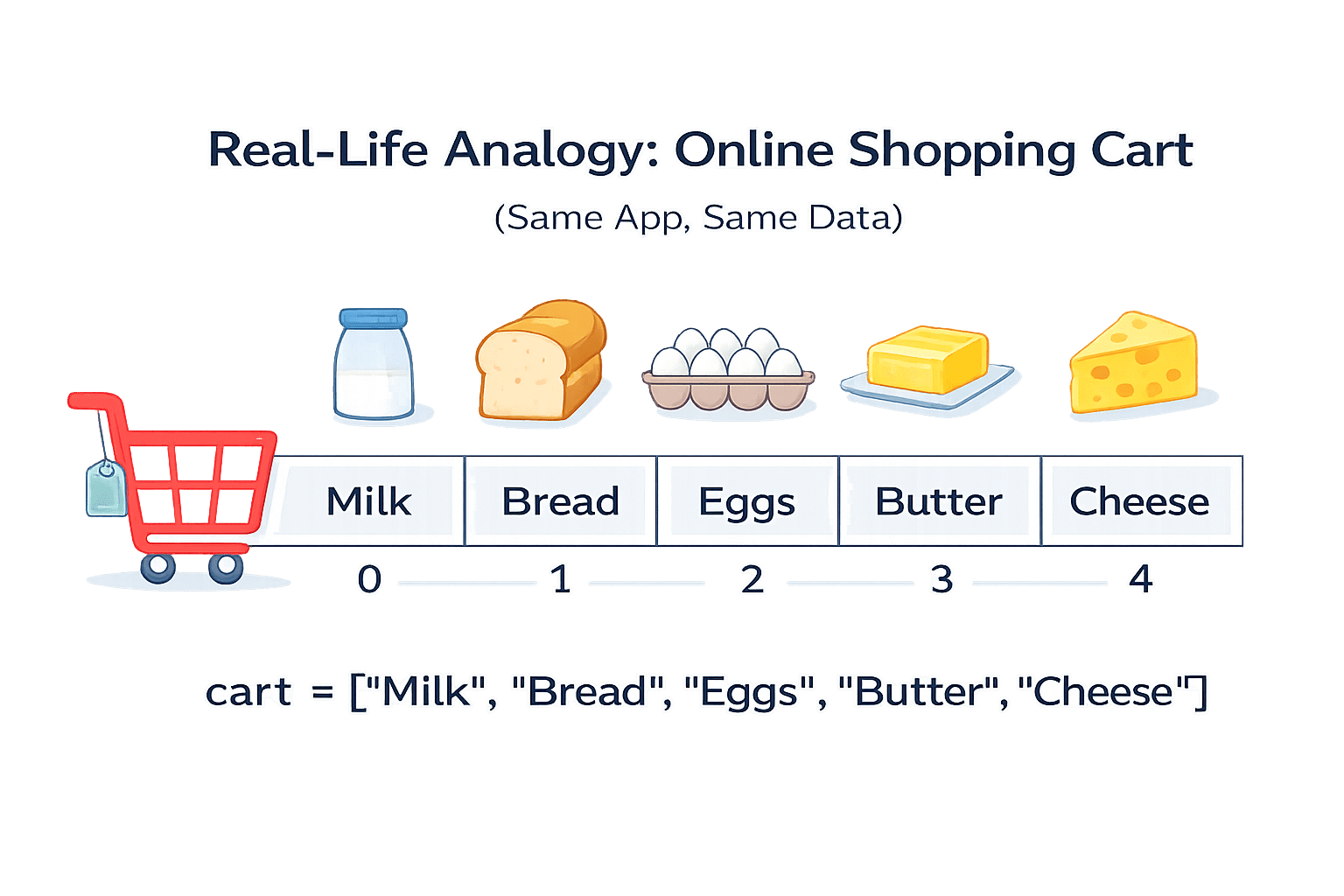
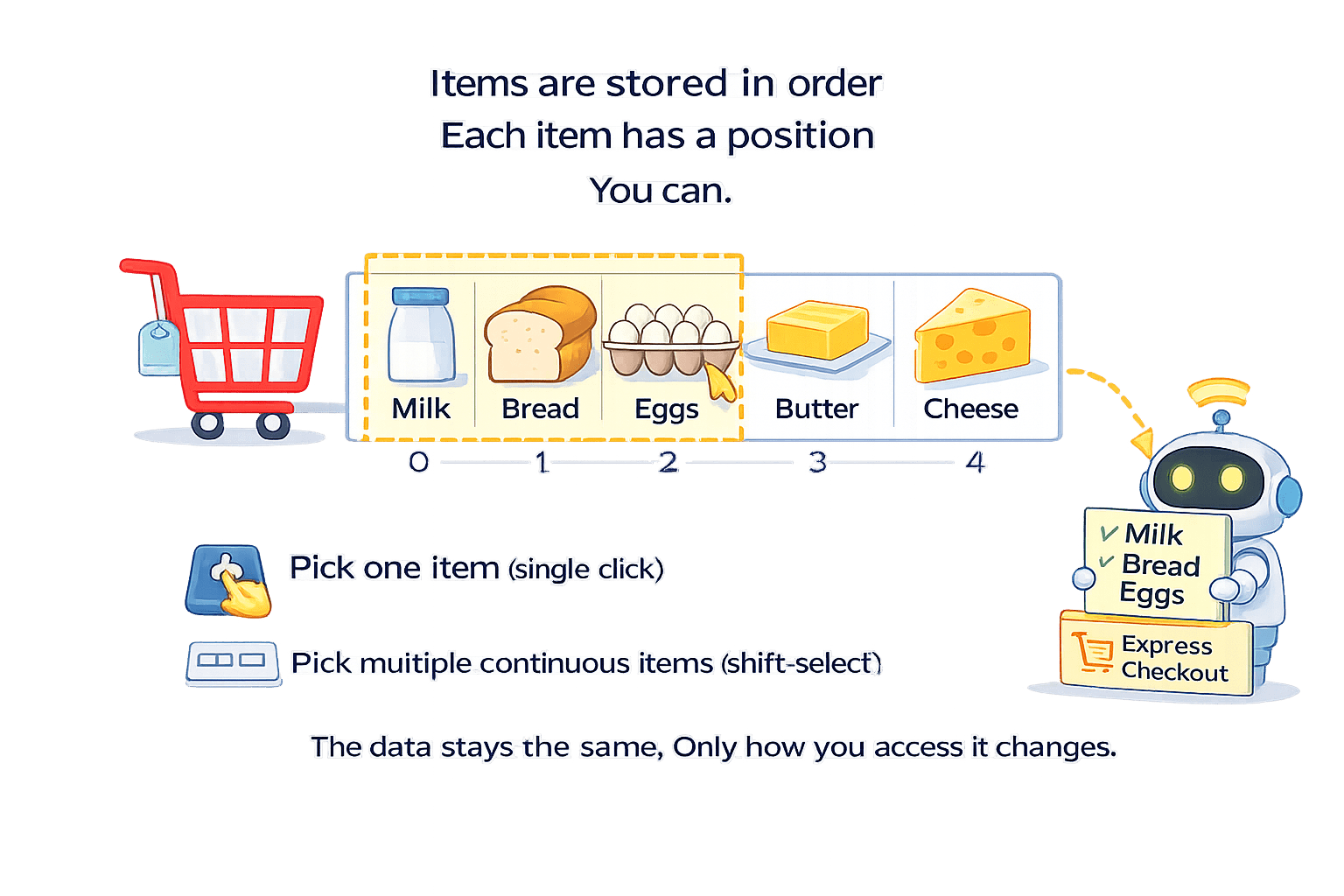
Imagine your shopping online
Your shopping cart items stored in order:
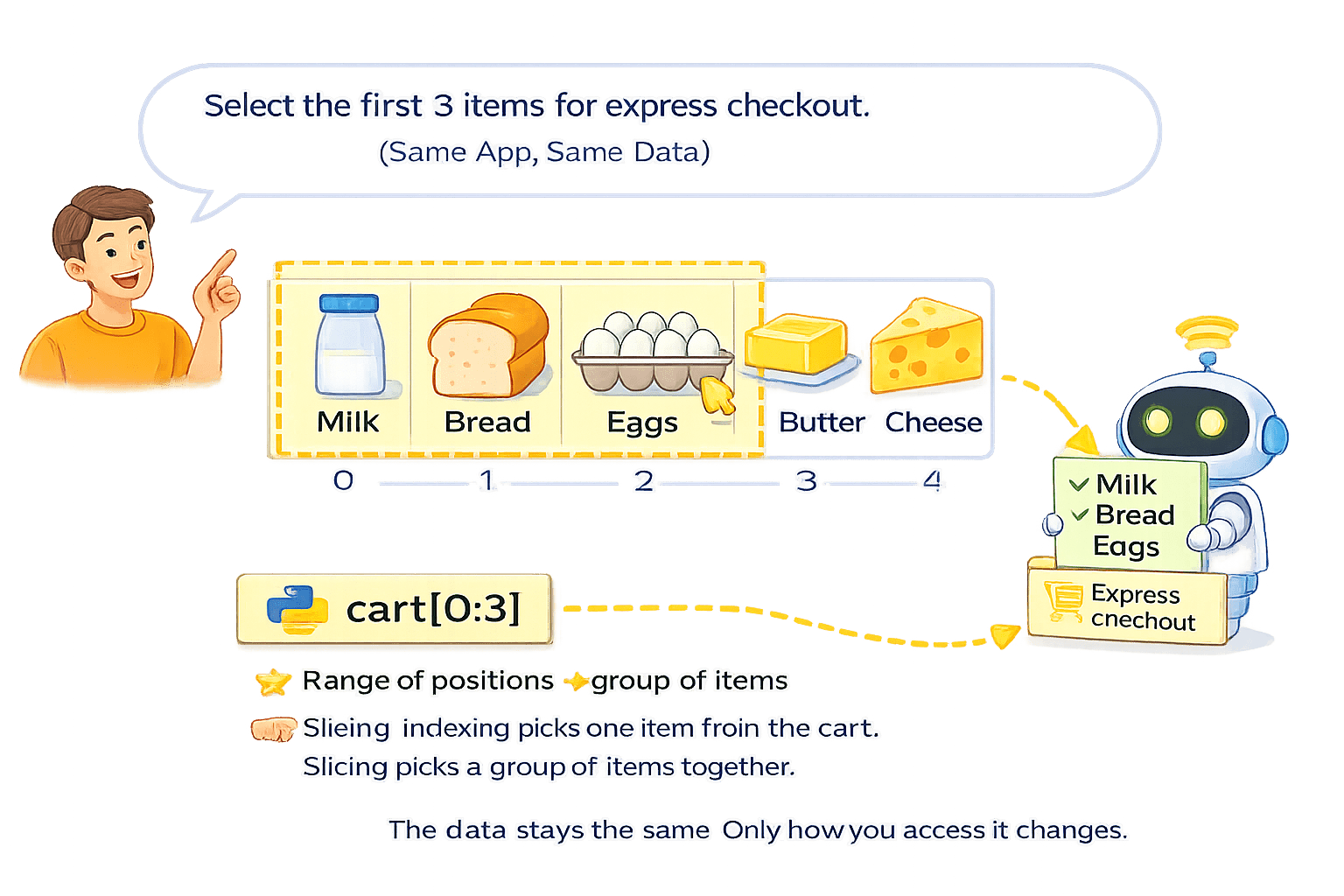
Range of positions → group of item
Items are stored in order
Each item has a position
Pick one item (single click)
Pick multiple continuous items (shift-select)
The data stays the same.
Only how you access it changes.
Array Indexing and Slicing
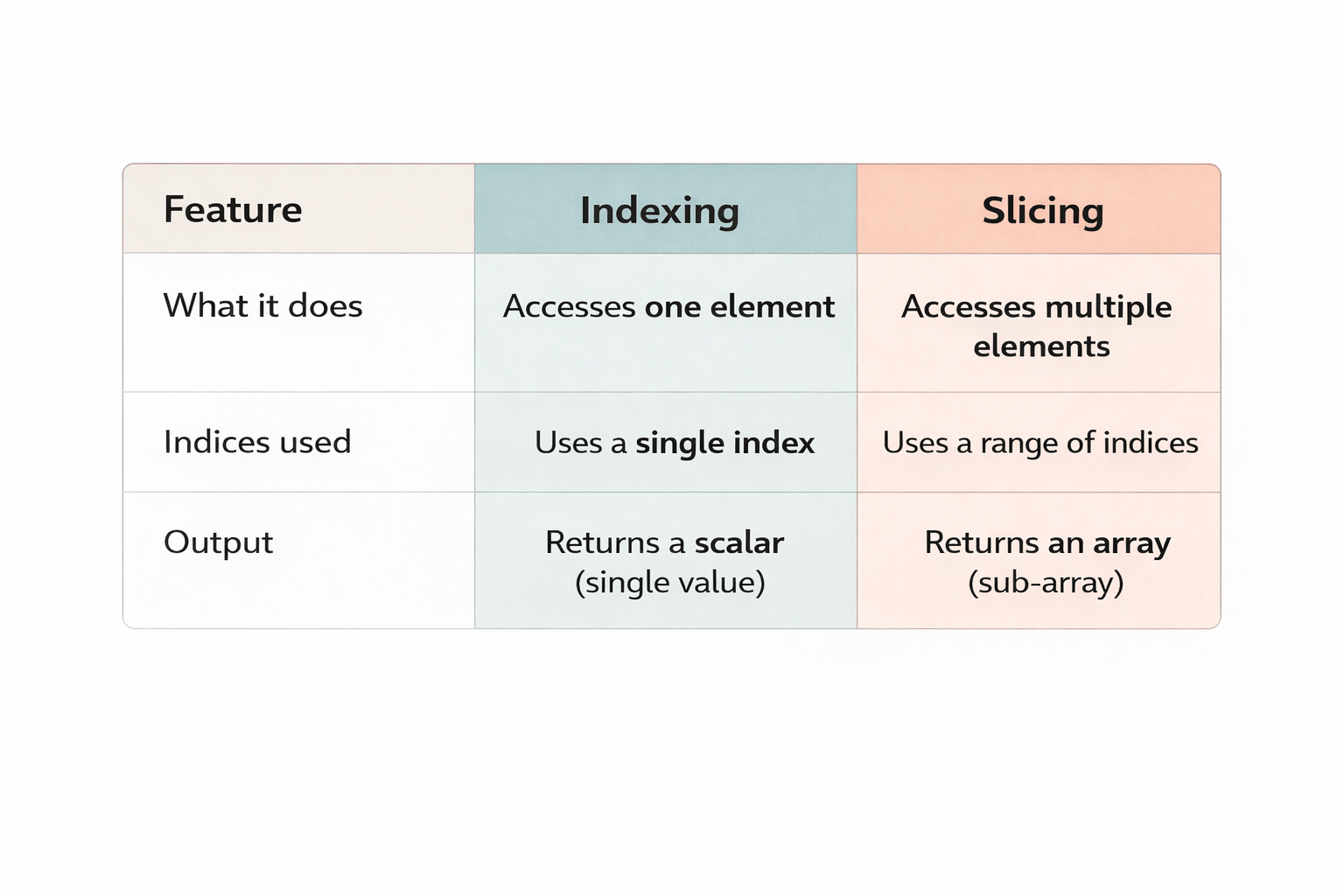
Array indexing in NumPy means accessing a specific element (value) from an array using
its position number (index)
Array slicing is the process of extracting
multiple elements from an array using a range of indices
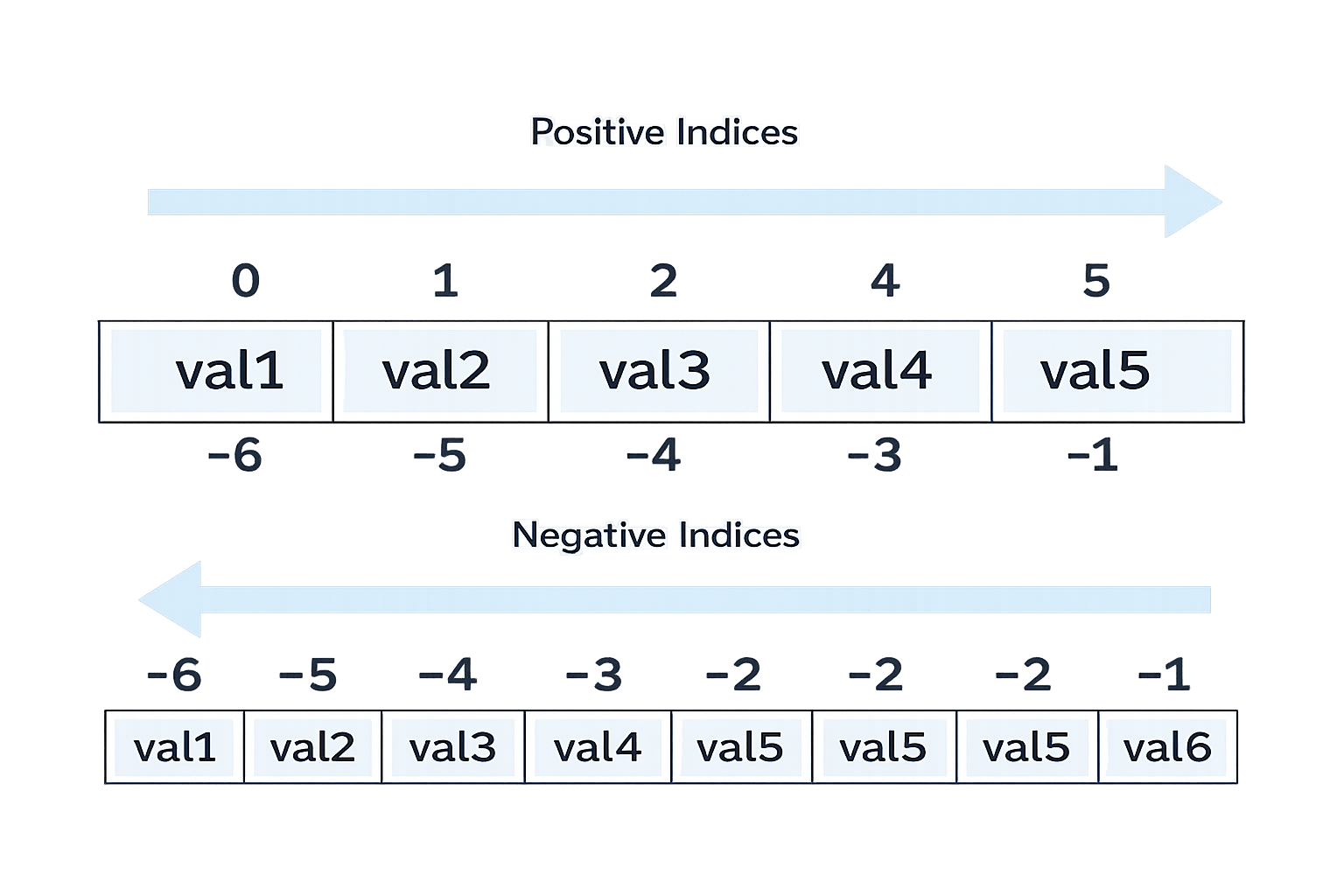
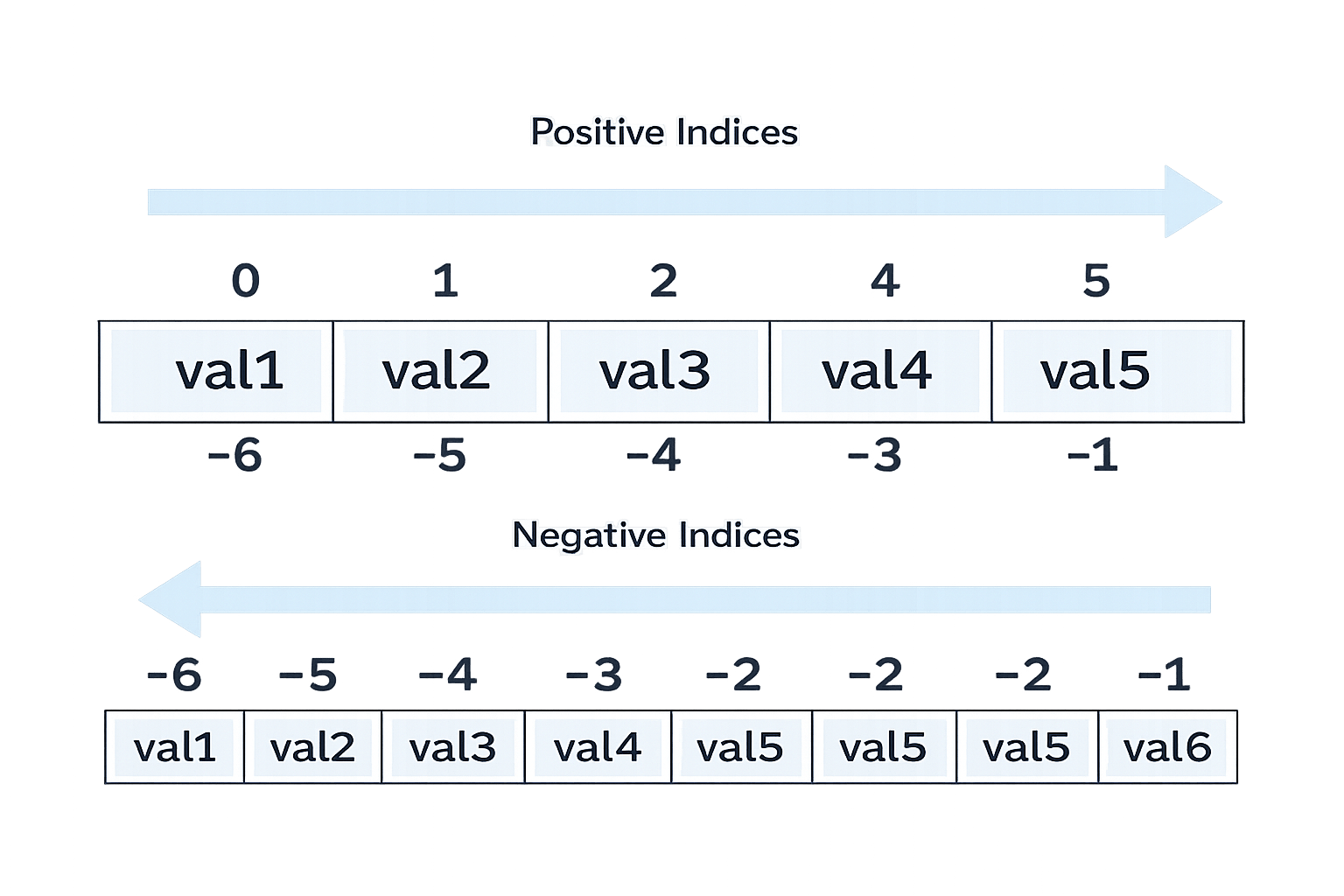
Array index position always starts with 0 from left to right
And starts with -1 from right to left
Indexing is crucial for performing operations on specific parts of arrays,
such as extracting values, assigning new values, or filtering data based on criteria
arr[1:4]
-1
1D array Indexing and Slicing
1D array indexing means accessing a single element from a one-dimensional NumPy array using its position number (index).
1D array slicing means extracting multiple elements from a one-dimensional array using a range of indices.
Syntax for array Slicing:
Array_name [start_index : end_index (exclusive)]
Syntax for array Index
Array_name [index]
Example:
import numpy as np
a = np.array([10, 20, 30, 40, 50])
-1
10
30
50
a[0]
a[2]
a[-1] Syntax for array Index
Array_name [index]
| 10 | 20 | 30 | 40 | 50 |
|---|
Syntax for array Slicing:
Array_name [start_index : end_index (exclusive)]
Example:
import numpy as np
a = np.array([10, 20, 30, 40, 50])| 10 | 20 | 30 | 40 | 50 |
|---|
2D array Indexing and Slicing
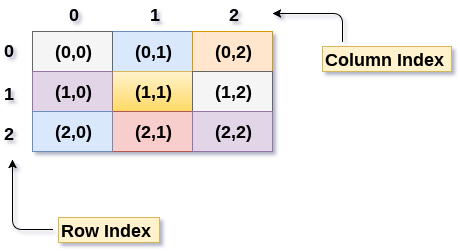
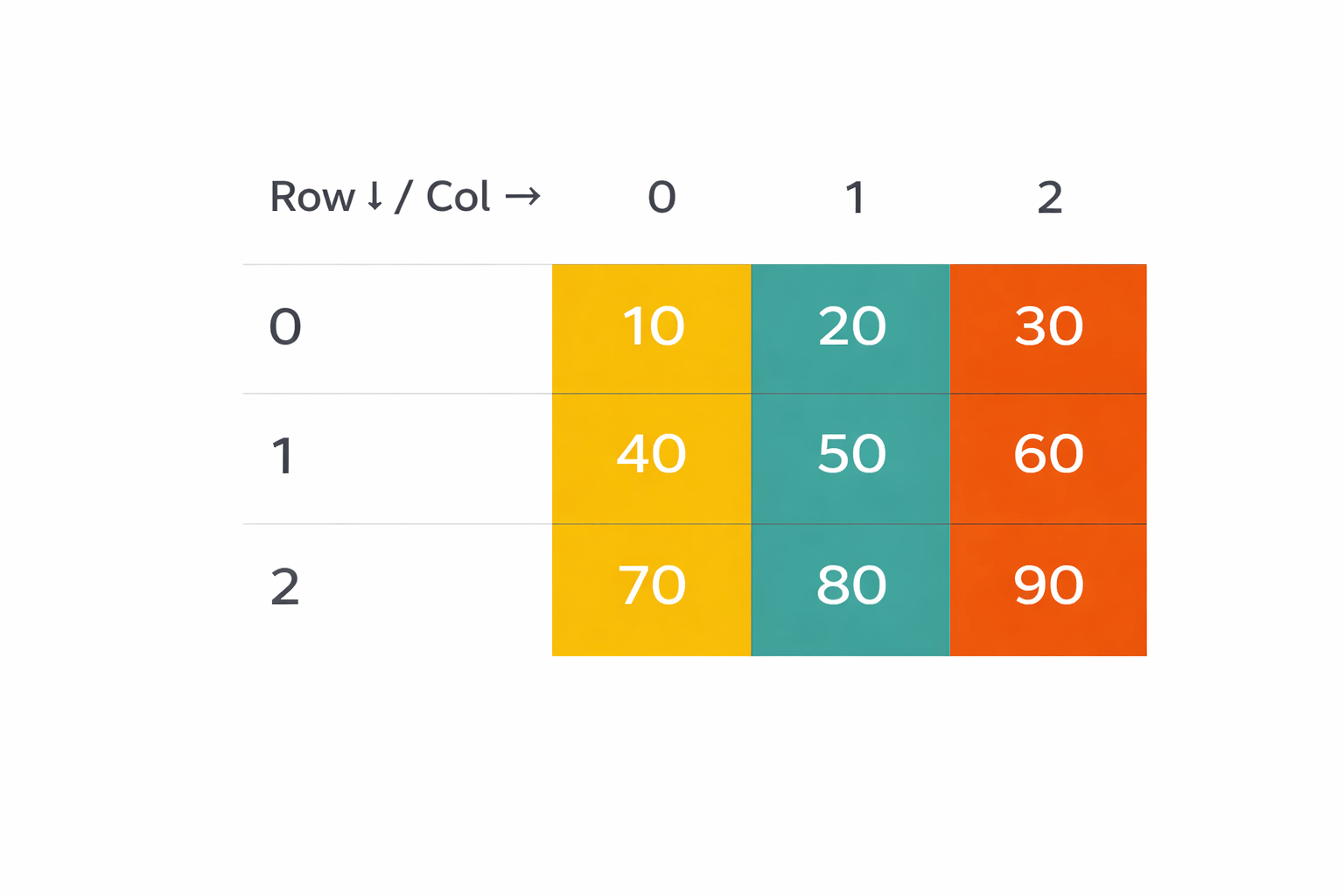
2D array indexing means accessing a single element from a two-dimensional NumPy array (rows × columns) using its row and column index.
2D array slicing means extracting a sub-array (multiple rows and/or columns) from a two-dimensional array.
Syntax → Array_name [row_index, column_index]
Array_name [row_start : row_end , col_start : col_end]
import numpy as np
a = np.array([
    [10, 20, 30],
    [40, 50, 60],
    [70, 80, 90]
])
Syntax → Array_name [row_index, column_index]
-3
-2
-1
-3
-2
-1
Positive Index
Negative Index
import numpy as np
a = np.array([
    [10, 20, 30],
    [40, 50, 60],
    [70, 80, 90]
])
-3
-2
-1
-3
-2
-1
Positive Index
Negative Index
Syntax → Array_name [row_start : row_end , col_start : col_end]
Slicing rows
a[0:2, :]
Slicing with step
a[::2, ::2]
Slicing a sub-matrix
a[1:3, 0:2]
Slicing columns
a[:, 1:3]
3D array indexing and Slicing
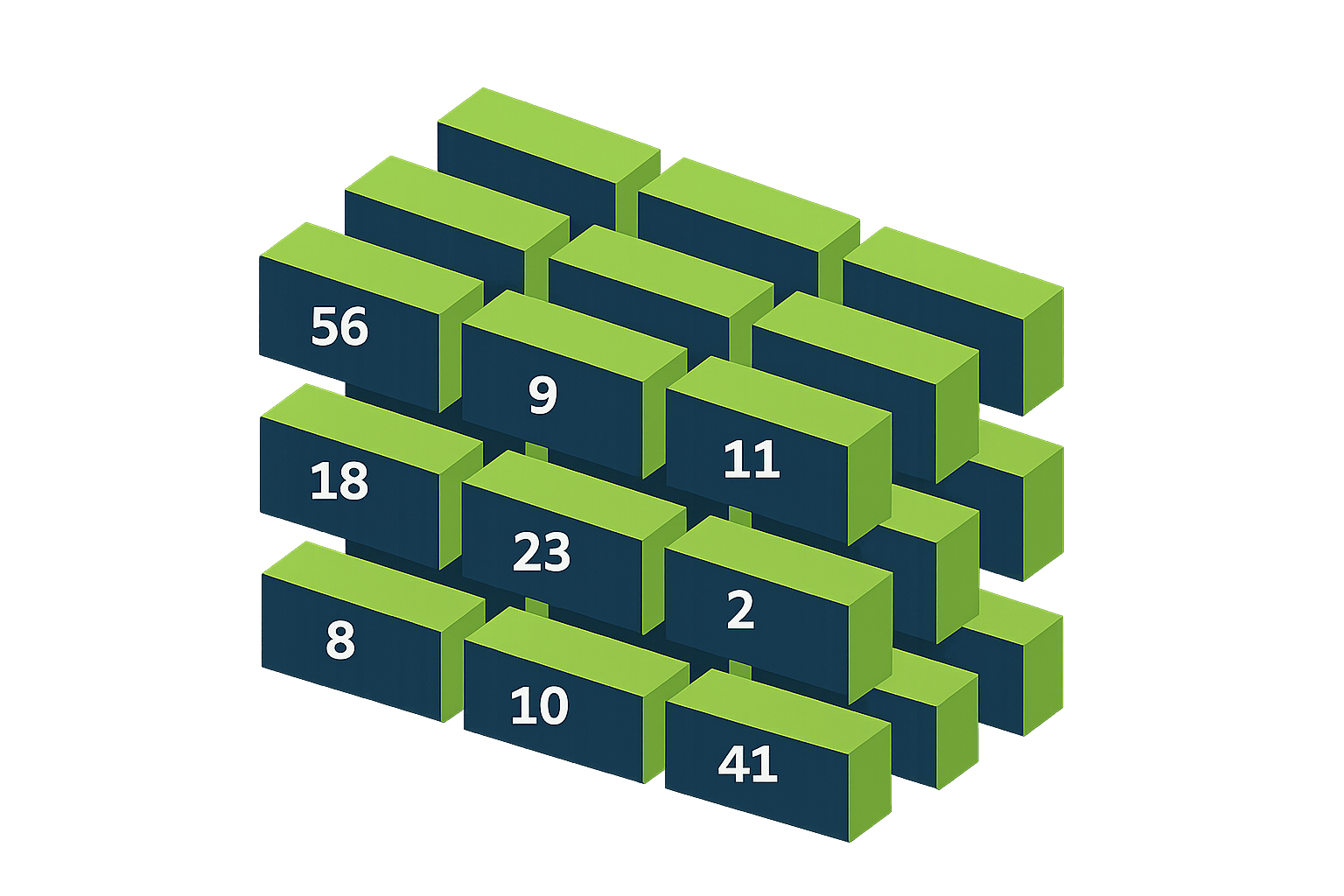
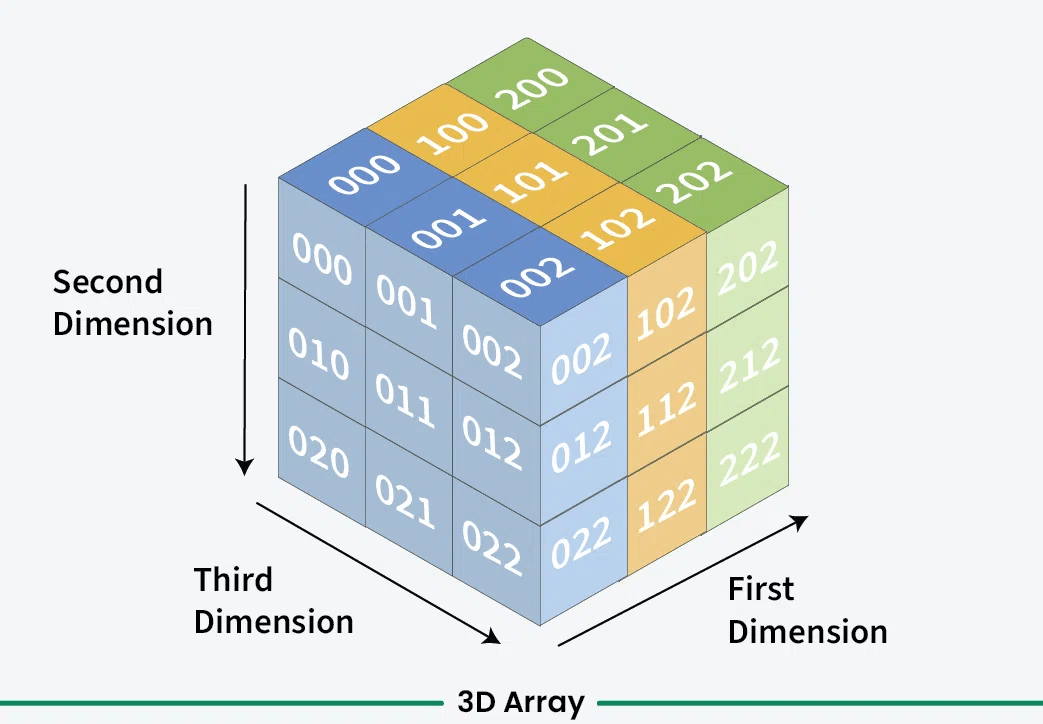
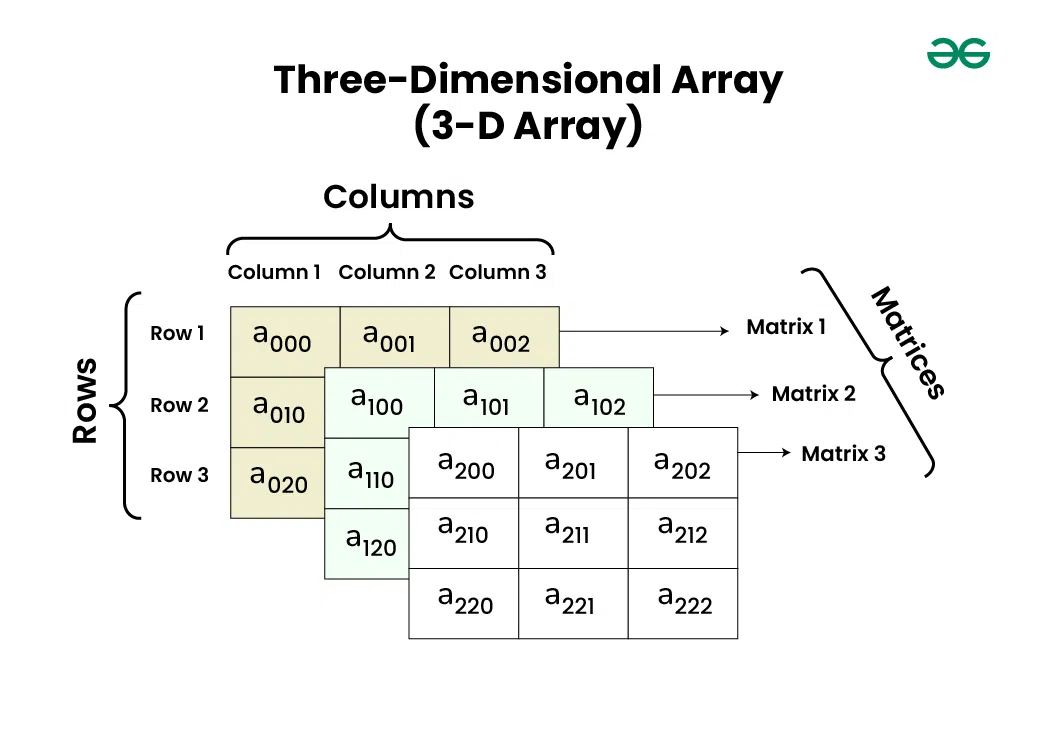
3D array indexing means accessing a single element from a three-dimensional NumPy array using three position numbers (indices).
3D array slicing means extracting a sub-array (multiple elements) from a three-dimensional array using index ranges.
Syntax → Array_name [ layer_start:layer_end (exclusive) , row_start:row_end (exclusive), Col_start:col_end (exclusive)]
import numpy as np
a = np.array([
    [[1,  2,  3],
     [4,  5,  6]],

    [[7,  8,  9],
     [10, 11, 12]]
])| Index | column 0 | column 1 | column 2 |
|---|---|---|---|
| Row 0 | 1 | 2 | 3 |
| Row 1 | 4 | 5 | 6 |
| Index | column 0 | column 1 | column 2 |
|---|---|---|---|
| Row 0 | 7 | 8 | 9 |
| Row 1 | 10 | 11 | 12 |
LAYER 0
LAYER 1
LAYER -1
LAYER -2
-3
-2
-1
-3
-2
-1
-2
-1
import numpy as np
a = np.array([
    [[1,  2,  3],
     [4,  5,  6]],

    [[7,  8,  9],
     [10, 11, 12]]
])| Index | column 0 | column 1 | column 2 |
|---|---|---|---|
| Row 0 | 1 | 2 | 3 |
| Row 1 | 4 | 5 | 6 |
| Index | column 0 | column 1 | column 2 |
|---|---|---|---|
| Row 0 | 7 | 8 | 9 |
| Row 1 | 10 | 11 | 12 |
LAYER 0
LAYER 1
LAYER -1
LAYER -2
-3
-2
-1
-3
-2
-1
-2
-1
Slice specific layer(s)
a[0:1, :, :]
Syntax → Array_name [ layer_start:layer_end (exclusive) , row_start:row_end (exclusive), Col_start:col_end (exclusive)]
Slice rows and columns from all layers
a[:, 0:1, 1:3]
Slice a sub-cube
a[0:2, 0:2, 1:3]
Slicing with step
a[::1, ::2, ::2]
1D → one index
2D → two indices (row, column)
3D → three indices (layer, row, column)
Indexing Vs Slicing
Boolean Indexing
Boolean indexing is a method of selecting elements from an array using a Boolean condition (True / False).
Only the elements where the condition is True are selected.
Boolean indexing is the process of accessing array elements based on a Boolean condition instead of fixed index positions.
Example: 1D Array
import numpy as np
a = np.array([10, 20, 30, 40, 50])| 10 | 20 | 30 | 40 | 50 |
|---|
a > 25
[False False True True True]
import numpy as np
b = np.array([
   [5, 10, 15],
   [20, 25, 30],
   [35, 40, 45]
])
Example: 2D Array
Use:
& for AND
| 5 | 10 | 15 |
|---|---|---|
| 20 | 25 | 30 |
| 35 | 40 | 50 |
| 0 | 0 | 0 |
|---|---|---|
| 20 | 25 | 30 |
| 35 | 40 | 50 |
| 0 | 0 | 0 |
|---|---|---|
| 20 | 25 | 30 |
| 35 | 40 | 50 |
Summary
5
4
3
2
1
Creating boolean masking
What is boolean indexing
How to perform indexing and slicing of 1D, 2D, 3D array
What is the need of indexing and Slicing
What is Indexing and Slicing
Quiz
What will be the output?
a = np.array([10, 20, 30, 40]) --> print(a[1:3])
A. [10 20]
B. [20 30]
C. [20 30 40]
D. [30 40]
Quiz
What will be the output?
a = np.array([10, 20, 30, 40]) --> print(a[1:3])
A. [10 20]
B. [20 30]
C. [20 30 40]
D. [30 40]
By Content ITV