









Content ITV PRO
This is Itvedant Content department
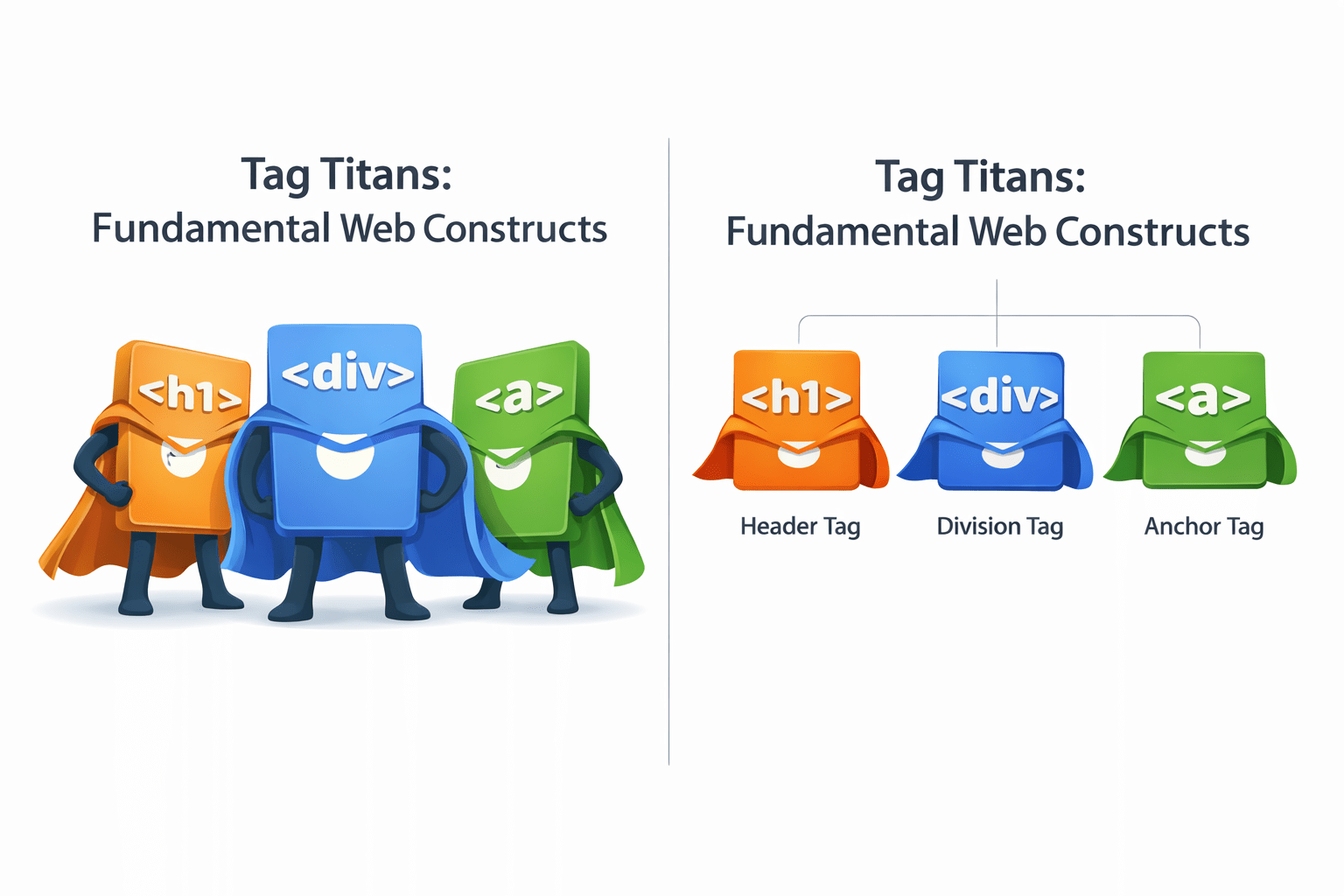
Tag Titans: Fundamental web constructs
What Is The Body Tag?
The <body> tag defines the main content area of an HTML document
Everything visible on a web page must be placed within the <body> tags
The <body> tag must have an opening and closing tag, like <body>...</body>
<body>
</body>
The Heart Of The Webpage
What Does The Tag Do?
How are the above paragraphs defined?
using just one <p> tag
using two <p> tags
Para 1:
Para 2:
<!DOCTYPE html>
<html>
<head>
</head>
<body>
  <p>This is the first paragraph of the article.
  It introduces the main topic and provides some context.</p>
  <p>This is the second and final paragraph, in the article.</p>
</body>
</html>
Declaring <body> since the paragraph is visible element
Creates a paragraph for Para 1
Creates a paragraph for Para 2
Did You Notice How The Paragraphs Are Separated?
Here is how it works:
To start a new paragraph, you place another opening <p> tag after the previous closing </p> tag
The opening <p> tag indicates the start of a new paragraph
The closing </p> tag indicates the end of that paragraph
This is a sample paragraph
Text between the opening and closing <p> tags is a single paragraph
Now Imagine You Are Writing A Book
Chapter 1 The Internet
Introduction
The internet is a vast global network of interconnected computer networks. It enables the exchange of information and communication between devices worldwide. The origins of the internet date back to the 1960s when it was developed for military purposes.The World Wide Web (WWW) is a service that operates over the internet. It consists of websites, which are collections of web pages linked together.
.
How it works?
Introduction
The internet is a vast global network of interconnected computer networks. It enables the exchange of information and communication between devices worldwide. The origins of the internet date back to the 1960s when it was developed for military purposes.The World Wide Web (WWW) is a service that operates over the internet. It consists of websites, which are collections of web pages linked together.
.
How it works?
Pg 1
Pg 1
Which of these makes readers navigate easily?
Why?
Proper Use Of Headings Makes It Better
Introduction
The internet is a vast global network of interconnected computer networks. It enables the exchange of information and communication between devices worldwide. The origins of the internet date back to the 1960s when it was developed for military purposes.The World Wide Web (WWW) is a service that operates over the internet. It consists of websites, which are collections of web pages linked together.
.
How it works?
Pg 1
Why Are Good Headings Important On A Webpage?
Provides structure and makes content organized
Users can easily navigate with well-structured headings
SEO understands structure and topics of a webpage
How Does HTML Structure Headings?
There are six different levels of heading tags in HTML, which are represented by the tags <h1> through <h6>
H1
H2
H3
H4
The flow of these represents the font size of HTML
H5
H6
Heading 6
Lets see how it looks on the interface
Let's See The Code Behind Headings
<!DOCTYPE html>
<head>
  <title>Heading Examples</title>
</head>
<body>
  <h1>This is a Heading Level 1</h1>
  <h2>This is a Heading Level 2</h2>
  <h3>This is a Heading Level 3</h3>
  <h4>This is a Heading Level 4</h4>
</body>
</html>
Code
Output
Notice how the font changes on different heading levels
What Is Link Tag?
The <link> tag is used to link external resources to an HTML document, such as stylesheets or icon files
index.html
external.css
<!DOCTYPE html>
<html>
<head>
    <title>Simple HTML Example</title>
    <link rel="stylesheet" type="text/css" href="styles.css">
</head>
<body>
    <h1>Welcome to My Website</h1>
    <p>This is a simple HTML example.</p>
</body>
</html>
/* styles.css */

body {
    font-family: Arial, sans-serif;
    background-color: #f4f4f4;
    margin: 0;
    padding: 0;
}

h1 {
    color: #333;
}

p {
    color: #666;
    font-size: 18px;
}
<link rel="stylesheet" type="text/css" href="styles.css">What Is Link Tag?
<!DOCTYPE html>
<html>
<head>
    <title>Simple HTML Example</title>
    <link rel="stylesheet" type="text/css" href="styles.css">
</head>
<body>
    <h1>Welcome to My Website</h1>
    <p>This is a simple HTML example.</p>
</body>
</html>
/* styles.css */

body {
    font-family: Arial, sans-serif;
    background-color: #f4f4f4;
    margin: 0;
    padding: 0;
}

h1 {
    color: #333;
}

p {
    color: #666;
    font-size: 18px;
}
index.html
external.css
<link rel="stylesheet" type="text/css" href="styles.css">The <link> tag is used to link external resources to an HTML document, such as stylesheets or icon files
Defines a link to an external resource
Specifies the linked resource is a stylesheet
Specifies the path to the CSS file to be linked
Key Tag for Page Metadata & SEO
<meta name="viewport" content="width=device-width, initial-scale=1.0">We use the meta viewport tag to control webpage scaling on different devices
We name it "viewport" to specify that the tag controls the visible area of the webpage on different devices.
We specify content in the meta viewport tag to define how the webpage should scale and display on various devices.
ensure that the webpage's width adapts to the device's screen width
establish the initial zoom level of the webpage
We set "initial-scale=1.0" to maintain the webpage's original size upon first loading
< name="viewport" >< content= >< "width=device-width, >< initial-scale=1.0"><meta name="viewport" content="width=device-width, initial-scale=1.0">By Content ITV