Content ITV PRO
This is Itvedant Content department
Enhancing a Flight Booking System Using Java 8 Features and GitHub Copilot in Eclipse : Part 1
Business Scenario
In the previous lab, we implemented JDBC CRUD operations to add, retrieve, update, and delete flight records in the MySQL database using the DAO pattern and PreparedStatement.
Welcome back,Developers!
Pre-Lab Preparation
Basic Java Programming
Classes and Objects
Inheritance and Polymorphism
Abstract Classes
Collections Framework
Eclipse IDE
GitHub Account
git pull origin branchNameGit Pull
Task 1: Installing GitHub Copilot in Eclipse
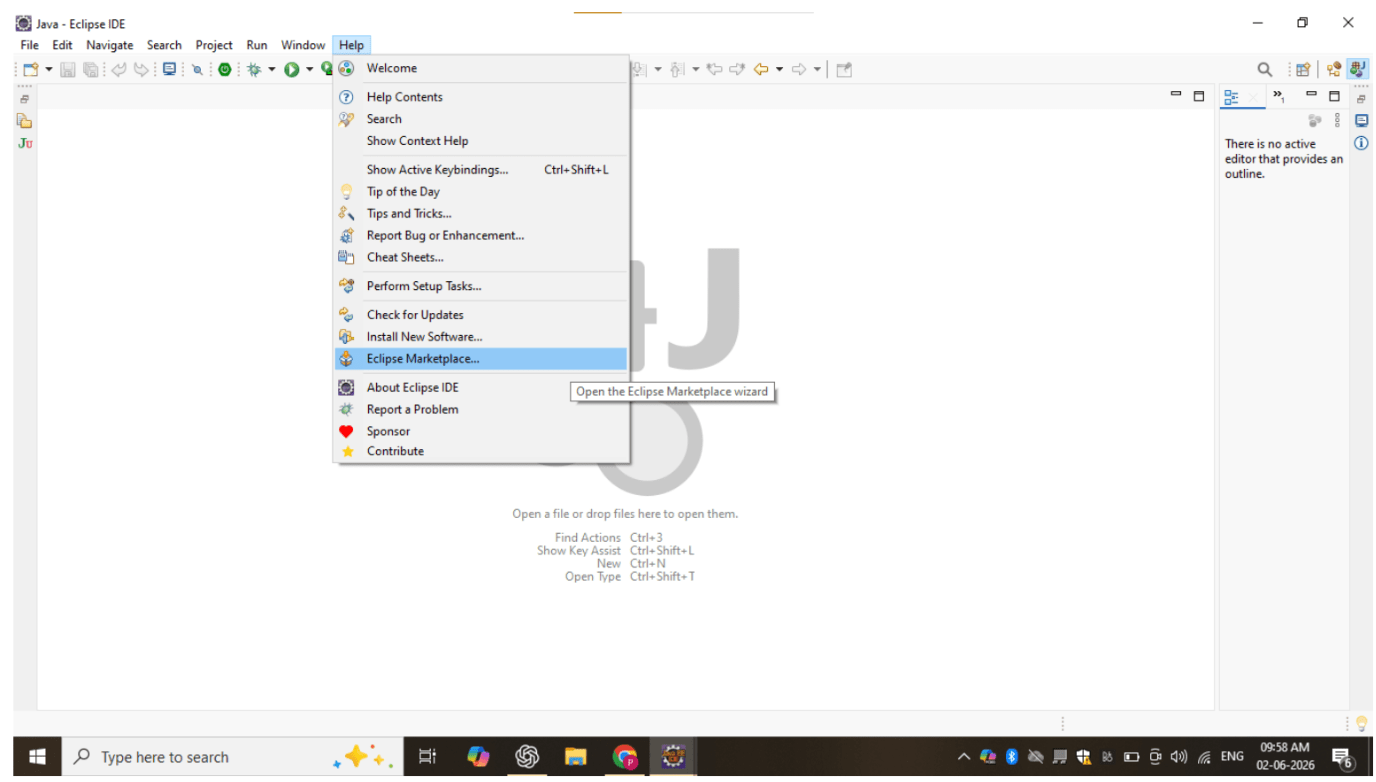
Open Eclipse IDE and navigate to:
1
Help → Eclipse Marketplace
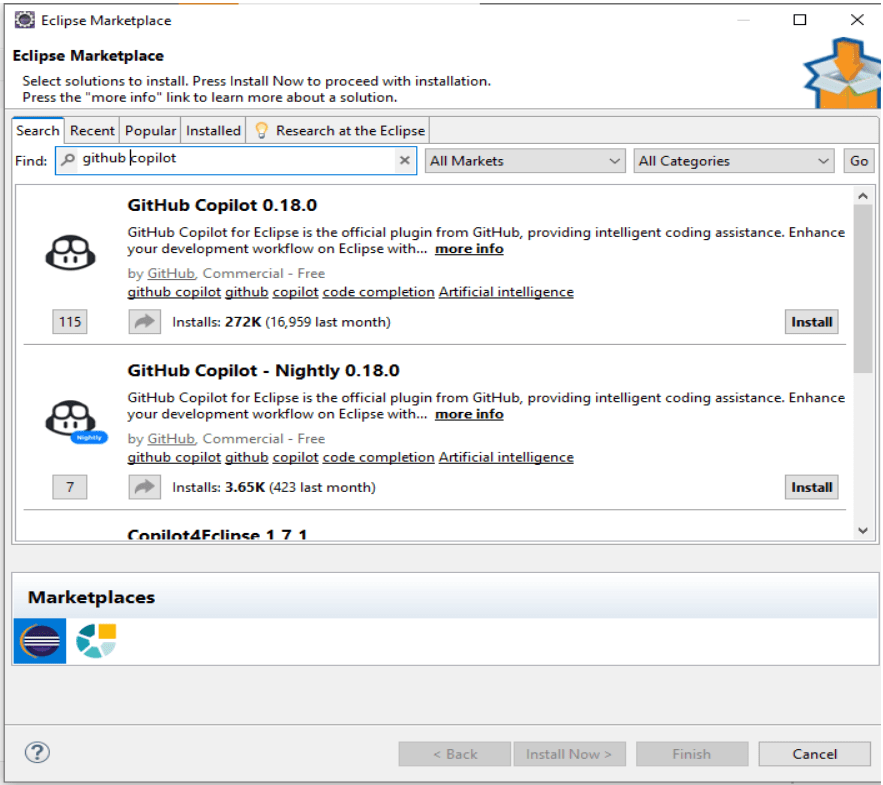
Search for GitHub Copilot and click Install.
2
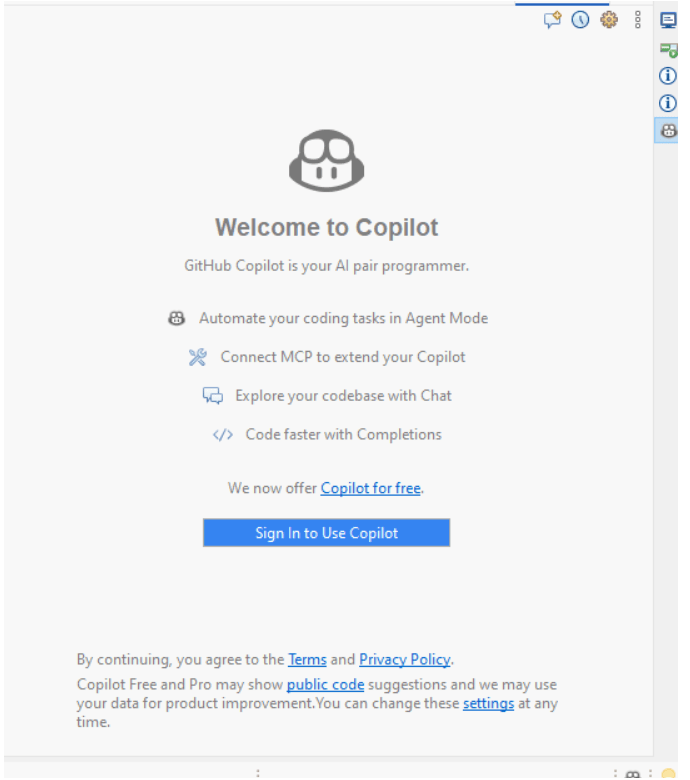
Restart Eclipse and sign in using your GitHub account.
verify that Copilot suggestions appear while coding.
4
3
Great job!
Installed GitHub Copilot in Eclipse.
Verified AI code suggestions.
Prepared the environment for AI-assisted coding.
Checkpoint
Next-Lab Preparation
Git Push
git push origin branchNameBefore starting the next lab, students should be familiar with:
Java 8 features
Lambda Expressions
Functional Interfaces
Stream API
GitHub Copilot in Eclipse
By Content ITV