Content ITV PRO
This is Itvedant Content department
Online Store Catalog
Business Scenario
Welcome!
Hey Digital Marketing Executive ! Your online store setup is now complete. The next step is organizing restaurant menu items using product categories and adding products for customer orders.
Pre-Lab Preparation
Topic : Ecommerce Website Design
1) Installation Ecommerce Plugin
2) Ecommerce Store Setup
3) Product Categories Creation
4) Uploading Products
5) Variable Products
6) Upselling Products
7) Payment Setup
8) Shipping Setup
Task 1: Add Online Store Catalog
Objective:
To create restaurant menu categories and upload orderable food items in WooCommerce.
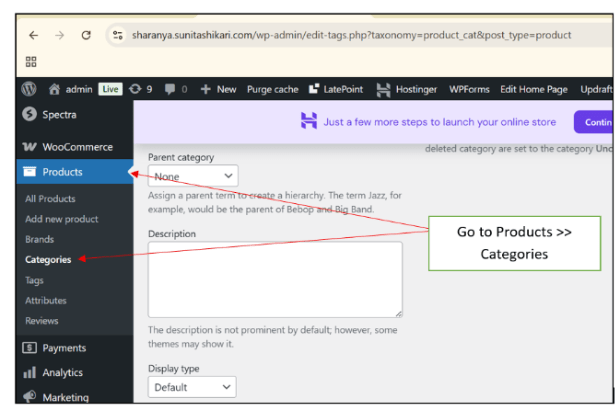
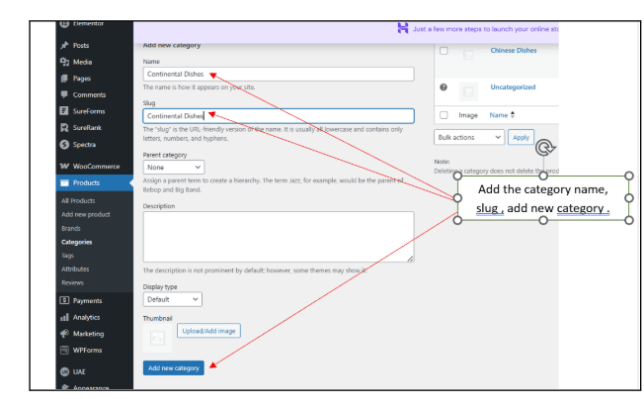
Create Product Categories
1
Create categories such as:
Chinese Dishes
Continental Dishes
Beverages
Desserts
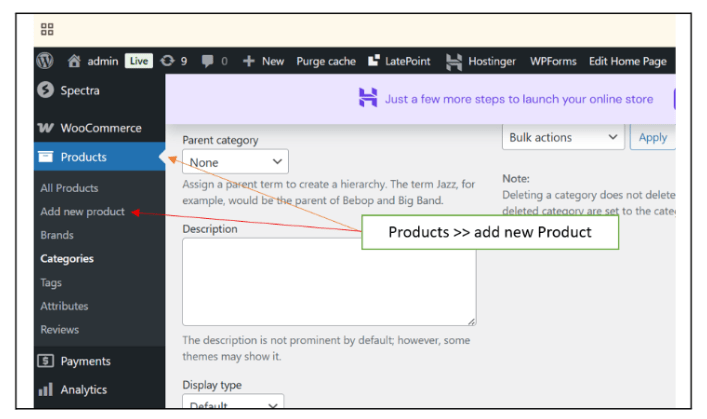
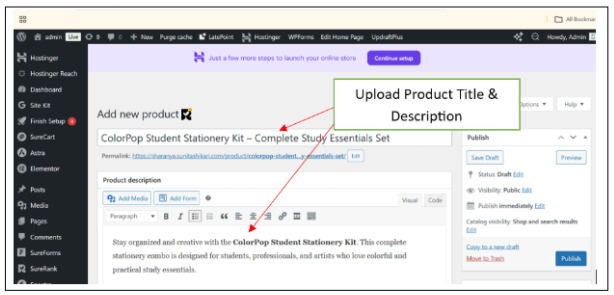
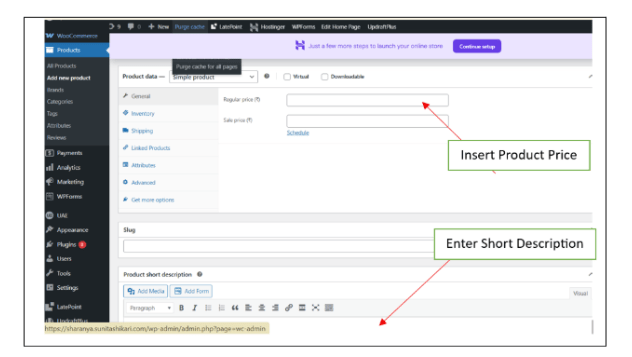
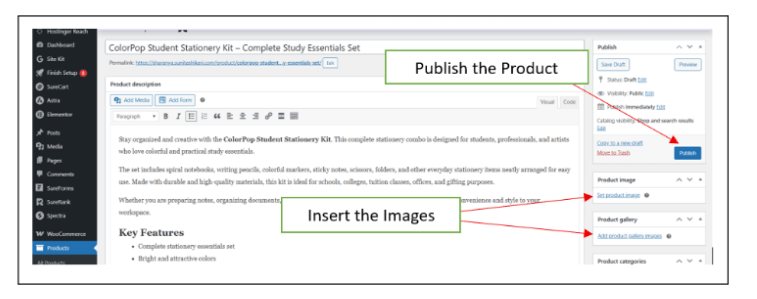
Add New Products
2
Product Price
Add the following details:
Product Name
Product Description
Food Image
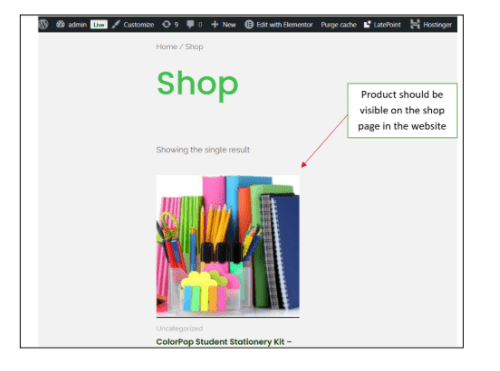
Test Product Display
3
Visit the Shop page and verify:
Products display properly
Images and pricing are correct.
Activity
Now it’s your turn!
Add menu categories and food products for Spice Garden.
You need to:
Create minimum 4 product categories
Upload minimum 8 food items
Add product images and prices
Verify product display on shop page
Great job!
You have successfully completed Online Store Catalog
What You Learned :
How to create WooCommerce product categories
Checkpoint
How to upload products
How to manage food item listings
How to organize restaurant menu items online
By Content ITV